Android 16 brings AI notification summaries and frequent updates, learning from Apple's mistakes


7 Sources
7 Sources
[1]
Android 16 Update Gets More Personal With AI Tools, New Accessibility Features
With more than a decade of experience, Nelson covers Apple and Google and writes about iPhone and Android features, privacy and security settings, and more. Google announced a sweeping round of Android upgrades on Tuesday, Dec. 2, timed with the International Day of Persons with Disabilities. The update bundle includes a second release of Android 16 for eligible Pixel devices, new AI-powered tools, expanded accessibility features and a handful of quality-of-life improvements arriving across the Android ecosystem. The release also marks a shift for the platform. Google is moving away from a single yearly OS update and toward more frequent drops throughout the year. That means Pixel owners will see major features, like Gemini-powered tools, land sooner instead of waiting for the next major update. Here's everything coming to Android. Long messages and chaotic group chats now get condensed into glanceable summaries using on-device AI. Each summary gives the context you need without forcing you to scroll through a bunch of text. To help you stay focused, Android will automatically sort similar notifications and silence the lower-priority ones, like promotions, news and social alerts. Google is leaning further into device personalization: Android 16 introduces a built-in Parental Controls section directly in settings. Protected by a PIN, parents can: It also links directly to Family Link for deeper controls like School Time and purchase approvals. Parental Controls in settings is currently only available on Pixel phones and tablets running Android 16 and later. You can now connect your Pixel phone to an external monitor to extend your workspace, present content or mirror your display, similar to desktop-style modes on other Android devices. Google's real-time captioning now includes emotional context. AI can tag speech with indicators when someone is expressing joy or sadness, as well as ambient sounds like cheers and applause, gasps, signs and more. It works across social media stories, livestreams and video messages and is expanding to YouTube for English videos uploaded after mid-October. Just in time for the holidays, new mash-ups include saying goodbye for the year (⛄️ + ✒️) and sending holiday well-wishes (🫂 + ⛄️), letting you express oddly specific moods in stickers. Soon in the Phone by Google app, you can mark an outgoing call to a contact as "urgent." That label appears on their incoming call screen and stays in their missed-call history, so that they know to get back to you more quickly than a non-urgent call. If an unknown number adds you to a group chat, Android now shows key details and safety tips. You can leave, block or report the chat with one tap. Now you can circle suspicious messages anywhere on your screen and get an AI Overview summarizing whether it's likely a scam, plus recommended next steps. Like on desktop Chrome, you can now pin important tabs on Android so they stay fixed at the top of your browser. Google's accessibility update is its most robust in months, spanning vision, hearing and mobility. Android can now automatically darken apps, even those without built-in dark mode, reducing brightness transitions and helping people sensitive to light or with low vision. For people who use an external mouse, AutoClick adds adjustable dwell timing, customizable actions (left-click, right-click, drag, scroll, etc.) and reduced strain for users who struggle with physical clicking A two-finger double-tap on Gboard starts dictation. On Pixel, Gemini-powered Smart Dictation lets you edit text naturally. You can say something like "Replace Monday with Tuesday" or "Make it shorter." Guided Frame, Google's tool that helps blind and low-vision users take centered photos, now uses Gemini models to deliver richer scene descriptions. "One girl with a yellow T-shirt sits on the sofa and looks at the dog." You can now launch Voice Access hands-free. You can say "Hey Google, start Voice Access." It's also better at detecting punctuation, more accurate across accents, able to toggle Wi-Fi and Bluetooth and is now available in Japanese. Bluetooth LE Audio-enabled hearing aids can now pair with one tap via Fast Pair. This feature is available on Demant devices today, with Starkey support coming in early 2026. Pixel owners get the first wave today, and more features will continue rolling out across Android devices in the coming months.
[2]
Google's new Android 16 upgrades make a strong case for sticking with Pixel or Samsung
The first update introduces several new features for Android. Google has announced that it's moving away from a single, yearly update of its Android mobile operating system to more frequent releases throughout the year. To kick things off, the company revealed a roundup of updates that includes a second Android 16 release coming to eligible Pixel devices, plus new features coming to Android as a whole. Also: I found the 10+ best Cyber Monday phone deals still live (including Verizon and T-Mobile offers) The Android 16 release includes features such as AI-powered notification summaries, a notification organizer, and expanded parental controls. However, the more impactful features are being introduced to Android overall. Here's a look at three of the biggest additions. One of the most intriguing new additions is Call Reason, a way to indicate that a call is critical. With Call Reason, which Google says is "coming soon," if you're making a call to a saved contact, you can flag it as urgent. The call recipient will see a small bubble announcing "It's urgent!" while the call is ringing and a similar flag on the call history if they miss the call. Also: Finally, an Android tablet that I wouldn't mind putting my iPad Pro away for (especially at this price) A few months ago, an APK teardown by 9to5Google revealed an "Expressive Calling" feature, exclusive to Pixel phones, which allows you to specify a reason for your call -- such as "Catch up," "News to share," or "Quick question." An urgent option, which makes a special sound and breaks through do-not-disturb settings, was also spotted in the code. Google didn't indicate today that the current Call Reason has this capability, but it appears to be forthcoming, if it is not already. Also on the way is a feature that lets you keep important Chrome tabs visible. I know the tabs on my phone's Chrome browser are a mix of articles I want to read later, sites I reference often, and the occasional important links I need for a short time. If you're looking for an easier way to manage tabs, your answer is here. Chrome on Android now has pinned tabs that stay at the front of your browser. To pin a tab, just enter the tab overview or grid view, and long-press on the tab you want to save and choose "Pin tab." That tab will now move to the top of your grid and lose the "x," button, meaning you'll never accidentally close it out. If you're suspicious that a chat or text message might be a scam, you can use Circle to Search to learn more. Circle to Search, which rolled out last year, lets you learn more about anything on your screen by long-pressing your home button and then highlighting what you want to search. Now, if you circle a suspicious message, you'll receive an AI Overview that explains more. You'll see an explanation of how the scam works along with relevant guidance and next steps. IAlso: The best Google phones: How does the Pixel 10 Pro Fold stack up? If you're an Android user, you should see these new features soon. You can learn more about them and see the rest of the additions at android.com/updates.
[3]
Massive Android 16 update dropping -- notification summaries, custom icon shapes and more
Google is preparing some huge Android updates that are slated to start rolling out shortly. Many of the more significant features in this update are limited to eligible Pixel phones, but there are also new features coming to other Android phones. Google called this release "a new chapter for how Android updates work, moving from a single, yearly update to more frequent releases." That means we won't see these huge, sweeping updates going forward, with the company opting to release smaller updates instead. While it won't be quite as exciting as receiving a slew of new features at once, it's also fun to keep things moving with new features consistently. Google is adding AI notification summaries (something Apple has been seeing mixed results with since introducing them as part of iOS 18). Android will now condense longer messages and group chats to provide a quick understanding at a glance. If you set your phone down for a bit and get inundated with messages from friends, these summaries could come in handy. As part of the update, Android will also get a notification organizer that groups and silences notifications based on importance. Visually, Google is adding Custom icon shapes, Themed icons and more options in dark theme. For kids with Pixel devices, Google is beefing up parental controls. Adults now can set the daily limit for device screen time, schedule downtime, control app usage, and adjust timing as needed. These sound like some pretty fundamental-shifting updates that will make using Pixel devices more enjoyable. For other device owners, Google didn't say if and when these features would roll out. However, the company also revealed some general updates for other phones. Not content to let Pixel owners have all the fun, Google is also rolling out new features to other Android phones, and some sound quite cool. For example, captions for videos are getting a feature called Expressive Captions, which essentially adds emotion tags and other cues to captions to say how the person speaking is likely feeling based on what they're portraying. Google is also expanding Emoji Kitchen stickers, adding an in-dialer Call Reason feature, giving you the ability to leave group messages (and report them if there's something shady happening) and check for scams with Circle to Search. Finally, Google is rolling out tons of accessibility updates. Here's a quick list of what Android users can expect:
[4]
Your notifications just got smarter and quieter with Google's new update
Your phone now groups annoying alerts so you can ignore them all at once Google just pushed the button on Android 16 QPR2, its second major update of the year, and it represents a huge shift in how our phones get better. Gone are the days of waiting for one massive "Android 17" drop every fall. Google has officially switched gears to delivering two meaningful updates a year - a platform overhaul first, followed by a feature-packed polish like this one. Right now, this is hitting Pixel devices, with Samsung, OnePlus, and others expected to catch up soon (likely via updates like One UI 8.5). This isn't just a bug fix; it's a serious upgrade list. We're talking AI-powered notification summaries, a smart Notifications Organizer that cleans up your shade, auto-themed icons that actually match your wallpaper, and a much smarter dark mode. Recommended Videos It also packs a punch for safety and accessibility. You're getting enhanced scam detection, "urgent" call tags so you know when to pick up, and better parental controls baked right into the system settings. Why this matters: Android becomes more helpful, safer, and more consistent across devices This update is basically Google trying to help your brain deal with information overload. The standout feature is definitely the AI Notification Summaries. Instead of scrolling through 50 panicked messages in a group chat, your phone's NPU will just give you a quick bullet point of what you missed. Then there is the Notifications Organizer, which finally understands that an Instagram like is not as important as a text from your boss. It automatically bundles low-priority stuff - newsletters, promos, random app alerts - so your phone stops buzzing for nonsense. Security is getting smarter, too. Circle to Search can now look at a suspicious text or email and tell you, "Hey, this looks like a scam," right there on the screen. The Phone app is also letting people flag calls as "urgent," so you don't screen an emergency thinking it's spam. For parents, moving Family Link controls directly into the main Settings menu is a huge quality-of-life win. No more digging through separate apps to manage screen time. Why you should care: These upgrades will genuinely make your everyday phone use smoother If you have ever felt like your phone is just a noise machine, this update is for you. It's all about cutting clutter. Features like Chrome pinned tabs on mobile or the ability to easily exit annoying group chats are things we've wanted for years. For Samsung users, this new schedule is great news. Two updates a year means you aren't waiting 12 months for new features. Your Galaxy S25 or S26 stays fresh and secure without that long, stagnant waiting period we used to have. What's next: Two major Android updates per year, more AI features coming in 2025 This is the new normal. We can expect another major Android release in mid-2025, followed by another big feature drop later in the year. The goal is pretty clear: Google wants Android to be an AI-first operating system. Expect deeper Gemini integrations and more automated features that run silently in the background. Android isn't just an OS anymore; it's becoming an active assistant that manages your digital life for you.
[5]

New Android 16 features include the AI summaries Apple got badly wrong
The second wave of Android 16 is out for Pixel phones with others to follow. New AI tools promise to help users stay organised. Google has revealed a host of new Android 16 features as part of its new staggered approach to operating system updates. The new features, which will initially arrive on compatible Pixel devices, have an AI focus, with notification summaries, and a notification organiser being among them. AI notification summaries will "condense longer messages and group chats, giving you quick understanding and context at a glance." So, Android fans will be hoping Google makes less of a pigs ear of this than Apple did last year. Apple pulled its notification summaries from news apps after news organisations like the BBC cited inaccuracies and misrepresentation of stories. Message summaries were also criticised for removing context and being somewhat blunt in their shortening of the text. One poor guy learned of a break-up this way. Meanwhile, the notification organiser will take care of grouping and silencing lower-priority notifications to reduce distractions. Google is also promising more personalisation features to help Android feel truly your own. There are custom icon shapes for the home screen, the application of themed icons across apps and the new ability for light apps to be automatically darkened even if they don't have a dark them build into them. Android 16 came out in June, but Google has vowed to ensure eligible users won't have to wait all year for an influx of new updates. The company sort of does this already for Pixel device owners with the regular Pixel Feature Drops, but these updates will be available as system software updates. "This release also marks a new chapter for how Android updates work, moving from a single, yearly operating system update to more frequent releases," Google says in the blog post. "This means you get the latest features as soon as they're ready." There's not a huge amount here, but this approach more reflects Apple's tactic of bringing users features under a main build number throughout the cycle.
[6]

Android 16 Levels Up, AI-Powered Organization Meets Next-Gen Customization
Google's Big Android Refresh: Android 16 Brings AI Notification Summaries, Smarter Controls & Next-Gen Customization to Global Users Android 16 has received several updates to improve the experience. After months of the initial release, Android 16 got updates, along with new general Android and accessibility features. The latest update introduces an OS upgrade focused on AI-powered organization, personalized experiences, and deeper device control. With competition increasing every day, Google is aggressively pursuing AI, personalization, and betterment of the user experience. , many of these newly introduced features will be available on Pixel devices for now. Later, maybe some of them will reach a broader range of Android phones, indicating a more adaptable, user-centered upgrade process.
[7]

Google Android 16 update brings AI notification summaries, new customisation features and more
The updates aim to make your device smarter, more personalised and easier to manage. Google has announced new Android 16 updates, which aim to make your device smarter, more personalised and easier to manage. This release also marks a major shift in how Google delivers Android improvements. Instead of one big yearly update, new features will now arrive more often, giving users quicker access to the latest tools and upgrades. One of the most helpful additions in Android 16 is the improved notification system. Notifications can quickly pile up, so Google is rolling out AI-powered notification summaries. These summaries shrink long messages and busy group chats into short, easy-to-read highlights. This makes it faster to understand what's important without opening every message. There's also a new notification organiser that automatically groups and mutes low-priority alerts like promotions, news updates or social media pings, helping keep your phone free from unnecessary distractions. Also read: Apple may push back govt order to preload Sanchar Saathi app: Here is why Android 16 also focuses on personalisation. Users can now pick from new custom icon shapes to make their home screen match their own style. Themed icons are now applied across apps automatically, creating a consistent and neat look throughout the device. Also, the dark theme can now darken apps that don't include their own dark mode. Also read: Apple hires Google and Microsoft veteran as new vice president of AI as John Giannandrea steps down Parents and families will find new tools too. Android 16 adds a Parental Controls section directly in the device's settings. This PIN-protected area allows parents to set daily screen time limits, schedule downtime at night, restrict or block certain apps and give extra time when needed. These updates are rolling out to eligible Google Pixel devices.
Share
Share
Copy Link
Google announced a major shift in how Android evolves, moving from yearly updates to frequent releases throughout the year. Android 16's second wave introduces AI-powered notification summaries and a smart organizer that condenses group chats and silences low-priority alerts. The update also brings enhanced accessibility features, scam detection via Circle to Search, and expanded parental controls for Pixel devices.
Google Shifts to Frequent Android Updates with Android 16 Release
Google announced a fundamental shift in its update strategy on Tuesday, December 2, moving away from a single yearly operating system update to more frequent releases throughout the year
1
. The second Android 16 release marks this new chapter, delivering major features to eligible Pixel devices first, with Samsung, OnePlus, and other manufacturers expected to follow soon4
. This approach means users won't wait 12 months for new capabilities, keeping devices fresh and secure throughout the year.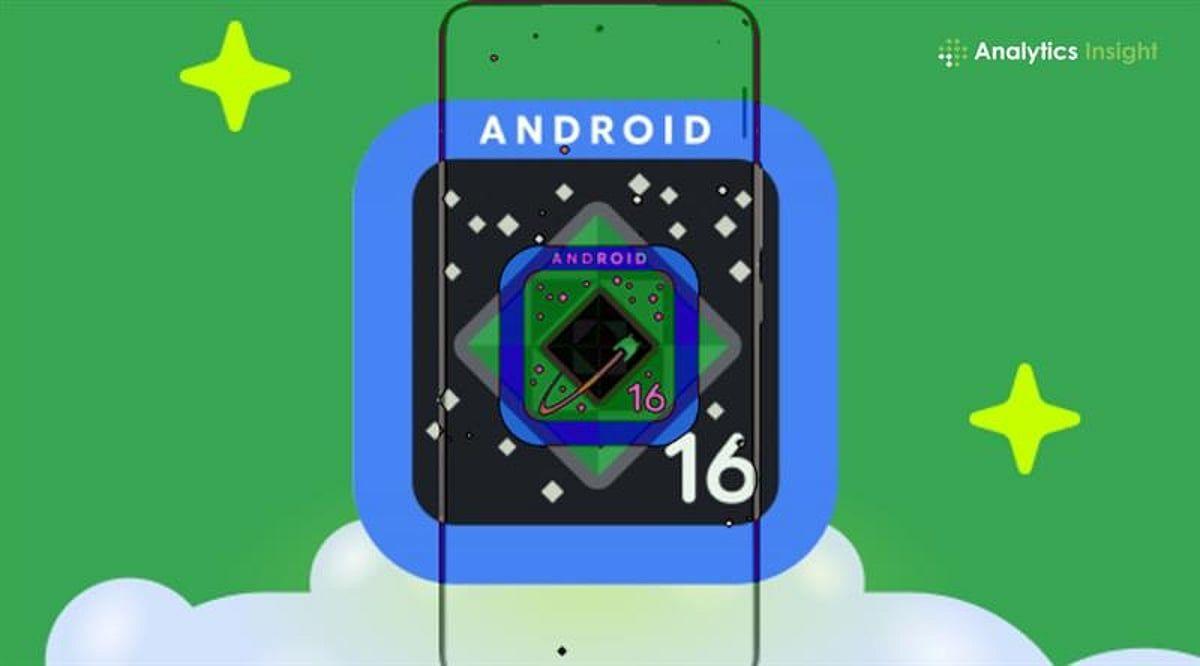
Source: Analytics Insight
The update bundle includes AI features, enhanced accessibility features, and quality-of-life improvements timed with the International Day of Persons with Disabilities
1
. Pixel owners get the first wave immediately, with features continuing to roll out across the Android ecosystem in coming months.AI-Powered Notification Summaries Tackle Information Overload
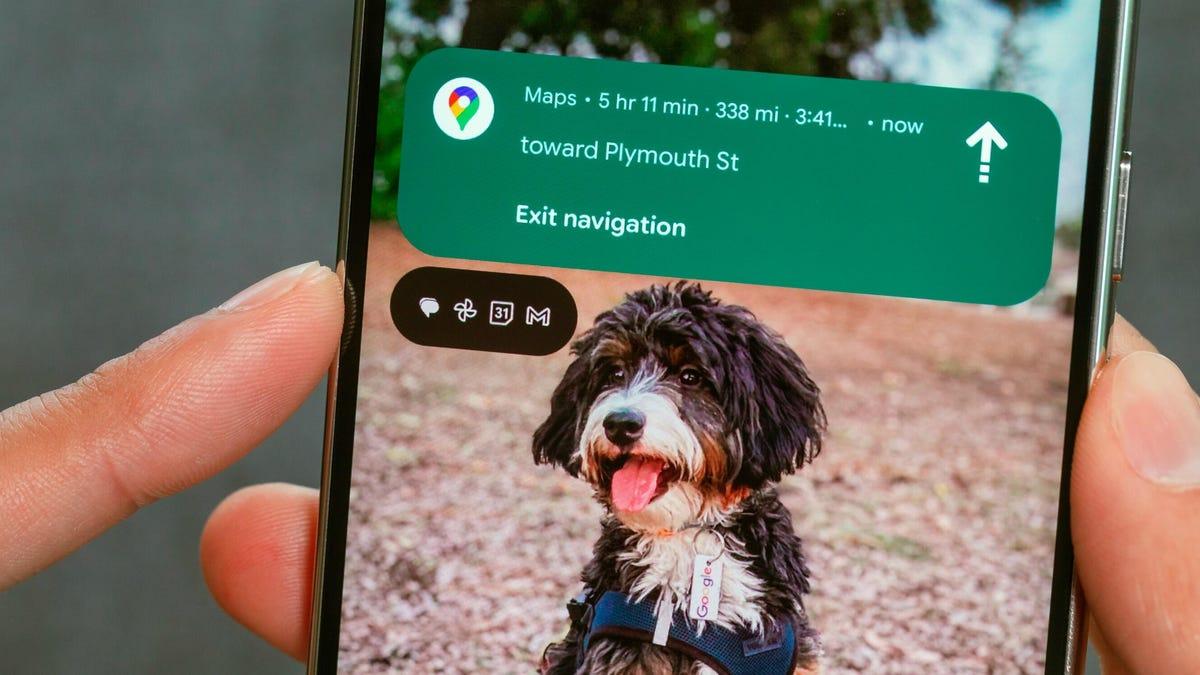
Notification summaries represent one of the most significant additions, using on-device AI to condense longer messages and chaotic group chats into glanceable summaries
1
. Each summary provides context without forcing users to scroll through extensive text. Google hopes to avoid the missteps Apple encountered when it launched similar features last year. Apple pulled its notification summaries from news apps after organizations like the BBC cited inaccuracies and misrepresentation of stories5
. Message summaries were also criticized for removing context and being blunt in shortening text.
Source: Stuff
The notification organizer works alongside summaries to help users stay focused by automatically grouping similar notifications and silencing lower-priority ones, including promotions, news, and social alerts
1
. This feature addresses the reality that an Instagram like doesn't carry the same urgency as a text from your boss4
.Scam Detection and Call Reason Boost Security
Scam detection gets smarter with Circle to Search integration. Users can now circle suspicious messages anywhere on their screen and receive an AI Overview summarizing whether it's likely a scam, plus recommended next steps
1
. This on-screen analysis helps users identify threats in real-time without leaving their current app2
.Call Reason, coming soon to the Phone by Google app, allows users to mark outgoing calls to contacts as urgent
1
. That label appears on the recipient's incoming call screen and stays in their missed-call history, ensuring they know to respond more quickly than to non-urgent calls2
. When unknown numbers add users to group chats, Android now shows key details and safety tips, allowing users to leave, block, or report the chat with one tap1
.Parental Controls and Personalization Features Expand
Android 16 introduces built-in Parental Controls directly in settings, protected by a PIN
1
. Parents can set daily screen time limits, schedule downtime, control app usage, and adjust timing as needed. The feature links directly to Family Link for deeper controls like School Time and purchase approvals. Currently, Parental Controls in settings is only available on Pixel phones and tablets running Android 16 and later1
. Moving these controls into the main Settings menu represents a major quality-of-life improvement, eliminating the need to dig through separate apps4
.Google is leaning further into device personalization with custom icon shapes for home screens, themed icons that apply across apps, and automatic darkening of apps even when they lack built-in dark mode
3
. This reduces brightness transitions and helps people sensitive to light or with low vision1
.Related Stories

Enhanced Accessibility Features Transform User Experience
The accessibility update spans vision, hearing, and mobility improvements. Expressive Captions now include emotional context, with AI tagging speech with indicators when someone expresses joy or sadness, as well as ambient sounds like cheers, applause, gasps, and sighs
1
. This works across social media stories, livestreams, and video messages, expanding to YouTube for English videos uploaded after mid-October.
Source: CNET
For users with external mice, AutoClick adds adjustable dwell timing, customizable actions including left-click, right-click, drag, and scroll, reducing strain for users who struggle with physical clicking
1
. A two-finger double-tap on Gboard starts dictation, while Gemini-powered Smart Dictation on Pixel devices lets users edit text naturally by saying commands like "Replace Monday with Tuesday" or "Make it shorter"1
.Guided Frame, Google's tool helping blind and low-vision users take centered photos, now uses Gemini models to deliver richer scene descriptions
1
. Voice Access can now launch hands-free by saying "Hey Google, start Voice Access," with improved punctuation detection, better accuracy across accents, and the ability to toggle Wi-Fi and Bluetooth. It's now available in Japanese1
.What This Means for Android's Future as an AI-First Operating System
This update signals Google's intent to transform Android into an AI-first operating system that actively manages users' digital lives
4
. Expect another major Android release in mid-2025, followed by another feature drop later in the year, with deeper Gemini integrations and more automated features running silently in the background. Chrome on Android now supports pinned tabs that stay at the front of your browser, matching desktop functionality2
. Users can access pinned tabs by entering tab overview or grid view, long-pressing the desired tab, and selecting "Pin tab."For Samsung users, this new schedule means Galaxy S25 or S26 devices stay fresh without the long stagnant waiting periods that characterized previous update cycles
4
. The shift reflects a strategy similar to Apple's approach of bringing users features under a main build number throughout the cycle5
. Users can learn more about these additions and see the complete feature list at android.com/updates2
.References
Summarized by

Navi
[3]
[4]
Related Stories
Android 16 Rolls Out: New Features and What's Still to Come
11 Jun 2025•Technology

Google Unveils Android 16: A New Era of Design, AI Integration, and Enhanced Security
14 May 2025•Technology
Google Rolls Out Major Android Update: AI Writing Tools, Redesigned Quick Share, and Audio Sharing Features
04 Sept 2025•Technology

Recent Highlights


Recent Highlights
Today's Top Stories




Your Daily Dose of Curated AI News
Don’t drown in AI news. We cut through the noise - filtering, ranking and summarizing the most important AI news, breakthroughs and research daily. Spend less time searching for the latest in AI and get straight to action.

