Firefox introduces AI browser kill switch to let users block all generative AI features


22 Sources
22 Sources
[1]
Firefox will soon let you block all of its generative AI features | TechCrunch
Firefox will begin catering to those who don't want AI in their browser. On Monday, Mozilla announced that Firefox will soon let users block all current and future generative AI features. Users will also have the option to block certain AI features in Firefox, while keeping others. Starting with Firefox 148, which is rolling out on February 24, users will find a new AI controls section within the desktop browser settings. People who don't want access to any AI features from Firefox can turn on the "Block AI enhancements" toggle. When this setting is turned on, they won't see pop-ups or reminders to use existing or upcoming AI features. The new AI controls will also let users manage AI features individually. These features include "Translations," which allows you to browse the web in your preferred language, Alt text in PDFs, AI-enhanced tab grouping, link previews, and Firefox's AI chatbot in the sidebar, which lets you use your chosen chatbot as you browse, including services like Anthropic Claude, ChatGPT, Microsoft Copilot, Google Gemini, and Le Chat Mistral. "AI is changing the web, and people want very different things from it," the company wrote in a blog post. "We've heard from many who want nothing to do with AI. We've also heard from others who want AI tools that are genuinely useful. Listening to our community, alongside our ongoing commitment to offer choice, led us to build AI controls." The announcement comes as Mozilla appointed Anthony Enzor-DeMeo as its CEO back in December. Enzor-DeMeo said at the time that Mozilla would be investing in AI and would add AI features to Firefox, but that the company would make these features optional. "AI should always be a choice -- something people can easily turn off. People should know why a feature works the way it does and what value they get from it," he wrote in a blog post. Enzor-DeMeo's comments come as Mozilla scrambles to adapt in a rapidly changing browser market. Although browsers like Firefox and Google Chrome dominated the browser space for more than a decade, they are facing renewed competition from companies such as Perplexity, Arc, OpenAI, and Opera. While Mozilla plans to invest in new AI features, it's also focused on transparency. CNBC reported last week that Mozilla President Mark Surman said he's building "a rebel alliance of sorts" made up of tech startups, developers, and public-interest technologists committed to making AI more trustworthy and to checking the power of players like OpenAI and Anthropic. Mozilla will deploy around $1.4 billion worth of reserves to support tech businesses and nonprofits, including its own, CNBC reports. The company is pursuing investments that promote AI transparency and push back against companies growing at historic speeds with limited oversight.
[2]
Mozilla Adds Option to Disable New AI Features Coming to Firefox Browser
Mozilla Firefox is adding new AI features this month, but users will have the option to turn them off, according to a Tuesday blog post from Firefox head Ajit Varma. "AI is changing the web, and people want very different things from it," Varma wrote in the post. "Listening to our community, alongside our ongoing commitment to offer choice, led us to build AI controls." Mozilla announced in a blog post from Varma in November that it planned to expand AI features for Firefox. This includes an AI chatbot sidebar and AI-powered summaries. But in this new post, Varma said many people wanted nothing to do with AI, so Mozilla will include a button to turn off AI in the latest update. A Mozilla spokesperson told CNET that Firefox is making its AI features optional, transparent and easy to control or turn off entirely. "The goal is always for a better browsing experience, one that keeps people in control of how they experience the web and now AI, as it becomes more common across the web," the spokesperson said via email. Artificial intelligence permeates the internet nowadays, and the new version of the Firefox browser with AI features joins other leading browsers that have decided to integrate AI. Apple's Safari and Microsoft's Edge both have AI features available to people. With around 200 million active monthly users, Firefox, which is run by the Mozilla Foundation, is by far the largest nonprofit-backed internet browser. When the updated version of Firefox rolls out this month, people will find a new menu in the settings with toggles for each AI feature, allowing them to turn on and off any or all AI options. This new Firefox will include AI in regular internet browsing in several ways. The toggles for users that Varma mentions in his post can turn off AI for language translation, PDF alt text, tab grouping suggestions, link preview summaries, and the sidebar chatbot, which also allows people to select a specific chatbot, such as ChatGPT, Microsoft Copilot or Google Gemini. In a July blog post, Mozilla AI product leader Jolie Huang outlined Firefox's stance concerning AI and emphasized a privacy-first focus. Huang laid out the AI features coming to Firefox and also wrote about privacy, a key feature of the browser for a long time. "Our ongoing commitment to privacy-preserving AI drives us to continuously develop and enhance features that respect and protect your personal information," Huang wrote. "At Firefox, AI is about creating a smarter, more intuitive browsing experience that boosts productivity without sacrificing privacy." The new version of Firefox, 148, will go live on desktops on Feb. 24. The Mozilla spokesperson clarified that the new version will be desktop-only starting out, saying "we are focused on getting the experience right before expanding further. We're closely watching early feedback and using those learnings to inform what comes next." You can try out the AI features early using Firefox Nightly, the in-development version of Firefox that is less stable and updated daily.
[3]
You can turn off Firefox's new AI features with one simple switch - here's how
AI arrived in Firefox in December, and more control is coming soon. Every major web browser on the market includes AI tools. There's Copilot for Edge, Aria for Opera, Apple Intelligence for Safari, and more. But Mozilla was behind the curve in adding AI to Firefox. In December, when Mozilla announced it would finally add AI to Firefox, the reaction from users wasn't exactly welcoming. What Mozilla failed to realize is that the majority of Firefox users don't want AI. Many Linux users, who make up a large share of Firefox's fan base, don't want AI in their OS, either. Also: I used one simple script to remove AI from popular browsers (including Chrome and Firefox) With the upcoming Firefox 148 release, Mozilla is addressing that backlash by introducing new AI controls that let you easily enable, disable, or manage these features on your own terms. The AI features in Firefox include the usual suspects: AI chatbot, page summary, translations, accessibility descriptions in PDFs, and AI-enhanced tab grouping. Of course, AI is a new path to monetization, which is something Mozilla is desperate for. My guess is that's why it decided to add the modern technology to the aging browser. With the soon-to-be-released version 148, the open-source web browser will include a centralized tool for managing AI features, including the AI chatbot, page summaries, translations, accessibility descriptions in PDFs, and AI-enhanced tab grouping. With this new tool, you'll be able to block, review, and manage those features. Also: I've used nearly every browser available and these are my top 4 (spoiler: Chrome is out) The AI feature manager will be found within the Firefox Settings page, under a section labeled AI Controls. Essentially, this new control tool lets you use Firefox without AI, without hindering Mozilla's development of its AI features. Also: The best secure browsers for privacy: Expert tested With the flip of a single on/off switch, you can disable all AI features in the browser, or enable or disable features one by one, giving you a sort of a la carte customization for Firefox. You'll have access to turning off (or leaving on) features like translations, image alt text in the Firefox PDF viewer, tab group suggestions, key points in link previews, and the AI chatbot in the Firefox sidebar. Check out this YouTube video from the Firefox channel that does a great job of explaining the new AI Controls feature: After configuring AI in Firefox, those changes will be honored after updates are applied (so you don't have to remember to go back and disable or enable the features you don't want or want). In the official Firefox announcement, Ajit Varma, head of Firefox, said: "We believe choice is more important than ever as AI becomes a part of people's browsing experiences. What matters to us is giving people control, no matter how they feel about AI." The announcement also mentions that the new feature will arrive in version 148. I installed Firefox Nightly (which is currently version 148.0b10), and the new AI control feature is not yet available. Currently, there is no timeline for which Nightly release will include the AI Controls feature, but it will most certainly make it to the stable release, which is slated for Feb. 24. Also: My 5 favorite web browsers - and what each is ideal for Most browsers already offer this feature. With Edge, you can disable Copilot. With Chrome, you can disable Gemini. With Opera, you can disable Aria. Firefox users are accustomed to the browser lagging in adopting new features and adapting to the technological landscape, and this new AI control feature proves that again. I'm glad to see that Firefox is gaining this feature. It was inevitable that the browser would eventually add AI into the mix, despite the backlash of doing so. The good news is that it's obvious Mozilla is listening to its users and is willing to add a feature to give control over AI to the user. Had the developers not offered the ability to disable AI, Mozilla stood to lose a portion of its user base. I'll regularly download and install the nightly builds to make sure I have the new AI control tool as soon as possible.
[4]
Firefox is adding a switch to turn AI features off
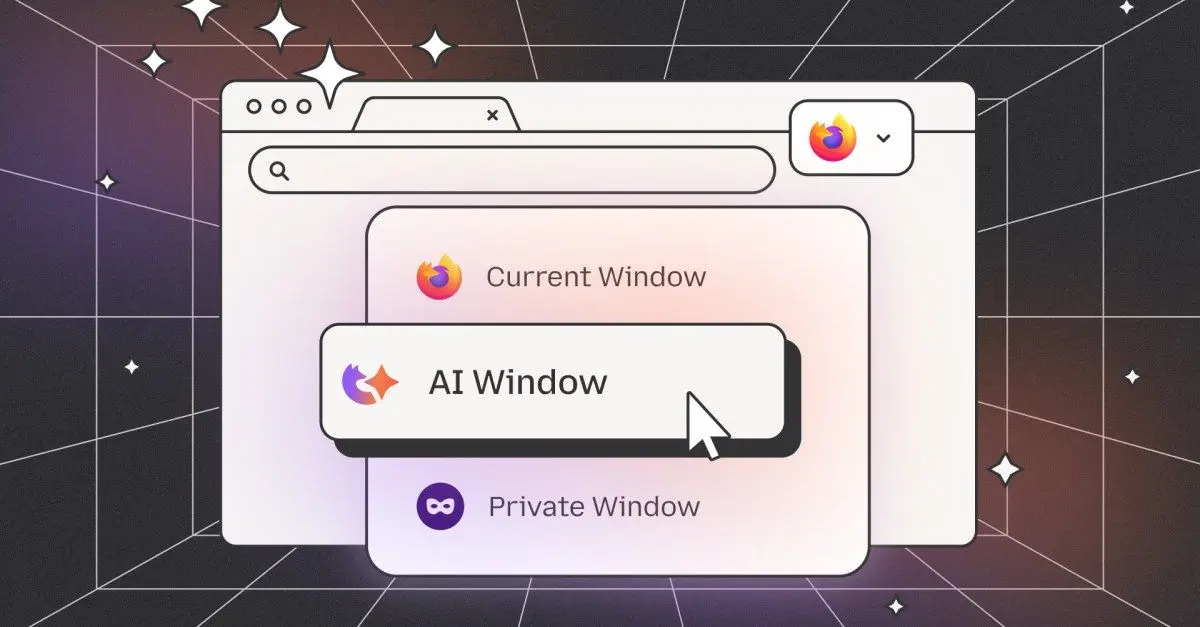
Unlike many of the companies stuffing AI into their browsers, Mozilla will soon give you a way to turn all of these features off. An update coming on February 24th will add a new "AI control" option to Firefox's settings menu, allowing you to disable or enable the browser's individual AI features, including access to a built-in AI chatbot, translations, AI tab group suggestions, and more. Over the past year, Firefox joined Microsoft Edge and Google Chrome in doubling down on AI, with the company rolling out a new "shake to summarize" feature that iPhone users can use to get an AI-powered summary of what they're reading online. Firefox is working on an "AI Window" as well, an opt-in browsing experience that uses an AI assistant and chatbot to help users search the web. Mozilla CEO Anthony Enzor-DeMeo told The Verge last year that he believes there's space for another AI browser from a "technology company that people can trust."
[5]

Mozilla Shows Off AI Browser Kill Switch for Firefox
Mozilla is offering a first look at its AI browser kill switch. These "AI controls" will launch in Firefox version 148, which is slated to roll out on Feb. 24, Mozilla said today. The controls basically function as on-off toggles and will be available through the desktop browser settings. The most powerful option is "Block AI Enhancements," which will shut down current and future AI-powered features, as well as pop-ups about them. If the nuclear option is too much, Mozilla says you can "cherry-pick" the AI features you want to use. The individual features include the AI chatbot in the sidebar, key points in link previews, AI-enhanced tab grouping, and translations. Features can also be turned back on at any time. The company is previewing the kill switch after Mozilla's new CEO, Anthony Enzor-DeMeo, faced backlash in December over plans to evolve Firefox into a "modern AI browser." Despite the tech industry's focus on generative AI, some consumers remain resistant, citing concerns over software bloat, AI-induced errors, and the usefulness of such features. In response, Enzor-DeMeo said his company was serious about creating a kill switch to appeal to users weary of AI-focused products. "Rest assured, Firefox will always remain a browser built around user control," he told users on Reddit. Still, an official developer account for Firefox previously indicated that all AI features would be opt-in. The AI controls that debuted on Monday suggest all users will be automatically enrolled, requiring them to manually opt out. We've reached out to Mozilla for more information and will update the story if we hear back. In the meantime, the company's blog post adds: "We believe choice is more important than ever as AI becomes a part of people's browsing experiences. What matters to us is giving people control, no matter how they feel about AI."
[6]

Mozilla adds AI kill switch to Firefox
Users can disable every generative feature in one click - not everyone wants a chatbot bolted to their tabs Mozilla has decided that if AI is going to live in your browser, you should at least be able to kill it when it gets annoying. The browser maker this week announced a new set of AI controls for Firefox, headlined by a global kill switch that lets users disable every current and future AI feature in one go. The change, rolling out with Firefox 148 later this month, is Mozilla's most direct admission that not everyone is thrilled about having generative AI stapled onto their everyday tools. In a blog post announcing the move, Mozilla acknowledged the widening gap between AI boosters and everyone else. "AI is changing the web, and people want very different things from it," wrote Adjt Varma, head of Firefox, adding that its goal is to give users "clear, simple choices" about how much AI they want in their browser - including none at all. Those choices will live in a new AI controls section in Firefox's desktop settings. From there, users can selectively turn off features such as AI-powered translations, link previews, and the browser's chat integrations, or flip a single switch to block everything, including tools Mozilla hasn't shipped yet. As Varma put it, the idea is to let people "use Firefox without AI while we continue to build AI features for those who want them." It's a refreshingly unsubtle stance, and one that lands just days after a similar bout of AI skepticism elsewhere in browser land, with Vivaldi's latest release leaning away from generative features entirely. CEO Jon von Tetzchner summed up the mood, telling The Register: "Basically, what we are finding is that people hate AI." Instead of chasing the chatbot trend, Vivaldi chose to focus on privacy and usability, betting that fewer "smart" features might actually make for a better browser. Zoom out a little further, and the pattern gets harder to ignore. Even Microsoft, which has spent the past year stuffing Copilot into just about everything, is reportedly reconsidering how far that strategy should go in Windows 11. According to reports, Redmond plans to streamline or even remove some AI features where they don't make sense. What's shifting isn't the technology so much as the confidence behind it. After two years of being told that AI was the future and we'd all learn to love it, vendors are now discovering an awkward truth: a number of users would prefer an off switch and a quiet browser. Mozilla's kill switch isn't the end of AI in browsers, but it does suggest the hype has met resistance. Sometimes, the most user-friendly feature is an off button - preferably one that actually works. ®
[7]

Mozilla Adds One-Click Option to Disable Generative AI Features in Firefox
Mozilla on Monday announced a new controls section in its Firefox desktop browser settings that allows users to completely turn off generative artificial intelligence (GenAI) features. "It provides a single place to block current and future generative AI features in Firefox," Ajit Varma, head of Firefox, said. "You can also review and manage individual AI features if you choose to use them. This lets you use Firefox without AI while we continue to build AI features for those who want them." Mozilla first announced its plans to integrate AI into Firefox in November 2025, stating it's fully opt-in and that it's incorporating the technology while placing users in the driver's seat. The new feature is expected to be rolled out with Firefox 148, which is scheduled to be released on February 24, 2026. At the outset, AI controls will allow users to manage the following settings individually - Mozilla said user choice is crucial as more AI features are baked into web browsers, adding that it believes in giving people control regardless of how they feel about the technology. "If you don't want to use AI features from Firefox at all, you can turn on the Block AI enhancements toggle," Varma said. "When it's toggled on, you won't see pop-ups or reminders to use existing or upcoming AI features." Last month, Mozilla's new CEO, Anthony Enzor-DeMeo, said the company's focus will be on becoming a trusted software company that gives users agency in how its products work. "Privacy, data use, and AI must be clear and understandable," Enzor-DeMeo said. "Controls must be simple. AI should always be a choice - something people can easily turn off."
[8]

Mozilla announces switch to disable all Firefox AI features
In response to user feedback on AI integration, Mozilla announced today that the next Firefox release will let users disable AI features entirely or manage them individually. The new "Block AI enhancements" toggle will be available in Firefox 148 on February 24 and will help block current and future generative AI features in the desktop browser from a single location. Users will also have the option to enable specific AI tools while keeping others disabled. "We've heard from many who want nothing to do with AI. We've also heard from others who want AI tools that are genuinely useful. Listening to our community, alongside our ongoing commitment to offer choice, led us to build AI controls," said Firefox head Ajit Varma. "Starting with Firefox 148, which rolls out on Feb. 24, you'll find a new AI controls section within the desktop browser settings. It provides a single place to block current and future generative AI features in Firefox." Firefox users who prefer to block AI entirely can enable the "Block AI enhancements" toggle, which also prevents pop-ups or reminders about existing or upcoming AI features. Once configured, the AI preferences will persist across browser updates and can be changed at any time. The new AI controls panel will also enable users to manage five AI-powered features individually: browser translations, alt text generation for images in PDFs, AI-enhanced tab grouping with suggested names, link previews showing key points, and sidebar access to chatbots (including Anthropic Claude, ChatGPT, Microsoft Copilot, Google Gemini, and Le Chat Mistral). The feature will first roll out to Firefox Nightly users, the browser's experimental release channel, before reaching all desktop users later this month. Varma has also encouraged early adopters to provide feedback through Mozilla Connect, Mozilla's dedicated user feedback and discussions platform. Today's announcement comes after Anthony Enzor-DeMeo, Mozilla Corporation's new CEO, said on December 16 that Firefox users would always be able to turn off the web browser's AI features. "Every product we build must give people agency in how it works. Privacy, data use, and AI must be clear and understandable," Enzor-DeMeo said. "Controls must be simple. AI should always be a choice -- something people can easily turn off. People should know why a feature works the way it does and what value they get from it." A Mozilla spokesperson was not immediately available for comment when contacted by BleepingComputer earlier today for more details.
[9]

Firefox will soon offer a way to block all of its generative AI features
Like practically every other tech company under the sun, Mozilla has been jamming generative AI features into its products. The organization has now acknowledged that not everyone wants things like chatbots in the Firefox sidebar, so it's giving you the option to turn off all of that. On February 24 (or earlier in Firefox Nightly builds), Mozilla will roll out Firefox 148, which will include an AI controls section in the desktop browser settings. From here, you'll be able to block current and future generative AI features, or only enable select tools. At the jump, you'll have the option to disable (or enable) chatbots in the sidebar, automated translations and alt text generation for PDFs. You'll also be able to nix a tool called AI-enhanced tab grouping (which offers suggestions of related tabs and group names), as well as webpage previews that display "key points" before you actually click on a link. If you'd prefer to get rid of all of these -- and for Firefox to not bother you with pop-ups and notifications about current and upcoming AI features -- just make sure the "Block AI enhancements" toggle is on. Perhaps Mozilla has come to realize that, rather than having AI cruft soaking up resources and causing apps to bloat, what many people actually want is a fast, secure and streamlined web browser. At the very least, giving users a way to opt out of features they don't want is a positive step. Now then, Google, about AI Overviews...
[10]

Mozilla Adding 'Off' Switch to AI in Firefox
We may not have a killswitch for AI as a whole, but Mozilla is giving users the ability to shut off AI in its Firefox browser (though it could have just not included those features in the first place). In a blog post, the company announced that it will include a toggle in the next version of Firefox that will turn off AI functionality. The feature will be available in Firefox 148, set to be released on February 24. The feature will be accessible in the desktop browser settings, and will give users the ability to turn the lights out on all AI rather than granularly control which AI tools they are okay with. A toggle will be made available that, when turned on, will "block AI enhancements" that have been introduced by Mozilla, including things like AI translations, tab grouping recommendations, and in-browser AI chatbots (Firefox currently supports Anthropic's Claude, ChatGPT, Microsoft Copilot, Google Gemini, and Le Chat Mistral). Users can currently manually control which features they want to use, but the toggle will give them the ability to just shut off everythingâ€"and make any future AI addition turned off by default. "This lets you use Firefox without AI while we continue to build AI features for those who want them," the company said. The move comes just a month after Mozilla took some serious heat for embracing AI. Back in December, the company announced that former General Manager of Firefox, Anthony Enzor-DeMeo, was taking over as CEO. As part of the announcement that he was taking the reins, Enzor-DeMeo said that his plan was for Firefox to "evolve into a modern AI browser." While he acknowledged that "AI should always be a choice," the fact that the company was choosing to inject AI into its flagship browser didn't sit right with many of its diehard users. As browsers like Chrome and Brave have increasingly made AI front and center in the browsing experience, and companies like OpenAI have tried to weasel their way into the browser wars with their own AI browser projects, Firefox has mostly stuck to its guns as a privacy-focused, stripped-down browser that runs smoothly and supports a fair amount of customization. Enzor-DeMeo's announcement that AI would become central to Firefox's future suggested the company was going to move away from its primary calling cards. This new toggle seems to be an attempt to mitigate those concerns. Unfortunately, even if users can opt out of these features, there doesn't appear to be any way to stop every company from going all in on AI.
[11]

Firefox is giving users the AI tool they really want: A kill switch
The update rolls out on February 24, with early access available now in Firefox Nightly. Some people get excited whenever a company introduces its users to new AI tools, but a growing contingent has only one question: how do I turn this off? With its next desktop update, Firefox is finally offering a clear answer. According to a post on the Mozilla blog, Firefox 148 will add a new AI controls section to the browser's settings when it rolls out on February 24. This gives you a single place to manage Firefox's generative AI features, including a master toggle that blocks both current and future AI tools altogether. At launch, those controls include automatic translation, AI-generated alt text in PDFs, AI-assisted tab grouping, link previews that summarize pages before you open them, and the AI chatbot in the sidebar. Turning on Block AI enhancements does more than disable these features -- it also prevents Firefox from prompting you about future AI additions. Mozilla says your preferences will persist across updates, and you can change them at any time. The new controls will appear first in Firefox Nightly builds before reaching the stable release later this month. Firefox obviously isn't backing away from AI entirely, but it is an acknowledgment that the tech is already grating on some users.
[12]

Finally! Firefox just gave you an AI Off switch
The new AI Controls feature debuts in Firefox Nightly builds and will reach most users within two months, with settings persisting through updates. Mozilla Firefox has always seemed like the "cool kid" browser option, for the power users who don't want to deal with Google or Microsoft. So perhaps filling it up with "AI" features -- you know, the things people are kind of tired of seeing from Google and Apple -- might not be winning people over. Mozilla seems to have read the room: Upcoming builds will let you disable "AI" completely. "We've heard from many who want nothing to do with AI," says Ajit Varma, Mozilla's VP of Firefox Product. "We've also heard from others who want AI tools that are genuinely useful. Listening to our community, alongside our ongoing commitment to offer choice, led us to build AI controls." The new AI Controls option just debuted in Firefox Nightly builds, which means it'll be coming to most users within a month or two. Right at the top of the menu is a big toggle for "Block AI enhancements," which will turn it all off -- even pop-up info about new features. Users will get to enable or block other "AI" tools selectively, including translation, automatic alt text in PDF files, tab group suggestions, and link previews. And these choices will remain persistent through updates, at least according to Mozilla. It's an admirable amount of user control, especially for a browser that's so heavily invested in user customization. Other major browsers, including Chrome and Edge (both based on Google's Chromium), have been adding "AI" features so fast that it's hard to keep up with the sheer volume. Edge has a huge Copilot button right next to your profile, in case you missed the one on your keyboard. Shades of Internet Explorer, which Firefox helped to kill decades ago, are unavoidable. Microsoft should take a hard look at what people actually want, just like they're doing with Windows. Chrome has a giant "AI MODE" search button in roughly the same place, and soon it's going to automatically browse for you, mirroring the proposal from other "AI" browsers like Perplexity Comet and Opera Neon. Nothing is cracking Chrome's dominance in the browser space anytime soon -- that's why they call it a monopoly. But alternatives have noticed the discontent among the digital peasants. Mozilla's whole schtick is offering a realistic, open-source alternative; for example, it's the go-to browser if you still want the "real" uBlock Origin ad-blocking extension. I'll also shout out my browser bestie Vivaldi (drink), which has a very clear and succinct approach to the rise of "agentic AI" browsers. A clear, easy-to-find toggle for "AI" is something I've asked for more or less by name, so I'm glad that Mozilla can see the demand for it. Now if only someone up in Redmond would open up their eyes...
[13]

'Someone is actually reading the room': Firefox just got an AI kill switch, and I hope other developers will follow its lead
You'll also be able to disable AI tools individually, if you like Firefox is often chosen by people who dislike the direction Google Chrome and other Chromium-based browsers are taking. And as browser makers rush to stuff their products with as much artificial intelligence (AI) as possible, Firefox is taking a different tack, introducing an "AI kill switch" that disables all AI features in the Mozilla app. In a blog post about the decision, Mozilla says users will get the feature with the Firefox 148 update, which is set to arrive on February 24. Not only will this let you manage individual AI features within the browser, but you'll also be able to switch them off entirely with a single click. Aside from the all-in-one kill switch, you'll be able to choose whether to enable or disable the following features: translations, alt text in PDF files, AI-powered tab grouping, link previews, and the AI chatbot that's located in the browser's sidebar. Mozilla caused something of a backlash late in 2025 when it announced it would bring AI features to the Firefox browser. Although these run on your device - meaning your information is not sent to any company's cloud servers - many users were unhappy with the advent of AI features in a browser like Firefox, which has often sought to differentiate itself from rival offerings. Mozilla's latest move seems to have met with a positive reaction from some sections of the internet. Responding to the announcement on Reddit, user jpsreddit85 quipped, "Says a lot about the future state of AI when the most requested feature is to disable it." User David-J, meanwhile, commented that "Someone is actually reading the room." As a long-time Firefox user, this feels like the right move by Mozilla. AI is controversial at the best of times, but especially so among Firefox users, who pride themselves on their independence and generally seem less on board with AI than many internet users. Adding AI to Firefox was always going to be a risky move by Mozilla, given the userbase's sentiments - adding a way to block it entirely is a sensible way to win back support. That said, this seems to be a fairly isolated move in the world of web browsers. Chrome has a near-monopoly on browsers, and its creator, Google, a major AI investor, has added numerous AI features to the app. Microsoft and Apple, makers of Edge and Safari, are equally committed to AI. Very few browsers have added an AI kill switch like Firefox's, though privacy-focused alternatives like Brave and DuckDuckGo can also be customized in this way. That all means that if you're sick of AI in your browser, there are options available to you - you just need to avoid the biggest players.
[14]

'We've heard from many who want nothing to do with AI' says Mozilla, as it introduces an AI blocking menu to upcoming Firefox builds
Not everyone is happy with the introduction of AI into... well, everything they use on a daily basis, and it appears Mozilla has been listening. After considerable backlash towards its announcement that Firefox would become an 'AI browser' over the next few years, it looks to have changed its tune in recent weeks. Beyond the declaration that it's building a 'rebel alliance' to challenge Big Tech's current plans for AI-integrated toasters and the like, it's now announced a new AI controls section within the browser's settings menu. It'll begin rolling out in Firefox 148, which is due to release on February 24, and looks to be an easy way to block "current and future generative AI features" within the browser. Per Mozilla's Firefox blog: "AI is changing the web, and people want very different things from it. "We've heard from many who want nothing to do with AI. We've also heard from others who want AI tools that are genuinely useful. Listening to our community, alongside our ongoing commitment to offer choice, led us to build AI controls." The new menu allows you to turn on or off a host of AI features, including translations, alt text in PDFs, AI-enhanced tab grouping, link previews, and an AI chatbot in the sidebar. "You can choose to use some of these and not others. If you don't want to use AI features from Firefox at all, you can turn on the Block AI enhancements toggle," says Mozilla. "When it's toggled on, you won't see pop-ups or reminders to use existing or upcoming AI features". Your AI preferences also stay in place across updates, apparently, which should hopefully prevent a random AI feature from bouncing its "We've added a doohickie!" message across your browser window because you dared to keep your software up to date. Hopefully. We can only pray. As a Firefox user myself, I have to say this is pretty encouraging. Some of these features were already capable of being disabled within one of the browser's labyrinthine settings pages (or in the about:config panel), but grouping all the stuff I want to turn off in one easy menu seems like a genuine improvement. If you want to try it out early, Mozilla says the controls will also be available in the Firefox Nightly beta builds, although I tried one once and it broke many things. Your mileage may vary, but at least your anti-AI browser crusade might come one step closer to fruition.
[15]

Firefox Will Soon Let You Disable All Current (and Future) AI Features
The new "Block AI enhancements" toggle will disable all current and future AI features in the browser. Since ChatGPT kicked off the generative AI revolution in 2022, it seems like every company under the sun has tried to stuff AI features into their products in one way or another. Sometimes, these features can be useful; often, they're not, only serving as proof these companies are "keeping up with the times." Can you even say you're a tech company if you aren't all-in on AI in 2026? There's nothing wrong with companies offering AI features to users, so long as they also offer easy ways to disable them. Some customers don't want AI in their day-to-day products, but, anecdotally, I know many do not. Give us an off switch though, and it's all good. The issue is when these features are not only offered, they're made mandatory. Unfortunately, that's the road many companies seem to be taking. Perhaps that's where some of the frustration originated last year, when Mozilla's new CEO Anthony Enzor-Demeo first announced that Firefox would "evolve into a modern AI browser" in the near future. An open letter, written by a Redditor critical of Enzor-Demeo's statement, received over 5,000 upvotes on the Firefox subreddit from users concerned that AI features would negatively impact the browser. Interestingly, Enzor-Demeo responded to the thread himself, and assured users that the company would offer "a clear way" to disable AI features, including a dedicated kill switch to keep them all turned off. It seems he was as good as his word. On Monday, Mozilla announced that new AI controls are coming to Firefox, starting with Firefox 148. This version, which drops Feb. 24, sports a brand-new AI controls section in the settings panel on the desktop browser. (You'll find it in the between "Sync" and "AI controls.") From here, you'll be able to block all current and future AI features, and cherry pick which features you want to use -- if any. Firefox 148 launches with these five AI features, which you can choose to enable to disable: If you want absolutely nothing to do with AI when browsing the web with Firefox, you can use the "Block AI enhancements" toggle. Once activated, not only will these features not appear, but Firefox will block any pop-ups or alerts pushing you to try existing or future AI features. Any Firefox users who aren't keen on AI features will want to check out this new controls menu starting Feb. 24 -- though there are certainly more egregious AI features out there. Translations can be convenient, as can link previews. But I know I'd never want a chatbot in the sidebar of my browser. If I used Firefox as my main browser, I would definitely disable at least that feature, if not all of them.
[16]

Firefox just made an unexpected move that Chrome would never copy
Firefox has a reputation as the browser of choice for power users who prefer to customize everything - and it just gave users one very important new option. While most other tech companies shove AI "enhancements" down their users' throats, Mozilla is introducing a way to disable Firefox's AI features outright - a boon for anyone searching for a safe haven from the AI software onslaught. Starting on February 24 with the Firefox 148 update, users will be able to toggle AI off in a new AI controls area in the desktop browser's settings menu. To disable AI, you won't even need to dig around and disable features one by one: Mozilla describes the forthcoming option as a "single place to block current and future generative AI features" across Firefox. If you'd like to customize Firefox's AI offerings, the browser will also allow you to check and enable individual features. In a blog post announcing the option, Mozilla recognizes that not everyone wants to use AI, but it will continue to work on AI features for Firefox users who do want them. The options on the way later this month will allow Firefox users to toggle AI on or off for translation tools, alt text descriptions in PDFs, tab groups, link preview summaries, and for a sidebar feature that incorporates chatbots like ChatGPT, Claude, and Gemini. Mozilla has been tinkering with AI product experiments in Firefox for a bit now. The company began rolling out access to AI chatbots a year ago with Firefox 135 and last September invited iOS users to "shake to summarize" a website with AI.
[17]

New Mozilla Firefox version to allow AI features to be blocked
'Controls must be simple. AI should always be a choice', said Mozilla's CEO in a December blog post. Mozilla will allow Firefox users to entirely block current and future generative AI features on the browser after user feedback revealed many who wanted an AI-free browser experience. In a blog post yesterday (2 February), the corporation announced that the new Firefox 148, which rolls out later this month, will come with controls to review and manage which AI features. This will allow Firefox users to use the browser without AI if they so wish, while Mozilla continues developing newer AI features for those who do want it. "We've heard from many who want nothing to do with AI. We've also heard from others who want AI tools that are genuinely useful," said Firefox head Ajit Verma. Firefox is one of the many products, including a VPN, work management tools and other cybersecurity products that Mozilla - wholly owned by the non-profit Mozilla Foundation - offers. With the new Firefox version, users can individually choose to use AI translations, alt texts in pdf, AI-enhanced tap grouping, link previews and AI chatbots, including options such as Claude, ChatGPT, Copilot, Gemini and Mistral. Plus, those who don't want any AI features at all can block all AI enhancements. These features will be available first on Firefox Nightly - an unstable test version of the browser under development - before reaching all users on 24 February. "When AI controls become available, the Block AI enhancements toggle will be off by default," a Mozilla spokesperson told Bleeping Computer. "AI controls will reflect your existing choices in Firefox. Features you have previously used will appear as enabled. Features you have previously turned off will appear as blocked. Features you have not used before will appear as available." The announcement comes after Mozilla Corporation's new CEO Anthony Enzor-DeMeo said last December that Firefox users will always be able to turn off the browser's AI features. In a blog on 16 December, Enzor-DeMeo wrote: "Every product we build must give people agency in how it works. Privacy, data use, and AI must be clear and understandable. Controls must be simple. AI should always be a choice". In 2024, Vienna-based data privacy advocacy group NOYB filed a complaint against Mozilla with the Austrian data protection authority for "quietly enabling" a feature on its Firefox browser that NOYB says tracks user behaviour without consent. Don't miss out on the knowledge you need to succeed. Sign up for the Daily Brief, Silicon Republic's digest of need-to-know sci-tech news.
[18]

Firefox 148 introduces granular controls for generative AI features
Mozilla announced on Monday that Firefox will enable users to block all current and future generative AI features starting with version 148, rolling out on February 24, through a new AI controls section in desktop browser settings. The update introduces a dedicated AI controls section accessible within Firefox desktop browser settings upon installation of version 148. Users seeking to avoid any AI integration can activate the "Block AI enhancements" toggle. This action disables access to every AI feature, eliminating pop-ups and reminders related to both existing and forthcoming AI tools provided by Firefox. Beyond the comprehensive block option, the AI controls permit granular management of specific AI features. Users can selectively enable or disable individual capabilities while retaining others according to their preferences. The controllable features encompass several functionalities designed to enhance browsing experiences through artificial intelligence. Mozilla detailed its rationale in a blog post, stating, "AI is changing the web, and people want very different things from it. We've heard from many who want nothing to do with AI. We've also heard from others who want AI tools that are genuinely useful. Listening to our community, alongside our ongoing commitment to offer choice, led us to build AI controls." The announcement follows Mozilla's appointment of Anthony Enzor-DeMeo as CEO in December. Enzor-DeMeo outlined the company's approach to AI integration in a blog post at that time, emphasizing user control. He wrote, "AI should always be a choice -- something people can easily turn off. People should know why a feature works the way it does and what value they get from it." These remarks addressed Mozilla's plans to invest in AI while ensuring features remain optional. This development occurs amid shifts in the browser market. For over a decade, Firefox and Google Chrome held dominant positions. New entrants now challenge their market share, including Perplexity, Arc, OpenAI, and Opera, prompting established players to adapt strategies. Mozilla maintains a focus on AI transparency alongside feature development. Last week, CNBC reported that Mozilla President Mark Surman described forming "a rebel alliance of sorts" comprising tech startups, developers, and public-interest technologists. This group aims to enhance AI trustworthiness and counterbalance the influence of major players such as OpenAI and Anthropic. To support these efforts, Mozilla plans to allocate approximately $1.4 billion in reserves. The funds will back tech businesses and nonprofits, including Mozilla itself, as reported by CNBC. Investments target promotion of AI transparency and resistance to unchecked rapid expansion by dominant AI companies operating with limited oversight.
[19]

Firefox gets an AI kill switch that Chrome users can only dream about - Phandroid
Mozilla's doing something that feels almost radical in 2026. The company just announced that Firefox 148 will include a master toggle to completely disable AI features, and it's launching February 24. While Google keeps jamming Gemini into Chrome and Microsoft won't stop pushing Copilot in Edge, Mozilla's actually listening to people who want nothing to do with AI in their browser. The new Firefox AI features toggle sits in a dedicated AI controls section within settings. Flip it on, and every AI-powered feature disappears. No chatbot sidebar, no AI-generated tab grouping suggestions, no link previews, no reminders about features you've already decided you don't want. It also blocks future AI additions automatically, so you won't need to hunt through settings every time Mozilla adds something new. You can also manage things individually if you want some features but not others. The five controllable features include browser translations, alt text generation for PDFs, AI tab grouping, link previews, and sidebar access to chatbots like Claude and ChatGPT. Firefox head Ajit Varma said they heard from people who want AI tools and from others who want nothing to do with them. That sounds obvious, but most companies aren't building that way. Chrome's Gemini integration is everywhere now, and while you can hide some buttons, there's no single switch to kill it all. Edge is the same story with Copilot. The contrast becomes more obvious when you look at how Mozilla's handled privacy before. Firefox Focus launched years ago as a privacy-first browser that blocks trackers by default. This AI toggle follows that same philosophy of giving people actual control instead of just saying the features are optional while making them impossible to avoid. Mozilla's new CEO promised in December that Firefox would always let users turn off AI features. This delivers on that. The Firefox AI features toggle will respect your existing preferences too. Features you've used stay enabled, things you've already turned off stay blocked, and new features appear as available rather than auto-enabled. The update hits Firefox Nightly first for testing before rolling out to everyone on February 24. Mozilla's asking early users to share feedback through Mozilla Connect, which suggests they're serious about getting this right rather than just checking a box.
[20]

Mozilla Firefox Will Let You Decide How Much AI You Want in Your Browser
Currently, Mozilla Firefox offers an AI chatbot in the sidebar Mozilla Firefox is adding a new capability to give users more control of the artificial intelligence (AI) features they see in the browser. The company has announced that with the next update, slated for later this month, the Firefox browser will feature a centralised control centre that will let users pick and choose which AI features they want enabled on the app and which ones they do not want to see. Additionally, the settings will also let users entirely opt out of generative AI features, including the ones the company releases in the future. Mozilla Firefox Gets a Centralised AI Control Hub In a blog post, Mozilla announced and detailed the new AI control centre for its Firefox browser. One of the major pain points for users in the age of AI browsers is the lack of control over whether they want the AI features or not. Most of the time, the AI features are enabled by default without any choice for the user. So, the side-panel chatbot or the auto translation feature is visible at all times, even if a user decides never to use them. Mozilla is changing this with the Firefox 148 update for desktop, which will be rolled out on February 24. With this, users will now see a centralised AI control hub, which will let users pick and choose the AI features they want enabled on the app, and the ones they want disabled. Additionally, users can also choose to block all generative AI features if they prefer the traditional experience. Mozilla said that selecting that option will also automatically disable any future AI releases as well. Initially, the control centre will let users either enable or block five main features. These include Translations, Alt text in PDFs, AI-enhanced tab grouping, Link previews, and an AI chatbot in the sidebar. The latter acts as an assistant across the browser, and lets users choose from Claude, ChatGPT, Copilot, Gemini, and Mistral's Le Chat as their preferred chatbot. "We believe choice is more important than ever as AI becomes a part of people's browsing experiences. What matters to us is giving people control, no matter how they feel about AI," the company said.
[21]

Mozilla listens to user backlash, adds GenAI kill switch in Firefox
With web browsers becoming the next battleground for generative AI (GenAI) and autonomous agents, Mozilla has decided to give Firefox users a breather by allowing them to completely opt out of all current and future AI features. Firefox users can also review and manage individual AI features if they want, Mozilla said in a blog post. The new AI controls will roll out with Firefox version 148 on February 24. Firefox currently offers AI-based translations, AI enhanced tab grouping, link previews and an AI chatbot which allows users to use any of the popular GenAI chatbots such as ChatGPT, Microsoft Copilot, Gemini, Claude, and Mistral Le Chat. This might come as a surprise to many, given the industry-wide rush to offer as many GenAI and agentic AI capabilities in web browsers. It also belies some of the previously held notions about the growing role of AI in search. For instance, an industry report from Gartner predicted a 25% decline in traditional search volume by the end of 2026 based on the premise that users are increasingly seeking answer engines over traditional search engines. However, recent reports show a significant pushback from users against forced GenAI rollout in browsers. A DuckDuckGo survey, released last month, found that 90% of the polled 1,75,354 users don't want AI features in their search and browsing experience. DuckDuckGo too has introduced a 'No AI' setting that allows users to bypass AI-generated summaries and chats in search results. While the global browser market is still dominated by Google Chrome (71.37% as per Statcounter), AI browsers launched by OpenAI and Perplexity have revived competition in the segment. Firefox with 2.23% market share is the fourth most used web browser. OpenAI released its Atlas browser in October 2025 for users who rely heavily on ChatGPT for work. It offers in-built agent mode which can be used for research, filling out forms, and shopping on behalf of users. While OpenAI is yet to share data on its adoption rate, its release immediately triggered a 2% fall in Alphabet's stocks, erasing over $100 billion in market cap. Aware of the growing competition from AI firms, Google too added an AI Mode in Search and integrated Gemini in Chrome to offer summaries and chatbot-like conversations. Microsoft's Edge browser was one of the first to integrate GenAI chatbot with Bing search. Last week, Yahoo also released an AI-powered answer engine called Scout, which uses Anthropic Claude as its foundational model and relies on Microsoft Bing API to provide accurate information. Hidden risks from AI-integrated browsers While GenAI has made browsers more productive, they have also heightened security and privacy concerns among users. For instance, last year, researchers at Brave web browser found that Perplexity's Comet AI assistant could not distinguish between user commands and malicious instructions hidden within web pages. This a security risk as the assistant could be tricked into executing malicious commands without the user's consent or knowledge. Security experts, including Palo Alto Networks CEO Nikesh Arora, warned last year that when web browsers with agentic AI tools will seek access to users' browsers to perform tasks it will pose a security concern for enterprises as they wouldn't want employees on browsers that can run AI agents without control. In December 2025, OpenAI acknowledged in a blog post that browsers with agentic AI will remain vulnerable to prompt injection attacks and will require continuous monitoring. They also added that as browser agents start handling more tasks, they will become more high value targets. Around 32% of global firms have seen prompt-injection attacks on GenAI applications in 2025, according to a Gartner report, released last September. In Gartner's projections, over 40% of global AI-related data breaches by 2027 will be caused by malicious use of GenAI. In December 2025, Gartner analysts warned enterprises to block all AI browsers as they prioritize user experience over security. They added that AI integration with browsers poses a significant privacy risk, as active web content, browsing history and open tabs are stored on cloud-based servers. In the absence of centrally managed security controls, there is a high risk of exposure to sensitive user data. Many of the GenAI tools on browser and search have also been slammed for generating misleading information. For instance, in its first public release, Google's AI Overviews responded to search queries with erroneous suggestions such as eating rocks for their nutrient value and applying glue on pizza. It raised questions about the potential risk of AI and how it can be magnified by search given its wider reach.
[22]

Mozilla Firefox To Roll Out Global AI Off Switch Within Browser
Mozilla is adding a new set of artificial intelligence (AI) controls to Firefox that will allow users to block all generative AI features across the browser. Starting with the Firefox 148 update, which rolls out on February 24, users will see a dedicated "AI controls" section in desktop settings, including a single toggle to block both current and future AI enhancements. The move stands out in a browser market where platforms increasingly enable AI features by default and make them difficult to fully disable. However, Mozilla's approach essentially relies on opt-out rather than opt-in. As a result, Firefox becomes one of the clearest examples of web browsers available today with an AI opt-out option, while also serving as a useful case study for examining what meaningful user choice around AI would actually require. Browsers do not function as just another app. Instead, they operate as core internet infrastructure, shaping how people access information, navigate websites, translate content, and interpret links. As generative AI moves into this layer, decisions around defaults and controls begin to matter more than individual features. AI features embedded at the browser level influence everyday behaviour at scale. Notably, they affect what users see before clicking a link, how content is framed, how tabs are organised, and which tools appear alongside web pages. In this context, control extends beyond convenience. It determines whether users actively choose AI or encounter it by default. Mozilla's decision to surface AI controls acknowledges this shift. At the same time, it exposes how most platforms continue to treat AI as a given rather than something users explicitly agree to adopt. According to Mozilla, the Firefox 148 update introduces a single place to manage AI preferences in the desktop browser. Users can turn on a global "Block AI enhancements" toggle that disables all current and future generative AI features. When enabled, Firefox will also stop showing prompts or reminders encouraging users to try AI features. Additionally, users can manage individual AI features if they choose to keep some enabled. These include translations, AI-generated alt text in PDFs (alternative text used by screen readers and accessibility tools), AI-assisted tab grouping, link previews, and an AI chatbot in the sidebar. This sidebar chatbot allows users to manually choose between multiple providers, including Anthropic Claude, ChatGPT, Microsoft Copilot, Google Gemini, and Le Chat Mistral. Once users set these preferences, Firefox preserves them across browser updates and allows changes at any time. This approach builds on Mozilla's earlier positioning of AI as an optional layer in Firefox, including its opt-in "AI Window" introduced in late 2025, which the company framed as a separate browsing mode rather than a default experience. However, the browser-wide AI controls operate differently from Firefox's opt-in AI Window. To explain, while the AI Window required users to actively choose an AI-enabled mode, the AI controls mean that generative AI features are present by default and users can opt out only after deployment. This distinction matters because it shifts the burden of choice. Rather than asking users whether they want AI before it appears, the controls allow users to opt out after AI capabilities are already present. Firefox's new controls make it easier to turn AI features off. However, they also underline the limits of opt-out as a model. Put simply, meaningful user choice would require AI to be opt-in by default. Users would not encounter AI features unless they actively choose to enable them. In practice, a user opening the browser for the first time would see a standard, non-AI browsing experience. Searches would surface links first, without AI-generated overviews framing results. Pages would load as published, without summaries or automation layered on top. If an AI feature could add value, the browser would introduce it contextually and ask first. For example, while researching a weekend trip, the browser could offer to summarise options or compare prices, clearly explaining what the AI would do before activating it. Users could enable it temporarily, turn it on permanently, or decline without losing access to links or core browsing functions. Crucially, users would not need to hunt through settings to recover a non-AI experience. The responsibility would lie with the browser to ask before acting, not with users to undo defaults after the fact. Firefox's AI controls stand out because most major browsers still do not offer a single, browser-wide way to disable AI features. In Google Chrome, AI is moving in the opposite direction. Google has begun rolling out Auto Browse, an AI-powered agentic system that can navigate websites and assist with tasks such as research, form-filling, and comparisons. Rather than offering a global AI off switch, Google is embedding these agentic capabilities directly into Chrome's core workflows, as previously reported by MediaNama. Microsoft Edge similarly integrates Copilot across browsing and search, but manages AI through feature-level settings rather than a single, consolidated control. Users can disable Copilot and related AI features individually through Edge's settings, but the browser does not offer a unified, browser-wide toggle to turn off AI as a category. At the other end of the spectrum, AI-native browsers such as OpenAI's Atlas and Perplexity's Comet position AI as the primary interface for browsing and automation, rather than as an optional layer. Against this broader industry backdrop, Firefox's single control to block current and future AI features offers more visible user agency than most mainstream browsers. At the same time, it reinforces how low the prevailing baseline remains, with AI largely enabled by default and meaningful choice offered only after deployment.
Share
Share
Copy Link
Mozilla announced that Firefox 148 will introduce comprehensive AI controls on February 24, allowing users to block all current and future generative AI features with a single toggle. The move comes after user backlash and addresses concerns from Firefox's community who want nothing to do with AI in their browser while still catering to those seeking AI tools.
Firefox Introduces Comprehensive AI Controls Amid User Backlash
Mozilla is taking a decisive step to address user concerns by introducing an AI browser kill switch in Firefox 148, rolling out on February 24. The update will add a new AI control option within the desktop browser settings, allowing users to either block generative AI features entirely or manage them individually
1
. This announcement follows significant user backlash after Mozilla CEO Anthony Enzor-DeMeo outlined plans in December to evolve Firefox into a "modern AI browser"5
.
Source: ZDNet
Users who want nothing to do with AI can activate the "Block AI Enhancements" toggle, which will disable all current and future AI features while eliminating pop-ups or reminders about these capabilities
1
. For those seeking more nuanced control, the new browser settings will allow granular management of individual AI features, including translations for browsing in preferred languages, alt text in PDFs, AI-enhanced tab grouping, link previews, and the AI chatbot sidebar2
.Understanding Firefox's AI Features and User Choice
The AI chatbot sidebar represents one of Mozilla's most prominent additions, enabling users to access services like Anthropic Claude, ChatGPT, Microsoft Copilot, Google Gemini, and Le Chat Mistral while browsing
1
. Other AI features include tab grouping suggestions, key points in link previews, and accessibility descriptions in PDFs3
. With around 200 million active monthly users, Firefox remains the largest nonprofit-backed internet browser, and Mozilla is positioning user control and privacy as central to its AI strategy2
."AI is changing the web, and people want very different things from it," Mozilla wrote in a blog post. "We've heard from many who want nothing to do with AI. We've also heard from others who want AI tools that are genuinely useful"
1
. This acknowledgment reflects Mozilla's commitment to user choice in an increasingly AI-saturated browser market where competitors like Microsoft Edge and Google Chrome have already integrated generative AI capabilities.
Source: BleepingComputer
Related Stories



Mozilla's Broader AI Strategy and Market Positioning
The ability to disable new AI features or turn off AI features entirely aligns with Anthony Enzor-DeMeo's vision articulated when he became CEO. "AI should always be a choice -- something people can easily turn off. People should know why a feature works the way it does and what value they get from it," he stated
1
. This philosophy comes as Mozilla faces renewed competition from companies like Perplexity, Arc, OpenAI, and Opera in a rapidly evolving browser landscape1
.
Source: Gizmodo
Mozilla President Mark Surman is building "a rebel alliance of sorts" comprising tech startups, developers, and public-interest technologists committed to making AI more trustworthy AI and checking the power of players like OpenAI and Anthropic
1
. Mozilla will deploy approximately $1.4 billion worth of reserves to support tech businesses and nonprofits, pursuing investments that promote AI transparency1
.The privacy-first approach remains central to Mozilla's AI implementation. "Our ongoing commitment to privacy-preserving AI drives us to continuously develop and enhance features that respect and protect your personal information," Mozilla AI product leader Jolie Huang emphasized in a July blog post
2
. The Firefox 148 update will initially be desktop-only, with Mozilla focused on refining the experience before expanding further2
. Users can preview these AI features early through Firefox Nightly, the in-development version updated daily2
.References
Summarized by

Navi
[4]
[5]
Related Stories
Recent Highlights
1
Tennessee Teens Sue Elon Musk's xAI Over Grok AI-Generated Child Abuse Images
Policy and Regulation

2
Pentagon designates Palantir Maven AI as core US military system in major defense shift
Technology

3
Supermicro Co-Founder Indicted in $2.5 Billion Nvidia AI Chip Smuggling Scheme to China
Policy and Regulation

Recent Highlights
Today's Top Stories










Your Daily Dose of Curated AI News
Don’t drown in AI news. We cut through the noise - filtering, ranking and summarizing the most important AI news, breakthroughs and research daily. Spend less time searching for the latest in AI and get straight to action.

