Google AI updates NotebookLM with prompt-based slide editing and PowerPoint export


2 Sources
2 Sources
[1]
Google is finally fixing the most annoying thing about NotebookLM slide decks
Google also revealed that slides can now be exported in the PPTX format. NotebookLM is one of the more useful AI tools on the market right now, allowing you to collate info from your own sources into an easily digestible virtual notebook or podcast format. The tool gained support for slide decks last year, and Google has finally addressed a key limitation. Google revealed via the NotebookLM Twitter account (h/t: Android Police) that the AI tool now lets you refine and modify slides with a prompt. That's great news, as you couldn't actually modify slides before. That meant if you were unhappy with one slide in a generated slide deck, you had to generate the whole deck all over again. This isn't the only addition to NotebookLM. Google adds that you can now export slide decks in the PPTX format. It also noted that unspecified Google Slides support was coming next. The ability to export slide decks in the PPTX format is great news and means users can theoretically use PowerPoint and similar apps to edit slides. In any event, Google says the ability to modify individual slides is rolling out now to Pro and Ultra subscribers. Are you a free user? Then you can expect this feature to land in the "coming weeks."
[2]
NotebookLM Slide Decks just got way more flexible
Rajesh started following the latest happenings in the world of Android around the release of the Nexus One and Samsung Galaxy S. After flashing custom ROMs and kernels on his beloved Galaxy S, he started writing about Android for a living. He uses the latest Samsung or Pixel flagship as his daily driver. And yes, he carries an iPhone as a secondary device. Rajesh has been writing for Android Police since 2021, covering news, how-tos, and features. Based in India, he has previously written for Neowin, AndroidBeat, Times of India, iPhoneHacks, MySmartPrice, and MakeUseOf. When not working, you will find him mindlessly scrolling through X, playing with new AI models, or going on long road trips. You can reach out to him on Twitter or drop a mail at [email protected]. Google has been rapidly improving NotebookLM, rolling out major new updates or improvements almost every other week. Just a few months ago, the AI tool gained the ability to generate Slide Decks from added information sources. Now, Google is making it even better by adding one of the most-requested features: prompt-based customizations. Generating Slide Decks in NotebookLM is relatively easy. You can choose between Detailed Deck or Presenter Slides depending on your use case, along with the slide's length and language. Then, describe the deck you want to create and hit Generate to let Gemini build it for you. The problem is that there was no way to customize the Slide Decks after they were generated. If you did not like a particular slide in a deck, you had to start from scratch. With NotebookLM's latest update, Google is solving this problem for good. In a deck, you can now use prompts to refine or modify an individual slide. So, if you want to modify the second and fifth slides in a deck, you can update them individually using prompts. This is more efficient than regenerating the whole Slide Deck again. For now, prompt-based customization appears to be available on the web. Support for mobile apps should arrive later. Do note that you cannot manually edit or tweak specific elements within a slide since they are essentially AI-generated images. This makes minor, pixel-level tweaking of visual elements almost impossible. It also means you cannot directly edit the text inside a slide. Currently, the ability to customize Slide Decks in NotebookLM is rolling out for users on the Google AI Ultra or Pro tiers. Free users will gain access to the feature in the coming weeks. Export your Slide Decks to PowerPoint That's not it. Google is adding the ability to (finally!) export your Slide Decks as PPTX. This means you can download and view them in Microsoft PowerPoint. If you heavily rely on PowerPoint as part of your workflow, this will speed things up for you. AP Recommends: Subscribe and never miss what matters Tech insights about everything mobile directly from the Android Police team. Subscribe By subscribing, you agree to receive newsletter and marketing emails, and accept our Terms of Use and Privacy Policy. You can unsubscribe anytime. Google Slides support is in the works, too, and should arrive soon.
Share
Share
Copy Link
Google has addressed a major limitation in NotebookLM by introducing prompt-based customization for slide decks. Users can now refine individual slides without regenerating entire presentations. The AI-powered NotebookLM also gains PPTX export capabilities, enabling seamless integration with PowerPoint workflows, while Google Slides support arrives soon.
NotebookLM Updates Bring Long-Awaited Slide Editing Features
Google AI has rolled out a significant update to NotebookLM, addressing one of the most frustrating limitations users has faced since the AI tool gained slide deck capabilities last year. The AI-powered NotebookLM now supports prompt-based customization, allowing users to refine individual slides without the need to regenerate entire presentations
1
2
. This update marks a substantial improvement in workflow efficiency for professionals relying on the platform to create presentations from their research materials.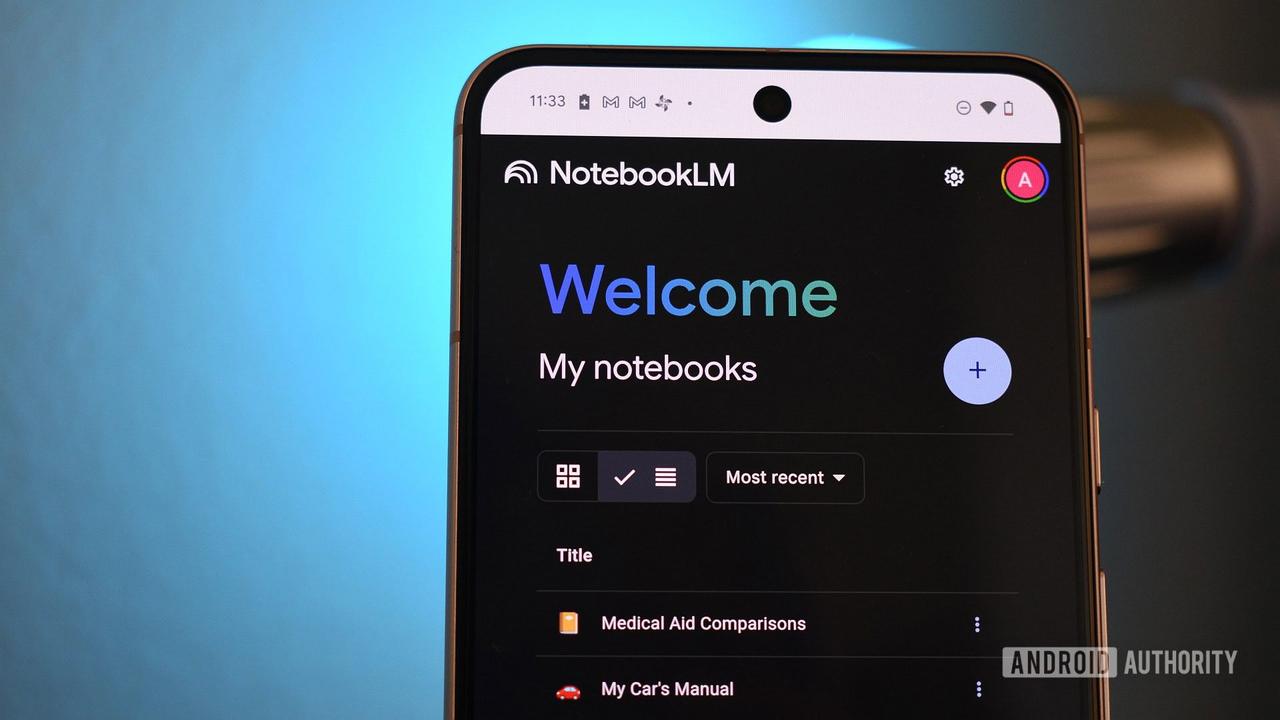
Source: Android Authority
How Prompt-Based Customization Changes the Game
Before this update, if users were dissatisfied with even a single slide in their generated slide decks, they had to start the entire generation process from scratch. Now, with the new prompt-based customization feature, users can target specific slides—such as the second or fifth slide in a deck—and modify them individually using user prompts
2
. This makes NotebookLM updates far more practical for iterative work. While users still cannot manually edit specific elements within a slide or directly modify text—since slides are essentially AI-generated images—the ability to refine individual slides through natural language instructions represents a major step forward in making flexible slide decks more accessible.
Source: Android Police
Export Slide Decks as PPTX for Enhanced Compatibility
Alongside the editing improvements, Google has introduced the ability to export slide decks as PPTX, the native PowerPoint format
1
. This addition addresses a critical need for professionals whose workflow depends on Microsoft PowerPoint or similar applications. Users can now download their NotebookLM-generated presentations and continue editing them in PowerPoint, bridging the gap between Google's AI tool and traditional presentation software. Google has also indicated that Google Slides support is in development and will arrive soon, further expanding compatibility options for users across different platforms2
.Related Stories

Rollout Timeline and Availability
The new editing capabilities are currently rolling out to Pro and Ultra subscribers, with free users expected to gain access in the coming weeks
1
. For now, the prompt-based customization feature appears available on the web version of NotebookLM, with mobile app support anticipated later2
. This phased rollout follows Google's pattern of rapid NotebookLM updates, with the company introducing major improvements almost every other week. The AI tool, powered by Gemini, already allows users to generate either Detailed Deck or Presenter Slides with customizable length and language options, making it one of the more versatile AI tools for research synthesis and presentation creation2
.What This Means for NotebookLM Users
These enhancements signal Google's commitment to making NotebookLM a more competitive option in the AI productivity space. The ability to refine and modify slides through prompts, combined with PPTX format export capabilities, addresses two critical pain points that previously limited the tool's utility for professional presentations. As Google continues to iterate on NotebookLM with frequent updates, users should watch for the upcoming Google Slides integration and potential expansion of editing capabilities beyond prompt-based modifications. The improvements make NotebookLM increasingly viable for users who need to quickly transform research materials into polished presentations while maintaining flexibility in their creative workflow.
References
Summarized by

Navi
[1]
[2]
Related Stories
Google NotebookLM Launches AI-Powered Slide Deck and Infographic Features
21 Nov 2025•Technology

NotebookLM adds Data Tables and chat history as Google expands AI Ultra tier capabilities
12 Dec 2025•Technology
Google's NotebookLM brings Video Overviews to mobile, turning documents into AI videos
30 Jan 2026•Technology

Recent Highlights
1
Google releases Gemma 4 with Apache 2.0 license, enabling unrestricted local AI on devices
Technology

2
AI Models Lie and Deceive to Protect Other AI Models From Deletion, Study Reveals
Science and Research

3
Anthropic discovers functional emotions in Claude that actively shape AI behavior and decisions
Science and Research

Recent Highlights
Today's Top Stories



Your Daily Dose of Curated AI News
Don’t drown in AI news. We cut through the noise - filtering, ranking and summarizing the most important AI news, breakthroughs and research daily. Spend less time searching for the latest in AI and get straight to action.

