Google Gemini overlay will let you multitask while AI processes requests in the background


4 Sources
4 Sources
[1]
Gemini will let you keep working in other apps as it processes your request
You can even navigate away while Gemini's working on its results and be told when they're ready. 2025 is the year many of us got comfortable using Gemini, and even as Google pushes back its timetable for moving everyone off of Assistant, those of us who have already made the transition know just how great Gemini's been on mobile devices (while Home is a whole different story). We've got a ton of different ways to access it on our phones, from the Gemini app, to AI Mode in Search, but the easiest and most convenient has got to be calling up the Gemini overlay. For as much as we like having Gemini on demand like that, it looks like Google's working on a change that could make this experience even better.
[2]
Google is fixing the Gemini overlay's biggest annoyance
Karandeep Singh Oberoi is a Durham College Journalism and Mass Media graduate who joined the Android Police team in April 2024, after serving as a full-time News Writer at Canadian publication MobileSyrup. Prior to joining Android Police, Oberoi worked on feature stories, reviews, evergreen articles, and focused on 'how-to' resources. Additionally, he informed readers about the latest deals and discounts with quick hit pieces and buyer's guides for all occasions. Oberoi lives in Toronto, Canada. When not working on a new story, he likes to hit the gym, play soccer (although he keeps calling it football for some reason🤔) and try out new restaurants in the Greater Toronto Area. Gemini has always allowed users to multitask. No, I'm not talking about the ability to take different actions all from within the app with the help of extensions, I'm talking about being able to use different functions of your phone or your desktop/laptop while Gemini processes your lengthy queries. This stands true for the Gemini app on not just desktop and Android, but also iOS. However, it only stands true for the 'app,' and not the Gemini overlay itself. Related Google Gemini: Everything you need to know about Google's next-gen multimodal AI Google Gemini is here, with a whole new approach to multimodal AI Posts By Steven Winkelman Google understands that this might be a limitation for some, and that's precisely why it seems to be working on upgrades. Currently, when you minimize or tap out of the Gemini overlay mid-conversation, and then initiate the overlay again, you're forced to start a new chat from scratch. This prevents users from being able to go back and forth with the overlay, with that functionality solely resting with the full app experience. That could, however, soon change, as hinted by the folks over at Android Authority after digging through version 16.51.52.sa.arm64 beta of the Google app for Android. Pick up exactly where you left off What you see in the short video above isn't live just yet, but it does highlight exactly what Google is working on: giving users the option to minimize the Gemini overlay and pick back up where they left off the next time they trigger it. This comes with a major UI change too. Currently, when you minimize the Gemini overlay, there's no trace of the AI assistant. With what Google is cooking, minimizing the overlay will trigger a small Gemini Floating Action Button (FAB) to appear on your display. Tapping it lets you return to your overlay conversation. This should be helpful in situations where you want to run context from an app into Gemini, gain insight, return to the app you were originally on, and do that continuously without losing your original prompts. For example, you could be looking at various cars on a dedicated app and simultaneously comparing their pros and cons within the Gemini overlay. The same is possible for travel options, hotels, and a lot more. Subscribe to our newsletter for Gemini overlay insights Want practical how-tos and deeper takes? Subscribe to the newsletter for focused coverage on Gemini and AI interface updates, hands-on tips, and clear analysis to help you get more value from new features. Subscribe Subscribe to our newsletter for Gemini overlay insights Want practical how-tos and deeper takes? Subscribe to the newsletter for focused coverage on Gemini and AI interface updates, hands-on tips, and clear analysis to help you get more value from new features. Subscribe By subscribing, you agree to receive newsletter and marketing emails, and accept Valnet's Terms of Use and Privacy Policy. You can unsubscribe anytime. It's worth noting that tapping out causes Gemini to go into FAB mode. Once you're done with your conversation, swiping back will let you end the conversation and close Gemini. As mentioned earlier, the quality of life feature isn't live just yet, though judging by its appearance in beta, it shouldn't be too far off from a wide public rollout.
[3]
Gemini could soon handle tasks in the background without holding your screen hostage
You might finally be able to switch apps without starting over Using the Gemini overlay on Android today comes with a major limitation that breaks the flow of multitasking. When you trigger Gemini using the hotword or by long pressing the power button, the assistant appears on top of whatever app you are using. But despite looking like an overlay, it does not behave like one. The moment you tap the background to return to another app, Gemini shuts down entirely. When you bring it back, the conversation is gone, and you have to start over, making longer or slower tasks frustrating to use. Recommended Videos Google is now working on a fix that would address this exact problem. According to Android Authority, the latest beta version of Google app suggests the Gemini overlay is being redesigned so it no longer disappears when you leave it. Instead of closing, the overlay would collapse into a small floating action button that stays on screen, allowing Gemini to keep running while you move on to other apps. How the floating Gemini button changes everything With this approach, Gemini can keep working in the background while you continue using other apps. You can start a query, switch away while Gemini processes it, and then return to the same conversation by tapping the floating button once the response is ready. This allows you to move back and forth, add context from other apps, and refine your request without resetting the session each time. Once you are done, a simple swipe closes Gemini completely. The feature is not live yet and comes from beta testing, so it may still change. But if it rolls out as expected, this update would fix the most annoying thing about the Gemini overlay and finally let it handle background chores the way users already expect. This update also fits into Google's broader push to make Gemini faster and more useful across Android. The company recently revealed Gemini 3 Flash, a lighter model to speed up AI Search and improve image generation. Google is also taking it's Deep Research AI beyond its own apps, through an API inside third party apps. All of this comes ahead of a bigger shift, with Google confirming Gemini will fully replace Assistant on phones in 2026.
[4]
Google reveals "pill-shaped" button for persistent Gemini sessions
Gemini, Google's AI chatbot, may soon process user requests in the background on Android devices, according to a report by Android Authority. The feature was observed in the latest beta version of the Google app, addressing a current limitation where the Gemini overlay, activated via the Google hotword or a long press on the power button, disappears when users navigate away, requiring them to restart interactions. This enhancement would allow users to switch between Gemini and other applications while the chatbot continues processing a query. As seen in a preview, users can pose a question to Gemini via its overlay and then return to a background application, with Gemini processing the request concurrently. Results become accessible through a floating button that appears once the processing concludes. Google has been integrating Gemini across its ecosystem, including smartphones and smartwatches. The company has focused on refining the user experience as Gemini's adoption expands. This background processing functionality is in its early stages of development.
Share
Share
Copy Link
Google is testing a major upgrade to the Gemini overlay on Android that addresses its biggest limitation. Users will soon be able to navigate away from Gemini while it processes queries, with a floating action button allowing them to return to persistent sessions. The update transforms how the AI assistant handles multitasking.
Google Gemini Overlay Gets Background Processing Capability
Google is preparing to fix one of the most frustrating limitations of the Gemini overlay on Android devices. Currently, when users activate the AI assistant through the hotword or by long pressing the power button, the Gemini overlay appears on top of their current app but disappears entirely the moment they tap away
1
. This forces users to start conversations from scratch each time they return, breaking the flow of multitasking on Android and making longer queries impractical to manage3
.
Source: Digital Trends
The upcoming enhancement was discovered in version 16.51.52.sa.arm64 beta of the Google app for Android, revealing that Google understands this limitation and is actively working to improve user experience
2
. The change will allow Google Gemini to handle tasks in the background while users continue working in other applications, addressing a core functionality gap that has plagued the overlay since its introduction.Gemini Floating Action Button Enables Persistent Sessions
The solution involves a significant UI change that transforms how the Gemini overlay behaves. Instead of disappearing when minimized, the overlay will collapse into a small Gemini floating action button that remains visible on the display
2
. This pill-shaped button serves as a visual indicator that the AI assistant is still processing user requests in the background, allowing for persistent Gemini sessions that don't reset when users switch contexts4
.Users will be able to pose a question to the AI chatbot via its overlay, then navigate back to their original app while Google Gemini continues working on the query. Once processing concludes, the floating button provides quick access to return to the exact conversation without losing original prompts or context
4
. When users finish their conversation, swiping the button away will close Gemini completely2
.Real-World Applications for Context Sharing
This Gemini quality-of-life update opens up practical use cases that were previously cumbersome or impossible. Users could compare various cars on a dedicated app while simultaneously analyzing their pros and cons within the Gemini overlay, switching back and forth seamlessly
2
. The same workflow applies to evaluating travel options, hotels, or any scenario requiring context sharing between multiple applications and the AI assistant.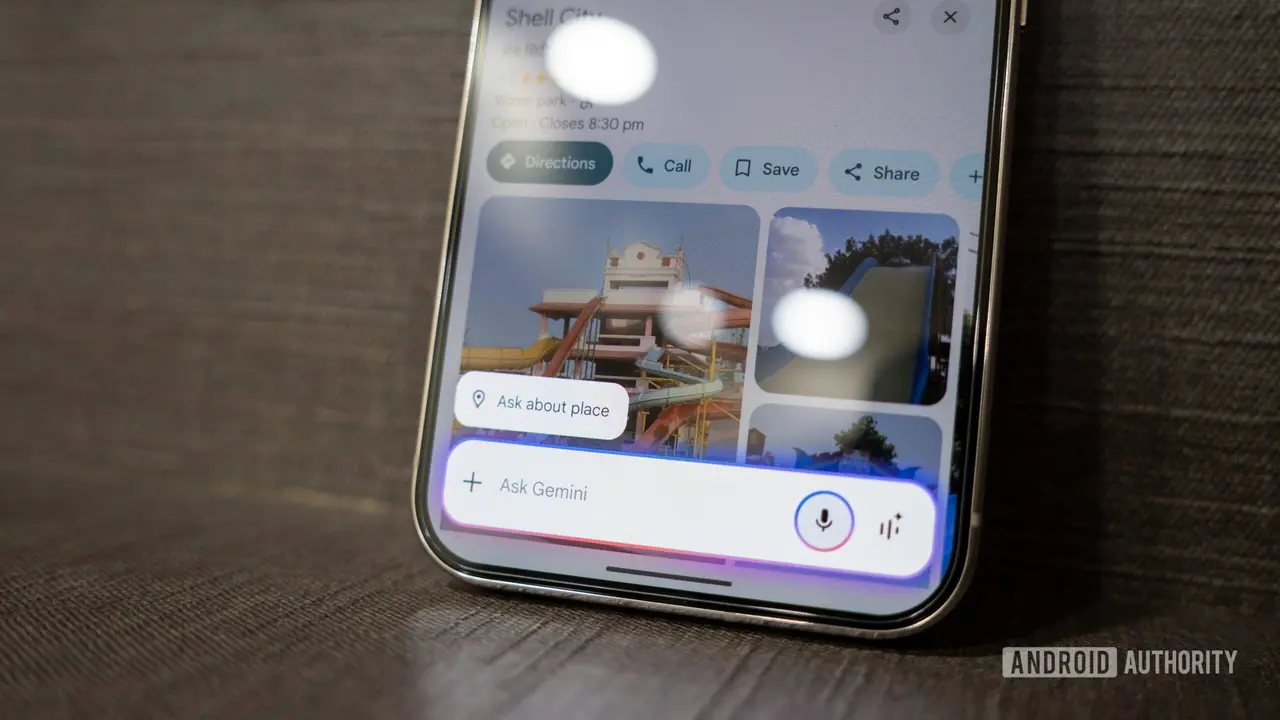
Source: Android Authority
The ability to run in the background means users can gather information from different apps, feed it into their ongoing Gemini conversation, and refine queries without starting over each time
3
. This mirrors the experience already available in the full Gemini app on desktop, Android, and iOS, but brings that functionality to the more convenient overlay interface2
.Related Stories

Timeline and Broader Integration Strategy
While the feature isn't live yet, its appearance in the beta version suggests it shouldn't be too far from a wide public rollout
2
. The background processing functionality remains in early stages of development, and changes may still occur before final release4
.This update fits into Google's broader strategy to make Gemini faster and more useful across Android devices. The company recently revealed Gemini 3 Flash, a lighter model designed to speed up AI Search and enhance app integration
3
. Google is also extending its Deep Research AI capabilities beyond its own apps through an API for third-party applications. These moves come as Google confirmed that Gemini will fully replace Google Assistant on phones in 2026, making improvements to the overlay experience increasingly critical for widespread adoption3
.References
Summarized by

Navi
[1]
[2]
[3]
Related Stories
Google Gemini to Introduce Mic Lock Feature for Improved Voice Interactions
22 Oct 2025•Technology
Google's Gemini AI Set to Revolutionize Personal Assistance with Enhanced Data Integration and App Connectivity
02 May 2025•Technology

Google Gemini Live Update: AI Assistant Now Mimics Phone Call Interface
05 Feb 2025•Technology

Recent Highlights



Recent Highlights
Today's Top Stories










Your Daily Dose of Curated AI News
Don’t drown in AI news. We cut through the noise - filtering, ranking and summarizing the most important AI news, breakthroughs and research daily. Spend less time searching for the latest in AI and get straight to action.

