As I've gone down the Home Assistant rabbit hole, I've quickly learned which devices are difficult to deal with in a smart home focused on local control. Integrating older smart devices that I have lying around can pose varying degrees of challenges depending on what I'm trying to achieve, but there are some companies that make products that are known for being easy to integrate and will play nicely in a self-hosted context. Reolink is one such company, and I've spent nearly a month with the Reolink Elite Floodlight WiFi camera to put it through its paces.
Reolink is a company that needs no introduction when it comes to smart home cameras, and the company has been praised for how welcoming it has been to smart home enthusiasts looking to control their home network. The company joined the "Works with Home Assistant" program just a few months ago, and sells its products with features upfront, rather than locking them behind subscriptions. The Open Home Foundation specifically praised Reolink for "closely aligning with the Open Home values of privacy, choice, and sustainability," and as I've spent time with my first Reolink camera, I can see why.
While the setup required the Reolink app, I've not had to use it once since I first set up and configured the camera. In fact, I'm using a rather... interesting setup to pull its feed into both Frigate and Home Assistant. It's an absolutely fantastic camera, and if you're looking for a high-end camera that can see with a 180-degree FoV, push streams over Wi-Fi, and integrate nicely with your smart home, this is one of the best options on the market today. It costs $220, but has no subscription fees, which makes it a pretty neat option for those who want to buy it and forget about it.
Reolink Elite Floodlight WiFi
8.5 / 10
Brand Reolink
Video Resolution Up to 5120x1552
Connection Hardwired
Storage microSD card/FTP/NVR
The Reolink Elite Floodlight WiFi is a home security camera that works great with Home Assistant, and packs powerful features like AI video search, a floodlight, and two-way audio. It has two cameras that form a 180-degree field of view, and it has no subscription costs.
Pros & Cons
* No subscription fees
* Part of the "Works with Home Assistant" program for local control
* Very community friendly
* May require an electrician to wire it up
* No PoE
$220 at Reolink
Expand Collapse
Reolink Elite Floodlight WiFi specs and availability
The Reolink Elite Floodlight WiFi comes in at $220, though it has no additional charges or subscription fees.
Reolink Elite Floodlight WiFi
Brand Reolink
Video Resolution Up to 5120x1552
Connection Hardwired
Storage microSD card/FTP/NVR
Expand Collapse
An unorthodox setup, to say the least
Yet the Reolink still plays nice
I live in an apartment block, and the Reolink Elite Floodlight WiFi is designed to be used wired up to the mains. While you can power it with its USB-C port, most features won't be available, and it won't really be usable long-term in this configuration. So, rather than setting up the camera and pointing it at myself for a month straight, I took it down to my parents', who live in the middle of nowhere, so that it could keep an eye on their garden while they were away.
For context, Reolink offers what is essentially a tunnel to your camera by default, where you can view the camera stream from anywhere in the world through its UID. This means for a basic configuration without any additional effort, you can deploy the camera, set it up, and then access it from your phone or computer using its UID, or allow for automatic discovery on your LAN on your PC. This is fine for most users, but for the more security-conscious, it may be a hard sell to enable an always-on camera that's accessible by anyone who has the UID.
So, if you're one of those security-conscious users, what can you do? In my case, I went a bit overboard. I utilize Tailscale for a lot of my remote access, and Tailscale supports advertising subnets over your Tailnet, meaning that even if a device can't install Tailscale, a remote device can connect to a local device on another network as if it were local. This is a core part of the solution I devised here, and the reason I'm going into detail about it is that I was seriously impressed by how well it worked. If Reolink shuts down its servers at some point in the future, solutions like this will still work for remote access.
I deployed Tailscale on a mini PC at my parents' house, and using the advertise subnets feature, shared the local IP address of the device on my parents' network to my Tailnet. Both Frigate and Home Assistant are logged into my Tailnet as well, so I could instantly see it, and in Home Assistant's case, it just worked. There was no messing about, and I could just add it like any other device. It even notifies me of updates, and I haven't needed to use the app since I connected everything up in Home Assistant.
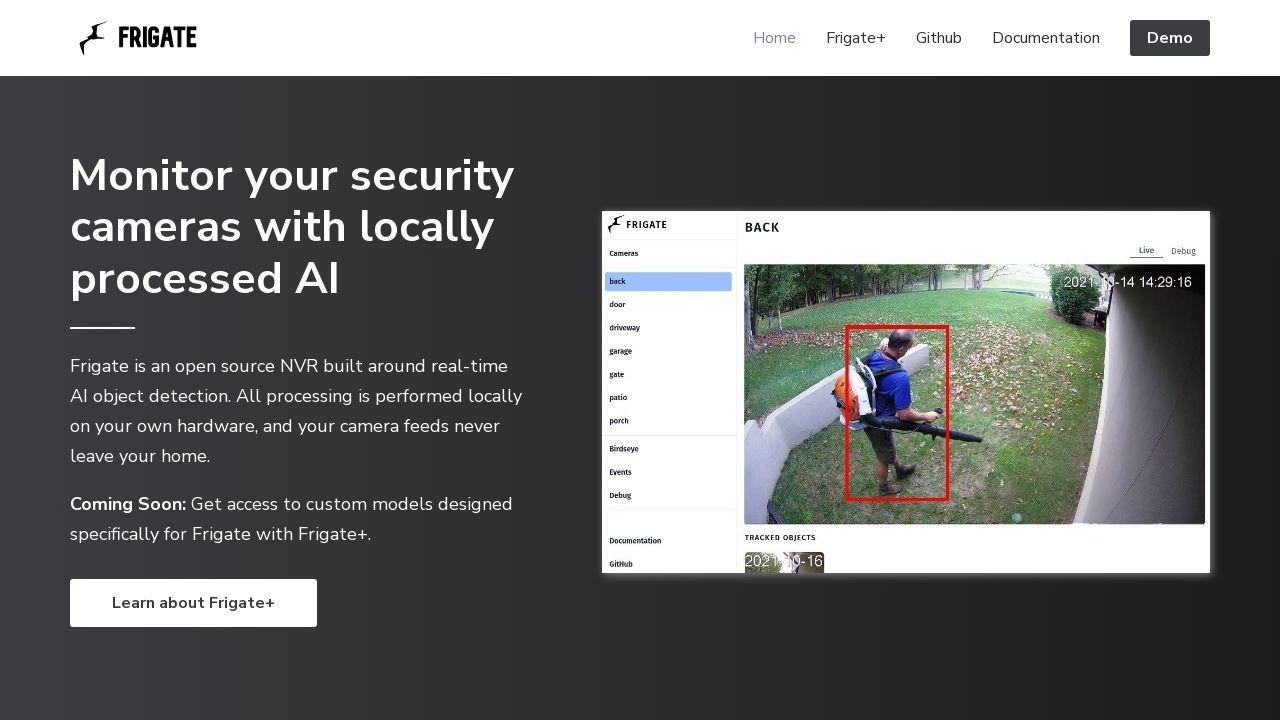
But what about Frigate? It wasn't quite as plug-and-play, but that's the beauty of Frigate. It's a self-hosted NVR that you build yourself, so I still needed to write my own configuration file. Here's part of my configuration file to pull both the high-definition and standard-definition streams, and those can then be used as inputs for recording and detections.
go2rtc:
streams:
home_main:
- rtsp://admin:[email protected]/Preview_01_main
- ffmpeg:home#audio=aac#video=h264
home_sub: rtsp://admin:[email protected]/Preview_01_sub
From here, you can truly do anything in Frigate with it. I set up my own local detection through it, which has the potential to be more powerful than Reolink's own on-device processing if you have powerful hardware and use a suitable model. On my Home Assistant dashboard, I have a Frigate CCTV card that shows me the stream live, and I don't even need a microSD card in my camera, because I can record it externally using Frigate. You can also record to an FTP server without a microSD card, but Frigate is much better suited unless your FTP server is also an NVR.
While pulling RTSP streams from a camera to Frigate isn't typically difficult, many companies don't publish their RTSP stream URLs at all, and I've personally experienced the pain of the trial and error of finding the RTSP URL of a camera. Despite that, Reolink does advertise its stream URLs and has even published a guide on how to use them. It's honestly really impressive how well it just works, and Reolink has maintained a community-friendly approach for quite a while now. In Reolink's own blog post talking about the partnership with Home Assistant, they even say that it offers "enhanced privacy and security" to use it.
Yes, the integration of Reolink and Home Assistant offers enhanced privacy and security. This integration works entirely within your home network and ensures that your video feeds and data remain private. You don't need any external servers for third-party access.
Thinking about it, it makes sense that a company focused on the long-term would like to advertise Home Assistant support and focus on local control. Not only does it mean that users who opt to take their cameras offline and locally process their data are more likely to recommend their products, but it takes pressure off of their servers as well for every user who takes their camera offline and runs it themselves. Plus, many smart home devices have been shut down over the years, being arbitrarily turned into e-waste despite physically continuing to work, and that isn't a concern when it comes to a device that can operate without an internet connection.
Using the Reolink Elite Floodlight WiFi in Home Assistant
It has Reolink's blessing
Thanks to the incredible work from both StarKillerOG and the Reolink team, everything can be controlled from the Home Assistant integration. In the post announcing Reolink's joining of the "Works with Home Assistant" program, StarKillerOG stated in the comments that they've been working with the Reolink team to iron out issues with some devices and achieve certification, like in the case of Reolink's NVRs. There's a level of care put into ensuring that enthusiasts have full control over their devices, and it's been constantly improving.
Right now, the only feature I've noticed that's missing is two-way talk, but it seems there's movement on that front with regard to Home Assistant. StarKillerOG has submitted a pull request to the Home Assistant GitHub with a change that adds two-way audio as an option for the webRTC player, and it's been a highly requested feature for a while now. I personally don't care for two-way talk on a camera like this, but I can understand why it would be useful for a doorbell, for example.
All of the built-in detections work perfectly, and you can build automations in Home Assistant from them like you would with any other entity. You can control the floodlight brightness, detection sensitivity, turn on or off infra-red lights in night mode, and control features like push notifications here. It has practically everything you could need, and if you want a camera that runs locally and can keep an eye on your home, there's not much out there that'll beat this level of local integration.
Image quality
Fantastic, day or night
As for the camera itself, the quality is excellent. You can configure the parameters of the stream separately for both the main stream and the substream:
* Main stream:
* Sub stream:
Both modes support a constant or variable bitrate, and they both support a constant or variable FPS. You can add a non-detection zone, mark specific areas for detecting motion, and set off the alarm automatically when something enters a designated area. You can achieve similar through Frigate, but these options are not available in the Home Assistant integration. There is also "smart event" detection, which allows you to designate lines that shouldn't be crossed, zones that shouldn't be entered, and loitering detection.
The camera has complete 180-degree coverage, and both the main head of the device that houses the cameras and the floodlights can be moved and rotated for better coverage wherever you mount it. The speaker system is pretty decent, which makes it a shame that it can't be controlled from Home Assistant yet. Right now, you can turn on or off a siren, but that's about it, though the siren does get loud... which I discovered when I turned it on by accident when I first got it.
The floodlight is also completely overkill at full brightness, at least in my case, which is great because it doesn't leave me wanting more. You can adjust the brightness and the color temperature, so it can be a great mood-setter for when you have guests over and it's dark outside.
Should you buy the Reolink Elite Floodlight WiFi?
For local control enthusiasts, it's a no-brainer
Honestly, this particular camera is a fantastic all-in-one package that's perfect for pretty much anyone. If you're serious about home CCTV, there's not much that'll beat it for the price in terms of what you get. Complete local control, no subscriptions, and fantastic hardware. What's not to love? For local control enthusiasts, it's a no-brainer, and even for those who don't particularly care about that, it's still great, too.
There are only a couple of notable downsides, with the biggest being the lack of clear documentation surrounding powering it via USB-C versus wiring it to the mains. There are no clear indicators that some features won't work, and the most perplexing was a 502 Gateway error I observed when trying to log in to the camera for the first time. It was only when I considered the power requirements of the camera that I thought it may be keeping non-essential services turned off, so I decided to wire it to the mains, and then I could configure it properly.
As well, some features (though non-essential in my view) being unavailable in Home Assistant at present, while a downside, are likely just because those controls aren't here yet. The Reolink integration is one of the best in the entire Home Assistant ecosystem when it comes to cameras, and I'm sure that it will arrive at some stage. Even still, I'd wager that the controls offered are enough for pretty much everyone. On top of all of that, the lack of PoE is a shame, though I would suggest that this is a power draw limitation.
Finally, and maybe the biggest "issue" with this camera (that isn't really an issue with the camera as such) is that it may require hiring an electrician to connect up to your home. It entirely depends on your own capabilities, though many hardwired camera solutions have the same requirements, and this isn't unique to the Reolink camera, nor is it really a downside of the camera itself.
If you're looking for a new camera to protect your home, this is honestly one of the best options out there. I've been really impressed by it every step of the way, and the commitment to local control and privacy is honestly fantastic. If you're not hugely invested in home security systems, then it won't be for you, but otherwise, this is one of the best options out there that, with local controls, will only need to be replaced when it actually needs to be, rather than when a company arbitrarily decides to shut it down.
Reolink Elite Floodlight WiFi
8.5 / 10
Brand Reolink
Video Resolution Up to 5120x1552
Connection Hardwired
Storage microSD card/FTP/NVR
The Reolink Elite Floodlight WiFi is a home security camera that works great with Home Assistant, and packs powerful features like AI video search, a floodlight, and two-way audio. It has two cameras that form a 180-degree field of view, and it has no subscription costs.
$220 at Reolink
Expand Collapse