Adobe Firefly adds prompt-based video editing and third-party AI models to compete in AI video race


10 Sources
10 Sources
[1]
Adobe Firefly now supports prompt-based video editing, adds more third-party models | TechCrunch
Adobe is updating its AI video-generation app, Firefly, with a new video editor that supports precise prompt-based edits, as well as adding new third-party models for image and video generation, including Black Forest Labs' FLUX.2 and Topaz Astra. Until now, Firefly only supported prompt-based generation, so you would have to recreate the entire clip if any part of the video was not to your liking. With the new editor, you can use text prompts to edit video elements, colors, and camera angles, and we also get a new timeline view that lets you adjust frames, sounds and other characteristics easily. The company first announced the new video editor in October in private beta, and now it is rolling out to all users. The company said that using Runway's Aleph model, users can give Firefly specific instructions, such as "Change the sky to overcast and lower the contrast" or "Zoom in slightly on the main subject." And with Adobe's own Firefly Video model, users can now do stuff like upload a start frame and a reference video of a camera motion and tell it to recreate that camera angle for the video they're working on. The company also said users can now use the Topaz Labs' Astra model to upscale videos to 1080p or 4K. Black Forest Labs' FLUX.2 image generation model is coming to the app, too, along with a collaborative boards feature. The company said FLUX.2 will be available on Firefly across platforms immediately, and Adobe Express users will be able to use FLUX.2 from January. With competitors releasing new models for image and video generation, Adobe wants to lure users into engaging with its app more. Along with new updates to the Firefly app, the company said subscribers of the Firefly Pro, Firefly Premium, 7,000-credit, and 50,000-credit plans will get unlimited generations from all image models and the Adobe Firefly Video Model in the Firefly app until January 15. Adobe has made a ton of changes to its Firefly models and apps this year. In February, the company launched a subscription that let users access various levels of image and video generation; then it launched a new Firefly web app along with mobile apps later in the year, and has added support for more third-party models within the Firefly app.
[2]
Adobe Firefly's New AI Editing Tools Are a Step Toward More Precise AI Video
Anyone who has used an AI image or video generator knows that these tools are often the opposite of precise. If you're using an AI generator with a specific idea in mind, you'll likely need to do a lot of work to bring that exact vision to life. Adobe's convinced that it can make its AI hub, Firefly, a place where AI can be customized and precise, which is what the company aims for with the release of new AI video editing tools on Tuesday. Over the course of 2025, Adobe has quietly emerged as one of the best places to use generative AI tools. With Firefly subscriptions starting at $10 per month, it's an affordable program that provides integration with top models from Google, OpenAI, Runway, Luma and several other leading AI companies. It's expanding its roster with Topaz Labs' Astra (available in Firefly Boards) and Flux 2.1 from Black Forest Labs, available in Firefly and Photoshop desktop. The partnerships are helping to make Firefly an all-in-one hub for creators to leverage AI, said Steve Newcomb, vice president of product for Firefly, in an exclusive interview. Just as Photoshop is the "career partner" of photographers, Firefly aims to become a partner for AI video and image creators. "If you're a photographer, [Photoshop] has everything that you could ever want. It has all the tooling, all the plugins, in one spot with one subscription. You don't have to subscribe to 25 different photo things," Newcomb said. "So for us, Firefly, our philosophy is, how do we be that home?" One way is through partnerships with AI companies, similar to Photoshop plug-ins. Precise editing tools are another, he said. That's why Adobe is trying to make it easier to edit AI-generated content. Hallucinations are common in AI-generated images and videos, such as disappearing and reappearing objects, weird blurs and other inaccuracies. For professional creators who use Adobe, the inability to edit out hallucinations makes AI almost unusable for final projects. In my own testing, I've often found that editing tools are basic, at best. At worst, they're entirely absent, particularly for newer AI video technologies. Firefly's new prompt-based editing for AI videos, announced on Tuesday, is a way to get that hands-on control. If you've edited images in Firefly via prompting, the video setup will feel very familiar. Even if you haven't, prompt-based editing is essentially a fancy term for asking AI to modify things as you would when talking with a chatbot. Google's nano banana pro in Gemini is one example of an AI tool that allows you to edit through prompts. Firefly's video prompt editing has the added bonus of allowing you to switch between models for edits: You can generate with Firefly and edit with Runway's Aleph, for example. Like with any AI chatbot or tool, prompt-based editing isn't always accurate. But it's a nice option without having to leave Firefly for Premiere Pro. The plan is to go beyond just prompt-based editing, Newcomb said. More AI-based precision editing tools for Firefly will be important, allowing you to make even more minute changes. What makes it possible is something called layer-based editing, a behind-the-scenes technology that enables easier, detailed changes in AI-generated images and videos. Adobe plans to implement layer-based editing in the future, which will likely form the foundation for future AI video editing tools. The goal is to make it easier to stay working in Firefly "until the last mile" of editing, Newcomb said. "We can run the gamut of the precision continuum all the way to the end, and just think of prompting as being one of many tools. But it is absolutely not the only tool," said Newcomb. For now, there is another piece of video editing news that could help you build more precise AI videos. Adobe is also bringing its full AI video editor into beta on Tuesday, the next step toward making editable and, therefore, usable AI video. Debuted at the company's annual Max conference in October, the video editor is now launching in a public beta. It sits between basic video editors and the feature-stuffed Premiere Pro. It'll be great for AI enthusiasts who want more editing firepower than you get with OpenAI or Google, without needing expertise in Premiere Pro. The video editor is meant to help you put all the pieces of your project together in one place. It has a multitrack timeline for you to compile all your clips and audio tracks. That's especially important because, while you can create your own AI speech and soundtracks, Firefly AI videoes don't natively generate with sound. (You can use Veo 3 or Sora 2 in Firefly to generate those initial clips with audio, though.) You can also export in a variety of aspect ratios. "Think of the video editor as being one of our cornerstone releases that is helping us move toward being one place, one home, where you can have one subscription and get to every model you ever needed to get the job done," Newcomb said.
[3]
Adobe Firefly adds AI video features most generators lack -- here's what's rolling out today
Adobe is giving users more control with prompt-to-edit update Those who have spent any time with AI video generators, know just how frustrating it can be when what you've prompted and what you've generated are completlely different. It's frustrating when it comes time to edit those videos, especially when you've generated something impressive, but need to tweak a single thing such as removing a person or changing the lighting. Adobe is trying to fix that. Today, Adobe is rolling out a set of video-focused features for Firefly designed to make AI video editing feel more like real editing -- iterative, controlled and integrated into a broader workflow. The updates include prompt-based video edits, camera motion references, a browser-based Firefly video editor and built-in upscaling powered by a partner model. Users can now prompt to edit their videos. Instead of regenerating an entire clip every time you want a change, Firefly now lets you edit an existing AI-generated video using text prompts. That means you can do things like: This is a big shift. Most AI video tools still treat every change as a full regeneration, which makes fine-tuning nearly impossible. Adobe's approach is closer to how creators already think: generate first, then refine. Firefly's Video Model now supports camera motion reference, which solves another common AI video problem: inconsistent movement. You can upload a start-frame image (your scene) and a reference video that shows the camera movement you want. From there, Firefly then applies that camera motion -- pan, dolly, zoom, tilt -- to your generated clip while keeping the subject and framing anchored. This makes it far easier to create cinematic-looking shots that don't feel jittery or random, especially for B-roll, transitions or short-form video. Adobe is also integrating Topaz Astra, a partner AI model focused on video enhancement and upscaling. With this integration, users can now enhance low-resolution or older footage, upscale clips to 1080p or 4K and queue multiple upscales while continuing to work. This is aimed at creators who already have footage (not just AI-generated clips) and want a quick way to improve quality without leaving Adobe's ecosystem. Firefly is also getting a browser-based video editor, now available in public beta. It supports two workflows, including timeline editing, with multitrack control for video and audio, and text-based editing, where you edit video by working with a transcript (ideal for interviews, explainers, or talking-head content) The editor lets users combine their own footage with Firefly-generated video, plus music and audio. Adobe's long-term vision is clear: AI shouldn't replace human editors, it should work with them. By focusing on prompt-based edits, camera consistency and practical tools like upscaling and transcript editing, Adobe is positioning Firefly as a creative hub rather than a novelty generator. To encourage experimentation, Adobe is also offering a limited-time unlimited generations promotion (through January 15) for certain paid Firefly plans, including Pro, Premium and high-credit tiers. The promo covers Firefly image models, Firefly video models and select partner image models. Unfortunately, it doesn't apply to free users, but it does lower the friction for creators who want to seriously test Firefly's new video tools without worrying about credits.
[4]
Adobe Wants to Make Editing AI Videos More Like Editing Real Videos
Adobe launched Firefly Video back in February to criticism. In the months since, the company has continued to update its platform and today unveiled new AI video editing features and partner AI models inside Firefly. When Firefly Video arrived, creators could only generate AI video clips using prompts. Once the videos were created, they either took them as they were or had to start over from scratch. At the recent Adobe MAX, Adobe showcased new editing tools in Firefly that let users edit their video creations without starting over. These tools are now available to everyone via a public beta. With the new "Prompt to Edit" controls, Firefly users can edit generated video clips using text prompts, including ones that simulate virtual camera control. This feature, powered by Runway's Aleph model, enables people to remove or add specific objects to their scene, replace backgrounds, change the lighting and conditions, and adjust "focal length." "Firefly makes those changes directly in the existing clip. You're no longer at the mercy of the next random generation. You're directing the scene. And you can continue to refine by adding sound effects or music tracks, and edit further within Firefly video editor or Premiere desktop -- all built to give creators full control from idea to execution," Adobe explains. The browser-based Firefly video editor lets users combine generated clips with their own real footage to create a final edited video. The multi-track timeline looks like a slightly simplified version of Premiere Pro. Beyond timeline editing, users can also edit content like talking-head segments or interview clips by editing text in a video's transcript. Speaking of third-party models like Runway Aleph, Adobe also today brought AI technology from Topaz Labs into Firefly. As Adobe notes, "generative AI isn't only about generating content -- it's also about the tools that make it adaptable, integrated, and actionable across workflows." Topaz Astra is now available in Firefly Boards, letting users upscale footage, whether AI-generated or captured by real cameras. Low-resolution footage can be upscaled in Firefly to Full HD or 4K, ensuring it is usable across a broader range of platforms. Topaz Astra can also be used to restore "older or low-quality footage" inside Firefly. Another third-party model, Black Forest Labs' FLUX.2, is also now available in Firefly. This is an AI image model that promises photorealistic images, advanced text rendering, and support for up to four reference images. FLUX.2 is now available in Firefly's Text to Image Module, Prompt to Edit, and Firefly Boards, plus as a model choice for Photoshop's Generative Fill feature. FLUX.2 will be added to Adobe Express next month. From now until January 15, 2026, customers with Firefly Pro, Firefly Premium, 7,000, and 50,000-credit plans get unlimited image and video generations inside Firefly. Firefly Pro starts at $19.99 per month.
[5]

Adobe's Firefly AI now lets you edit videos by describing changes
Firefly gets prompt-based editing for videos, camera control, upscaling and more Adobe is giving its Firefly AI app a major upgrade, turning it from a video generator into a full editing workspace. The biggest change is that Firefly now lets creators edit videos using simple text prompts, so small fixes no longer mean recreating an entire clip from scratch whenever something looks off. Adobe says the update is meant to make AI video creation feel more practical, especially as competition in AI video tools continues to heat up. The new Firefly video editor introduces a timeline view that lets users fine-tune frames, sounds, and pacing. Users can also edit videos through text transcripts, a feature aimed at spoken content. By deleting or rearranging lines in the transcript, Firefly automatically trims or reorders the corresponding video clips. What else is new in Adobe Firefly Beyond editing, Adobe is expanding Firefly's underlying models and creative tools. The app now integrates Runway's Aleph model for precise video changes and Adobe's own Firefly Video Model for camera motion control. Creators can upload a starting image along with a reference video to guide how the camera should move through a scene. This helps in producing more consistent, cinematic shots without repeated trial and error. Firefly is also adding Topaz Labs' Astra model, which allows videos to be upscaled to 1080p or 4K directly inside the app. This can improve low-resolution or older footage without using separate image enhancement tools. On the image side, Adobe is expanding photorealistic image generation and editing, by bringing Black Forest Labs' FLUX.2 model into Firefly. It will also be available across platforms like Photoshop and Adobe Express. With competition rising in AI image editing software and video creation tools, Adobe is sweetening the deal to keep users engaged with Firefly. The company says subscribers on Firefly Pro, Firefly Premium, as well as 7,000-credit and 50,000-credit plans, will get unlimited generations across all image models and the Adobe Firefly Video Model until January 15. Recommended Videos Taken together, the updates show Adobe pushing Firefly toward an all-in-one AI workspace that blends generation, editing, upscaling, and assembly in a single place. The update also lands as Adobe continues to expand access to its creative tools, recently offering free web access to Photoshop Web for a limited time and bringing photo and PDF editing features directly into ChatGPT, further blurring the line between AI assistants and full creative apps.
[6]

Adobe Firefly's newest update enables users to direct, rather than generate, AI video - SiliconANGLE
Adobe Inc. is revamping the video creation capabilities within its Firefly suite of artificial intelligence models. In a major update to its AI video generation tool, it's adding more powerful editing capabilities and precise motion controls, along with video upscaling in Firefly Boards. In addition, it's announcing the full beta launch of Firefly video editor, which is being pitched as a new "creative assembly space" for generative AI storytelling. The updates were unveiled along with a limited-time promotion. The company is offering users unlimited access to both Firefly's video generation model and all of its image-generation models for all current subscribers. For professional video creators, the addition of more precise editing tools is probably the biggest deal with today's update. Adobe said it's adding new "prompt-to-edit" controls to its AI video generator that enables creators to make precision refinements to any video they generate. Adobe explained it's trying to tackle a common problem with AI video generation. For instance, someone might generate a video of a coffee shop that looks just the way they want, except for some random object that appears on a table that seems to spoil the vision they had in mind. Normally, they'd have to regenerate the entire clip to fix this, but in doing so, they could end up with an entirely different, less-than-ideal scene. With the new tools, users can now generate a video and "surgically remove" the things they don't like using Runway AI Inc.'s Aleph video model. All they have to do is enter a prompt, such as "remove the person on the left side of the frame" or "change the sky to overcast." They can also enter commands such as "zoom in slightly on the main subject," Adobe said. The changes will immediately be applied to the existing video, as if users are truly directing the scene, rather than just having to regenerate everything from scratch and hope it comes out better. As well as the precise edits, Adobe is adding a feature called camera motion reference workflow, which allows users to upload a start frame reference image, as well as a video that shows the camera motion they intend to recreate. The model will then generate both the scene and the desired cinematic movements. Adobe said it's hoping to save creators hours of time spent on trial and error as they struggle to get their videos looking exactly the way they want. For creators hoping to generate slicker, more professional-looking videos, the new Topaz Astra tool in Firefly Boards may be just what they were looking for in an AI video generator. Firefly Boards is an AI-native software workspace for creators to explore, iterate and collaborate in real time, and Topaz Astra is being made available there first of all. It's essentially an upscaling tool that allows users to transform low-resolution clips into 1080p or 4K quality, making them sharp enough to share publicly. Adobe said it can also help in restoring older, lower-quality video footage by enhancing the clarity and detail to make them appear as if they were shot using modern camera equipment. In addition, Firefly Boards is getting some new models in the shape of FLUX.2, the most advanced image-generation model from Black Forest Labs Inc., providing photorealistic detail and advanced text rendering, along with support for up to four reference images at once. The company said FLUX.2 is available now in Firefly Boards, as well as Photoshop and the Firefly Text-to-Image module. Firefly's video editor is a browser-based video-generation tool that allows creators to get to work on any device, without downloading any of Adobe's full applications. Available in public beta now, it supports complete video generation and editing, and allows users to add music tracks and other visuals to their footage and shape them on a lightweight, multitrack timeline. Subscribers will be able to enjoy unlimited access to Adobe's new video generation tools for a limited time thanks to the company's latest promotion, which runs until Jan. 15. As part of the offer, customers who are subscribed to Firefly Pro, Firefly Premium, or the 7,000-credit and 50,000-credit personal plans will benefit from unlimited image and video generations in the Adobe Firefly application. The promotion spans every model available in Firefly, including Adobe's own and third-party offerings like the new FLUX.2, Google LLC's Nano Banana and OpenAI Group PBC's GPT-Image model.
[7]

Adobe releases Firefly video editor with prompt edits
Adobe rolled out a new video editor for its Firefly AI video-generation app, enabling prompt-based edits to video elements, colors, and camera angles, while adding third-party models including Black Forest Labs' FLUX.2 and Topaz Labs' Astra. This follows an October private beta announcement. Prior to this update, Firefly supported only prompt-based generation, requiring users to recreate entire clips for any undesired parts. The new editor allows text prompts to modify specific aspects directly. It includes a timeline view where users adjust individual frames, sounds, and other characteristics with greater precision and control over the editing process. The company integrates Runway's Aleph model to handle detailed instructions. Users issue commands such as "Change the sky to overcast and lower the contrast" or "Zoom in slightly on the main subject." These prompts target precise changes without affecting the whole video sequence. Adobe's own Firefly Video model supports advanced camera manipulation. Users upload a start frame alongside a reference video demonstrating a specific camera motion. The model then recreates that exact camera angle within the user's project, aligning motion paths accurately to match the reference. Video: Adobe Topaz Labs' Astra model enables video upscaling. It processes footage to resolutions of 1080p or 4K, enhancing clarity and detail for higher-quality outputs suitable for professional applications. Black Forest Labs' FLUX.2 serves as the new image generation model within Firefly. This addition coincides with a collaborative boards feature, allowing multiple users to work together on projects in shared digital spaces. FLUX.2 becomes available across all Firefly platforms immediately. Adobe Express users gain access to FLUX.2 starting in January. Subscribers to Firefly Pro, Firefly Premium, the 7,000-credit plan, and the 50,000-credit plan receive unlimited generations from all image models and the Adobe Firefly Video Model in the Firefly app. This offer extends until January 15. Adobe introduced its Firefly subscription in February, providing access to various levels of image and video generation capabilities. Later in the year, the company released a new Firefly web app accompanied by mobile apps, broadening platform accessibility. Throughout the year, Adobe incorporated support for additional third-party models into the Firefly app, expanding generative options for users.
[8]

Adobe Firefly Users Will Now Get Early Access to Runway's Video AI Models
These innovations will be exclusively available in Adobe apps Adobe and Runway announced a multi-year strategic partnership on Thursday. As part of the deal, the San Jose-based software giant will become the preferred application programming interface (API) creativity partner of the artificial intelligence (AI) startup. Additionally, Adobe's Firefly platform will get early access to Runway's new video-generation AI models. The two companies will also collaborate to develop "new AI innovations" exclusively for the Photoshop maker's platforms. Notably, Adobe forged a similar partnership with Google Cloud in October to bring access to the latest Gemini, Imagen, and Veo models across the platform. Adobe and Runway Announce Partnership In a newsroom post, the two companies announced the multi-year partnership, which brings together Runway's generative video technology with Adobe's creative tools. Now, whenever the AI startup releases a new model, Firefly users will be able to use it exclusively for a limited period before it becomes available to other users and platforms. "Runway's generative video innovation combined with Adobe's trusted pro workflows will help creators and brands expand their creative potential and meet the growing demands of modern content and media production," said Ely Greenfield, chief technology officer and senior vice president, digital media, Adobe. As the preferred API creativity partner, Adobe users will now get early access to the Gen-4.5 model. Additionally, Firefly Pro subscribers can access unlimited video generations using the model until December 22. Runway's latest video model improves on motion quality, instruction following, and visual quality. Adobe says users can use it to generate complex, multi-element scenes with realistic physics and expressive characters. Once generated, users can take these videos to the Firefly video editor to stitch the generated clips into a shareable video, or use Adobe Premiere, After Effects, and other Creative Cloud applications for a professional edit. Creators can generate video from text prompts using Gen-4.5, explore different visual directions, pacing and motion, and then move seamlessly into Firefly video editor to assemble generated clips into polished, shareable videos. Creative Professionals can take their generations into Adobe Premiere, After Effects, and other Creative Cloud applications for further control and refinement. Apart from this, the two companies also said they will work with independent filmmakers, major studios, agencies, streaming platforms, Fortune 500 brands, and global enterprises to co-develop new video capabilities into Adobe tools that professionals in this industry can use for their projects.
[9]

Adobe Firefly gets smarter video tools - with more control and fewer re-generations
Adobe is enhancing Firefly's video capabilities with precise editing tools, allowing creators to modify existing AI-generated clips without full regeneration. New features include improved camera control, video upscaling via Topaz, and a browser-based editor for assembling AI and real footage. Adobe is expanding Firefly's video capabilities, aiming to solve one of the biggest frustrations with generative video today lack of control. Instead of forcing creators to regenerate entire clips for minor changes, Adobe is introducing tools that allow precise edits inside an existing video. The update also brings better camera control, video upscaling, and a browser-based video editor that pulls AI-generated clips into a familiar editing workflow. One of the key additions is a new "prompt to edit" workflow for video. Rather than starting from scratch, creators can now tweak specific elements in a generated clip -- like removing a subject, changing the background, adjusting lighting, or nudging the camera framing. The idea is simple: keep what works, fix what doesn't. For anyone who's spent time regenerating near-perfect AI clips, this could save hours of trial and error. Adobe is also adding reference-based camera motion. Users can upload a starting frame and a separate reference video to guide how the camera moves through a scene, helping AI-generated clips feel more intentional and cinematic. Firefly is also adding video upscaling through a partnership with Topaz. The tool allows creators to enhance low-resolution footage up to 1080p or 4K directly within Firefly Boards. This isn't about generating new content -- it's about making existing footage usable again. Old clips, low-quality recordings, or archived material can be cleaned up and repurposed without leaving the Firefly workflow. Adobe has also opened the public beta of its Firefly video editor, a lightweight, browser-based editor designed to assemble AI-generated clips alongside real footage, music, and graphics. The editor supports both traditional timeline editing and text-based editing, where creators can trim or rearrange video by editing a transcript. Finished videos can be exported in multiple formats, including vertical and widescreen layouts. It's clearly positioned as a quick assembly space rather than a replacement for Premiere Pro. For a limited time, Adobe is offering unlimited image and video generations across Firefly's models for select paid plans. The offer runs until mid-January and applies to both Adobe's own models and partner models available inside Firefly. While this removes creative limits temporarily, it also hints at how tightly usage-based AI pricing could shape creative workflows going forward. Firefly's latest updates signal a shift away from "generate and hope" toward more deliberate, editor-like control over AI video. Instead of chasing randomness, Adobe is trying to make generative video feel predictable, editable, and closer to traditional creative tools. We saw many of these ideas take shape earlier this year when we covered Adobe MAX live from Los Angeles, bringing you key announcements, demos, and creator conversations straight from the show floor. You can check out our interviews and MAX coverage here, where we break down what these tools mean for creators, filmmakers, and the future of AI-assisted storytelling.
[10]
Adobe Firefly Is Getting These New AI Tools and Unlimited Generations
Adobe Firefly is getting upgraded with new artificial intelligence (AI) models and tools. Additionally, the company is also introducing a limited-time offer, which will let select paid users generate unlimited AI images and videos till January 15. The company says these new additions will give users more control over their generations and the flexibility in the models they use to generate assets and content. Notably, in November, the San Jose, California-based software giant added Google's Nano Banana Pro image generation and editing model to Photoshop and the Firefly platform. Adobe Firefly Gets New Tools and AI Models In a blog post, the company detailed the new features Firefly users will be able to access across the Android and iOS apps and the website. Among them is the new Prompt to Edit tool. Powered by Runway's Aleph model, it allows users to make precise edits to an AI-generated video after it has been generated. The company said users earlier were forced to re-generate the video from scratch if the AI model made a mistake or if the output was not up to the mark. However, with this tool, users will be able to use text prompts to make iterative edits to a video, similar to how Nano Banana allows them to do with images. Another addition is the camera motion reference tool. When using the Firefly video model, users can now upload the start frame image, along with a reference video showing the camera motion they want to recreate. The model will combine both in the new AI-generated video, offering more ways to control the output. Two new AI models are now also available in the Firefly platform. First is Topaz Astra, which can be accessed from Firefly Boards. Adobe says the model allows users to upscale their footage to 1080p or 4K resolution by improving clarity and detail. This task can also be run in the background while the user works on another project. Similarly, multiple videos can also be queued together for a more seamless experience. The second new AI model is Black Forest Labs' Flux.2. It is the company's latest image generation and editing model. Adobe says it offers photorealistic detail, text rendering, and supports up to four reference images. This model is available in Firefly's text-to-image module, Prompt to Edit tool, and Firefly Boards. Additionally, it can also be found in the Photoshop desktop version's Generative Fill. In January, the model will be added to the Adobe Express app. Adobe is also rolling out the Firefly video editor widely in public beta. The browser-based video editor allows users to combine generated clips, music tracks, and visuals with their footage to create a final, publish-ready video. The editor also comes with a multi-track timeline, as well as lets users edit by text when they work with talking-head or interview content. Finally, Adobe is offering its Firefly Pro and Firefly Premium subscribers unlimited image and video generations in the app until January 15. The offer includes all image models available, and the Firefly video model for video generations.
Share
Share
Copy Link
Adobe is transforming Firefly from a simple AI video generator into a full editing workspace with prompt-based video editing capabilities. The update addresses a major frustration for creators who previously had to regenerate entire clips for small changes. New features include camera motion control, 4K upscaling via Topaz Astra, and integration of Black Forest Labs' FLUX.2 for photorealistic image generation.
Adobe Firefly Transforms AI Video Editing With Prompt-Based Controls
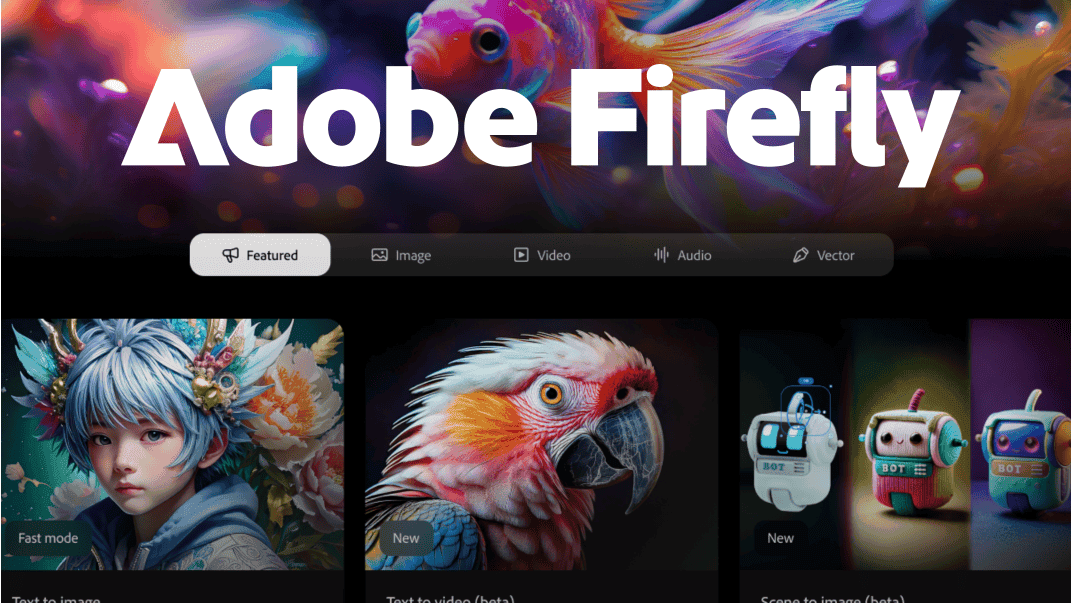
Source: Tom's Guide
Adobe is updating its AI video-generation app, Adobe Firefly, with a significant shift in how creators edit AI-generated content. The platform now supports prompt-based video editing, allowing users to modify specific elements within existing clips without regenerating entire videos from scratch
1
. This addresses one of the most frustrating aspects of AI video creation, where minor adjustments previously required starting over completely2
.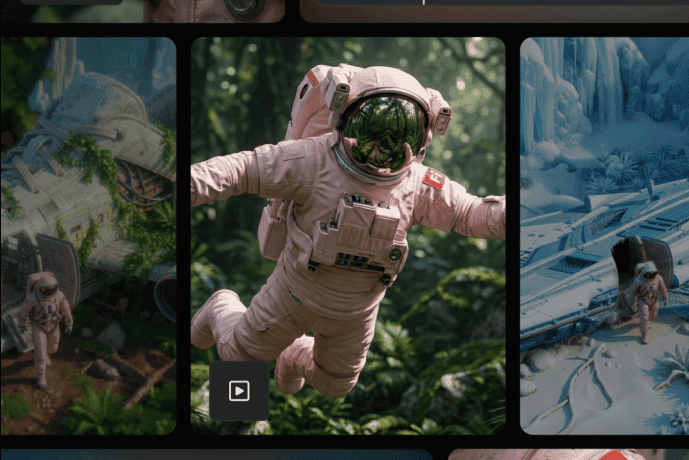
Source: SiliconANGLE
The new editing capabilities, first announced at Adobe's MAX conference in October and now rolling out in public beta, enable users to issue specific instructions like "Change the sky to overcast and lower the contrast" or "Zoom in slightly on the main subject"
1
. This functionality is powered by Runway's Aleph model, marking a strategic integration of third-party AI models into Adobe's ecosystem3
.Camera Motion Control and Timeline Editing Enhance User Control
Beyond text-based editing, Adobe Firefly now offers camera motion control through its proprietary Firefly Video Model. Creators can upload a start frame image alongside a reference video demonstrating desired camera movement, and the system will recreate that camera angle for their project
1
. This feature helps produce consistent, cinematic shots without the jittery or random movement common in AI-generated content3
.
Source: TechCrunch
The browser-based Firefly video editor introduces timeline editing with multitrack control for video and audio, resembling a simplified version of Premiere Pro
4
. Users can combine AI-generated clips with real footage, add music and sound effects, and export in various aspect ratios2
. The editor also supports text-based editing, where users can modify talking-head segments or interview clips by editing the video's transcript directly5
.Third-Party AI Models Expand Creative Capabilities
Adobe is positioning Firefly as an all-in-one hub for generative AI tools by integrating multiple third-party AI models. Topaz Labs' Astra model now enables AI video upscaling directly within Firefly, allowing users to enhance low-resolution or older footage to 1080p or 4K
1
. This capability extends beyond AI-generated content to improve existing camera footage4
.Black Forest Labs' FLUX.2 is joining the platform for photorealistic image generation with advanced text rendering and support for up to four reference images
4
. FLUX.2 is immediately available in Firefly across platforms and will reach Adobe Express users in January1
. Steve Newcomb, vice president of product for Firefly, explained the strategy: "If you're a photographer, [Photoshop] has everything that you could ever want. It has all the tooling, all the plugins, in one spot with one subscription. You don't have to subscribe to 25 different photo things"2
.Related Stories


Strategic Push in Competitive AI Video Creation Market
With competitors releasing new models for AI video and image generation, Adobe is incentivizing engagement through a limited-time promotion. Subscribers of Firefly Pro, Firefly Premium, 7,000-credit, and 50,000-credit paid plans will receive unlimited generations from all image models and the Adobe Firefly Video Model until January 15
1
. Firefly Pro starts at $19.99 per month4
, with Firefly subscriptions beginning at $10 per month2
.The updates reflect Adobe's broader vision for AI-powered video features that complement rather than replace human creativity. Newcomb noted that future developments will include layer-based editing technology, enabling even more detailed changes in AI-generated images and videos
2
. "We can run the gamut of the precision continuum all the way to the end, and just think of prompting as being one of many tools. But it is absolutely not the only tool," Newcomb stated2
. The company aims to make Firefly the place where creators can work "until the last mile" of editing before moving to professional tools like Premiere Pro2
.References
Summarized by

Navi
[1]
[3]
[5]
Related Stories
Recent Highlights


Recent Highlights
Today's Top Stories






Your Daily Dose of Curated AI News
Don’t drown in AI news. We cut through the noise - filtering, ranking and summarizing the most important AI news, breakthroughs and research daily. Spend less time searching for the latest in AI and get straight to action.

