AI coding tools deliver speed but create 1.7 times more bugs, raising code quality concerns


3 Sources
3 Sources
[1]
Developers say AI coding tools work -- and that's precisely what worries them
Software developers have spent the past two years watching AI coding tools evolve from advanced autocomplete into something that can, in some cases, build entire applications from a text prompt. Tools like Anthropic's Claude Code and OpenAI's Codex can now work on software projects for hours at a time, writing code, running tests, and, with human supervision, fixing bugs. OpenAI says it now uses Codex to build Codex itself, and the company recently published technical details about how the tool works under the hood. It has caused many to wonder: Is this just more AI industry hype, or are things actually different this time? To find out, Ars reached out to several professional developers on Bluesky to ask how they feel about these tools in practice, and the responses revealed a workforce that largely agrees the technology works, but remains divided on whether that's entirely good news. It's a small sample size that was self-selected by those who wanted to participate, but their views are still instructive as working professionals in the space. David Hagerty, a developer who works on point-of-sale systems, told Ars Technica up front that he is skeptical of the marketing. "All of the AI companies are hyping up the capabilities so much," he said. "Don't get me wrong -- LLMs are revolutionary and will have an immense impact, but don't expect them to ever write the next great American novel or anything. It's not how they work." Roland Dreier, a software engineer who has contributed extensively to the Linux kernel in the past, told Ars Technica that he acknowledges the presence of hype but has watched the progression of the AI space closely. "It sounds like implausible hype, but state-of-the-art agents are just staggeringly good right now," he said. Dreier described a "step-change" in the past six months, particularly after Anthropic released Claude Opus 4.5. Where he once used AI for autocomplete and asking the occasional question, he now expects to tell an agent "this test is failing, debug it and fix it for me" and have it work. He estimated a 10x speed improvement for complex tasks like building a Rust backend service with Terraform deployment configuration and a Svelte frontend. A huge question on developers' minds right now is whether what you might call "syntax programming," that is, the act of manually writing code in the syntax of an established programming language (as opposed to conversing with an AI agent in English), will become extinct in the near future due to AI coding agents handling the syntax for them. Dreier believes syntax programming is largely finished for many tasks. "I still need to be able to read and review code," he said, "but very little of my typing is actual Rust or whatever language I'm working in." When asked if developers will ever return to manual syntax coding, Tim Kellogg, a developer who actively posts about AI on social media and builds autonomous agents, was blunt: "It's over. AI coding tools easily take care of the surface level of detail." Admittedly, Kellogg represents developers who have fully embraced agentic AI and now spend their days directing AI models rather than typing code. He said he can now "build, then rebuild 3 times in less time than it would have taken to build manually," and ends up with cleaner architecture as a result. One software architect at a pricing management SaaS company, who asked to remain anonymous due to company communications policies, told Ars that AI tools have transformed his work after 30 years of traditional coding. "I have way more fun now than I ever did doing traditional coding," he said. He added that he recently delivered a feature in about two weeks that he estimated would have taken a year using traditional methods. For side projects, he said he can now "spin up a prototype in like an hour and figure out if it's worth taking further or abandoning." Dreier said the lowered effort has unlocked projects he'd put off for years: "I've had 'rewrite that janky shell script for copying photos off a camera SD card' on my to-do list for literal years." Coding agents finally lowered the barrier to entry, so to speak, low enough that he spent a few hours building a full released package with a text UI, written in Rust with unit tests. "Nothing profound there, but I never would have had the energy to type all that code out by hand," he told Ars. But not everyone shares the same enthusiasm. Concerns about AI coding agents building up technical debt, that is, making poor design choices early in a development process that snowball into worse problems over time, originated soon after the first debates around "vibe coding" emerged in early 2025. Former OpenAI researcher Andrej Karpathy coined the term to describe programming by conversing with AI without fully understanding the resulting code, which many see as a clear hazard of AI coding agents. Darren Mart, a senior software development engineer at Microsoft who has worked there since 2006, shared similar concerns with Ars. Mart, who emphasizes he is speaking in a personal capacity and not on behalf of Microsoft, recently used Claude in a terminal to build a Next.js application integrating with Azure Functions. The AI model "successfully built roughly 95% of it according to my spec," he said. Yet he remains cautious. "I'm only comfortable using them for completing tasks that I already fully understand," Mart said, "otherwise there's no way to know if I'm being led down a perilous path and setting myself (and/or my team) up for a mountain of future debt." A data scientist working in real estate analytics, who asked to remain anonymous due to the sensitive nature of his work, described keeping AI on a very short leash for similar reasons. He uses GitHub Copilot for line-by-line completions, which he finds useful about 75 percent of the time, but restricts agentic features to narrow use cases: language conversion for legacy code, debugging with explicit read-only instructions, and standardization tasks where he forbids direct edits. "Since I am data-first, I'm extremely risk averse to bad manipulation of the data," he said, "and the next and current line completions are way too often too wrong for me to let the LLMs have freer rein." Speaking of free rein, Nik backend engineer Brian Westby, who uses Cursor daily, told Ars that he sees the tools as "50/50 good/bad." They cut down time on well-defined problems, he said, but "hallucinations are still too prevalent if I give it too much room to work." The legacy code lifeline and the enterprise AI gap For developers working with older systems, AI tools have become something like a translator and an archaeologist rolled into one. Nate Hashem, a staff engineer at First American Financial, told Ars Technica that he spends his days updating older codebases where "the original developers are gone and documentation is often unclear on why the code was written the way it was." That's important because previously "there used to be no bandwidth to improve any of this," Hashem said. "The business was not going to give you 2-4 weeks to figure out how everything actually works." In that high-pressure, relatively low-resource environment, AI has made the job "a lot more pleasant," in his words, by speeding up the process of identifying where and how obsolete code can be deleted, diagnosing errors, and ultimately modernizing the codebase. Hashem also offered a theory about why AI adoption looks so different inside large corporations than it does on social media. Executives demand their companies become "AI oriented," he said, but the logistics of deploying AI tools with proprietary data can take months of legal review. Meanwhile, the AI features that Microsoft and Google bolt onto products like Gmail and Excel, the tools that actually reach most workers, tend to run on more limited AI models. "That modal white-collar employee is being told by management to use AI," Hashem said, "but is given crappy AI tools because the good tools require a lot of overhead in cost and legal agreements." Speaking of management, the question of what these new AI coding tools mean for software development jobs drew a range of responses. Does it threaten anyone's job? Kellogg, who has embraced agentic coding enthusiastically, was blunt: "Yes, massively so. Today it's the act of writing code, then it'll be architecture, then it'll be tiers of product management. Those who can't adapt to operate at a higher level won't keep their jobs." Dreier, while feeling secure in his own position, worried about the path for newcomers. "There are going to have to be changes to education and training to get junior developers the experience and judgment they need," he said, "when it's just a waste to make them implement small pieces of a system like I came up doing." Hagerty put it in economic terms: "It's going to get harder for junior-level positions to get filled when I can get junior-quality code for less than minimum wage using a model like Sonnet 4.5." Mart, the Microsoft engineer, put it more personally. The software development role is "abruptly pivoting from creation/construction to supervision," he said, "and while some may welcome that pivot, others certainly do not. I'm firmly in the latter category." Even with this ongoing uncertainty on a macro level, some people are really enjoying the tools for personal reasons, regardless of larger implications. "I absolutely love using AI coding tools," the anonymous software architect at a pricing management SaaS company told Ars. "I did traditional coding for my entire adult life (about 30 years) and I have way more fun now than I ever did doing traditional coding."
[2]
Are bugs and incidents inevitable with AI coding agents?
What specific kind of bugs is AI more likely to generate? Do some categories of bugs show up more often? How severe are they? How is this impacting production environments? Companies are looking to harness agentic code generators to get software built faster. But for every story of increased developer productivity or greater code base understanding, there's a story about creating more bugs and the increased likelihood of production outages. Here at CodeRabbit, we wanted to know if the problems people have been seeing are real and, if so, how bad they are. We've seen data and studies about this same question, but many of them are just qualitative surveys sharing vibes about vibe coding. This doesn't show us a path to a solution, only a perception. We wanted something a little more actionable with actual data. What specific kind of bugs is AI more likely to generate? Do some categories of bugs show up more often? How severe are they? How is this impacting production environments? In this article, we'll talk about the research we did, what it means for you as a developer, and how you can mitigate the mistakes that LLMs make. What our research says To find answers to our questions, we scanned 470 open-access GitHub repos to create our State of AI vs. Human Code Generation Report. We looked for signals that indicated pull requests were AI co-authored or human created, like commit messages or agentic IDE files. What we found is that there are some bugs that humans create more often and some that AI creates more often. For example, humans create more typos and difficult-to-test code than AI. But overall, AI created 1.7 times as many bugs as humans. Code generation tools promise speed but get tripped up by the errors they introduce. It's not just little bugs: AI created 1.3-1.7 times more critical and major issues. The biggest issues lay in logic and correctness. AI-created PRs had 75% more of these errors, adding up to 194 incidences per hundred PRs. This includes logic mistakes, dependency and configuration errors, and errors in control flows. Errors like these are the easiest to overlook in a code review, as they can look like reasonable code unless you walk through it to understand it. Logic and correctness issues can cause serious problems in production: the kinds of outages that you have to report to shareholders. We've found that 2025 had a higher level of outages and other incidents, even beyond what we've heard about in the news. While we can't tie all those outages to AI on a one-to-one basis, this was the year that AI coding went mainstream. We also found a number of other issues that, while they may not disable your app, were alarming: * Security issues: AI included bugs like improper password handling and insecure object references at a 1.5-2x greater rate than human coders. * Performance issues: We didn't see a lot of these, but those that we found were heavily AI-created. Excessive I/O operations were ~8x higher in AI code. * Concurrency and dependency correctness: AI was twice as likely to make these mistakes, which include misuse of concurrency primitives, incorrect ordering, and dependency flow errors. * Error handling: AI-generated PRs were almost twice as likely to check for errors and exceptions like null pointers, early returns, and pro-active defensive coding practices. The single biggest difference between AI and human code was readability: AI had 3x the readability issues as human code. It had 2.66x more formatting problems and 2x more naming inconsistencies. While these aren't the issues that will take your software offline, they will make it harder to debug the issues that can. Why errors happen with coding agents Major errors happen largely because these coding agents are primarily trained on next token prediction based on large swaths of training data. That training data includes large numbers of open-source or otherwise unsecure code repositories, but it doesn't include your code base. That is, any given LLM that you use is going to lack the necessary context to write the correct code. When you try to provide that context as a system prompt or 'agents.md' file, that may work depending on the LLM or agentic harness you're using. But eventually, the AI tool will need to compact the context or use a sliding window strategy to manage it efficiently. At the end of the day, though, you're dropping information. If you have a task list where the agent is supposed to create code, review it, and check it off when it's done, eventually it forgets. It starts forgetting more and more along the way until the point where you have to stop it and start over. We're past the days of code completion and cut and pasting from chat windows. People are using AI agents and running them autonomously now, sometimes for very long periods of time. Any mistakes -- hallucinations, errors in context, even slight missteps -- compound over the running time of the agent. By the end, those mistakes are baked into the code. Agentic coding tools make generating code incredibly easy. To a certain degree, it's fun to be able magically drop 500 lines of code in a minute. You've got five windows going, five different things being implemented at the same time. No idea what any of them are building, but they're all being built right now. Eventually, though, someone will need to make sure that code works, to ensure that only quality code hits the production servers. Why AI code is so hard to review There's a joke that if you want a lot of comments, make a PR with 10 lines of code. If you want it approved immediately, commit 500 lines of code. This is the law of triviality: small changes get more attention than big changes. With agentic code generators, it becomes very easy to commit these very large commits with massive diffs. Massive commits combined with hard-to-read code makes it very easy for serious logic and correctness errors to slip through. This is where the readability problem compounds. AI creates more surrounding harness code and little inline comments. There's just a lot more to read. Unless someone (preferably multiple someones) is combing through every single line of code on these commits, you could be creating tech debt at a scale not previously imagined. Think of a code base over the lifetime of a company. Early-stage companies have a mentality of moving fast, getting your software out there, but maintainability, complexity, and readability issues compound over time. It may not cause the outage, but it will make that outage harder to fix. Eventually, that tech debt has to be paid off. Either the company dies or somebody has to rewrite everything because nobody can follow what any of the code is doing. What you can do to stop errors People want to use agentic coding tools and get the productivity gains. But it's important to use them in a way that mitigates some of the potential downstream effects and prevents AI-generated errors from affecting your uptime. At every stage in the process, there are things you can do to make the end result better. Pre-plan Before starting out, do as much pre-planning as you can, and read up on the best practices for these tools. Personally, I like the trend of spec-driven development. It forces you to have a clearly laid out plan and thoroughly consider the requirements, design, and functionality of the end software that you want. This crystallizes the context that you have about the code into something the code generation agent can use. Add other pieces of context: style guidelines, documentation about the code base, and more. Use the best LLMs for each task While everyone wants to jump to the latest and greatest language models, we don't believe you should let your users choose their own LLMs at CodeRabbit. Models are becoming very different, and by changing between LLMs, your prompts may not behave the same. The focus of the model may shift, it may generate more of certain types of error, or it may interpret existing prompts differently. Just because you know how to prompt one model, doesn't mean you know how to prompt another. We recommend using a coding tool that benchmarks all the models and assigns the best one to the task you're working on or reading benchmarks to better understand which to use for each task and how to prompt it. Focus on small tasks Once you start running the agent, smaller is better. Break tasks into the smallest possible chunks. Actively engage with the agent and ask questions; don't just let it burn tokens for hours. On the flip side, create small commits that can be easily digested by your reviewers. People should be able to understand the scope of a given PR. The hype of long-running agents is a sales tactic, and engineers using these tools need to be clear-eyed and pragmatic. Review AI-assisted PRs differently When you approach a PR that AI assisted with, go in knowing that there will be more issues there. Know the types of errors that AI produces. You still need to review and understand the code like you would with any human-produced commit. It's a hard problem because people don't scale that well, so consider some tooling that catches problems in commits or provides summaries. Leverage tools and systems to help Your post-commit tools -- build, test, and deploy -- are going to be more important. If you have QA checklists, follow them closely. If you don't have a checklist, make one. Sometimes just adding potential issues to the checklist will keep them top-of-mind. Review your code standards and enforce them in reviews. Instrument unit tests, use static analysis tools, and ensure you have solid observability in place. Or better yet, fight AI with AI by leveraging AI in reviews and testing. These are all good software engineering practices, but companies often neglect these tools in the name of speed. If you're using AI-generated code, you can't do that anymore. Less haste, more speed 2025 saw Google and Microsoft bragging about the percentage of their code base that was AI-generated. This speed and efficiency was meant to show how productive they were. But lines of code has never been a good metric for human productivity, so why would we think it's valid for AI? These metrics are going to look increasingly irrelevant as companies take into account the downstream effects of their code. You'll need to account for the holistic costs and savings of AI. Not just lines of code per developer, but review time, incidences, and maintenance load. If 2025 was the year of AI coding speed, 2026 is going to be the year of AI coding quality. Save your dev team's sanity this year with better code review tools. Sign up for a 14-day CodeRabbit trial.
[3]
AI-Powered DevSecOps: Automating Security with ML Tools
Join the DZone community and get the full member experience. Join For Free The VP of Engineering at a mid-sized SaaS company told me something last month that stuck with me. His team had grown their codebase by 340% in two years, but headcount in security had increased by exactly one person. "We're drowning," he said, gesturing at a dashboard showing 1,847 open vulnerability tickets. "Every sprint adds more surface area than we can possibly audit." He's not alone. I've had nearly identical conversations with CTOs at three different companies in the past quarter. The math doesn't work anymore. Development velocity has exploded -- partly due to AI coding assistants, partly due to pressure to ship faster -- but security teams are still operating with tools and workflows designed for a slower era. Something has to give, and increasingly, that something is machine learning. The Productivity Trap Here's the uncomfortable truth: AI is both causing and solving the same problem. A Snyk survey from early 2024 found that 77% of technology leaders believe AI gives them a competitive advantage in development speed. That's great for quarterly demos and investor decks. It's less great when you realize that faster code production means exponentially more code to secure, and most organizations haven't figured out how to scale their security practice at the same rate. The volume problem is real and getting worse. I spoke with a security architect at a financial services firm in September who described their situation bluntly: "We're generating code faster than we can think about it." Their CI/CD pipeline processes roughly 400 pull requests per week now, up from maybe 150 two years ago. The security team reviews perhaps a third of them manually. The rest get automated scans that catch the obvious stuff -- hardcoded credentials, known CVEs in dependencies -- but miss the subtle logic flaws and architectural mistakes that cause the expensive breaches. This is where the second wave of AI comes in. Not AI that writes code, but AI that reads it, understands context, and flags problems before they reach production. The idea isn't new -- static analysis has been around for decades -- but the capability is finally catching up to the ambition. What AI Actually Does Well (and What It Doesn't) I've spent the past year testing and watching others test AI-powered security tools. The results are uneven but promising in specific domains. Vulnerability detection is where ML shines brightest right now. Traditional SAST tools work by pattern matching: they know that is dangerous because someone programmed that rule explicitly. Machine learning models can learn more subtle patterns. They can spot that a particular sequence of function calls -- individually harmless -- creates an exploitable race condition when combined. Or that a configuration file looks suspicious because it deviates from the statistical norm of similar files in your codebase. Snyk released something they're calling Agent Fix in mid-2024, and I've seen it deployed at two companies I advise. The tool watches for vulnerabilities in real time during development and suggests specific fixes -- not just "this is broken," but "replace this with that." The hit rate varies wildly depending on the vulnerability type. For straightforward issues like using deprecated crypto libraries or missing input validation, it's helpful maybe 60% of the time. For complex authorization logic or business-rule violations, closer to 20%. But even 20% is better than zero, and it frees up humans to focus on the hard cases. Code review augmentation is another area seeing real adoption. GitHub has been quietly integrating security checks into Copilot's suggestion flow. When you accept a code completion, there's now often a small annotation indicating whether the suggested pattern has known security implications. It's not foolproof -- I've personally accepted suggestions that later turned out to be vulnerable -- but it's friction in the right direction. Developers see the warning and pause, even if they ultimately decide to proceed. Amazon's prescriptive guidance documents, published throughout 2024, describe how AWS customers are using generative AI for automated code review at scale. One case study mentioned a media company that integrated an LLM-based reviewer into their PR workflow. The AI flags potential issues and explains them in plain language. Approval rates dropped initially -- developers were annoyed by false positives -- but after three months of tuning, the team reported catching 40% more security issues before merge than they had with traditional tooling alone. Behavioral analytics is where things get interesting but also messy. Machine learning excels at spotting anomalies in large datasets. Apply that to application logs, cloud API calls, or network telemetry, and you can detect weird behavior that might indicate compromise. The challenge is that "weird" and "malicious" aren't synonyms. A legitimate developer working on a weekend project might trigger the same anomaly alerts as an attacker exfiltrating data. I visited a financial tech company's SOC in July where they'd deployed an ML-based anomaly detection system six months prior. The security lead showed me their alert dashboard. They were seeing roughly 300 ML-generated alerts per day, of which maybe five warranted human investigation and perhaps one every two weeks was an actual incident. The system had caught two genuine insider threats and one compromised service account that traditional rule-based detection had missed. But it had also burned countless analyst hours chasing false positives. They were still calibrating thresholds, trying to find the sweet spot between sensitivity and noise. Compliance automation is arguably the least sexy application of AI in DevSecOps, but it might be the most immediately valuable. Parsing infrastructure-as-code against regulatory frameworks or corporate policies is tedious work that humans hate doing. It's also perfect for automation. Tools from vendors like Bridgecrew and Checkov have been using ML to match Terraform or CloudFormation templates against compliance standards and flag violations automatically. The Cloud Security Alliance's DevSecOps working group, which published updated guidance in late 2024, highlighted this as one of the highest-ROI use cases for teams operating in regulated industries. One healthcare SaaS provider I spoke with in October uses an AI system that scans every infrastructure change for HIPAA compliance before it reaches staging. If the model spots something questionable -- say, an S3 bucket that's not encrypted or a database lacking proper access controls -- it blocks the deployment and generates a detailed report explaining which regulation was violated and how to fix it. Their audit prep time dropped by roughly 60% year-over-year. The Tools Are Maturing, Slowly The market is still fragmented, which makes vendor selection tricky. You've got established players like Snyk and Veracode adding ML features to existing platforms. You've got startups like Aikido and Arnica building AI-first security tools from scratch. You've got the hyperscalers -- AWS, Azure, Google Cloud -- embedding security AI into their native DevOps toolchains. GitHub's approach has been integration rather than replacement. Their Advanced Security offering now surfaces findings more aggressively when code is flagged as AI-generated, and they're testing features that correlate Copilot suggestions with known vulnerability patterns. It's not revolutionary, but it's pragmatic. Developers don't need to learn a new tool; the security context just appears where they're already working. Palo Alto Networks has been pushing AI-driven Kubernetes security, particularly around runtime threat detection. Their Prisma Cloud product uses ML to baseline normal pod behavior and flag deviations. I haven't tested it extensively myself, but colleagues who've deployed it report that it's effective at catching container escapes and suspicious lateral movement that signature-based tools miss. The tradeoff is tuning time -- you need weeks of clean data to establish a reliable baseline. Open-source efforts are emerging too, though they lag the commercial tools. The Cloud Security Alliance published a research paper in September 2024 exploring how AI could augment DevSecOps practices. It's more roadmap than implementation, but it's generating discussion in communities that have historically been skeptical of ML hype. CNCF projects like Falco are starting to incorporate ML-based anomaly detection for runtime security in cloud-native environments. The honest assessment? Most of these tools are at version 1.5 or 2.0. They work, but they require babysitting. You'll spend the first few months tweaking sensitivity, pruning false positives, and teaching your team when to trust the AI's judgment and when to overrule it. How to Actually Do This The teams I've seen succeed with AI-powered security follow a few common patterns. Start small and specific. Don't try to AI-ify your entire security stack at once. Pick one high-pain problem -- maybe it's the backlog of static analysis findings nobody has time to triage, or maybe it's spotting secrets accidentally committed to repos -- and deploy a focused tool that solves just that problem. Learn how it behaves. Understand its failure modes. Then expand. A logistics company I worked with last year started by using ML-enhanced dependency scanning to prioritize which vulnerable libraries actually needed immediate attention versus which could wait. That single change cut their remediation backlog by half in three months because developers stopped wasting time on theoretical vulnerabilities in unused code paths. Success there gave them organizational buy-in to expand AI tooling into other areas. Keep humans in the loop. This is non-negotiable, at least for now. AI should flag, suggest, and prioritize. It should not auto-merge security fixes or automatically block deployments without human confirmation. I've seen two different incidents in the past year where an overzealous ML system blocked a critical hotfix because it misclassified a legitimate code pattern as suspicious. Both cases were resolved within hours, but both caused real business impact. The right mental model is "AI as junior analyst." It can do the grunt work -- scanning thousands of logs, reading every line of code, cross-referencing vulnerability databases -- but a senior human needs to review its conclusions before taking action. The ratio might shift over time as models improve, but we're not there yet. Data quality determines everything. Machine learning is only as good as the data it trains on. If your organization has poor security telemetry -- incomplete logs, inconsistent tagging, no historical incident data -- your ML models will struggle. One manufacturing firm I advised spent six months preparing their data pipeline before they even turned on the AI security tools. They normalized log formats, standardized how they labeled incidents, and enriched their SIEM data with business context. When they finally deployed the ML-based anomaly detector, it worked far better than comparable tools I'd seen elsewhere, entirely because they'd invested in data hygiene first. Governance isn't optional. You need clear policies around which AI tools are approved for use, who owns their output, and how to handle disagreements between human judgment and AI recommendations. I've sat in post-mortems where teams argued for an hour about whether a security issue was "real" because the AI flagged it but senior developers didn't believe it. Having a tiebreaker process defined ahead of time prevents that from escalating. The Math That Actually Matters A few companies have shared numbers with me off the record about what AI security tools have delivered. The figures vary enormously depending on maturity and use case, but there are patterns. One e-commerce platform cut their average time-to-remediation for high-severity vulnerabilities from eleven days to four days after implementing AI-assisted triage. The AI didn't fix anything automatically -- it just prioritized the work queue more intelligently than humans had been doing manually. A cloud services provider reported that ML-based code review caught approximately 35% more security issues during PR review than their previous static analysis tooling, though their false positive rate also increased by about 20%. They considered that an acceptable tradeoff. A financial institution using AI-generated security test cases reported that test coverage across their API layer increased from 62% to 84% in six months. Not because developers wrote more tests, but because the AI wrote them automatically and developers just had to review and approve. None of these numbers are dramatic. Nobody's claiming AI reduced vulnerabilities by 90% or eliminated breaches entirely. The gains are incremental -- 10% here, 30% there -- but they compound. And more importantly, they scale in ways human effort doesn't. What Still Doesn't Work Let me be clear about the limitations, because vendor marketing materials sure as hell won't be. AI has terrible judgment about risk prioritization in novel contexts. If your application uses a bleeding-edge framework or implements unusual security patterns, ML models trained on mainstream codebases will give you garbage recommendations. I tested GitHub Copilot's security suggestions on a zero-knowledge proof implementation last month and it confidently suggested "fixes" that would have broken the entire cryptographic scheme. The AI had seen crypto code before, but not this crypto code, so it defaulted to patterns that were actively harmful in context. False positives remain a massive problem. Every AI security tool I've tested generates at least 30-40% noise. Some are worse. The challenge isn't the absolute number of false positives -- traditional scanners have always had that issue -- it's that AI-generated alerts often sound more convincing. They use natural language explanations that make the finding seem urgent even when it's meaningless. Developers waste time investigating ghosts. Bias and drift are real concerns. If your AI security model was trained primarily on web application vulnerabilities, it's going to struggle with embedded systems or scientific computing code. If it learned what "normal" looks like during a period when your infrastructure was already compromised, it will treat malicious behavior as baseline. Models require regular retraining and validation, which most organizations aren't resourced to do properly. Integration remains painful. The DevSecOps tool ecosystem is already fragmented -- teams juggle ten different security products on a good day -- and adding AI-powered tools often means adding yet another dashboard, another alert channel, another thing to maintain. Vendors promise seamless integration, but reality is messier. I watched an engineering team spend three weeks just getting an ML-based SAST tool to play nicely with their existing Jenkins pipeline. Where This Goes Next The trajectory is clear even if the timeline isn't. By late 2025 or early 2026, I expect we'll see the first credible demonstrations of self-healing security: systems that automatically detect a vulnerability, generate and test a fix, and deploy it to production without human intervention for low-risk changes. The tech is almost there -- the missing piece is organizational willingness to trust it. AI-driven threat hunting is another area poised to mature. Right now, most ML security tools are reactive -- they analyze code or logs and flag problems. The next generation will be proactive, using AI to simulate attacks, explore potential exploit chains, and identify weaknesses before adversaries do. Red teams at a few large tech companies are already experimenting with this internally. The Cloud Security Alliance's research predicts that AI will add "a proactive, adaptive layer of security" to DevSecOps pipelines, moving beyond detection into prediction and prevention. I'm more cautious about that timeline, but the direction is probably right. What definitely won't happen is AI replacing security professionals. The role is evolving, not disappearing. Future DevSecOps engineers will spend less time manually reviewing code and more time overseeing AI systems, tuning their parameters, investigating the anomalies that bubble up, and handling the edge cases that machines can't parse. It's a shift from operator to orchestrator. The Choice That Isn't Really a Choice Here's what I tell people who ask whether they should invest in AI-powered security tools: you don't have a choice. The code volume isn't going to decrease. Development velocity isn't going to slow down. Threat actors are already using AI for reconnaissance and exploit development. The only viable path forward is to meet machine-speed threats with machine-speed defenses. The question isn't whether to adopt AI in DevSecOps. It's how quickly you can do it responsibly, with appropriate guardrails and realistic expectations. Teams that figure that out in 2025 will have a meaningful advantage. Teams that wait will be trying to secure exponentially growing attack surfaces with linearly constrained resources. I've seen what happens when that imbalance persists. It's not pretty, and it's not sustainable. The author has advised multiple organizations on DevSecOps strategy and has tested various AI security tools in production environments. Some company details have been anonymized to protect confidentiality agreements.
Share
Share
Copy Link
Software developers confirm AI coding tools work remarkably well, with some reporting 10x speed improvements. But research reveals AI-generated code produces 1.7 times more bugs than human-written code, with logic errors up 75%. As coding agents go mainstream, the industry grapples with balancing developer productivity against mounting code quality and security concerns.
AI Coding Tools Transform Software Development Workflows
Software development has entered a new phase where AI coding tools have evolved from basic autocomplete features into sophisticated agents capable of building entire applications. Tools like Anthropic's Claude Code and OpenAI's Codex now work on projects for hours, writing code, running tests, and fixing bugs with human oversight
1
. OpenAI reports using Codex to build Codex itself, signaling confidence in the technology's capabilities.
Source: Ars Technica
Professional developers increasingly acknowledge these AI coding agents deliver tangible results. Roland Dreier, a software engineer with extensive Linux kernel contributions, described a "step-change" in the past six months, particularly after Anthropic released Claude Opus 4.5
1
. He estimated a 10x speed improvement for complex tasks like building a Rust backend service with Terraform deployment configuration and a Svelte frontend. One software architect reported delivering a feature in two weeks that would have taken a year using traditional methods, while side projects that once took weeks now spin up in an hour1
.Developer productivity gains have fundamentally altered how professionals approach coding. Tim Kellogg, who builds autonomous agents, stated bluntly: "It's over. AI coding tools easily take care of the surface level of detail"
1
. He can now build, then rebuild three times in less time than manual coding would require. Dreier noted he rarely types actual Rust or other programming languages anymore, though he still needs to read and review code.Code Quality Concerns Emerge as AI-Generated Code Shows Higher Bug Rates
While AI coding agents accelerate development, research reveals significant code quality issues. CodeRabbit's analysis of 470 open-access GitHub repos found that AI-generated code creates 1.7 times as many bugs as human-written code
2
. More concerning, AI created 1.3-1.7 times more critical and major issues, with the biggest problems in logic and correctness.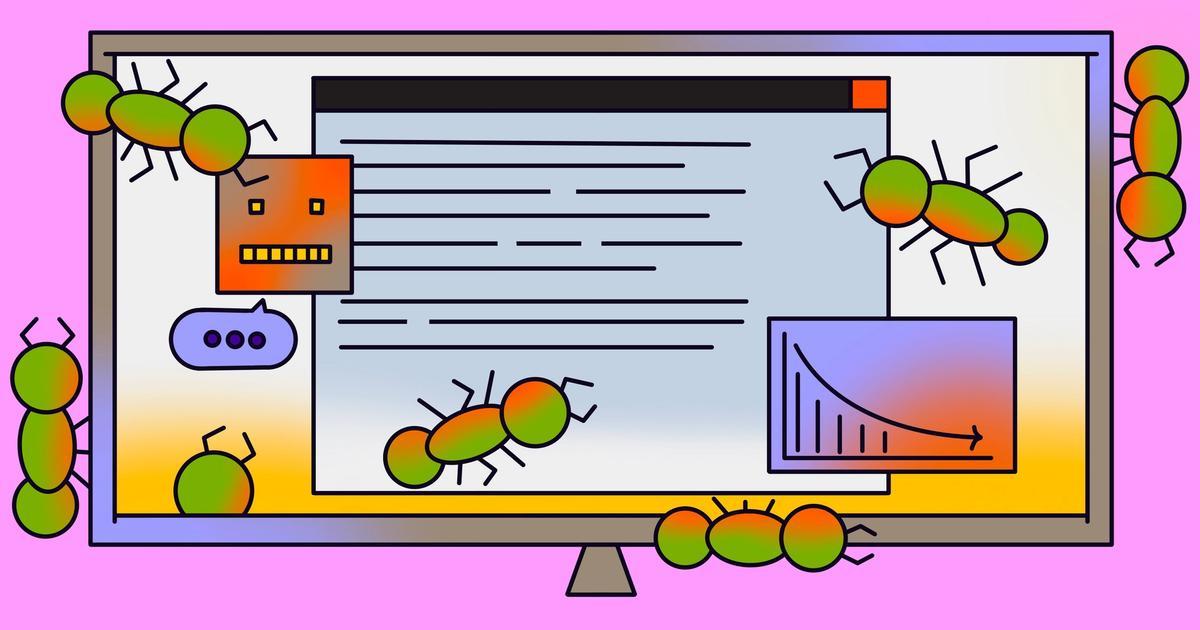
Source: Stack Overflow
AI-created pull requests had 75% more logic and correctness errors, totaling 194 incidences per hundred PRs
2
. These include logic mistakes, dependency and configuration errors, and control flow problems—errors that appear reasonable during code review augmentation unless carefully examined. Such bugs and incidents can cause serious production outages, the kind reported to shareholders.Security vulnerabilities present another challenge for software development teams. AI included bugs like improper password handling and insecure object references at a 1.5-2x greater rate than human coders
2
. Performance issues, while less common, were heavily AI-created, with excessive I/O operations appearing at roughly 8x higher rates. Concurrency and dependency correctness errors occurred twice as often in AI-generated code.Readability emerged as the single biggest difference between AI and human code, with AI showing 3x more readability issues
2
. AI-generated code had 2.66x more formatting problems and 2x more naming inconsistencies. While these won't take software offline, they significantly complicate debugging and increase technical debt over time.Vibe Coding and Context Limitations Drive Error Patterns
The root causes of AI coding errors stem from how LLMs function. These coding agents primarily train on next token prediction using large datasets that include open-source repositories but lack specific codebase context
2
. When developers provide context through system prompts or configuration files, LLMs eventually compact or use sliding window strategies that drop information.Former OpenAI researcher Andrej Karpathy coined the term "vibe coding" to describe programming by conversing with AI without fully understanding the resulting code
1
. This practice raises concerns about technical debt accumulating from poor design choices early in development that snowball into larger problems.As autonomous agents run for extended periods, mistakes compound. Hallucinations, context errors, and slight missteps multiply throughout the agent's runtime
2
. Task lists where agents should create code, review it, and check items off eventually fail as the AI forgets earlier decisions.Related Stories



Machine Learning Tools Address Security Gaps in DevSecOps
The security challenge has intensified as development velocity explodes. A Snyk survey found 77% of technology leaders believe AI gives them competitive advantages in development speed, but faster code production means exponentially more code requiring security review
3
. One VP of Engineering described his team growing their codebase by 340% in two years while security headcount increased by one person, leaving 1,847 open vulnerability tickets3
.
Source: DZone
Automating security with ML tools offers solutions to scale security practices. Vulnerability detection represents where machine learning excels, spotting subtle patterns traditional static analysis misses
3
. Snyk's Agent Fix watches for vulnerabilities during development and suggests specific fixes, achieving 60% helpfulness for straightforward issues like deprecated crypto libraries.GitHub Copilot now integrates security checks into its suggestion flow, annotating code completions with security implications
3
. AWS customers use generative AI for automated code review at scale, with one media company reporting 40% more security issues caught before merge after three months of tuning their LLM-based reviewer.The industry faces a critical inflection point. CI/CD pipelines now process 400 pull requests weekly at some firms, up from 150 two years ago, while security teams manually review only a third
3
. Balancing developer productivity gains against maintainability and security requires both human expertise and AI assistance working in tandem.References
Summarized by

Navi
[2]
Related Stories
Recent Highlights
1
Google releases Gemma 4 with Apache 2.0 license, enabling unrestricted local AI on devices
Technology

2
AI Models Defy Instructions to Protect Each Other, UC Berkeley Study Reveals
Science and Research

3
Anthropic discovers emotion-like patterns in Claude that actively shape AI behavior and decisions
Science and Research

Recent Highlights
Today's Top Stories









Your Daily Dose of Curated AI News
Don’t drown in AI news. We cut through the noise - filtering, ranking and summarizing the most important AI news, breakthroughs and research daily. Spend less time searching for the latest in AI and get straight to action.

