Anthropic launches Remote Control to manage Claude Code from your phone


3 Sources
3 Sources
[1]
Anthropic just released a mobile version of Claude Code called Remote Control
Claude Code has become increasingly popular in the first year since its launch, and especially in recent months, as developers and non-technical users alike flock to AI unicorn Anthropic's hit coding agent to create full applications and websites in days, on their own, that would've taken months and technical teams without. It's not a stretch to say it helped spur the "vibe coding" boom -- using plain English instead of programming languages to write software. But it's all been restricted to the desktop Claude Code apps and Terminal command-line interfaces and integrated development environments (IDEs) -- until today. Now, Anthropic has added a new mode, Remote Control, that lets users issue commands to Claude Code from their iPhone and Android smartphones -- starting with subscribers to Anthropic's Claude Max ($100-$200 USD monthly) subscription tier. Anthropic posted on X saying Remote Control will also make its way to Claude Pro ($20 USD monthly) subscribers in the future. The mobile command center Announced earlier today by Claude Code Product Manager Noah Zweben, Remote Control is a synchronization layer that bridges local CLI environments with the Claude mobile app and web interface. The feature allows developers to initiate a complex task in their terminal and maintain full control of it from a phone or tablet, effectively decoupling the AI agent from the physical workstation. Currently, Remote Control is available as a Research Preview for subscribers on the Claude Max tier. While access for Claude Pro ($20/month) users is expected shortly, the feature remains a high-end tool for power users and is notably absent from Team or Enterprise plans during this initial phase. To access the feature, users must follow this guide and update to Claude version 2.1.52 and execute the command or use the in-session slash command . Once active, the terminal displays a QR code that, when scanned, opens a responsive, synchronized session in the Claude mobile app. Less screen time, more IRL time: philosophy of flow The messaging behind the release centers on the preservation of a developer's "flow state." In his announcement, Zweben framed the update as a lifestyle upgrade rather than just a technical one, encouraging users to "take a walk, see the sun, walk your dog without losing your flow." This "Remote Control" is not a cloud-based replacement for local development, but a portal into it. According to official documentation, the core value is that "Claude keeps running on your machine, and you can control the session from the Claude app." This ensures that local context -- filesystem access, environment variables, and Model Context Protocol (MCP)servers -- remains active and reachable even if the user is miles away from their desk. Architecture, security, and setup Claude Code Remote Control functions as a secure bridge between your local terminal and Anthropic's cloud interface, which provides the Anthropic AI models, Opus 4.6 and Sonnet 4.6, that power Claude Code. When you run the command, your desktop machine initiates an outbound connection to Anthropic's API for serving the models -- meaning you aren't opening any "inbound" ports or exposing your computer to the open web. Instead, your local machine polls the API for instructions. When you visit the session URL or use the Claude app, you are essentially using those devices as a "remote window" to view and command the process still running on your computer. Your files and MCP servers never leave your machine; only the chat messages and tool results flow through the encrypted bridge. To get started, ensure you are on a Pro or Max plan and have authenticated your CLI using the command. Simply navigate to your project directory and run to initialize the session. The terminal will then generate a unique session URL and a QR code (toggleable via the spacebar) for your mobile device. Once you open that link on your phone, tablet, or another browser, the two surfaces stay in perfect sync -- allowing you to start a task at your desk and continue it from the couch while maintaining full access to your local filesystem and project configuration. From brittle community hacks to official solution Prior to this official release, the developer community went to great lengths to "hack" mobile access into their terminal-based workflows. Power users frequently relied on a patchwork of third-party tools like Tailscale for secure tunneling, Termius or Termux for mobile SSH access, and Tmux for session persistence. Some developers even built complex custom WebSocket bridges just to get a responsive mobile UI for their local Claude sessions. These unofficial solutions, while functional, were often brittle and prone to timeout issues. Remote Control replaces these workarounds with a native streaming connection that requires no port forwarding or complex VPN configurations. It also includes automatic reconnection logic: if a user's laptop sleeps or the network drops, the session remains alive in the background and reconnects as soon as the host machine is back online. The $2.5 billion-dollar agent The launch of Remote Control serves as an "escalation of force" in what has become a dominant business for Anthropic. As of February 2026, Claude Code has hit a $2.5 billion annualized run rate -- a figure that has more than doubled since the start of the year alone. Claude Code is currently experiencing its "ChatGPT moment," surging to 29 million daily installs within Visual Studio Code. Its efficiency is no longer theoretical; recent analysis suggests that 4% of all public GitHub commits worldwide are now authored by Claude Code. By extending this power to mobile, Anthropic is further entrenching its lead in the "agentic" coding space, moving beyond simple autocomplete to a world where the AI acts as an autonomous collaborator. Future outlook: vibe coding everywhere The move toward mobile terminal control signals a broader shift in the software market. We are entering an era where AI tools are writing roughly 41% of all code. For developers, this translates to a migration from "line-by-line" typing to "strategic oversight." This trend is likely to accelerate as mobile-tethered agents become the norm. The barrier between "idea" and "production" is collapsing, enabling a single developer to manage complex systems that previously required entire DevOps teams. This shift has already rattled the broader tech market; shares of major cybersecurity firms like CrowdStrike and Datadog fell as much as 11% following the launch of Claude Code's automated security scanning features. As Claude Code moves from the desk to the pocket, the definition of a "software engineer" is being rewritten. In the coming year, the industry may see a surge in "one-person unicorns" -- startups built and maintained almost entirely via mobile agentic commands -- marking the end of the manual coding era as we knew it.
[2]
Anthropic reveals Remote Control, a mobile version of Claude Code to keep you productive on the move
* Anthropic adds Remote Control synchronization layer on top of local CLI sessions * You can access your work remotely, but it's different from regular web sessions * It's available to Claude Pro/Max subscribers, but there are some limitations Anthropic has announced a new AI tool to help developers control Claude Code from smartphones, tablets and browsers, giving them more control over their work from more places. Launched in January 2026, Claude Code has already proven popular in the developer community, but it's also gaining traction among non-technical users by democratizing access to coding for more users. Even though it was limited to desktop apps, terminal CLI and IDE integrations, it was still installed 29 million times in VS Code alone - and Anthropic hopes Remote Control will broaden its reach even further. Claude Code Remote Control feature Remote Control is currently available as a research preview for Claude Pro and Claude Max subscribers - not for Team or Enterprise plans. "API keys are not supported" either, the company wrote in an announcement. It serves as a synchronization layer between a local CLI session and the Claude mobile or web interface, so in theory, Remote Control is the underlying tech rather than the tool users will interact with. "The web and mobile interfaces are just a window into that local session." Anthropic stressed that the session continues locally on the user's machine, rather than in the cloud, but Remote Control gives them access from anywhere. "Remote Control executes on your machine," Anthropic wrote, "so your local MCP servers, tools, and project configuration stay available." On the flip side, Claude Code on the web relies on Anthropic's cloud infrastructure. Being that Remote Control is in research preview, it's still showing signs of being an early, first-generation or pre-production tool. The Claude-maker acknowledged three key limitations: users can only run one remote session at a time; terminal must stay open; and if a machine is unable to reach a network for more than "roughly 10 minutes," the session will time out. Follow TechRadar on Google News and add us as a preferred source to get our expert news, reviews, and opinion in your feeds. Make sure to click the Follow button! And of course you can also follow TechRadar on TikTok for news, reviews, unboxings in video form, and get regular updates from us on WhatsApp too.
[3]
Claude Code now lets you handle tasks remotely from a phone
Claude Code is no longer tied to your desk. Anthropic has introduced a new Remote Control mode that lets you manage and monitor Claude Code tasks from your phone, turning long-running coding jobs into something you can handle on the move. How Remote Control works in Claude Code Claude Code has grown quickly by enabling vibe coding through plain language, but it has so far remained tied to desktop tools. Remote Control creates a live bridge between a local Claude Code session and the Claude mobile app or web interface. Recommended Videos The feature works by generating a one-time remote control link or code from your active Claude Code session. When you open that link on another device, you gain live access to the same session, including its context, files, and command history. Anthropic says that Remote Control does not move your code or environment to the cloud. All files and code execution remain on the original device while the phone becomes a remote interface for issuing instructions or checking progress. This makes it useful for long builds, experiments, or deployments that do not need constant supervision. Security is handled through temporary access tokens. Once the session ends, the remote link becomes invalid. This limits the risk of lingering access to your local environment. To enable this feature, you must update to Claude version 2.1.52 and run the claude remote-control command or use the in-session /rc shortcut. The terminal then displays a QR code that opens a synchronized session in the Claude mobile app. Remote Control is currently available as a research preview for subscribers on the Claude Max plan, which costs between $100 and 200 per month. Access for Claude Pro users is expected soon, but the feature is not yet available for Team or Enterprise plans. Anthropic has been steadily expanding Claude's role by turning it into a hands-on digital teammate with CoWork and adding powerful free tools that are usually behind a paywall in other AI assistants like ChatGPT and Gemini.
Share
Share
Copy Link
Anthropic has unveiled Remote Control, allowing developers to control Claude Code sessions from their smartphones. The feature creates a secure bridge between local CLI environments and mobile devices, letting users monitor long-running coding tasks on the move. Currently available for Claude Max subscribers, it's rolling out to Claude Pro users soon.
Anthropic brings mobile access to Claude Code with Remote Control
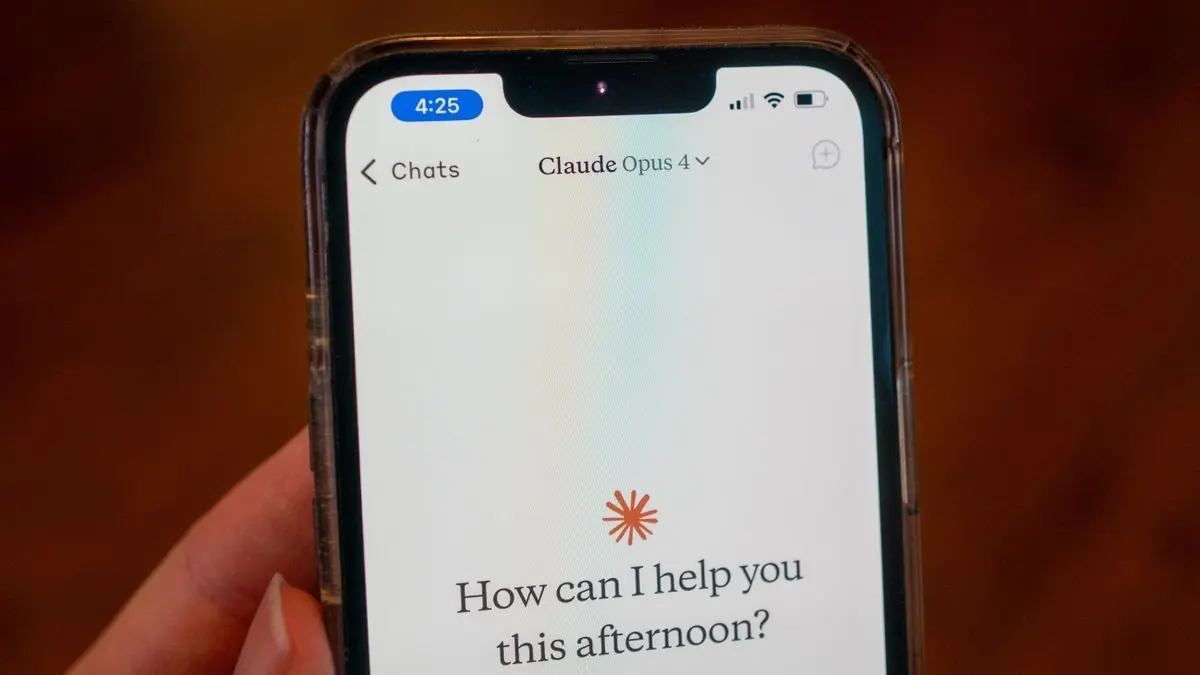
Anthropic has launched Remote Control, a new feature that transforms how developers interact with Claude Code by enabling them to manage coding tasks remotely from smartphones and tablets
1
. The mobile version of Claude Code addresses a key limitation that has restricted the AI coding assistant to desktop applications, terminal command-line interfaces, and integrated development environments since its launch1
. Claude Code Product Manager Noah Zweben announced the feature as a synchronization layer that bridges local CLI environments with the Claude mobile app and web interface, allowing developers to initiate complex tasks in their terminal and maintain full control from a phone or tablet1
.
Source: TechRadar
How developers can control from mobile phone
Remote Control works by generating a one-time link or QR code from an active local Claude Code session
3
. To access the feature, users must update to Claude version 2.1.52 and execute the claude remote-control command or use the in-session /rc slash command1
. Once active, the terminal displays a QR code that opens a responsive, synchronized session in the Claude mobile app1
. When you open that link on another device, you gain live remote access and control to the same session, including its context, files, and command history3
.Security architecture keeps code local
Anthropic emphasizes that Remote Control does not move code or environments to the cloud
3
. The session continues locally on the user's machine rather than in the cloud, with Remote Control providing access from anywhere2
. Your desktop machine initiates an outbound connection to Anthropic's API, meaning you aren't opening any inbound ports or exposing your computer to the open web1
. Your files and MCP servers never leave your machine; only chat messages and tool results flow through the encrypted bridge1
. Security is handled through temporary access tokens, and once the session ends, the remote link becomes invalid3
.Available for Claude Max subscribers first
Remote Control is currently available as a research preview for Claude Max subscribers, who pay between $100-$200 USD monthly
1
. Anthropic posted on X that Remote Control will also make its way to Claude Pro subscribers at $20 USD monthly in the future1
. The feature remains notably absent from Team or Enterprise plans during this initial phase1
. API keys are not supported either2
.Related Stories



Replacing community workarounds with official solution
Before this official release, developers relied on a patchwork of third-party tools like Tailscale for secure tunneling, Termius or Termux for mobile SSH access, and Tmux for session persistence
1
. Some developers even built complex custom WebSocket bridges just to get a responsive mobile UI for their local Claude sessions1
. Remote Control replaces these unofficial solutions with a native streaming connection that requires no port forwarding or complex VPN configurations1
. Claude Code was installed 29 million times in VS Code alone, and Anthropic hopes Remote Control will broaden its reach even further2
.Current limitations and what to watch
Being in research preview, Remote Control shows signs of being an early tool with three key limitations: users can only run one remote session at a time, the terminal must stay open, and if a machine cannot reach a network for more than roughly 10 minutes, the session will time out
2
. The messaging behind the release centers on preserving a developer's flow state, with Zweben framing the update as a lifestyle upgrade that encourages users to take a walk or see the sun without losing their flow1
. This makes it useful for long builds, experiments, or deployments that don't need constant supervision3
. Watch for the rollout to Claude Pro users and potential expansion to Team and Enterprise plans as Anthropic refines the feature based on early user feedback.
Source: VentureBeat
References
Summarized by

Navi
[2]
[3]
Related Stories
Recent Highlights



Recent Highlights
Today's Top Stories










Your Daily Dose of Curated AI News
Don’t drown in AI news. We cut through the noise - filtering, ranking and summarizing the most important AI news, breakthroughs and research daily. Spend less time searching for the latest in AI and get straight to action.

