Apple launches Creator Studio at $12.99/month, positioning AI as creative assistant not replacement


6 Sources
6 Sources
[1]
With Apple's new Creator Studio Pro, AI is a tool to aid creation, not replace it
Generative AI apps that can create photos, videos, songs, and more are growing in popularity. But with the release of Apple's new Creator Studio Pro suite, available to the public on Wednesday, the tech giant has approached the addition of AI as a tool that aids in the creator process, but doesn't attempt to replace it. Instead, Apple lays out a vision that suggests the productivity suite of the future is the one that focuses on the needs of creators -- whether that's filmmakers, musicians, artists, or anyone else enmeshed in a creative industry of some kind -- and empowers them to be more efficient using AI. It's tricky to bring AI into the world of creativity, given the backlash and even legal action from creators who are angry about AI models training on their works, then reproducing similar art or creative content in the AI systems' output. Apple, however, sees AI as a tool that handles more of the basics and tedious tasks -- like generating a slideshow for you to edit from your notes, extracting chord information from a song, searching across hours of video footage for the clip you need, changing the camera angle on your images, and more. The tools in Creator Studio Pro are not new, but they've never been packaged as a subscription product, which is now available at $12.99 per month or $129 per year. Included in the subscription are Final Cut Pro, Motion, and Compressor for video editing; Logic Pro and Mainstage for music creation; image editing tool Pixelmator Pro; and a set of exclusive features in Keynote, Pages, Numbers, and Freeform. The suite also includes the newly launched Pixelmator Pro app for iPad. While Apple's traditional productivity software applications haven't caught up to those from Google and Microsoft, the tech giant has always found more success in the creative fields. And with the addition of AI features, the company likely sees the possibility of making its creative software more accessible to those who aren't fully professionals - like an indie musician or artist who wants to improve their marketing and sales, those who quickly compile video footage to post on social media, or those who want to create music or art and edit the output. Whether Apple's tools are the right ones for the job compared with Adobe products will depend on the user's specific needs and their familiarity with professional creative tools. Each tool in the suite has received its own series of upgrades timed with this launch, both AI and otherwise. Notable additions include: * Final Cut Pro: AI-powered transcript search for finding the right soundbite across hours of footage; AI-powered visual search assistant, allowing users to search for an object or action to add to their timeline; beat detection to edit to the rhythm of music, which uses an AI model to analyze music tracks; a new Montage Maker on iPad for easily making highlight videos from footage; multiple selection support for batch edits, background export, and external monitor playback on iPad; access to content to enhance videos, like graphics, dynamic titles and more. * Logic Pro: A new synth player feature, built from performances, adds a virtual Session Player that can play synth keyboard and bass parts; Chord ID, which uses AI to analyze audio to extract chord information; sound packs and producer packs come to the Mac with the expansion of the Sound Library; the iPad app also gets new features like Quick Swipe Comping to assemble recordings in different ways than were captured, and an AI-powered understanding of the loop library for finding the right sound. * Pixelmator Pro for Mac and iPad: The app, which is now available on iPad, already offers a number of AI features like those to upscale images (Super Resolution), offer composition suggestions (Auto Crop), remove artifacts, retouch, and more. With the Creator Suite launch, the app gets a new Liquid Glass design to match the rest of Apple's software, a new Warp tool for reshaping layers, and Warp-powered mockups to preview designs for apparel or other products in real-world imagery. * Keynote, Pages, Numbers, and Freeform: These general-purpose productivity apps are gaining new features for Creator Studio subscribers, including new premium templates and themes in Keynote, Pages, and Numbers, and an image and graphic library across all four apps, dubbed the Content Hub; an AI-powered image generation and remixing feature lets creators pick from prebuilt configuration options to change the style, orientation, or camera angle for their photos, graphics, icons, or other visual concept; other AI tools can enhance images (using the Super Resolution feature) or make composition suggestions. * Keynote, specifically, adds several AI features, including a new tool that uses your text notes as a starting point to create a slideshow from scratch; AI can also generate your presenter notes and clean up your slide content. * Numbers, meanwhile, can use AI to analyze patterns in your spreadsheet data and make suggestions for table contents (Magic Fill). It can also generate a formula to describe what it generated, so you can learn how it works. Apple says it will continue to offer its creativity apps as standalone downloads, and existing users will still get updates, including these new features. Meanwhile, Keynote, Pages, Numbers, and Freeform will remain free apps, but the new, premium features will be locked behind the subscription. It's an interesting choice to allow users to choose to purchase apps outright, as before, as that differentiates Apple's offering from others, like Adobe. In addition, Apple lets users share their apps through Family Sharing with up to five family members, which Adobe doesn't offer. Users can also cancel their subscription at any time, without penalty. However, Adobe remains a fierce competitor with its expansive and detailed tools, which also run on iOS. Some of the AI features are powered by Apple Intelligence, like the visual and transcript search in Final Cut Pro, which runs locally on the device. Others involve the use of third parties, like OpenAI, which powers things like advanced image generation, Keynote slides, and presenter notes. Creator Studio's AI features either are processed on the device or use a private relay to anonymize the traffic. Apple says these protections mean users' content is kept private and never used for AI training.
[2]
Apple's Creator Studio Is a Win, as Long as the Standalone Apps Survive
With its new Creator Studio bundle, Apple collects Final Cut Pro, Logic Pro, Pixelmator Pro, the iWork apps, and more into a single subscription. The move clearly signals Apple's intent to challenge Adobe's industry-standard Creative Cloud -- and I've already compared the two head-to-head. The bundle itself is a big deal, but Apple also used the launch to introduce new features across many of the included apps. Surprisingly (and refreshingly), most of the best additions aren't locked behind the subscription. They're available to Creator Studio subscribers and to people who already own the standalone versions. And that's exactly how it should be. The Best Updates Aren't Locked Behind the Subscription After testing them out, I'm most excited about the new capabilities that Apple isn't locking behind a Creator Studio subscription. These include the following: Beat Detection, Transcript, and Visual Search in Final Cut for Mac Two of the coolest new AI-powered features in Final Cut Pro for the Mac make it easier to find project assets. I like the Visual Search tool the most; simply type in search terms, including actions, objects, and names, and the app finds the relevant spots in your timeline. The Transcript search feature finds the specific points during dialogues you search for, whether you have a caption track or not. Finally, the Beat Detection capability shows a line indicating where each beat of your background music falls in your timeline, so you can align visuals with the rhythm. This new feature is available to existing Final Cut users who upgrade to the latest version, as well as to Creator Studio subscribers. Montage Maker in Final Cut for iPad Montage Maker is an iPad-only tool that uses AI to select your best video footage and put together a quick, social-media-worthy project. It can match the result to a music track and convert horizontal videos to a vertical orientation for mobile viewing via a handy auto-crop feature. You can also add a music soundtrack manually, adjust the video speed, and rearrange the clip order. When you're done with the Montage Maker tool, you can open your project in the full video editor. Pixelmator Pro for the iPad Apple now offers a touch-first version of Pixelmator Pro for iPad. The standout capability on this platform is support for the Apple Pencil's double-tap, hover, and squeeze gestures. The iPad app is fully compatible with the Mac version, letting you work seamlessly between platforms via iCloud syncing. Chord ID in Logic Pro Logic Pro, Apple's digital audio workstation, can now analyze and identify chord progressions in your audio or MIDI tracks using AI. You can then apply the chord progressions to the main chord track and then base AI Session Players on these. The Session Players attempt to improvise around the applied chord progression. Also new is a Synth Session Player for adding synthesizer tracks, and, on the iPad version, the ability to search for sounds in the large Loop Library using natural language prompts. Creator Studio Exclusives Don't Sell the Subscription Some features are available only for Creator Studio subscribers, but they feel a bit underwhelming to me. Nonetheless, you might find great use for the capabilities below: AI Tools and Stock Content in iWork Keynote now lets you generate slideshow decks using AI. When I tried this, the app asked permission to access OpenAI technology. Keynote can also generate presenter notes from existing slides. The new Keynote AI features are the only ones from this wider release that Apple designates as still in beta. Meanwhile, Magic Fill in the Numbers app can intelligently suggest missing information in your spreadsheet and show you the formula it used. All the iWork apps get access to a Content Hub of backgrounds, graphics, illustrations, and stock photography. OpenAI-based and local AI image generation is available, too. Warp Tool in Pixelmator Pro Apple's recently acquired image editing app, Pixelmator Pro, is getting closer to becoming a real competitor to Illustrator and Photoshop. Its new Warp tool, as its name suggests, lets you reshape, tilt, or twist the contents of a layer. The app includes presets like arc, bulge, cylinder, fish-eye, and squeeze. Apple also supplies a collection of Warp-powered apparel and product mock-ups for designers to build from. The Make Editable button adds control points that let you customize the level of distortion. Adobe Photoshop has had a Warp tool since 2019, but it's nevertheless good to see Apple moving toward feature parity. And I like that Apple is refocusing on the photo software space in general. Incidentally, Creator Studio subscribers also get a new Liquid Glass interface for Pixelmator Pro. Creator Studio Sets the Right Precedent Software companies shouldn't force you into an expensive ongoing subscription. For now, Creator Studio is simply a straightforward, good-value bundle. It makes sense if you regularly use -- or want to use -- several of Apple's creative apps. But if you're perfectly happy buying one or two of them outright, a company shouldn't penalize you by stripping away features or eliminating the standalone option. I give Apple credit for mostly resisting subscription pressure so far, even if a handful of Creator Studio exclusives may already be tempting, depending on your workflow. Going forward, I'd rather see Apple expand the bundle -- by adding apps like Photomator, its Lightroom rival, or including iCloud storage -- than do anything that leaves standalone app owners behind.
[3]
11 Apple Creator Studio facts you need to know before subscribing
Users must download new versions of iWork apps as old ones are discontinued, with some features now subscriber-only despite basic apps remaining free. Apple Creator Studio is now available to users. The bundle gathers apps like Final Cut Pro, Logic Pro, and Pixelmator Pro into a single subscription. Subscribers also get access to exclusive features in some Apple apps, such as Keynote, Pages, and Numbers. But there are a few small details about Apple Creator Studio that weren't clear until we had a chance to play around with it. So here are 11 things you might not know about the bundle. On the day of the Creator Studio launch, many users naturally tried to find the Apple Creator Studio app in the App Store. However, Creator Studio is not a single app, but rather a bundle. If you search for Apple Creator Studio in the App Store, you'll find a bundle with all of the following apps: You can download every app in the bundle all at once or just select the ones you want to use right away, but Creator Studio is just the name of the collection. There isn't a Creator Studio manager or content hub -- the individual apps are merely sold together. When you open any app that is part of Creator Studio, a subscription prompt will appear. Once you subscribe, your subscription will be valid for all other apps in the bundle. If you're not a fan of subscriptions and prefer to pay a one-time fee for a license, the Mac apps that are part of Apple Creator Studio can still be purchased individually from the App Store, including Final Cut Pro, Logic Pro, Pixelmator Pro, Motion, Compressor, and MainStage. However, there are no lifetime licenses offered for iPad apps, and Pixelmator Pro for iPadOS is exclusively available as part of Apple Creator Studio. iWork apps remain available for free, although some features are now exclusive to subscribers. Speaking of exclusive features, iWork apps (Keynote, Pages, and Numbers) provide some new AI tools for Apple Creator Studio subscribers. For example, you can generate images for your documents or presentations, create slides based on prompts, and even auto-fill tables. However, according to Apple, there are usage limits for these AI features. Creator Studio subscribers can generate up to 50 images and 50 Keynote presentations (with approximately 10 slides each) per month. Presentation notes are also limited to 700 slides per month. Mac users can check their usage status by clicking on the app name in the Menu Bar, then Intelligence Features. On the iPhone and iPad, usage status can be found under the "More" button in Pages, Numbers, or Keynote. While some users may think that the AI tools offered as part of Apple Creator Studio are powered by Apple Intelligence models, these are actually powered by OpenAI. Apple makes it clear that, although some data may be sent to OpenAI, the data is not used to train AI models in any situation. The data is also sent anonymously and isn't synced with your ChatGPT account. Apple Creator Studio subscribers have access to the Content Hub, which is essentially a library of royalty-free images and artwork. While you can use these images freely in your documents and presentations, you can't copy them to other apps. If you try, the image will have an Apple Creator Studio watermark. While Apple promotes Creator Studio as a multi-platform subscription, some of the apps are exclusive to the Mac: Motion, Compressor, and MainStage. On the iPad, you can use Final Cut Pro, Logic Pro, Pixelmator Pro, as well as Keynote, Pages, and Numbers (which also work on the iPhone). Except for Keynote, Creator Studio apps are not compatible with Vision Pro. If you already have older versions of apps such as Final Cut Pro or Pixelmator Pro installed on your Mac, you'll need to re-download the new versions if you plan to subscribe to Creator Studio. That's because the subscription versions are available as separate apps. When it comes to Keynote, Pages, and Numbers, Apple says that everyone needs to download the new versions of these apps from the App Store, even if they don't plan to subscribe to Creator Studio. The old versions have been discontinued and will no longer receive updates. On iOS, nothing changes. You can simply update your current apps to the latest versions, which are also compatible with Creator Studio. When Apple unveiled Creator Studio, it also showed off new icons for the apps that are part of the bundle. However, since there are two different versions of the apps, only those intended for subscribers have the redesigned icons. The standalone versions available on the Mac App Store for individual purchase stick with the old icons -- except for Pages, Numbers, and Keynote, which have new Creator Studio-styled icons. Apple highlighted that the Freeform app would also be part of Creator Studio. More specifically, the app will also gain new AI-powered tools, just like Keynote, Pages, and Numbers. However, Apple says that Freeform's new features will be available later this year, which could mean they won't arrive with the OS 27 updates in the fall. One of the main benefits of subscribing to Apple Creator Studio is that you can share your subscription with up to five other friends or family members through iCloud Family Sharing. While Creator Studio is a very good value for $12.99 per month or $129 per year, it's a downright steal for the education market. Eligible students and teachers can get Apple Creator Studio for just $2.99 per month or $29.99 a year. Apple Creator Studio offers solid value by combining powerful creative apps into a single subscription, especially for students and users already deep in Apple's ecosystem. But it also introduces new trade-offs, from AI usage limits to platform restrictions and subscription-only features. For some creators, the convenience and pricing will outweigh the drawbacks. But for others, understanding these lesser-known details may be the difference between subscribing or sticking with standalone apps.
[4]
Apple's 'Creator Studio' App Bundle Now Available for $12.99 Per Month
Apple today launched the new Creator Studio that was initially unveiled two weeks ago, providing content creators with access to six Apple apps for $12.99 per month or $129 per year. Creator Studio includes Final Cut Pro, Logic Pro, and Pixelmator Pro on Mac and iPad, along with Motion, Compressor, and MainStage on the Mac. Final Cut Pro is Apple's video editing software, Logic Pro is for audio editing and creation, and Pixelmator Pro is an image editing app that Apple purchased in 2024. Apple is still rolling out the full bundle, but links for the individual Creator Studio versions of the apps are now live and you can subscribe to Creator Studio from within them. * Final Cut Pro * Logic Pro * Pixelmator Pro * Motion * Compressor * MainStage All of the apps with the exception of Pixelmator Pro for iPad were available prior to today, and they continue to be available for individual, standalone purchase. The Creator Studio bundle unlocks AI features that are not otherwise accessible in these apps, plus it adds new features to free apps like Keynote, Pages, and Numbers, with Freeform coming later. Creator Studio versions of those apps include: * Keynote * Pages * Numbers Accessing the full functionality of Apple's video editing, photo editing, audio editing, and iWork apps will require a Creator Studio subscription going forward, though Apple will continue to offer updates for the standalone versions of the apps. Some of the tools exclusive to Creator Studio: * Final Cut Pro - Transcript search that uses AI to search for the soundbite you're looking for, visual search for finding specific parts of a video, and beat detection improvements that make it easier to match a video to the rhythm of the music. There are also new dynamic titles, transitions, and graphic elements to improve visuals. * Logic Pro - There's an option to add a Session Player to a song that plays synth keyboard and synth bass parts in a variety of styles. AI can be used to analyze any audio or MIDI region to extract harmonic and chord information. Logic Pro's iPad sound packs and producer packs are also now available on Mac. Users have access to royalty-free loops, samples, and instruments. * Pixelmator Pro - The Creator Studio version of Pixelmator Pro features a Liquid Glass design, a new warp tool for reshaping layers, and warp-powered mockups for apparel and products. Pixelmator Pro for iPad is also entirely new. * iWork - Includes a new content hub with Apple-curated royalty-free photos, premium templates, and themes. There are also options to generate and remix image creations right in documents, with a Super Resolution tool for upscaling images. In Keynote, you can generate slides and presenter notes using AI, while Magic Fill in Numbers runs a pattern analysis model across your data and suggests table contents for missing data. There is no way to subscribe to just a single Creator Studio app at a lower price, as Apple only offers an all-in-one subscription. Creator Studio can be downloaded from the iOS and Mac App Stores starting today. All new subscribers are eligible for a one-month free trial, and customers who purchase a new Mac or qualifying iPad model with an A16, A17 Pro, or M-series chip can get an extended three-month free trial. The Creator Studio membership can be shared with up to five family members on a linked Apple Account. Students and educators are able to subscribe to Creator Studio for $2.99 per month or $29.99 per year. Creator Studio's full functionality is available with iOS 26 and later, iPadOS 26 and later, and macOS 26 and later. Most of the apps require macOS 15.6 at a minimum and an M1 chip or newer for Mac use, though Pixelmator Pro requires a Mac with macOS 26. As for the iPad, Final Cut Pro requires an A16 chip or later, Logic Pro requires an A12 Bionic Chip or later, and Pixelmator Pro requires an A16 chip or later.
[5]

I tried Apple Creator Studio -- and it feels like a return to Apple's creative roots
Putting Final Cut, Logic, Pixelmator, and more under one roof across devices The Apple Creator Studio is a software bundle that makes its creative apps - Final Cut Pro and Logic Pro suites with Pixelmator Pro - and its productivity apps - Pages, Numbers, and Keynotes - all available across the Mac, iPad, and iPhone for a monthly or annual fee. That fee is $12.99 / £12.99 / AU$19.99 a month or $129 / £129 / AU$199 per year, but if you qualify for the education discount, it's a pretty unbeatable value at just $2.99 / £2.99 / AU$4.99 per month or $29.99 / £29.99 / AU$49.99 per year. I've spent the better part of a week using the apps included in Apple Creator Studio, testing familiar workflows alongside newer features - particularly Apple's increasingly restrained approach to AI. This isn't a full review of every app in the bundle, but my early impressions are that Creator Studio feels like a return to form - it's Apple bundling serious creative tools again in a way that feels cohesive, approachable, and easy to justify. Pixelmator Pro is where that feeling clicks almost immediately. On the Mac, the app leans into Apple's Liquid Glass design language, but unlike some of Apple's own first-party apps, it doesn't radically reshape the interface just to make a statement. Everything remains fast, operable, and familiar - it's a design that prioritizes editing over aesthetics. On the iPad, Pixelmator Pro arguably shines brighter. The interface translates cleanly to touch control, and the new ability to warp multiple layers together using the Apple Pencil is genuinely useful. It's definitely more fun than resizing for a crop. I also particularly like using the Pencil to navigate the app; it makes the experience feel direct and well-suited to iPadOS, rather than feeling like a Mac app that's been awkwardly adapted for a touchscreen. As with the Mac, you can customize the tools that appear on the right sidebar by default. And if you're looking for 'Super Resolution', it's tucked under the three dots in the right corner, then image setup. Compared to Photoshop, Pixelmator Pro is simpler to pick up, but it doesn't skimp on power. Its AI-driven image tools are front and center: ML Enhance intelligently balances saturation, contrast, and color, Super Resolution impressively upscales images, and custom filters are easy to fine-tune without getting buried in menus. Interestingly, those same machine-learning models are being used across Apple's other apps - Keynote, for example, uses them to improve image quality. It shows that since acquiring Pixelmator Pro, its development team has been working in closer lockstep with others at Apple. If you're after a capable, easy-to-use photo editor that avoids the cost and complexity of Adobe Creative Cloud, Pixelmator Pro alone makes a strong case for the bundle. Here's some good news: while Pixelmator Pro does work on M1 or newer iPad models as expected, it also works on iPads with an A16 or an A17 Pro chip. That's a relief and makes sense, since iPadOS 26 supports many of the landmark features, like multitasking, on iPads as old as the 9th Gen. Logic Pro continues Apple's more thoughtful approach to AI. The standout addition here is a new EDM-focused Session Player, dubbed Synth Player, which expands an area Apple has clearly been investing in for years with Logic Pro. Logic Pro treats AI like a collaborator here, acting as a virtual musician that helps you move ideas forward, experiment with structure, and play inside a digital studio. It can even play along, in real time or after you record a track of your own. I'm not a musician by trade, but Logic Pro's AI tools, including Session Players and Stem Splitter, feel less like automation and more like creative assistance. You're still making the decisions, and the software may simply help you get there faster. That distinction matters, and it plays directly into Apple's creative roots. And if you haven't given Stem Splitter a go, just try it with a recording of one of your favorite songs. It can, in seconds, split out the various elements of a track onto separate tracks within Logic - it's super-functional. Final Cut Pro's biggest improvement in Apple Creator Studio is subtler, but no less impactful. Its enhanced natural-language search makes it far easier to find what you're looking for when working with a large library of clips and assets. When you're juggling a tremendous amount of footage, that reduction is meaningful - and it's something video editors both big and small will appreciate. Exclusive to Final Cut Pro for iPad with Creator Studio is a new Montage Maker that can automatically stitch a set of clips together. It's essentially a more advanced take on the AI-powered editors you see in apps like CapCut or even TikTok, but with more adjustment levers that let you steer the final result closer to what you want. And you can always take what it creates and turn it into a full project. The 'AI' here isn't flashy - it's doing the practical work of identifying key moments across your clips, which makes it feel less like a gimmick and more like a useful starting point for an edit. Stepping back, Apple Creator Studio feels like a modern revamp of iLife and iWork - a bundle that makes sense as a whole, rather than a collection of disconnected apps. It also underscores Apple's broader ambitions around services. Now, given how storage-hungry these apps can be, it's hard not to wish Creator Studio were bundled with Apple One and additional iCloud storage, but the value proposition still essentially holds up without those. Apple Creator Studio is available now for $12.99 / £12.99 / AU$19.99 per month, or $129 / £129 / AU$199 annually. Students and educators get a steep discount, bringing the price down to $2.99 / £2.99 / AU$4.99 per month, or $29.99 / £29.99 / AU$49.99 per year - an especially compelling deal given the breadth of apps included. It can also be shared with others through Apple Family Sharing. Here's what's included with Apple Creator Studio: Mac * Final Cut Pro * Logic Pro * Pixelmator Pro * Pages * Keynote * Numbers * Freeform * Motion * Compressor * MainStage iPad * Final Cut Pro * Logic Pro * Pixelmator Pro * Pages * Keynote * Numbers * Freeform iPhone * Pages * Keynote * Numbers * Freeform For students, Apple Creator Studio is a no-brainer. For creators, prosumers, or even everyday users who want to dabble, the subscription makes sense as long as you find yourself regularly using a few of the included apps. More than anything, it feels purposeful - a reminder that when Apple leans into creativity and thoughtful bundling, it still knows exactly what it's doing. Furthermore, if you don't want to lock in with a monthly or annual fee, Apple still sells Final Cut Pro, Logic Pro, MainStage, Compressor, and Motion individually, and offers Pages, Keynote, and Numbers for free. You'll just need to join Creator Studio for the extra features, mainly the AI ones. Additionally, you can get a month of Creator Studio for free, while if you buy an eligible Mac or iPad, you can get a three-month free trial. Follow TechRadar on Google News and add us as a preferred source to get our expert news, reviews, and opinion in your feeds. Make sure to click the Follow button! And of course you can also follow TechRadar on TikTok for news, reviews, unboxings in video form, and get regular updates from us on WhatsApp too.
[6]

Is Apple Creator Studio Worth it?
Apple has introduced Creator Studio, a subscription service designed to provide access to 10 Mac and iPad apps for $12.99 per month or $129 annually. Students benefit from a discounted rate of $30 per year, making it an attractive option for academic users. This bundle combines productivity and creative professional apps, enhanced with AI-powered tools and premium features. While it offers significant value for certain users, its appeal ultimately depends on individual needs and how frequently these tools are used. The video below from MacVince gives us more details on Apple Creator Studio. Creator Studio is available in three pricing tiers, catering to a wide range of users: Subscribers gain access to 10 apps across Mac and iPad, with some features exclusive to the paid model. While free versions of certain apps remain available, the subscription unlocks advanced tools and AI-driven capabilities, offering a more robust experience for users who require premium functionality. This pricing structure positions Creator Studio as a cost-effective solution for professionals and students alike, though casual users may find the free versions sufficient for their needs. Creator Studio combines a diverse range of tools tailored for both productivity and creative professionals, making it a versatile offering. This combination of apps caters to a broad audience, from casual users seeking enhanced productivity to professionals requiring advanced creative tools. However, the added features may hold greater appeal for those with demanding workflows or specific project needs. The integration of AI tools is a central feature of Creator Studio, designed to enhance productivity and streamline creative processes. These tools aim to save time and reduce manual effort, making the subscription particularly attractive for users who rely on these apps for professional or academic projects. These AI-driven features reflect Apple's commitment to using technology to improve user workflows, offering practical benefits for both casual and professional users. Certain apps within the subscription, such as Logic Pro and Final Cut Pro for iPad, are exclusive to this model. This exclusivity positions the iPad as a portable yet powerful solution for creative professionals, offering tools that were previously limited to desktop environments. For users seeking professional-grade tools on the go, this represents a significant advantage. However, this approach may alienate those who prefer one-time purchase options or rely on desktop versions of these apps. By emphasizing iPad exclusivity, Apple underscores its strategy to position the device as a serious tool for creative professionals. While this may resonate with some users, others may view it as a limitation, particularly if they are accustomed to traditional desktop workflows. The value of Creator Studio largely depends on individual needs and usage patterns. Ultimately, the decision to subscribe hinges on whether the additional features and AI tools justify the recurring cost for your particular use case. Apple's transition to a subscription-based model introduces both opportunities and challenges, reflecting a broader trend in the software industry. By adopting this approach, Apple aligns itself with industry trends while aiming to provide consistent value to its users. However, the success of this model will depend on how well it addresses the diverse needs of its audience. Creator Studio represents Apple's latest effort to expand its software ecosystem through a subscription-based model. By bundling productivity and creative tools with AI-powered features, it offers a compelling option for specific user groups. For creative professionals and students, the subscription provides access to advanced tools at a reasonable cost, making it a practical choice for demanding workflows or academic projects. However, casual users or those who prefer one-time purchases may find the free versions or standalone apps more suitable. As Apple continues to refine its offerings, Creator Studio underscores the company's commitment to innovation and adaptability in a rapidly evolving software landscape. Whether this subscription model resonates with users will depend on its ability to deliver consistent value and meet the diverse expectations of its audience.
Share
Share
Copy Link
Apple launched Creator Studio, a subscription bundle uniting Final Cut Pro, Logic Pro, Pixelmator Pro, and iWork apps for $12.99 monthly. The service introduces AI-powered features like transcript search and chord identification while keeping AI as a tool that aids rather than replaces human creativity, marking Apple's challenge to Adobe Creative Cloud dominance.
Apple Launches Creator Studio as Creative Software Bundle
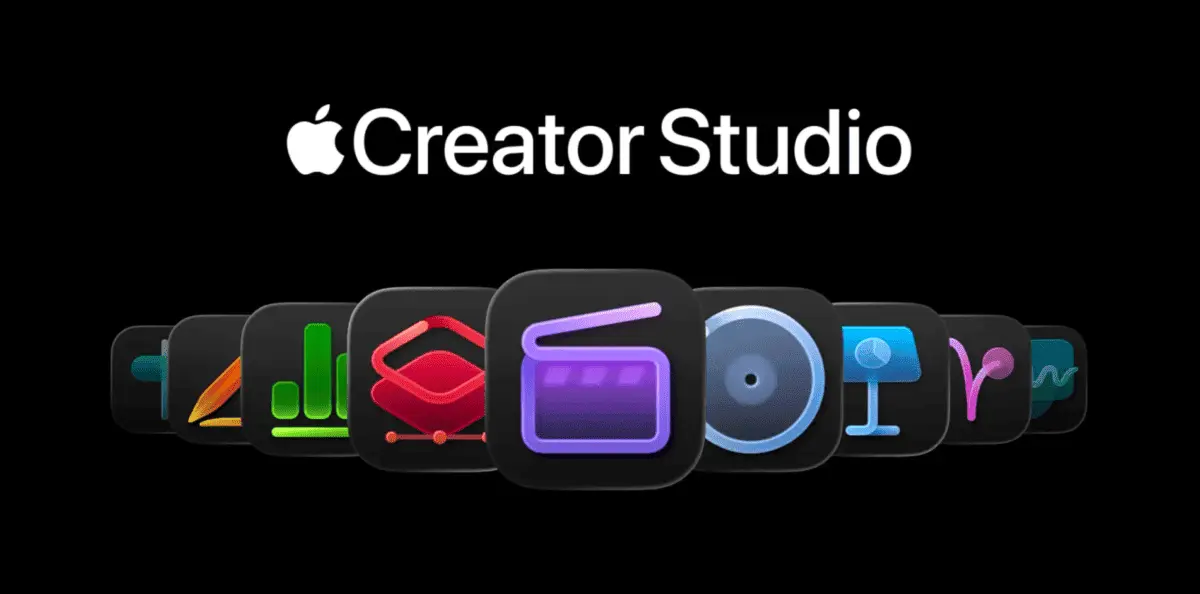
Apple officially launched Creator Studio on Wednesday, introducing a subscription bundle that consolidates its professional creative apps under one roof
1
. Priced at $12.99 per month or $129 per year, the service brings together Final Cut Pro, Logic Pro, and Pixelmator Pro alongside Motion, Compressor, and MainStage4
. Students and educators can access the bundle for just $2.99 per month or $29.99 annually, while new Mac or qualifying iPad purchasers receive a three-month free trial4
. The subscription bundle works across Mac and iPad devices, though some apps like Motion, Compressor, and MainStage remain Mac-exclusive3
.
Source: TechCrunch
AI-Powered Features Enhance Creative Workflow for Creators
The Creator Studio rollout introduces AI-powered features designed to handle tedious tasks rather than replace human creativity. Final Cut Pro now includes Transcript search that uses AI to locate specific soundbites across hours of footage, plus Visual Search capabilities that let users find objects or actions to add to their timeline
1
. Beat detection technology analyzes music tracks to help editors match visuals to rhythm2
. On iPad, the new Montage Maker automatically assembles highlight videos from footage, functioning as a more sophisticated version of tools found in apps like CapCut5
.Logic Pro gains a Synth Player Session Player feature that generates virtual synth keyboard and bass performances, while Chord ID uses AI to analyze audio and extract chord information from songs
1
. The Stem Splitter can separate individual elements of a track onto different tracks within seconds5
. Pixelmator Pro delivers Super Resolution for upscaling images, along with a new Warp tool for reshaping layers and creating product mockups2
.
Source: MacRumors
iWork Apps Add AI Tools Through OpenAI Integration
Subscribers to Creator Studio unlock exclusive features in iWork apps including Keynote, Pages, and Numbers. Keynote can now generate entire slideshow decks and presenter notes using AI, while Numbers introduces Magic Fill to suggest missing spreadsheet data
1
. All iWork apps gain access to a Content Hub stocked with royalty-free backgrounds, graphics, and stock photography, plus image generation capabilities2
.These AI features rely on OpenAI technology rather than Apple Intelligence models, though Apple emphasizes that data sent to OpenAI remains anonymous and isn't used for training purposes
3
. Usage limits apply: subscribers can generate up to 50 images and 50 Keynote presentations monthly, with presenter notes capped at 700 slides per month3
. Images from the Content Hub carry a watermark when copied outside the creative apps3
.
Source: PC Magazine
Related Stories
Subscription Model Positions Apple Against Adobe Creative Cloud
Creator Studio represents Apple's direct challenge to Adobe Creative Cloud, packaging professional tools at a competitive price point
2
. The subscription bundle doesn't eliminate standalone purchase options—Mac users can still buy Final Cut Pro, Logic Pro, Pixelmator Pro, Motion, Compressor, and MainStage individually3
. However, Pixelmator Pro for iPad exists exclusively within the subscription model, and some AI features remain locked to paying subscribers3
.Most significant updates aren't subscription-exclusive. Beat Detection, Transcript search, Visual Search in Final Cut Pro, Montage Maker on iPad, Chord ID in Logic Pro, and the new iPad version of Pixelmator Pro all function for existing standalone app owners who update to the latest versions
2
. Apple continues supporting standalone versions with updates, avoiding a forced migration to the subscription model2
. The membership supports Family Sharing for up to five people4
.Technical Requirements and Platform Availability
Creator Studio requires iOS 26 or later, iPadOS 26 or later, and macOS 26 or later for full functionality
4
. Most apps need macOS 15.6 at minimum with an M1 chip or newer, though Pixelmator Pro specifically requires macOS 264
. On iPad, Final Cut Pro and Pixelmator Pro require an A16 chip or later, while Logic Pro works with an A12 Bionic chip or newer4
. Notably, Creator Studio apps except Keynote don't support Vision Pro3
. Users must download new versions of the apps rather than updating existing installations, as subscription versions exist as separate applications3
.References
Summarized by

Navi
Related Stories
Apple Creator Studio locks new AI features behind subscription, leaving app owners in the lurch
13 Jan 2026•Technology

Apple Revolutionizes Video Editing with AI-Powered Final Cut Pro 11
14 Nov 2024•Technology

Canva Makes Affinity Design Suite Free, Sparking Industry Debate Over Future of Creative Software
01 Nov 2025•Business and Economy
Recent Highlights


Recent Highlights
Today's Top Stories









Your Daily Dose of Curated AI News
Don’t drown in AI news. We cut through the noise - filtering, ranking and summarizing the most important AI news, breakthroughs and research daily. Spend less time searching for the latest in AI and get straight to action.

