Claude Code 2.1.0 brings smarter AI agents and workflow tools for developers


2 Sources
2 Sources
[1]
Anthropic's Claude Code 2.1.0 arrives with smoother workflows and smarter agents
Anthropic has released Claude Code v2.1.0, a notable update to its "vibe coding" development environment for autonomously building software, spinning up AI agents, and completing a wide range of computer tasks, according to Head of Claude Code Boris Cherny in a post on X last night. The release introduces improvements across agent lifecycle control, skill development, session portability, and multilingual output -- all bundled in a dense package of 1,096 commits. It comes amid a growing wave of praise for Claude Code from software developers and startup founders on X, as they increasingly use the system -- powered by Anthropic's Claude model family, including the flagship Opus 4.5 -- to push beyond simple completions and into long-running, modular workflows. Enterprise Relevance: Agent Lifecycle and Orchestration Improvements Claude Code 2.1.0 introduces infrastructure-level features aimed at developers deploying structured workflows and reusable skills. These changes reduce the manual scaffolding required to manage agents across sessions, tools, and environments -- letting teams spend less time on configuration and more time on building. Key additions include: * Hooks for agents, skills, and slash commands, enabling scoped , , and logic. This gives developers fine-grained control over state management, tool constraints, and audit logging -- reducing unexpected behavior and making agent actions easier to debug and reproduce. * Hot reload for skills, so new or updated skills in or become available immediately without restarting sessions. Developers can iterate on skill logic in real time, eliminating the stop-start friction that slows down experimentation. * Forked sub-agent context via in skill frontmatter, allowing skills and slash commands to run in isolated contexts. This prevents unintended side effects and makes it safer to test new logic without polluting the main agent's state. * Wildcard tool permissions (e.g., , for easier rule configuration and access management. Teams can define broader permission patterns with fewer rules, reducing configuration overhead and the risk of mismatched permissions blocking legitimate workflows. * Language-specific output via a setting, enabling workflows that require output in Japanese, Spanish, or other languages. Global teams and multilingual projects no longer need post-processing workarounds to localize Claude's responses. * Session teleportation via and slash commands, which allow claude.ai subscribers to resume and configure remote sessions at claude.ai/code. Developers can seamlessly move work between local terminals and the web interface -- ideal for switching devices or sharing sessions with collaborators. * Improved terminal UX, including Shift+Enter working out of the box in iTerm2, Kitty, Ghostty, and WezTerm without modifying terminal configs. This removes a common setup frustration and lets developers start working immediately in their preferred terminal. * Unified Ctrl+B behavior for backgrounding both agents and shell commands simultaneously. Developers can push long-running tasks to the background with a single keystroke, freeing up the terminal for other work without losing progress. * New Vim motions including and to repeat f/F/t/T motions, yank operator (, , ), paste (/), text objects, indent/dedent (, ), and line joining (). Power users who rely on Vim-style editing can now work faster without switching mental models or reaching for the mouse. * MCP notifications, allowing MCP servers to dynamically update their available tools, prompts, and resources without requiring reconnection. This keeps workflows running smoothly when tool configurations change, avoiding interruptions and manual restarts. * Agents continue after permission denial, allowing subagents to try alternative approaches rather than stopping entirely. This makes autonomous workflows more resilient, reducing the need for human intervention when an agent hits a permissions wall. Developer Experience Improvements Beyond the headline features, this release includes numerous quality-of-life improvements designed to reduce daily friction and help developers stay in flow. * command shortcut to enable plan mode directly from the prompt -- fewer keystrokes to switch modes means less context-switching and faster iteration on complex tasks. * Slash command autocomplete now works when appears anywhere in input, not just at the beginning. Developers can compose commands more naturally without backtracking to the start of a line. * Real-time thinking block display in Ctrl+O transcript mode, giving developers visibility into Claude's reasoning as it happens. This makes it easier to catch misunderstandings early and steer the agent before it goes down the wrong path. * support in for per-project control over @-mention file picker behavior. Teams can keep sensitive or irrelevant files out of suggestions, reducing noise and preventing accidental exposure of ignored content. * environment variable to hide email and organization from the UI, useful for streaming or recording sessions. Developers can share their work publicly without leaking personal or company information. * Skills progress indicators showing tool uses as they happen during execution. Developers get real-time feedback on what Claude is doing, reducing uncertainty during long-running operations and making it easier to spot issues mid-flight. * Skills visible in slash command menu by default from directories (opt-out with in frontmatter. Custom skills are now more discoverable, helping teams adopt shared workflows without hunting through documentation. * Improved permission prompt UX with Tab hint moved to footer, cleaner Yes/No input labels with contextual placeholders. Clearer prompts mean fewer mistakes and faster decisions when approving tool access. * Multiple startup performance optimizations and improved terminal rendering performance, especially for text with emoji, ANSI codes, and Unicode characters. Faster startup and smoother rendering reduce waiting time and visual distractions, keeping developers focused on the task at hand. The release also addresses numerous bug fixes, including a security fix where sensitive data (OAuth tokens, API keys, passwords) could be exposed in debug logs, fixes for session persistence after transient server errors, and resolution of API context overflow when background tasks produce large output. Together, these fixes improve reliability and reduce the risk of data leaks or lost work. Why This Matters: Claude Code Hits a Turning Point with Power Users Claude Code 2.1.0 arrives in the midst of a significant shift in developer behavior. Originally built as an internal tool at Anthropic, Claude Code is now gaining real traction among external power users -- especially those building autonomous workflows, experimenting with agent tooling, and integrating Claude into terminal-based pipelines. According to X discussions in late December 2025 and early January 2026, enthusiasm surged as developers began describing Claude Code as a game-changer for "vibe coding," agent composition, and productivity at scale. @JsonBasedman captured the prevailing sentiment: "I don't even see the timeline anymore, it's just 'Holy shit Claude code is so good'..." "Claude Code addiction is real," opined Matt Shumer, co-founder and CEO of Hyperwrite/Otherside AI, in another X post. Non-developers have embraced the accessibility. @LegallyInnovate, a lawyer, noted: "Trying Claude code for the first time today. I'm a lawyer not a developer. It's AMAZING. I am blown away and probably not even scratching the surface. " Some users are shifting away from popular alternatives -- @troychaplin switched from Cursor, calling Claude Code "so much better!" for standalone use. Claude Code has even fueled discussion that Anthropic has actually achieved artificial generalized intelligence, AGI, the so-called "holy grail" of artificial systems development -- something that outperforms humans at most "economically valuable work," according to the definition offered by Anthropic rival OpenAI. @deepfates argued that Claude Code may not be AGI, but that "if Claude Code is good enough to to do that, combine ideas on the computer, then I think it is 'artificial general intellect' at least. And that is good enough to create a new frontier..." A clear pattern emerges: users who engage with Claude Code as an orchestration layer -- configuring tools, defining reusable components, and layering logic -- report transformative results. Those treating it as a standard AI assistant often find its limitations more apparent. Claude Code 2.1.0 doesn't try to paper over those divisions -- it builds for the advanced tier. Features like agent lifecycle hooks, hot-reloading of skills, wildcard permissioning, and session teleportation reinforce Claude Code's identity as a tool for builders who treat agents not as chatbots, but as programmable infrastructure. In total, these updates don't reinvent Claude Code, but they do lower friction for repeat users and unlock more sophisticated workflows. For teams orchestrating multi-step agent logic, Claude Code 2.1.0 makes Claude feel less like a model -- and more like a framework. Pricing and Availability Claude Code is available to Claude Pro ($20/month), Claude Max ($100/month), Claude Team (Premium Seat, $150 per month) with and Claude Enterprise (variable pricing) subscribers. The and commands require access to Claude Code's web interface at claude.ai/code. Full installation instructions and documentation are available at code.claude.com/docs/en/setup. What's Next? With reusable skills, lifecycle hooks, and improved agent control, Claude Code continues evolving from a chat-based coding assistant into a structured environment for programmable, persistent agents. As enterprise teams and solo builders increasingly test Claude in real workflows -- from internal copilots to complex bash-driven orchestration -- version 2.1.0 makes it easier to treat agents as first-class components of a production stack. Anthropic appears to be signaling that it views Claude Code not as an experiment, but as infrastructure. And with this release, it's building like it means it.
[2]
Claude Code 2.1 Update is Huge : Async Helpers, Session Moves & Smarter Prompts
What if your coding workflow could be completely transformed, faster, smarter, and more intuitive than ever before? In this walkthrough, World of AI shows how the latest update to Claude Code 2.1 is reshaping the way developers approach their projects. Packed with new features like forked sub-agents for parallel task execution and persistent memory for seamless session continuity, this update isn't just an incremental improvement, it's a bold leap forward. Whether you're juggling complex codebases or experimenting with innovative automation, these innovations promise to make your development process more efficient and surprisingly enjoyable. This guide will unpack the most exciting features of Claude Code 2.1, from its dynamic skill reloading to its seamless integration with browser and cloud environments. You'll discover how asynchronous sub-agents can free up your focus, why session teleportation is a fantastic option for flexibility, and how enhanced output configurations let you tailor responses to your exact needs. Curious about how these updates could redefine your workflow? Let's explore the possibilities and see how this AI-powered coding assistant is setting a new benchmark for productivity and creativity in development. Key Innovations in Claude Code 2.1 Claude Code 2.1 builds upon its existing capabilities by introducing a range of features that address common challenges in development workflows. These updates are designed to improve efficiency, accuracy, and user experience, making it a versatile tool for developers. * Automatic Skill Hot Reloading: Modify or add skills dynamically without restarting your session. This feature allows you to immediately implement new tools, allowing faster refinement and iteration of reusable commands. * Forked Sub-Agents: Execute tasks in parallel by isolating specific skills and commands in separate contexts. This ensures safe experimentation and prevents conflicts between processes. * Asynchronous Sub-Agents: Run long-duration tasks, such as log monitoring or build processes, independently in the background. This frees you to focus on other priorities without interruptions. * Enhanced Output Configurations: Customize response styles to match your preferences, whether you need concise summaries or detailed, step-by-step explanations. Unified Browser and Cloud Integration Claude Code 2.1 bridges the gap between terminal-based workflows and browser or cloud environments, offering a unified experience that enhances productivity and collaboration. * Chrome Integration: Control your browser directly from the terminal for tasks such as navigation, form filling, debugging, and live data validation. This feature is particularly useful for end-to-end testing and web development. * Cloud Desktop Integration: Work seamlessly with local files while using cloud-based tools for collaboration and storage. The enhanced graphical user interface (GUI) ensures a smoother and more intuitive experience. New Claude Code Tools for Chrome, Hooks and Outputs Check out more relevant guides from our extensive collection on Claude Code 2.1 that you might find useful. Interactive Features and Session Continuity The update emphasizes user interaction and session continuity, making sure that your workflow remains intuitive and uninterrupted. * Interactive User Prompts: The system now provides clarifying questions during coding, reducing errors and helping you achieve your objectives more efficiently. * Persistent Agents: Sessions remain active even when tool permissions are denied, allowing you to resume work without disruptions. * Session Teleportation: Seamlessly transfer active sessions between terminal and desktop environments, offering greater flexibility in how and where you work. Streamlined Code Management and Memory Handling Claude Code 2.1 introduces tools to simplify complex code and optimize memory usage, making development processes more efficient and manageable. * Open sourced Code Simplifier Agent: Refactor and clean up complex code for improved readability and maintainability, saving time and effort in debugging and collaboration. * Persistent Memory ("Claude Mem"): Retain context across sessions, reducing repetitive inputs and allowing more informed and efficient interactions. Optimized Generation and Enhanced GUI The latest update also focuses on improving generation capabilities and graphical interfaces, making the tool more powerful and user-friendly. * Optimized Generation ("Ralph"): Generate outputs faster and with greater accuracy, helping you complete tasks more efficiently and effectively. * GUI Enhancements ("AutoCloud"): Benefit from a more intuitive and visually appealing interface, simplifying interactions with your projects and tools. The Impact of Claude Code 2.1 Claude Code 2.1 represents a significant evolution in AI-assisted coding, offering a robust set of tools that cater to the diverse needs of developers. From dynamic skill management and asynchronous processing to browser integration and persistent sessions, this update enables you to work smarter and more efficiently. Whether you're simplifying complex code, managing multiple tasks, or collaborating across environments, Claude Code 2.1 provides the flexibility and precision needed to excel in your projects. By bridging the gap between traditional workflows and modern AI capabilities, it sets a new standard for productivity and innovation in software development.
Share
Share
Copy Link
Anthropic has launched Claude Code v2.1.0, a major update to its AI-powered coding assistant featuring 1,096 commits. The release introduces asynchronous sub-agents for parallel task execution, session teleportation between terminal and browser, and hot reload capabilities. Developers gain fine-grained control over AI agent creation with improved lifecycle management, tool permissions, and persistent memory across sessions.
Anthropic Ships Claude Code 2.1.0 With Major Workflow Enhancements
Anthropic has released Claude Code v2.1.0, marking a significant evolution in its AI-powered coding assistant designed for autonomous software development and AI agent creation
1
. The update arrives with 1,096 commits and introduces infrastructure-level improvements for streamlining workflows, according to Head of Claude Code Boris Cherny1
. The development environment, powered by Anthropic's Claude model family including the flagship Opus 4.5, has gained traction among software developers and startup founders who are pushing beyond simple code completions into long-running, modular workflows1
.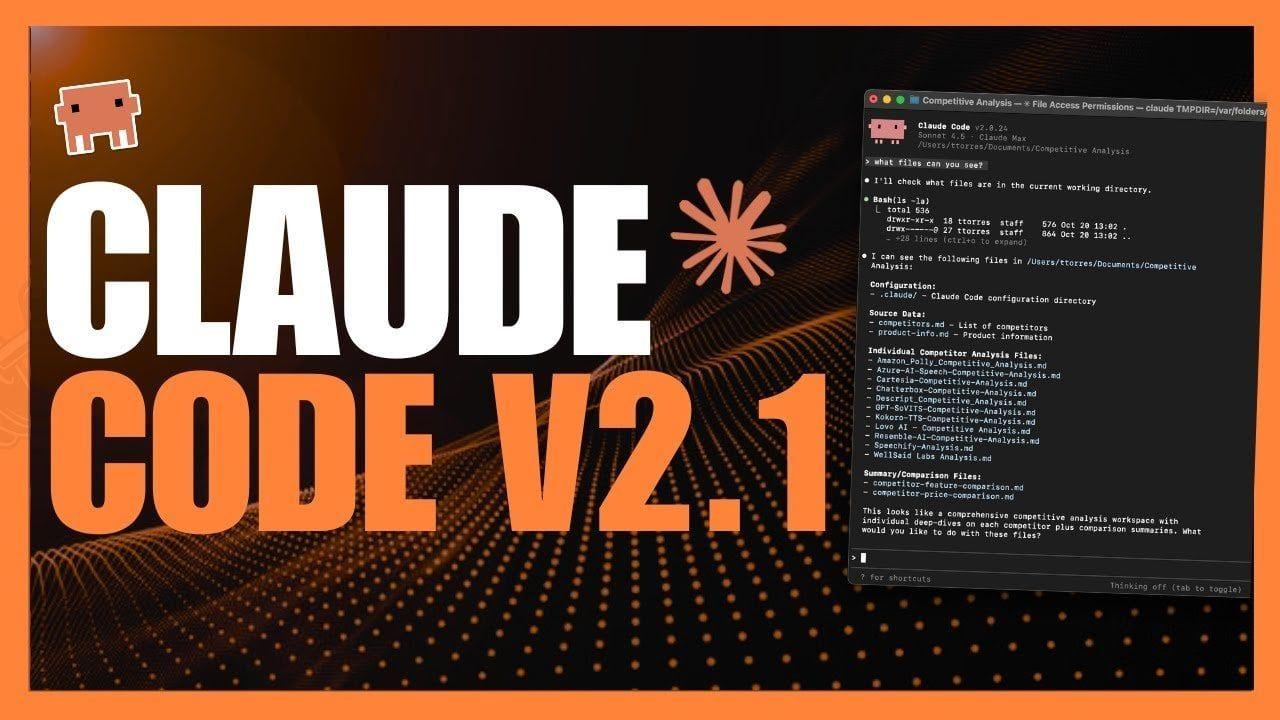
Source: Geeky Gadgets
Asynchronous Sub-Agents Enable Parallel Task Execution
The release introduces forked sub-agents that execute tasks in parallel by isolating specific skills and commands in separate contexts
2
. This capability allows developers to run long-duration tasks such as log monitoring or build processes independently in the background, freeing them to focus on other priorities without interruptions2
. The forked sub-agent context prevents unintended side effects and makes it safer to test new logic without polluting the main agent's state1
. Agents now continue after permission denial, allowing sub-agents to try alternative approaches rather than stopping entirely, making autonomous workflows more resilient and reducing the need for human intervention when an AI agent hits a permissions wall1
.
Source: VentureBeat
Hot Reloading Accelerates Faster Skill Development
Claude Code 2.1.0 introduces hot reload for skills, allowing developers to modify or add skills dynamically without restarting sessions
1
2
. New or updated skills become available immediately, letting developers iterate on skill logic in real time and eliminating the stop-start friction that slows down experimentation1
. This feature allows faster refinement of reusable commands and improves developer productivity by reducing configuration overhead2
.Session Teleportation Bridges Terminal and Browser Environments
A standout feature is session teleportation, which allows claude.ai subscribers to resume and configure remote sessions seamlessly between local terminals and the web interface at claude.ai/code
1
. Developers can transfer active sessions between terminal and desktop environments, offering flexibility for switching devices or sharing sessions with collaborators1
2
. The update also introduces browser integration, allowing developers to control Chrome directly from the terminal for tasks such as navigation, form filling, debugging, and live data validation2
.Enhanced Orchestration and Tool Permissions
The release adds hooks for AI agents, skills, and slash commands, giving developers fine-grained control over state management, tool permissions, and audit logging
1
. This reduces unexpected behavior and makes agent actions easier to debug and reproduce. Wildcard tool permissions enable easier rule configuration and access management, allowing teams to define broader permission patterns with fewer rules1
. MCP notifications now allow MCP servers to dynamically update their available tools, prompts, and resources without requiring reconnection, keeping workflows running smoothly when tool configurations change1
.Related Stories




Memory and User Experience Improvements
Claude Code 2.1.0 introduces persistent memory that retains context across sessions, reducing repetitive inputs and allowing more informed interactions
2
. The development environment now provides interactive user prompts with clarifying questions during coding, reducing errors and helping developers achieve objectives more efficiently2
. Enhanced output configurations let developers customize response styles to match their preferences, whether they need concise summaries or detailed explanations2
. Language-specific output via a setting enables workflows that require output in Japanese, Spanish, or other languages, eliminating the need for post-processing workarounds1
.Terminal and Code Generation Optimizations
The update includes improved terminal UX with Shift+Enter working out of the box in iTerm2, Kitty, Ghostty, and WezTerm without modifying terminal configs
1
. New Vim motions enable power users who rely on Vim-style editing to work faster without switching mental models1
. Unified Ctrl+B behavior allows developers to background both agents and shell commands simultaneously with a single keystroke1
. The release also features optimized code generation that produces outputs faster and with greater accuracy, helping developers complete task automation more efficiently2
.References
Summarized by

Navi
Related Stories
Recent Highlights



Recent Highlights
Today's Top Stories










Your Daily Dose of Curated AI News
Don’t drown in AI news. We cut through the noise - filtering, ranking and summarizing the most important AI news, breakthroughs and research daily. Spend less time searching for the latest in AI and get straight to action.

