Gemini on Android Auto hits looping bug, making voice assistant repeatedly cut itself off


3 Sources
3 Sources
[1]
Gemini can't stop talking to itself on Android Auto
Some users believe the problem could have something to do with Bluetooth latency. Since Gemini started globally rolling out to Android Auto, there have been a lot of mixed opinions about the virtual assistant. Some love it, some hate it, and others see both the good and the bad. Falling into that bad category, some users are running into a new issue when Gemini is in conversation mode. One Android Auto user who recently entered the beta program and upgraded to Gemini reports that they are experiencing a glitch. It appears that, for the most part, Gemini works fine and they are happy with the AI. However, when they activate Gemini Live, that's when problems arise. In their Reddit post, the user shared a video of the virtual assistant getting stuck in a conversational loop. The AI begins talking, before pausing mid-sentence to enter listening mode, and then attempts to speak again. Based on several comments in the thread, it appears that this user isn't the only one experiencing this problem with Gemini Live. One commenter mentions that they experience the same bug when they have their phone connected to their car via Bluetooth. Another states that they have to turn down their volume so Gemini doesn't stop itself. Meanwhile, a different commenter claims that the regular Gemini app does this when they interact with it while in their car. The original poster also notes "my car sound goes through the original car (2014) Bluetooth 4.0 I installed a module to flick between the original infotainment and AA/CarPlay and I love it, the only problem that comes with that is the 3-4 seconds delay in the audio." This leads one commenter to believe the loop could be caused by the Bluetooth delay. The commenter adds that the issue only occurred for them when using the app via Bluetooth. We have contacted Google for comment. This article will be updated when new information becomes available.
[2]
Gemini Live's looping bug is causing big problems for Android Auto fans
Mark has almost a decade of experience reporting on mobile technology, working previously with Digital Trends. Taking a less-than-direct route to technology writing, Mark began his Android journey while studying for a BA in Ancient & Medieval History at university. But since then, he's cast his eyes firmly on the future, with a deep love for anything that bleeps or bloops. Outside of Android tech of all types, Mark loves to hike, play video games, build small plastic men that cost far too much, and spend time with his two daughters. Gemini is in the midst of rolling out to Android Auto, and as you might expect, such a large deployment means an even larger range of opinions about Google's newest voice assistant. Bugs are likely to be aplenty in this early stage, but the latest bug to find its way to our news desk is a rather concerning one. According to a number of Gemini adopters, the digital assistant has been hit with a pretty annoying looping bug that makes using Gemini Live largely useless. Gemini Live likes to hear itself speak This glitch was first shared with the r/AndroidAuto subreddit in the form of a video, posted by lorenmatt93 (via Android Authority). In the video, you can hear Gemini start to talk about some connection issues, only for it to suddenly cut out, as if listening. A few moments later, it restarts, only to pause again -- and continue in the same loop, over and over again. lorenmatt93 explains his Android Auto setup in the post, and suspects that a Bluetooth module he installed that flips between Android Auto and the car's original infotainment system may be to blame. This setup creates a few seconds of lag, which could be the reason for Gemini Live struggling to understand that it's listening to and talking to itself. However, other users confirmed that they were having issues too, without using the same McGyvered setup as the original poster. One poster said they were having the issue while using the car's own Bluetooth system, while another claimed just using the regular Gemini app in their car was enough to reproduce this issue. This isn't the first time that Gemini has had a problem with repeating itself and falling into a loop -- but admittedly, the last time this happened was a lot funnier than this time around. This sort of bug is likely something Google will be scrambling to fix very quickly. A glitch like this occurring on Gemini Live is a problem when you're dealing with the app normally, but it's a much larger issue when you're driving and can't necessarily drop everything to fix the problem. Subscribe for deep newsletter coverage of Gemini issues Curious about how Gemini bugs affect in-car voice assistants? Subscribing to the newsletter brings expert analysis, practical troubleshooting tips for Android Auto setups, and clear context so you can better understand and manage assistant quirks. Subscribe By subscribing, you agree to receive newsletter and marketing emails, and accept Valnet's Terms of Use and Privacy Policy. You can unsubscribe anytime. Ultimately, these sorts of problems can cause people to give up on voice assistants and not bother with them again, and given Google's huge AI push, that's an end it will want to avoid. We have reached out to Google for comment, and will update when it replies.
[3]
Gemini Live for Android Auto keeps talking to itself in hilarious but annoying bug [Video]
Google's Gemini Live is perhaps at its most useful in the car, which is why a recent Android Auto bug is both super annoying, and a bit hilarious to watch happening. Gemini Live on Android Auto, like on other platforms, is accessed either with a "Let's talk live" command, or through a button that appears in the UI. The experience sees Google's AI use natural language understanding and speech to have a conversation with the user, both providing answers and being open to the user cutting off the AI's response to correct it or add more context. But, for some, a bug is causing Gemini Live on Android Auto to just keep talking to itself. In a video posted to Reddit, one driver noticed that Gemini Live would start a response, cut itself off, and then respond to what it just said, continuing that cycle in a nonstop loop. It can, of course, be manually stopped, but the bug leaves Gemini Live mostly unusable. It's also pretty funny. In the video shared, Gemini mentions something about a connection issue, pauses, and then acknowledges that it "understands" that there was a connection problem before cutting itself off again to try and talk about the weather forecast, before pausing yet again, reading off a partial forecast, pausing again to acknowledge "that's right" about the rain in the forecast that it itself had just mentioned. Obviously, this isn't supposed to happen. It's very possible that this stemmed from the particular hardware in this vehicle, but other users note that the same thing happens to them even outside of Gemini Live, while others say they've encountered the problem on their phone too. This comes as Gemini for Android Auto still isn't widely available yet, and as Gemini Live in cars itself is considered in beta.
Share
Share
Copy Link
A frustrating glitch is affecting Gemini Live on Android Auto, causing the AI assistant to enter a continuous loop where it talks, pauses mid-sentence, and responds to itself. Multiple users report the voice assistant bug across different car setups, with Bluetooth latency suspected as a possible culprit. Google has been contacted for comment on the issue.
Gemini Live Caught in Conversation Loop on Android Auto
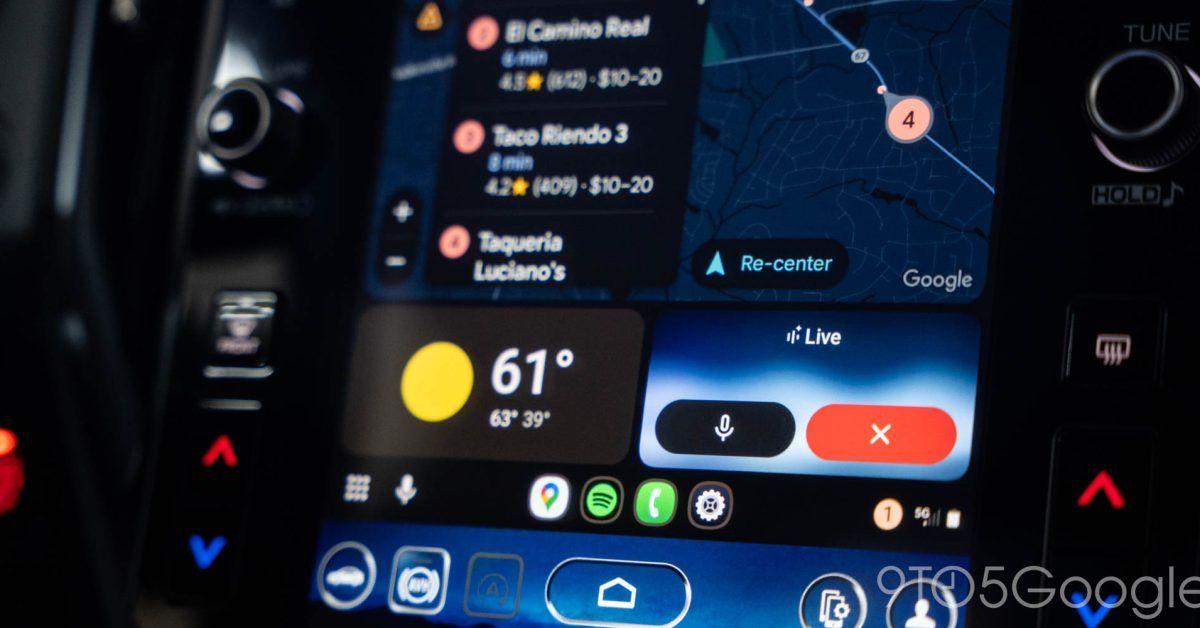
As Gemini for Android Auto continues its global rollout, users are encountering a significant looping bug that renders the Gemini AI assistant largely unusable during drives. The glitch affects Gemini Live, Google's conversational AI mode that uses natural language understanding to interact with drivers
1
. When activated, the virtual assistant begins speaking before abruptly cutting itself off mid-sentence to enter listening mode, then attempts to respond to what it just said, creating a continuous loop2
.
Source: 9to5Google
A video shared by Reddit user lorenmatt93 on the r/AndroidAuto subreddit demonstrates the voice assistant repeatedly cutting out as it tries to discuss connection issues and weather forecasts
3
. In the footage, Gemini mentions a connection problem, pauses, acknowledges it "understands" the issue, cuts off again, starts reading a weather forecast, pauses once more, and confirms "that's right" about rain it had just mentioned—all without any user input3
.Bluetooth Latency Emerges as Potential Culprit
The original poster noted their setup involves a 2014 car with Bluetooth 4.0 and a custom module that switches between the original infotainment system and Android Auto/CarPlay, creating a 3-4 second audio delay
1
. This Bluetooth latency may be causing Gemini to misinterpret its own voice as user input, triggering the annoying bug. One commenter observed the issue only occurred when using phone-to-car Bluetooth connections, while another mentioned having to turn down their volume to prevent the AI from stopping itself1
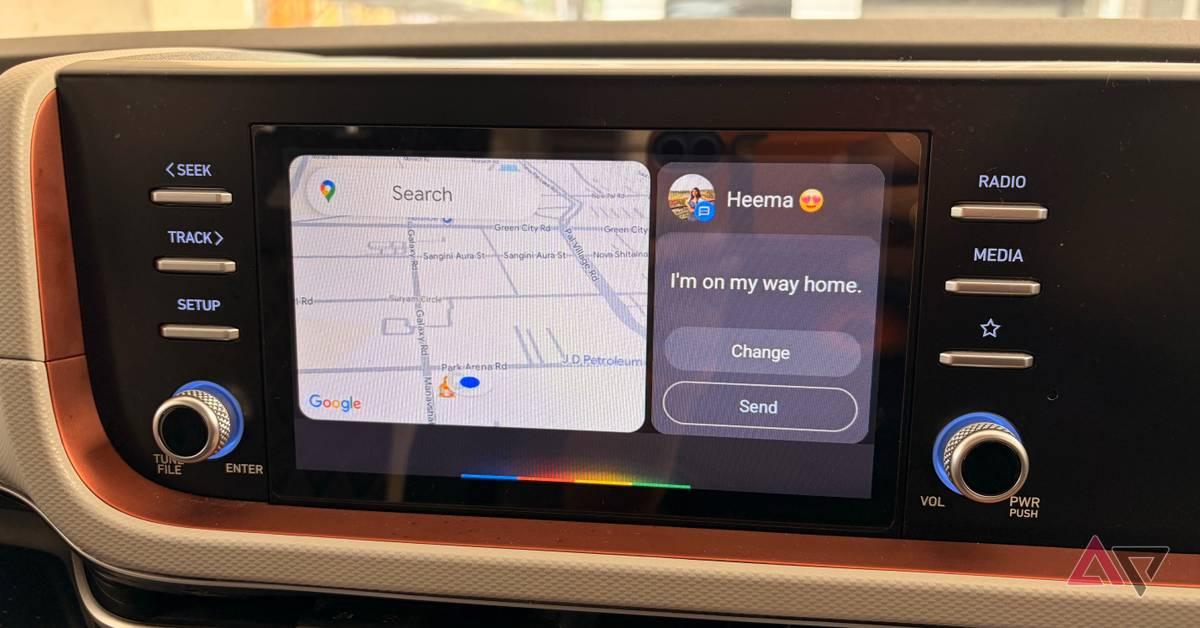
.However, the voice assistant bug isn't limited to modified setups. Multiple users confirmed experiencing the same problem with standard Bluetooth system configurations, and some reported the glitch even affects the regular Gemini app when used inside vehicles
2
. This suggests the issue extends beyond specific hardware configurations and points to a broader problem with how Gemini handles audio feedback in conversation mode during the beta phase3
.
Source: Android Police
Related Stories
Impact on User Experience and Google's AI Push
While the situation has generated some humor online, the practical implications are serious for drivers who rely on voice assistants for hands-free operation. Unlike using Gemini on a phone where users can easily intervene, dealing with a stuck in a loop assistant while driving creates a safety concern, as drivers cannot simply stop to fix the problem
2
. The glitch leaves Gemini Live mostly unusable for affected users, undermining the very purpose of having an AI assistant in the car3
.This isn't the first time Gemini has struggled with repetition issues, though previous incidents were less problematic
2
. For Google, which has made AI a central pillar of its strategy, these early stumbles with Gemini on Android Auto could discourage adoption and cause users to abandon voice assistants altogether. Given that Gemini for Android Auto still isn't widely available and remains in beta, Google will likely prioritize fixing this glitch quickly to avoid damaging user confidence in its AI capabilities3
. Google has been contacted for comment but has not yet responded to inquiries about the issue1
2
.References
Summarized by

Navi
[1]
[2]
Related Stories
Google's Gemini AI Assistant Prepares for Android Auto Integration: Potential and Challenges
05 Mar 2025•Technology

Google Gemini Begins Rolling Out to Android Auto, Replacing Google Assistant
08 Nov 2025•Technology
Google Sets March 2026 Deadline for Assistant Phase-Out as Gemini Rollout Accelerates Across Android Ecosystem
24 Nov 2025•Technology

Recent Highlights



Recent Highlights
Today's Top Stories










Your Daily Dose of Curated AI News
Don’t drown in AI news. We cut through the noise - filtering, ranking and summarizing the most important AI news, breakthroughs and research daily. Spend less time searching for the latest in AI and get straight to action.

