Google's AI Edge Gallery brings offline AI to your smartphone with Gemma 4 models


3 Sources
3 Sources
[1]
Google Gemma 4 in your pocket: How to run the latest AI fully offline
You can also set us as a preferred source in Google Search by clicking the button below. In its current state, the app acts as a local sandbox for Google's Gemini models. Unlike Gemini, which sends your data to Google for processing, AI Edge Gallery downloads the brain of AI directly to your device. In other words, you can now use AI anywhere without an internet connection, such as being in the middle of the ocean on a cruise ship or up at 35,000 feet on a plane. Better still, because the AI stays with you, you gain a certain level of privacy you didn't have before.
[2]
How to Turn Your Smartphone Into a Local AI Powerhouse
Running large language models (LLMs) locally on your phone is no longer just a concept, it's a practical reality with the Google AI Edge Gallery. This application allows users to execute advanced AI models directly on their devices, bypassing the need for cloud servers. AI Grid's walkthrough demonstrates how to set up and optimize the app to perform tasks like text generation and summarization while maintaining privacy and offline functionality. For instance, the guide highlights how devices with at least 8GB of RAM, such as flagship Android phones or the iPhone 15 Pro, can handle larger models efficiently for smoother performance. Dive into this guide to explore key features like customizable AI settings, GPU acceleration for faster processing and multimodal capabilities that extend beyond text-based interactions. You'll also gain insight into using experimental voice commands to control device settings and learn how to use predefined "agent skills" to automate tasks like drafting emails or generating QR codes. Whether you're a developer or a casual user, this walkthrough provides actionable steps to make the most of AI on your smartphone. The app is designed to meet diverse user needs, offering a robust set of features that include: Whether you're a developer exploring AI tools or a casual user seeking advanced functionality, the Google AI Edge Gallery provides a comprehensive platform to harness the power of AI on your smartphone. The Google AI Edge Gallery is accessible to all users without the need for waitlists or developer accounts. You can download the app directly from the Google Play Store or Apple App Store. While the app is compatible with a wide range of devices, its performance is heavily influenced by your hardware specifications. Devices equipped with advanced processors and higher RAM, such as the iPhone 15 Pro or flagship Android models with 8GB or more RAM, deliver optimal performance, especially when running larger AI models. Here are more detailed guides and articles that you may find helpful on Google AI. One of the app's standout features is its ability to run large language models locally, offering a user-friendly interface for seamless interaction. Through the app, you can: The app allows users to download and switch between various model variants based on their specific needs. Larger models deliver superior reasoning and output quality but require more advanced hardware to function efficiently. For the best experience, devices with at least 8GB of RAM are recommended. The app offers extensive customization options to fine-tune the AI's behavior, allowing users to adjust parameters such as: Additionally, the app supports GPU acceleration, which significantly enhances processing speed and reduces battery consumption compared to CPU-based operations. This feature is particularly beneficial for running resource-intensive models, making sure smoother performance and extended usability. The app includes predefined prompts, known as "agent skills," to simplify specific tasks. These skills enable users to: For advanced users, the app also supports the creation and import of custom skills, allowing for highly personalized workflows tailored to unique requirements. The Google AI Edge Gallery goes beyond text-based interactions by incorporating multimodal capabilities. These features include: These multimodal functionalities make the app a versatile tool for managing and interpreting diverse data types, catering to both personal and professional use cases. The app includes experimental features that allow users to control their devices through voice commands. For example, you can: Although still in development, these features demonstrate the app's potential to integrate AI with everyday mobile operations, offering a glimpse into the future of hands-free device management. The Prompts Lab provides a collection of preset templates designed to streamline common tasks. These templates allow users to: By using these predefined options, users can save time and achieve consistent, high-quality results. The app's performance is closely tied to the hardware capabilities of your device. Devices with advanced processors and higher RAM, such as iPads with M-series chips or flagship Android smartphones, excel at handling larger models and complex tasks. Conversely, older devices may experience slower processing times or struggle with resource-intensive operations. A defining feature of the Google AI Edge Gallery is its commitment to privacy. All data processing occurs locally on your device, eliminating the need for external servers. This ensures that sensitive information remains secure and allows users to access the app's full functionality even without an internet connection. The app includes supplementary tools to enhance the user experience, such as: These additional features add value to the app, making it a comprehensive solution for both casual and advanced users. The Google AI Edge Gallery is a versatile and privacy-focused application that brings the power of AI directly to your mobile device. With support for local LLMs, multimodal capabilities and experimental device controls, the app enables users to explore and use AI in a secure, efficient and highly customizable manner. Whether you're a developer seeking advanced tools or a casual user looking for offline functionality, this app offers a robust platform to meet your needs. Disclosure: Some of our articles include affiliate links. If you buy something through one of these links, Geeky Gadgets may earn an affiliate commission. Learn about our Disclosure Policy.
[3]
How to Use Google AI Edge Gallery App for Gemma 4 on iOS and Android
The Google AI Edge Gallery app provides a functional platform for mobile AI. Gemma 4 delivers efficient performance for daily tasks. The system emphasizes speed, privacy, and offline capability. This combination supports practical usage and reflects the future direction of mobile AI technology. This approach makes AI more accessible for everyday use. The Google AI Edge Gallery app allows AI models to run directly on mobile devices. The app removes the need for constant internet access and processes data locally for faster and more private usage. Gemma 4 runs on the device instead of remote servers. The model focuses on efficiency and speed rather than large-scale processing. This design supports offline usage and better data privacy. The app requires internet only during installation and model download. The system works offline after setup. The model processes queries locally without network dependency. The model handles everyday tasks such as writing, rewriting, summarizing, and answering general queries. The model performs best with short and structured inputs. The system handles simple and moderate queries efficiently. The model may take more time or produce limited depth for complex or long-context queries. The performance depends on device capability.
Share
Share
Copy Link
Google AI Edge Gallery enables users to run large language models like Gemma 4 directly on smartphones without an internet connection. The app processes data locally on Android and iOS devices, offering enhanced privacy and offline AI capabilities. Devices with 8GB of RAM or more deliver optimal performance for text generation, summarization, and multimodal tasks.
Google AI Edge Gallery Transforms Smartphones Into Local AI Powerhouses
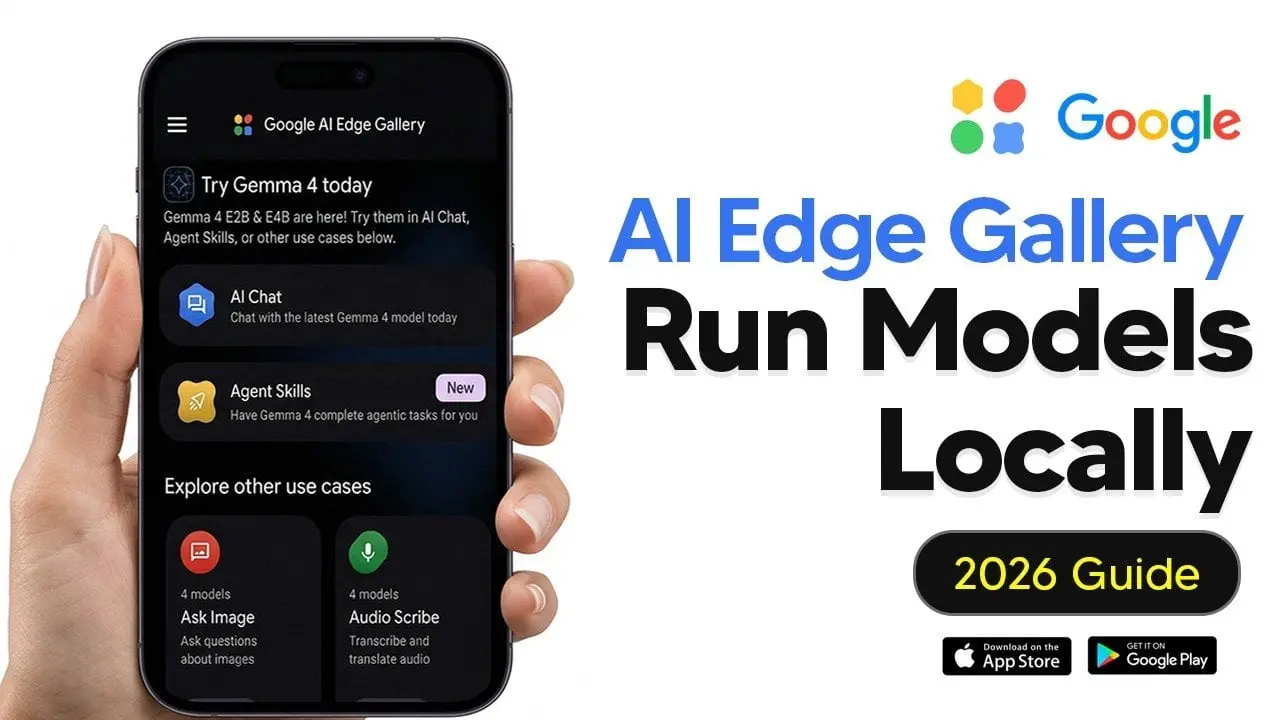
Google AI has launched AI Edge Gallery, an application that enables users to run AI fully offline on their smartphones. Unlike traditional cloud-based services like Gemini that send data to remote servers for processing, AI Edge Gallery downloads AI models directly to your device
1
. This shift to on-device processing means you can now use AI anywhere without an internet connection, whether you're at 35,000 feet on a plane or in the middle of the ocean on a cruise ship1
.The app serves as a local sandbox for Google's Gemini models, with Gemma 4 being the latest addition optimized for mobile devices
3
. Running large language models locally on your phone is no longer just a concept but a practical reality, accessible to all users without waitlists or developer accounts through the Google Play Store or Apple App Store2
.
Source: Geeky Gadgets
On-Device AI Capabilities Deliver Privacy and Performance
The defining feature of AI Edge Gallery is its commitment to data privacy through on-device AI capabilities. All data processing occurs locally on your device, eliminating the need for external cloud servers and ensuring that sensitive information remains secure
2
. The app requires an internet connection only during installation and model download, after which the system works completely offline3
.For optimal performance when running LLMs on smartphones, devices with at least 8GB of RAM are recommended, such as flagship Android phones or the iPhone 15 Pro
2
. The app supports GPU acceleration, which significantly enhances processing speed and reduces battery consumption compared to CPU-based operations2
. Devices equipped with advanced processors like iPads with M-series chips excel at handling larger models and complex tasks2
.Gemma 4 Handles Text Generation and Multimodal Tasks
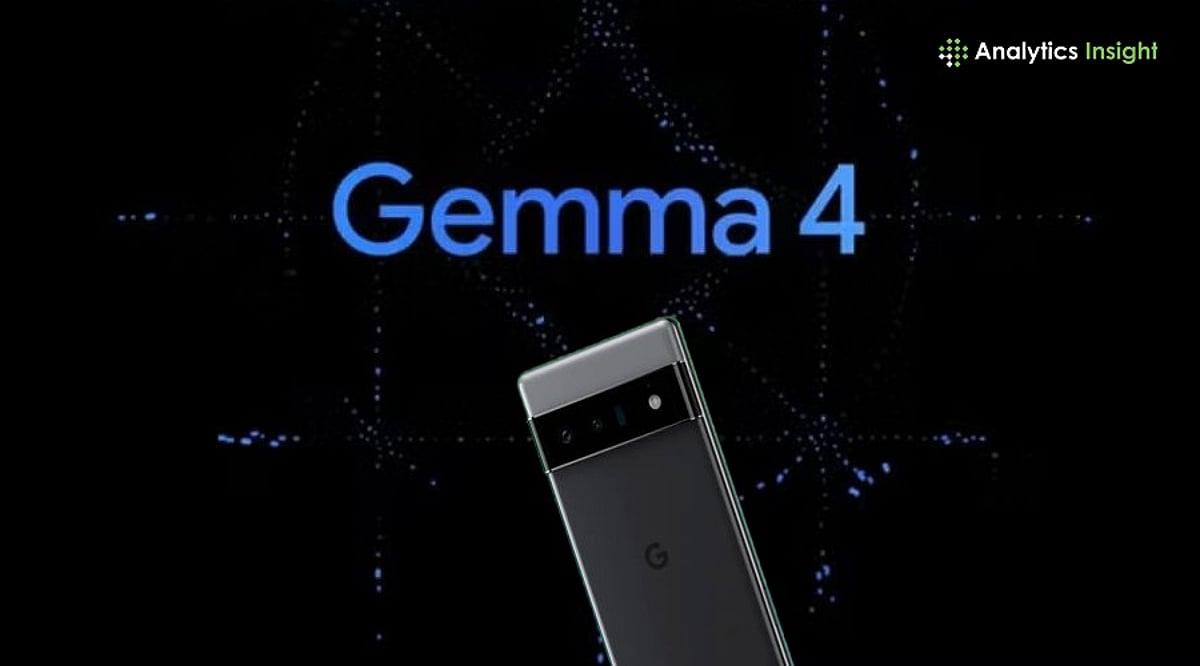
Gemma 4 focuses on efficiency and speed rather than large-scale processing, making it ideal for local AI on mobile devices
3
. The model handles everyday tasks such as text generation, rewriting, summarization, and answering general queries, performing best with short and structured inputs3
.Beyond text-based interactions, AI Edge Gallery incorporates multimodal capabilities that allow users to manage and interpret diverse data types
2
. The app allows users to download and switch between various model variants based on their specific needs, with larger models delivering superior reasoning and output quality but requiring more advanced hardware2
.
Source: Analytics Insight
Related Stories
Agent Skills and Customization Enable Private AI Usage
AI Edge Gallery includes predefined prompts known as agent skills to simplify specific tasks like drafting emails or generating QR codes
2
. For advanced users, the app supports the creation and import of custom skills, allowing for highly personalized workflows tailored to unique requirements2
.The app offers extensive customization options to fine-tune AI behavior, with users able to adjust various parameters to optimize performance
2
. The Prompts Lab provides preset templates designed to streamline common tasks and achieve consistent, high-quality results2
. Experimental features include voice commands to control device settings, demonstrating the app's potential to integrate AI on smartphones with everyday mobile operations2
.This approach to private AI usage reflects the future direction of mobile AI technology, making AI more accessible for everyday use while maintaining complete control over personal data
3
. The combination of speed, privacy, and offline capability positions AI Edge Gallery as a comprehensive solution for both casual and advanced users seeking to harness the power of AI without relying on external servers.References
Summarized by

Navi
[1]
[2]
[3]
Related Stories
Google Quietly Launches AI Edge Gallery: Run AI Models Locally on Your Phone
01 Jun 2025•Technology

Google Unveils Gemma 3n: A Breakthrough in On-Device AI for Resource-Constrained Devices
22 May 2025•Technology

Google's Gemma 3n: A Breakthrough in On-Device AI with Open-Source Multimodal Capabilities
27 Jun 2025•Technology

Recent Highlights
1
Meta unveils Muse Spark AI model as Superintelligence Labs makes its debut
Technology

2
Anthropic restricts Mythos AI model release, citing unprecedented cybersecurity capabilities
Technology

3
Anthropic sends Claude AI to psychiatrist, discovers functional emotions that shape behavior
Science and Research

Recent Highlights
Today's Top Stories








Your Daily Dose of Curated AI News
Don’t drown in AI news. We cut through the noise - filtering, ranking and summarizing the most important AI news, breakthroughs and research daily. Spend less time searching for the latest in AI and get straight to action.

