Google Photos launches Me Meme feature to transform personal photos into AI-generated memes


13 Sources
13 Sources
[1]
Google Photos' latest feature lets you meme yourself
Google Photos will now let you make memes with your own images. On Thursday, Google introduced a new generative AI-powered feature called "Me Meme," which will allow you to combine a photo template and an image of yourself to generate an image of the meme. The new addition, which will be first available to U.S.-based users, was originally spotted in development last October by the blog Android Authority. It was formally announced by Google via its Photos Community site on Thursday. According to Google, the feature is experimental, so generated images "may not perfectly match the original photo." It suggests uploading well-lit, focused, and front-facing photos to get the best results. The addition is meant to just be a fun way to explore your photos and experiment with Google's Gemini AI technology, and specifically Nano Banana. Google's popular AI image model powers other AI features in the Google Photos app, like the ability to re-create images in new styles, such as cartoons or paintings. Though a fairly unserious addition, all things considered, these types of features help remind users to return to the Photos app whenever they want to play around with AI tools, rather than going to a competitor's product. Plus, users tend to gravitate toward features that show themselves in AI edits, as OpenAI found with its successful launch of the Sora app, which lets you make AI videos that can include yourself and your friends. "Me Meme" isn't fully rolled out, so you may not see it in your updated Google Photos app just yet. When available, it will appear under the "Create" tab, Google says. To use the feature, you'll select a template or upload your own, then tap "add photo" and "Generate." Google notes that more templates are being added over time. After the AI creates the image, you can save the photo, share it on other platforms, or tap "regenerate" to have it re-imagine the image a second time.
[2]
Google Photos Adds AI-Powered Meme Creation With 'Me Meme'
Do you have a great cat photo you just know could go viral? Google's new AI feature, Me Meme, lets Google Photos turn photographs into memes, those sassy captioned photos that sometimes express the exact right sentiment. Choose a Google template, then upload your own funny photo, and AI will transform it into a meme. Don't miss any of our unbiased tech content and lab-based reviews. Add CNET as a preferred Google source. To use Me Meme: I have a Google Pixel 9, and while my Photos app is up to date, the option didn't appear for me as of Friday. At CES 2026, Google executive Sameer Samat told CNET that the company wanted to make its AI tools, including Nano Banana and Gemini, more useful. While meme-making might not be the most practical AI use, it is something anyone can try. A representative for Google did not immediately respond to a request for comment.
[3]
Google Photos can now turn you into a meme
In Big Tech's never-ending quest to increase AI adoption, Google has unveiled a meme generator. The new Google Photos feature, Me Meme, lets you create personalized memes starring a synthetic version of you. Google describes Me Meme as "a simple way to explore with your photos and create content that's ready to share with friends and family." You can choose from a variety of templates or "upload your own funny picture" to use in their place. The feature isn't live for everyone yet, so you may not yet have access to it. (A Google representative told TechCrunch that the feature will roll out to Android and iOS users over the coming weeks.) But once it arrives, you can use it in the Google Photos app by tapping Create (at the bottom of the screen), then Me Meme. It will then ask you to choose a template and add a reference photo. There's an option to regenerate it if you don't like the result. Google says Me Meme works best with well-lit, focused and front-facing portrait photos. "This feature is still experimental, so generated images may not perfectly match the original photo," the company warns.
[4]
Google Photos wants you to star in your own memes
Did you ever want to be the distracted boyfriend looking over his shoulder? Or the "change my mind" guy sitting smugly with his coffee? Google Photos is about to flex its AI image-generation muscles to give you that chance, with its new Me Meme feature now rolling out. The feature was announced in a post on Google's support forums by a member of the Google Photos team, who describes Me Meme as a quick way to turn your own photos into shareable meme images using generative AI. It's rolling out now to users in the US and lives directly inside the Photos app. Once you get the feature, using it is straightforward. Open Google Photos, tap Create, then Me Meme, pick a template (or upload your own reference image), choose a photo of yourself, and hit Generate. Google suggests using a clear, front-facing selfie for best results. Once the meme is created, you can save it, regenerate a new version, compare it with the original photo, or share it straight away. Google also flags the feature as experimental, just to keep your expectations in check. We got a bit of a heads-up that this feature was coming. Back in October, we spotted Me Meme during an APK teardown of Google Photos, where early code pointed to an AI-powered meme generator already taking shape behind the scenes. The name "Me Meme" was already in place, along with hints that the feature would rely on a reference photo, ideally a clear selfie. The only meme template we could actually see at the time was the classic "This is fine" image. It wasn't clear how many templates Google planned to include, whether users would be able to upload their own, or when the feature would be ready for real people to try. Google obviously hasn't suddenly invented AI memes. You could already do something like this with plenty of image generators if you were willing to upload photos and fiddle with prompts. Google Photos is just cutting out the friction so you can do it right after you snap your shots. It should only take a couple of taps to make yourself the fed-up guy at the stadium, or the woman screaming at a cat. Have you got the feature yet? If so, let us know your experience of using it in the comments.
[5]

Google Photos now makes your camera roll a meme factory
Timi is a news and deals writer who's been reporting on technology for over a decade. He loves breaking down complex subjects into easy-to-read pieces that keep you informed. But his recent passion comes from finding the best discounts on the internet on some of the best tech products out right now. Google Photos isn't just about being a gallery or cloud storage service for all your photos and videos. The app has evolved way past that over the past few years, providing extensive editing and creation tools that will allow you to enhance your own content. Photos will allow you to create collages, highlight videos, and even bring your pictures to life with animations. You can even remix your photos with new styles, bringing a whole new look and feel to some of your favorite captured moments. A new tool to experiment with WIth that said, a new feature is now going live on Google Photos, spotted by 9to5Google, with Google introducing the 'Me meme' tool on its own Photos support page. We've seen this feature talked about in the past, discovered in code dives, but it's now finally live, which means, your camera roll can now generate an infinite number of memes to share with family, friends, and the world. As you can probably guess, this feature makes use of generative AI and there are different templates to choose from. You can access this feature by heading into the Create tab on Google Photos, where you should be able to find the Me meme tool. From there, you can choose a template, and your photo, and it will generate a meme. Although this tool isn't going to be for everyone, it's nice to see Photos get another tool in its arsenal. Of course, there are plenty of other features to love about Google Photos, especially if you're someone that's highly invested in Google's app and service ecosystem. And while there are competitors out there, users often find it hard to make the switch. Subscribe to our newsletter for Google Photos features Stay informed on Google Photos innovations by subscribing to our newsletter: get clear breakdowns of tools like the Me meme generator, step-by-step walkthroughs for editing and remixing your photos, template explanations, and broader coverage of Photos' evolving creative features. Subscribe By subscribing, you agree to receive newsletter and marketing emails, and accept Valnet's Terms of Use and Privacy Policy. You can unsubscribe anytime. The Me meme feature is now available on Android and iOS, so if you're interested, you can now give it a try. And just in case you haven't messed around with Photos in a while, we suggest you dive in to see all the new tools and features that are available. The good news is that since the app is a major focus for the team, we should see even more upgrades to the app coming throughout the year.
[6]

Google Photos rolling out AI-powered 'Me Meme' generator
Google Photos continues to build out the Create tab with a new "Me Meme" feature in the Android and iOS apps. Simply, Me Meme uses generative AI to "turn yourself into a meme." To create these "funny, personalized images," you first select a template. Google Photos offers various presets, or you can "upload your own funny picture" as a reference. Afterwards, select a "prominent selfie or a photo where your face is clearly visible." It should be a "well-lit, focused, and front-facing portrait photo." There's the option to edit before you "Generate." You Save the meme to your library, Regenerate, or Share. There's the ability to send feedback and compare the original photo to the generated meme. Me Meme is rolling out now for Google Photos users in the US as an experimental feature. We're not seeing it on devices we checked today, while Google hasn't shared any other details. All this should also be possible with the Gemini app, but Google Photos has been working to offer you a more guided experience. Meanwhile, the "Me Meme" branding has viral potential. This joins Create with AI, Photo to video, Remix, Collage, Highlight video, Cinematic photo, and Animation.
[7]

Google debuts 'Me Meme' feature in Google Photos app
Google is leaning harder into generative AI inside its photo ecosystem with the launch of Me Meme, a new feature rolling out in the U.S. that lets users turn themselves into custom memes directly inside Google Photos. Announced by the Google Photos team this week, Me Meme uses generative AI to insert your likeness into meme-style images using preset templates or user-uploaded visuals. The process is intentionally simple: pick a template, select a photo of yourself, and let the tool generate a meme-ready image that can be saved, regenerated, or shared across platforms. Unlike third-party meme apps, Me Meme lives entirely within Google Photos, positioning it as less of a novelty add-on and more of an extension of Google's broader push to make Photos a creative hub, not just a storage locker. It also builds on Google's growing suite of AI-powered creation tools, which already include photo-to-video effects, AI stickers, and smart editing features. The feature appears aimed squarely at casual users rather than professional creators. There are no advanced controls, captions, or formatting tools here. Instead, Me Meme focuses on quick, shareable results that require minimal effort. First-time users are guided through a brief intro flow, reinforcing the idea that this is meant to be approachable, not intimidating. As with most Google Photos features, Me Meme is rolling out gradually, so not everyone will see it immediately. For those who do, it's a low-stakes way to experiment with generative AI without leaving an app they already use daily.
[8]

Google Photos introduces a fun new way to turn yourself into a meme
Google Photos already packs a bunch of useful AI tools to help you edit photos. From removing unwanted objects or bystanders to completely restyling images, the app makes it easy to enhance your memories. Now, Google is adding a playful twist with its newest feature, Me Meme, which lets you turn yourself into your favorite memes in just a few taps. According to a recent post on Google's support forums, Me Meme is a generative AI feature that lets you star in trending memes using a template and a photo of yourself. It's rolling out in Google Photos for Android in the US, and you can try it out by tapping the "Create" button and selecting the new "Me meme" option. Recommended Videos The feature offers a couple of preset meme templates for you to get started, but you can also upload your own to recreate a popular meme. You then have to upload a reference image of yourself and tap Generate to create your personalized meme. Turning yourself into a meme has never been easier If you're not happy with the result, you can tap the "Regenerate" button to get a different result in the same effect. Once you've created your meme, you can save it to your Google Photos library or share it with friends. Google says that the feature is still experimental, "so generated images may not perfectly match the original photo." To ensure it correctly replicates your likeness, the company recommends uploading a "well-lit, focused, and front-facing portrait photo." While this functionality isn't entirely new, baking it directly into Google Photos makes the process far more seamless, letting users create personalized memes without jumping into a separate app. It's a small but fun addition that shows Google Photos is evolving beyond basic AI editing tools and gradually turning into a creative hub that lets users easily generate and share their creations.
[9]

Google Photos Tests 'Me Meme' Feature to Turn Selfies Into AI memes | AIM
Embedded directly within the app, the new feature lowers the barrier to AI-generated memes by offering preset templates and guided image selection. Google Photos is stepping up its use of generative AI with the introduction of Me Meme, a new experimental feature rolling out on Android and iOS in the US that lets users turn themselves into memes. The concept is straightforward: Me Meme allows users to "turn themselves into a meme" with AI. To begin with, users can either choose a meme template from Google Photos' built-in presets or upload a reference image of their own. They then select a selfie or portrait in which their face is clearly visible. Google recommends using a well-lit, front-facing photo that is sharp and in focus for the best results. Before generating the meme, users can make small adjustments to the source image. Once the meme is created, it can be saved to the photo library, regenerated, or shared directly. Google also provides tools to compare the original image with the AI-generated version, as well as an option to submit feedback on the output. Unlike the standalone Gemini app, which already allows users to generate images and memes through text prompts, Google Photos is positioning Me Meme as a more guided and accessible experience. By embedding the feature directly within the Create tab, Google appears to be targeting casual users who may be reluctant to experiment with prompts or switch between apps. The name 'Me Meme' itself seems deliberately designed for virality, reflecting Google Photos' broader effort to reframe the Create tab as a hub for playful, shareable AI tools. Me Meme now sits alongside features such as Create with AI, Photo to video, Remix, Collage, Highlight video, Cinematic photo, and Animation. For now, Me Meme is labelled as an experimental feature and is rolling out gradually. It was not visible on all devices tested, and Google has yet to share details on when it may expand beyond the US or move out of the testing phase. Google Photos was launched in May 2015 as a standalone spin-off from Google+ Photos (which itself was the successor to Picasa). In 2021, Google ended the free unlimited storage policy, moving to a shared 15 GB storage limit across Google Drive, Gmail, and Photos. Last year, a significant integration with AI, including features like Magic Editor, Ask Photos (Gemini-powered search), was initiated.
[10]

Google Photos Can Now Make Memes Out of Your Selfies Using AI
Making memes usually requires some photo editing skills or at least a trip to a meme generator website. Google's about to make that process a whole lot easier. The company is rolling out a new feature called "Me Meme" that uses AI to turn your selfies into popular meme templates. The Google Photos meme AI feature lives in the Create tab, right alongside other tools like Animation and Photo to Video. You pick a meme template, select a clear selfie from your library, and let the AI do the rest. Google automatically maps your face onto classic formats like the "This is fine" dog meme. The feature requires your photos to be backed up to Google Photos, since it relies on Gemini's generative AI capabilities. Google suggests using well-lit selfies where your face is clearly visible for best results. The better the reference photo, the better the final meme will look. It's a simple process. Open Google Photos, tap Create, select Me Meme, choose your template, pick your photo, and hit generate. You can use photos of yourself, friends, or family members. The feature will likely start with a handful of templates, though Google hasn't confirmed exactly how many will be available at launch. Part of Google's AI Push This meme generator is just the latest addition to Google Photos' growing AI toolkit. The app already offers conversational editing, where you can just describe what you want changed in a photo. It's got AI-powered sorting features that automatically group similar photos and organize screenshots. The Me Meme feature is currently rolling out to Google Photos users in the US. Like other recent AI features such as Remix and Photo to Video, it'll probably stay US-exclusive for a while before expanding to other regions. Google typically tests new AI capabilities with a limited audience first. Whether this catches on depends on how well the AI can capture that rough, unpolished quality that makes memes work. Perfectly generated images might look too clean compared to the chaotic, low-effort aesthetic that defines meme culture. But for people who want to quickly insert themselves into trending formats without learning Photoshop, it's a pretty convenient option.
[11]

Google Photos' New AI Feature Will Let You Star in Personalised Memes
Users can also upload a reference image and use it as the template Google is rolling out a new feature in Google Photos that will let users generate memes starring themselves using artificial intelligence (AI). Dubbed "Me Meme," the tool uses generative AI to place a photo of the user into meme formats and captions, allowing them to generate personalised memes and funny images. The feature was first reported in October 2025, and it has now been released three months later. The new feature adds to the existing AI features in the Photos app, such as Create with AI, Photo to video, Remix, Collage, and more. Google Photos Gets an AI Meme Maker On a support page, a Google community manager announced the new feature for Photos. Me Meme is being introduced as part of a broader set of AI-assisted tools inside Google Photos, where users can already generate stylised edits, quick enhance suggestions and automated creations. It is currently only available in the US. The new tool starts with a selected photo of a person and places that image into popular meme templates with funny or relatable text. Users can choose from a catalogue of preset meme styles or upload their own and customise the captions to fine-tune the joke or message. To use Me Meme, a Google Photos user has to select a portrait or image of themselves, tap the "Create" or "Meme" option, and pick a template or add their own. The AI then generates a meme image that incorporates the selected photo into the template, placing text above and below the image in the classic meme style. Google said the templates and captions are intended to be fun and shareable, and built to respect the original meme formats that have become common on social media. Google also noted that Me Meme is optional and only runs on photos the user selects. The feature does not automatically create memes without explicit user initiation, and any AI generation stays local to the Photos app unless the user chooses to share or save it. The support announcement did not specify whether generated memes will count toward Google Photos storage limits, but the standard policy suggests that created items are treated as new files.
[12]

Get Creative with AI: Make Custom Memes Inside Google Photos!
Google has brought a smaller but exciting upgrade. The tech giant has been expanding its AI offerings, and the Me Meme feature is a part of that. This latest launched AI-based feature turns personal photos into customized memes. Currently rolled out for the US users, the update allows them to place themselves at the center of meme formats. Accessed directly from Google Photos, the tool showcases how generative AI is becoming an inseparable part of our everyday life, even without realizing it. With Me Meme, Google continues a broader push to integrate AI deeper into consumer-facing products, blurring the line between utility and entertainment.
[13]

Google Photos introduces Me Meme feature: Here's how to use it
Me Meme joins existing features like editing, videos, remixes, and collages, adding a fun way to share memories. Google is rolling out a fun feature in Google Photos that lets users turn their own pictures into memes using artificial intelligence. This new feature is known as Me Meme. It enables users to insert their images followed by any humour or relating texts. The feature was first announced in October 2025 but is being rolled out now after a long three-month gap. This feature has become a new addition from Google amongst the other creative features like editing, videos, remixed content, and collaging, which were introduced earlier in the application. Do note that the feature is optional and works only when users choose a photo themselves. Google says the tool is designed for sharing and does not create content on its own. Also read: Motorola Edge 50 Pro price drops by over Rs 10,000 on Amazon, check details The feature was recently announced by Google on its support page through a community manager. Me Meme is part of a growing set of creative tools inside Google Photos that help users have fun with their memories. With this tool, users can pick a photo and see themselves placed into well-known meme formats with ready-made text. They can also change the captions or upload their own meme styles to better match the joke. Also read: Vivo X100 Pro price drop alert: Get over Rs 31,000 off on Amazon Google has also stressed that privacy remains in the user's control. Me Meme works only on photos selected by the user and does not run automatically. Any meme created stays inside the app unless the user decides to save or share it. Google has not clearly said if these memes will take up storage space, but created files are usually saved as new items. Also, do note that the feature is only active in the United States for now. Also read: How to check if your medicine is genuine or not using your smartphone How to create memes using Me Meme Here's how you can create memes using Me Meme on Google Photos:
Share
Share
Copy Link
Google Photos has introduced Me Meme, a generative AI feature that lets users create personalized memes by combining templates with their own photos. Powered by Gemini AI and Nano Banana, the experimental tool is rolling out to U.S. users on Android and iOS, offering a simple way to generate shareable content directly within the Photos app.
Google Photos Introduces AI-Powered Meme Creation
Google has launched Me Meme, a generative AI feature within Google Photos that allows users to create personalized memes using their own images
1
. The AI-powered feature was formally announced on Thursday through Google's Photos Community site, though it had been spotted in development last October by Android Authority1
. The tool combines photo templates with user-uploaded images to generate AI memes, offering a straightforward approach to meme creation that requires just a few taps4
.
Source: Digit
The feature leverages Google's Gemini AI technology, specifically Nano Banana, which already powers other creative capabilities in the Google Photos app, including the ability to re-create images in new styles such as cartoons or paintings
1
. At CES 2026, Google executive Sameer Samat told CNET that the company wanted to make its AI tools, including Nano Banana and Gemini, more useful2
.How the Meme Generator Works
To use Me Meme, users navigate to the Create tab at the bottom of the Google Photos app, then select the Me Meme option
3
. The process involves selecting a template from Google's collection or uploading your own funny picture, then tapping "add photo" and "Generate"1
. Google suggests using well-lit, focused, and front-facing portrait photos to get the best results3
. Once the AI creates the image, users can save the photo, share it on other platforms, or tap "regenerate" to have it re-imagine the image a second time1
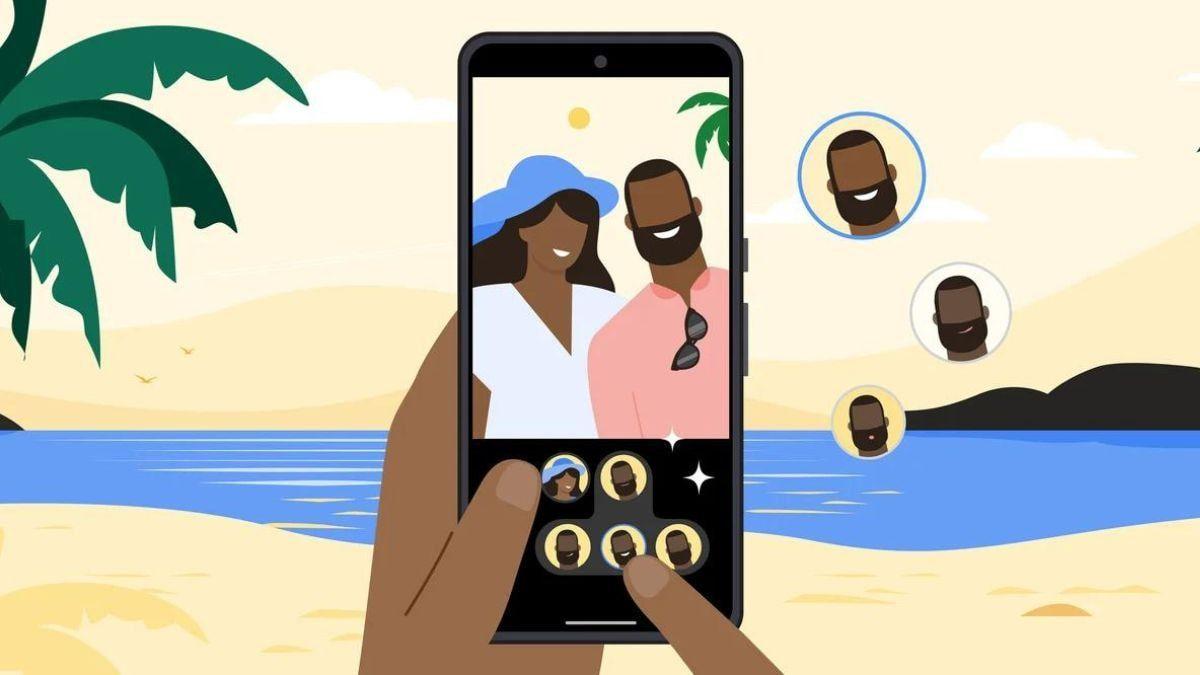
.
Source: Gadgets 360
Google describes Me Meme as "a simple way to explore with your photos and create content that's ready to share with friends and family"
3
. The feature enables users to transform personal photos into memes featuring classic templates like the distracted boyfriend or the "change my mind" guy sitting with his coffee4
. Google notes that more templates are being added over time1
.Strategic Move to Boost AI Adoption
While Me Meme represents a fairly unserious addition to Google Photos, these types of features help remind users to return to the Photos app whenever they want to play around with AI tools, rather than going to a competitor's product
1
. Users tend to gravitate toward features that show themselves in AI edits, as OpenAI found with its successful launch of the Sora app, which lets you make AI videos that can include yourself and your friends1
.Google Photos is cutting out the friction so users can generate shareable content right after they snap their shots, requiring only a couple of taps to make yourself the fed-up guy at the stadium or the woman screaming at a cat
4
. The addition fits into Google Photos' broader evolution beyond being just a gallery or cloud storage service, with the app now providing extensive editing and creation tools that allow users to enhance their own content5
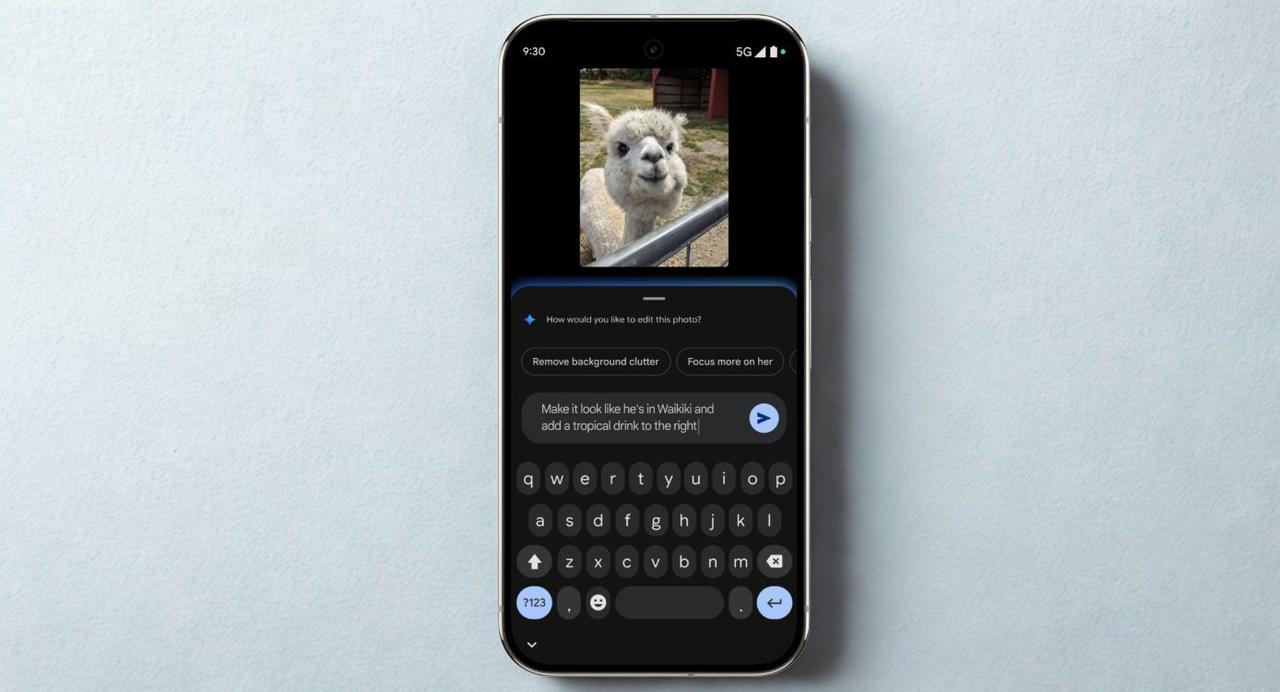
.
Source: Phandroid
Related Stories


Availability and Experimental Status
The generative AI feature is rolling out first to U.S.-based users on both Android and iOS platforms over the coming weeks
3
. However, the rollout isn't complete, and some users may not see it in their updated Google Photos app just yet1
3
. Google flags the feature as experimental, warning that "generated images may not perfectly match the original photo"1
3
.Google Photos continues to add creation tools to its arsenal, with users often finding it hard to make the switch to competitors due to the app's extensive feature set and integration with Google's broader ecosystem
5
. Since the app remains a major focus for Google's team, users should expect even more upgrades to the app coming throughout the year5
. The camera roll meme factory approach signals Google's strategy to make AI tools accessible and fun, encouraging adoption through features that anyone can try, even if meme-making might not be the most practical AI use2
.References
Summarized by

Navi
[1]
[3]
[4]
[5]
Related Stories
Recent Highlights
1
Google Maps unveils Ask Maps with Gemini AI and 3D Immersive Navigation in biggest update
Technology
2
Three Tennessee teens sue xAI over Grok AI creating child sexual abuse material from real photos
Policy and Regulation

3
Meta plans to cut 20% of workforce as AI spending reaches $600 billion, mirroring broader tech trend
Business and Economy
Recent Highlights
Today's Top Stories



Your Daily Dose of Curated AI News
Don’t drown in AI news. We cut through the noise - filtering, ranking and summarizing the most important AI news, breakthroughs and research daily. Spend less time searching for the latest in AI and get straight to action.

