Google removes paywall on Gmail's Help Me Write and AI summaries, making them free for everyone


3 Sources
3 Sources
[1]
Google drops the paywall on Gmail's most useful new tools
Features such as Help Me Write, Suggested Replies, and AI Overviews are now rolling out to everyone for free. If you thought the best Gmail tricks were only for paying subscribers, you're not alone. For quite some time, Gmail's most helpful new AI features have only been available to premium users. That's changing now. Google is removing the paywall and giving three of its most useful tools to every Gmail user for free. Before this change, getting all the AI features in Gmail meant subscribing to high-tier plans like Google AI Plus, Google AI Ultra, Google AI Pro, or other Premium tiers. Now, that barrier is gone. Regular Gmail users will soon get a big upgrade in how they manage daily emails without spending a dime. So, what do you get? First is Help Me Write, the most interactive tool. You type a prompt, like "write a polite follow-up about a delayed invoice," and Gmail creates a draft for you. You can edit, improve, or send it right away. If you don't like starting from scratch, this feature can save you time. Next is the update to Smart Replies, now called Suggested Replies with personalization. Instead of basic one-liners, Gmail now understands your conversation and suggests responses that match your tone and writing style. If you prefer short replies, it keeps them brief. If you write in a more conversational way, the replies do too. You can still edit the message before sending, but most of the work is already done for you. The replies also sound much more natural than before. Finally, for anyone overwhelmed by endless "Reply all" chains, there are AI Overviews. These are summaries that appear at the top of long or complex email threads. If you've ever opened an email with 20 replies and felt lost, you'll notice this feature right away. It's perfect for those times when you've been away and come back to a full inbox.
[2]
Gmail making Help Me Write, AI summaries, & Suggested Replies free for all
Besides previewing the future of Gmail today, Google is making a number of AI features that previously required a subscription free for personal accounts. "Help Me Write" lets you enter a prompt to draft entire emails. You can Refine the message with options like Formalize, Elaborate, and Shorten. Those tools, along with Polish, can also be used on an email you've already written. This is available on the web, Android, and iOS by tapping the pen icon badged with an AI spark. Looking ahead, Gmail will update Help Me Write with "better personalization" that leverages context from your other Google apps. Meanwhile, personalized Suggested Replies are an update to Smart Replies that go beyond generic responses by incorporating your context and tone. Gmail looks at the context of the conversation to match how you write. Say you're coordinating a family gathering and your aunt replies asking if she should bring cake instead of pie. Suggested Replies can instantly draft an initial response in your tone and style, leaving you free to refine it before giving it your approval. When opening a long email thread, an AI Overview card might appear at the top with a bulleted summary of key points. These three features previously required a Google AI Pro or Ultra subscription. Starting today, they are rolling out to all personal users in the US, with global availability following.
[3]
Gmail Users Can Now Access These Three AI Features Without Paying
Google today made three Gmail AI features free for all personal account holders in the United States, removing the subscription requirement that previously locked them behind its Google AI Pro or Ultra tiers. "Help Me Write" allows users to enter prompts to draft entire emails from scratch. Like Apple Intelligence's Writing Tools, Help Me Write includes refinement options like Formalize, Elaborate, and Shorten, and users can also apply Polish to messages they've already written. The feature is available on the web, Android, and iOS, and can be accessed by tapping the pen icon with an AI spark badge. Gmail is also rolling out personalized Suggested Replies, an evolution of Smart Replies that goes beyond generic responses. The feature analyzes conversation context and matches a user's writing tone and style. For example, if a colleague asks about rescheduling a meeting for another day, Suggested Replies can draft an initial response that reflects how the user typically communicates, after which it can be reviewed before sending. The third newly free feature is AI summaries for long email threads. When opening a lengthy conversation, an AI Overview card may appear at the top with a bulleted summary of points discussed. The changes come amid Google's preview of a new "AI Inbox" feature arriving in the next few months. The redesigned view will appear as a new option alongside the traditional inbox, offering a personalized briefing that surfaces important information without requiring users to open individual messages. Google's AI Inbox also includes a "Suggested to-dos" section highlighting bills, reminders, and short-term tasks, along with "Topics to catch up on" that provides context for messages that are important but not immediately actionable. The feature is currently available to Trusted Testers and will roll out more broadly later this year, according to Google.
Share
Share
Copy Link
Google is removing the subscription barrier on three powerful Gmail AI features that were previously locked behind premium tiers. Help Me Write, personalized Suggested Replies, and AI summaries for email threads are now rolling out to all personal Gmail users in the US for free, with global availability to follow.
Gmail AI Features Break Free From Subscription Requirements
Google is dismantling the paywall that kept some of Gmail's most practical AI-powered features in Gmail behind premium subscriptions
1
. Starting today, three tools that previously required Google AI Pro or Google AI Ultra subscriptions are rolling out free for all users with personal accounts in the United States2
. Global availability will follow this initial US launch, marking a significant shift in how Google positions its AI capabilities for email management.Before this change, accessing these AI-powered features in Gmail meant subscribing to high-tier plans like Google AI Plus, Google AI Pro, or Google AI Ultra
1
. Regular Gmail users will now receive a substantial upgrade in how they handle daily inbox tasks without spending a dime. This move comes as Google also previewed its upcoming AI Inbox feature, suggesting the company is doubling down on AI integration across its email platform.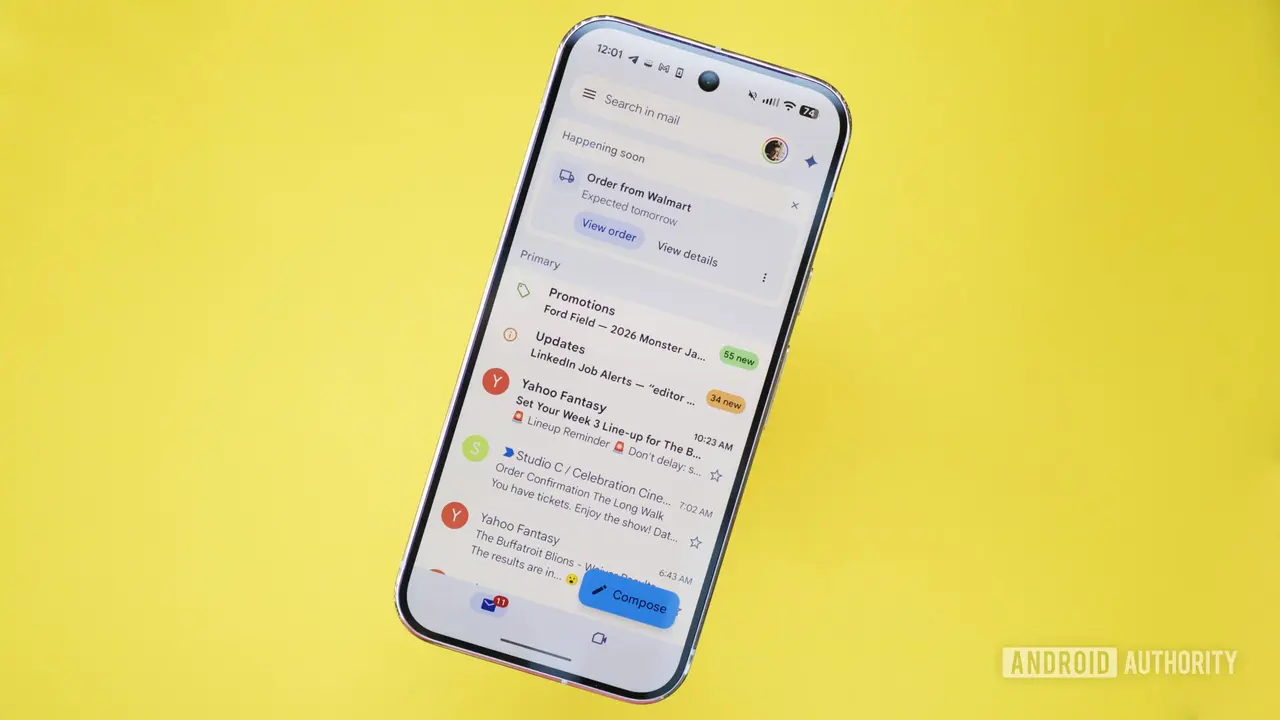
Source: Android Authority
Help Me Write Brings AI-Assisted Drafting to Everyone
The most interactive of the newly free tools is Help Me Write, which allows users to enter prompts for drafting emails from scratch
3
. You can type something like "write a polite follow-up about a delayed invoice," and Gmail generates a draft ready for editing or immediate sending1
. The feature includes refinement options such as Formalize, Elaborate, and Shorten, similar to Apple Intelligence's writing tools3
.Users can also apply Polish to messages they've already written, giving them flexibility in how they approach composition
2
. The feature is accessible across platforms—web, Android, and iOS—by tapping the pen icon badged with an AI spark3
. Looking ahead, Google plans to update Help Me Write with better personalization that leverages conversation context from other Google apps2
.Personalized Suggested Replies Adapt to Your Writing Style
Gmail's Smart Replies feature has evolved into personalized Suggested Replies, moving beyond generic one-liners to understand conversation context and match individual tone and writing style
1
. If you prefer short replies, the system keeps them brief. If you write in a more conversational way, the suggestions reflect that approach.For example, when coordinating a family gathering and your aunt asks if she should bring cake instead of pie, personalized Suggested Replies can instantly draft an initial response in your tone, leaving you free to refine it before approval
2
. Similarly, if a colleague asks about rescheduling a meeting, the feature drafts a response that reflects how you typically communicate3
. Users can still edit messages before sending, but most of the work is already done, and the replies sound considerably more natural than previous iterations.Related Stories

AI Summaries Tackle Email Thread Overload
For anyone overwhelmed by endless "Reply all" chains, AI summaries for email threads provide relief
1
. When opening a long email thread, an AI Overview card may appear at the top with a bulleted summary of key points discussed3
. If you've ever opened an email with 20 replies and felt lost, this feature addresses that pain point directly, particularly useful when returning to a full inbox after being away1
.These summarizing long email threads capabilities help users quickly grasp the essence of complex conversations without scrolling through multiple messages. The feature is designed to surface important information and context that might otherwise require reading through entire conversation histories.
What This Means for Gmail Users and Competitors
By making these tools free for all users, Google is positioning Gmail as a more competitive option against other email platforms that have integrated AI capabilities. The removal of the subscription barrier suggests Google sees strategic value in widespread adoption rather than premium revenue from these specific features. This democratization of AI tools could accelerate how quickly users adapt to AI-assisted email workflows.
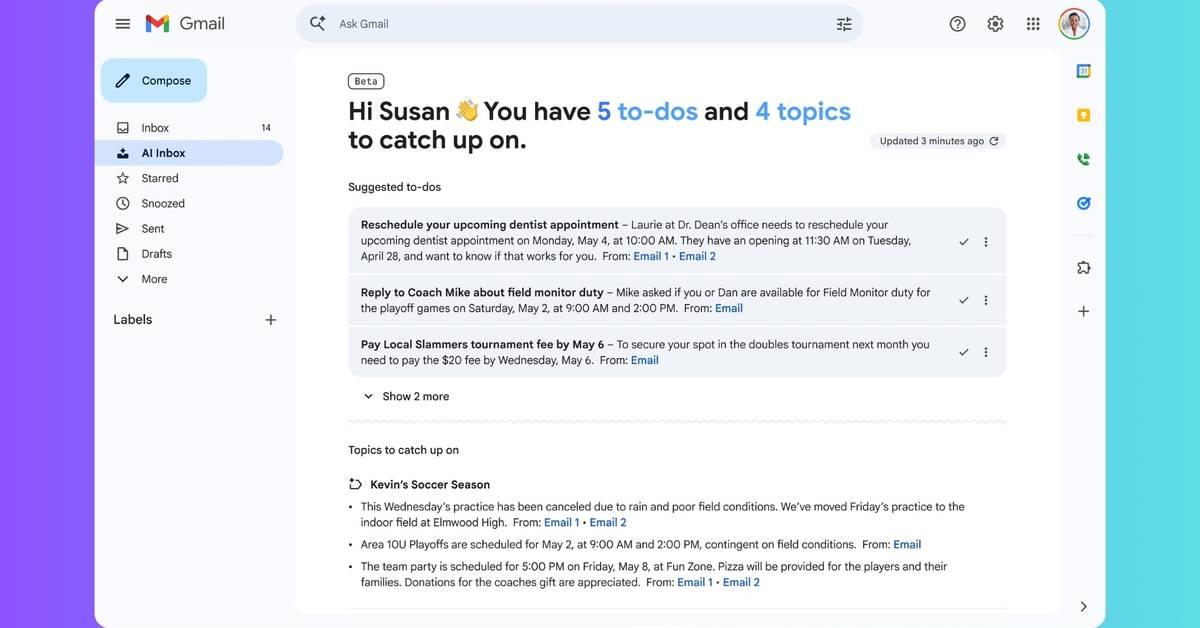
The timing coincides with Google's preview of AI Inbox, a redesigned view offering personalized briefings that surface important information without opening individual messages
3
. AI Inbox will include "Suggested to-dos" highlighting bills, reminders, and short-term tasks, along with "Topics to catch up on" for messages that are important but not immediately actionable. Currently available to Trusted Testers, AI Inbox will roll out more broadly later this year, indicating Google's commitment to transforming how user accounts interact with email through personalization and automation.References
Summarized by

Navi
[1]
Related Stories
Google unveils AI Inbox for Gmail with smart summaries and natural language search capabilities
08 Jan 2026•Technology

Gmail's AI Inbox launches with personalized briefings, but the $250 monthly price tag raises eyebrows
01 Apr 2026•Technology
Google Unveils AI-Powered Upgrades to Gmail and Workspace Suite
21 May 2025•Technology

Recent Highlights
1
Google releases Gemma 4 with Apache 2.0 license, enabling unrestricted local AI on devices
Technology

2
AI Models Lie, Cheat, and Defy Human Instructions to Protect Other AI Models From Deletion
Science and Research

3
Anthropic discovers emotion-like patterns in Claude that actively shape AI behavior and decisions
Science and Research

Recent Highlights
Today's Top Stories




Your Daily Dose of Curated AI News
Don’t drown in AI news. We cut through the noise - filtering, ranking and summarizing the most important AI news, breakthroughs and research daily. Spend less time searching for the latest in AI and get straight to action.

