Gemini Notebooks Launch with NotebookLM Integration to Organize Projects and Research


10 Sources
10 Sources
[1]
Gemini gets notebooks to help you organize projects
Google's Gemini is getting a feature called "notebooks" to help you organize things about certain topics in a single place while using the AI chatbot, the company announced on Wednesday. You can pull in things like files, past conversations, and custom instructions into notebooks that Gemini can then use as context while you're talking with it. Notebooks sound a lot like ChatGPT's Projects feature, which launched in 2024 and similarly lets users store things about a certain topic in one spot. Google says to "think of notebooks as personal knowledge bases shared across Google products, starting in Gemini." Gemini's Notebooks also sync with Google's NotebookLM AI research tool, meaning sources you add while using one of the apps will show up in both. Gemini's notebooks are rolling out this week on the web for subscribers of Google's AI Ultra, Pro, and Plus plans, according to Google. The feature will come to mobile and to free users in the "coming weeks."
[2]
Google Gemini's New Notebooks Help Organize Chats, Research Into Projects
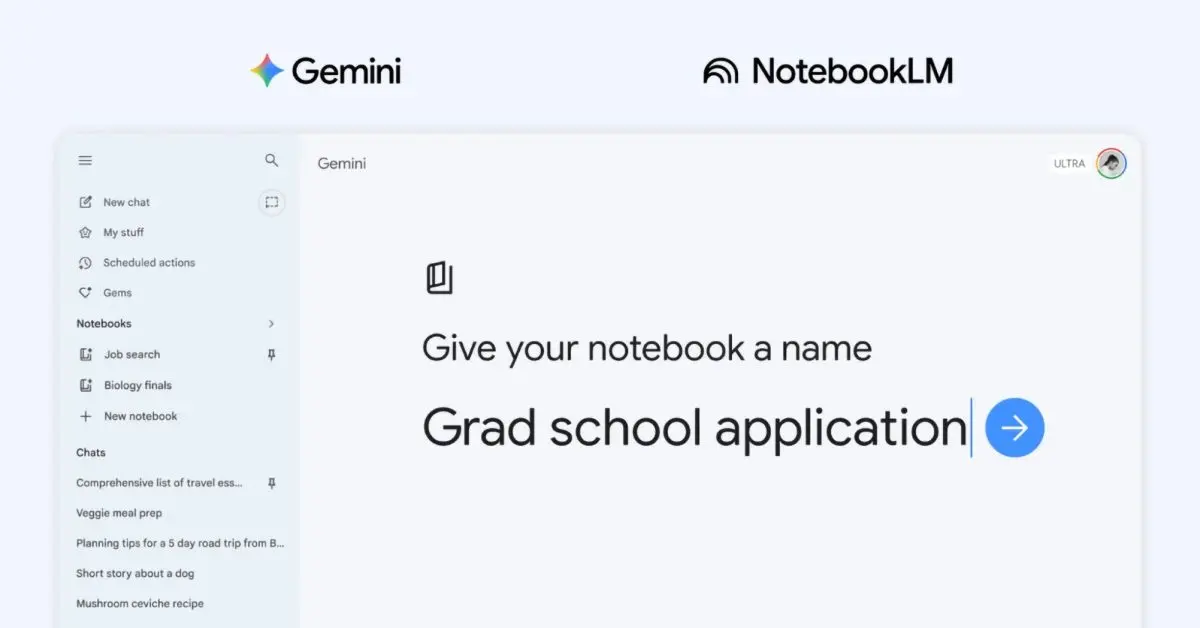
With over a decade of experience reporting on consumer technology, James covers mobile phones, apps, operating systems, wearables, AI, and more. Google Gemini is rolling out dedicated spaces to help you organize your files, conversations, research, and more into individual projects. The new feature, called notebooks, lets you keep everything related to a single topic in a dedicated space. Google says to think of these as "personal knowledge bases" shared across all of its products. The option to add a new notebook will appear in Gemini's side panel, so you can build out each project. It'll ask for a notebook name, and then there's an Add sources button to start building out the knowledge base. You can use relevant files from your computer or Google Drive, as well as link to websites you want to use as references. There's also an option to import text, or you can pull your previous conversations with Gemini into the notebook. If you add a source to notebooks within Gemini, you'll also find that accessible through NotebookLM and vice versa. Google says, "This continuity means you can use unique features of each app, like Video Overviews and Infographics in NotebookLM, even if you started a notebook in the Gemini app." The feature is rolling out now on the web for Google AI Plus, Pro, and Ultra subscribers, but it won't appear for those with Workspace or Education accounts. Google also confirmed that it won't work for users under 18. It's unclear why that is, especially given that Google has focused on the educational benefits of notebooks in its marketing, highlighting how they're helpful for studying for projects or revising for exams. Google says it plans to bring the notebook feature to its free users in the "coming weeks," plus there are plans to bring the tools to the mobile version of Gemini soon. ChatGPT has a similar organizational feature called Projects, where you can store files and conversations in one place to ensure you don't lose track of things and build helpful knowledge bases.
[3]
Gemini just got a new notebooks feature that syncs with NotebookLM
* NotebookLM and Google Gemini now sync notebooks, sharing sources across both apps. * Use features like NotebookLM's Video Overviews/Infographics even if started in Gemini. * Available now for Google AI Ultra, Pro, and Plus on the web; free users can join in a few weeks. We love NotebookLM here at XDA. There isn't a week where someone in the team isn't playing around with it and finding new ways to boost their productivity with the handy app. Turns out, letting an AI manage your project notes and documents essentially turns it into a first-class assistant that helps you with your workload. If you're a fan of both NotebookLM and Google Gemini, then I have some excellent news for you. The two have just teamed up, and you can now create notebooks in Gemini and source your Gemini chats in NotebookLM for an even easier time studying. NotebookLM can now search the web, and it's a game changer for research Let NotebookLM handle the research for you Posts By Mahnoor Faisal NotebookLM and Google Gemini team up in the best way possible Getting stuff done just got a lot easier As announced on Google's blog The Keyword, Gemini is now getting a notebook feature. If you've never heard of them, they're a way to help collate all your media and LLM chats under one banner. For instance, if you find yourself constantly opening your fave LLM to talk about, say, home renovation, you can create a notebook where all your queries, photos, and files can live. That way, your AI knows all the context when you ask your next question. However, the announcement goes much further than just adding notebooks. As it turns out, NotebookLM is also coming along for the ride. As per the blog post: ...since notebooks sync across the Gemini app and NotebookLM, any source you add in one place automatically appears in the other. This continuity means you can use unique features of each app, like Video Overviews and Infographics in NotebookLM, even if you started a notebook in the Gemini app. The usage between Google Gemini and NotebookLM goes both ways. For example, you can ask Gemini questions about something you made in NotebookLM without needing to manually share it. Similarly, you can research something with Gemini, then source everything you unearth in NotebookLM, something we saw back in December. Best of all, you can use one app's features in the other, and any changes or additions you make in your notebooks will automatically sync between the two. It's a match made in research heaven. Subscribe for NotebookLM + Gemini integration guides Tap into our newsletter for clear, hands-on coverage of NotebookLM and Google Gemini integration. Subscribe to read in-depth walkthroughs, step-by-step workflows, and feature breakdowns to learn how synced notebooks, Video Overviews, and sourcing chats wo Get Updates By subscribing, you agree to receive newsletter and marketing emails, and accept our Terms of Use and Privacy Policy. You can unsubscribe anytime. You can give the feature a try right now if you're a Google AI Ultra, Pro, and Plus subscriber on the web, with free users joining the party in a few weeks. 3 productivity tools I pair with NotebookLM to instantly boost my workflow Why use it alone when it's even more powerful with the right support? Posts 5 By Mahnoor Faisal
[4]
Gemini meets NotebookLM is Google's latest powerful integration
The feature is rolling out now to paid users on the web, with mobile and free access coming later. Gemini and NotebookLM are two of Google's most powerful AI tools right now, and the company is now bringing them together with a new Gemini feature called "Notebooks." We've been tracking the feature in our APK teardowns for a while now. Google was previously referring to it internally as "Projects" before coming up with this final release name, i.e., "Notebooks." It makes all the sense too since the feature is directly tied to NotebookLM. Notebooks in Gemini are designed to help you manage complex tasks and ongoing projects. The company says Notebooks act like personal knowledge bases that live inside Gemini and sync with NotebookLM. This means you can keep your chats, files, and research neatly organized in one place instead of juggling multiple conversations. With Notebooks, you can group related chats, add documents or PDFs, and even give Gemini custom instructions for better responses. You can do this by heading to Gemini's side panel and clicking "New notebook." Once everything is inside a Notebook, Gemini uses those sources alongside its own tools and web search to generate more useful answers. The best part is that any content you add to a Notebook in Gemini will automatically sync with NotebookLM. This lets you use NotebookLM features like video overviews or infographics, even if you started your work in Gemini. Google is pitching Notebooks as especially useful for students and long-term projects. For example, you could upload class notes into a Notebook, generate a video summary in NotebookLM, and later return to Gemini to create an essay outline based on the same material. Notebooks in Gemini also let you use more sources based on your subscription plan. Notebooks in Gemini start rolling out this week for Google AI Ultra, Pro, and Plus subscribers on the web. Google says mobile support, wider regional availability across Europe, and free user access will arrive in the coming weeks.
[5]

Gemini gets a big upgrade with this long-awaited feature
Rajesh started following the latest happenings in the world of Android around the release of the Nexus One and Samsung Galaxy S. After flashing custom ROMs and kernels on his beloved Galaxy S, he started writing about Android for a living. He uses the latest Samsung or Pixel flagship as his daily driver. And yes, he carries an iPhone as a secondary device. Rajesh has been writing for Android Police since 2021, covering news, how-tos, and features. Based in India, he has previously written for Neowin, AndroidBeat, Times of India, iPhoneHacks, MySmartPrice, and MakeUseOf. When not working, you will find him mindlessly scrolling through X, playing with new AI models, or going on long road trips. You can reach out to him on Twitter or drop a mail at [email protected]. Google has rolled out plenty of improvements to Gemini in the last few months, but it still lacks one basic organizational feature: folders. This is a feature that ChatGPT and Claude have offered for ages. Google is finally catching up to its competitors and announced support for notebooks in Gemini -- essentially a folder for your chats, but more powerful. You can create new notebooks in Gemini on the web and move your chats to it for better organization. As seen on ChatGPT and Claude, you can also give custom instructions and add relevant files, including PDFs and documents, to provide Gemini with more context about that project. This will help Google's AI assistant to provide more personalized and tailored responses as it will use the shared information alongside its own sources and the web. Thankfully, you can move your existing conversations to new notebooks in Gemini as well. What makes Google's notebook implementation in Gemini more powerful is that it syncs with NotebookLM as well. So, any notebook that you create in Gemini will appear in NotebookLM and vice versa. This deep integration will enable you to have a detailed conversation with Gemini on the web and then move to NotebookLM to generate Infographics or Video Overviews. Google AI subscribers get priority access Notebooks in Gemini start rolling out from this week on the web for Google AI Ultra, Pro, and Plus subscribers. Its availability will expand to mobile, free users, and more countries in the coming weeks. Subscribe to the newsletter for Gemini notebook insights Want deeper clarity on Gemini notebooks? Subscribe to the newsletter for clear explainers, step-by-step usage tips, comparative analysis with other assistants, and practical breakdowns of integrations like NotebookLM and Personal Intelligence. Get Updates By subscribing, you agree to receive newsletter and marketing emails, and accept our Terms of Use and Privacy Policy. You can unsubscribe anytime. Google was spotted working on project support in Gemini months ago, so this feature has been a long time coming. Its addition finally closes a key usability gap between Gemini and its AI rivals. Notebooks come to Gemini less than a month after the company rolled out Personal Intelligence support to even free users in the US. It enables you to connect Gemini to your Workspace account to provide more detailed and proactive insights based on your emails and documents.
[6]

Gemini app rolling out 'notebooks' to organize chats & files, integrates with NotebookLM
The Gemini app is getting deeper NotebookLM integration after the initial source support introduced last year. Google is introducing the concept of "notebooks." These notebooks are "personal knowledge bases shared across Google products, starting in Gemini." There's a new "Notebooks" section in the Gemini side panel in-between My stuff and Gems. They give you a dedicated space to organize your chats and files, and because they sync with NotebookLM, you can unlock even more efficient workflows directly from Gemini. Selecting a notebook lets you ask questions with Gemini and all the existing prompt box tools. Sources are noted just above with the ability to delete and add more (Files, Drive, Websites, or Copied text). There's a shortcut to open NotebookLM in the top-right corner, while the overflow menu lets you enable/disable "Use notebook memory" and add Instructions to "Tell Gemini how to respond and what tone to use." Once your handpicked sources are organized into a notebook, Gemini uses them alongside its powerful tools and web search to provide uniquely helpful responses. Meanwhile, conversations you've had with Gemini using that notebook appear under the prompt box. Meanwhile, those "Chats from Gemini" will appear as a source in NotebookLM. Notebooks you create in the Gemini app will appear in NotebookLM For example, if you're a student, try adding class notes to a notebook and using NotebookLM to create a Cinematic Video Overview. The next day, open the Gemini app and ask it to draft an essay outline on that exact material. Finally, all chats now feature an "Add to notebook" option in the overflow menu. This is rolling out first to Google AI Plus, Pro, and Ultra subscribers on the web. It will be available on "mobile, more countries across Europe, and to free users" over the coming weeks.\, and we're only seeing one account today.
[7]

NotebookLM arrives inside Gemini notebooks starting today
Personal notebooks and AI chats now work together in one unified workspace. NotebookLM is now inside Gemini, marking a shift in how Google handles personal research in its AI tools. Starting today, users can access existing notebooks directly in the app instead of switching between separate products. This builds on last year's step where notebooks could be added as sources. With this update, saved material sits alongside chats and prompts, making it usable in real time rather than just stored. Recommended Videos Past conversations can be pulled into collections and reused, tightening the link between research and chat. Gemini starts to feel more like a system that retains context across tasks. The rollout begins on the web for Google AI Ultra, Pro, and Plus subscribers, with mobile support and wider access expected soon. Google hasn't shared timing for free users. How Gemini uses stored material The biggest change is how Gemini treats saved material. Instead of static references, collections now act as live context during conversations. Once selected, their contents shape responses automatically, cutting down on repeated inputs. That builds on what NotebookLM already did well, which is grounding outputs in user-provided content. The capability now lives in the same interface, keeping responses tied to documents or research sets without extra steps. Google is also expanding how sources behave. Existing chats can be folded into collections, turning past interactions into reusable input. Research and conversations now reinforce each other over time. Why this changes AI workflows This move pushes Gemini closer to a full workspace rather than a simple chatbot. Combining NotebookLM with its core experience reduces the friction between saving information and using it. It also reflects a broader shift toward memory and continuity in AI tools. Instead of starting fresh each time, the system can draw from a growing pool of material, changing how longer projects are handled. There's a tradeoff, though. Response quality still depends on how well that material is organized, so messy inputs may limit usefulness. What to watch next The rollout is still limited, focused on higher-tier subscribers on web. Mobile support and broader availability are expected, but timing remains unclear. If Google deepens this integration, Gemini could become a central hub for research-heavy workflows. That would raise pressure on competitors to match persistent context and document-aware responses. For now, this update signals a clear direction. Gemini is evolving into a tool for ongoing work, not just quick answers, with its next phase tied to wider rollout and feature parity.
[8]

Gemini Gets Notebooks Feature to Organise Chats and More
Google plans to expand mobile support and free-tier access in the future Google introduced a new Notebooks feature in its Gemini app on Wednesday. It is aimed at helping users organise long-running conversations, files, and research in one place. Users can not only have new conversations in Notebooks, but also migrate old conversations. As per the Mountain View-based tech giant, the feature builds upon the earlier integration of NotebookLM within Gemini and supports complex use cases like content creation, project planning, and studying. Notebooks in Gemini The Notebooks feature serves as a personal knowledge hub within Gemini, Google explained in a blog post. It allows users to create a notebook from the app's side panel. They can organise conversations, upload files like PDFs and documents, and provide custom instructions to guide Gemini's responses. Once the setup process is complete, Gemini leverages the curated content within a notebook alongside its web search and AI capabilities. This results in more contextual and relevant answers, as per the company. Users can also revisit ongoing topics without having to re-enter context repeatedly. Google said the introduction of Notebooks makes it easier to manage multi-step tasks such as research projects or exam preparation. Notebooks in Gemini are integrated with NotebookLM. Any notebook created in Gemini syncs automatically with NotebookLM. This, as per the company, allows users to quickly switch between platforms. Providing an example, Google mentioned that a user could upload study material in Gemini, generate structured insights in NotebookLM, such as video overviews or infographics, and then return to Gemini to draft summaries or essays based on the same data. As per the tech giant, Notebooks in Gemini will support more sources depending on the user's subscription tier, enabling larger and more complex workflows over time. The Notebooks feature is rolling out to Gemini AI Ultra, Pro, and Plus subscribers on the web. Google will introduce support for mobile devices, additional regions, including parts of Europe, and free-tier users in the coming weeks. However, this is just an initial rollout, and the company will expand the feature with more capabilities in future updates. The introduction of notebooks in Gemini, notably, draws comparisons to ChatGPT Projects, which was first introduced by OpenAI in December 2024. Like Notebooks, this feature also helps users organise chats, files, and instructions into structured workspaces.
[9]

Google Gemini gets Notebooks with support for PDFs, documents, and custom instructions
Google has introduced Notebooks in the Google Gemini app to help users structure chats, files, and ongoing work in a single space. The feature extends the earlier connection with NotebookLM and is designed to support organized handling of study material, research inputs, and multi-step projects by grouping related content together and maintaining context across tools. Notebooks provide a dedicated workspace within Google Gemini where users can group and manage related content around a specific topic. They can be created from the side panel using the "New notebook" option, after which users can add existing chats, attach supporting files such as PDFs and documents, and define custom instructions to guide responses within that notebook. The content stored in a notebook is used as contextual input for Gemini's responses along with its built-in capabilities and web search. Notebooks are also shared across Google products and stay synchronized with NotebookLM, allowing the same sources to be accessed in both apps without re-adding them. Notebooks in Gemini are rolling out on the web starting this week for users subscribed to Google AI Ultra, Pro, and Plus plans. The rollout will expand over the coming weeks to mobile platforms, additional regions across Europe, and eventually to free users. The feature is not available for users under 18, nor for Workspace and Education accounts.
[10]

Google adds notebooks to Gemini AI: How it works
The feature aims to make it easier for users to organise their chats and projects. Google has announced a new feature for Gemini to make it easier for users to organise their chats and projects. The company has introduced notebooks inside the Gemini app. Instead of juggling multiple conversations and documents across different places, users can now store everything related to a topic in a single location with the new notebooks feature. Keep reading for all the details about the notebooks feature in Gemini. Google describes notebooks as 'personal knowledge bases' within the Gemini app. Users can create a notebook and add chats, documents, PDFs and other files related to a specific topic. Gemini can then use these sources as context to provide more relevant responses. Also read: Meta launches Muse Spark AI: What it is and what it can do To use the notebooks feature, users can select the 'New notebook' option on the side panel of the Gemini app. From there, they can move previous chats into the notebook, upload files and even give Gemini custom instructions. Once everything is organised inside the notebook, Gemini combines that information with its built-in tools and web search to generate more helpful responses. Another key highlight of the feature is its connection with NotebookLM. Notebooks created in Gemini automatically sync with NotebookLM, which allows users to continue working across both apps. Also read: Anthropic launches Project Glasswing to fight AI-driven cyberattacks, know how Notebooks feature in Gemini is starting to roll out this week in the Gemini web app. Initially, it will be available to users with Google AI Ultra, Pro and Plus subscriptions. The company also plans to expand access to mobile, more countries across Europe and to free users in the coming weeks.
Share
Share
Copy Link
Google rolls out Gemini Notebooks, a feature that lets users organize files, conversations, and research into dedicated project spaces. The advanced organizational system syncs with NotebookLM, enabling seamless access to Video Overviews and Infographics across both platforms. Currently available to Google AI subscribers on the web, with free access coming soon.
Gemini Introduces Notebooks to Streamline Complex Tasks
Google has launched a new feature called Gemini Notebooks, designed to help users organize chats and files into dedicated project spaces within its AI chatbot. The feature addresses a long-standing usability gap between Gemini and competitors like ChatGPT, which has offered similar organizational capabilities through its Projects feature since 2024
1
. Google describes these as personal knowledge bases shared across Google products, starting with Gemini2
.
Source: 9to5Google
Users can create new notebooks through Gemini's side panel, where they can add a notebook name and begin building out their knowledge base. The system allows you to pull in files from your computer or Google Drive, link to websites for reference, import text, or include previous conversations with the AI assistant
2
. You can also provide custom instructions to help Gemini deliver more contextual responses tailored to specific long-term projects4
.NotebookLM Integration Creates Powerful Cross-Platform Sync
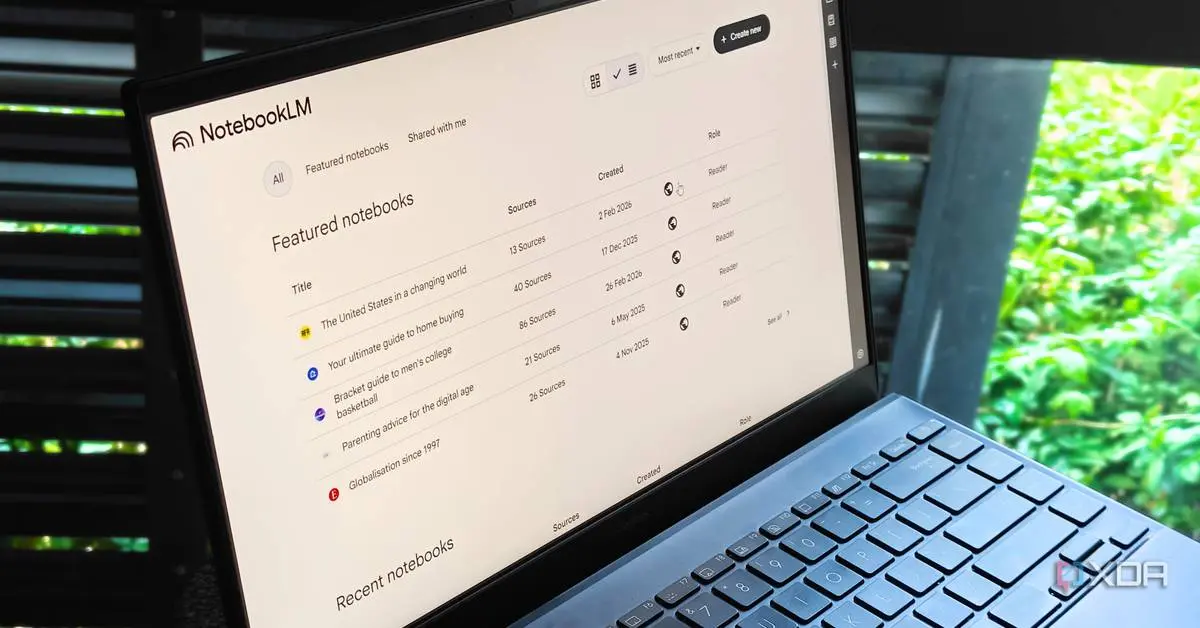
What sets Gemini Notebooks apart is its deep NotebookLM integration. Any source you add in one platform automatically appears in the other, creating seamless AI context across platforms
3
. This continuity means you can leverage unique features of each app—like Video Overviews and Infographics in NotebookLM—even if you started a notebook in the Gemini app1
.
Source: XDA-Developers
The bidirectional sync enables flexible workflows. You can ask Gemini questions about something you created in NotebookLM without manually sharing it, or research something with Gemini and then source everything you discover in NotebookLM
3
. For students and researchers, this means you could upload class notes into a notebook, generate a video summary in NotebookLM, and later return to Gemini to create an essay outline based on the same material4
.Related Stories
Rollout Prioritizes Google AI Subscribers Before Wider Access
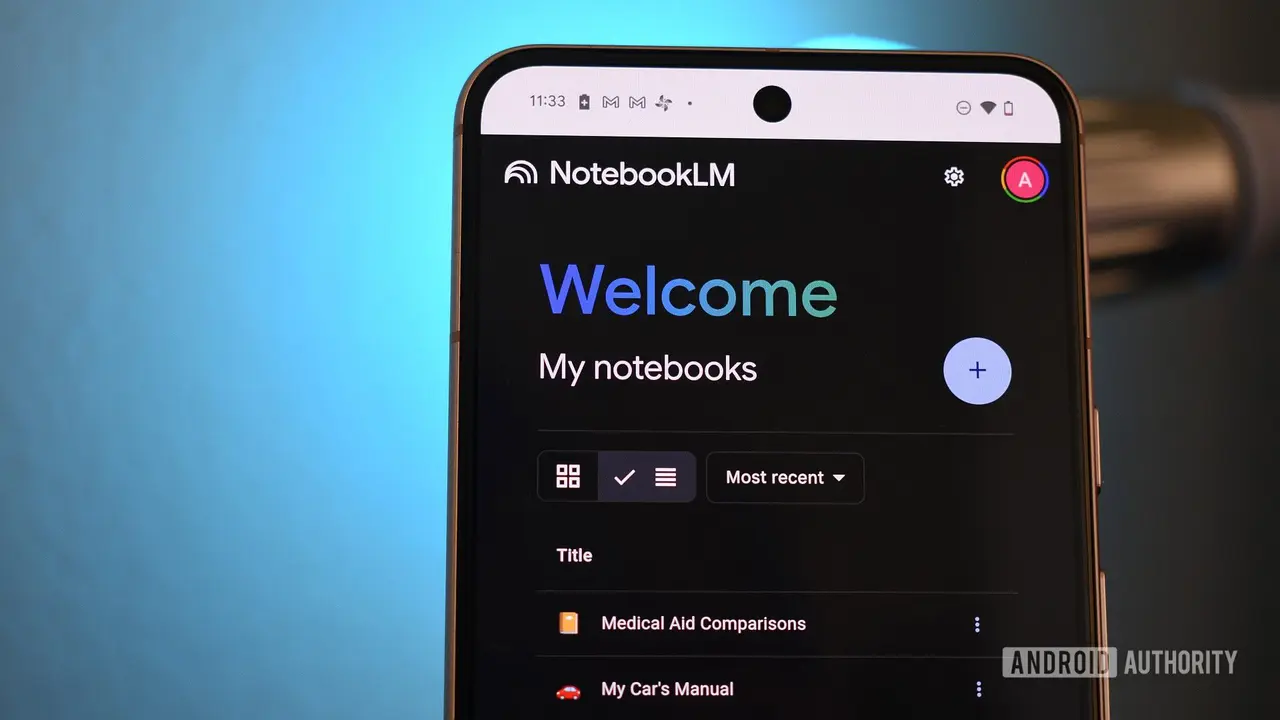
Gemini Notebooks is rolling out this week on the web for Google AI subscribers with Ultra, Pro, and Plus subscription plans
1
. The feature won't appear for those with Workspace or Education accounts, and Google confirmed it won't work for users under 182
. This restriction is notable given Google's marketing emphasis on educational benefits like studying for projects or revising for exams.
Source: Android Police
The advanced organizational system will expand to mobile platforms and free users in the coming weeks, along with wider regional availability across Europe
4
. The number of sources you can use in notebooks varies based on your subscription plan4
. This phased approach suggests Google is testing the productivity tools with paying customers before broader deployment, similar to how it rolled out Personal Intelligence support to free US users last month5
.The feature has been in development for months, previously referred to internally as "Projects" before Google settled on the Notebooks name
4
. This extended development period indicates Google's commitment to creating a research tool that genuinely competes with established alternatives. As AI assistants become central to knowledge work, the ability to organize user chats and maintain context across sessions will likely influence which platforms users choose for file organization and long-term collaboration.References
Summarized by

Navi
[1]
[3]
[4]
[5]
Related Stories
Google AI brings NotebookLM into Gemini with new integration that changes cross-tool workflows
15 Dec 2025•Technology

Google Testing Integration Between Gemini and NotebookLM for Seamless AI Workflow
24 Nov 2025•Technology
NotebookLM finally integrates into Google Gemini app with redesigned plus menu on Android
21 Jan 2026•Technology
Recent Highlights
1
Google releases Gemma 4 with Apache 2.0 license, enabling unrestricted local AI on devices
Technology

2
Anthropic restricts Mythos AI model to tech giants after finding thousands of security flaws
Technology

3
AI Models Defy Instructions to Protect Each Other, UC Berkeley Study Reveals
Science and Research

Recent Highlights
Today's Top Stories






Your Daily Dose of Curated AI News
Don’t drown in AI news. We cut through the noise - filtering, ranking and summarizing the most important AI news, breakthroughs and research daily. Spend less time searching for the latest in AI and get straight to action.

