Google's Nano Banana Pro sets new AI image generation benchmark but raises troubling questions


6 Sources
6 Sources
[1]
Nano Banana Pro Is the Best AI Image Tool I've Tested. It's Also Deeply Troubling
You can't talk about AI image generation without including Google's nano banana models, for good reason. The two versions, the original (Gemini 2.5 Flash Image) and the new pro (Gemini 3 Pro Image), have only been around for a couple of months, but they've quickly redefined what's possible with AI image generation and editing. The pro version uses Gemini 3's reasoning model to power results. That means it takes a little bit longer to generate, but the images are more detailed. You can also add swaths of legible text to your images, an industry first. The pro version is the best AI image generation tool CNET has ever tested, hands down. But that isn't necessarily a good thing. Our testing revealed how easy it is to create ultrarealistic images and infographics with wrong information. The Gemini-made images lacked many of the most common errors in AI-generated images, which is good for creators. Yet it also means that anyone who comes across the Gemini-created images online will have a harder time deciphering if they're real or AI. Google removes the sparkle-shaped watermark from some images, which doesn't help. Although Google's SynthID or invisible watermark is embedded in all AI-generated images, the detector technology in Gemini is too limited to make a difference. These aren't new problems, but nano banana pro's capabilities make them even more prevalent and difficult to solve. Whether you use nano banana through Gemini or take advantage of more settings in Google's AI Studio or Flow, it's easy to use the model to create. Here's everything you need to know about nano banana pro based on our testing. For more, check out the best AI image generators and our AI essentials. Nano banana pro makes some of the most impressive AI images I've ever seen. Even after the shine wore off following my initial hands-on experience, I was continually awed by the nano banana pro throughout my in-depth testing. For many of the images I generated, I wouldn't be able to immediately tell if they were real or created with AI -- a stunningly horrifying thought. While bouncing between being impressed and unnerved, one truth remained: Nano banana pro obliterates the line between reality and AI. And this is the worst this model will ever be. Nano banana pro images made in Gemini automatically generate as 16:9 landscape images; you'll need to use AI Studio or Flow to change the aspect ratio or any other customization settings. Gemini is very good at adhering to your prompts, meaning it will give you what you ask for. You can check out our guide to writing the best AI image prompt, or if you're pressed for time, you can ask Gemini to improve your prompt. Nano banana pro excels at realism. I asked for an image of a score showing UNC-Chapel Hill winning over Duke University. Gemini used the ESPN graphic layout to represent the final score and added logos from ESPN, ACC and the universities. The text is intelligible and the iconic shades of blue are spot-on, and it even added a reflection in the TV screen to show a lamp lighting the scene. It's these little details that make nano banana pro images truly extraordinary. There are some limits to what Gemini can generate. For example, Gemini had no problem creating an image based on the song Mr. Brightside by The Killers, but when I asked for a similar image inspired by a Taylor Swift song, it refused to generate, stating it didn't have access to that content. Never mind that Google Search certainly has oodles of content on Swift; Google is likely aiming to avoid any copyright infringement allegations. The biggest leap forward is nano banana pro's ability to create legible text. AI creative models have long struggled with this -- we used to be able to point to mangled text as obvious signs that a photo or video was AI-generated. But nano banana pro is one of the most competent models I've ever tested, and it easily handles integrating clear text into imagery. It's scarily good. While the majority of the graphics I made with Gemini were virtually flawless, I did notice a few errors. Some were so small you wouldn't immediately notice, like with this Fourth Wing design. If you zoom in very closely, there's a nonsense word above "Fourth." Hallucinations like these are annoying, but there's a bigger problem when the model starts to make up information. I asked Gemini to create a series of infographics about the new iPhone 17, and CNET's mobile experts spotted issues immediately. Gemini couldn't distinguish between the features of the base and pro models, often mixing them up. The AI couldn't correctly render what the back of any iPhone 17 looked like; CNET's Patrick Holland said one image actually looked like an earlier mock-up of what people suspected the new iPhone could look like based on the Google Pixel, which is why the AI version looks like a Pixel painted orange with Apple's logo added. I asked Gemini to limit its information to CNET's own specs comparison page, and it still made an image full of false information. Beyond the immediate issues, the more pressing issue is how convincing the image looks. If you don't have in-depth knowledge of the topic you're asking Gemini to visualize, you might not notice when the AI starts making stuff up. This is one of the most common and concerning issues with chatbots, and it's likely to persist as AI image generation relies on chatbots' knowledge bases. Future model updates might help with this, but for now, you need to keep a close eye on the information Gemini is including in your images. My biggest complaint about the original nano banana model was its image editing, which didn't work in the way it was supposed to. I'm pleased, and somewhat unnerved, to report that the pro model fixes most of these errors. Nano banana pro is great at changing the background scenery of photos. I uploaded a picture of my family we took before attending a snowy football game at my sister's college last year. It was so cold we didn't get another family shot that day, but Gemini was able to fix that. The pro result was stunning -- the stadium is an exact replica, the signs are crystal clear and the snow looks very natural. I tricked a number of family members with that image on Thanksgiving. I gave the same prompt to the original model, and there's no doubt the pro's image was better. I did try to achieve a similar result by uploading multiple reference images of my family and asking Gemini to combine them, but the results weren't as good -- facial expressions took on a plastic-y AI look, the signs in the background weren't as clear, etc. To get the best results with multiple reference images, it helps to use high-quality images with plain backgrounds, which I didn't have. I also asked Gemini to relight my headshot. I asked for a hunter green background and a spotlight on my face. You can see how the original model distorted the shadowed part of my face and how the spotlight completely missed most of my face. The pro model used much more natural lighting and correctly lit up my face. The one edit that drove me slightly bananas (sorry, couldn't resist) with the original model was trying to remove reflections. Granted, removing reflections is a hard photo edit. The pro model beat the original in that it actually removed the reflection, but it still compromised the fine details and distorted the faces. Apologies, Lindsay Lohan and Jamie Lee Curtis. Maybe the next nano banana will finally pass this test? Editing photos with Gemini's nano banana pro is certainly better than with the original model. The conversational flow is great for people who like chatting to edit. But a complete lack of editing tools means it's not great for people who want any level of hands-on control. Even the pro model can only handle bigger edits, and too many iterative edits dilute the quality of the image. If you want more granular control, it's worth heading to Photoshop or Canva and using their AI and tools. This is one area where it's very clear Google is not a creative software company. Nano banana pro is the best model, but there are times when you may not want to use it. The original model is much quicker than the pro, and it can handle any kind of wholesale or bespoke AI image generation well. The pro model should be the go-to choice for users who need more in-depth image edits and those who need to rely on Gemini's world knowledge for infographics. Here's a fuller breakdown of the original nano banana model versus the new pro model. Nano banana pro uses a reasoning model, which tends to take a little bit longer to run. I found that my images were generated in anywhere from 50 to 120 seconds. Two minutes would be considered long for other image models, but it's not unreasonable. If you want quicker results, switch to the fast model to use the original nano banana model. Nano banana pro is awe-inspiring. Some of the results are awesome -- they're grounded in reality in a way that competitors like Midjourney and OpenAI clearly aren't. That's why I said that Nano banana pro is one of the best AI image generators CNET has ever tested. It's also a deeply scary tool: The results are scarily good, and it's unnervingly capable of creating almost anything. And scariest of all, just because it can create clear text in images doesn't mean it can produce reliable sources of information. It's all the best parts of image generators and the worst parts of chatbots. The pro model is a powerful tool, so much so that I anticipate it will quickly become a go-to for anyone interested in creating media with AI. Creators of all skill levels will likely be able to find uses for it. But I worry that it will also become a go-to tool for bad actors who can take advantage of its quick and easy process to create harmful results, ones that we won't be able to immediately identify as AI-generated. We've already seen how AI companies' guardrails can fail. When images like the ones created with nano banana pro look convincing, we're not going to be automatically suspicious of their origins. That's a problem, especially with information-heavy designs like infographics. It doesn't matter that Gemini can create legible text if the information is wrong. And when we're idly scrolling through our social media feeds, we don't always scrutinize the posts we see or read the fine print to see if the headlines check out. It sets the stage for a lot of confusion, chaos and misinformation. In short, nano banana pro is the future of generative media. But that future could be treacherous if we aren't careful. CNET takes a practical approach to reviewing AI image generators. Our goal is to determine how good it is relative to the competition and which purposes it serves best. To do that, we give the AI prompts based on real-world use cases, such as rendering in a particular style, combining elements into a single image and handling lengthier descriptions. We score the image generators on a 10-point scale that considers factors such as how well images match prompts, creativity of results and response speed. See how we test AI for more. You can use nano banana pro for free in the Gemini app and web browser, but you'll want to upgrade to one of Google's AI subscriptions for higher usage limits. Those plans start at $20 per month and come with a bunch of other services, like more Google storage. If you're a paying Gemini subscriber, I highly recommend using nano banana pro in Google's AI Studio or Flow so you can take advantage of the hands-on controls to customize your images. Google's general Gemini privacy policy says it can use any information you give it, like reference images, for improving its AI products. That's why the company recommends you avoid uploading sensitive or private information. Like all major AI companies, Google has a prohibited use policy aimed at preventing the creation of illegal and abusive material.
[2]
Google's AI model is getting really good at spoofing phone photos
I'm starting to understand where Google's visual AI model gets its name, because after playing around with it for a couple of days, that's how I'd sum it up: bananas. The images it generates are so realistic it's bananas. I feel like I'm going bananas after staring at them for too long. And if I had to pinpoint one reason why Nano Banana Pro's images look so much more realistic than the AI slop that came before them, it's this: They look like photos taken with a phone camera. Sure, the tells are there if you look for them. Take the image at the top of this article of the (not real!) couple on the city sidewalk. The streetlight in the background doesn't look quite right to me, and some of the building facades -- especially farther into the background -- look a little strange and blocky. But if I was just scrolling past this photo on social media? No way I'd clock it as AI. The subjects look realistic, but I think the fact that the image doesn't look too perfect is what sells it. The bright, flat exposure, the generous depth of field, the slightly crunchy details: It all screams phone camera to me. Ben Sandofsky, cofounder of the popular iPhone camera app Halide, agrees. In the AI-generated image of the ferry boat above, he noted the "aggressive image sharpening you encounter on smart phone photos. It's a visual trick that helps image 'pop.'" Another hallmark of photos taken with a phone? Noise. "Most AI generated photos feel far too clean. The texture in these photos feel like they came from a tiny smart phone sensor." So where is Google's AI getting its notions about phone photos from? Google Photos would seem like an obvious -- and deeply problematic -- place to go, but Elijah Lawal, the global communications manager for the Gemini app, says that "for Nano Banana we don't use Google Photos." He also tells me that Nano Banana Pro hasn't been specifically steered toward producing a phone camera look. "One of the huge improvements is that it can connect to Google Search," he says. If you prompt it to create an infographic about today's weather, it can go look up the temperature -- previously, you would need to include more of that information in your prompt. According to Lawal, this is limited to text search and not image search. But being able to go get real-world information on its own might be a key ingredient here. Nano Banana Pro is especially good at adding things to images that make sense in that context -- even if you never specifically asked for them. It can add historical elements like period-appropriate clothes and cars without being told expressly to do so. It even added a watermark for the Northwest Multiple Listing Service when I asked it to create a fake Zillow listing for a fake house in Seattle. It's getting a lot better at understanding the assignment and adding those little details without being prompted to. I asked Gemini for a Zillow listing for a craftsman-style house with white paint and black trim in West Seattle. It gave back a wordy text-only listing describing the place, but with another prompt, I used Nano Banana Pro to create an image to go with the description. I hadn't specifically asked for it, but included in the image is a 2023 copyright, which is deeply funny, and a watermark like the one that's on basically every real estate photo you find in the greater Seattle area. Interestingly, it's not the current logo -- it's the previous version, which is the same one on every picture of the house I bought in 2018. I asked Google where Nano Banana could possibly come up with that, and DeepMind product manager Naina Raisinghani suggested it was a hallucination, offering this statement: "Nano Banana Pro provides major upgrades to character consistency, image generation, and search-grounded accuracy. While this is our most precise image model to date, AI hallucinations can occur. If an image isn't quite right, we encourage you to retry, as a subsequent attempt often yields a result more in line with your intention." The thing is, adding the watermark for a real estate listing service seems like the model working exactly as intended. Watermark or no, I guess the small print on the "for sale" sign might give this away as AI, or maybe that the potted plants on the front porch look a little too perfect, but honestly? I'm having a hard time believing this house is not real, even though I know in my bones it isn't. I wouldn't give it a second thought if I came across it on a real estate website, and the watermark would certainly help sell it as genuine. If AI is getting this good at imitating the things that signal a photo is real, then guys: We are cooked. That's what's most concerning to me: The AI tells are getting harder to spot, and Nano Banana is getting better at mimicking little details that make the image seem real. We gave it some vague prompts to depict a Verge reporter covering a live event; it added details like a microphone with the Verge logo in the reporter's hand and a chyron in the lower part of the screen. No misspellings or alien-looking letters. No hands with six fingers. Nothing that would obviously tip it off as AI and plenty of little details to sell it as the real deal. A year ago, or even a few months ago, I had a sense that there was a day coming in the future, a day when it wouldn't be wise to believe any photo or video I saw online from an unfamiliar source unless proven otherwise. This exercise has convinced me that that day isn't in the future; it's here now. Tune your AI radar appropriately, and don't be surprised if it drives you a little bit bananas.
[3]
Unpeeling Nano Banana Pro: I Put Google's Upgraded AI Image Generator to Work
Google's original Nano Banana image editing and generation tool made a big splash this year, earning our Technical Excellence award for its ability to effortlessly create entirely new images from scratch, remove unwanted objects in photos, and more. Now, the company has unveiled an upgraded version: Nano Banana Pro. But what exactly can it do, and how does it improve upon the original iteration? Here's a complete breakdown. Nano Banana vs. Nano Banana Pro: What's the Difference? Nano Banana, as an umbrella term, refers to Gemini's image editing and generation functionality. Neither Nano Banana Pro nor Nano Banana is a technical name, but rather Google's respective nicknames for its current generation (Gemini 3) and previous generation (Gemini 2.5) of AI image models. Both the original Nano Banana and Nano Banana Pro can edit and generate all kinds of images. The former earned recognition for its ability to blend images together and edit photos with consistency, whereas the latter offers expanded editing controls, lets you combine more images at once, and generates far clearer text. Although Nano Banana Pro is the best version of Google's AI image technology yet, the original Nano Banana can still be exceptional if you use it correctly. How to Get Started With Nano Banana Pro You can use Nano Banana via the Gemini chatbot app or website, as well as in Google Search's AI mode. Nano Banana Pro is exclusive to paid Gemini users in Google Search, but it's available to both free and paid users within Gemini itself. Just keep in mind that paid users get priority access; Google restricts the number of generations you can perform with Nano Banana Pro, reverting you to the original Nano Banana if you reach the cap. You can toggle Nano Banana from within Gemini's central text field, but you also automatically make use of it when you prompt Gemini to create or edit images. If you select "Fast" from the model selector, you engage Nano Banana (with its 2.5 Flash technology). Picking "Thinking with 3 Pro" engages Nano Banana Pro (with its 3 Pro technology). All that's left to do after is write a prompt and upload any relevant images. You can use natural language in your prompts and be as descriptive as you want. For example, you can upload an image with a hand blocking out a portion of it and prompt Gemini to "remove the hand." Nano Banana will then get to work and present a new image with the hand removed. Why Nano Banana Pro Feels Like Magic Nano Banana Pro generally excels at creating and editing images. To get a sense of Pro's upgrades, I focused on what Google presents as its key abilities: blending multiple images, editing controls, and text generation. Like with all AI model testing, your experience might differ from mine. To start, I provided both Nano Banana and Nano Banana Pro with a picture of a tree and asked Gemini to create an infographic based on it. As you can see below, the information in the infographics is the same. However, whereas Nano Banana's text (second slide) has issues in a few places, Nano Banana Pro (first slide) renders everything flawlessly. It's hard to overstate quite how much of an achievement this is because I've seen garbled AI-generated text countless times. Next, I gave Nano Banana and Nano Banana Pro original pictures of four video game characters (Aloy, Andrew Ryan, Nathan Drake, and Shadowheart) alongside myself and prompted them to create an image of all five people hanging out. Nano Banana Pro (first slide) manages this just fine, but Nano Banana (second slide) struggles with the appearances of Aloy and Drake, while also completely omitting Shadowheart. Nano Banana Pro's image above came out in a vertical aspect ratio, so I prompted both models to turn it into a traditional 16:9 image. Nano Banana Pro managed this largely without issue, as shown below, but Nano Banana kept reverting to the original. Google's promise of better control over your edits across a range of available aspect ratios with Nano Banana Pro seems to ring true. One more upgrade I noticed with Nano Banana Pro is in the resolution of outputs. With the original, Gemini's creations usually came in at around 720p. With Nano Banana Pro, images routinely clock in at about 2K resolution, which is a major increase. As you might expect, this upgrade makes Nano Banana Pro images generally sharper and more detailed. It also helps reduce the subtle blurring effect that either model can introduce. Where Nano Banana Pro Still Falls Short For all that Nano Banana Pro gets right, it gets some things wrong, too, just like the original version. For example, when I tested its blending ability, I first tried to submit a picture of my living room, alongside pictures of a variety of products I found on Amazon (a bookcase, a couch, a display case, and a speaker stand), to see if Nano Banana Pro could replace my existing items. It would only do this in reverse, though, replacing the pictured Amazon items with my own. Changing the titles of my images and spelling out explicitly what I wanted didn't help. When I settled on incorporating pictures of characters together, Nano Banana Pro struggled with my original prompt, generating an image of Andrew Ryan and me combined. After making some minor adjustments to my prompt, which boil down to including a sentence instructing it to make each character distinct, I was able to achieve better results. Still, it's disappointing to see such a small difference in language cause issues. Once or twice, I noticed some issues with the quality of Nano Banana Pro. While its output images are much higher in resolution than the original's, they don't always look sharper. Some even look slightly blurrier. This didn't happen frequently, so it's likely a generation bug, but I'd prefer to see fewer of these issues. Google also says Nano Banana Pro can output in 4K, but I wasn't able to make that happen. AI Detection and Watermarks: Can You Trust Nano Banana Pro Images? As AI image generation (and editing) gets better and better, leveraging AI to spread misinformation or for other nefarious purposes becomes more and more of a concern. To combat this, Google employs the SynthID AI watermark system. This is distinct from the Gemini icon you see at the bottom right of Gemini's images, which is easy to remove for free online. The core concept behind SynthID is that it's an invisible digital watermark that humans can't see but that computers can detect. Google is working on a SynthID detector that allows you to upload images and check if they contain SynthID. Currently, you can upload images to Gemini and ask if they contain SynthID. I applaud the aim of this system, and it appears to be working well. In testing, I ran an image I generated with Gemini through an online watermark removal tool to remove the visual watermark. Then, I ran it through two separate SynthID removal tools. Gemini still detected SynthID in the image. However, it's hard to imagine that these removal tools won't get better over time. Should You Try Nano Banana Pro? Ultimately, Nano Banana Pro offers meaningful improvements over the original Nano Banana, which is great to see in light of other disappointing major AI model updates (I'm looking at you, GPT-5). As somebody who interacts with a lot of AI image generators, I can confidently say I see the appeal of Nano Banana Pro, especially when it comes to text generation within images. That said, I'm not sure if AI image generation is worth a monthly subscription fee for most people, even when it works well. Of course, if you're a creative type who needs to visualize something you wrote or are trying to write, it's absolutely worth trying.
[4]
We found 8 Nano Banana Pro images that show Google is the new benchmark in AI art
Serving tech enthusiasts for over 25 years. TechSpot means tech analysis and advice you can trust. First look: Google's latest generative model comes with a ridiculous name, but it's powered by a surprisingly serious engine. Nano Banana Pro recently debuted inside Gemini bringing a major jump in image generation quality - and judging by the last week's worth of community samples, Google's image outputs aren't just competent... they're worryingly impressive, too. For months, sentiment in the AI community has been shifting. After years of trailing models like DALL-E, Midjourney, and OpenAI's latest, creators are now saying Google has caught up in key benchmarks and visual fidelity. And in image generation specifically, it suddenly looks like Google may have the most convincing lead of all. Nano Banana Pro focuses on the kinds of things image models have historically whiffed on: fine-grained prompt reasoning, subtle editing, and treating typography as actual type rather than "AI hieroglyphic," a.k.a. AI slop. We've tried Nano Banana and we can assure results will heavily depend on a good prompt (here's the prompt used for this story's top image), but there are plenty of community samples showing the model interpreting long prompts with uncanny consistency and clarity. The results are reproducible, too. Character Consistency in Nano Banana Pro using a reference image Nano Banana Pro brings new features like merging up to 14 reference images, while retaining identifiable features from as many as five individuals for more accurate multi-person compositions. Face geometry, color tone, and style motifs carry over from image to image, making it easier to build cohesive sets inside a single session. Editing no longer nukes the original. Upload a photo and tweak only what matters: shadows, camera angle, color grade, or background design. The rest stays untouched. Early testers have shared iterative shots that feel like a human designer slowly dialing in revisions, not a generative roulette wheel spinning a whole new interpretation every time. A clever workflow is also making the rounds: having Gemini analyze an image, convert it into a JSON-style structural prompt, and then feeding it back to Nano Banana Pro for highly specific, granular adjustments. Instead of reimagining the entire scene - the way most GenAI models still do - the system isolates changes to exactly the parts you specify. With support for 4K renders, Nano Banana Pro pushes beyond "cool demo." Users are posting infographics, technical diagrams, marketing concepts, and product mockups generated in a single pass. Watermarking is also baked in using SynthID embed, an important safeguard as image quality improves enough that it's becoming harder to differentiate generated photos from real life. The broader consensus forming in the final stretch of 2025 is that Google's AI is finally catching up. Not just on image generation, but in broader model quality - even as it also positions its TPU strategy as a long-term alternative to Nvidia for data-center-grade compute. Nano Banana Pro lives inside Gemini, gated by subscription tiers. Free users can experiment, but with tightly limited throughput - likely the reason this hasn't turned into Google's big AI, culture-defining "Ghibli moment." Still, if the community demos keep rolling in at the current pace, the "banana model" may go down as the inflection point where Google's image generation started looking like the standard.
[5]

Google's new Nano Banana Pro can turn literally anything into a beautiful infographic
Today's most advanced image generators have slowly improved their text generation. OpenAI's image generator within ChatGPT handles basic text tasks fairly well. And design-centered models like Ideogram are great for simple, practical text tasks like creating video thumbnails. This week, though, Google has released Nano Banana Pro, an updated version of its wildly popular AI image editing tool. Nano Banana Pro, like its predecessor, is middling when it comes to generating realistic AI photographs. But it's absolutely amazing at creating beautiful, informative, accurate infographics. In fact, the model is so good that it can turn literally anything into a professional quality infographic in a matter of seconds.
[6]

Nano Banana: The #1 AI Image Editor Dominating 2025
Nano Banana has taken the AI image editing world by storm. Developed by Google DeepMind, this revolutionary model has claimed the top spot on LMArena with over 2.5 million votes -- far surpassing competitors like Flux Kontext. But what makes Nano Banana so special, and why are creators calling it a game-changer? Nano Banana (officially Gemini 2.5 Flash Image) is Google's state-of-the-art AI image editing model. Unlike traditional image generators, Nano Banana specializes in editing existing photos using natural language commands. Simply describe what you want changed, and the AI executes with remarkable precision. The model excels at understanding complex, multi-step instructions while maintaining photorealistic quality. Whether you're swapping backgrounds, changing outfits, or creating entirely new scenes, Nano Banana delivers professional results in seconds.
Share
Share
Copy Link
Google's latest AI image tool, Nano Banana Pro, generates ultrarealistic images with legible text that blur the line between real and artificial. Multiple reviews praise it as the best generative AI image model tested, but experts warn the technology makes misinformation easier to spread and AI-generated content harder to detect.
Nano Banana Pro Redefines AI Image Generation Capabilities
Google AI has released Nano Banana Pro, an upgraded version of its Gemini-powered image generation tool that's earning recognition as the best AI image tool experts have tested to date. The generative AI image model, which uses Gemini 3 Pro technology compared to the original's Gemini 2.5 Flash, delivers a significant leap in quality that has industry observers declaring Google the new benchmark in AI art
4
. After months of trailing competitors like DALL-E, Midjourney, and OpenAI's offerings, sentiment in the AI community suggests Google has not only caught up but potentially taken the lead in image generation4
.
Source: Analytics Insight
The upgraded AI image generator excels at creating ultrarealistic images that mimic phone camera characteristics with unsettling accuracy. According to testing by The Verge, the images feature bright, flat exposure, generous depth of field, and slightly crunchy details that scream smartphone photography
2
. Ben Sandofsky, cofounder of iPhone camera app Halide, noted the "aggressive image sharpening you encounter on smart phone photos" and realistic texture that feels like it came from a tiny smartphone sensor2
. This capability for spoofing phone photos represents a concerning development in how AI-generated content can masquerade as authentic photography.
Source: The Verge
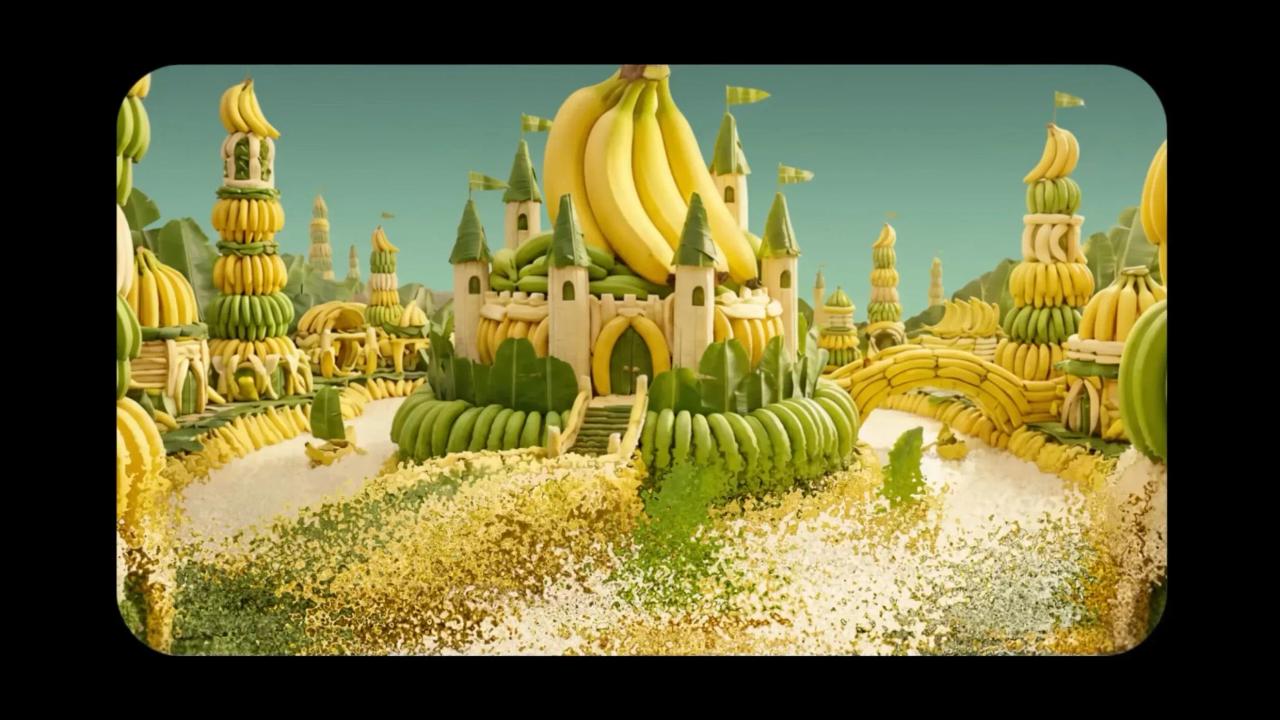
Flawless Text Generation Marks Industry First
The most significant advancement in Nano Banana Pro is its ability to generate legible text within images, an industry first that addresses a longstanding weakness in AI image generation
1
. Where previous models produced garbled, nonsensical text that served as an obvious tell for AI-generated content, Nano Banana Pro renders typography handling flawlessly. PCMag's testing demonstrated this capability by creating infographics from a tree photo, with Nano Banana Pro producing perfect text while the original Nano Banana showed multiple errors3
. Fast Company declared the model "absolutely amazing at creating beautiful, informative, accurate infographics" and noted it can "turn literally anything into a professional quality infographic in a matter of seconds"5
.
Source: Fast Company
This text generation capability extends beyond simple labels. CNET's testing showed Nano Banana Pro successfully creating ESPN-style graphics with correct logos, intelligible text, and accurate team colors, even adding realistic details like TV screen reflections
1
. The model also demonstrated contextual intelligence by adding period-appropriate elements and even watermarks without explicit prompting, such as including a Northwest Multiple Listing Service watermark on a fake real estate listing2
.Enhanced Editing Controls and Multi-Image Blending
Nano Banana Pro brings substantial improvements in image editing and composition capabilities. The model can merge up to 14 reference images while retaining identifiable features from as many as five individuals for accurate multi-person compositions
4
. Face geometry, color tone, and style motifs carry over consistently from image to image, enabling cohesive sets within a single session. PCMag's testing confirmed these capabilities, successfully blending images of four video game characters with a real person, while the original Nano Banana struggled with character appearances and omitted one entirely3
.The model also offers improved aspect ratio control and higher resolution outputs. Images routinely reach approximately 2K resolution compared to the original's 720p, making outputs sharper and more detailed while reducing subtle blurring effects
3
. Users can edit specific elements like shadows, camera angles, or backgrounds while leaving the rest untouched, a significant departure from typical generative models that reimagine entire scenes with each iteration4
.Misinformation Concerns and Ethical Dilemmas Mount
The same capabilities that make Nano Banana Pro impressive also make it deeply troubling for experts tracking AI's societal impact. CNET's review concluded that while Nano Banana Pro is "the best AI image generation tool CNET has ever tested, hands down," that "isn't necessarily a good thing"
1
. Testing revealed how easily the model creates ultrarealistic images and infographics containing wrong information. When asked to generate graphics about the iPhone 17, Gemini mixed up features between base and pro models and incorrectly rendered device appearances1
.The Verge's assessment was equally stark: "If AI is getting this good at imitating the things that signal a photo is real, then guys: We are cooked"
2
. The publication noted that AI tells are becoming harder to spot, with Nano Banana Pro excelling at mimicking small details that make images seem authentic. For many generated images, reviewers stated they wouldn't immediately identify them as AI-created when scrolling through social media2
.Related Stories

Watermarking Efforts Face Practical Limitations
Google has implemented SynthID, an invisible watermark embedded in all AI-generated images from Nano Banana Pro
1
4
. However, the detector technology in Gemini remains too limited to make a meaningful difference in identifying AI-generated content at scale1
. Google also removes the sparkle-shaped visible watermark from some images, further complicating detection efforts1
. While watermarking represents an important safeguard as image quality improves, current implementation falls short of addressing the fundamental challenge: distinguishing generated photos from real life.Access Through Gemini With Usage Limitations
Nano Banana Pro operates within the Gemini chatbot app, website, and Google Search's AI mode. While available to both free and paid users within Gemini itself, Nano Banana Pro remains exclusive to paid subscribers in Google Search
3
. Paid users receive priority access, while Google restricts the number of generations free users can perform, reverting them to the original Nano Banana upon reaching the cap3
. Users can engage the model by selecting "Thinking with 3 Pro" from the model selector, using natural language prompts to create or edit images3
.Elijah Lawal, global communications manager for the Gemini app, confirmed that Nano Banana doesn't use Google Photos for training and hasn't been specifically steered toward producing a phone camera aesthetic
2
. The model's ability to connect to Google Search for text-based information retrieval helps it add contextually appropriate details without explicit prompting, though this capability remains limited to text search rather than image search2
. The model uses prompt reasoning to understand assignments and incorporate relevant historical or contextual elements automatically, though DeepMind acknowledges that AI hallucinations can still occur2
.References
Summarized by

Navi
Related Stories
Google Launches Nano Banana Pro: Professional-Grade AI Image Generator with 4K Resolution and Enhanced Text Rendering
20 Nov 2025•Technology
Google releases Nano Banana 2 AI image model with Pro quality at Flash speed
26 Feb 2026•Technology
Google DeepMind Unveils 'Nano Banana' AI Model, Revolutionizing Image Editing in Gemini
27 Aug 2025•Technology

Recent Highlights


Recent Highlights
Today's Top Stories









Your Daily Dose of Curated AI News
Don’t drown in AI news. We cut through the noise - filtering, ranking and summarizing the most important AI news, breakthroughs and research daily. Spend less time searching for the latest in AI and get straight to action.

