Ring Search Party AI feature sparks privacy concerns after Super Bowl ad reveals surveillance scope


4 Sources
4 Sources
[1]
What Amazon Ring's New 'Search Party' Feature Means for Your Privacy
Expertise Smart home | Smart security | Home tech | Energy savings | A/V Amazon's Ring hit it big with its Super Bowl ad about pet tracking, but possibly not in the way the security company wanted. In the wake of the ad on Search Party, or AI pet recognition using Ring cameras, many people on Reddit and elsewhere shared their concerns about AI surveillance, privacy fears and how the technology could be potentially used. This stirred up a cloud of misinformation that I'm dealing with using a brief FAQ. Ring's Search Party feature really does help save lost pets, and it gives you tools to handle privacy the way you want. Ring employees will not be viewing your videos trying to find pets or for any other reason without your explicit permission. If you don't like the AI analysis Ring is using here, there are plenty of alternatives -- although this technology is rapidly becoming a core part of home security. Search Party is a part of the Ring Neighbors platform, available on the Ring app to let people share information about local events or help needed. If a Ring account holder loses a pet, they can use the Search Party function to upload a picture of their dog as a pet profile and activate a search for free. Search Party then scans nearby Ring accounts to see whether any recent videos were uploaded after an animal was detected. Using Ring's AI, the feature automatically looks for animals that resemble the photo of the lost pet. If a match is found, Search Party alerts the pet owner to the general location where a similar animal was spotted. It also notifies the Ring device owner, who can decide whether to share the video with the pet owner and other neighbors on the Neighbors platform. The basic functions of Search Party are opt-out, which means they're automatically enabled for Ring devices that save video to the cloud. Sharing video clips with a pet owner is a separate feature that's opt-in, meaning you'll get an alert but have to manually choose to send over video to a stranger. Not automatically, no. The videos in the cloud stay hidden and Ring encrypts those videos when they aren't being used, as well as offering end-to-end encryption for certain plans. The only way other people can see your saved Ring videos is if you receive a notification that someone has started a Search Party in your area and one of your videos has a match. Then you have to specifically agree to send that video to the person who started the Search Party. No. Search Party appears to only use saved videos in Ring's cloud. It won't start recording new video that wouldn't otherwise have been triggered by your motion detection settings, and it does not seem to use live feeds from cameras. No, not directly. Ring's AI service analyzes videos automatically. Ring associates (the people who answer when you call customer service) cannot access stored videos at all. As for Ring specialists viewing videos, the company has laid out a clear policy: "Employees are not able to view, access, or control live streams. To help improve Ring's products, services, and technology, our research and development team does view a small number of video recordings. These video recordings are either from users who have made them publicly available (by posting them on Neighbors or otherwise on the Internet), or from users, team members, and their friends and family who have given us explicit permission to use them for this purpose (which they may revoke at any time)." Ring is presumably using these publicly available videos to train its AI, among other purposes. Yes, but you have to know where to go. Open the Ring app and select the hamburger menu, followed by Control Center. Scroll down until you find Search Party. Here you can select Enabled to disable the feature, camera by camera. Never opt into any video sharing, and never post videos on Ring Neighbors. For complete privacy, avoid signing up for a Ring plan and don't use Ring's video cloud storage at all. Of course, avoiding Ring's cloud creates other issues. Without a plan, valuable object detection services won't work, and Ring doesn't offer many onboard video storage options. If a security camera offers any kind of AI detection, it probably has ways to analyze your videos, although you typically have to give consent or sign up for a plan for that to happen (or post videos publicly on their platform). If that gives you privacy heebie-jeebies, your best bet is to avoid cloud video storage altogether and stick with local video storage on a hub or microSD card. Many brands offer local storage, including Eufy, Blink, Tapo, Reolink and Wyze. Ring does have a contract with the surveillance company Flock, but it reports that the partnership has not yet gone into effect, so no video sharing is currently happening. If it does, Ring owners will need to give explicit consent to share their video if local law enforcement reports an event and requests footage. Flock says that it doesn't share data with federal agencies, but that has been disputed by the ACLU and other organizations.
[2]
Here's how to disable Ring's creepy Search Party feature
The feature is advertised as a way to reunite missing dogs with their owners, a noble cause indeed, but Search Party does this by turning individual Ring devices into a surveillance network. Each camera uses AI to identify pets running across its field of vision and all feeds are pooled together to potentially identify lost animals. I've never seen a slope quite so slippery, as the technology could easily be rejiggered to track people. It's also worth noting that this isn't a new feature. Search Party was . In that time it has been used to find 99 lost dogs in 90 days of use, according to Amazon CEO Andy Jassy. Approximately ten million pets go missing in America each year. Many people aren't keen on helping to create a surveillance state for a tool with what looks to be around a 0.005 percent success rate. That percentage is sure to rise with mass adoption, but you get the jist. With that said, many Ring users are looking for a way to disable the feature, as it's enabled by default. Engadget has got you covered. Thankfully, this is fairly easy to do. Just open the Ring app and tap the menu in the top-left corner. Next, select Control Center. Then, tap Search Party and toggle the settings to Disable for both Search for Lost Pets and Natural Hazards. Repeat this process for each camera. There has also been some confusion as to what Ring . If you want to go a step further, delete all of your saved videos by tapping the History icon and then "Delete All."
[3]
Ring's Search Party Super Bowl ad sold pet love and surveillance fears. Here's how to opt out
If you dont want your doorbell and outdoor cams scanning for lost dogs or wildfire smoke, the toggle is tucked inside Control Center. If you watched Ring's Search Party Super Bowl spot and felt two things at once, aww and uneasy, you're not alone. The feature is built to help find missing pets, but it also adds another layer of AI scanning to cameras that already watch your front yard. If you want a Ring Search Party opt out, you can do it in the Ring app in under a minute. The switch is inside Control Center, and it's set per camera, not as one global toggle. Recommended Videos Ring says Search Party is available in the US for supported doorbells and outdoor cameras. It can look for a neighbor's missing dog, and it can also watch for visible flames or smoke during active wildfire events through a setting Ring calls Fire Watch. Where the toggle actually lives Open the Ring app, go to the main dashboard, tap the menu icon, then open Control Center and select Search Party. You'll see two separate controls, Search for Lost Pets and Natural Hazards (Fire Watch). Each one can be turned off for each camera using the on-screen icons, the pet icon for lost dog matching, the flame icon for fire monitoring. If you use Stick Up Cam or Outdoor Cam, Ring notes you should set the install type to Outdoor. Otherwise, you may not see the right options. Why it feels different than motion alerts Ring says the system can send you a notification when your camera spots what it thinks is a match, and you decide whether to share a relevant snapshot or video to help. For some people, that decision point isn't the issue. It's the idea that the camera is doing extra category-based detection in the first place. On the fire side, Ring warns Fire Watch can be wrong, including false positives and false negatives. It also says it isn't a substitute for smoke detectors or official emergency alerts, and you should follow local authorities. The cleanest way to opt out If you want fewer surprises, switch off both Lost Pets and Natural Hazards for every compatible device you own, then revisit the setting only when you need it. If you keep Fire Watch on, treat it as a bonus signal, not a safety system, and keep official alerts as your primary source.
[4]
Ring's 'Search Party' Feature Is Creepy, but You Can Disable It
While law enforcement can already request your Ring's footage with a warrant, it's unclear if they can also obtain Search Party data as well. If you tuned into Super Bowl LX on Sunday, you may have caught Ring's big ad of the night: The company tried to tap into us dog owners' collective fear of losing our pets, demonstrating how its new "Search Party" feature could reunite missing dogs with its owners. Ring probably thought audiences would love the feature, with existing users happy to know Search Party exists, and new customers looking to buy one of their doorbells to help find lost dogs in the neighborhood. Of course, that's not what happened at all. Rather than evoke heartwarming feelings, the ad scared the shit out of many of us who caught it. That's due to how the feature itself works: Search Party uses AI to identify pets that run in its field of vision. But it's not just your camera doing this: The feature pools together all of the Ring cameras that have Search Party enabled to look for your lost dog. In effect, it turns all these individual devices into a Ring network, or, perhaps in harsher terms, a surveillance state. It does so in pursuit of a noble goal, sure, but at what cost? The reactions I saw online ranged from shock to anger. Some were surprised to learn that Ring cameras could even do this, seeing as you might assume your Ring doorbell is, well, yours. Others were furious, lashing out at anyone who thinks Search Party is a good idea, or that the feature isn't the beginning of a very slippery slope. My favorite take was one comparing Search Party to Batman's cellphone network surveillance system from The Dark Knight, which famously compromised morals and ethics in the name of catching the bad guy. This Tweet is currently unavailable. It might be loading or has been removed. According to Ring, Search Party is a perfectly safe and wholesome way to look for lost dogs in the area. The company's FAQs explain that users can opt-out of the feature at any time, and only Ring doorbells in the area around the home that started the current Search Party will look for the dog. In addition, Ring says the feature works based on saved videos, so Ring doorbells without a subscription and a saved video history won't be able to participate. (Though I'm not sure the fact that the feature works with saved videos assuages any fears on my end.) I am not pro-missing dogs. But I am pro-privacy. At the risk of sounding alarmist, Search Party really does seem like a slippery slope. Today, the neighborhood is banding together to find Mrs. Smith's missing goldendoodle; tomorrow, they're looking for a "suspicious person." Innocent until proven guilty, unless caught on your neighbor's Ring camera. Here's the big question regarding Search Party and its slippery slope: Can law enforcement -- including local police, FBI, or ICE -- request saved videos from Ring cameras participating in Search Party in order to track down people, not pets? You won't be surprised to learn that that wasn't answered by Ring's Super Bowl ad, nor is it part of the official Search Party FAQs. However, we do know that, as of October 2025, Ring partnered with both Flock Safety as well as Axon. Axon makes and sells equipment for law enforcement, like tasers and body cameras, while Flock Safety is a security company that offers services like license plate recognition and video surveillance. These partnerships allow law enforcement to post requests for Ring footage directly to the Ring app. Ring users in the vicinity of the request have the choice to either share that footage or ignore the petition. Flock Safety says that users who do choose to share footage remain private. Of course, law enforcement isn't always going to ask for volunteers. According to Ring's law enforcement guidelines, the company will comply with "valid and binding search warrants." That's not surprising, of course. But the company does note an important distinction in what it will share: Ring will share "non-content" data in response to both subpoenas and warrants, including a user's name, home address, email address, billing info, date they made the account, purchase history, and service usage data. The company says it will not share "content," meaning the data you store in your account, like videos and recordings of service calls, for subpoenas, only warrants. Ring also says it will tell you if it shares your data with law enforcement, unless it is barred from doing so, or it's clear your Ring data breaks the law. This applies for both standard data requests, as well as "emergency" requests. Based on its current language, it seems that Ring would give up the footage used in Search Party to law enforcement, assuming they present a valid warrant. The thing is, it's not clear whether Search Party has any actual impact on that data: For example, imagine a dog runs in front of your Ring doorbell, and the footage is saved to your history. Now, a valid warrant comes through requesting your footage. Whether you have Search Party enabled or disabled, Ring may share that footage with law enforcement -- the feature itself had no impact on whether your doorbell saved the footage. The difference would be whether law enforcement has access to the identification data within the footage: Can they see that Ring thinks that dog is, in fact, Mrs. Smith's goldendoodle, or do they simply see a video of a fluffy pup running past your house? If so, that would be your slippery slope indeed: If law enforcement could obtain your footage with facial recognition data of the suspect they're looking for, we'd be in particularly dangerous territory. I've reached out to Ring for comment on this side of Search Party, and I hope to hear back to provide a fuller answer to this question. If you'd rather not bother with the feature at all, Ring says it's easy enough to turn off. To start, open the Ring app, tap the hamburger menu, then choose "Control Center." Here, choose "Search Party," then choose the "blue Pet icon" next to each of your cameras for "Search for Lost Pets." To be honest, if I had a Ring camera, I'd go one step further and delete my saved videos. Law enforcement can't obtain what I don't save. If you want to delete these clips from your Ring account, head to the hamburger menu in the app, tap "History," choose the "pencil icon," then tap "Delete All" to wipe your entire history.
Share
Share
Copy Link
Amazon's Ring unveiled its Search Party feature during the Super Bowl, marketing it as a way to find lost pets using AI-powered pet recognition. But the ad backfired, sparking widespread alarm about AI surveillance and privacy as users learned their cameras form a network scanning for animals. The feature is enabled by default, raising questions about consent and law enforcement data access.
Ring Search Party Turns Cameras Into AI-Powered Detection Network
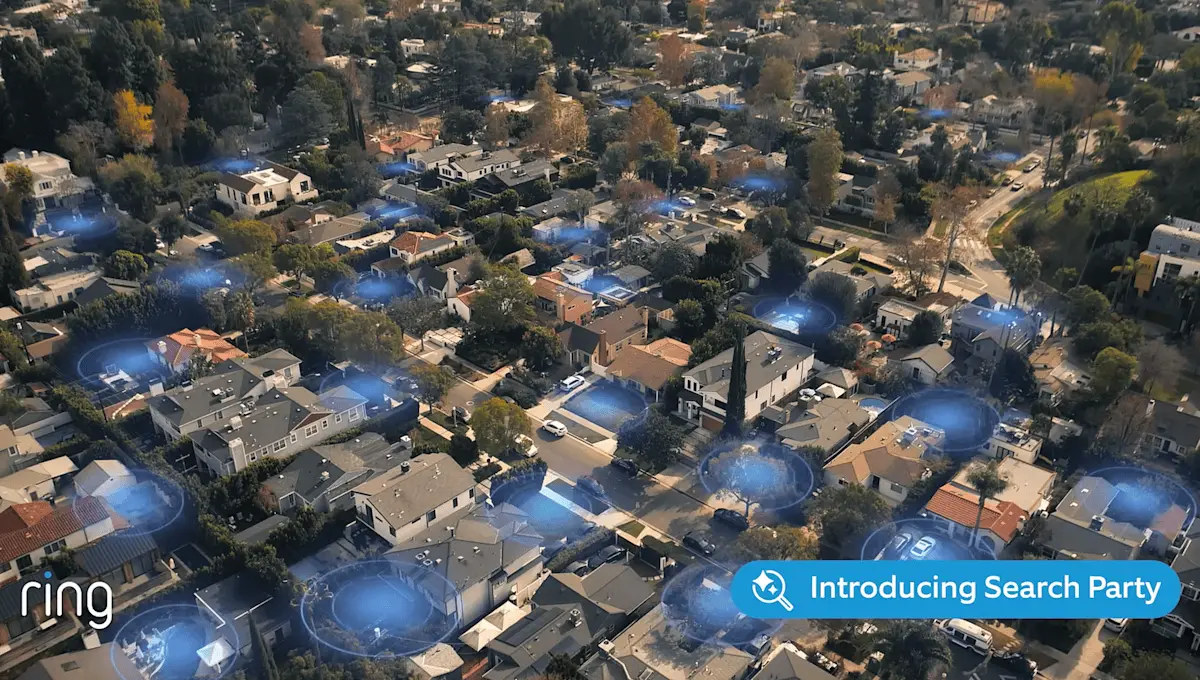
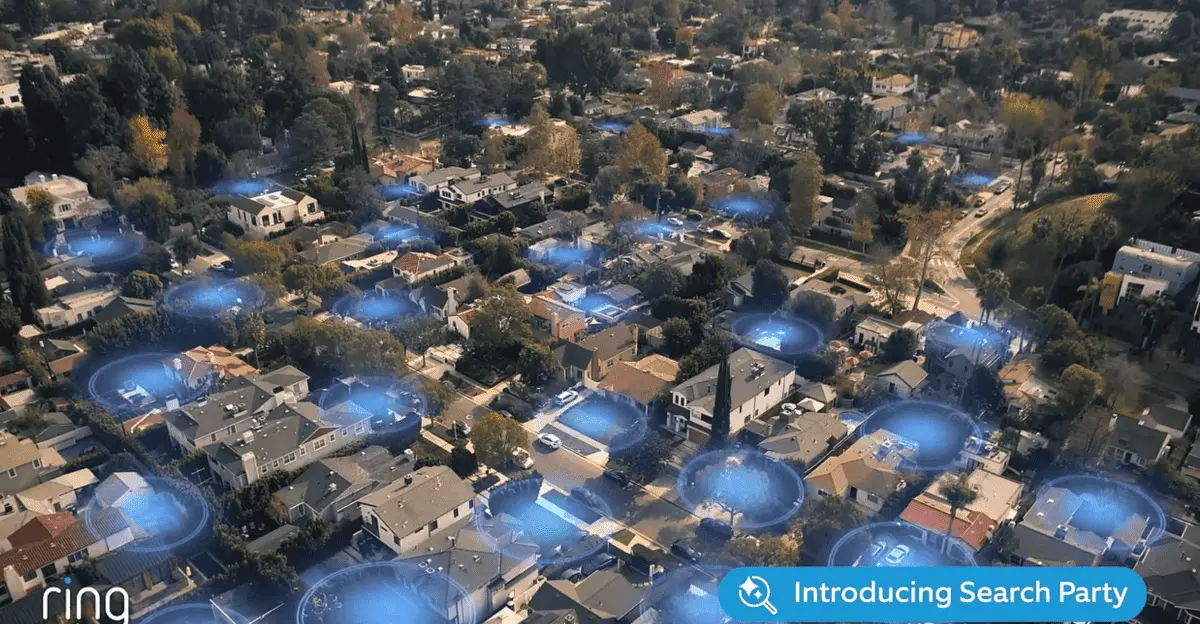
Amazon's Ring Search Party feature, prominently featured in a Super Bowl ad, has ignited intense privacy concerns across social media platforms and tech communities. The feature uses AI-powered pet recognition to scan videos from a network of Ring cameras, attempting to find lost pets by pooling footage from multiple devices in a neighborhood
1
. While Ring marketed the technology as a heartwarming solution to reunite missing dogs with owners, many users expressed alarm at discovering their devices participate in what critics describe as AI surveillance without their explicit knowledge2
.
Source: Engadget
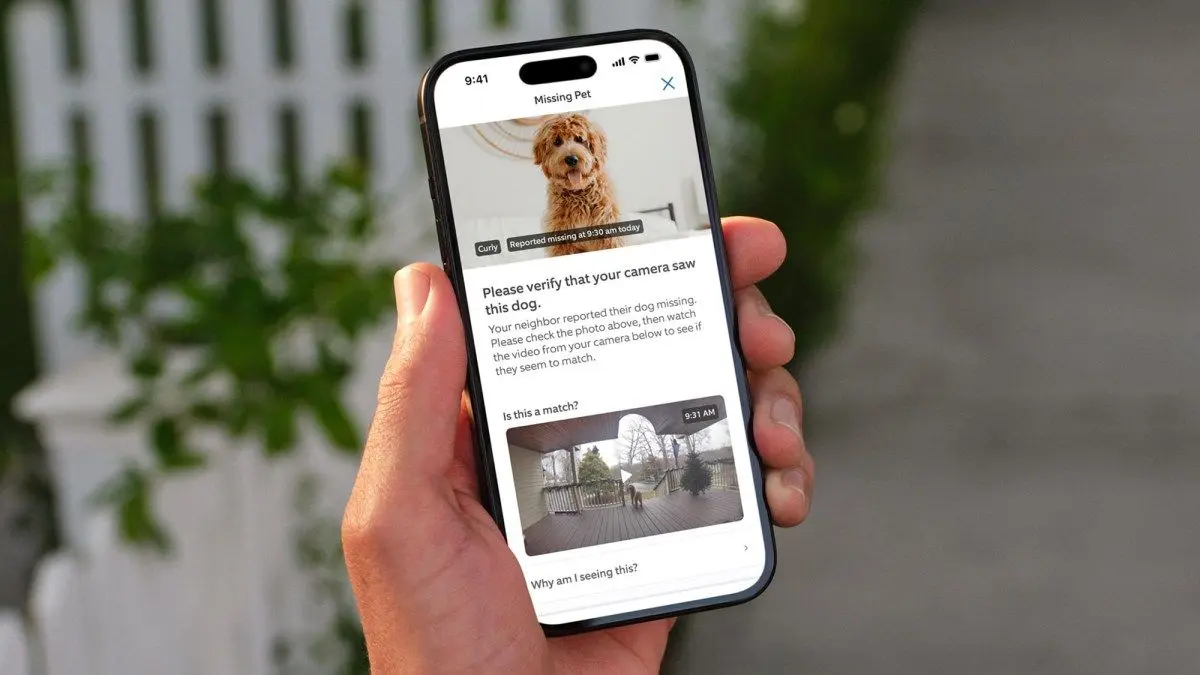
The feature works by allowing Ring account holders to upload a photo of their lost pet and activate a search for free. Ring's AI then automatically scans nearby Ring accounts to identify recent videos uploaded after an animal was detected, looking for matches that resemble the missing pet
1
. According to Amazon CEO Andy Jassy, Search Party helped find 99 lost dogs in 90 days of use. However, with approximately ten million pets going missing in America each year, this represents roughly a 0.005 percent success rate, leading many to question whether the surveillance network fears are justified by the results2
.
Source: CNET
Privacy Concerns Escalate Over Default Opt-Out Settings
The most significant controversy stems from how Ring implemented user control over privacy. Search Party's basic functions are opt-out rather than opt-in, meaning they're automatically enabled for Ring devices that save video to the cloud
1
. This default setting caught many users off guard, as they assumed their Ring cameras operated independently rather than as part of a broader surveillance network. The feature also includes Fire Watch, which monitors for visible flames or smoke during active wildfire events, adding another layer of AI detection that many users were unaware existed3
.While Ring emphasizes that sharing video clips with a pet owner requires consent and remains a separate opt-in feature, the underlying AI analysis happens automatically on stored cloud videos
1
. Videos remain encrypted when not in use, and Ring employees cannot access stored videos directly. However, Ring's research and development team does view a small number of video recordings from users who post them publicly on Ring Neighbors or who have given explicit permission, presumably to train the AI systems1
.
Source: Lifehacker
How to Disable Search Party Through Control Center
Users concerned about data privacy can disable the feature, though the process requires navigating through multiple menu layers. To turn off Search Party, open the Ring app and tap the menu in the top-left corner, then select Control Center. Next, tap Search Party and toggle the settings to Disable for both Search for Lost Pets and Natural Hazards
2
. The setting must be adjusted camera by camera rather than through a single global toggle, meaning users with multiple devices must repeat the process for each one3
.For users with Stick Up Cam or Outdoor Cam models, Ring notes that the install type should be set to Outdoor to see the correct options
3
. Those seeking complete privacy can avoid signing up for a Ring plan and skip cloud storage entirely, though this eliminates valuable object detection services since Ring doesn't offer many onboard video storage options1
.Related Stories

Law Enforcement Data Access Raises Additional Questions
Beyond the immediate privacy concerns about neighbor-to-neighbor video sharing, critics worry about law enforcement data access and potential misuse. Ring has partnerships with both Flock Safety and Axon, companies that provide surveillance and equipment services to law enforcement. These partnerships allow police to post requests for Ring footage directly to the Ring app, though users can choose whether to share
4
. According to Ring's law enforcement guidelines, the company will comply with valid and binding search warrants, sharing user data including names, addresses, email, billing information, and stored videos4
.What remains unclear is whether law enforcement can specifically request Search Party data to track individuals rather than pets. Many observers describe this as a slippery slope, where technology designed to find lost pets could be repurposed for human surveillance. One social media user compared the system to Batman's cellphone network surveillance from The Dark Knight, which compromised ethics to catch criminals
4
. While Ring has not yet activated video sharing with Flock Safety and requires explicit consent when it does, the infrastructure exists for broader surveillance applications1
.What This Means for Home Security's Future
The backlash against Ring Search Party reflects broader anxieties about how AI surveillance technologies are being integrated into everyday devices without clear communication or consent mechanisms. While Ring defends Search Party as a tool that genuinely helps reunite lost pets with owners, the default opt-out setting and the pooling of footage across devices mark a shift in how home security cameras function. Users who purchased Ring cameras years ago for simple doorbell monitoring now find themselves part of a detection network they never explicitly agreed to join.
For those uncomfortable with these developments, alternatives exist. Security camera brands including Eufy, Blink, Tapo, Reolink, and Wyze offer local storage options on hubs or microSD cards, avoiding cloud-based AI analysis entirely
1
. However, AI detection is rapidly becoming standard across the home security industry, meaning users will need to actively research and configure privacy settings regardless of which brand they choose. The controversy also highlights the tension between beneficial applications of AI technology and the surveillance state concerns that arise when these systems operate by default rather than by choice.References
Summarized by

Navi
[3]
Related Stories
Ring's Search Party Super Bowl ad triggers mass surveillance fears and widespread backlash
10 Feb 2026•Entertainment and Society
Ring abandons Flock deal after Super Bowl ad sparks mass surveillance fears
13 Feb 2026•Policy and Regulation

Ring opens Search Party feature to everyone, pledges $1 million to animal shelters nationwide
02 Feb 2026•Technology
Recent Highlights
1
Tennessee Teens Sue Elon Musk's xAI Over Grok AI-Generated Child Abuse Images
Policy and Regulation

2
Supermicro Co-Founder Indicted in $2.5 Billion Nvidia AI Chip Smuggling Scheme to China
Policy and Regulation

3
Val Kilmer to appear posthumously in As Deep as the Grave through AI-generated performance
Entertainment and Society

Recent Highlights
Today's Top Stories



Your Daily Dose of Curated AI News
Don’t drown in AI news. We cut through the noise - filtering, ranking and summarizing the most important AI news, breakthroughs and research daily. Spend less time searching for the latest in AI and get straight to action.

