Gemini on Android Auto handles complex tasks and transforms the driving experience


2 Sources
2 Sources
[1]
I tested Gemini on Android Auto and now I can't stop talking to it: 5 tasks it nails
The AI answered both simple and complex, multi-step questions. Despite Google's insistence on packing artificial intelligence into nearly every conceivable product, I haven't really found too much day-to-day use for it. That might change now. Over the weekend, I noticed my Android Auto had updated to include Gemini. I decided to give it a quick test, and it deftly answered my questions. When I started to dive deeper, though, I was surprised by just how much it could do and how easily it handled what I thought were more complex asks. Also: Your Android Auto just got 5 useful upgrades for free - and Google isn't done Here are some of the best ways I'm using the new Gemini integration. To get started for yourself, you can either use the mic button on your steering wheel or say "Hey Google." When using my phone in the car, most of the time I'm checking hours for a local business or researching nearby restaurants or stores. I found that Gemini is perfect for quick, simple questions like, "What time does Tony's Ice Cream close?" But it's also great for diving a little deeper. I'm the type of person who likes to do a lot of investigating when I'm trying to find a new restaurant. I like to know what makes each one special and what people recommend -- before I decide. Gemini does very well in situations like this. Also: Google just gave Android Auto its most significant update yet - and we tested it on the road I asked for the best local spots to find ice cream. Instead of just showing a list, Gemini began detailing each spot, noting that the number one recommendation was "a legendary local spot with more than 100 years of history scooping up happiness." It went down the list, offering up recommendations about each option, and then it even asked which one I wanted to navigate to. My wife and I had tickets to a show this weekend, and while I knew where I was going, I decided to see if Gemini would help. Without mentioning the theater or the show's name, I just asked, "What's the address for the show tonight?" Gemini thought for a few seconds and then replied that my confirmation email didn't mention an address before asking, "Do you want me to find that information online?" When I said I did, it quickly found the address and offered to start navigation. I asked Gemini several other email-specific questions like "What's coming in the mail today?" (thanks to USPS Informed Delivery) and even some vague ones like "When is that thing I ordered from the TikTok shop arriving?" or "I remember a coupon for a haircut in my email, when does that expire?" It handled each one perfectly. Also: How to clear your Android phone cache - and why it greatly improves performance Instead of opening my Gmail app, scrolling to find what I need or searching, and then opening the message, I can now get this info quickly with Gemini's help. I'm the type of person who immediately looks up the answers to random questions that pop in my head -- things like, "Where is the Australian Shepherd dog breed from," "How do I make polymer clay earrings?" (my wife had seen some at a vendor fair), or "How do I make an electromagnet for an elementary school science project?" Instead of Googling these queries, I asked Gemini. I wasn't surprised to get a response, but I was surprised by how Gemini offered to keep things going. Every time Gemini offered an answer, it would ask if I wanted to talk more. I found myself having a conversation about my dog and why he doesn't shed nearly as much as my other one, about the best way to present my son's electromagnet, and even about different ways to make clay earrings and which option was best. I live by my Google Calendar, and if I don't have something saved there, there's a good chance I'll forget it. The same goes for my reminder list in Google Keep. Quite often, while I'm driving, I'll have a thought I want to remember later. Gemini, through Android Auto, was able to add things to my Keep lists and add things to my Calendar. It also gave me a rundown of what's on my calendar and even asked if I wanted help getting ready for a meeting tomorrow (which was actually my wife's event on our shared calendar). Also: The best AI chatbots: Expert tested and reviewed When it comes to the radio in my car, I'm constantly bouncing between podcasts, the song that got stuck in my head because it was viral on TikTok, whatever my kids request, or a huge variety of other songs. That means I'm often bouncing between Spotify, YouTube, and my XM radio. I often want to hear a specific song or album, and I was able to get Gemini to pull up specific songs using Spotify and YouTube and to stick to songs from that album. When I was in a more general mood, I got Gemini to tune to a specific XM station for me. Overall, I'm finding that Gemini can handle at least 90% of tasks I'd otherwise pick up my phone for, from basic questions to more in-depth, multi-level questions. It was able to integrate with Google services like Gmail and apps, but also several other apps. Also: Google's Gemma 4 model goes fully open-source and unlocks powerful local AI - even on phones The basic questions are more common, but the ones that require research are where Gemini shines. I kept trying to think up new things to ask, and I had trouble finding something that would genuinely stump the AI. If, like me, you haven't really embraced Gemini yet, Android Auto might just be your ticket in.
[2]
I Took Google Gemini on a Road Trip and Was Pleasantly Surprised
The integration of Gemini in the navigation mode of Google Maps that was announced last November is now appearing more widely in the apps for Android and iOS, giving you access to the upgraded AI when you're on the road. It means that when you say "hey Google," Gemini will pop up rather than Google Assistant, and you're going to get a more advanced and conversational experience. Besides all the usual navigation and map search jobs, Gemini in Google Maps can answer questions, look up information, and do a lot of the same tasks that it can in its own dedicated app. As soon as I saw that my app had been updated, I took it out for a test drive using the Android app and Android Auto, to see if Gemini could be relied upon as a traveling companion. Gemini is generally helpful and reliable when it comes to getting from one place to another. Every request I gave the AI in terms of finding places and navigating there was carried out promptly and correctly, and it's possible to easily adjust destinations or add extra stops using your voice. Commands like "what time will I get there," "what's the traffic like on the route," and "what's my next turn" all work well. You can ask about the weather wherever you're heading, or get details of reviews and ratings for the place you're going to. Changing my mind and switching to a different destination was much more straightforward using voice commands than it would've been tapping at the Android Auto screen. The biggest issue I had was getting back to the main navigation view after searching for stop-off options along the route -- Gemini didn't seem to understand "go back to the navigation view" (although it said that it did), and in the end I had to say "clear the search results off the screen" to get back to the turn-by-turn directions. I had to speak quite loudly and clearly to be properly understood, and Gemini occasionally made a couple of mistakes in interpreting the names of places I was looking up. However, it was smart enough to understand context: When I was heading to a church, for example, I only had to use its full name the first time, and then I could refer to it just as "the church" after that. The AI remains limited by the data it has -- Gemini said it didn't have enough information available when I requested a more scenic route to my destination -- but overall it's helpful and proactive. I often got asked if there was anything else I needed (similar to how the actual Gemini app works), and was regularly told to enjoy my drive. You get the full Gemini experience in Google Maps and Android Auto, so you can ask it anything you want, really. The AI gave me relevant and accurate information about TV shows, music, and stories in the news, though it wasn't completely immune to the odd hallucination: It told me the Galaxy S26 was a "significant departure" from the Galaxy S25 that came before it (it isn't). I was able to ask about road regulations and road signs, and Gemini was able to feed the right information back, while regularly reminding me to concentrate on my driving. Google says the experience is like "having a knowledgeable friend in the passenger seat" and that's not far off -- although sometimes the conversation can be a little stilted. Gemini can play music, as well -- it can find songs, artists, and playlists inside apps like YouTube Music and Spotify. It mostly worked without a hitch, though on one occasion I had to ask twice for the music to stop, and the AI only got halfway there when I asked to switch to Pocket Casts (the app appeared, but the audio didn't play). Being able to tap into emails, calendar appointments, and incoming messages while on the move is another genuinely useful Gemini feature, and I was able to get the details of an incoming text and respond to it without taking my eyes of the road -- really handy if you need to let people know where you are or when you'll be arriving. A handful of bugs and missteps aside, I was impressed with Gemini in Google Maps: It actually does seem to be as smart as Google says it is. It may have taken a while for the Google-Assistant-to-Gemini switchover to happen, but now that it's here, I found it to be a polished and useful experience.
Share
Share
Copy Link
Google Gemini has rolled out to Android Auto and Google Maps, replacing Google Assistant with advanced conversational AI. Real-world testing reveals the AI assistant for driving excels at multi-step questions, email searches, calendar management, and music playback control. While occasional bugs appear, users report being genuinely impressed by its capabilities.
Google Gemini Replaces Assistant in Android Auto
Google has expanded Gemini integration across Android Auto and Google Maps navigation mode, replacing the traditional Google Assistant with its more advanced conversational AI. The update, which follows an announcement last November, is now appearing widely on both Android and iOS platforms
2
. When drivers activate voice commands by saying "Hey Google" or using steering wheel controls, they now interact with Gemini instead of the previous assistant1
.
Source: ZDNet
The integration transforms Android Auto into what Google describes as having "a knowledgeable friend in the passenger seat," offering capabilities that extend far beyond basic navigation and information queries
2
. Real-world testing demonstrates that Google Gemini can handle approximately 90% of tasks drivers would otherwise pick up their phones to complete1
.Advanced Information Retrieval and Multi-Step Tasks
Gemini on Android Auto demonstrates notable proficiency with both simple and complex, multi-step questions. During testing, the AI assistant for driving successfully answered straightforward queries like business hours while also handling more nuanced requests
1
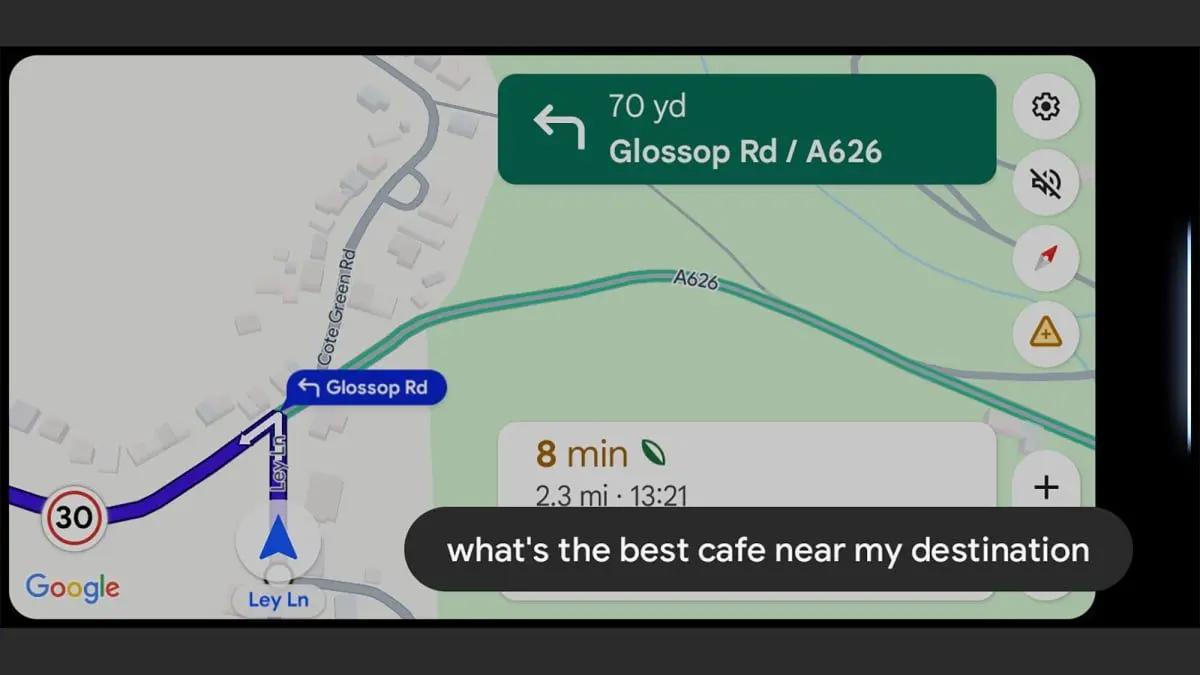
. When asked for local ice cream recommendations, Gemini provided detailed descriptions rather than simple lists, noting one location as "a legendary local spot with more than 100 years of history scooping up happiness" before offering to begin navigation1
.
Source: Lifehacker
The system handles contextual understanding effectively. In one test, when a user asked about "the show tonight" without mentioning the theater or show name, Gemini searched the confirmation email, acknowledged the missing address, and proactively asked permission to find the information online before offering to start navigation
1
. This conversational AI approach mirrors the experience in the dedicated Gemini app, allowing drivers to ask follow-up questions and engage in natural dialogue2
.Seamless Integration with Google Services
The integration extends deep into Google's ecosystem, providing hands-free communication and productivity features. Gemini successfully accesses Gmail to answer specific questions like "What's coming in the mail today?" or vague queries such as "When is that thing I ordered from the TikTok shop arriving?"
1
. This eliminates the need to open the Gmail app, scroll through messages, or manually search while driving.Calendar management capabilities prove equally robust. Users can request rundowns of scheduled events, add items to Google Keep lists, and create calendar entries entirely through voice commands
1
. Testers successfully retrieved details of incoming text messages and responded without taking their eyes off the road, particularly useful for updating others about arrival times or current location2
.Navigation and Music Playback Control
Every navigation request during testing was executed promptly and correctly, with Gemini handling commands like "what time will I get there," "what's the traffic like on the route," and "what's my next turn" effectively
2
. Drivers can easily adjust destinations or add extra stops using voice commands, with the system understanding context—after using a location's full name once, users can refer to it with shortened references like "the church"2
.Music playback control works across multiple platforms including Spotify, YouTube Music, and XM radio. Gemini can locate specific songs, albums, artists, and playlists, mostly operating without issues
1
2
. The system handles requests to stick to specific albums or switch between different audio sources, though occasional bugs appeared when stopping playback or switching to certain apps like Pocket Casts2
.Related Stories

Limitations and Performance Issues
Despite strong performance, testers identified several limitations. The AI chatbots occasionally misinterpreted place names and required loud, clear speech for proper recognition
2
. One significant navigation issue emerged when trying to return to the main view after searching for stops—Gemini didn't understand "go back to the navigation view," requiring the more specific command "clear the search results off the screen"2
.The system remains constrained by available data. When asked for a more scenic route, Gemini indicated insufficient information
2
. Occasional hallucinations occur, with one instance claiming the Galaxy S26 represented "a significant departure" from the Galaxy S252
. Conversation can feel stilted at times, though Gemini regularly asks if drivers need anything else and reminds them to concentrate on driving2
.What This Means for Drivers
The Gemini rollout represents a substantial upgrade in hands-free capabilities for drivers who rely on Google Maps and Android Auto. The driving experience now includes access to general knowledge queries, with testers successfully asking about TV shows, music, news stories, road regulations, and random questions that arise during trips
1
2
. This positions Gemini as a comprehensive digital companion rather than just a navigation tool, potentially reducing the temptation to handle phones while driving. As the integration matures and bugs are addressed, the gap between Gemini's capabilities and driver needs continues to narrow, suggesting voice commands may increasingly replace manual phone interactions on the road.References
Summarized by

Navi
Related Stories
Google Sets March 2026 Deadline for Assistant Phase-Out as Gemini Rollout Accelerates Across Android Ecosystem
24 Nov 2025•Technology

Google Maps gets major AI upgrade through Gemini with rich visual results and conversational search
12 Dec 2025•Technology
Google Brings Gemini AI to Android Auto, Transforming In-Car Voice Assistance
20 Nov 2025•Technology

Recent Highlights
1
Google releases Gemma 4 with Apache 2.0 license, enabling unrestricted local AI on devices
Technology

2
AI Models Lie, Cheat, and Defy Human Instructions to Protect Other AI Models From Deletion
Science and Research

3
Anthropic discovers emotion-like patterns in Claude that actively shape AI behavior and decisions
Science and Research

Recent Highlights
Today's Top Stories




Your Daily Dose of Curated AI News
Don’t drown in AI news. We cut through the noise - filtering, ranking and summarizing the most important AI news, breakthroughs and research daily. Spend less time searching for the latest in AI and get straight to action.

