15 Sources
[1]
Google quietly releases an offline-first AI dictation app on iOS | TechCrunch
The app is free to download, and once its Gemma-based automatic speech recognition (ASR) models are downloaded, you can start dictating on your phone. In the app, you can see the live transcription, and when you hit pause, the app automatically filters out filler words like "um" and "ah" and polishes the text. Below the transcript are options like "Key points", "Formal", "Short", and "Long" to transform the text. You can also turn off the cloud mode to use local-only processing. (When cloud mode is on, the app uses cloud-based Gemini models for text cleanup.) The Google AI Edge Eloquent can import certain keywords, names, and jargon from your Gmail account, if desired. Plus, you can add your own custom words to the list. The app displays the history of the transcription session and lets you search through all of them as well. It can show you words dictated in the last session, your word per minute speed, and the total number of words spoken. "Google AI Edge Eloquent is an advanced dictation app engineered to bridge the gap between natural speech and professional, ready-to-use text. Unlike standard dictation software that transcribes stumbles and filler words verbatim, Eloquent utilizes AI to capture your intended meaning. It automatically edits out 'ums,' 'uhs,' and mid-sentence self-corrections, outputting clean, accurate prose," the company's App Store description reads. While the app is currently only available on iOS, the App Store description references an Android version. (We have reached out to Google for more information, and will update the story if we hear back.) According to the description, Eloquent offers "seamless Android integration," where it can be set as users' default keyboard for system-wide access across any text field. Plus, the app will be able to use the floating button feature, similar to the one Wispr Flow uses on Android, for easy access to transcription from anywhere. AI-powered transcription apps are gaining popularity among users as speech-to-text models get better. With this experimental app, Google is joining the trend. If this test is successful, we could see improved transcription features across Android, too.
[2]
Google Launches an Offline AI Dictation App on iOS
Blake has over a decade of experience writing for the web, with a focus on mobile phones, where he covered the smartphone boom of the 2010s and the broader tech scene. When he's not in front of a keyboard, you'll most likely find him playing video games, watching horror flicks, or hunting down a good churro. Google's new Google AI Edge Eloquent app, released Monday, is an AI dictation app that works offline. It offers a handful of advanced features that can turn your halting words into usable text with virtually no editing required. Google is working to fix an issue that's improved in recent years but still persists: inaccurate or inarticulate or voice-to-text dictation. Sometimes that's because the app didn't translate what was said correctly, and sometimes it's because the person speaking hesitated and rambled, cluttering the text with pauses and filler words, such as "um" and "ah." Read more: I Want AI to Let Me Text With My Voice. The Google Pixel 10 Is So Close To use the new app, you can tap a button, talk into the mic and watch the text appear on your screen. When you're done, Google's on-device Gemma models will automatically polish your text. The App Store's description says all of your ums, uhs, and mid-sentence self-corrections will be edited out, and you'll be left with clean text that you can further customize afterward. AI Edge Eloquent can work completely offline, so everything stays on-device. You can connect the app to your Google account so it can build a dictionary based on your Gmail data, or connect it to the cloud for more enhanced text polishing via Gemini. The app has a simple layout, with a menu of icons lining the bottom indicating Record, History, Dictionaries and Settings. You can manually add words to the dictionary section, and the app will automatically add words that you've made edits to if there's a spelling mistake -- for example, if the app spells a name incorrectly. The app doesn't require a subscription. Google already has voice-to-text capabilities in many of its products, but those looking for a standalone option that's free to use and will polish your text may have a good option here. The app isn't yet available for Android users, but the Apple App Store description promises 'seamless Android integration." A representative for Google did not immediately respond to a request for comment.
[3]
Looking for a Free Speech-to-Text Tool? Google's New AI App Could Be the Answer
Google has launched a new AI dictation app that provides polished speech-to-text transcriptions for free. At launch, the Google AI Edge Eloquent app supports dictations in English and is available on the Apple App Store for users everywhere except the UK, Switzerland, and the European Economic Area (EEA), where it is still awaiting regulatory approval. According to the App Store description, Edge Eloquent is powered by Google's Gemma models, the lightweight versions of Gemini's tech. It captures the intended meaning of your speech and edits out "ums," "ahs," and other mid-sentence mistakes you make to provide a polished draft. While some advanced features may require cloud support, all other "machine learning processing runs entirely locally on your iOS device," Google says. "Your audio, confidential conversations, and personal data never leave your device." When you launch Edge Eloquent for the first time, the app downloads the AI models it needs, and after that, you can just tap the mic button on the home page (Record tab) to start dictating. With your permission, the app will record everything you say and display a live transcription as you speak. You can tap the pause button to think before proceeding and tap the stop button to receive a polished draft. At this stage, you can tap the copy button next to "Cleaned up text" to copy the version to your clipboard, and use the pencil icon to edit or modify the output. You'll see usage stats, such as the number of words and the words per minute, from your last dictation at the top of the home page. You can also access your past dictations from the History tab. To improve the app's accuracy for your speeches, you can connect it to your Gmail account or manually add names and jargon you regularly use in the Dictionaries tab. One of the best things about the app is that it "operates entirely free of charge with no usage limits." Google, however, hasn't revealed anything about an Android rollout. Speech-to-text is available on most word-processing and note-taking tools, including Microsoft Word and Apple Pages. Google's AI-powered Edge Eloquent comes after OpenAI launched a similar tool, named Whisper, in 2022. Critics have notably questioned the accuracy and safety of such AI tools.
[4]
Google just dropped a new dictation app that automatically fixes what you meant to say
It's currently only available on iOS, but an Android version could also be in the works. Google has quietly launched a new AI-based dictation app that works almost entirely offline. Called Google AI Edge Eloquent (not the most attractive name, honestly), the app is designed to turn messy speech into clean, ready-to-use text, without sending your data to the cloud. The idea is similar to Google's AI Edge Gallery app that allows users to run advanced generative AI models locally on Android and iOS devices. AI Edge Eloquent takes that idea and applies it to dictation. The app downloads AI models directly to your device. Once set up, it transcribes speech in real time and automatically removes filler words like "um" and "uh," as well as correcting mid-sentence errors. It can also convert speech into different formats, including "Key points," "Formal," "Short," and "Long." The on-device mode in the app ensures everything is processed offline, but you can also turn on the cloud toggle for enhanced text cleanup on Google's servers with Gemini. Moreover, you can create a custom dictionary to add jargon manually or import known and important terms from Gmail. There's also a strong personalization angle. The app can learn your vocabulary over time, improving accuracy for names, technical terms, and other commonly used phrases. Other handy features let you track your word count and speed, and search past recordings. It also looks like the app will get keyboard integration on iOS soon. Offline AI is quickly becoming the next big battleground, and this app puts Google directly up against apps like Wispr Flow and SuperWhisper. For now, the app is only available on iOS, but there was a reference to Android support in the app's description on Apple's App Store a while back. That description has since been updated, but it's very likely we'll see an Android version of the app soon.
[5]
Google quietly releases free offline AI dictation app for iPhone | TNW
In short: Google has quietly released an iOS app called Google AI Edge Eloquent, a free, offline-first voice dictation tool that transcribes speech in real time, strips filler words automatically, and transforms raw dictation into polished text without requiring an internet connection. The app runs on Gemma-based on-device ASR models, offers an optional cloud mode using Gemini for text cleanup, carries no subscription and no usage caps, and includes a personal vocabulary dictionary that can import frequently used words directly from a user's recent Gmail history. It appeared in the App Store on 6 April 2026 with no press release or announcement. An Android version is referenced in the App Store listing but has not yet appeared on Google Play. Google released a dictation app last Sunday and did not tell anyone. Google AI Edge Eloquent appeared in the iOS App Store on 6 April 2026 with no announcement, no blog post, and no press event, the kind of launch that invites the word "quietly" in every subsequent headline. The app is free, requires no subscription, and places no cap on usage. It runs speech recognition on-device using Gemma-based ASR models, which means recordings do not need to leave the phone. Given that the two most popular premium dictation apps for iPhone currently charge between $85 and $180 a year, that combination of features is not a minor release. Opening Eloquent presents a dictation interface with a live waveform. As you speak, the app transcribes in real time. When you pause or stop, it automatically processes the raw speech: filler words , "um", "ah", and similar verbal placeholders, are removed, and the surrounding text is smoothed into readable prose. The cleaned transcript is copied to the clipboard automatically, ready to paste wherever it is needed. A toggle in the top-right corner switches between two processing modes. In fully offline mode, all audio stays on the device and is processed by the Gemma-based ASR model locally, nothing is sent to a server. In cloud mode, the speech recognition still begins on-device, but Gemini models handle the text cleanup in the cloud. The distinction matters for privacy-sensitive contexts: users in regulated industries, or anyone wary of uploading voice data to a remote server, have a credible fully local option. The growing demand in 2026 for AI tools that process data locally rather than sending it to third-party servers has become a primary consideration in enterprise and professional software procurement, and Eloquent addresses it in the first toggle the user sees. Beyond the core transcription, Eloquent includes four text transformation tools: "Key points" extracts the main ideas from the dictation as a bulleted list; "Formal" rewrites the transcript in a more professional register; "Short" condenses it; and "Long" expands it. A history tab retains all previous transcriptions, each deletable individually. Usage statistics track cumulative word count and words per minute, a detail aimed at productivity-conscious users who want to measure how much they are actually dictating. The most notable secondary feature is a personal context dictionary. Users can manually add names or technical jargon to improve transcription accuracy for domain-specific vocabulary. Optionally, users who sign in with a Google Account can allow Eloquent to import frequently used words from their recently sent Gmail messages, building a vocabulary profile without requiring any deliberate configuration. It is the one point in the app where Google's wider data ecosystem appears, briefly and optionally, in what is otherwise a self-contained local tool. The release on iOS before Android is an unusual move for Google. Android is Google's own platform; it is where Google typically demonstrates new capabilities first, using Gemini Nano and the AI Edge SDK that run directly on Pixel and compatible hardware. Releasing Eloquent on iOS first, without a corresponding Android launch, suggests either that the app is an experiment in market positioning rather than a flagship product rollout, or that the iOS version of the underlying Gemma ASR models reached readiness before the Android configuration did. The App Store listing includes a reference to an Android version, so parity is presumably coming. The sequencing, however, means Google has launched a significant competitive product on Apple's platform before its own. The subscription model that has defined the premium end of AI productivity tools looks considerably less defensible when a technology company the size of Google enters the market for free. The two most prominent standalone dictation apps for iPhone, Wispr Flow and Willow, both cost $15 per month and rely on cloud processing, with Wispr Flow routing audio through servers operated by OpenAI and Meta. SuperWhisper, the most popular privacy-focused alternative, costs $85 per year and runs locally but is available only on Mac. Eloquent is free, runs locally on iPhone, and has no usage limit. It does not require a paid tier to access offline processing. For users who have been paying a monthly subscription primarily because no credible free alternative existed, the competitive arithmetic has changed overnight. The app also undercuts Apple's own built-in dictation, which is free but offers no filler-word removal, no text transformation, and no vocabulary learning. The practical quality gap between Apple Dictation and a Gemma-powered model running cleanup on top of ASR output is meaningful for anyone dictating more than occasional sentences. Eloquent is released under the Google AI Edge brand rather than Google's consumer product umbrella, the same initiative that provides developers with the tools and SDKs to run AI models locally on Android and iOS devices. That positioning suggests the app has a dual purpose: to demonstrate a real-world application of on-device Gemma capabilities for developers and enterprises evaluating the platform, as well as to serve as a direct consumer product. The broader push by major technology companies to run capable AI models directly on consumer devices has accelerated significantly over the past year, driven partly by privacy demands and partly by the latency and cost advantages of eliminating the server round-trip. Google AI Edge Eloquent is one of the clearest demonstrations yet of what that push produces when applied to an everyday productivity task. Voice as a primary interface for AI-assisted work has been a persistent promise in enterprise computing for years, consistently underdelivered because the friction of imprecise transcription outweighed the benefit of speaking rather than typing. Removing filler words, offering instant transformation modes, and doing all of it locally without a subscription changes the friction calculation. Whether Eloquent becomes a mainstream productivity tool or remains a developer showcase depends on whether Google continues to update and support it, a history that the company's track record with iOS apps does not make entirely easy to predict. The app exists. It is free. It works offline. That is more than most of its paying competitors can say simultaneously. A year that established on-device AI as a viable alternative to cloud-dependent tools set the stage; Eloquent is one of the more direct consumer expressions of that shift.
[6]
'Google AI Edge Eloquent' is an offline, subscription-less voice dictation app
Google today released a new app on iOS called "Google AI Edge Eloquent" that's rather curious. It's somewhere between an experiment and a user-facing tool. Google AI Edge Eloquent lets you "turn raw messy speech into well crafted text." As you start talking, you see a real-time transcription and waveform with the ability to pause. Once you press the stop button, Google will clean up the text and automatically copy it to your clipboard for easy pasting in other apps. Tools let you see the Key points as bullets, and make the text more Formal, Short, or Long. You also see Usage stats like how many words and your words per minute count. In the top-right corner, a toggle lets you enable a "fully offline" mode where conversations don't leave your device. Enabling Gemini lets you "enhance text polishing." The History tab shows everything you've transcribed with the ability to delete. In Dictionaries, you can "add names or jargon you use often to improve accuracy." This includes signing in with your Google Account to import such words from your recently sent Gmail messages. Google says this app offers "voice dictation without subscriptions" and that there's "no cap" in terms of usage. "AI Edge" is Google's branding for on-device AI experiences. Eloquent joins the existing Google AI Edge Gallery (Android + iOS) app that lets you download the latest version of Gemma, and got a big update with last week's model launch. At the moment, we're not seeing Google AI Edge Eloquent in the Play Store. It's unclear if the application is only for iOS.
[7]
Google just launched a free AI dictation app that fixes your speech - and it even works offline
Google just launched a new live transcription app for iOS -- and it's taking a different approach than most tools. The free app, called Google AI Edge Eloquent, runs entirely offline and promises cleaner dictation by stripping out filler words in real time. There's no shortage of transcription apps across iOS and Android -- popular options like Wispr Flow, Letterly, MacWhisper, Willow and SuperWhisper already do a solid job. But Google's latest entry stands out for one key reason: it doesn't need an internet connection to work. Speak, pause and polish your transcribed words According to Google, AI Edge Eloquent is designed to turn messy, real-world speech into clean, ready-to-use text. Instead of transcribing every "um," "uh," or mid-sentence correction, the app focuses on what you meant to say -- automatically removing filler words and smoothing out your phrasing in real time. If you enable its online features, the app taps into Gemini to take things further, improving cleanup and adding smart edits. But you can also keep everything fully offline, which is a big win for privacy since your voice data never leaves your device. There's also some useful customization built in. Connecting your Gmail account lets you import names, keywords and niche jargon, while the in-app "Dictionaries" tab gives you full control to add terms you use often -- helping boost accuracy over time. Once you finish speaking, the app gives you a few quick ways to shape your transcript: * Polish turns raw speech into clean, readable text * Key points (online only) summarize what you said * Formal, short and long rewrite your transcript in different styles You'll also get helpful stats like total word count and your speaking speed (words per minute), which adds a surprisingly useful layer for anyone trying to improve how they communicate. Bottom line With the power of Gemini and Google's Genma architecture, AI Edge Eloquent has the core features needed to compete with the best AI-powered dictation apps. What really sets it apart is that it runs directly on your device, with no internet connection required -- an impressive perk for a free app. As it continues to improve, it has the potential to stand alongside tools like Monologue, VoiceTypr and Typeless. Now the big question is whether Google will bring it to Android anytime soon. Follow Tom's Guide on Google News and add us as a preferred source to get our up-to-date news, analysis, and reviews in your feeds. Subscribe to Tom's Guide on YouTube and follow us on TikTok.
[8]
I tried using Google's new offline AI dictation app -- and it polished my ramblings surprisingly well
Google's new iPhone app is a pocket editor as much as a transcription tool The Google AI Edge Eloquent iPhone app debuted this week, albeit sans the usual fireworks for a new Google product. It's an AI-powered solution to dictation that works even without internet access. No one speaks as clearly and cleanly as they write, and making sense of off-the-cuff thoughts narrated aloud can be tricky even when it's your own words spoken back to you. The free dictation app leverages the company's Gemma speech recognition models to successfully write down your words. Google has a history of impressive AI transcription, so the app is an unsurprising addition to its stable. Importantly, it only writes down your actual words, cleaning up the filler sounds, the ums and uhs that pepper most people's casual speech, in nearly real time. And there's room for a surprising amount of customization. You can import names and your own jargon from Gmail, as well as add to a custom word list. And in case even the cleaned-up version of your dictation isn't enough, you can get the app to rewrite the transcript as in "Key points," "Formal," "Short," or "Long" styles. These are all familiar features for those who have used Gemini or other AI tools, but they're all packaged into a focused app. Capturing and cleaning ideas I turned on the app and did my usual brainstorming while on a walk, except instead of writing notes, I just spoke ideas into the app, with all the interruptions and digressions that usually makes me prefer writing things down by hand. I spouted off some future article ideas, some errands I need to run, and some thoughts on a nice dinner I want to make next week. What I first said, according to the transcript was: "Um, okay, so I kind of want to make like a really nice pasta next week, -- something that feels a little fancy, but not, you know, too much and. I definitely want uh like a really good red sauce, something kind of rich. I definitely want to use garlic and maybe something to uh, soften it and make it feel silkier, uh and I don't want to have to spend all day on it." Not terrible, but not exactly what would come out of a keyboard. Ten seconds later, the app polished it into: "Okay, so I want to make a really nice pasta next week -- something that feels a little fancy, but not too much. I definitely want a really good red sauce, something kind of rich. I definitely want to use garlic and maybe something to soften it and make it feel silkier. And I don't want to have to spend all day on it." It wasn't a huge change, but it certainly made it clearer. It's like the difference between an auto-generated transcript and one that's been edited, except the editing happened basically as I was talking. Stylistic choices I then turned to the list of style options. My note wasn't too long, but the "key points" option condensed it into a couple of bullet points. "A nice, somewhat fancy pasta dish featuring a rich red sauce with softened, silky garlic. Requires quick preparation." The "short" and "long" options did what you might imagine, and weren't very exciting, but the "formal" style option was at least amusing in how it rephrased my quick note to myself about a future dinner, turning it into: "The intention is to prepare a sophisticated pasta dish next week, emphasizing elegance and manageability. A high-quality, robust red sauce is paramount, with garlic as an essential ingredient. Techniques to achieve a smoother, more refined texture for the sauce are desired. Moreover, the preparation process should be time-efficient." The "polishing" of your words can be surprising in how it will even add words when your speech seemed incomplete. As a test, I dictated a fake but realistic email that skipped out on grammatically complete sentences, but that would still make sense. I said: "Hi, just wanted to follow up on this and see if next Tuesday still works on your end. Totally understand if the timeline has shifted a little. Happy to adjust." A little polishing and the app wrote: "Hi, just wanted to follow up on this and see if next Tuesday still works on your end. I totally understand that the timeline has shifted a little, so I'm happy to adjust." Essentially the same, but now it looked like a more professional email, one that would be sent to a colleague and not texted to a friend. The "formal" style of it might as well have been in a suit: "Hello, I wanted to follow up and confirm whether next Tuesday still works for your schedule. I completely understand if the timeline has changed and would be happy to accommodate any adjustments." Still, the appeal of the app, despite any oddness, is obvious. If you don't need a perfect record, digressions and filler words included, it's an ideal tool. You can easily get a more competent, less digressive, less verbally floppy version of your comments. In that sense, it's like a tiny, pocket-sized editor whose main job is to pretend you spoke in complete thoughts. You'll find the The Google AI Edge Eloquent iPhone app on the Apple App Store, and it's currently US-only. Follow TechRadar on Google News and add us as a preferred source to get our expert news, reviews, and opinion in your feeds. Make sure to click the Follow button! And of course you can also follow TechRadar on TikTok for news, reviews, unboxings in video form, and get regular updates from us on WhatsApp too.
[9]
Google just dropped an AI dictation app for iPhone
Google has just launched an AI dictation app for iOS called Google AI Edge Eloquent. Credit: Didem Mente/Anadolu via Getty Images It seems like software developers are launching new AI-powered dictation apps every other day now. However, this latest one is a bit different. Why? Because unlike the other ones created by startups or solo indie hackers, this one is brought you by a Big Tech behemoth. On Monday, Google quietly launched its own AI dictation app for iOS devices. The app is called Google AI Edge Eloquent, and it's currently available to download for free on Apple's App Store. Google's AI dictation app can work completely offline, as the app downloads Google's local Gemma-based speech recognition models directly to the user's iPhone. As everything is local, Google AI Edge Eloquent provides unlimited, and most notably, completely subscription-free use. Users also have the option to turn cloud mode on if they are interested in using Gemini's AI capabilities. Cloud-based model usage is free, at least for now, as well. Once Google AI Edge Eloquent is downloaded, users simply need to open the app, hit record, and start talking. Google AI Edge Eloquent will provide the speech-to-text transcription. Thanks to its AI capabilities, the app is able to clean up the text output and remove filler words like "ums" and "uhs" and any corrections made during the voice recording. When the transcription is complete, users can ask for AI-powered summaries or rewrites by choosing the Polish, Key points, Formal, and Short options provided under the transcription. The app has a history tab that saves all previous transcriptions. Users can search within all of their transcriptions and also view stats for each session, such as words-per-minute or number of words spoken. Users can also create their own personal dictionary, familiarizing the app with unique words and names so it can accurately transcribe them. According to Google's description for the app, an integrated iOS keyboard is coming soon. The official site for Google AI Edge Eloquent is hosted on Google's google.dev domain name, suggesting that this app is very much a work-in-progress. It's also interesting that there doesn't currently appear to be an Android version of the app, although Google says on its website that it's "evaluating other platforms," including a desktop version. Google releasing an AI dictation app at all is fairly notable as it's a fairly simple AI use case when compared to what else Google is doing in the space. However, perhaps the growing trend and market for AI dictation apps was just too much for Google to pass on. That, or the app could prove to be a valuable source of training data in the future.
[10]
Google's new free dictation app is the Willow alternative you have been waiting for
Google launched AI Edge Eloquent, a free iOS dictation app that processes voice locally. Google just dropped a new iOS app today with no official announcement. The app, first spotted by 9to5Google, is called Google AI Edge Eloquent. It is an offline-first voice dictation tool that transcribes your speech in real time, automatically strips filler words, and delivers clean, polished text. Google Eloquent is completely free without any subscription or usage cap. How does Google AI Edge Eloquent work? You just have to open the app, hit record, and start talking. A live waveform tracks your voice as a real-time transcription appears on screen. When you stop, the app automatically processes everything. Recommended Videos Filler words like "um" and "ah" disappear, mid-sentence corrections get smoothed over, and what remains is clean, readable text copied straight to your clipboard. Four text transformation tools give you further control: Key points: summarizes your dictation into its main ideas in bullet form. Formal: rewrites the transcript in a more professional tone. Short: condenses down to the essentials. Long: expands it when you need more detail. There is also a History tab that stores all past transcriptions alongside usage stats such as total word count and your words per minute speed. Does Google Eloquent app store your voice data? Unlike most free dictation apps, Google AI Edge Eloquent lets you keep your voice data completely private. A toggle in the top corner lets you switch between two modes. In fully offline mode, all audio stays on your device and is processed using Gemma-based speech recognition models locally. Nothing gets sent to a server. In cloud mode, speech recognition still starts on-device, but Gemini models handle the text cleanup in the cloud. For anyone in a privacy-sensitive job or just uncomfortable uploading voice data remotely, the fully local option is quite useful. The app also includes a personal vocabulary dictionary where you can add names, technical terms, and jargon to improve accuracy. You can also sign in with your Google account to let the app pull frequently used words from your recent Gmail messages automatically. Google AI Edge Eloquent is one of the best free alternatives to paid dictation apps in 2026 The two most prominent rivals, Wispr Flow and Willow, cost $15 a month. Both of them are cloud-based, and they route your audio through remote servers. Meanwhile, SuperWhisper runs everything locally for better privacy, but it costs $85 a year. Eloquent undercuts all three on price while delivering the thing users actually want most -- clean, automatic text output with no manual cleanup required. That said, Google's AI Edge Eloquent does have one limitation that you should know. Wispr Flow, Willow, and SuperWhisper work across Mac, Windows, and iOS, letting you dictate directly into any app. Whereas Eloquent, for now, is iOS only. An Android version is mentioned in the App Store listing, but it hasn't launched on the PlayStore yet. For casual users or anyone paying a monthly subscription for a dictation app simply because no credible free alternative existed, this changes the whole game. It may not dethrone Wispr Flow or Willow for enterprise users who need cross-platform support, but for everyone else, Google just made a compelling case.
[11]
I Tried Google's New On-Device AI Transcription App for iPhone, and It Was Surprisingly Accurate
The AI can do some light "polishing," but if you send your data to the cloud, Gemini can edit your text even further. Google is back with yet another AI service -- this time, an offline dictation program using its "Gemma" architecture. But rather than include it within the Gemini app, or as a Gemini function, the company has decided to roll it out into a dedicated iPhone app, with the very catchy name of "Google AI Edge Eloquent." I decided to give the app a shot on release day, though the privacy policy gave me pause. Google says that your location, contacts, identifiers, device diagnostics, contact info, user content, usage data, and "other" data can be linked to you, while purchases and other diagnostics can be collected but not linked to you. That's a lot of data, especially for an app that advertises that "audio, confidential conversations, and personal data never leave your device," and I'm not sure I'd be keen on downloading the app otherwise. But, as the saying goes, if a service is free, you are the product. I've reached out to Google for clarification here, and will update this story if I hear back. Once you download the app, setup is easy -- you record a sample example phrase the app tells you to say, then make a choice: "On-device mode," which is fully offline, and stores your conversations on your device online; or "Enhanced text polishing," which keeps the audio on your device, but does use Gemini to "polish" your text, which requires you to send data to the cloud (and is presumably where all that aforementioned privacy policy data is going). You won't need to keep Gemini on for the app to do a basic edit of your transcript though -- by design, the app removes "filler" words like "um." Keep in mind that the app seems to open in "Enhanced text polishing" mode by default -- at least, that's how it worked on my end. But a simple tap of a toggle in the top-right corner of the main screen switches you into "On-device mode." I had some trouble getting the app up and running: Every time I tried to test it, it claimed I didn't speak at all. But after pairing AirPods with my iPhone and unpairing them, the app seemed to work. To test the app, I played the intro of this Audio University YouTube video, which is entirely dialogue-based. Once the app was working, it immediately started transcribing the video, with near perfect accuracy -- at least by the end. I would watch the app enter incorrect words, then retract and replace them as subsequent words provided context. Once the recording was finished, the transcript was nearly identical to the video's transcript, save for a couple quirks: It mistakenly thought "If this is our first time meeting" was "This is our first time meeting," and recorded a single sentence twice. But other than that, this is a totally usable transcript of the beginning of the video. From here, you have a number of options -- especially if you invite Gemini to help. Off the bat, you can tap a pencil icon over the transcript to manually edit it, in case you want to correct any of the text the AI "polished" wrong. Above this, you can view "Usage stats," including the number of words spoken, the words spoken per minute, and the number of edits the AI made. If you do switch on Gemini, you'll have access to additional AI editing tools, including "Key Points," "Formal," "Short," and "Long." When you're satisfied with the transcription, you can tap the copy button to move the text to your clipboard to paste elsewhere. In the "History" tab, you can view your previous transcriptions, and return to them to edit them (manually or with AI). In the "Dictionaries" tab, you can add obscure words that you frequently use but the AI might not pick up on, improving the accuracy of your recordings going forward. In my brief testing, the app does work well, and I do appreciate the option to use it on-device only. I would definitely consider using it over iOS' built-in transcriptions if it seemed quicker or more accurate, especially since there are some more robust features here -- assuming that on-device really does mean keeping my data out of Google's hands.
[12]
Google launches offline AI dictation app for iOS users
Google has launched a new AI dictation app called "Google AI Edge Eloquent," designed to operate offline by utilizing AI models directly on user devices. The app transcribes speech while removing filler words and correcting mid-sentence errors, transforming unstructured speech into polished text. Currently, the app is available exclusively on iOS, but a version for Android may be in development. This development positions Google against competitors like Wispr Flow and SuperWhisper in the offline AI dictation space. The app downloads AI models directly to the device, allowing for real-time transcription that does not require cloud connectivity. Users can choose different output formats, including "Key points," "Formal," "Short," and "Long," and have the option to enable cloud processing for enhanced text cleanup using Google's Gemini service. A custom dictionary feature allows users to manually add jargon or import terms from Gmail. The app also learns vocabulary over time, improving its accuracy for names and technical terms. Additionally, features include tracking word count and transcription speed, as well as searching through past recordings. Keyboard integration is anticipated to be added to the iOS app soon, enhancing user experience. References to possible future Android support have been noted in the app's description on the Apple App Store, further indicating Google's plans to expand its offering. The app exemplifies the growing trend of offline AI technology, reinforcing Google's commitment to providing sophisticated tools for voice typing and dictation. As the landscape for these applications evolves, Google may enhance its lead in the market with future updates and feature expansions.
[13]
Google Unveils Offline-First AI Dictation App, Redefining On-Device Transcription
At its core, the app leverages advanced speech recognition capabilities powered by Gemma models. These on-device models are designed to interpret natural speech patterns while minimizing processing delays, making real-time dictation smoother and more responsive. What differentiates Eloquent from standard dictation tools is its ability to intelligently refine spoken input. Instead of producing literal transcripts filled with pauses and verbal fillers, the app automatically cleans up the output by removing hesitations and restructuring sentences for clarity. Users are also given the flexibility to reshape their transcripts using built-in transformation options such as summarizing key points, adjusting tone to formal, or expanding and shortening the content. This positions the app as more than just a transcription tool, evolving it into a lightweight AI writing assistant.
[14]
Google launches AI Edge Eloquent dictation app with offline speech-to-text on iOS
Google has released a new dictation app called Google AI Edge Eloquent for iOS. The app focuses on offline speech-to-text using on-device AI models, allowing users to convert spoken input into structured text without relying on constant internet connectivity. It enters a space that includes existing AI dictation tools such as Wispr Flow, SuperWhisper, Willow, and similar apps. Google AI Edge Eloquent is a speech-to-text app powered by Gemma-based automatic speech recognition (ASR) models. Once downloaded, the models run locally on the device to enable dictation without a server connection. The app provides live transcription while speaking and refines the output when the user pauses. It removes filler words such as "um" and "ah," and adjusts sentences based on intended meaning rather than producing verbatim transcripts. Users can choose between on-device processing (offline) and optional cloud-based refinement using Gemini models for additional text cleanup. By default, transcription occurs locally, with cloud-assisted refinement available when enabled. The app falls under the Productivity category and has an 18+ age rating. Google AI Edge Eloquent is available on the iOS App Store for iPhone and requires iOS 16.0 or later. Users must download the Gemma-based models before using the dictation features. While the listing references support for macOS 13.0 or later (with M1 or newer chips) and visionOS 1.0 or later, iOS remains the primary supported platform at launch. The app is free to download and use.
[15]
Google Launches Offline-first Dictation Tool for Apple Users; Android is in the Works
The dictation app is free to use and pushes Google into a niche space involving voice recognition and AI inference Google has released an offline-first dictation app that could potentially take on other similar apps such as SuperWhisper, Willow and Wispr Flow among others. The app is currently available only for iOS users and can be downloaded free on App Store. Called the Google AI Edge Eloquent, users can search for it on the Appstore and click on the download button. Once done, the app also downloads Google's Gemma-based automatic speech recognition models. And once set up, the user can directly dictate on to the phone, with the live transcription showing up in parallel. A fun feature is that every pause one makes with a 'umm' or an 'aah', the transcript knocks them out. In addition, the app also polishes the text to some extent, pretty much the same way that it suggests some replacements while writing a mail on Gmail. There are also options like "Key points", "Formal", "Short" and "Long" to transform the text once the transcription is done. Users also have the option to turn off the cloud mode and use only local hardware-only processing. However, in this case, one cannot use cloud-based Gemini models that one may have signed up for to clean up the text. The Google Edge Eloquent also has the capability to import some keywords, names and jargon from a user's Gmail account. However, this needs to be set up prior. Once done, the user can also add their own custom words to this list at any time. The app features the history of the transcriptions that one uses it for. It allows users to search through them at any point in time as well. Things like words dictated in the last session, the speed of dictation (words per minute) and the total number of words spoken are also record and shared by the app. Google says this app offers "voice dictation without subscriptions" and that there's "no cap" in terms of usage. Per the description listed on App Store, Google AI Edge Eloquent is "an advanced dictation app engineered to bridge the gap between natural speech and professional, ready-to-use text. Unlike standard dictation software that transcribes stumbles and filler words verbatim, Eloquent utilizes AI to capture your intended meaning. It automatically edits out 'ums,' 'uhs,' and mid-sentence self-corrections, outputting clean, accurate prose," the company's App Store description reads, says the description. Currently available only on iOS, the App Store nonetheless references a possible Android version somewhere down the line. It says, Eloquent offers "seamless Android integration," where it can be set as users' default keyboard for system-wide access across any text field.
Share
Copy Link
Google has quietly launched AI Edge Eloquent, a free offline-first AI dictation app for iOS that transcribes speech in real time and automatically removes filler words. The app runs entirely on-device using Gemma-based models, requires no subscription, and includes optional cloud processing via Gemini for enhanced text cleanup.
Google has quietly released Google AI Edge Eloquent, an offline-first AI dictation app that appeared in the iOS App Store on April 6, 2026, without any press release or official announcement
5
. The free speech-to-text tool transcribes speech in real time and automatically removes filler words like "um" and "ah," transforming raw dictation into polished, ready-to-use text1
. Unlike standard dictation software that transcribes stumbles verbatim, this AI dictation app utilizes on-device AI models to capture intended meaning and output clean, accurate prose1
.
Source: 9to5Google
The app carries no subscription fees and places no usage caps, a stark contrast to premium dictation apps for iPhone that currently charge between $85 and $180 per year
5
. This positioning directly challenges established players like Wispr Flow and SuperWhisper in the growing market for AI-powered transcription tools.Google AI Edge Eloquent operates using Gemma-based automatic speech recognition (ASR) models that run entirely on your device
1
. After downloading these models during initial setup, users can start dictating immediately by tapping the microphone button3
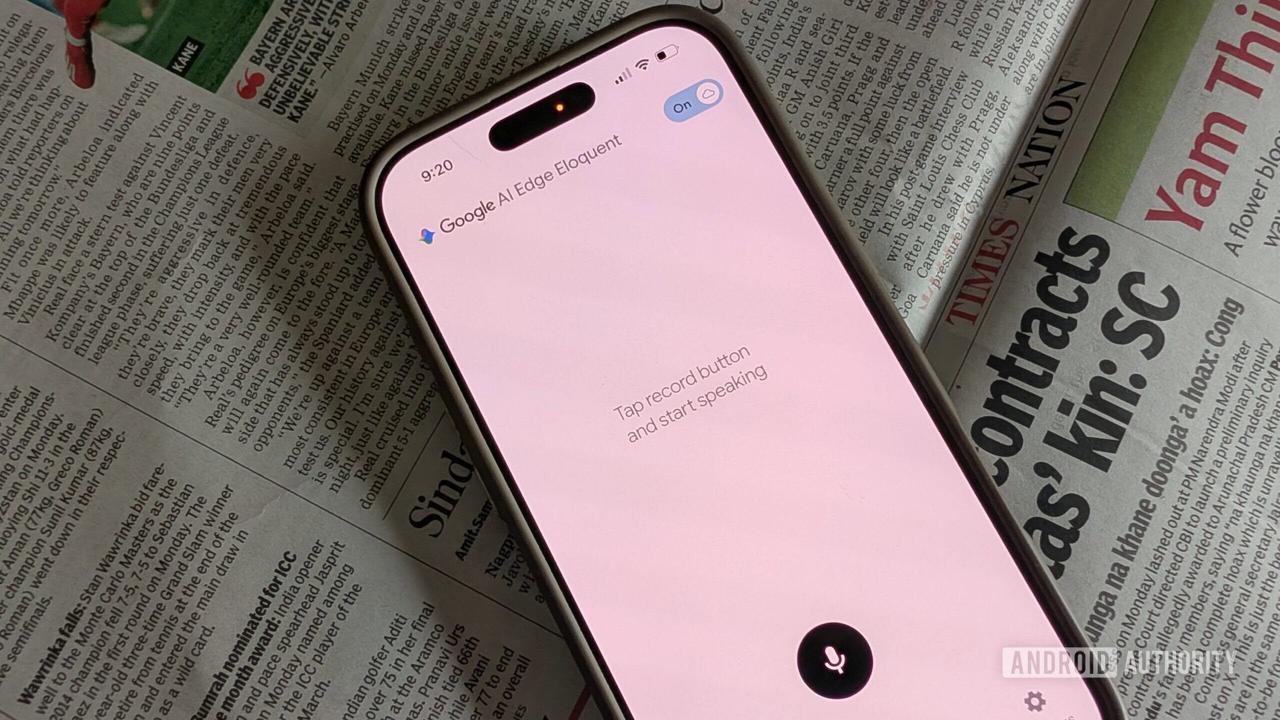
. The app displays live transcription as you speak, and when you hit pause or stop, it automatically processes the raw speech to convert spoken words into text5
.
Source: Android Authority
A toggle in the interface switches between two processing modes
5
. In fully offline mode, all audio stays on the device and on-device processing handles everything locally—nothing is sent to a server. When cloud mode is enabled, the app uses cloud-based Gemini models for enhanced text cleanup while still performing initial speech recognition locally1
. This distinction matters significantly for user data privacy, particularly for professionals in regulated industries or anyone wary of uploading voice data to remote servers5
.Beyond basic transcription, the app includes four text transformation options displayed below the transcript: "Key points," "Formal," "Short," and "Long"
1
. These tools allow users to extract main ideas as bulleted lists, rewrite in a more professional register, condense content, or expand it5
. The cleaned transcript is automatically copied to the clipboard, ready to paste wherever needed5
.The app features custom dictionaries that improve accuracy for domain-specific vocabulary
4
. Users can manually add names, technical jargon, and specialized terms they regularly use2
. More notably, with Gmail integration, the app can import frequently used words directly from your recent Gmail messages, building a personalized vocabulary profile without requiring deliberate configuration5
. The app also automatically adds words you've made edits to if there's a spelling mistake2
.Google AI Edge Eloquent displays comprehensive usage statistics, showing words dictated in the last session, your words per minute speed, and total word count
1
. A history tab retains all previous transcription sessions and lets you search through them, with each entry deletable individually1
5
. These productivity-focused features cater to users who want to measure their dictation output and maintain organized records of their work.Related Stories
The release on iOS before Android represents an unusual strategy for Google
5
. Android is Google's own platform, where the company typically demonstrates new capabilities first using Gemini Nano and the AI Edge SDK. While the app is currently only available on iOS, the App Store description references an Android version with promises of "seamless Android integration"1
2
. According to references found in the app's description, the Android version will allow users to set it as their default keyboard for system-wide access across any text field, plus a floating button feature for easy access to transcription from anywhere1
.
Source: Mashable
At launch, the app supports dictations in English and is available everywhere except the UK, Switzerland, and the European Economic Area, where it awaits regulatory approval
3
.The free, no-usage-limit model challenges the subscription-based pricing that has defined premium AI productivity tools
5
. Wispr Flow and similar services charge $15 per month and rely on cloud processing, routing audio through servers operated by OpenAI and Meta5
. Google's entry with a completely free alternative that prioritizes offline AI and on-device processing makes the subscription model considerably less defensible.The growing demand in 2026 for AI tools that process data locally rather than sending it to third-party servers has become a primary consideration in enterprise and professional software procurement
5
. Google AI Edge Eloquent addresses this concern directly by ensuring that "all machine learning processing runs entirely locally on your iOS device" in offline mode, meaning "your audio, confidential conversations, and personal data never leave your device"3
. Critics have questioned the accuracy and safety of AI transcription tools3
, making transparent privacy controls increasingly important.Offline AI is quickly becoming the next battleground in mobile applications
4
. If this experimental release proves successful, improved polished speech-to-text features could expand across Android and other Google products1
. The quiet launch suggests Google may be testing market reception before committing to a full-scale rollout, but the combination of zero cost, unlimited usage, and genuine offline capability positions this as a serious competitor in the speech-to-text landscape.Summarized by
Navi
[4]
23 Apr 2026•Technology

01 Jun 2025•Technology

01 Jul 2025•Technology

1
Technology

2
Policy and Regulation

3
Science and Research