Google Home's Gemini AI now monitors live camera feeds, sparking privacy questions


3 Sources
3 Sources
[1]
Gemini Expands to Live Camera Feeds: What It Means for Your Privacy
Expertise Smart home | Smart security | Home tech | Energy savings | A/V Google's Gemini for Home AI originally could only access stored video clips from compatible security cameras. It could answer questions about object locations, notify you when a UPS van arrived and provide daily summaries of motion-detected activity captured by the cameras. Now, that AI analysis is getting a significant live viewing boost. According to Anish Kattukaran, chief product officer for Google Home, and his latest X posts on the changes, Google Home is introducing the ability to ask Gemini for Home Live Search questions, letting the AI look at what the camera currently sees, analyze that footage and explain it. "You can now ask Gemini to understand the current state of your home," Kattukaran wrote. "(For example), Hey Google, is there a car in the driveway?'" These options will be available only to Google Home Premium Advanced subscribers, with plans starting at $20. A Google representative didn't immediately respond to a request for comment. Other upgrades to Google Home include the full rollout of Yale Smart Lock integration and improved casual conversation with Gemini for Home. Concerns about Gemini AI accessing security cameras on demand are understandable. Similar privacy questions have arisen with features like Ring's pet-finding Search Party and the extent of law enforcement access to Flock Safety surveillance. Unlike Ring's cut-short partnership, Google Nest has never had any contracts with surveillance companies like Flock. However, the company has shared footage with police in the past, most notably when Nest recovered cloud footage, first assumed deleted, from a Nest camera, to help in the case of Nancy Guthrie, the missing mother of Today Show co-anchor Savannah Guthrie. It is unclear whether the new Live Search feature will allow Gemini for Home to access cameras on demand in cases involving law enforcement requests. According to Google's description, Gemini for Home can use Live Search whenever questions pertain to a home's current state, giving the AI broad access. Google has not yet clarified whether Live Search can be disabled or how live camera feeds might be handled in relation to police or other privacy concerns. Whenever Gemini for Home accesses a Nest camera, the footage may be used for AI training purposes. Details about how Live Search is activated and managed have not been fully disclosed. By default, the latest Nest cameras provide 6 hours of free cloud video storage, but Gemini for Home can only access stored or live footage if people have the appropriate subscription plan and have enabled the feature.
[2]
Google Home Adds Gemini Live Search to Tell You What Your Cameras See
Google Home with Gemini onboard is getting new features, including various tweaks to address annoyances and a brand-new feature to help spot packages and movement live on your home's cameras. As announced by Google Home chief product officer Anish Kattukaran on X, the new updates are rolling out now across the latest version of the app and should start appearing for users who have opted into early access to Gemini for Home. The big new feature is called Live Search, a Gemini-powered option that uses AI to monitor camera feeds in real time and lets you ask questions, such as whether there's a car in your driveway or a package being delivered. Live Search is only available to Google Home Premium Advanced subscribers, who pay $20 a month or $200 a year for other features such as AI-generated notifications, descriptions of video clips, and 60 days of camera history. The other hardware feature is Yale smart lock integration, which has now graduated to general availability in the app, allowing you to use its security devices through Home. There's also an update to the Nest Wifi Pro, which Google says enhances mesh performance and stability. Other new features are mostly tweaks as part of the brand's efforts to improve its smart home platform. That includes improved isolation and fixed targeting, which should both make it easier to reference and control specific devices or rooms in your home. Google also says it has improved context for each device, even if the terminology you're using isn't in the device name, making it easier to talk about specific devices. Kattukaran also confirmed that Home will now use your home address from the app for location features. Kattukaran also notes better reliability across the entire platform, fewer premature cut-offs where Gemini may speak over you, and more reliable answers when you ask a smart speaker a question.
[3]
Google fixes Gemini's biggest Google Home frustrations
Rajesh started following the latest happenings in the world of Android around the release of the Nexus One and Samsung Galaxy S. After flashing custom ROMs and kernels on his beloved Galaxy S, he started writing about Android for a living. He uses the latest Samsung or Pixel flagship as his daily driver. And yes, he carries an iPhone as a secondary device. Rajesh has been writing for Android Police since 2021, covering news, how-tos, and features. Based in India, he has previously written for Neowin, AndroidBeat, Times of India, iPhoneHacks, MySmartPrice, and MakeUseOf. When not working, you will find him mindlessly scrolling through X, playing with new AI models, or going on long road trips. You can reach out to him on Twitter or drop a mail at [email protected]. Google took its time to bring Gemini to Google Home devices. While the AI-powered assistant improves the smart home experience, it's not without issues. Based on the feedback received as part of its early access program, Google is now rolling out some much-needed upgrades to the Gemini for Home voice assistant experience. The list of improvements is extensive and includes more reliable handling of commands related to notes, reminders, timers, and alarms. Gemini for Home will also be smart enough to use your saved home address when you ask questions like, "What's the weather?" or catch up on local news. Gemini in Google Home will now also do a better job at differentiating between your multiple homes. So, when you ask the AI assistant to turn off the lights, it will only do so in your current home. Gemini should now also cut you off less than before while speaking, which has been a common complaint among Google Home users in the Gemini early access program. The full list of changes and improvements is as follows: Improved targeting for smart home devices to correctly control the intended device. Changes include: Better isolation for people with multiple homes. For example, "turn off all lights," or "turn on all the lights" limits selection to the current home. Better targeting for room and whole-home queries, including unassigned devices. For instance, "turn off the kitchen" now only affects lights, and unassigned devices are no longer incorrectly grouped with general room requests. Better categorization for devices with unique names. For instance, a device named "Table Glow" is now correctly identified as a lamp based on manufacturer metadata, ensuring it is included in "turn on the lights" requests even if the word "light" isn't in its name. Gemini for Home now explicitly uses your home address as defined in the Google Home app to help with relevant responses for things like weather ("what's the weather") or local news ("what's the news"). Improved the reliability and accuracy of commands related to notes & lists, reminders, calendars, timers and alarms. Upgraded answers to use more recent Gemini Models, resulting in improved quality of responses for informational queries. Reduced instances where users are cut off prematurely while speaking. This ensures Gemini correctly understands the user, enabling smoother and more fluid turn-taking during live conversations. Improved reliability of triggering user-created automations by voice. "Ok Google, Party time" will more reliably trigger a user-created 'party time' automation. Improved reliability of correctly playing newly-released songs. For users subscribed to the advanced plan of Google Home Premium, you can now "Live Search" your camera streams to understand the current state of your home. Previously, searching cameras was limited to past events. If you're a Google Home Premium Advanced subscriber, the new Live Search feature lets you use Gemini to get real-time updates about what's happening in your home. More starter actions in Google Home Earlier this year, Google made Google Home automations more powerful by adding 20 new starters, conditions, and actions. It is now expanding on those capabilities with even more starters and conditions. These include triggers such as when your security system is armed, when a device is plugged in, or when it's docked. For now, the new starters and conditions are only available through the automation editor in the Google Home app. You cannot access them through Ask Home or Help me create. If you own a Nest x Yale Lock, Google is now expanding its support in the Google Home app to everyone. Until now, only those enrolled in the Public Preview could use the app to receive notifications, check battery status, manage passcodes, and schedule guest access. Lastly, if you own a Nest Wifi Pro, the March 2026 software update will improve its stability and mesh performance.
Share
Share
Copy Link
Google Home is rolling out Live Search, allowing Gemini AI to analyze live camera feeds and answer real-time questions about your home. Available to Google Home Premium Advanced subscribers at $20 per month, the feature raises concerns about surveillance and law enforcement access to footage.
Gemini AI Gains Real-Time Vision Through Live Search
Google Home is expanding its AI capabilities with a feature that lets Gemini AI monitor camera feeds in real-time. According to Anish Kattukaran, chief product officer for Google Home, the new Live Search functionality allows users to ask real-time questions about their home's current state, such as "Is there a car in the driveway?" or whether a package has been delivered
1
2
. This Gemini-powered AI analysis marks a shift from the previous limitation of accessing only stored video clips from compatible security cameras.
Source: Android Police
The feature is exclusively available to Google Home Premium Advanced subscribers, who pay $20 per month or $200 annually for additional benefits including AI-generated notifications, descriptions of video clips, and 60 days of camera history
2
. By enabling Gemini for Home to understand what Nest cameras currently see, Google is positioning its AI-powered smart home experience as more responsive and context-aware than ever before.Privacy Concerns Emerge Over Surveillance Access
The introduction of Live Search has sparked privacy concerns about how broadly Gemini AI can access live camera feeds and whether this data might be shared with law enforcement. According to Google's description, Gemini for Home can use Live Search whenever questions pertain to a home's current state, giving the AI broad access to surveillance footage
1
. Google has not yet clarified whether Live Search can be disabled or how live camera feeds might be handled in relation to police requests.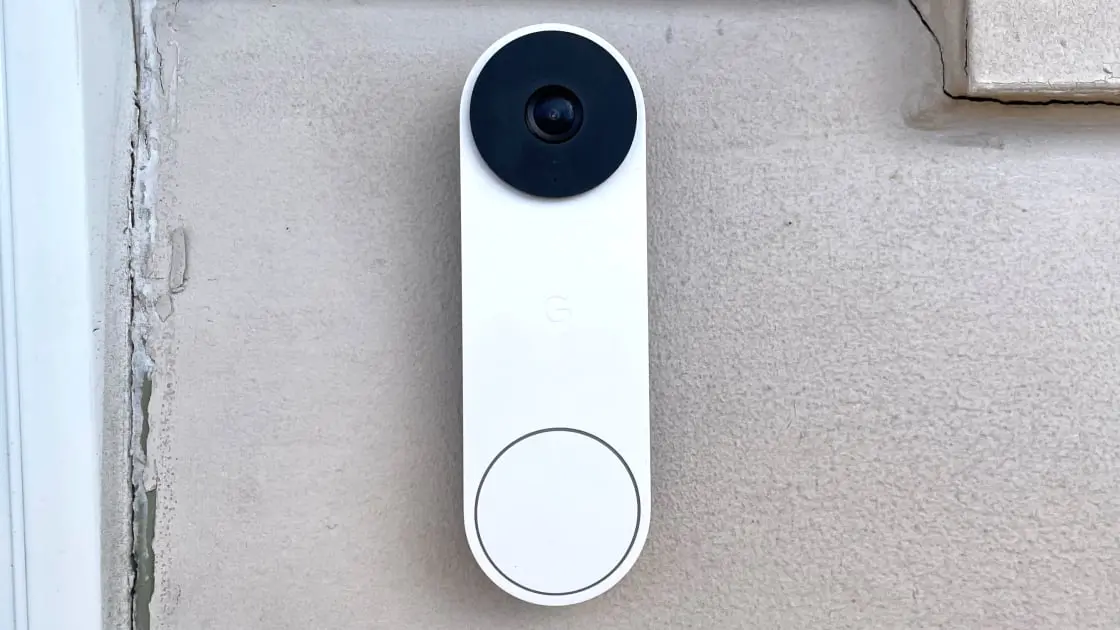
Source: PC Magazine
While Google Nest has never had contracts with surveillance companies like Flock Safety, the company has shared footage with law enforcement in the past. Most notably, Nest recovered cloud footage from a camera to assist in the case of Nancy Guthrie, the missing mother of Today Show co-anchor Savannah Guthrie
1
. It remains unclear whether the new feature will allow similar on-demand access in cases involving law enforcement access requests. Additionally, whenever Gemini for Home accesses a Nest camera, the footage may be used for AI training purposes, raising further questions about data usage and storage1
.Smart Home Commands Get Smarter With User Feedback
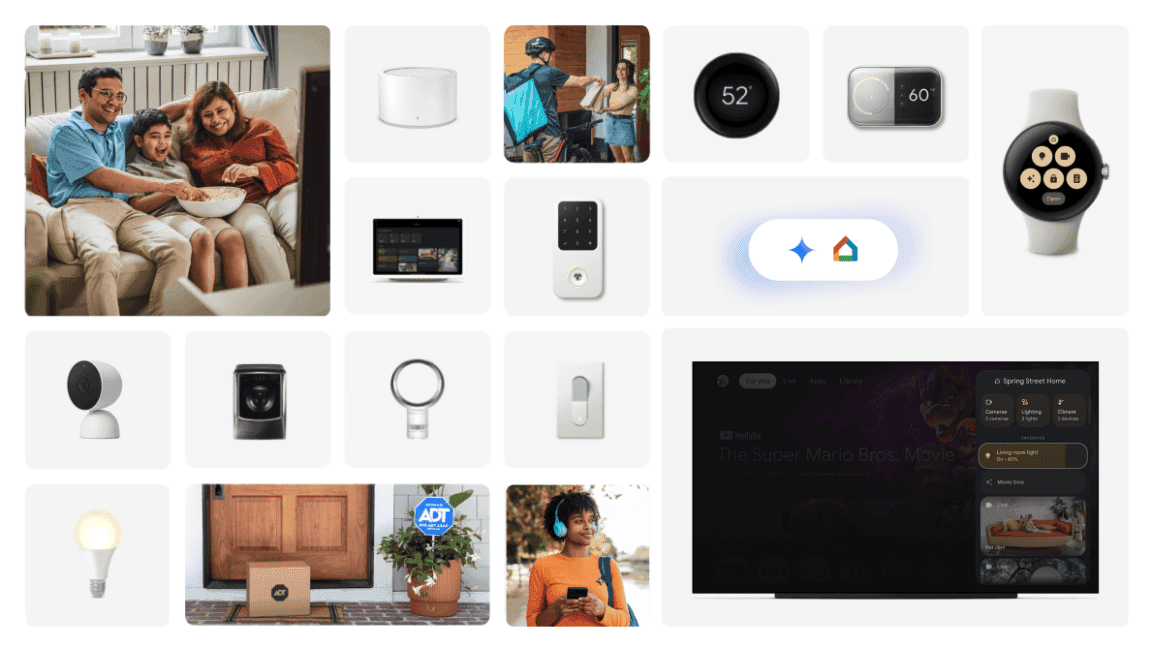
Beyond Live Search, Google is addressing user feedback from its early access program with extensive improvements to Gemini for Home. The updates include more reliable handling of smart home commands related to notes, reminders, timers, and alarms
3
. Context awareness has been enhanced so that Gemini for Home now uses your saved home address when you ask questions about weather or local news, and better differentiates between multiple homes to ensure device control commands only affect your current location.Improved targeting ensures that conversational interactions are more accurate. For instance, a device named "Table Glow" is now correctly identified as a lamp based on manufacturer metadata, ensuring it's included in "turn on the lights" requests even if the word "light" isn't in its name
3
. The system also reduces instances where users are cut off prematurely while speaking, enabling smoother turn-taking during conversations. These refinements demonstrate Google's commitment to making its AI assistant more intuitive and less frustrating for daily use.Related Stories


Expanded Hardware Integration and Automation Capabilities
Google is also rolling out Yale Smart Lock integration to general availability in the Google Home app, allowing users to receive notifications, check battery status, manage passcodes, and schedule guest access
2
3
. The Nest Wifi Pro is receiving a March 2025 software update that enhances mesh performance and stability, further strengthening the ecosystem.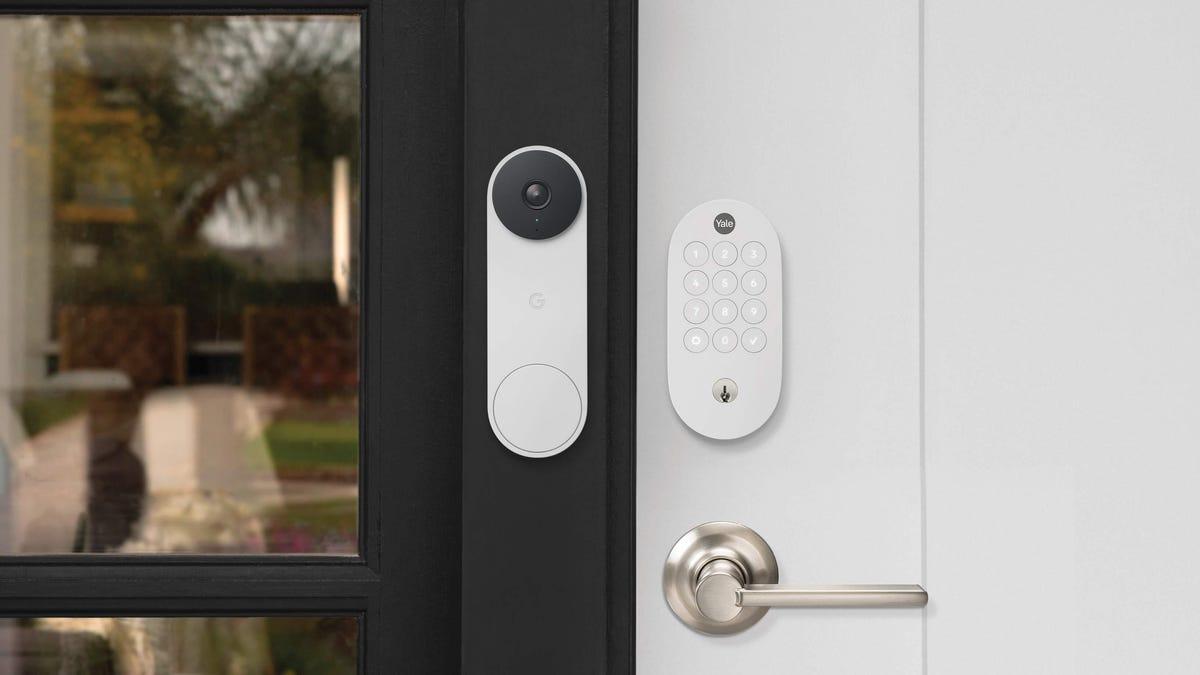
Source: CNET
Automation capabilities are expanding with new starters and conditions, including triggers for when your security system is armed, when a device is plugged in, or when it's docked
3
. These additions, currently available through the automation editor in the Google Home app, give users more flexibility in creating customized routines. The subscription plan requirement for premium features like Live Search positions Google to monetize advanced AI functionality while keeping basic smart home controls accessible to all users. As Google continues refining its AI assistant based on user feedback, questions about cloud video storage policies and data protection will likely remain central to the conversation around smart home privacy.References
Summarized by

Navi
[3]
Related Stories
Recent Highlights
1
Anthropic's Claude AI can now control your computer to complete tasks autonomously
Technology

2
Nvidia's Jensen Huang calls OpenClaw the next ChatGPT, sending Chinese AI stocks soaring
Technology

3
Elon Musk unveils $20 billion Terafab chip manufacturing project to produce terawatt of computing
Technology

Recent Highlights
Today's Top Stories







Your Daily Dose of Curated AI News
Don’t drown in AI news. We cut through the noise - filtering, ranking and summarizing the most important AI news, breakthroughs and research daily. Spend less time searching for the latest in AI and get straight to action.

