33 Sources
33 Sources
[1]
Claude Code can now take over your computer to complete tasks
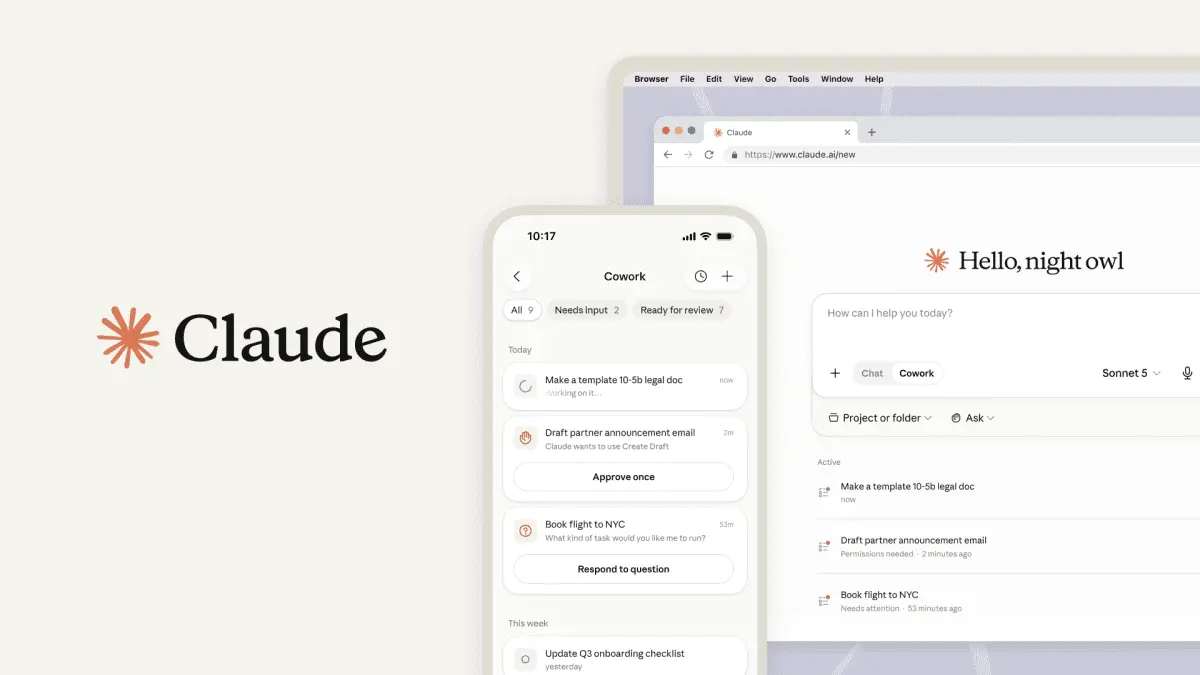
Anthropic is joining the increasingly crowded field of companies with AI agents that can take direct control of your local computer desktop. The company has announced that Claude Code (and its more casual user-oriented Claude Cowork) can now "point, click, and navigate what's on your screen" to "open files, use the browser, and run dev tools automatically" when necessary to complete tasks. When possible, Anthropic says Claude Code and Cowork will still prioritize using Connectors to directly access and control outside apps or data sources. When that connection isn't available, though, those tools are now able to ask permission to "scroll, click to open, and explore as needed" on the machine itself to do what's asked. This kind of direct control of the computer can also be initiated and managed remotely via Claude's Dispatch tool as long as the target computer remains powered on. The new feature is now available to Claude Pro and Max subscribers using MacOS in what Anthropic calls a "research preview." That means the system "won't always work perfectly" and will sometimes require a "second try" for complex tasks, Anthropic warns. Completing tasks via "computer use" also "takes much longer and is more error-prone" than performing the same task via Connectors, the company writes. Pobody's nerfect Giving an admittedly imperfect and "error-prone" AI tool the ability to explore your computer desktop "as needed" could ring some justified security alarm bells for many users. That's especially true given the widespread stories of security issues that have arisen when companies or individual users give AI agents access to sensitive resources. Anthropic says it has safeguards in place to prevent common risks like prompt injection, and it will limit access to certain "off limits" apps (e.g., "investment and trading platforms, cryptocurrency") by default. Anthropic also notes on a support page that the model is trained to avoid "risky operations" such as moving or investing money, modifying files, scraping facial images, or inputting "sensitive data." But the company also warns that such training safeguards "aren't perfect" and "aren't absolute," meaning that "Claude may occasionally act outside these boundaries." Anthropic also warns that, when computer use is activated, Claude will be able to see anything visible on-screen, including "personal data, sensitive documents, or private information." For all these reasons, the company recommends "starting with the apps you trust and not working with sensitive data" during this research preview stage. Anthropic's announcement comes just weeks after the rollout of Perplexity's Personal Computer, Manus's My Computer, and Nvidia's NemoClaw, which similarly let their AI agents take direct control of the desktop. All of these corporate moves follow the viral spread of OpenClaw earlier in the year, which led OpenAI to hire OpenClaw creator Peter SteinBerger "to drive the next generation of personal agents."
[2]
Anthropic's Claude Can Now Control Your Computer
Blake has over a decade of experience writing for the web, with a focus on mobile phones, where he covered the smartphone boom of the 2010s and the broader tech scene. When he's not in front of a keyboard, you'll most likely find him playing video games, watching horror flicks, or hunting down a good churro. You can now let Claude take control of your computer to perform tasks like sending you a file you left on your hard drive, Anthropic announced Monday. For the feature to work, you just need to be on a qualifying subscription plan. In the wake of the viral explosion of the open-source OpenClaw framework earlier this year, it's the latest developer to deliver a tool that enables an AI model to act more actively OpenClaw has spawned an entire ecosystem of "claws," or AI tools that can take simple commands and perform them somewhat autonomously on your computer or with your tools or systems. Nvidia last week debuted NemoClaw, its framework for easily setting up and installing OpenClaw, with some security settings. Anthropic says that Claude will look for the right tools to complete the task at hand via connectors with apps like Google Calendar or Slack. If the tool or connector isn't available, Claude can manually perform the task by typing or moving the cursor, as if it were using the keyboard and mouse. It can use programs like your web browser, dev tools and open files. When it's performing these tasks, it can use a computer as you normally would -- by scrolling and clicking around. The only difference is that Claude will always ask for permission beforehand. You can stop Claude from performing a task at any time. Giving your chatbot the keys to your computer can be convenient for certain tasks, but it can leave your computer vulnerable to attacks. Experts told us one major worry with agentic AI is that it can take major, sometimes dramatic actions quickly and with little warning. Claws can also be hijacked by malicious actors, who can use your personal data and systems in ways you don't want. Anthropic says it implemented safeguards to minimize risks like prompt injections. The system will automatically scan for this and more vulnerabilities as they are implemented. Despite some of its efforts to keep Claude's computer use safe, Anthropic also provides a warning to users. The feature is new and may contain errors, and the company suggests not using apps that handle sensitive data -- so much so that some of these apps are disabled by default. The research preview is available now for Claude Pro and Claude Max subscribers and limited to computers running MacOS only. Anthropic says the new computer-use feature works well with Dispatch, which allows you to assign tasks to Claude using your phone. Such tasks include checking your email every morning or opening up a Claude Cowork or Claude Code session. The combination of computer use for Claude and Dispatch enables you to do even more while you're not even around. Anthropic says the feature combo can create a morning briefing or run tests, for example. Given that both features are new, some complex tasks might not work the first time. Anthropic said it's releasing this research preview to gain early insight on where it needs the most attention to become an even more powerful tool.
[3]
I let Claude AI control my Mac, and it worked flawlessly - with only two minor issues
Permissions and oversight are required to reduce security risks. Imagine asking an AI to perform a task in which it has to use your computer just as you do. That means it can open files, launch apps, click icons, type text, and browse the web on its own. This type of skill marks the latest evolution of AI agents, and it's one you can now try with Anthropic's Claude AI. Currently in "research preview" mode, Claude's new computer ability gives it the power to navigate your computer screen and interact with your applications, files, and settings to run your assigned tasks. Just give it a command, such as "enter data into a spreadsheet from the contracts files in my Google Drive, format it, and then save it to a folder," and the AI should complete each step as long as your computer stays on. Also: How Claude Code's new auto mode prevents AI coding disasters - without slowing you down The only times you'd need to intervene are when Claude requires your permission to perform a specific action, such as opening an app. There are a few requirements, conditions, and concerns. First, the computer skill is available only for Claude Pro and Max subscribers. Free users, as well as those with Team or Enterprise plans, are out of the running for now. Second, it's accessible only on the Mac through the Claude Mac app (though Anthropic says that Windows support is coming soon). Next, Claude will try to avoid interacting with certain apps or sensitive data. As some examples, it won't perform stock trading or investment transactions, input sensitive information, or scrape facial images. But since the new skill is still in the preview phase, Claude could still run afoul of its basic programming. For that reason, you may need to manually deny it permission to apps associated with banking, financial, healthcare, or legal matters. Also: This new Claude Code Review tool uses AI agents to check your pull requests for bugs - here's how Further, Claude captures your screen to learn how to navigate it. That means it can see and record whatever information is on the screen. When you issue a command, make sure that any apps or files with confidential or private data aren't open and visible. Overall, this seems like a skill with a lot of potential. But it's also a process that could go haywire, especially given the unpredictability of AI bots. Since you're essentially letting Claude loose on your computer, the risks multiply. With all that in mind, Anthropic advises you to avoid giving it permission to sensitive apps. You'll also want to start with simple tasks and be sure to fine-tune your instructions to avoid any type of misunderstanding. If you have a Claude Pro or Max account and a Mac, here's how to try this. I wanted to see how Claude's new skill worked in action, so I sent it on a few different missions. Following Anthropic's advice, I started by keeping it simple. The AI performed each task accurately without any hitches. Even when it ran into roadblocks or made mistakes, it was able to work past them on its own to achieve the right results. I do have a couple of minor criticisms. The permission you give to Claude to access a specific app is only good for that session. If you want it to access the same app for a different request, you need to grant permission again. This is a good idea in terms of safety, but I'd like to see an option to give an app permanent permission. Also: How to switch from ChatGPT to Claude: Transferring your memories and settings is easy Also, the process itself can be slow, even with a simple task. For example, I could find the five most recent files in my Documents folder much faster than Claude did. But the true strength here lies in the AI's ability to perform a series of tasks based on a single request, especially if you ask it to generate content. So far, Claude's computer skills are off to a promising start. I look forward to seeing how this ability evolves over time, yet still be mindful of your safety and security.
[4]
Anthropic's Claude Code gets 'safer' auto mode
Anthropic has launched an "auto mode" for Claude Code, a new tool that lets AI make permissions-level decisions on users' behalf. The company says the feature offers vibe coders a safer alternative between constant handholding or giving the model dangerous levels of autonomy. Claude Code is capable of acting independently on users' behalf, a useful but risky feature as it can also do things users don't want, like deleting files, sending out sensitive data, and executing malicious code or hidden instructions. Auto mode is designed to prevent this, flagging and blocking potentially risky actions before they run and offering the agent a chance to try again or ask a user to intervene. Right now, auto mode is only available as a research preview for Team plan users. Anthropic says access will expand to include Enterprise and API users in "the coming days." Anthropic warns the tool is experimental and "doesn't eliminate" risk entirely, recommending developers use it in "isolated environments."
[5]
Anthropic's Claude Can Now Use Your Computer to Complete Tasks for You
With the Dispatch feature, you can also ask Claude to run tasks on your PC from your phone. Anthropic has updated its Claude Cowork and Claude Code tools to let them autonomously carry out tasks on your PC. Without the need for any additional setup, these tools can interact with your screen to open files, access your browser, and complete tasks based on your prompts. Anthropic first introduced the capability as "computer use" in 2024. You can now use it via Cowork and Code tabs on the macOS app if you have Anthropic's Pro or Max subscription. With computer use, you can get Claude to fill out forms on your browser, fetch and process documents, organize folders into categories, or carry out similar tasks on other apps. Note that Claude will only be able to access the files, folders, and apps you allow it to. When you give the chatbot a command, it will first reach out to connectors like Slack or Google Calendar. If there isn't a connected app for the task, Claude will "directly control your browser, mouse, keyboard, and screen to complete tasks. It will scroll, click to open, and explore as needed, always asking for your explicit permission first," Anthropic says. Though helpful, the feature is still in its early stages and may get things wrong, the startup warns. You can end a task anytime you want, but the company recommends "starting with the apps you trust and not working with sensitive data." What makes Claude's automation more interesting is a feature called Dispatch. It lets you control your PC remotely from your phone, provided both devices are connected to the internet and awake. While setting it up, you can give Dispatch permission to access your files, folders, and apps. Once ready, the Dispatch tool can be accessed from the left pane of your mobile app. You can use it to provide Claude commands to pull data from files, check Slack messages and emails, build a presentation, or organize folders. You can also ask Claude to schedule tasks or provide daily or weekly updates. Dispatch maintains a single thread for all your conversations. It remembers tasks to better understand your workflow and help you avoid repeating your requirements. You can, however, "view, edit, and delete your memory at any time," Anthropic says in a support page. Claude's task automation feature arrives weeks after OpenClaw took the internet by storm; its creator later joined OpenAI. Meta's recently acquired startup, Manus, also launched an app this month with an AI agent that controls your PC.
[6]
I connected Claude to my local files and tools, and it went from chatbot to actual assistant
You might have seen memes saying that if you receive an email with perfect grammar, punctuation, and clean formatting, it was probably written by AI. As much as this pains me as a writer whose career depends on writing, I'm well aware that one of the biggest use cases of AI since the day OpenAI publicly launched ChatGPT in 2022 remains surface-level tasks like writing emails. Now, I'm not one to say that there's anything wrong with that. However, a lot has changed between November 2022 and today. LLMs have gotten exponentially smarter, the number of tools we have access to has exploded, and the way these models can interact with our systems has fundamentally shifted. That's exactly why connecting Claude to my local files and tools completely changed how I use it. AI tools can now actually do things for you The days of it just writing your emails are over For a fairly long time (at least long in the context of how fast AI moves), the way public-facing AI tools worked was you'd ask a question, and they'd spit out an answer. Want to write an email? Open your inbox, copy the email, paste it into an AI chatbot's window, wait for a response, copy the response, and then head back to your inbox to paste the response. Now, the difference is that AI tools can directly jump between tools and actually take action for you. The first time the majority of users experienced this firsthand was with agentic AI browsers. I've been testing these agentic workflows since the beginning, and the vast majority of them felt... very disconnected. The outputs were often disappointing, you'd need to constantly step in, and the whole experience just felt frustrating. Claude's implementation is the only time that connecting it to my external tools has actually made a meaningful difference. Claude Cowork lets it access all your local files No more uploading files one by one into a chat window You know how an assistant you hire makes sure all your files are organized and aren't a disaster at all times? When I think of a digital assistant, that's exactly the kind of tasks I'd want it to handle. Rather than simply telling me how to do it, I'd want it to go ahead and organize my chaotic downloads folder, clean up my overflowing desktop, or sort through months and months worth of files I've been meaning to organize. These are exactly the kind of tasks Claude Cowork can handle. Cowork is a Claude feature that's currently available as a research preview for paid plans. It brings Anthropic's viral developer feature, Claude Code's, agentic capabilities to non-technical users who aren't comfortable working within a terminal environment. The feature essentially lets you describe anything you'd like to do, and then Claude completes the work for you automatically. Cowork runs directly on your computer, meaning you can give it direct access to your local files. When a task is underway, Claude clearly breaks it down into sub-tasks and then displays its progress in a step-by-step view so you can follow along and see exactly what it's doing at every stage. It also explicitly asks for your permission before permanently deleting any files. While it hasn't been too long since Claude launched Cowork, it's quickly turned into my favorite feature. I regularly use it to organize my laptop, and it never fails to deliver. More impressively, I recently used it to free up over 60 GB of storage! I've had this MacBook for over 3 years now, and I've not once bothered to clean it up myself. This is exactly the kind of task I'd have outsourced to an assistant. Now, I finally can! You can also use Cowork to do all sorts of file management tasks like renaming thousands of files with consistent formatting, converting files in bulk, scanning through your documents to find and flag duplicates, and more. It's also an excellent way to find patterns and connections across all your documents, and query them without having to manually open and sift through everything yourself. Connecting Claude to your daily tools takes it to another level No more copying and pasting between five tabs Beyond using Cowork to connect Claude to your local files, there are a few ways you can connect the tool to the tools you rely on daily. This includes Connectors, MCP servers, and the Claude in Chrome extension. I believe Connectors are the simplest route since they only take a few clicks to set up. Connectors are pre-built integrations vetted by Anthropic that let Claude connect directly to tools like Gmail, Google Calendar, Notion, Slack, Figma, Canva, and more. Once you've authenticated the tool and granted the necessary permissions, Claude can directly retrieve information from the respective tool and even go ahead and make changes. For instance, I regularly ask Claude to go through my email inbox, find press releases I've received recently, and organize them into my Notion database. Claude is good, but connecting it to the right tools is what makes it worth paying for Copy-paste is so 2024. Posts By Mahnoor Faisal Depending on the tools you use daily, these integrations let you do a range of tasks using natural language. You could ask Claude to check your Google Calendar for scheduling conflicts and move meetings around depending on availability, summarize your Slack messages, and whatnot. The point is that you're describing what you want done in plain English, and Claude handles the back-and-forth between tools. Subscribe to the newsletter for practical AI workflows Explore hands-on guides by subscribing to the newsletter: in-depth walkthroughs, setup tips, and step-by-step workflows for Claude Cowork, Connectors, MCP servers, and other AI tools -- learn how these integrations actually work and how to apply them. Get Updates By subscribing, you agree to receive newsletter and marketing emails, and accept our Terms of Use and Privacy Policy. You can unsubscribe anytime. MCP servers are another excellent way to fit Claude right into your workflow. While Anthropic officially has Connectors for a lot of tools, there are thousands more that don't have one yet. MCP servers solve that. MCP is an open standard that lets anyone build a connection between Claude and a third-party tool. For instance, Claude doesn't have a Connector for NotebookLM, so I found an MCP server for the tool on GitHub. Once they're set up, they work just like Connectors and allow Claude to read data from the tool and interact with it directly. Stop using AI just like a chatbot The days of using AI as a Google Search replacement are long, long gone. With features like Cowork and Connectors, AI has turned into something that can actually go ahead and take repetitive tasks off your plate and do them for you. So, if you aren't exploring such workflows, you're leaving a lot on the table.
[7]
How Claude Code's new auto mode prevents AI coding disasters - without slowing you down
It's a middle ground between safety controls and full autonomy Anthropic today is announcing a new "auto mode" for Claude Code that enables the large language model to make permission-level decisions with AI safeguards. The company says this will be a safer option than the "dangerously skip permissions" option that developers use to drive long coding sessions. Claude Code is astonishingly powerful. That's because it doesn't just write code. It can also enter the shell commands that coders need to produce results. Those commands include creating directories, moving files, checking updates into GitHub, and more -- including deleting files and directories. Also: How to install and configure Claude Code, step by step Because letting an AI run amok on your computer is a terrifying prospect, Claude implements a variety of permission systems. One such protection limits Claude to working in a designated folder hierarchy. In my case, that means working on my Xcode projects, but it has no access to my main Documents folder or other files. That protection prevents a system-wide disaster, but it doesn't prevent Claude from ruining an entire codebase. And yes, it's done that to me. I love my backups. Also: Claude Code made an astonishing $1B in 6 months - and my own AI-coded iPhone app shows why Another protection mechanism is where Claude asks permission for anything that might prove problematic, especially all those shell commands. While this is good for protection, it's brutal for productivity. Instead of setting Claude loose to write code and coming back after lunch, you have to approve each command one-by-one. Tedious. Claude has provided permission tiers, and you can set the level you're comfortable with. Because coders will be coders, there's even a nuclear option, called "dangerously-skip-permissions" that skips permission checks and -- surprise! -- can be dangerous. For one dev's take on how to use this responsibly, here's a good blog post. Also: I used Claude Code to vibe code a Mac app in 8 hours, but it was more work than magic As you might imagine, there's a tough trade-off here. Either you let Claude stop work and interrupt you every few minutes, or you let Claude do its thing, which could involve either building something amazing or destroying months of work. This is where Claude Code's new auto mode comes in. Don't get too excited yet. Right now, it's a research preview only available to Team plan users. The company says it's coming to Enterprise plan and API users in "the coming days." "Auto mode is a middle path that lets you run longer tasks with fewer interruptions while introducing less risk than skipping all permissions," according to the company. "Before each tool call runs, a classifier reviews it to check for potentially destructive actions like mass deleting files, sensitive data exfiltration, or malicious code execution." Also: 10 things I wish I knew before trusting Claude Code to build my iPhone app The company says that actions the classifier deems safe proceed automatically, while risky ones are blocked, prompting Claude to take a different approach. If Claude insists on taking actions that are continually blocked, it will eventually trigger a permission prompt to the user. The new auto mode classifier looks for potentially risky commands, such as mass file deletion, sensitive data exfiltration, and malicious execution. The company says that risk is reduced, but it's not eliminated. It still strongly advises working in isolated environments. As with all AI activities, auto mode can get confused. Some risky actions might be allowed to execute if the AI doesn't properly understand the context. Benign actions might be blocked from time-to-time. This doesn't seem exactly like a fox-guarding-the-henhouse-style situation, and adding additional guardrails makes sense. However, auto mode feels like taking away the guardrails while putting up a sign along the edge of the road that says "steep cliff." Right now, I can't. I'm on the Claude $100/month Max plan, and that doesn't have access to this feature. But I will definitely admit to having been very frustrated by Claude's insistence on permission reviews when I just want it to do its job. I do regularly backup my machine, so if auto mode or dangerously skip permissions decides to carpet bomb my code, I can recover. I think if I used either of these features regularly, I'd get into the habit of doing directory zips and extra backup runs before letting the AI loose on anything. Also: I used Claude Code to vibe code an Apple Watch app in just 12 hours - instead of 2 months As I write this, I'm thinking I'd probably prefer to run auto mode than the completely open "dangerously skip permissions" option. I'd like the added productivity, but I'd also prefer some guardrails in place. So, when it becomes available to my plan, I will most likely give it a try. Right now, the auto mode feature is compatible with Sonnet 4.6 and Opus 4.6 models. Again, it's only available to Teams users on launch. Anthropic says, "Auto mode may have a small impact on token consumption, cost, and latency for tool calls." I think we'll see this approach improve over time. After all, Claude Code is barely a year old, and it's changed the coding world tremendously in that time. It's also improved by leaps and bounds in that time. So while auto mode lets coders make a trade-off between convenience and computational overhead, it will likely be part of the overall development stack once it matures.
[8]
Anthropic's Claude Code and Cowork can control your computer
These new capabilities are available as a research preview for Claude Pro and Max subscribers, and computer usage is limited to macOS "for now," according to Anthropic. The feature builds on autonomous capabilities that were introduced on Claude's 3.5 Sonnet AI model in 2024, but now brings those to the chatbot's Code and Cowork AI agents for programmers. To access the feature, the Claude desktop app must be running on a supported macOS device and paired with the chatbot's mobile app. The update works by prioritizing connectors to supported services first, such as Slack and Google Workspace apps, but will still execute tasks if a connector isn't available by directly controlling your browser, mouse, keyboard, and display. Anthropic says Claude will "always ask for your explicit permission" before exploring, scrolling, and clicking as needed to complete a task.
[9]
Anthropic releases safer Claude Code 'auto mode' to avoid mass file deletions and other AI snafus
Anthropic has begun previewing "auto mode" inside of Claude Code. The company describes the new feature as a middle path between the app's default behavior, which sees Claude request approval for every file write and bash command, and the "dangerously-skip-premissions" command some coders use to make the chatbot function more autonomously. With auto mode enabled, a classifier system guides Claude, giving it permission to carry out actions it deems safe, while redirecting the chatbot to take a different approach when it determines Claude might do something risky. In designing the system, Anthropic's goal was to reduce the likelihood of Claude carrying out mass file deletions, extracting sensitive data or executing malicious code. Of course, no system is perfect, and Anthropic warns as such. "The classifier may still allow some risky actions: for example, if user intent is ambiguous, or if Claude doesn't have enough context about your environment to know an action might create additional risk," the company writes. Anthropic doesn't mention a specific incident as inspiration for auto mode, but the recent 13-hour AWS outage Amazon suffered after one of the company's AI tools reportedly deleted a hosting environment, was probably front of mind for the company. Amazon blamed that specific incident on human error, saying the staffer involved in the incident had "broader permissions than expected." Team plan users can preview auto mode starting today, with the feature set to roll out to Enterprise and API users in the coming days.
[10]
Anthropic says Claude can now use your computer to finish tasks for you in AI agent push
Anthropic's Claude can now use a person's computer to complete tasks as the company looks to create an AI agent that can rival the viral OpenClaw. Users can now message Claude a task from a phone, and the AI agent will then complete that task, Anthropic announced Monday. After being prompted, Claude can open apps on your computer, navigate a web browser and fill in spreadsheets, Anthropic said. One prompt Anthropic demonstrated in a video posted Monday is a user running late for a meeting. The user asks Claude to export a pitch deck as a PDF file and attach it to a meeting invite. The video shows Claude carrying out the task. The latest update from Anthropic underscores the push from AI firms to create so-called "agents" that can autonomously carry out tasks on behalf of users at any time of day. Agentic capabilities were thrust into the spotlight this year after the release of OpenClaw, which went viral. OpenClaw links to AI models from OpenAI and Anthropic. A user can message OpenClaw through popular apps like WhatsApp or Telegram to carry out tasks. Like Anthropic's new feature, OpenClaw runs locally on a user's device giving it access to files. Nvidia CEO Jensen Huang told CNBC last week that OpenClaw is "definitely the next ChatGPT" as tech companies race to build their own competitors. The chip leader last week announced NemoClaw, an enterprise-grade version of OpenClaw.
[11]
Claude can now automate your entire desktop, but with a serious limitation
* Claude can control your Mac to open apps, browse, fill forms, and automate desk tasks. * It's a macOS-only research preview and requires a Claude Cowork or Claude Code subscription to use. * Claude uses connected apps (Slack, Calendar) and requests permission before opening unconnected apps. LLMs have finally settled in after many years of turbulent but rapid progress. Now, AI companies are focusing on allowing an AI to take control of your PC so it can perform tasks for you. We've seen Microsoft try something similar with Copilot, and we've seen the rise of AI browsers that take the reins and do all the browsing, research, and shopping for you. Well, Anthropic wants Claude to be a little more than that. The company has just announced that you can now let Claude use your PC so it can automate tasks for you, but the restrictions are pretty limiting right now. Three system prompts reportedly cut Claude's hallucinations "dramatically," and they're sitting in plain sight They're very simple. Posts By Simon Batt Claude AI can now use your computer...if it's a macOS device Sorry, Windows and Linux users Over on the Claude AI official X account, Anthropic has announced the rollout of Claude's newest feature. It gives the AI assistant control over your computer, letting it open your apps, fill out forms, and do the web browsing for you. Unfortunately, not everyone can join in on this new feature. First, you need to be a macOS user, and Anthropic hasn't hinted that a Windows or Linux client is being worked on right now. Second, you need to subscribe to Claude Cowork or Claude Code. Once you've ticked those boxes, you should be able to see it as a research preview. In subsequent replies to the original post, Anthropic explains that you can send Claude a task to perform on your computer with your phone, wait for it to carry out your bidding, and then come back to your workstation to a fully-completed task. Anthropic says Claude will try to perform its duties through your connected apps, such as "Slack, Calendar, and other integrations." If it needs to open an app that doesn't have a connection, Claude will ask for permission first. Subscribe for smart newsletter coverage of AI PC control Get the newsletter for clear, expert coverage and context on AI moves like Claude's new macOS computer-control feature. Subscribing gives concise analysis that explains what these developments mean for users, apps, and device integration. Get Updates By subscribing, you agree to receive newsletter and marketing emails, and accept our Terms of Use and Privacy Policy. You can unsubscribe anytime. If you want to know more, head over to the Claude computer use documentation for additional details. I set up Claude Code the way its creator does, and the difference is night and day Who better to learn from than the person who made it? Posts 17 By Mahnoor Faisal
[12]
Claude Code and Cowork can now use your computer
Anthropic announced today that its Claude Code and Claude Cowork tools are being updated to accomplish tasks using your computer. The latest update will see these AI resources become capable of opening files, using the browser and running dev tools. When enabled, the Claude AI chatbot will first prioritize connectors to supported services such as the Google workplace suite or Slack, but if a connector isn't available, it will be able to still execute an assigned task. Claude should ask for permission before taking these actions, but Anthropic still recommended not using this feature to handle sensitive information as a precaution. Claude computer use will initially be available to Claude Pro and Claude Max subscribers on macOS. This feature is still in a research preview, so will continue to be adjusted based on Anthropic's user feedback. It will also support use with Anthropic's Dispatch feature, which allows a person to message the chatbot in a single continuous conversation across phone and desktop.
[13]
Claude can now remotely control your computer, and it looks absolutely wild [Video]
Anthropic's Claude is launching a wild new tool that lets you ask AI on your phone to remotely control your computer to execute tasks. A new feature in Claude Cowork and Claude Code will allow the AI to quite literally use your computer to perform tasks on your behalf. This includes opening files, using the browser, running tools, etc. Claude can use your keyboard and mouse to scroll, perform input, and more. It's like Gemini's new screen automation, just way more open. When you send a task command, Claude will first check to see if it can perform that task with existing connections, such as those with Slack or Google Calendar. If those connections aren't available, it will then move on to controlling your computer. Anthropic explains: Claude will reach for the most precise tool first, starting with connectors to services like Slack or Google Calendar. When there isn't a connector, Claude can directly control your browser, mouse, keyboard, and screen to complete tasks. It will scroll, click to open, and explore as needed, always asking for your explicit permission first. This also integrates with Dispatch, a way of sending these commands to Claude from a paired smartphone app. You'll be able to ask Claude on your phone to run a task that, as long as your computer is active, the Claude app on your computer can do by using your computer. Anthropic explains that you "can assign Claude a task on your phone, turn your attention to something else, then open up the finished work on your computer." A video shows how this all works with three examples: It's pretty wild to see in action. As far as safeguards go, Claude will only be able to access applications you specifically granted access to, while also giving you the ability to stop the process at any time. Anthropic recommends not granting access to sensitive apps, like financial, legal, or medical apps, while also noting that Claude is trained to avoid "engaging in stock trading or investment transactions," "inputting sensitive data," and "gathering or scraping facial images." As mentioned, your computer and the Claude app for desktop must be awake and active for this to work. Claude's new remote use of your computer is currently limited to Claude Pro and Max plans, which are priced at $20/month and $100/month, respectively. This is also limited to macOS, so you can't use it on a Windows PC just yet.
[14]
Claude controlled my Mac for half an hour. It was a wild, worrisome ride
While fascinating as an AI advancement, it's currently impractical for most users due to performance issues and high usage costs. So there I was, sitting in front of my Mac mini with the Claude app on my screen, waiting to do my bidding. With a fair amount of trepidation, I'd granted Claude permission to take control of my Mac using its just-launched 'computer use' feature, but I was having a tough time deciding what I wanted Claude to actually do on my Mac. Finally, I decided I wanted Claude to play chess. "Claude, can you open the Chess app?" I prompted. A moment later, the edges of my Mac's screen glowed red, and a pop-up warned that Claude was taking control of my computer. Then the icon for the Chess app bobbed in the macOS dock, and a chessboard appeared. "Chess is open!" Claude reported. "Looks like you've already got a game going-white to move." This is where I got a tingle, one of those "something really cool is happening" tingles that I occasionally get when trying a wild new AI feature for the first time. "Go ahead and play a game," I told Claude. And then...well, nothing. I waited, and waited, and waited some more, until I saw that my five-hour allotment of Claude usage was all but exhausted after barely 30 minutes of Claude computer use. (I'm a Claude Pro subscriber, not Claude Max.) So if you're wondering why I only let Claude use its new "computer use" functionality for only half an hour, that's why. (I'll explain the reasons for Claude's chess issues in a moment.) And while I wait for my Claude usage cooldown period to end, I'm left wondering, "Cool, but how and why would I actually use this thing?" "Computer use" for LLMs like Claude isn't a particularly new feature-Anthropic's been talking about it since at least 2024, and OpenAI's GPT-5.4 model can use computers when given access to compatible tools. What's new here is that Anthropic just rolled out computer use on the consumer Claude app, meaning everyday users can try the feature (which is still in "research preview") right now. There are caveats to consider, of course. For one, computer use on the Claude app is currently for Mac users only, similar to how macOS devices got the first crack at Claude Cowork. (Windows support is "coming soon," Anthropic says.) Secondly, you must be a paid Claude Pro or Max user to try the computer-use trick, meaning free users need not apply. And third, the privacy implications of allowing Claude to control your Mac are fairly worrying. In order for Claude to take charge of your mouse, it needs to take screenshots to see where it's mousing and clicking, and that means it can see anything on your screen -- open PDF files (like bank statements), chat windows, browser tabs, you name it. You'll find the Claude's "computer use" toggle in the Settings > General menu, and you'll need to grant Claude macOS-level "accessibility" and "screen recording" permissions. You must also give Claude specific access to an app before it can open it. But once Claude does have access to an app, it can use its menus, type inputs using the keyboard, and theoretically do anything it wants. Anthropic says that there are guardrails in place to prevent Claude from trading stocks, scraping facial images, or doing other hair-raising things, but you should still refrain from asking Claude to fire up Quicken. So for my brief tests, I asked Claude to do some fairly innocuous tasks. For example, I asked Claude to open the macOS Notes app and create a new note that read "Hello World." The borders of my screen glowed red as Claude took over (similar to what happens in the Chrome browser when Gemini starts browsing) and I watched as the Notes app opened and Claude created the note and began typing. I also tried Claude computer use via Anthropic's new Dispatch feature, which lets you control remote Claude desktop sessions from the Claude mobile app. "Claude, can you use that same note and add a shopping list with the ingredients for lasagna?" I typed on my iPhone. A few seconds later, Claude did just that, typing the list up on my Mac desktop. "Done! The lasagna shopping list is now in the note, with all the ingredients: noodles, ground beef, Italian sausage, tomato sauce/paste/crushed tomatoes, ricotta, mozzarella, parmesan, egg, garlic, onion, olive oil, and dried herbs." Then came the Chess experiment, where Claude got hung up trying to move a single chess piece. "The Chess app uses a 3D perspective board, which makes it tricky to click precisely on pieces," Claude later explained, and it also revealed all the methods it tried, including tinkering with the Settings menu and zooming in on the chessboard. All that thinking and the subsequent failed attempts cost tokens, and once I saw my five-hour usage allotment was almost gone, I halted the task. So, interesting, but so what? Why ask Claude to write up a shopping list for lasagne on my desktop when I could just as easily have it do so in the Claude app, and then transfer the list to Notes on my iPhone? And what's the good of Claude being able to use Quicken on my desktop if I won't allow it to do so for privacy reasons? Well, those are very good questions, and personally, I don't see a Claude computer use case for me-or at least, not yet. Who could make use of Claude's computer abilities? Good examples would include developers or other advanced users looking to automate repetitive tasks that required clicking around a graphical desktop interface, or perhaps for UI testing. One possibility I'd like to try is using Claude to control Handbrake, the video conversion app I use for processing videos before adding them to my Plex library. That's a tedious task requiring lots of interface clicks, and I can see offloading that on Claude-that is, once my Claude usage allotment refreshes. Claude's computer use abilities do point the way to a future I was writing about last week: one where our PCs and Macs are controlled by AI agents, and instead of using apps to perform desktop duties, we simply ask our agents to do them for us. But as things stand now, all the mouse clicking, keyboard taps, and constant screenshot snaps required for Claude computer use (or for any computer-controlling LLM) is slow and expensive. And then there's the privacy issues as well the risk of prompt injection, where a rogue document or website tries to trick Claude into revealing sensitive data or altering its own "system prompt" instructions. (Anthropic says Claude is trained to detect if it's being subjected to a prompt injection attack.) In other words, Claude computer use is a fascinating glimpse into the future that-for most of us, anyway-isn't ready for prime time.
[15]
Anthropic is giving Claude the ability to use your Mac for you - 9to5Mac
Anthropic is introducing the ability for Claude to control your Mac. Each action starts with a prompt to Claude on iPhone. In an unlisted YouTube video, Anthropic shows off Claude computer usage with Cowork and Code: In Claude Cowork and Claude Code, you can now let Claude use your computer to handle tasks. It can point, click, and navigate like you would to do everything from opening and editing files to handling complex software tasks. And with Dispatch, you can instruct Claude from your phone. Engadget reports that the feature will be available on macOS for Claude Pro and Claude Max subscribers as a research preview. In other words, Anthropic itself is doing OpenClaw now. The AI agent movement started on Claude before being bought by OpenAI.
[16]
I sent Claude a task from my phone and it finished it on my laptop
Claude's new Dispatch feature puts your computer to work while you're away I've tested a lot of AI tools over the past year, but this is the first one that genuinely felt like I wasn't part of the process anymore. Anthropic just rolled out a new set of features for Claude AI called Dispatch and computer use, and together they unlock something very different from a typical chatbot. So I tried it. I sent Claude a task from my phone -- and by the time I got back to my laptop, it was already done. No clicking. No prompting. No back-and-forth. Here's what happened and how you can try it for yourself. Raising the AI bar It's safe to say that Claude is hardly just a chatbot. At a basic level, here's what changed with this new rollout. Claude can now use your computer like a human -- moving the cursor, opening apps, typing, navigating websites and tools. With Dispatch, you can assign tasks from your phone that run on your desktop while you're away Put those two together, and you get something that feels less like AI assistance and more like delegation. So instead of tell me how to do this, the AI does all the work for you. You must be on a Claude Pro or Marx plan to use this program and have the most recent version of Claude Desktop installed and running on your computer (macOS or Windows x64). You can download or update it at claude.com/download. Additionally, you need the most recent version of the Claude mobile app installed on your phone. I noticed that although I have had the Claude app on my iPhone for months, I needed to update it to be sure I was using the latest version. From there, everything was fairly easy and intuitive. It's also worth noting that you can use Cowork without Dispatch, but for the full experience, it's worth checking out the two together at the same time. Getting started with Cowork and Dispatch is easy Dispatch turns Claude into a remote worker that uses your computer while you're not there. Essentially, you have one continuous conversation with Claude that lives across your phone and your computer. From your phone, you can: * Ask Claude to pull data from files on your computer * Have it search emails, Slack or Google Drive * Generate reports, spreadsheets or presentations * Organize folders or process documents Then Claude runs the task on your actual desktop, uses your apps, files and integrations and sends you the results when it's done. Dispatch lives inside Claude Cowork and is still in research preview. As such, it's still rolling out, so even with a paid plan you may not see it yet. It's also not a separate app or button like a ChatGPT app. When Cowork is enabled, you can send a message and the message then becomes a "dispatched task." Remember, there is no "Dispatch" button -- it just happens when you assign work. How to try Claude's "computer use" and Dispatch features Right now, this isn't something you can just turn on with one click -- but if you fullfill all the requirements listed above and have access, here's how to get started. Start by setting up your computer for "computer use." This is the key step. Claude needs permission to interact with your machine, which may include: * Access to your files and folders * Permission to control your mouse and keyboard * Access to apps like your browser, email or documents Once enabled, Claude can perform actions on your computer just like you would. So, start a task from your phone (this is Dispatch). Within the app, you can send a request like: * "Pull last month's receipts and organize them into a spreadsheet" * "Summarize my latest documents and draft a report" * "Find 3 vacation options and create a plan" That request is sent to your desktop session -- and Claude starts working there. Keep your computer on and let it run. Be sure your computer stays awake (no sleep mode). Claude will then carry out the task in the background and notify you when it's done. You'll want to review the results too and definitely don't skip this step. Even though Claude can click, type, generate documents and move files it can still make mistakes. So double check for accuracy, review anything sensitive and make final edits as needed. The takeaway Claude's new Dispatch feature is so much more than an AI upgrade -- it's a shift in how work gets done. You're no longer just using AI in real time, you're assigning it tasks and walking away. That said, I'm still on the fence about how often I will use this feature. Yes, it saved me some time, but I really don't trust the accuracy of AI completely. I'm not sure it's worth letting AI do the task just to go back and review the work afterwards. It's still early and far from perfect, but from what I've seen, the idea that AI can work on your computer while you're not there is hard to ignore -- and once you try it out for yourself, it will completely change how you think about productivity. Follow Tom's Guide on Google News and add us as a preferred source to get our up-to-date news, analysis, and reviews in your feeds.
[17]
Anthropic's Claude AI Can Now Use Your Mac While You're Away
Anthropic are out with yet another update to Claude AI: the company's Claude Code and Cowork tools can now remotely control your Mac on your behalf. When Claude lacks a direct connector for a given app like Slack or Google Calendar, it falls back to controlling the computer like a human, using the screen to navigate. From the Claude blog: In Claude Cowork and Claude Code, you can now enable Claude to use your computer to complete tasks. When Claude doesn't have access to the tools it needs, it will point, click, and navigate what's on your screen to perform the task itself. It can open files, use the browser, and run dev tools automatically - with no setup required. The capability pairs with Dispatch (released last week) which lets you assign Claude tasks from your iPhone and return to finished work on your desktop. In the YouTube video embedded below, Anthropic's demo shows a user asking Claude to export a pitch deck as a PDF and attach it to a meeting invite, all while the user is away from their Mac. "Computer use is still early compared to Claude's ability to code or interact with text," notes Anthropic. "Claude can make mistakes, and while we continue to improve our safeguards, threats are constantly evolving. We recommend starting with the apps you trust and not working with sensitive data." The new feature is essentially Anthropic's version of OpenClaw, the open-source AI agent that went viral earlier this year. OpenClaw runs locally and connects to messaging apps like WhatsApp and Telegram, using a plugin-based "skills" system to execute tasks ranging from file management to browser automation. It's powerful, but notoriously tricky to configure safely. The new feature is now available in research preview for Claude Pro and Max subscribers. Earlier this month, Claude was updated with support for inline visual content that aims to help provide clearer answers. Anthropic also rolled out a memory import tool that allows users to import conversations and memories from other AI providers into Claude, so new users don't need to start from scratch when they switch.
[18]
Anthropic gives Claude Code new 'auto mode' which lets it choose its own permissions
* Auto mode for Claude is designed to approve safe actions and only seek permission for risky actions * Anthropic knows developers have been skipping permissions altogether * Research preview 'auto mode' rolling out to Teams, then Enterprise/API Anthropic has launched a new 'auto mode' for Claude Code, which will ultimately let the AI tool decide permissions autonomously instead of asking users for approval to perform certain tasks. The company said the update can speed up workflows by reducing the number of interruptions during long coding tasks - at the moment, without use approval, Claude Code hits a roadblock and can't proceed. In short, it works by passing permission requests through a classifier to review every action before execution - allowing safe actions automatically but blocking potentially risky actions like file deletion. Claude Code auto mode "Claude Code's default permissions are purposefully conservative," the company wrote, acknowledging that bigger tasks can take longer than intended as a result. The company also knows that some developers are skipping permissions altogether, which can be seriously risky for data security, hence the launch of auto mode, Claude's "middle path." When it thinks it's faced with something risky, the classifier prompts a permission request to the user. The upgrade is being launched as a research preview, therefore it may not be fully reliable yet and may allow some risky actions if the context is unclear. It may also block safe actions unnecessarily, but improvements should roll out over time to make it more reliable. It's also only being made available to Teams users for now, but we can expect a broader rollout to Enterprise and API users soon. It only works with Claude Sonnet 4.6 and Opus 4.6, and while backward compatibility is unlikely, it'll likely support future generations of these models. Follow TechRadar on Google News and add us as a preferred source to get our expert news, reviews, and opinion in your feeds. Make sure to click the Follow button! And of course you can also follow TechRadar on TikTok for news, reviews, unboxings in video form, and get regular updates from us on WhatsApp too.
[19]
Anthropic's Claude can now control your Mac, escalating the fight to build AI agents that actually do work
Anthropic on Monday launched the most ambitious consumer AI agent to date, giving its Claude chatbot the ability to directly control a user's Mac -- clicking buttons, opening applications, typing into fields, and navigating software on the user's behalf while they step away from their desk. The update, available immediately as a research preview for paying subscribers, transforms Claude from a conversational assistant into something closer to a remote digital operator. It arrives inside both Claude Cowork, the company's agentic productivity tool, and Claude Code, its developer-focused command-line agent. Anthropic is also extending Dispatch -- a feature introduced last week that lets users assign Claude tasks from a mobile phone -- into Claude Code for the first time, creating an end-to-end pipeline where a user can issue instructions from anywhere and return to a finished deliverable. The move thrusts Anthropic into the center of the most heated competition in artificial intelligence: the scramble to build agents that can act, not just talk. OpenAI, Google, Nvidia, and a growing swarm of startups are all chasing the same prize -- an AI that operates inside your existing tools rather than beside them. And the stakes are no longer theoretical. Reuters reported Sunday that OpenAI is actively courting private equity firms in what it described as an "enterprise turf war with Anthropic," a battle in which the ability to ship working agents is fast becoming the decisive weapon. The new features are available to Claude Pro subscribers (starting at $17 per month) and Max subscribers ($100 or $200 per month), but only on macOS for now. The computer use feature works through a layered priority system that reveals how Anthropic is thinking about reliability versus reach. When a user assigns Claude a task, it first checks whether a direct connector exists -- integrations with services like Gmail, Google Drive, Slack, or Google Calendar. These connectors are the fastest and most reliable path to completing a task, according to Anthropic's documentation. If no connector is available, Claude falls back to navigating the Chrome browser via Anthropic's Claude for Chrome extension. Only as a last resort does Claude interact directly with the user's screen -- clicking, typing, scrolling, and opening applications the way a human operator would. This hierarchy matters. As Anthropic's help center documentation explains, "pulling messages through your Slack connection takes seconds, but navigating Slack through your screen takes much longer and is more error-prone." Screen-level interaction is the most flexible mode -- it can theoretically work with any application -- but it is also the slowest and most fragile. When Claude does interact with the screen, it takes screenshots of the user's desktop to understand what it's looking at and determine how to navigate. That means Claude can see anything visible on the screen, including personal data, sensitive documents, or private information. Anthropic trains Claude to avoid engaging in stock trading, inputting sensitive data, or gathering facial images, but the company is candid that "these guardrails are part of how Claude is trained and instructed, but they aren't absolute." There is nothing to configure. No API keys, no terminal setup, no special permissions beyond what the user grants on a per-app basis. As Ryan Donegan, who handles communications for Anthropic, put it in a press briefing: "Download the app and it uses what's already on your machine." The real strategic play may not be computer use itself but how Anthropic is pairing it with Dispatch. Dispatch, which launched last week for Cowork and now extends to Claude Code, creates a persistent, continuous conversation between Claude on your phone and Claude on your desktop. A user pairs their mobile device with their Mac by scanning a QR code, and from that point forward, they can text Claude instructions from anywhere. Claude executes those instructions on the desktop -- which must remain awake and running the Claude app -- and sends back the results. The use cases Anthropic envisions range from mundane to ambitious: having Claude check your email every morning, pull weekly metrics into a report template, organize a cluttered Downloads folder, or even compile a competitive analysis from local files and connected tools into a formatted document. Scheduled tasks allow users to set a cadence once -- "every Friday," "every morning" -- and let Claude handle the rest without further prompting. Anthropic's blog post frames the combination of Dispatch and computer use as something of a paradigm shift. "Claude can use your computer on your behalf while you're away," the company wrote, offering examples like creating a morning briefing while a user commutes, making changes in an IDE, running tests, and submitting a pull request. One early user on social media captured the broader ambition succinctly. Gagan Saluja, who describes himself as working with Claude and AWS, wrote: "combine this with /schedule that just dropped and you've basically got a background worker that can interact with any app on a cron job. that's not an AI assistant anymore, that's infrastructure." Anthropic is calling this a research preview for a reason. Early hands-on testing suggests the feature works well for information retrieval and summarization but struggles with more complex, multi-step workflows -- particularly those that require interacting with multiple applications. John Voorhees of MacStories, the Apple-focused publication, published a detailed hands-on evaluation of Dispatch the same day as the announcement. His results were mixed. Claude successfully located a specific screenshot on his Mac, summarized the most recent note in his Notion database, listed notes saved that day, added a URL to Notion, summarized his most recently received email, and recalled a screenshot from earlier in the session. But it failed to open the Shortcuts app on his Mac, send a screenshot via iMessage, list unfinished Todoist tasks (due to an authorization error), list Terminal sessions, display a food order from an active Safari tab, or fetch a URL from Safari using AppleScript. Voorhees' verdict was measured: Dispatch "can find information on your Mac and works with Connectors, but it's slow and about a 50/50 shot whether what you try will work." He added that it is "not good enough to rely on when you're away from your desk" but called it "a step in the right direction." Meanwhile, on GitHub, users are already surfacing technical issues. One bug report filed against Claude Code describes a scenario where the Read tool attempts to process multiple large PDF files in a single turn without checking whether the combined payload exceeds the 20MB API limit, causing the request to fail outright. The issue, which has been tagged as a bug specific to macOS, highlights the kinds of rough edges that come with shipping an early preview of a complex agentic system. Anthropic's timing is not accidental. The company is shipping computer use capabilities into a market that has been rapidly reshaped by the viral rise of OpenClaw, the open-source framework that enables AI models to autonomously control computers and interact with tools. OpenClaw exploded earlier this year and proved that users wanted AI agents capable of taking real actions on their computers -- and that they were willing to tolerate rough edges to get them. The framework spawned an entire ecosystem of derivative tools -- what the community calls "claws" -- that turned autonomous computer control from a research curiosity into a product category almost overnight. Nvidia entered the fray last week with NemoClaw, its own framework designed to simplify the setup and deployment of OpenClaw with added security controls. Anthropic is now entering a market that the open-source community essentially created, betting that its advantages -- tighter integration, a consumer-friendly interface, and an existing subscriber base -- can compete with free. Smaller startups are also pushing into the space. Coasty, which offers both a desktop app and browser-based AI agent for Mac and Windows, markets itself as providing "full browser, desktop, and terminal automation with a native experience." One user on social media directly pitched Coasty in the replies to Anthropic's announcement, claiming it offers "much better user experience and more accurate" results -- a sign of how crowded and competitive the computer-use agent space has become in a matter of months. The competitive dynamics extend beyond just computer use. Reuters has reported that OpenAI is sweetening its pitch to private equity firms amid what the wire service described as an "enterprise turf war with Anthropic." The two companies are locked in an escalating battle for enterprise customers, and the ability to offer agents that can actually operate within a company's existing software stack -- not just chat about it -- is increasingly the differentiator. If the competitive pressure explains why Anthropic shipped this feature now, the safety caveats explain why the company is hedging its bets. Computer use runs outside the virtual machine that Cowork normally uses for file operations and commands. That means Claude is interacting with the user's actual desktop and applications -- not an isolated sandbox. The implications are significant: a misclick, a misunderstood instruction, or a prompt injection attack could have real consequences on a user's live system. Anthropic has built several layers of defense. Claude requests permission before accessing each application. Some sensitive apps -- investment platforms, cryptocurrency tools -- are blocked by default. Users can maintain a blocklist of applications Claude is never allowed to touch. The system scans for signs of prompt injection during computer use sessions. And users can stop Claude at any point. But the company is remarkably forthright about the limits of these protections. "Computer use is still early compared to Claude's ability to code or interact with text," Anthropic's blog post states. "Claude can make mistakes, and while we continue to improve our safeguards, threats are constantly evolving." The help center documentation goes further, explicitly warning users not to use computer use to manage financial accounts, handle legal documents, process medical information, or interact with apps containing other people's personal information. Anthropic also advises against using Cowork for HIPAA, FedRAMP, or FSI-regulated workloads. For enterprise and team customers, there is an additional wrinkle. Cowork conversation history is stored locally on the user's device, not on Anthropic's servers. But critically, enterprise features like audit logs, compliance APIs, and data exports do not currently capture Cowork activity. This means that organizations subject to regulatory oversight have no centralized record of what Claude did on a user's machine -- a gap that could be a dealbreaker for compliance-sensitive industries. One user flagged this concern on social media with particular precision. NomanInnov8 wrote: "when the agent IS the user (same mouse, keyboard, screen), traditional forensic markers won't distinguish human vs AI actions. How are we thinking about audit trails here?" The question is not academic. As AI agents gain the ability to take real-world actions -- sending emails, modifying files, interacting with financial systems -- the ability to distinguish between human and machine actions becomes a foundational requirement for governance, liability, and compliance. Anthropic has not yet answered it. The social media reaction to the announcement split roughly into three camps: those excited about the productivity implications, those concerned about the security risks, and those frustrated that they cannot yet use it. The enthusiasm was genuine and widespread. "Legit just got the update and used it with dispatch -- exactly the feature I wanted," wrote one X user. Mike Joseph called the speed of Anthropic's feature releases "fantastic." Another X user noted the significance for non-technical users: "Very exciting for non-tech folks who don't want or know how to set up OpenClaw." But the security concerns were equally pointed. One user, posting as Profannyti, wrote: "Granting that kind of control over your personal device doesn't sit right. It's almost like letting someone you barely know take the wheel and trusting everything will be fine." As Engadget reported, experts have warned that one major concern with agentic AI is that "it can take major, sometimes dramatic actions quickly and with little warning," and that such tools "can also be hijacked by malicious actors." Several users flagged practical frustrations as well. Windows users -- excluded from the macOS-only research preview -- expressed predictable dismay. Others reported that the new features were consuming their usage quotas at alarming rates. One Max 20x subscriber paying $200 per month complained that Dispatch was "eating my quota like crazy," consuming 10% of their allowance in a single prompt. Another user linked to the GitHub bug report about the 20MB payload issue, calling the situation "quite urgent." The pricing structure reveals where Anthropic sees the real market. While individual Pro users get access to Cowork, the company notes that agentic tasks "consume more capacity than regular chat" because "Claude coordinates multiple sub-agents and tool calls to complete complex work." Heavy users are nudged toward Max plans at $100 or $200 per month. For teams, the pricing starts at $20 per seat per month for groups of five to 75 users. Enterprise pricing is custom and includes admin controls to toggle Cowork on or off for the organization. The plugin architecture is where Anthropic's enterprise ambitions become clearest. Plugins bundle skills, connectors, and sub-agents into a single install that turns Claude into a domain specialist -- for legal work, finance, brand voice management, or other functions. Anthropic already lists plugins for legal workflows (contract review, NDA triage), finance (journal entries, reconciliation, variance analysis), and brand voice (analyzing existing documents to enforce guidelines). The company is betting that the combination of computer use, Dispatch, scheduled tasks, and domain-specific plugins will create an agent capable enough to justify enterprise procurement. The testimonials Anthropic has gathered suggest the pitch is landing with at least some organizations. Larisa Cavallaro, identified as an AI Automation Engineer, described connecting Cowork to her company's tech stack and asking it to identify engineering bottlenecks. Claude, she said, returned "an interactive dashboard, team-by-team efficiency analyses, and a prioritized roadmap." Joel Hron, a CTO, offered a more philosophical framing: "The human role becomes validation, refinement, and decision-making. Not repetitive rework." Anthropic is shipping these capabilities at a moment of extraordinary velocity in the AI industry -- and extraordinary uncertainty about what that velocity means. The company's own research quantifies the transformation underway. Its economic index, published in March 2026, tracks how AI is reshaping labor markets and productivity across sectors. The data suggests that AI adoption is accelerating unevenly, with knowledge workers in technology, finance, and professional services seeing the most dramatic shifts. Anthropic is also navigating significant external pressures beyond the product arena. Recent reporting has highlighted scrutiny from Senator Elizabeth Warren regarding Anthropic's defense and supply chain relationships -- a reminder that the company's ambitions to build powerful autonomous agents exist within an increasingly complex political and regulatory environment. For now, the computer use feature remains early and imperfect. Complex tasks sometimes require a second attempt. Screen interaction is meaningfully slower than direct integrations. The audit trail gap for enterprise users is a genuine liability. And the fundamental tension between giving an AI agent enough access to be useful and limiting that access enough to be safe remains unresolved. But Anthropic is not waiting for perfection. The company is building in public, shipping capabilities it openly describes as incomplete, and betting that users will tolerate a 50 percent success rate today in exchange for the promise of something transformative tomorrow. It is a calculation that only works if the failures remain minor -- a missed click, a stalled task, an unread email. The moment a failure isn't minor, the calculus changes entirely. The AI industry has spent the last three years proving that machines can think. Anthropic is now asking a harder question: whether humans are ready to let them act. The answer, for the moment, is a provisional yes -- hedged with permissions dialogs, blocklists, and the quiet hope that nothing important gets deleted before the technology catches up to the ambition.
[20]
Claude can now autonomously handle chores on your PC without any fussy OpenClaw setup
Assign it a task, walk away, and come back to finished work. Claude's got the rest. OpenClaw took the world by storm upon its launch, demonstrating that a true personal assistant capable of executing complex commands on a computer is possible. Despite its success, OpenClaw is not for everyone. It's difficult to set up and has several safety concerns, making it viable for highly technical people. A better solution for the average consumer is Claude Cowork, which Anthropic launched recently. Recommended Videos It can handle tasks on your computer like OpenClaw, doesn't require a technical setup, and is secure. The feature is available now as a research preview for Claude Pro and Max subscribers on macOS and Windows computers. How does it actually work? Claude Cowork can open files, browse the web, click through apps, and run developer tools, all without any complicated setup. Once you provide it access to your files and give the command, it will get to work. Claude is smart enough to reach for the best tool first. If a connector is available for something like Gmail, Google Drive, or Slack, it uses that. When no connector exists, Claude takes the wheel, controlling your browser, mouse, and keyboard to do the job. It always asks permission before accessing a new app or file, and you can stop it at any point. For example, I can ask Claude Cowork to resize all the images in a certain folder, rename files, or scrape the internet for a list of the best ice cream parlors in your area, and it will do all that without needing any input from me. Can you control it from your phone? Yes, and this is where things get genuinely exciting. Claude Dispatch, a recent release from Anthropic, is an app that lets you send commands to the Claude desktop from your mobile. Assign a task at the office and return home to find it completed. Cowork also has memory, so it retains context across sessions and learns how you work over time. For developers, Claude Channels adds another layer of usefulness. You can push events like chat messages or monitoring alerts directly into your Claude Code session from platforms like Telegram or Discord. You can also set up scheduled tasks. Tell Claude to summarize your emails every morning, compile a weekly report, or track industry news on a schedule. Claude handles it automatically and sends a notification when the work is done. What does this mean for you? Claude Cowork closes the gap between today and tomorrow, where a digital personal assistant can autonomously complete our tasks. While there are reasons to have reservations about AI, this is one direction that is exciting and useful.
[21]
This New Claude Feature Can Automate Basically Everything on Your Mac, but It's a Huge Security Risk
Claude really wants to take over your computer for you. Anthropic has released a new feature called Computer Use, which can now take control of your Mac's keyboard and mouse to perform tasks on your behalf. This is finally rolling this out as a Research Preview for Claude Pro and Max subscribers, after first being teased back in 2024. The Computer Use feature builds on recent additions like Claude Cowork and Dispatch. Claude Cowork is a tool that lets you accomplish tasks on your Mac (though, in the background, using native features and macOS integrations), and Dispatch is a new Remote Access feature that lets you control Claude Cowork from your iPhone or iPad (Claude's limited version of OpenClaw), as long as your Mac is online. As the name suggests, when the Computer Use feature is engaged, Claude takes over the screen completely. Computer Use works in both Claude Cowork and Claude Code, but I tested it only in Cowork (as I'm not a vibecoder, at least, not yet). It can move the cursor, use keyboard input, move and delete files, and, well, do anything it pleases. It can open files, read them, and take action based on the contents of the file. This, of course, is a huge security risk, as it creates the possibility for prompt injection, where a well-hidden malicious line of code can hijack the AI action, risking your personal data. Anthropic says it has created guardrails to prevent prompt injection, but because AI models are so fast-moving and have a tendency to hallucinate, it's difficult to take Anthropic's word for it. Thankfully, Claude will always ask for permission before accessing new apps and before deleting files. The good news is that Claude treats Computer Use as very much the last option. When you give a task in Claude Cowork or Claude Code, it will first try to tackle it using its MCP connectors. Say you ask Claude Cowork to write an email to your boss. It will first use the Gmail connector to draft the email. But the MCP connectors are limited; they can't do everything. For example, Gmail's integration can't actually send the email for you. You have to click the button. This is where Claude's browser integration comes in. Claude will ask you if it can take things over in Chrome. If you have Claude for Chrome installed and enabled, it will automatically create relevant tab groups, open the right website, take over the tabs (you will see a glowing light around the tabs that are controlled by Claude), and it will press that Send button for you. When done, it can close those tabs for you as well. I found Claude's Browser Use functionality to be the best use case scenario for me, and it will probably be the best for other heavy computer users, too. In another test, I asked Claude to visit Techmeme, create a summary of the top five news stories, turn it into a Markdown file, and save it locally. It did all this in the background in Chrome while I continued writing in Obsidian. It did a good job of summarizing all posts, and I could read the results and save the file for future reference. The Computer Use feature, as I said earlier, is the last straw. Say you ask it to create a calendar appointment using Apple's own Calendar app. There's no MCP server here (though there is for Google Calendar). So instead, Claude will ask you if it can just take over the computer for you. But first, you need to grant Claude access for mouse and keyboard control, and Screen Recording access so it can take screenshots of the screen as it progresses (it's the only way Claude really knows what to do). Next, it will ask you for full access for the particular app. A nice thing is that when this is happening, all other apps and windows are hidden, so there are fewer chances of Claude going rogue and messing up your Word documents, for example. Then Claude will get to work. You'll see the familiar glowing edges and a small window showing all the steps Claude is trying to take. Given what you're asking Claude to do, this can either be exciting or excruciating to watch. Unlike Claude's browser automation feature, there's nothing for you to do. Claude has taken over the entire screen. This is the biggest limitation of the feature, and perhaps will only get fixed if Claude sets up a virtual environment to perform local tasks. When Claude takes over the computer, it really takes over. You are locked out, a sitting duck. When I asked it to create a new calendar appointment for me. It was quite exciting to see it happen in real time. It took just 30 seconds or so. Of course, a task as simple as that, I could have done it faster myself. In fact, Claude added the task to a random calendar, while I have a dedicated "F1" calendar right there (any self-respecting fan of the sport would). Once I asked Claude to move the event, it obliged, but it took another 30 seconds. Overall, a nice proof of concept, but it's not something that I'm going to use in my day-to-day life. When I tried using Claude Cowork to move some recent screenshots to a different folder, things went into the excruciating territory. Even after giving full access to my Downloads folder and the Finder app, it just wasn't able to figure out how to actually navigate to the Desktop folder to find the latest screenshots. After a minute or two, it opened the Finder's Go to Folder feature to manually enter the Desktop folder path (at least someone is using this underrated yet useful feature). That is when my patience ran out, and I stopped the task. And this is my core issue with Claude's Use Computer feature. For tasks that I regularly do on my Mac, like moving files, resizing images, converting documents, adding calendar appointments, compiling research, I'm still much faster at it than Claude, which is essentially using an AI model to make decisions by analyzing one screenshot after another. Not only is it resource intensive, it's slow as hell. Now, if I were a corporate employee who needed to analyze data from multiple files throughout the day, things might be different. Still, in that case, I might be using Claude inside Excel or a coding app to interact directly with the data instead of letting Claude play pretend on my Mac. The feature is only available for Claude on macOS, and it's only for paying members of Claude Pro ($20/month) and Claude Max ($100/month and up). As mentioned above, it's in Research Preview, so it's very much still a beta feature. Which is why it's not enabled for everyone by default. To enable it, go to Settings > General > Computer Use. To enable the browser-based automation features, enable the Browser Use feature (this will let Claude open and navigate to any website in Chrome without asking you first). While you're here, you can add apps to the Denied Apps list to make sure that Claude can never access them. Apps like 1Password and banking apps, would be a good place to start. You can also grant Accessibility and Screen Recording access from this section. Using this feature a couple of times was enough to realize this feature isn't made for me. At least, not until I buy a Mac mini. The browser feature can still be handy because it can run in the background and perform tasks. But sitting around while Claude tries to figure out where to click in Finder is beyond my patience threshold. This feature, then, is very much designed for people who are into spinning AI agents on their Mac minis using OpenClaw, ones that are online 24/7, processing files, and automating actions (a bad idea, from a security standpoint). You can control what Claude is doing from your phone, or better yet, your other Mac, the one that you're using for work. From the security angle, this is better than OpenClaw because you can see exactly what Claude is doing, and you can stop or take over at any point. But boy, is it slow going.
[22]
Anthropic's Claude gets computer use capabilities in preview - SiliconANGLE
Anthropic's Claude gets computer use capabilities in preview Anthropic PBC wants users to give Claude the keys to their computer. It has just announced new "computer use" functionality for its artificial intelligence assistant, which can now click, scroll and navigate through web pages and applications to complete tasks on behalf of users. The feature was launched today as a research preview for Claude Pro and Max subscribers, and it notably pairs with Dispatch, which is a mobile tool that debuted last week. With Dispatch, users can assign tasks to Claude from their smartphone, and have it complete those assignments using their computer. In a blog post, Anthropic explained that when Claude is given a task to complete, it will look to see if it has the right integrations to perform it using tools such as Google Calendar and Slack. But if it doesn't have the right connector, it will fall back onto controlling the computer like a human does, using the screen to navigate. It can open files and documents, operate a web browser and run development tools autonomously. The update should be especially useful for developers. Anthropic said Claude can make changes within an integrated development environment, submit pull requests, run tests and more besides, leaving the human user to focus on other tasks. The system is based on a permission-first approach for safety reasons, Anthropic said. What that means is that Claude will request access before it touches a new application, and users have the ability to stop it at any time. Anthropic isn't trying to oversell the feature, and admits it remains a work in progress. "Computer use is still early compared to Claude's ability to code or interact with text," the company explained. "Claude can make mistakes, and while we continue to improve our safeguards, threats are constantly evolving." One obvious limitation is that it currently only works with Mac computers, so anyone with a Windows or Linux PC will have to sit this one out, for now. The idea is to gain insights from users on where it needs more attention, so the company can create a more powerful tool. As a result, some complex tasks might require multiple attempts before Claude gets them right, and its screen-based operations are a lot slower than direct application programming interface integrations. There are some security concerns too. Giving Claude the keys to a computer may be very convenient, but it can also leave Macs vulnerable to some types of cyberattacks. Anthropic hasn't said so, but it's likely Claude's computer use capabilities are enabled via OpenClaw, which has built an ecosystem of "Claws" that enable AI models to use third-party software. But these Claws can be vulnerable to hijacking, potentially enabling malicious actors to take control of whatever data and systems the chatbot has access to. Anthropic said it has implemented safeguards to protect against risks such as prompt injection attacks, which is a popular attack vector for AI tools that have computer access. It will automatically scan for other vulnerabilities too, but even so, Anthropic says to avoid letting Claude have access to sensitive data during the research preview. The release comes at a busy time for Anthropic, which has unveiled a flurry of updates in recent weeks while simultaneously squaring off against the Trump administration over Claude's restrictions. Last month it shipped major updates in the shape of Claude Opus 4.6 and Claude Sonnet 4.6, with both models aimed at complex agentic workflows - just the kind of tasks that would benefit from using a computer. Computer control is a key goal for AI developers, because it's essential for the transition from intelligent conversation partners to autonomous assistants that do more than just provide information. Rivals including OpenAI Group PBC and Google LLC are also racing to deliver systems that can safely operate computers.
[23]
Anthropic adds computer use to Claude on macOS
Anthropic announced an update to its Claude Code and Claude Cowork tools, enabling them to execute tasks using users' computers. This capability is currently in research preview and is available exclusively to Claude Pro and Claude Max subscribers on macOS. Claude Cowork, which was introduced in January, is designed for casual users and serves as an iteration of the Claude Code AI agent aimed at programmers. The new features include the ability to open files, use web browsers, and run development tools. When the feature is enabled, Claude AI will prioritize connections to supported services like the Google Workspace suite and Slack. If a connection to a supported service is not available, Claude will still perform assigned tasks. Anthropic stated that Claude will ask for permission before performing any actions on the user's computer and advised against using this feature for handling sensitive information as a precaution. The computer use feature will continue to evolve based on user feedback during its research preview phase. This update marks a significant development for Anthropic, potentially expanding the utility of its AI tools for users who rely on integrated solutions across various platforms.
[24]
Claude just got a superpower: controlling your computer from your phone
With over seven years as a writer, reviewer, and editor, Hassam has explored nearly every corner of the tech world, from consumer electronics and software to the innovations shaping the industry today. His curiosity started with tinkering with semiconductors as a child and grew into a full time career in technology journalism. Over the years, he has built a reputation for delivering in-depth, unbiased coverage across all areas of consumer tech, including PC hardware, mobile devices, gadgets, wearables, peripherals, and everything in between. He loves tech and enjoys turning complicated topics into simple, easy reads for everyday tech fans. His work has been featured in Tom's Hardware and XDA, among others. Anthropic's Claude can now use your computer to complete tasks like sending you a PDF you left on your hard drive. Users can send task prompts from the Claude mobile app, and the AI agent will autonomously interact with their computer to get the intended results. To use the feature, you will need to be on a qualifying subscription plan, as the research preview is currently only for Claude Pro and Max subscribers on macOS. Anthropic says in its blog, "When Claude doesn't have access to the tools it needs, it will point, click, and navigate what's on your screen to perform the task itself - with no setup required." Related Google apps just got a lot easier to use with OpenClaw Google's Workspace CLI tool greatly simplifies interaction with AI agents -- and may be a sign of things to come Posts By Dave Schafer Access your computer from anywhere Send the prompt, and Claude handles the rest Claude's new capability works alongside their recently released Dispatch feature, which lets you assign Claude tasks from your iPhone and get completed results on your desktop. In its YouTube demo, a user asked Claude on their phone to export a pitch deck as a PDF and attach it to a meeting invite. The AI agent opened the PDF on the user's Mac, exported it, and uploaded it to their Calendar, all automatically from just a single prompt. The chatbot will first prioritize connectors to supported services like Google Calendar or Slack. If it doesn't find an available connector, it will take control of your computer's resources to complete the task. You will need the Claude Desktop app on your Mac paired with the mobile app, and your computer must remain awake and connected to the Internet at all times to use it from anywhere. The system will use a permission-first approach and will request user access before touching a new app. Even so, Anthropic recommends users to avoid using apps that contain sensitive data. The OpenClaw effect is taking shape Anthropic's new feature comes after the viral explosion of open-source AI agent OpenClaw, which appeared earlier this year. OpenClaw has pushed the development of agentic AI tools capable of taking simple commands and autonomously performing them. Like Anthropic's new feature, OpenClaw runs locally and connects to messaging apps such as WhatsApp and Telegram, executing tasks ranging from file management to browser automation. Subscribe to the newsletter for AI agent insights Curious about agentic AI like Claude? Subscribe to our newsletter for focused coverage, practical explanations, safety considerations, and hands-on tips to understand and use autonomous AI agents more confidently. Get Updates By subscribing, you agree to receive newsletter and marketing emails, and accept our Terms of Use and Privacy Policy. You can unsubscribe anytime. However, OpenClaw is notoriously tricky to configure safely, a problem that Anthropic aims to address with its permission-first approach. "Claude can make mistakes, and while we continue to improve our safeguards, threats are constantly evolving," Anthropic warned. Since the capability is still very new, some complex tasks may not work perfectly yet, but Anthropic plans to gather early feedback and focus on improving the tool over time. Claude Developer Anthropic PBC Price model Free, subscription available See at App Store See at Google Play Store See at Claude Expand Collapse
[25]
Anthropic's Claude Can Now Use Your Computer to Complete Tasks
Claude's Computer Use works with both connected apps and legacy apps Anthropic introduced a new artificial intelligence (AI) feature for Claude on Monday. Part of the AI platform's Computer Use capability, the feature allows the chatbot to control the user's PC and complete tasks autonomously. The capability is currently available as a research preview and can be accessed via its Claude Code or Claude Cowork function. The feature uses agentic AI to not only work with connected apps but also legacy apps via a dedicated virtual keyboard, mouse, and the ability to read the content on the screen using screenshots. Claude Can Now Control Your Computer In a post on X (formerly known as Twitter), the official handle of Claude announced the new feature. The company says now Claude can complete tasks on PCs autonomously. While the full details were not shared, the capability can be understood as an extension of the recently released Claude Dispatch feature, which lets users remotely control Claude on their computers. Currently available as a research preview with Claude Code and Claude Cowork, the Computer Use feature can interact with desktop environments using a virtual mouse and keyboard, the ability to read screens via screenshots, and desktop automation via connected and legacy apps. Some of the mentioned use cases of the feature include opening apps, navigating browsers, and working in productivity tools, such as spreadsheets, documents, and more. The company says initially, Claude will try to complete the task using connected apps, such as Slack, Calendar, and other integrated platforms. If there are no connected apps for the task, it will ask the user's permission to open a legacy app directly on the screen. Felix Rieseberg, Member of Technical Staff at Anthropic, highlighted that the feature will be useful when used with Dispatch, as it will not only let a user control Claude on a desktop from a mobile device, but also allow it to autonomously complete complicated tasks. However, he also warns that since it is a new technology's early implementation, Claude, while Computer Use will be slower than a human today. Future iterations of the capability should be able to scale up the speed and the scope.
[26]
Anthropic's Claude can now use your computer, but there's a catch
Anthropic is pushing Claude into a far more active role. With its latest update, the company is giving tools like Claude Code and Claude Cowork the ability to actually use your computer, not just respond to prompts. What that means in practice is simple. Claude can now open files, browse the web, and even run developer tools to complete tasks. It's a shift from being a passive chatbot to something that can execute actions on your behalf. The way it works is fairly controlled, at least for now. Claude will first try to rely on connectors to supported services like Google Workspace or Slack. But if a connector isn't available, it won't just stop there. It can still attempt to carry out the task directly on your system. That said, there are guardrails. Claude is expected to ask for permission before taking any action. Even then, Anthropic is being cautious and explicitly recommends not using this feature for sensitive data, at least in its current form. Access is limited for now. The "computer use" capability is rolling out as a research preview to Claude Pro and Claude Max users on macOS. So expect things to evolve based on how people actually use it. There's also tighter integration with Anthropic's Dispatch feature, which essentially lets you continue the same conversation with Claude across devices like your phone and desktop without losing context. For context, Claude Cowork itself is a relatively new addition, launched earlier this year as a more approachable version of Claude Code. The idea is to bring AI-assisted workflows to users who aren't necessarily developers, but still want things done. Claude Pro is priced in India at $20 Claude Max: pricing can go up to around ₹4,000+ per month depending on usage tiers This is still early days, but the direction is clear. AI tools are slowly moving from answering questions to actually doing the work.
[27]
Claude AI Just Learned How to Use Your Mouse & Keyboard
Claude Cowork 2.0 introduces direct computer control, a feature that allows users to assign tasks like managing files, navigating applications and drafting documents directly to the AI. According to Universe of AI, this system integrates with platforms such as Google Calendar and Slack while accommodating manual workflows when necessary. To ensure transparency and security, every action requires explicit user permission, maintaining oversight throughout the process. Explore how the "Dispatch" functionality supports cross-device continuity, allowing smooth transitions between desktop and mobile environments. Learn about practical use cases, including project management, file organization and automated reporting. Gain insight into the system's current limitations and strategies for effectively working within them. What is Direct Computer Control? At the core of Claude Cowork 2.0 is its ability to perform direct computer control, allowing you to delegate repetitive or time-consuming tasks to the AI. This feature allows Claude to: * Open and navigate various applications with ease. * Conduct web searches and browse the internet efficiently. * Organize and manage files and folders on your system. * Draft emails, reports, or other documents with minimal input. The system is designed to integrate seamlessly with tools like Google Calendar and Slack, automating tasks where possible. When direct integrations are unavailable, Claude adapts by performing tasks manually, making sure flexibility for a wide range of users. Whether you're juggling a complex project or managing routine activities, this feature simplifies workflows and reduces the time spent on mundane tasks. How Secure is Cowork? Security is a cornerstone of Claude Cowork 2.0, making sure that users remain in control of their data and actions. The system requires explicit permission before accessing applications or executing commands, providing a layer of transparency and control. Key security measures include: * Permission-based access to sensitive operations, making sure tasks are only performed with your approval. * The ability to interrupt or halt tasks mid-execution if necessary, giving you full oversight. * Automated detection of vulnerabilities, such as prompt injection attacks, to safeguard your data. While these features provide robust protection, users should exercise caution during this research preview phase. To minimize risks, start by using the system with trusted applications and avoid exposing sensitive or critical data. Discover other guides from our vast content that could be of interest on Claude Cowork. Introducing the Dispatch Feature The "Dispatch" feature is a standout addition to Claude Cowork 2.0, offering cross-device continuity that ensures your workflows remain consistent across multiple devices. This feature is particularly valuable for professionals who need to stay productive on the go. Examples of its functionality include: * Starting a overview on your desktop and seamlessly continuing it on your mobile device without losing context. * Generating daily summaries or checking emails across devices for uninterrupted productivity. * Handling recurring tasks, such as organizing files or updating project statuses, with minimal effort. By allowing smooth transitions between devices, Dispatch eliminates the friction often associated with multitasking in a multi-device environment. This feature ensures that your productivity remains uninterrupted, regardless of where you are working. Practical Use Cases Claude Cowork 2.0 is designed to address a variety of practical needs, making it a versatile tool for both personal and professional applications. Some of the most impactful use cases include: * Organizing and managing digital files and folders to maintain a clutter-free workspace. * Generating detailed reports or analyzing data for business or academic purposes. * Assisting with project management tasks, such as scheduling meetings or tracking progress. * Creating spreadsheets, organizing photos, or managing documents remotely from your mobile device. By automating these tasks, Claude allows you to focus on higher-priority activities, ultimately enhancing your overall efficiency and productivity. Current Limitations While Claude Cowork 2.0 offers a range of innovative features, it is important to acknowledge its current limitations. These include: * Availability restricted to MacOS users, limiting access for those on other operating systems. * Performance inconsistencies that may arise due to its early-stage development. * Variability in output quality, particularly when handling complex or nuanced tasks. These challenges are expected to diminish as the system evolves and undergoes further refinement. For now, users should approach the tool with realistic expectations, using its strengths while remaining mindful of its experimental nature. What Lies Ahead? The future of Claude Cowork 2.0 holds immense potential as the system continues to mature. Anticipated advancements in functionality and AI capabilities promise to deliver more precise and reliable task execution. Whether you're managing professional workflows or personal projects, this tool is poised to become an indispensable asset in your productivity toolkit. By combining direct computer control, cross-device continuity, and robust security protocols, Claude Cowork 2.0 offers a glimpse into the future of AI-powered computing. While it is not without its limitations, its innovative features provide a compelling reason to explore its capabilities. As artificial intelligence continues to advance, tools like Claude Cowork 2.0 are paving the way for a new era of seamless and efficient workflows. Media Credit: Universe of AI Disclosure: Some of our articles include affiliate links. If you buy something through one of these links, Geeky Gadgets may earn an affiliate commission. Learn about our Disclosure Policy.
[28]
Claude Takes Control: New AI Feature Can Run Tasks Directly On Your Computer
Anthropic's Claude has introduced a new feature that allows its AI to perform tasks directly on users' computers. This capability, part of the Claude Cowork and Claude Code applications, is available in research preview for Claude Pro and Max subscribers and enhances functionality through Dispatch integration. Claude's computer-use feature enables the AI to control browsers, keyboards, and screens, offering a hands-free experience. It prioritizes using service connectors such as Slack or Google Calendar, but can navigate directly when they are unavailable. Users must grant explicit permission for each action and safeguards are in place to minimize risks. The feature is currently exclusive to macOS and requires the desktop app to be running. While it aims to streamline tasks, the developers acknowledge it may not always be flawless, and users should avoid handling sensitive data. The feature is designed to assist with tasks such as checking emails or running reports, even when the user is away from the computer. Dispatch, released last week, allows users to maintain continuous conversations with Claude from any device. This integration lets users assign tasks from their phones and review the results on their computers, making the AI's new computer capabilities even more versatile. Claude's development team is seeking feedback to refine the feature, understanding that complex tasks might require multiple attempts. The goal is to identify strengths and areas for improvement, similar to the approach taken with the earlier release of Claude Cowork. Bumps in the Road for Anthropic and Claude This new launch comes after Claude's platform experienced a series of technical disruptions, rattling users earlier this month. Photo Courtesy: Koshiro K on Shutterstock.com This content was partially produced with the help of AI tools and was reviewed and published by Benzinga editors. Market News and Data brought to you by Benzinga APIs To add Benzinga News as your preferred source on Google, click here.
[29]
Anthropic Lets Claude Use Personal Computers to Complete Tasks | PYMNTS.com
By completing this form, you agree to receive marketing communications from PYMNTS and to the sharing of your information with our sponsor, if applicable, in accordance with our Privacy Policy and Terms and Conditions. "It opens your apps, navigates your browser, fills in spreadsheets -- anything you'd do sitting at your desk," the artificial intelligence (AI) startup said in a post on X (Monday). The post included a video that showed a series of scenarios where this function would come in handy, like someone with dinner plans using Claude to process dozens of photos, or a person running late for a meeting asking the assistant to export a pitch deck as a PDF file and attach it to an invitation. The new offering was flagged in a report Tuesday (March 24) by CNBC, which noted that this update spotlights efforts by AI companies to create agents that can carry out tasks for users around the clock. Agentic capabilities have been highlighted recently with the launch of OpenClaw, which connects to AI models like the ones from Anthropic and OpenAI, and also runs locally on users' devices, like the new Anthropic feature, the report added. CNBC also cited a recent interview with Nvidia CEO Jensen Huang, who called OpenClaw "the next ChatGPT," a reference to OpenAI's chatbot. Nvidia itself has just debuted NemoClaw, an enterprise-focused version of OpenClaw. More recently, China's Tencent introduced its own version of OpenClaw, known as Clawboy. It is accessible via WeChat, the country's most popular messaging app. Writing about the rise of OpenClaw last month, PYMNTS argued that this AI assistant had demonstrated something businesses can no longer ignore. "An AI agent operating through APIs can browse the web, read email, access files, run software and initiate transactions without a human driving each step," that report said. "It does not rely on interfaces designed for people. It interacts directly with programmatic endpoints. That is a different kind of software user, and it requires a different kind of software product." Research by PYMNTS Intelligence has shown a spike in interest in agentic AI among chief product officers (CPOs) over the past year. In August, 52% of companies surveyed told PYMNTS they were just "considering" or "exploring" agentic AI. That figure had fallen to 30% three months later. "In other words, a big chunk of the enterprise market moved out of the window-shopping phase," that report said. "What replaced the passive interest is hands-on implementation. In November, nearly 1 in 4 CPOs reported that they were either piloting agentic AI or fully using it in production processes, up from just 3% in August."
[30]
Claude Can Now Use Your Mac Like a Human : Windows Next
Anthropic has introduced a new feature to its cloud desktop app that enables remote control of Mac OS applications. According to Prompt Engineering, the Dispatch feature allows users to perform actions such as opening software, managing files and controlling mouse and keyboard inputs from mobile devices. For instance, a user can automate tasks like organizing project folders or interact with creative software like DaVinci Resolve without needing to be at their computer. Explore how this feature supports automation of structured workflows and adapts to user preferences through workflow memory. Gain insight into its use cases, from managing detailed projects to handling everyday administrative tasks remotely. Additionally, understand how it integrates with Anthropic's ecosystem and the security measures in place to protect user data. This new capability enables you to interact with Mac OS applications seamlessly through Anthropic's cloud desktop app. Whether you're working with creative software like DaVinci Resolve or managing everyday tools, the feature provides robust remote access. By granting accessibility permissions, you can automate tasks, control applications and even perform complex operations with ease. The Dispatch feature further enhances usability by allowing control via mobile devices, making it particularly valuable for professionals who require flexibility and efficiency in their workflows. This capability is designed to cater to a wide range of users, from creative professionals to business executives, offering a practical solution for managing tasks on the go. Key highlights include: This feature is not just about convenience, it's about redefining how you interact with your devices, providing a seamless and efficient experience tailored to your needs. The remote control feature is designed to handle a variety of tasks, making it a versatile tool for both personal and professional use. Its capabilities include: Workflow memory retention is a standout feature, as it learns your preferences and adapts to your habits. This personalization is particularly beneficial for repetitive tasks, allowing you to save time and focus on higher-priority activities. Whether you're managing creative projects or handling administrative duties, this feature offers a streamlined approach to remote work. Deep dive into the latest in Claude AI by exploring our other resources and articles. While the feature offers significant advantages, it is not without its limitations. These include: These constraints highlight the feature's early-stage nature and the areas where further development is needed. While it is a promising tool, its current limitations may affect its appeal to a broader audience. Anthropic has implemented robust security measures to ensure safe usage of the remote control feature. The system is designed to block unauthorized actions, such as logging into banking websites or accessing sensitive data. However, the memory retention capabilities necessitate caution when sharing sensitive information during interactions. To maximize security, Anthropic recommends adhering to best practices, such as: While Anthropic's safeguards are comprehensive, user vigilance remains critical in maintaining data privacy and making sure a secure experience. This feature integrates seamlessly with other Anthropic tools, such as Dispatch and Co-Work, enhancing its utility for collaborative and remote work scenarios. Additionally, it incorporates advanced automation technology from USept, a startup recently acquired by Anthropic. This integration reflects the technical sophistication of the feature and its potential for future growth. Looking ahead, Anthropic plans to expand compatibility to Windows and Linux platforms, making the feature accessible to a wider audience. Future updates are expected to address current performance issues, enhance functionality and introduce new capabilities, making sure the feature evolves to meet diverse user needs. By automating knowledge work and allowing remote access, this feature has the potential to redefine how professionals interact with their devices. Unlike traditional browser-based control agents, it offers a more robust and versatile solution for managing tasks remotely. For businesses, this could mean significant productivity gains, as employees can manage workflows more efficiently without being tied to a specific location. For individuals, it offers a seamless digital experience, allowing greater flexibility in balancing personal and professional responsibilities. This feature represents a shift toward more integrated and efficient workflows, particularly for those who rely heavily on remote operations. As the feature matures, it is poised to become an indispensable tool for professionals seeking greater flexibility and efficiency in their digital workflows. Its ability to adapt to user preferences and integrate with other tools underscores its potential to transform the way we work and interact with technology. Disclosure: Some of our articles include affiliate links. If you buy something through one of these links, Geeky Gadgets may earn an affiliate commission. Learn about our Disclosure Policy.
[31]
No laptop needed? Anthropic brings AI-powered work tools to the Claude mobile app
Upcoming features like "Orbit" could enable deeper phone-level actions such as scheduling, messaging, and app navigation. After introducing the computer feature, Anthropic has now introduced a new update for its Claude mobile app. The new update allows users to access and control work tools directly with their phones. The company, with this new feature, aims to reduce the reliance on desktops by allowing professionals to complete tasks such as checking analytics. Reviewing designs and creating content with a single mobile interface. Taking to X, the company shared a post showing how users can interact with tools like Figma, Canva and analytics platforms through simple text prompts. Instead of switching between multiple apps, users can now ask Claude to perform simple actions such as reviewing dashboards or making presentations without leaving the chat interface. Also read: Crimson Desert players find AI art in game, developers apologise This new update brings an organised workflow to mobile devices. And by offering commonly used workplace tools in the conversational interface, the company seems to be targeting enterprise users who need quick access to tasks without even opening the laptop. Anthropic's Mobile Product Manager stated, "My first full 0-1 feature ship since joining Anthropic is live! So many more great things are coming to the mobile app in the coming weeks as well. Let us know your thoughts!" hinting that more features are coming for the users. As per the reports, the list of upcoming features includes Orbit, which can allow the assistant to perform deeper system-level actions such as scheduling events, drafting messages, making calls, and navigating apps on behalf of the user. This comes after a series of enhancements to Claude, including the introduction of a computer use capability that allows the AI to operate a user's desktop remotely, as well as an auto mode in its coding environment, which reduces the need for manual approvals during certain tasks.
[32]
Claude Code gets Auto Mode: What it is and how it improves developer productivity
Anthropic warns of possible risks and recommends using the feature in controlled environments. After introducing a number of features, Anthropic has added a new Auto Mode to its Claude Code platform. With this new feature, the AI company hopes to reduce manual interruptions while maintaining safety controls during coding tasks. The feature is currently available as a research preview for Team plan users and is expected to be released to Enterprise customers and API users soon. The new mode is created to address a key limitation in Claude Code's current workflow, which requires users to manually approve every file modification or command execution. While this method ensures safety, it may disrupt longer or more complicated tasks. Auto mode provides a middle ground by allowing the system to make certain decisions independently while still implementing safeguards. In auto mode, each AI-initiated action is evaluated using an internal classifier before being executed. This system detects potentially harmful activities such as mass file deletions, sensitive data exposure and the execution of malicious file code. Tasks that are safe are completed automatically, while more dangerous actions are restricted. In situations like this, the AI is prompted to consider alternative approaches or, if necessary, seek user approval. Also read: Nvidia CEO Jensen Huang says we have achieved AGI: Here is what it means for us Even with the safeguards, the company warns that the feature does not completely eliminate risks. It suggests using auto mode in controlled or isolated environments, as the system may occasionally misclassify actions, allowing risky operations or blocking legitimate ones due to limited context. The addition of auto mode comes with some minor drawbacks, including slightly higher computational cost and potential latency during task execution due to additional safety checks. Anyway, the developers can enable the feature through command-line options or by using supported environments such as desktop applications and code editors. Administrators will be able to disable the feature through organisational settings.
[33]
Anthropic's Claude AI can now use your computer to complete tasks, but there's a catch
According to the company, Claude can do 'anything you'd do sitting at your desk.' Anthropic has introduced a new feature that allows its chatbot Claude AI to directly use your computer to complete tasks. With this update, Claude can open apps, browse the web, and work with files. According to the company, Claude can do 'anything you'd do sitting at your desk.' However, there is a catch. The feature is currently available only on macOS and is being offered as a research preview. According to Anthropic, the new capability lets Claude perform tasks such as navigating through a browser, filling out spreadsheets, and opening different applications on your computer. Instead of simply responding to prompts with text, Claude can now take action and complete the work itself. Also read: Nvidia CEO Jensen Huang says we have achieved AGI: Here is what it means for us The company says Claude will first try to complete tasks using apps that are already connected to it. These integrations may include tools like Slack, calendars, and other workplace services. If the tool you need does not have a direct integration, Claude can still step in. In such cases, the AI will ask for your permission before opening the required application on your screen and interacting with it. 'Assign a task from your phone, turn your attention to something else, and come back to finished work on your computer,' Anthropic said. 'Tell Claude once to scan your email every morning or pull a report every Friday, and it handles it from there.' Also read: Apple WWDC 2026 date announced: iOS 27, new AI Siri and more to expect The new feature is available through Claude Cowork and Claude Code and can be accessed by users on the Pro and Max subscription plans after updating the desktop app and pairing it with the mobile version. Also read: Apple iPhone 18 Pro Max vs iPhone 18 Pro leaks: Display, camera, processor and more This update comes as Anthropic continues to add new features to attract more users. Recently, the company introduced a feature that makes it easier for people to switch from other AI chatbots to Claude. The tool allows users to import memory from another chatbot. Anthropic provides a specific prompt that users can paste into their current AI service. The chatbot then generates a list of everything it remembers about the user, which can be transferred to Claude so that people don't have to start from scratch.
Share
Share
Copy Link
Anthropic has enabled Claude Code and Claude Cowork to take direct AI computer control of MacOS desktops, allowing the tools to point, click, and navigate screens to complete tasks. Available as a research preview for Claude Pro and Max subscribers, the feature lets AI agents to complete tasks by opening files, using browsers, and running dev tools—though Anthropic warns it's error-prone and raises security concerns.
Anthropic has launched a significant update allowing Claude AI to take direct control of users' computers, joining a rapidly expanding field of agentic AI tools that can autonomously perform tasks on local desktops
1
. The company announced that Claude Code and its user-oriented counterpart Claude Cowork can now "point, click, and navigate what's on your screen" to "open files, use the browser, and run dev tools automatically" when necessary to complete assigned tasks1
.
Source: PYMNTS
When possible, Anthropic says these tools will prioritize using Connectors to directly access and control outside apps like Google Calendar or Slack
2
. When that connection isn't available, the Claude computer use feature enables the AI to "scroll, click to open, and explore as needed" on the machine itself, always asking for explicit permission first5
. This capability to control user's desktop can also be initiated and managed remotely via the Dispatch tool, provided the target computer remains powered on1
.The new feature is currently available only to Claude Pro and Max subscribers using MacOS in what Anthropic calls a research preview
1
. This designation signals that the system "won't always work perfectly" and will sometimes require a "second try" for complex tasks, Anthropic warns1
. Free users and those with Team or Enterprise plans currently cannot access this capability, though the company has indicated Windows support is coming soon3
.Completing tasks via AI computer control "takes much longer and is more error-prone" than performing the same task via Connectors, the company acknowledges
1
. Real-world testing revealed that while the AI performed tasks accurately, the process can be slow even with simple operations3
. Additionally, permissions granted to Claude to access specific applications are only valid for that session, requiring users to grant permission again for different requests3
.Giving an admittedly imperfect and "error-prone" AI tool the ability to explore computer desktops "as needed" raises justified security risks for many users
1
. Experts have noted that one major concern with agentic AI is its ability to take major, sometimes dramatic actions quickly and with little warning, and that these systems can be hijacked by malicious actors who can exploit personal data and systems2
.To address these concerns, Anthropic has implemented safeguards to prevent common risks like prompt injection attacks, and will limit access to certain "off limits" apps including investment and trading platforms and cryptocurrency applications by default
1
. The model is trained to avoid "risky operations" such as moving or investing money, modifying files, scraping facial images, or inputting sensitive data1
.However, Anthropic openly warns that such training safeguards "aren't perfect" and "aren't absolute," meaning that "Claude may occasionally act outside these boundaries"
1
. When computer use is activated, Claude will be able to see anything visible on-screen, including "personal data, sensitive documents, or private information"1
. For these reasons, the company recommends "starting with the apps you trust and not working with sensitive data" during this research preview stage1
.Related Stories
Anthropic has also launched a safer auto mode for Claude Code, designed to offer users an alternative between constant supervision or granting the model dangerous levels of autonomy
4
. This feature flags and blocks potentially risky actions before they execute, offering the agent a chance to try again or ask users to intervene4
. Currently, auto mode is only available as a research preview for Team plan users, with access expanding to Enterprise and API users in the coming days4
.The Dispatch tool adds another layer of functionality, allowing subscribers to control their computers remotely from their phones to assign tasks to Claude
2
. Tasks can include checking email every morning, opening Claude Cowork or Claude Code sessions, creating morning briefings, or running tests2
. Dispatch maintains a single thread for all conversations and remembers tasks to better understand workflow, though users can view, edit, and delete their memory at any time5
.
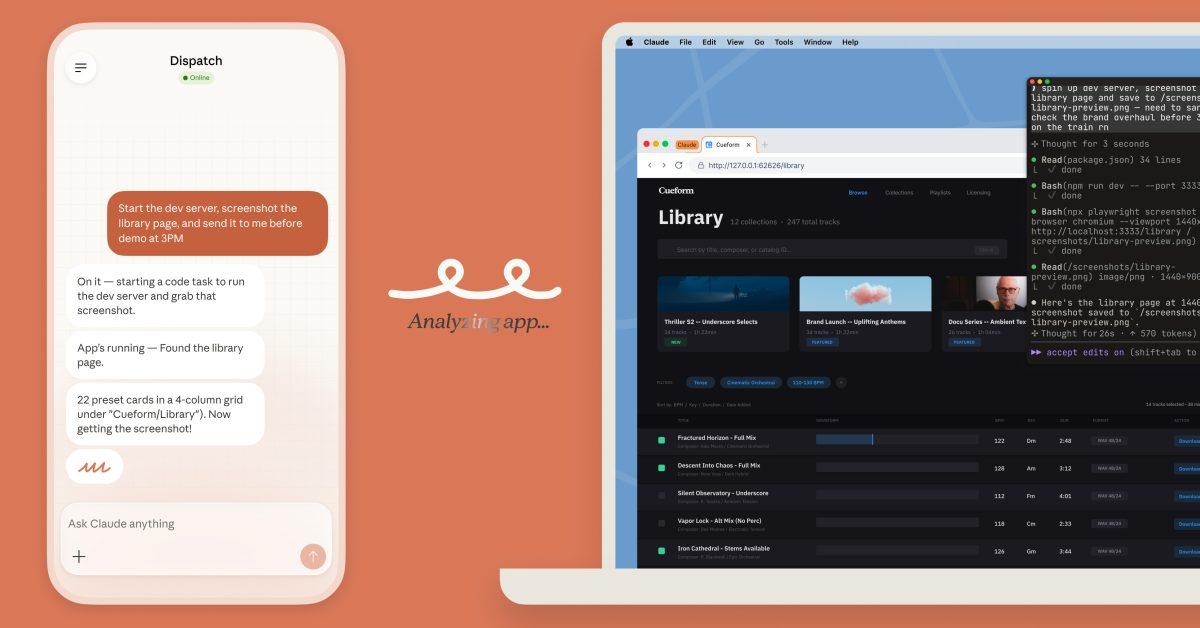
Source: 9to5Google
Anthropic's announcement arrives just weeks after the rollout of similar capabilities from competitors including Perplexity's Personal Computer, Manus's My Computer, and Nvidia's NemoClaw
1
. These corporate moves follow the viral spread of OpenClaw earlier in the year, which led OpenAI to hire OpenClaw creator Peter SteinBerger "to drive the next generation of personal agents"1
. This rapid development suggests the AI industry views desktop control as a critical capability for next-generation AI agents that can interact with applications and files to deliver more sophisticated automation.
Source: 9to5Mac
As this technology matures, users should watch for improvements in execution speed, accuracy rates, and more granular permissions controls that allow permanent app access where appropriate. The balance between convenience and security will likely define which platforms succeed in this space, particularly as businesses evaluate whether to deploy these tools across their organizations with sensitive data at stake.
Summarized by
Navi
[1]
[4]
12 Jan 2026•Technology

23 Oct 2024•Technology

10 Jul 2025•Technology