Google AI glasses set to launch in 2026 with Gemini and Android XR across multiple partners


27 Sources
27 Sources
[1]
Google's first AI glasses expected next year | TechCrunch
Google will launch its first AI glasses in 2026, according to a company blog post. At Google's I/O event in May, the company announced partnerships with Gentle Monster and Warby Parker to create consumer wearables based on Android XR, the operating system that powers Samsung's Galaxy XR headset. But you can't wear a bulky headset while out in the real world, which makes smart glasses appealing as a less obtrusive smart wearable. "For AI and XR to be truly helpful, the hardware needs to fit seamlessly into your life and match your personal style," Google writes. "We want to give you the freedom to choose the right balance of weight, style and immersion for your needs." Google is working on various types of AI-powered glasses -- one model is designed for screen-free assistance, using built-in speakers, microphones, and cameras to allow the user to communicate with Gemini and take photos. The other model has an in-lens display -- which is only visible to the person wearing the glasses -- that can show turn-by-turn directions or closed captioning. Google also shared a preview of the wired XR glasses from Xreal called Project Aura. This model situates itself between a bulky headset and an unobtrusive pair of glasses. Beyond just an in-lens display, the Project Aura glasses can function as an extended workplace or entertainment device, allowing the user to use Google's suite of products or stream video as they would in a more advanced headset. While Meta has gotten out to an early lead in smart glasses development, Google now joins Apple and Snap among the companies expected to challenge Meta with their own hardware next year. Meta's smart glasses have caught on in part thanks to its partnership with Ray-Ban, and it sells these products in retail stores. Google's partnership with Warby Parker seems like it will follow a similar strategy, committing $75 million thus far to support the eyewear company's product development and commercialization costs. If Warby Parker meets certain milestones, Google will commit an additional $75 million and take an equity stake in the brand.
[2]
Google's Putting It All on Glasses Next Year: My Demos With Project Aura and More
Nearly 20 years writing about tech, and over a decade reviewing wearable tech, VR, and AR products and apps What if I told you that, just a couple months after Google and Samsung released the AI-infused, immersive Galaxy XR headset, I got to wear a pair of display glasses that can do almost the same thing? Xreal's Project Aura, a glasses-sized alternative to bulky headsets, is ready to slide into your jacket pocket next year. Google announced its Android XR intentions a year ago, promising a return to AR and VR fueled by a lot of Gemini AI in a range of product forms from VR headsets to glasses. The Samsung Galaxy XR, a mixed reality headset similar to Apple Vision Pro, was the first Android XR product released, and these Xreal glasses could be the next. . Project Aura wasn't the only thing Google showed me. I also got to try on the latest iteration of Google's upcoming competitors to Meta Ray-Ban smart glasses. They're coming next year from eyewear partners Warby Parker and Gentle Monster, and they'll work with Google's watches. And Samsung's Galaxy XR headset added more features: a Windows PC connection app, and photo-real avatars in beta called Likenesses that are similar to Apple's Vision Pro Personas. Google's trumpeting out that it's serious again about glasses, just as Meta is ramping up its efforts and Apple could be around the corner with glasses of its own. While you may not even know if you want to wear smart glasses yet, Google's taking a multi-product approach that makes a lot of sense now that I've done the latest demos. It's the way these new glasses work with phones, apps and even watches that make me the most interested. Sitting on a sofa with Project Aura on my face, the prototype glasses immediately felt like VR shrunken to a far smaller form. I launched a computer window wirelessly, streamed from a nearby PC, and controlled it with my hands. I laid out multiple apps. I circled a lamp in the room with a gesture, which caused a Google search. And I launched and played Demeo, a VR game, using my hands in the air. The most astonishing part to me? All this was possible with just a pair of glasses, even if they were tethered to a phone-sized processor puck. They also had a 70-degree field of view. Yes, that's smaller than what I see with VR headsets, but honestly more than enough to experience immersion. It felt like my VR and AR worlds were colliding. Project Aura uses an adapted form of Xreal's existing display glasses. The puck contains the same Qualcomm XR Gen 2 Plus chipset used in the Galaxy XR. Using Aura, wandering around the room, was the closest I've seen to full AR glasses outside of Meta's Orion demo a year ago, or Snap's bulkier Spectacles. But unlike Orion, Aura's being released as a real product next year, at a price that should be lower than Vision Pro or Galaxy XR. (Snap's next version of Spectacles are coming next year, too.) Also unlike Orion, Project Aura doesn't have full transparent lenses. Instead, it bounces its displays down from the top of the glasses, giving an AR effect but with some extra prism-like lens chunks in between (much like Xreal's One Pro glasses). Xreal already has a whole lineup of tethered display glasses that work like headphones for your eyes. Glasses in this category have existed for years, acting as plug-in monitors for phones, laptops and game handhelds. Aura's difference is it also adds three cameras that can do full-room tracking and hand tracking, plus take photos and videos that can be recognized by Gemini's AI. Inside, there's a larger and higher-resolution micro OLED display that's better than what I saw on Xreal's existing glasses line. Project Aura really does look like the rest of Xreal's glasses, and it can also work like them, too, plugging into laptops and phones. But the processing puck gives it extra power. Google's team told me the Qualcomm chip (Snapdragon XR 2 Gen 2 Plus) can run all of the apps that the Galaxy XR headset can, and I tried a few demos to back those claims. First, I ran through the same setup demo I tried on Galaxy XR, where I pinched floating 3D cubes that hung in the air, using my fingers. Aura's hand tracking overlaid onto my own hands, and everything felt like augmented reality floating in the room in front of me. I also used a new PC Connect app to wirelessly hook into a nearby laptop, casting the Windows monitor in front of me. Xreal's glasses, and others, can do this already when tethered with a USB-C cable. But the PC Connect mode also lets me use hand tracking to point and click on apps and control the Windows screen, something Apple still can't do with Macs via Vision Pro. I was able to launch Android XR apps side by side, too, like a YouTube video window. I even played a bit of Demeo, a Dungeons and Dragons-like tabletop game made for VR. It ran on the glasses, projecting the board in the room in front of me, and I used my hands to zoom in and control. Game cards even sprouted from my hand when I looked at them, just like in the AR versions of Demeo on Vision Pro and Galaxy XR. It was damn impressive. My demo wasn't perfect: sometimes the room tracking slipped a bit, drifting off before re-centering. But this early demo showed me what could be done in hardware so small. Xreal's glasses lean on their own custom chip that can recognize three cameras at once and help with hand tracking, doing all the things VR headsets usually do. Aura doesn't have eye tracking, but the hand tracking was enough for me to point and click in apps and do everything I needed to on the fly. I even walked across the room, pinched my fingers to invoke Google's Circle to Search, and drew a line around a floor lamp in the room. I saw instant Google results pop up in front of me on where to buy it. Much like the Galaxy XR headset, these glasses can circle-search my world, too. In a lot of ways, Aura reminded me of the promises of glasses-connected computing that I saw with Spacetop earlier this year, but Aura can go further. It's flat displays, and it's also 3D. It's really, truly an AR device. I used prescription lens inserts to wear Aura, much like I do with Xreal's existing glasses line. They worked well, and everything looked great. But these aren't all-day glasses. They're meant to be used on the go, like a work device, and then folded away. But considering all they could be capable of, they seem like a far better proposition than lugging a bigger mixed reality VR headset. According to Google and Xreal, this will be an actual product going on sale next year, not a development kit. Much like Samsung Galaxy XR was previous called "Project Moohan," Project Aura should get a proper name next year, and a price. Chi Xu, Xreal's CEO and founder, tells me that these are very much a stepping stone as well as a doorway to wireless glasses in the future. They'll also be the first Google-partnered glasses-form devices that will run full Android apps. "We're not trying to solve the all-day wearable capability," says Xu. "But you're going to find that you can totally use this for hours." Xu says Google's working on standalone all-day glasses that will eventually aim for what Aura can already do, but in the meantime, this is building the pieces on how it'll work with phones. "We really want to polish this experience first," he said. "And once we really have a great experience with the [processing] puck, with glasses, the next question will be, wow, when can we replace the puck with our phone?" I also tried on Google's Ray-Ban-like smart glasses again, which are nearing release next year too. The Samsung, Qualcomm and Google co-developed hardware will be arriving via Warby Parker and Gentle Monster, in versions with and without displays. According to Google, the release of the glasses will be a bit staggered in 2026, possibly with the non-display models coming first. It's also a lot clearer how they'll work. I tried a few app demos that show how the glasses will connect with phones. These glasses won't run apps, necessarily, but will show rich notifications pulled from Android phones, along with hook-ins that feel like apps on demand. For instance, I asked for Google Maps directions, saw turn by turn instructions float in front of me. When I tilted my head down, I saw a map on the floor that turned as I turned, showing my location. An Uber demo showed how heads-up info could appear on the glasses, and I could look down to see walking directions to my pickup spot. Google's glasses will support a wide range of prescriptions, I was promised, unlike Meta's limited prescription support for its Display glasses this fall. "Suffice it to say, we take it pretty seriously that these are glasses first and foremost," says Juston Payne, Google's director of product management for XR The glasses will also work with iPhones, but via the Google app. On Android phones, however, Gemini will hook into the full OS to do a lot more, feeling like an extension in a similar way to how Pixel earbuds and Android watches already do. The glasses will also work with watches, Payne confirmed, supporting a limited set of gestures and taps. They'll work as optional control accessories, almost like Meta's neural band for its glasses, but Google's glasses could also send things onto watch screens. "If you have the glasses with no display, and you take a picture, you can look at your wrist and see what that picture looks like," says Payne. "You're talking to Gemini, Gemini has some visual response, look at your wrist." But the display-enabled glasses will let you see more, on a bigger screen, and not need you to look at your watch at all. Google's display-enabled glasses can work with head gestures to make different things appear when you look up or down, like my Maps and Uber demos showed me. They'll also let you watch YouTube videos: I saw a quick clip as a demo. The Micro LED color display, made by Raxium, was viewable, but in a smallish virtual window in one that's not as vibrant as a regular phone screen (and semi-transparent). But it's good enough for catching a quick social clip, or maybe heads-up instructions. The display area's large enough, too, to make a video call via Google Meet which showed me a Google rep on-screen while I shared my video view of a bookshelf in front of me, showing that thumbnail in a smaller sub-screen next to it. The glasses also look smaller than Meta's Ray-Ban Displays, more similar to the display-free Meta Ray-Bans...and lightweight, too. Although the glasses I tried are just developer hardware prototypes, I'd still wear them around. I also got a peek at a dual-screen pair that, while not arriving in 2026, could come in 2027. I watched 3D video clips on it, also via a color Micro LED display. The glasses weren't much bigger in size, even with the dual displays onboard. Where does this all leave Google and Samsung's just-released VR/AR Galaxy XR headset? Good question. While Google and Samsung are clearly glasses-focused, the messaging is clearly that Galaxy XR still represents the full-feature set where the companies are aiming for. It'll remain the testbed for apps and deeper AI, even if it might not be the thing most people end up wearing. I got to look at a few new Galaxy XR features, too, which are arriving now. One's a PC-connecting app called Connect that bridges a wireless link to Windows PCs, and supports hand tracking to control apps and windows. A new more photoreal set of avatars, called Likenesses, are rolling out in beta too. They resemble Apple's sometimes-uncanny Persona avatars, although Google and Samsung still haven't unleashed theirs to move outside of chat windows. I also saw peeks at new 3D autoconverting tools using AI: in Maps, photos of places can now look nearly 3D-scanned using Gaussian splats, a trick that'll be moving into photos soon (it looks a lot more immersive than the 3D conversions that already exist). Google's also auto-converting YouTube videos to 3D, too, but at lower frame rates. I'm more interested in what the glasses bring. And I'm sure others will be, too. But right now, Samsung Galaxy XR is Google's only product that's out. At least, until sometime in 2026 when the glasses floodgates open in a whole bunch of ways.
[3]
I wore Google's upcoming Android XR smart glasses, and it's a future I'd actually want to live in
Galaxy XR and Project Aura also get updates that improve their immersive experiences. Last week, within the confines of Google's Hudson River office, I put on a pair of Android XR glasses and conversed with Gemini as I walked around the room. These weren't the Warby Parker or Gentle Monster models that had been teased at Google I/O in May, but rather a developer kit that will soon be in the hands (and on the faces) of Android developers worldwide. The demos, ranging from visual assistance to gyroscopic navigation, progressed swiftly and, to my surprise, efficiently. At one point, I tried to stump Gemini by asking for a fruit salad recipe with the pasta on the shelf, only for it to recommend a more traditional tomato sauce dish instead. That's both a testament to Gemini's smarts and the glasses' multimodal hardware. Also: I invested in Samsung's $1,800 XR headset to replace my dual monitors - and it's paying off big time By the time my briefing was over, I switched from the Android XR glasses to Samsung's Galaxy XR headset and an upcoming pair by Xreal, Project Aura. This seamless transitioning between wearables, most of which will also leverage your Android phone and smartwatch for added functionality, is one of Google's moonshots for 2026. From what I've seen, that future can't come soon enough. Google's plan for AI glasses comes in two forms: audio and camera only similar to Meta's Ray-Bans, and another that integrates a display for visual cues and floating interfaces, like Meta's Ray-Ban Display. Clearly, there's some competition in the space. However, Google has one key advantage before it even launches: a well-established software ecosystem, with Developer Preview 3 of the Android XR SDK (including APIs) set to release this week. No, we're not just talking about Gmail, Meet, and YouTube, like how Messenger, Instagram, and WhatsApp are to Meta. Instead, the abundance of existing third-party Android apps, homescreen and notification panel widgets, and hardware products will, in theory, transition fluidly into the Android XR operating system. Also: Watch out, Meta: Samsung just confirmed its smart glasses plans (with some spicy hints) I got an early taste of it when I requested an Uber ride from the Google office to the third-best-rated pizzeria in Staten Island (as I testingly asked Gemini earlier). Besides populating a navigation pathway to my Uber pickup spot, the glasses' display projected the driver's information when I was near. This functionality is pulled directly from the native Uber app for Android, Google tells me, and it's a good representation of how seamless developing for the wearable platform will be. Another interesting aspect during my demo was how Gemini provided environmental context the moment I put on the glasses. Instead of asking the assistant about my location, the weather, or the random objects strategically placed around me for demo purposes, the Android XR experience began with a summary of contextual information and a prompt for follow-up questions. It's a thoughtful touch that makes conversing with the assistant more natural. As I mentioned earlier, I also tried the Samsung Galaxy XR headset (again), only this time with some new features, including PC Connect, which syncs with a Windows PC or laptop for an extended, more immersive viewing experience, travel mode for improved anchoring during movement, and Likeness, a digital avatar generator similar to Apple's Spatial Personas. As a Windows user, I was mostly invested in the PC Connect feature, which allowed me to project a much larger screen (albeit virtually) of the game "Stray". With a wireless controller in hand, the inputs were surprisingly responsive, and the image quality was stable in terms of refresh rate. Also: The Samsung Galaxy XR headset comes with $1,000 worth of freebies - here's what's included However, what stole the Galaxy XR headset's thunder was a more portable and comfortable-to-wear pair of Xreal glasses, dubbed Project Aura. This was first announced at Google I/O months ago, and using the wired-in wearable for the first time made me realize that the future of comfortable face computers is not that far off. Project Aura features a decently large 70-degree field of view, complemented by Xreal's tinting feature, which enhances brightness. It runs on the same Android XR platform as the Galaxy XR headset, so you can raise your hand for pinch and swipe gestures, view multiple floating windows simultaneously (including via PC Connect), and access various Android apps on your phone. The big question with Project Aura is undoubtedly its price. Xreal's existing lineup of extended reality glasses ranges from $300 to $650. With the enhanced computing (and innovation) of Project Aura, I'd expect it to be closer to the $1,000 mark at launch. Google and Xreal haven't shared an official release date for the glasses yet, but suggested to me that they'll come late next year. My journey through Google's Android XR demos confirms that the competition in the wearable computing space is heating up, driven less by speculative concepts and more by tangible, functional hardware and software integration. The core strength of Google's strategy lies not just in the smarts of Gemini but in leveraging the established Android ecosystem. That should be music to developers' ears. Also: The 40 best products we tested in 2025: Editors' picks for phones, TVs, AI, and more My demos weren't without their hiccups and crashes, as most beta products experience, but the idea of fluidly transitioning between diverse devices, from bulky developer kits to Xreal's Project Aura, underscoring Google's commitment to flexibility. Ultimately, this suggests the company's 2026 vision for seamless, multifunctional smart glasses is not merely marketing hype, but a technically sound and rapidly converging reality that could redefine how we interact with information and the digital world.
[4]
Inside the Future of Smart Glasses: A First Look at Google and XReal's New Android XR Dev Kits
Google's Android XR platform is still in its early development stages, but it's full of potential. Designed to bring consistency to mixed reality (XR) headsets and smart glasses -- essentially an "Android for XR" -- it aims to address the fragmentation that has long hindered the category's growth. Currently, only one Android XR device is available for purchase, Samsung's $1,799 Galaxy XR, and trying it out impressed me enough to nominate it and Android XR for a TechEx award. Still, the Galaxy XR, with its Apple Vision Pro-style design, doesn't show what Android XR can mean for smart glasses specifically. Now, Google has finally provided that clarity by unveiling two of its own smart-glasses development kits and pulling back the curtain on XReal's Android XR-powered Project Aura. After trying all three, I'm more convinced than ever that Android XR could mark a major leap forward for smart glasses, maybe even more than for headsets. Seeing the Potential in Android XR Google's Android XR development kits are designed for developers and manufacturers seeking to create products and experiences that rival those of the Meta Ray-Ban Display and similar smart glasses. They use a color display that combines an embedded microprojector with a special pattern etched into the lens, known as a waveguide, that directs images into your eye. Waveguide displays are limited in terms of field of view and resolution, but they can be much smaller and lighter than other types of wearable displays, enabling smart glasses that aren't much bulkier or heavier than ordinary specs. The two Google development kits are completely wireless, running on their own batteries, and connect to an Android phone for all software processing. They're nearly identical, with the only difference being that one has a monocular display that only shows a picture to the right eye, and the other has a binocular display that can show images to both eyes. The binocular version can produce stereoscopic 3D images that appear to have depth, but the monocular version is lighter, weighing just 1.73 ounces (49 grams). For what it's worth, I didn't feel much of a difference in weight between the two. I got to try several Android XR activities on the Google smart glasses, giving me a good sense of how this type of device will work in the real world. To start, I tried YouTube Music on the monocular pair, which played audio into my ears and displayed a widget on the screen with track information and playback status. Tapping and swiping a touch strip on the right temple of the glasses let me play, pause, and skip tracks easily. The widget was sharp and easy to read, which is obviously vital for any smart glasses with a display. The music sounded fine as well, but I was indoors in a relatively quiet room. Of course, as development kits, their hardware components will likely differ from those in retail-ready products, so don't read too much into the audio or video quality. The demo focused on the experience and features, as well as how Android XR, as a platform, can work on smart glasses. The next demo was an incoming Google Meet video call. A Google rep called the phone number connected to the glasses, and I answered by tapping the touch strip. Her face appeared on the glasses display, in color, and I could see her talking, just as if I were on a video call on my laptop. She couldn't see me since there wasn't a camera pointed at my face, but I could share my own view through the glasses' cameras with a swipe. Again, the call looked and sounded good, and I didn't experience any hiccups. Navigation through Google Maps is baked into Android XR, so I was shown how it can work on the glasses. I asked for a nearby store, and it provided me with a few options. After I chose one, I saw a directional arrow and distant measurements for turn-by-turn directions to that store. Looking downward, the arrow transformed into a full map of my surroundings. It seemed to work very well and tracked the direction I was facing, although I couldn't exactly walk anywhere to see how accurately it followed my location. Having a video game-like minimap in reality has long been one of my dreams for smart glasses, and it appears we're getting closer to that. I hope that the Android XR Google Maps app will allow me to configure when and how the map appears, so I don't have to look at my feet for it, but I couldn't confirm if those options will be available. AI at Your Fingertips: Gemini in Action Google is pushing Gemini hard, and it's no surprise that AI plays a significant role in Android XR. On waveguide smart glasses running Android XR, Gemini is always available with a button press and a wake word, ready to perform simple tasks like playing music or making a call, or do more complex analysis like answering questions or identifying what you're looking at. During the demo, I was invited to ask Gemini for recipe suggestions while viewing a pantry wall filled with ingredients. I stared at a few jars of pasta, and it provided instructions on making pasta salad. Gemini could see the foodstuffs I was looking at and not only successfully named the pastas but also correctly identified sweet potatoes, and even noted that they were likely American sweet potatoes rather than Japanese or Korean ones. That kind of machine vision processing is far more impressive to me than large language model (LLM) outputs of recipes. Android XR vs. Meta: A Platform Comparison All of the demos described above felt very familiar, because I had similar experiences with the Meta Ray-Ban Display when I tried it out. In fact, asking an AI to produce a recipe based on the ingredients you're looking at is a page straight out of Meta's playbook, though my Android XR demos never failed as the on-stage Meta Connect presentation did. The functions are indeed very similar, but the difference lies in how the underlying systems are intended to be used. Android XR is a broad platform for third-party developers and manufacturers, featuring core features and elements that can be used directly or built upon, depending on the final product. The Meta Ray-Ban Display's operating system is the final interface for a specific product. It doesn't even have a public-facing name like Android XR or Apple's visionOS. Android XR is a first step for an entire ecosystem, and Meta Ray-Ban Display might receive upgrades and iterations down the line, but it isn't going to drive a field of non-Meta glasses. Also, the Meta Ray-Ban Display is monocular, which means Google's binocular development kit could show me some new tricks with 3D. After putting on the binocular glasses, I was shown some 3D video on YouTube. It indeed looked nice and 3D, and was fairly watchable. The binocular glasses also provided a 3D view of the city when I brought up Google Maps. As I mentioned before, though, waveguide displays have a limited field of view, so even if the picture is fairly sharp and in full color, I'm not sure I'd rely on this type of glasses to watch a full show or movie. In fact, the reps noted that watching longer-form video content here wasn't an intended use case, though being able to play shorter clips is certainly handy. The 3D features are nice but not vital to the experience. They can make using the glasses feel more immersive, but they aren't why I favor binocular smart glasses. I find having a display in only one eye slightly disorienting compared with being able to see the same picture through both eyes. While I can quickly get used to it with the display in my dominant right eye, people with dominant left eyes could possibly find it more awkward to use, or at least a bit less pleasant. Making Waveguide Glasses Practical These Android XR glasses feel like a significant step in making wireless, waveguide display smart glasses truly accessible to users. I've tested several, like the Rokid Glasses and the Even Realities G1 (and I'm currently testing its successor, the G2), and they've been very inconsistent and unpolished. Some, like the Rokid Glasses, have useful features and seem reliable enough if you get through the learning curve, but I haven't been able to recommend any of them without major caveats. They also feature monochrome green displays rather than color, which has also been frustrating. I haven't fully tested the Meta Ray-Ban Display outside of supervised demos yet, but while they seem like some of the most refined waveguide smart glasses so far, they're also purely Meta products, using a closed system with limited room for outside development or growth. Google's development kits demonstrate how Android XR can be implemented consistently by multiple manufacturers, serving as templates for developers to create their own apps. It's what smart glasses like these have sorely been needing, and what could push this particular sub-category past its current status as shaky early-adopter hardware. Project Aura: The Smartest Glasses Yet? Then there's XReal's Project Aura, which has turned out to be a completely different beast and much closer to the Samsung Galaxy XR than Google's waveguide development kits. XReal is another major manufacturer, besides Samsung, working with Google to introduce the first Android XR devices, and I got to try its Project Aura smart glasses along with the other devices. Project Aura is a pair of smart display glasses that use bulkier prisms instead of a waveguide system, but offer an incredibly wide 70-degree field of view. It doesn't fill up your entire vision with a picture (even the Galaxy XR, with its 109-degree field of view, doesn't do that), but it still looks like a huge theater screen in front of you. On the virtue of its display alone, it's more impressive than other prism smart glasses, and with a much wider view than my current top pick in that category, the 57-degree XReal One Pro. The display isn't the most interesting thing about Project Aura. Its claim to fame is that it's an Android XR pair of smart glasses, and unlike the Google waveguide glasses, it's fully self-contained. It connects through a wire to a phone-sized control box that runs Android XR as its own operating system. Inside that box is a Snapdragon XR2+ Gen 2 processor, the same chip that drives the Galaxy XR. In other words, this pair of smart glasses has about the same processing power and capabilities as Samsung's bigger, bulkier headset. Its picture isn't as big or sharp, and it doesn't have as many outward-facing cameras, but it has the same brain, the same interface, the same apps, and the same intuitive hand-tracking control. When I put on Project Aura, I was greeted with a tutorial I recognized from using the Galaxy XR. The glasses directed me to hold my hands in front of me and point at objects. I selected them by aiming with my finger and could click on them with pinching gestures or even grab and move them around. The same gestures applied to icons and app windows as well, allowing me to point and pinch to open new apps, resize them, and move them around. I could even bring up both the home screen and a quick menu by turning my palm to face me and making the pinch gesture. It felt exactly like the Galaxy XR, and I picked it up instantly. Project Aura appears to be capable of nearly everything the Galaxy XR can do. I was able to open multiple apps, arranging Chrome, Google Maps, and YouTube around my view. I could play a game called Demio that projected a 3D tabletop RPG view in front of me. I could also connect to a nearby computer directly and play games through it with minimal lag. Control and Interaction Reimagined I hailed the Galaxy XR's control system as the best I've used in a headset since the Apple Vision Pro, which I still consider the most advanced and intuitive mixed reality device I've reviewed. It requires no controller or touchpad -- you just point and pinch. This control system is incredibly rare on headsets, but seeing it in a much smaller and lighter pair of smart glasses? I wasn't expecting that. Smart glasses, especially ones with a display, have struggled with controls. The waveguide models I've tested, as well as the Google development kits, all rely on voice controls or buttons and touch strips on the temples. The Meta Ray-Ban Display features the Neural Link Band, which tracks the micro-gestures of your hand, but I found it to be inconsistent when I tried it. Tethered prism display smart glasses rely entirely on the connected device for controls, with the exception of a basic button-based settings menu at best. Project Aura is a full, standalone Android XR device that supports hand-tracking and gestures, and it's the most intuitive way to use smart glasses I've ever seen. Since it's a pair of smart glasses and not a full headset with a strap, Project Aura is much easier to put on and take off than the Galaxy XR, and it feels much more comfortable to wear. You can also see through it when the power is turned off, since its projection system relies on clear prism lenses. You shouldn't use Project Aura while walking around as you would with waveguide display smart glasses, though; the prism lenses might be transparent, but they're still thick enough to warp your outside vision enough to be uncomfortable at best and dangerous at worst. Prism-equipped smart glasses like these are best used when stationary or in a controlled space, such as a larger mixed reality headset, rather than when crossing the street or riding the subway. Project Aura has a few disadvantages to go with its smaller, more convenient form factor. The display is the biggest part, since it's noticeably narrower than the Galaxy XR's. While the view is still huge for smart glasses, it isn't as immersive as the headset's, and its 1080p resolution isn't nearly as sharp as the Galaxy XR's 3,552 by 3,840 pixels per eye. Because it doesn't have as many cameras, there's a slightly smaller area where it can track your hands; I didn't need to hold my hands directly in front of my face, but I couldn't leave them in my lap like I can with the Galaxy XR or the Vision Pro. It also lacks internal cameras for eye tracking, so you must use hand movements instead of your gaze for control. Even with its limitations, I found Project Aura to be incredibly exciting. I've been using prism-based smart glasses, particularly the XReal One Pro, for working away from my desk and watching videos and playing games on my phone, and they have been very useful for that. Those use cases all require connecting the glasses to a separate device, such as a phone or laptop, and controlling everything through that device's touch-screen, controller, or mouse and keyboard. Project Aura works entirely on its own (and as an Android-driven device with Bluetooth, it can also work wirelessly with controllers and keyboards, if you want). The control box is technically still a separate device that connects to the glasses with a cable, but like with the Galaxy XR and Vision Pro, it can be slipped into a pocket and treated like a battery. Combining the convenience of prism smart glasses with the capabilities of a high-end XR headset makes Project Aura feel like the next big leap in smart glasses as a whole. The Road Ahead for Android XR Smart Glasses Unfortunately, you won't be able to get Project Aura any time soon. My close look at the glasses came with an important detail: It's a development kit. When Project Aura launches next year, it will be targeting developers and won't be available for general purchase. So, like with the Google development kits, unless you're planning to work on Android XR apps, you probably won't be getting your hands on Project Aura. I didn't hear anything about pricing, either, though considering it packs more impressive hardware than the Meta Ray-Ban Display, I wouldn't be surprised if devs will be shelling out as much for it as they would for the $1,799 Galaxy XR. As for retail-ready Android XR smart glasses, don't expect to see anything until late 2026 at the very earliest.
[5]

Google to launch first of its AI glasses in 2026
A Google logo is at the announcement of Google's biggest-ever investment in Germany on November 11, 2025 in Berlin, Germany. Google on Monday said it plans to launch the first of its AI-powered glasses in 2026, as the tech company ramps up its efforts to compete against Meta in a heating consumer market for AI devices. The Alphabet-owned company is collaborating on hardware design with Samsung, Gentle Monster and Warby Parker, with whom Google agreed to a $150 million commitment in May. Google plans to release audio-only glasses that will allow users to speak with the Gemini artificial-intelligence assistant, the company said in a blog. Google also said there will be glasses with an in-lens display that show users information such as navigation directions and language translations. The company said the first of these glasses will arrive next year, but it did not specify which styles that will include. In a Monday filing, Warby Parker said that the first of its glasses in partnership with Google are expected to launch in 2026. The glasses will be built on top of Android XR, Google's operating system for its headsets. Google's Monday updates come after the company in May announced that it would be getting back into the smart glasses game. At the time, co-founder Sergey Brin said he learned from Google's past mistakes of failed smart glasses, citing less advanced AI and a lack of supply chain knowledge, which led to expensive price points. "Now, in the AI world, the things these glasses can do to help you out without constantly distracting you -- that capability is much higher," Brin said in May. The AI wearables space has been gaining traction with Meta leading the pack. the social media company's Ray-Ban Meta glasses were met with surprising success. The glasses, which were designed in partnership with eyewear giant EssilorLuxottica, are infused with the Meta AI digital assistant Meta also released its own display glasses in September, which allows users to see features like messages, photo previews and live captions through a small display that's built into one of the device's lenses. Other companies like Snap and Alibaba have also been churning out their own AI glasses offerings as the small but competitive market continues to grow. Google on Monday also revealed more software updates to the Galaxy XR headset, including the ability to link it to Windows PCs and a travel mode that will allows the device to be used in planes and cars.
[6]

Here's how Google is laying the foundation for our mixed reality future
Today, during the XR edition of The Android Show, Google showed off a bunch of updates and new features headed to its mixed reality OS. And while most of the news was aimed at developers, I got a chance to demo some of the platform's expanded capabilities on a range of hardware including Samsung's Galaxy XR headset, two different reference designs and an early version of Xreal's Project Aura smart glasses and I came away rather impressed. So here's a rundown of what I saw and how it will impact the rapidly growing ecosystem of head-mounted displays. First up was one of Google's reference design smart glasses with a single waveguide RGB display built into its right lens. I've included a picture of it here, but try not to read too deeply into its design or aesthetics, as this device is meant to be a testbed for Android XR features and not an early look at upcoming models. After putting them on, I was able to ask Gemini to play some tunes on YouTube Music before answering a call simply by tapping on the touchpad built into the right side of the frames. And because the reference model also had onboard world-facing cameras, I could easily share my view with the person on the other end of the line. Naturally, I was curious about how glasses had the bandwidth to do all this, because in normal use, they rely on a Bluetooth or Bluetooth LE connection. When asked, Max Spear, Group Product Manager for XR, shared that depending on the situation, the device can seamlessly switch between both Bluetooth and Wi-Fi, which was rather impressive because I couldn't even detect when that transition happened. Spear also noted that one of Google's focuses for Android XR is making it easier for developers to port over the apps people already know and love. This means for devices like the reference design I wore that feature a built-in display (or displays), the OS actually uses the same code meant for standard Android notifications (like quick replies) to create a minimalist UI instead of forcing app makers to update each piece of software to be compliant with an ever-increasing number of devices. Alternatively, for models that are super lightweight and rely strictly on speakers (like Bose Frames), Google has also designed Android XR so that you only need mics and voice controls to access a wide variety of apps without the need for visual menus. Meanwhile, if you're hoping to take photos with your smart glasses, there's a surprising amount of capability there, too. Not only was I able to ask Gemini to take a photo, the glasses were also able to send a higher-res version to a connected smartwatch, which is super handy in case you want to review the image before moving on to the next shot. And when you want to inject some creativity, you can ask Gemini to transform pictures into practically anything you can imagine via Nano Banana. In my case, I asked the AI to change a shot of a pantry into a sci-fi kitchen and Gemini delivered with aplomb, including converting the room into a metal-clad setting complete with lots of light strips and a few bursts of steam. However, one of the most impressive demos was when I asked Google's reference glasses to look at some of that same pantry environment and then use the ingredients to create a recipe based on my specifications (no tomatoes please, my wife isn't a fan). Gemini went down an Italian route by picking pasta, jarred banana peppers, bell peppers (which I thought was a somewhat unusual combination) and more, before launching into the first steps of the recipe. Sadly, I didn't have time to actually cook it, but as part of the demo, I learned that Gemini has been trained to understand human-centric gestures like pointing and picking things up. This allows it to better understand context without the need to be super specific, which is one of those little but very impactful tricks that allows AI to feel way less robotic. Then I had a chance to see how Uber and Google Maps ran on the reference glasses, this time using models with both single and dual RGB displays. Surprisingly, even on the monocular version, Maps was able to generate a detailed map with the ability to zoom in and out. But when I switched over to the binocular model, I noticed a significant jump in sharpness and clarity along with a higher-fidelity map with stereoscopic 3D images of buildings. Now, it may be a bit early to call this, and the perception of sharpness varies greatly between people based on their head shape and other factors, but after seeing that, I'm even more convinced that the smart glasses with dual RGB displays are what the industry will settle on in the long term. The second type of device I used was the Samsung Galaxy XR, which I originally tried out when it was announced back in October. However, in the short time since, Google has cooked up a few new features that really help expand the headset's capabilities. By using the goggle's exterior-facing cameras, I was able to play a game of I Spy with Gemini. Admittedly, this might sound like a small addition, but I think it's going to play a big part in how we use devices running Android XR, because it allows the headset (or glasses) to understand better what you're looking at in order to provide more helpful contextual responses. However, the biggest surprise was when I joined a virtual call with someone using one of Google's new avatars, called Likeness. Instead of the low-polygon cartoony characters we've seen before in places like Meta Horizon, Google's virtual representations of people's faces are almost scary good. So good I had to double-check that they weren't real and from what I've seen they're even a step up from Apple's Personas. Google says that headsets like the Galaxy XR rely on interior sensors to track and respond to facial movements, while users will be able to create and edit their avatars using a standalone app due out sometime next year. Next, I got a chance to test out the Android XR's PC connectivity by playing Stray on the Galaxy XR while it was tethered wirelessly to a nearby laptop. Not only did it run almost flawlessly with low latency, I was also able to use a paired controller instead of relying on hand-tracking or the laptop's mouse and keyboard. This is something I've been eagerly waiting to try because it feels like Google has put a lot of work into making Android XR devices play nicely with other devices and OSes. Initially, you'll only be able to connect Windows PCs to the Galaxy XR, but Google says it's looking to support macOS systems as well. Finally, I got to try out Xreal's Project Aura glasses to see how Android XR works on a device primarily designed to give you big virtual displays in a portable form factor. Unfortunately, because this was a pre-production unit, I wasn't able to take photos. That said, as far as the glasses go, I was really impressed with their resolution and sharpness and the inclusion of electrochromic glass is a really nice touch, as it allows users to change how heavily the lenses are tinted with a single touch. Alternatively, the glasses can also adjust the tint automatically based on whatever app you are using to give you a more or less isolated atmosphere, depending on the situation. I also appreciate the Aura's increased 70-degree FOV, but if I'm nitpicking, I wish it were a bit higher, as I occasionally found myself wanting a bit more vertical display area. As a device that's sort of between lightweight smart glasses and a full VR headset, the Aura relies on a wired battery pack that also doubles as a touchpad and a hub for plugging in external devices like your phone, laptop or even game consoles. While using the Aura, I was able to connect to a different PC and multitask in style, as the glasses were able to support multiple virtual displays while running several different apps at the same time. This allowed me to be on a virtual call with someone using a Likeness while I had two other virtual windows open on either side. I also played an AR game (Demio) while I moved around in virtual space and used my hands to reposition the battlefield or pick up objects with my hands. Now I will fully admit this is a lot and it took me a bit to process everything. But upon reflection, I have a few takeaways from my time with the various Android XR devices and prototypes. More than any other headset or smart glasses platform out now, it feels like Google is doing a ton to embrace a growing ecosystem of devices. That's really important because we're still so early in the lifecycle for wearable gadgets with displays that no one has really figured out a truly polished design like we have for smartphones and laptops. And until we get there, this means that a highly adaptable OS will go a long way towards supporting OEMs like Samsung, Xreal and others. But that's not all. It's clear Google is focused on making Android XR devices easy to build for. That's because the company knows that without useful software that can highlight the components and features coming on next-gen spectacles, there's a chance that interest will remain rather niche -- similar to what we've seen when looking at the adoption of VR headsets. So in a way, Google is waging a battle on two fronts, which makes navigating uncharted waters that much more difficult. Google is putting a major emphasis on Android XR's ability to serve as a framework for future gadgets and support and address developer needs. This mirrors the approach the company takes with regular Android and the opposite of Apple's typical MO, because unlike the Vision Pro and visionOS, it appears Google is going to rely heavily on its partners like Xreal, Warby Parker, Gentle Monster and others to create engaging hardware. Furthermore, Google says it plans to support smart glasses that can be tethered to Android and iOS phones, as well as smartwatches from both ecosystems, though there will be some limitations for people using Apple devices due to inherent OS restrictions. That's not to say that there won't be Pixel glasses sometime down the road, but at least for now, I think that's a smart approach and possibly a lesson Google learned after releasing Google Glass over a decade ago. Meanwhile, hi-res and incredibly realistic avatars like Likenesses could be a turning point for virtual collaboration, because, in a first for me, talking to a digital representation of someone else felt kind of natural. After my demos, I had a chance to talk to Senior Director of Product Management for XR Juston Payne, who highlighted the difference between smart glasses and typical gadgets by saying "Smart glasses have to be great glasses first. They need to have a good form factor, good lenses with prescription support, they need to look good and they have to be easy to buy." That's no simple task and there's no guarantee that next-gen smart glasses and headsets will be a grand slam. But from what I've seen, Google is building a very compelling foundation with Android XR.
[7]

Google unveils plans to try again with smart glasses in 2026
It said sales of AI glasses had grown by more than 250% compared to the previous year. Google Glass was launched in 2013 as a pair of thin, wireframe glasses with a chunky right arm to accommodate a camera built into the corner of the right lens. Wearers could use the camera to take images and record their surroundings, while simultaneously interact with a digital display The device created a lot of excitement when it first appeared at a Google event in June 2012. But after its launch the following year, concerns about its impact on privacy, potential for abuse and questions about its style and usefulness arose - and grew until Google Google said it would stop making them in that form in 2015. A revamped version, Google Glass Enterprise, appeared two years later but was retired in 2023. Former BBC Technology Correspondent Rory Cellan-Jones was among those who had deemed Google's device in its initial form to be "a failure". The success of so-called wearable computers, he wrote, would likely depend on having the tech to bring their potential to life and them being "both attractive to wear and so easy to use that you forget that you have them on". Today, tech giants have tried to make AI and smart glasses more wearable by partnering with designer eyewear brands - and can pack more power and features into smaller, sleeker frames. But there remain concerns about privacy and usability.
[8]

Here's the Best Look at Google's XR Glasses We've Gotten Yet
Google's push into XR is in full swing, and we just got a clearer picture of what that face-worn wearable future will look like. In a special XR edition of Google's recurring Android Show, the company gave a preview of two devices that haven't been released yet. Probably the best look we got was of its Project Aura, a pair of AR glasses being developed in tandem with Xreal. While we've seen renders of the smart glasses previously, Google showed Project Aura off in action with a pre-recorded demo, giving a firsthand look at some of the functionality, UI, and a puck that actually handles the computing for the glasses. As far as functionality goes, Project Aura appears to work similarly to how you'd expect if you're familiar with other wired XR glasses. Mostly, it acts as a big virtual screen for "spatial computing" and watching stuff like YouTube, which isn't groundbreaking in the smart glasses world but would be novel for Google-made hardware. Like other spatial computers (i.e., Apple's visionOS), Google similarly envisions you wearing Project Aura to do stuff like multitasking with Android apps and...following along with recipes? The latter use case feels a little weird to me, considering the combination of wearing wired glasses and holding a sharp knife, but I'll suspend my disbelief until I try them on for myself. Project Aura, as Google showed, is also intended to be used in tandem with laptops as an additional display, so theoretically, you could use the smart glasses and their 70-degree field of view to do stuff like video editing at a coffee shop. Whether you feel comfortable wearing these smart glasses and pinching the air in public is another question entirely, but that's the direction Google is nudging you in. The UI inside the smart glasses looks fairly familiar if you've used or seen Android XR, Google's XR operating system, which debuted on the Samsung Galaxy XR headset in October. Just like the Galaxy XR, Project Aura appears to be controlled with a combination of both hand and eye tracking. I'm curious to see how bright, sharp, and high-def the screen is, though, since that will be a major indicator of how effective Project Aura really is at doing any of the stuff Google says you can do. For that, we'll have to wait; Google says it's planning to release Project Aura next year. In addition to XR glasses, Google also gave a small preview of a second category of unreleased wearable: AI glasses. While we didn't get a ton of information on that front, Google at least showed off a prototype that it's developing in partnership with Warby Parker and Gentle Monster. Similar to Meta and its Ray-Ban and Oakley smart glasses, Google's AI glasses appear to blend more seamlessly with a regular glasses form factor and rely on cameras to offer computer vision as a defining feature. Just like Meta, Google says it's envisioning two categories of AI smart glasses: one with a display and one without. While smart glasses with a display could act as a second screen for notifications, navigation, and translation, the screenless variety will lean on audio, pictures/video, and AI via Gemini. There's not much groundbreaking here, but it definitely positions Google's future AI smart glasses as a direct competitor to Meta and both varieties of its Ray-Ban-branded smart glasses. Google says these smart glasses will also arrive next year. There's obviously still a lot more to learn about both ends of Google's unreleased XR smart glasses, but it's clear that it's taking a multi-tier approach to hardware. If you want a light dose of XR, you've got AI glasses. There's wired XR for a happy medium. And if you're ready to be fully immersed, there's Samsung's Galaxy XR headset. One thing is for sure: there's a lot of XR incoming, and Google intends to be right in the middle of it.
[9]

Google plans 2026 debut for its first AI-powered smart glasses
The collaboration, announced during The Android Show | XR Edition, is the clearest signal yet that Google plans to reenter a market dominated by Meta and Apple. It also marks the first time both companies have publicly committed to a release timeline, setting 2026 as the debut year for the first device. The partnership was first revealed earlier this year, but until now, neither company had confirmed when the glasses would hit the market. The move comes as competition in wearable computing intensifies. Meta has accelerated development of its Quest mixed-reality headsets and Ray-Ban smart glasses, while Apple introduced the premium Vision Pro headset, carving out space in high-end spatial computing. Google, long absent from the consumer smart-glasses space after shelving its original Glass project nearly a decade ago, is now positioning AI integration as the breakthrough that could finally make smart eyewear mainstream. The company is leaning heavily on partnerships, including with Samsung and luxury eyewear brand Gentle Monster, to blend technology with everyday style.
[10]

Hands-on: Google Glass is now real with 'monocular' Android XR glasses coming in 2026
After demoing Android XR glasses for the first time in December 2024, my takeaway was that rumors about how Google was behind in augmented reality were greatly exaggerated, if not outright wrong. A year later, Google is on the verge of releasing "AI glasses" with a display in 2026 and they fully realize the vision of Google Glass. We will see "AI glasses" -- as Google is branding this form factor -- next year with and without displays. The latter with just cameras, microphones, and speakers is straightforward enough. However, Google is integrating Android XR with Wear OS in cool ways that finally make Android's cross-platform "Better Together" work interesting. When you take a picture on your display-less glasses, a notification lets you preview the capture in full on your watch. Gestures will also be available to control Android XR. I thought screen-less glasses would be the extent of what Google and its partners (Samsung with Warby Parker and Gentle Monster) will do next year. What's genuinely surprising is that Google says Android XR devices with a single display (at the right), or "monocular" glasses, are launching in 2026, and the screen is very good. The Google demo I had last week using monocular prototypes started with asking Gemini to play a song. A now playing screen appeared as a compact rectangle that maybe had two or three colors and tiny album artwork. Expanding it with a tap of the side touchpad revealed the wavy Material see bar that's on Android 16 today in a nice example of consistency. Next, I answered a video call -- much like how One day... ends -- and was shocked to see a full rectangular feed of their face. It was truly a floating display in my line of sight made possible by the microLED tech that Google has been actively developing since its acquisition of Raxium in 2022. The resolution at this distance looks sharp, while the colors are vibrant and phone-like. To top that off, Google had me share my point-of-view camera on the call, and I saw two side-by-side video feeds: the caller's and my own. That screen literally expanding vertically blew my mind. I was then asked to take a picture and add whatever I wanted to the scene with Nano Banana Pro. Besides the side touchpad, the top of the stem is home to a camera button, while the underside further back has a button to turn on/off the display, specifically Gemini's response transcript. That generated image appeared right there in my line of sight after a few seconds. The next unrealized Google advantage is the Android app ecosystem. On day one, mobile applications from your phone are projected to Android XR glasses. This approach gives glasses rich media controls and notifications without developers having to do any work, though optimization is possible. The latest Android XR SDK (Developer Preview 3) released today lets them start doing that with an emulator also available. Google is also detailing their Glimmer design language/guidance that incorporates Material Design. In essence, the most complex UI you will have on Android XR is something akin to a homescreen widget, and that's the right call. The killer UX interaction and capability that Google has involves AR navigation, or Google Maps Live View from your phone but on glasses. When you're looking straight ahead, you just see a pill of directions, but tilting your head down reveals a map that's basically the corner guide in a video game. The transition animation as you move your head back and forth is absolutely delightful and fluid thanks to the display. Third-party apps, like Uber, can take advantage of this, and I got a demo of using their Android XR experience to navigate to a pickup spot in an airport with step-by-step directions and images. The screen-less version will come first, but the monocular display version is coming in 2026 and this is such a surprise. In fact, Google is giving these monocular dev kits to developers today and will expand access over the coming months. Until then, Android Studio offers an emulator for optical passthrough experience. Google also demoed binocular glasses to me where each lens has a waveguide display, and this allows you to watch a YouTube video in native 3D with depth. Meanwhile, the same Google Maps experience gives you a richer map that you can zoom in and out on. These are coming later, and will start to unlock productivity use cases that one day could replace the phone at some tasks. When monocular Android XR glasses launch next year, I think people will be incredibly surprised that Google has frames that fit what they've been imagining augmented reality to be. It's unfortunate how hard this form factor is to visually capture. Google's videos accurately capture what you can do, but not the novelty of it happening in your field of view. Google's modern approach to AR glasses is clearly framed -- sorry -- by Google Glass where the company tried to develop in public. That did not work, but I don't think it should blight how Google fundamentally had the right vision as captured by the concept video that showed how augmented reality could fit in day-to-day. Since Glass, Google kept all their very real progress on hardware and software internal until they had something helpful. Compared to sunglasses, the company very much wants to offer something that you'll want to wear throughout the day. It wasn't a very exciting decade for fans of AR and Google, but I can't fault them now that I've seen it work. I thought we needed a few more hardware display breakthroughs before we got real AR glasses. Those advances are here -- in full -- and coming next year as something you can buy.
[11]

Google's First AI Smart Glasses Coming in 2026
Google is developing two pairs of smart glasses with artificial intelligence that will launch in 2026, the company said today. The first set of glasses have AI integration and are designed for screen-free assistance with built-in speakers, microphones, and cameras for speaking to Google Gemini. Users will be able to take photos using the camera, and then ask Gemini questions about their surroundings for real-time help. The second set of glasses has the same AI capabilities along with an in-lens display that is able to display helpful information like turn-by-turn directions or live translation captions. Both sets of glasses will connect to a smartphone, with processing done on that device. The glasses will run Android XR, Google's platform for wearables. Google is partnering with Samsung to develop the glasses, plus it is working with Warby Parker and Gentle Monster, two companies that design eyeglasses. Google says that its glasses options will be stylish, lightweight, and comfortable enough to wear all day. The Google smart glasses will compete with the Meta Ray-Bans and any upcoming products from Apple. Meta already has Ray-Ban and Oakley glasses with AI and Ray-Bans with an in-lens display. Rumors suggest that Apple is working to unveil its first set of AI smart glasses as soon as 2026.
[12]

I just saw the future with Google's Android XR smart glasses -- and Meta and Apple are in trouble
So I'm chatting with Google Gemini while wearing a pair of Android XR smart glasses, and I tell the assistant to brighten up an image before I've even taken the pic. Gemini happily obliges. I also ask for directions for a nearby restaurant and Google Maps shows me turn-by-turn directions right in my field of view. And when I look down briefly I can see the whole map to reorient myself. This is just scratching the surface of what these Android XR glasses can do. The ones I tested are a prototype from Google, but the glasses are coming out for real in 2026 through partners like Samsung, Warby Parker and Gentle Monster. I also tried out Xreal's amazing Project Aura glasses, which squeeze a lot of what the Samsung Galaxy XR headset can do down into a pair of sleek specs, as well as a killer upgrade for the Galaxy XR itself. And I think Meta (and Apple) could be in trouble. First, let's focus on the prototype display Galaxy XR glasses. I tried everything from music playback and Google Maps to live translation, and these glasses delivered a pretty smooth experience -- without the need for a neural wristband like the Meta Ray-Ban Display glasses. More important, a ton of Android apps will "just work" at launch without developers having to lift a finger. The smart glasses are smart enough to simulate a very similar experience you might get from an app in the Quick Settings menu on your phone. The display on the monocular glasses was fairly bright and crisp, and I like how the screen is centered and slightly below your usual sightline. That way you don't have to look like a fool constantly moving your eyes. By default the display shows the time and temperature, but things get a lot more interesting once you start trying out apps. For example, once we fired up YouTube Music on a nearby phone, I could easily pause playback by tapping the right arm of the glasses or skip to the next trap just by swiping forward. It was easy to make out album art, too. From there I used the Android XR glasses to ask Gemini what meal I could make while looking at ingredients on a shelf. And I also used Google Maps to get directions to the Standard Grill. I saw the next turn in the glasses, and as I looked downward I could see the larger map view automatically. Google Maps has a different voice than Gemini, which was a bit jarring at first, but Google says they left the voices distinct on purpose so you don't try asking Google Maps for things only Gemini can answer. Even though others can't see your face during video calls, it was pretty cool to join a Google Meet call and enable others to see my field of view as I panned around. But the even cooler communication trick is live translation. I could see the words being transcribed from Chinese to English as I spoke to a woman. To see my translation I would have to show her my phone. (Yeah, it's going to take a while for everyone to have smart glasses.) My only main complaint so far is that the display locked washed out when I looked out the window. But Google promises that the final version will have a brighter display and that models with transition lenses that turn darker in direct sunlight will help mitigate this issue. I also tried on a prototype "binocular" pair of smart glasses in order to get the sense of what it's like to have two displays going at once for each eye. And there's a couple of benefits right now. First, glasses can instantly turn 2D videos into 3D, and I got a taste of that while watching Tom Holland's Spider-Man sling webs while walking up a tall building. This is actually tailor-made for YouTube Shorts. You also get a larger view for Google Maps, giving you more info at a glance. It's worth noting that it's easy to turn off the displays on both pairs of smart glasses at any time by pressing the button on the underside of the right arm. There's a separate button on the top right of all of these glasses for capturing photos and videos. This is an easy way to save power, and you can always use your voice to get stuff done, whether it's opening apps or asking Gemini to get something done for you. Plus, Google promises glasses are coming without a display at all, similar to the Ray-Ban Meta (gen 2). So if you want longer battery life and a cheaper price that will be the way to go. My favorite Android XR demo of what's coming is Project Aura from Xreal. It squeezes the Galaxy XR headset experience down into a fairly sleek pair of glasses. There's no need for video passthrough. You just see then real world in front of you. The micro OLED displays inside the Aura are astonishingly sharp and colorful, which I experienced while playing the Demeo game. I could pick up the individual game pieces and make out very fine detail even in a room with a lot of ambient light. The 70-degree field of view is definitely narrower than the Galaxy XR (100 degrees), but it's the widest ever seen in AR glasses, and a trade-off I think many will be willing to make to wear something that's lighter. Plus, you get about double the battery life of Samsung's headset at about 4 hours. The battery itself is placed in a pack that's also houses the Snapdragon XR2+ Gen 2 chip. Unfortunately, the glasses need to be tethered to the pack at all times via a cable, but at least this pack comes with a built-in clip for attaching to your pants. Bonus: you can use the top of this pack as a wireless mouse, which worked fairly well when I navigated between a Windows 11 desktop within Android XR and a YouTube video playing in a separate window. The front-facing cameras did a solid job tracking my finger movements and the various Android XR gestures (pinch, scrolling, etc) worked well. But I had to lift my hands a bit more versus using the Galaxy XR. Last but not least Samsung let me try out some new Android XR upgrades that are coming to the Galaxy XR headset. This includes PC Connect, which lets you connect immediately to your laptop or desktop using a dedicated Android XR app. After firing up the app and selecting the PC I wanted to connect to, I could instantly see the Windows desktop in front of my eyes. I picked up a gaming controller and started playing "Stray" with no lag at all. Previously, you needed to have a Galaxy Book to connect to a PC through the Galaxy XR, so this app really opens things up. Just keep in mind that you'll see the best results if you PC has a dedicated graphics card. I also got a chance to try out Likeness, which is Google's version of the Apple Vision Pro's Persona. But instead of using the headset to create your avatar, you use a phone. It's a similar process to setting up Face ID on your iPhone, scanning your face and expressions. I didn't get to try my own Likeness but I could see someone else's during a Google Meet call in my headset. And her Likeness looked pretty realistic, including the blinks and smile. (Doing teeth is hard in mixed reality.) For more, see our guide to all of the new Galaxy XR upgrades. Google is clearly behind Meta right now by not having a pair of smart glasses on the market yet. But based on my demos I think it could easily overtake the Meta Ray-Ban Display. You'll instantly get access to a ton more apps, and Gemini is further ahead as an AI assistant versus Meta. And given that Apple is rumored to only offer a display-less pair of smart glasses to start -- and that the new Siri is still delayed until 2026. The big question is what all of these smart glasses are going to cost. Clearly, the screen-free AI glasses will be the most affordable, and then you'll pay more for the monocular display glasses and even more for the binocular glasses. Wired XR glasses like Project Aura from Real has a lot of potential, especially for business travelers, gamers, or anyone who wants an immersive mixed reality experience at home and on the go.
[13]

Google's AI glasses are coming in 2026
In May, at its annual Google I/O conference, Google announced a new product called the "Android XR glasses," without saying much about the specs or giving us a launch date. Now, Google is ready to share more. In a blog post, the company clarified that it's actually working on two types of smart glasses, both developed in partnership with Samsung, Gentle Monster, and Warby Parker. The first product is what Google calls "AI glasses," which do not have a display. Instead, they use a built-in speaker, microphones, and camera, to let you interact with Google's AI assistant Gemini and take photos. If you're thinking this is similar to Meta's Ray-Ban glasses, you are correct. The glasses are coming "next year," Google said. The other product is a tad more interesting. Google calls them simply "display AI glasses," and these are the ones that the company spoke about in May. They also have an in-lens display which can privately show you stuff like turn-by-turn navigation, translation captions, and more. The company also shared a couple of short videos, showing the display AI glasses in action. However, Google didn't share a launch date for the glasses with the built-in display. Both pairs of glasses will run on Google's Android XR, an operating system for what Google calls "extended reality devices," which includes headsets and smart glasses. The first Android XR headset is the Samsung Galaxy XR, which launched in October 2025.
[14]

I tried the next-gen Android XR prototype smart glasses, and these frames are ready for your close-up
It's becoming a familiar feeling, that moment of delight when a bit of information, video, photos, navigation, or even live translation floats before my eyes. I've seen it now with Meta Ray-Ban Displays and Meta Orion. This is the new state of the art for smart glasses, and I was excited to see Android XR finally joining the party. This week marks a critical turning point for the Google Android XR journey, one that began somewhat inauspiciously with the Samsung Galaxy XR but is now set to soon deliver on a promise of wearable, take-anywhere, Gemini AI-backed smart glasses. At Monday's Android Show: XR Edition, Google is unveiling two smart glasses prototype developer editions: one a monocular experience, and the other a dual-display experience. It's also joining with partner Xreal to give a first look at the Xreal Project Aura, the first near-production-grade smart glasses to feature Android XR. I had a rare chance to try all three new smart eyewear (and even an upgrade to the Samsung Galaxy XR) and came away not only impressed but anxious to start wearing a pair full-time. We started with the monocular Android XR prototype frames, which were notable for being only slightly chunkier than traditional glasses. They'd been prefitted with prescription lenses to adjust for my eyesight, which sat right behind what looked like your typical clear eyeglass lenses. Google is using waveguide technology for both the mono and dual display versions. Basically, this uses tiny displays embedded in the edges of the frames. Imagery is then projected through the lens and delivered via the waveguides to the wearer's eye or eyes. It creates the illusion of a floating screen or images. One of the neat tricks here is that while sharp images of, say, the time and temp can remain floating in front of your eyes, they never occlude your vision. Instead, you're simply changing focus from near (to view the AR imagery) to far to see what's really in front of you. This, by the way, stands in contrast to high-resolution micro displays used by most mixed reality platforms like Vision Pro and Galaxy XR. With those, you're never actually looking through a lens; instead, the whole world, both real and augmented, is presented to you on the stereo micro displays. Google kept both prototypes thin, light, and comfortable by handing most processing duties to a paired Google Pixel 10 (the plan is to make them work with iPhones, as well). This seems like the preferred strategy for these types of wear-all-the-time smart glasses, and, to be honest, it makes sense. Why try to recreate the processing power of a phone in your glasses when you will almost certainly have your phone with you? It's a marriage that, in my brief experience, works. Google calls the frames "AI Glasses", leaning into the always-ready assistance Google Gemini can provide. There will be display-free models that listen for your voice and deliver answers through the built-in speakers. Throughout my demos, I saw that, even with the displays turned off, Gemini at your beck and call could still be useful via audio interactions. Still, there's something about the in-lens displays that is just so compelling. While the monocular display shows for only one eye, your brain quickly makes the adjustment, and you interpret the video bits as being shown to both eyes, even if some of it is slightly left of center. My initial experience was of a small floating time and temperature; I could focus in to view it or look past it to ignore it. You can also, obviously, turn off the display. In some ways, the experience that followed was very much like the one I had just a few months ago with Meta Ray-Ban Display. The frames are fitted with cameras that you can use to either show Gemini your world or to share it with others. Summoning Gemini with a long press on the stem, I asked it to find me some music that fit the mood of the room. I also asked it to play a Christmas song by David Bowie. Floating in front of my eye was a small YouTube playback widget connected to the Bowie/Bing Crosby version of "Little Drummer Boy," I could hear through the glasses' built-in speakers. Google execs told me they didn't need to write any special code for it to appear in this format. At another point, I looked at a shelf full of groceries and asked Gemini to suggest a meal based on the available ingredients. There were some cans of tomatoes, so naturally, I got tomato sauce. I took every opportunity to interrupt Gemini and redirect or interrogate it. It handled all of this with ease and politeness, as someone used to dealing with rude customers. Taking a picture is easy, but the frames also have access to Gemini's models and can use Nano Banana Pro to add AI enhancements. I looked at a nearby window shelf and asked Gemini to fill the space with stuffed bears. Like most other requests, this went from the glasses to the phone to Google's cloud, where Nano Banana Pro quickly did its work. Within seconds, I was looking at a photorealistic image of stuffed bears adorably situated on the windowsill. The imagery is always relatively sharp and clear, but without ever fully blocking my vision. Someone on the Google team called the glasses using Google Meet; I answered and saw a video of them. Then I showed them my view. One of the more startling demonstrations was when a Chinese speaker entered the room, and the glasses automatically detected her language and translated on the fly. I heard her words translated into English in my ears, but could also read them in front of my eyes. The speed and apparent accuracy were astonishing. Naturally, the glasses could be an excellent heads-up navigation system. I asked Gemini to find a nearby museum, and once we settled on the Museum of Illusions (visual, not magic), I had it provide turn-by-turn directions. When I looked up, I could see where I needed to turn next, and when l looked down, I could see my position on the map and which direction I was facing. Google partnered with Uber to carry this experience indoors. They showed me how the system could help me navigate inside an airport based on Uber's navigational data. I next donned the dual-display prototypes. They appeared to be no bigger or heavier than the monocular versions, but delivered a starkly different visual experience. First, you get a wider field of view, and because it's two displays (one for each eye), you get instant stereovision. In maps, this gives you 3D overviews of cities that change based on how you view them. The frames can make any image or video 3D, though some of this looked a little weird to my eyes; I will always prefer viewing spatial content that was actually shot in 3D. Still, it's useful in Google Maps where, if you go inside an establishment, the bi-displays turn every interior image into a 3D image. Google's Android XR team gave me a brief early hands-on demo of Project Aura. Xreal has been a leader in display glasses that essentially produce virtual 200-inch displays from any USB-C-connected device (phones, laptops, gaming systems), but Project Aura is a different beast. It, like Samsung Galaxy XR, is a self-contained Android XR system, a computer on your face in a lightweight eyeglasses form. At least that's the promise. Like Xreal One, the eyeglasses use Sony Micro LED displays that project images through thick prisms to your eyes. These glasses were also prefitted with my prescription, so I could see the experience clearly. Unlike the Android XR prototypes, Xreal Project Aura's glasses connect through a port on the tail end of one stem to a smartphone-sized compute puck that, interestingly, includes an embedded trackpad for mouse control, though I could not quite get it to work for me. They offer a clear and relatively spacious 70-degree FoV. Like the Samsung Galaxy XR, the Aura uses gesture control. There are no cameras tracking the eyes, so I had to intentionally point at and pinch on-screen elements. Since it's an Android XR system, the control metaphors, menus, and interface elements are, for better or worse, identical to those I found with the Samsung Galaxy XR. We used them to quickly connect to a nearby PC for a big-screen productivity experience. My favorite part was a giant game board demo. This was a sort of Dungeons and Dragons card game in which I could use one or both hands to move and resize the 3D and rather detailed game board. When I turned my hand over, a half dozen cards fanned out before me. I could grab each virtual card and examine it. On the playing field were little game character pieces that I could also pick up and examine. All the while, the processor puck was hanging off my belt. Unlike the AI Glasses prototypes, Project Aura is still considered an "episodic" device, one you might use on occasion, and usually at home, in the office, or maybe on a flight home. The original Android XR device, Galaxy XR, is also getting a minor update in this cycle. I tried, for the first time, Galaxy XR's Likenesses, which is Google's version of Personas on Vision Pro. Unlike those, though, you capture your Likeness with your phone. From this, it generates an animated replica of your face and shoulders. I conducted a Google Meet call with a Google rep and could see her eerily realistic-looking Likeness, which appeared to track all her facial movements. It even included her hands. We were able to share a Canva screen and work together. Google told me that even if someone is not wearing a headset like the Galaxy XR, which has cameras tracking your face, the system may eventually be able to use only audio cues to drive a Likeness and create a realistic animated avatar on the other end of the call. While all of these demos were exciting, we're still at least months away from the commercial availability of Project Aura, and that's if not more, for the Android XR AI display glasses. Google didn't share much about battery life or how close they are with frame partners Warby Parker and Gentle Monster to workable (and relatively affordable) AI Display frames. However, based on what I saw, we're closer than I previously thought. Plus, the ecosystem for the frames and connected devices like the all-important phones, pixel watches, computers, and app stores appears to be coming together. I think we're just about done with our dalliances with too-expensive episodic-use immersion devices. The time for AI-powered AR glasses is now here and I, for one, am ready to begin.
[15]

Google says its first Gemini-powered smart glasses are coming next year -- here's what they can do | Fortune
During "The Android Show: XR Edition" event on Monday, Google confirmed its first wave of AI-powered eyewear, developed in partnership with fashion-forward brands Gentle Monster and Warby Parker, is slated for release in 2026. The move pits Google directly against its Silicon Valley rivals, Meta and Apple, in the race to win your face. Google outlined two different approaches to the smart glasses form factor. The first pair will be "screen-free assistance" glasses: lightweight frames that ditch heads-up displays in favor of built-in speakers, microphones, and cameras. According to Google, these will "let you use your camera and microphone to ask Gemini questions about your surroundings" and "remember what's important." Basically: They're glasses you can talk to, and talk back, but don't do anything fancy with the displays. For users who want visual feedback without the bulk of an Apple Vision Pro-like headset, Google is also preparing "display AI glasses." These will feature an in-lens display capable of augmenting reality to allow users to see digital elements in the real world. In the company's words, this model "privately shows you helpful information, right when you need it, like turn-by-turn navigation or translation captions." "For AI and XR to be truly helpful, the hardware needs to fit seamlessly into your life and match your personal style," Google said in a blog post. "We want to give you the freedom to choose the right balance of weight, style, and immersion for your needs." Beyondthe glasses, Google announced updates for the broader Android XR ecosystem, specifically for the Samsung's Vision Pro competitor, the Galaxy XR headset, released last month. A new "PC Connect" feature rolling out in beta lets users link their headset to a Windows computer, allowing them to "pull in your desktop or a window from your computer and place it side-by-side with native apps." This is also something Apple's Vision Pro can do, and it's easily one of the headset's best features. Google's new update also targets business travelers with a "travel mode" that stabilizes the visual experience during flights, and a feature called "Likeness," which generates a "realistic digital representation of your face that mirrors your facial expressions and hand gestures in real-time" for video calls. Again, these are features that shipped with the first Vision Pro, but are wonderful quality-of-life features. Finally, Google teased "Project Aura," a set of wired XR glasses the company built with smart-glasses startup XREAL. With a 70-degree field of view, these tethered glasses are designed for "practical everyday uses" like "following a floating recipe video while you cook or seeing step-by-step visual guides anchored to an appliance you are fixing." Once finished, this high-end headset looks like it might be the closest Android-based equivalent to an Apple Vision Pro. You can learn more about Google's smart glasses ambitions below:
[16]

Google will launch AI glasses in 2026. Here's what we know
The announcement marks Google's return to the smart glasses market after its earlier Google Glass project stalled in 2015. Google plans to launch its next-generation artificial intelligence (AI) glasses next year, allowing wearers to use apps without pulling out their phones. The tech giant announced its AI glasses project earlier this year, and said on Monday that the first glasses will arrive next year. Here's what we know. One set of AI glasses relies on audio and camera features to interact with Google's Gemini AI assistant, for example to chat, take photos, or "get help," the company said. Meanwhile, the other set uses in-lens displays for navigation and translations. The hardware is being developed by South Korean high-end eyewear brand Gentle Monster and electronics conglomerate Samsung as well as American glasses company Warby Parker. The glasses will run on Android XR, which powers Google's mixed-reality devices, the company said. The announcement marks Google's return to the smart glasses market after its earlier Google Glass project stalled in 2015, just two years after its rollout. The original Google Glass was widely criticised for its limited battery life, uncomfortable design, a lack of public understanding about the product, and privacy concerns. The market Google is re-entering is now largely led by Meta. Its Ray-Ban Meta smart glasses, developed with EssilorLuxottica, have become a breakout success. In September, Meta introduced a display-equipped model that shows messages, photo previews, and live captions through a small lens-embedded screen. Similarly, Google is also working on a wired mixed-reality headset known as Project Aura, designed to bring a virtual workspace or entertainment environment anywhere. The device uses optical see-through technology to blend digital interfaces with the real world in a 70-degree field of view. Google said it will share more details about the launch of its glasses in 2026.
[17]

Google previews upcoming Android XR smart glasses equipped with Gemini - SiliconANGLE
Google previews upcoming Android XR smart glasses equipped with Gemini Google LLC has shared new details about its plan to launch smart glasses powered by the Android XR operating system. The search giant first announced the initiative at its Google I/O developer event in May. At the time, the Alphabet Inc. unit disclosed that it will bring its smart glasses to market in partnership with eyewear brands Warby Parker and Gentle Monster. Today, Google held a virtual event in which executives explained how the devices will work. The company plans to launch two types of glasses. The first variety will feature a version of the company's Gemini artificial intelligence assistant that takes voice instructions as input. According to Google, the AI will have access to data from microphones and front-facing cameras installed in the frame. Demo videos released by Google indicate that the glasses can answer questions about the user's surroundings. For example, a tourist could ask Gemini to translate a sign or a restaurant menu. Furthermore, the AI can provide information about objects the wearer photographed earlier in the day. The audio-only glasses will be followed by a more advanced model with a built-in display. Google says that the embedded screen lends itself to a wide range of tasks. Users can, for example, have it show turn-by-turn navigation instructions or a home appliance repair guide. The devices will create more competition for Meta Platforms Inc., which launched its own display-equipped smart glasses in September. The Meta Ray-Ban Display is the fruit of a collaboration between the Facebook parent and eyewear giant EssilorLuxottica S.p.A. It went on sale a few weeks ago for $799, which may provide a clue as to the pricing of Google's upcoming glasses. The Meta Ray-Ban Display comes with an acccessory called the Neural Band. It's a high-tech wristband that enables users to control their glasses with hand gestures. Google, which bought smartwatch maker Fitbit in 2021, may launch a similar accessory for its smart glasses further down the line. In the near term, the search giant will help third party manufacturers to integrate Android XR into their devices. Google has partnered with wearable maker XREAL to launch a pair of smart glasses called Project Aura next year. It features a built-in display with a 70-degree field of view. According to Google, Project Aura comes with a tethered processing module that boosts its computing capacity. The module features Qualcomm Inc.'s XR Gen 2 Plus chip, which is specifically designed for extended reality devices. It includes a central processing unit, a graphics processing unit and circuits optimized for AI workloads. Google plans to launch its first smart glasses next year. The rollout will be accompanied by updates to Android XR, the operating system powers the devices. It's a modified version of Android optimized for smart glasses and augmented reality headsets that Google debuted last year. The company today introduced a new preview version of the Android XR SDK, a software toolkit that enables developers to build apps for smart glasses. It includes tools that allow programs to access data from smart glasses' sensors. In addition, there are pre-packaged user interface elements that remove the need for developers to design everything from scratch. The development kit is joined by a number of other Android XR enhancements. One new feature will facilitate better image stability when the user is on the go, while another makes it possible to sync content from Windows computers to a headset. Users can run Windows programs side-by-side with Android apps.
[18]

Google plans AI glasses launch in 2026 with Warby Parker
Google plans to launch its first AI-powered glasses in 2026, the company announced Monday, intensifying its competition with Meta in the expanding consumer market for AI devices. The Alphabet-owned company has committed to releasing both audio-only glasses featuring its Gemini AI assistant and models with an in-lens display. Google is collaborating on hardware design with Samsung, Gentle Monster, and Warby Parker, for which Google made a $150 million commitment in May. Warby Parker confirmed in a Monday filing that its first glasses in partnership with Google are expected to launch in 2026. The glasses will utilize Android XR, Google's operating system for its headsets. The audio-only glasses will allow users to speak with the Gemini AI assistant. The in-lens display models will provide information such as navigation directions and language translations. Google stated the first of these glasses will arrive next year but did not specify which styles. Google's re-entry into the smart glasses market follows its May announcement of renewed focus. Co-founder Sergey Brin previously acknowledged past failures, attributing them to less advanced AI and insufficient supply chain knowledge, which resulted in high price points. "Now, in the AI world, the things these glasses can do to help you out without constantly distracting you -- that capability is much higher," Brin said in May. The AI wearables sector has gained momentum, with Meta leading the market. Meta's Ray-Ban Meta glasses, designed in partnership with EssilorLuxottica, have achieved significant success through integration with the Meta AI digital assistant. In September, Meta also released display glasses that show messages, photo previews, and live captions via a small display in one lens. Other companies, including Snap and Alibaba, have also introduced their own AI glasses offerings. Google also revealed software updates for the Galaxy XR headset on Monday, which include the ability to link the device to Windows PCs and a travel mode for use in planes and cars.
[19]

Google is launching AI glasses in 2026. What we know so far.
Apple unveiled a new design language and upgrades to its AI offerings at its developers' conference this week, but analysts say it's focusing on practical uses for the technology more than grand leaps in ability. Google is launching its own pair of AI-powered glasses in collaboration with Samsung, Gentle Monster, and Warby Parker, the company announced in a blog post on Monday, Dec. 8. Google is working with the electronics company and glasses brands to design "stylish, lightweight glasses that you can wear comfortably all day," the blog states. The companies will create two types of glasses: AI glasses designed for screen-free assistance and display AI glasses. "For over a decade, we've been working on the concept of smart glasses. With Android XR, we're taking a giant leap forward," Shahram Izadi, vice president and general manager of Android XR at Google, said in a news release. Here's what to know about Google's new AI glasses. Google is developing different glasses The AI glasses designed for screen-free assistance will use built-in speakers, microphones and cameras to "let you chat naturally with Gemini, take photos and get help," according to Google. The display AI glasses will include an in-lens display that privately shows users helpful information, such as turn-by-turn navigation and translation captions, the tech giant said. Google said the AI glasses designed for screen-free assistance will be released first and "arrive next year." Both glasses will be built using Android XR, Google's operating system for headset computers, according to the company. Google announces Android XR wired glasses Google also announced this week the development of Android XR wired glasses, called Project Aura, that will enable customers to experience a headset-like immersion and real-world presence in a portable form factor. The glasses will have a 70-degree field of view and optical see-through technology, Google said, adding that the device layers digital content into the user's physical worldview. With this, users can operate multiple windows and bring workspaces or entertainment with them without blocking their surroundings, according to the company. An example would be users being able to view a recipe as they cook or see step-by-step guides for an appliance they're fixing. Google said it will share more about Project Aura in 2026. Warby Parker, Google formalize partnership In May, Warby Parker formalized a $150 million partnership with Google to develop AI glasses. Google said it would put forward $75 million for development spending and an additional $75 million into the company if it meets certain milestones. The partnership rivals Meta's partnership with Ray-Ban maker EssilorLuxottica. Meta first began selling AI glasses, with a built-in Meta AI assistant, in 2023. In September, Meta announced a new version of the glasses that will include a built-in display. The $799 glasses will similarly allow users to use the technology the same way they would a smartphone by seeing messages, photo previews and live captions, Meta said, adding that the display will be built into one of the lenses. Google first attempted to sell Google Glass, its first set of smart glasses, in 2013, but the item was discontinued after customers expressed privacy concerns, USA TODAY previously reported. Michelle Del Rey is a trending news reporter at USA TODAY. Reach her at [email protected]
[20]

Google Reveals Plans for Two AI-Powered Smart Glasses in 2026 - Phandroid
Remember Google Glass? Yeah, that didn't go so well. But Google's trying again, and this time the Google smart glasses 2026 approach actually makes sense. During its Android Show XR Edition event, Google shared details about two new types of glasses coming next year, working with partners like Samsung, Warby Parker, and Gentle Monster. The first type is AI glasses for screen-free assistance. Built-in speakers, mics, and cameras let you chat naturally with Gemini, snap photos, and get help without looking at a screen. The second type adds an in-lens display that privately shows helpful information right when you need it, like turn-by-turn navigation or live translation captions. Both run Android XR and are designed to fit seamlessly into your daily routine. For everyday use, that means lightweight glasses that help you get stuff done while walking around, driving, or sitting in meetings without constantly pulling out your phone. Here's why the Google smart glasses 2026 approach is smarter this time. Instead of jumping straight into complicated displays, Google's starting with AI glasses that work without any screen at all. You get Gemini's help through voice and audio, handling tasks like remembering important stuff or asking questions about what's around you. Then the display glasses come in for people who need visual overlays floating in their view. This makes way more sense after Google Glass bombed. Starting simple means immediate value without overwhelming users. Need recipe measurements while cooking? Ask Gemini. Want directions while your hands are full? The display glasses show turn-by-turn arrows right in your line of sight. Google's focusing on practical, helpful features instead of flashy tech demos that nobody actually uses. Samsung's partnership means these glasses work smoothly with Galaxy phones, watches, and the Galaxy XR headset. Everything talks to each other through Galaxy AI, which beats Meta's setup where devices don't really connect. The Warby Parker and Gentle Monster collabs mean these won't look like dorky tech experiments. They're prioritizing normal-looking frames that professionals can wear without standing out. Nobody wants to look like a cyborg at the office. Google also learned its lesson about privacy. Your phone handles most of the processing instead of storing everything on the glasses themselves. The AI only jumps in when it's actually helpful instead of constantly interrupting you. Basically, Google figured out that useful beats creepy.
[21]

The Android Show: Google Teases AI Smart Glasses, New Android XR Features
* Android XR update brings a new travel mode * Google is developing new wired XR glasses * Android XR update introduces PC Connect Google hosted the XR edition of The Android Show on Monday. During the event, the tech giant revealed details of new AI smart glasses developed with Warby Parker and Xreal showcased various new features that are being released via an update for the XR ecosystem devices, which currently include the Samsung Galaxy XR headset. The US-based company announced that it is releasing an update for the wearable extended reality (XR) devices, which will introduce PC Connect, Likeness, and a travel mode. The new Likeness feature will allow users to create a digital representation of their faces for video calls. Google's Likeness Feature Mimics User's Facial Expressions During Calls In a blog post, the Mountain View-based tech giant has shared details regarding the new features that are coming to its XR device operating system (OS), Android XR. These features were first demonstrated during The Android Show: XR Edition, which was hosted on Monday. The company said that, starting today, it will be releasing new updates for the Samsung Galaxy XR, bringing new functionalities to the headset. The tech giant said that the Android XR update introduces PC Connect, which will allow people to link their Windows PC with the Samsung Galaxy XR headset. Users will be able to pull in their desktop or a particular window from their PCs to the headset. They can also place the two side-by-side while using "native apps" from the Google Play Store. Additionally, the Galaxy XR users, after receiving the new update, can play PC games on their headset. The feature is currently available in beta. On top of this, the new Android XR update will let Samsung Galaxy XR headset users create a digital representation of their faces for video calls. Dubbed Likeness, the new functionality will mimic a user's facial expressions and hand gestures during calls in real time. Currently rolling out in beta, the company claims that the feature will let others view the users "authentically", while making their "interactions feel natural". Additionally, the Samsung Galaxy XR, with the new Android XR update, will get a travel mode, which will help the headset in stabilising the visuals when a user is in a moving vehicle or on a flight. Google Teases Launch of New AI Smart Glasses, Wired XR Glasses Apart from the new features, Google also shared its plans for the future of the Android XR ecosystem. The tech giant has already confirmed that it is developing new AI glasses with Warby Parker and Gentle Monster, which will feature built-in speakers, microphones, cameras, and the Gemini AI assistant. Now, the company has announced that the AI glasses will be launched next year. Google has also revealed that it is currently developing a pair of AI glasses, which will sport an in-lens display for turn-by-turn navigation and translation captions. Moreover, the US-based company has announced that Android XR will also support wired XR glasses, which are currently being developed by Xreal under Project Aura. The XR glasses are teased to offer a 70-degree field of view and optical see-through technology. More details about the same will be shared by the company next year.
[22]

Google's first Android XR AI glasses will arrive in 2026
Google's Android XR based AI specs will go on sale in 2026 with two variants. One without a screen and one without. Google is planning to launch the first of its new wave of AI-based glasses in 2026, it said in a blog post on Monday. The company laid out two branches of AI specs running on Android XR, which will arrive next year - one with a display and one without. The screen-free version will be designed for interaction with Gemini. They'll have speakers and microphones for that purpose, and also a camera. The camera will take pictures, but it'll also have the capability to give you help with information about what you're looking at like Google Lens does now. The second branch will have a screen within the lens that "privately shows you helpful information, right when you need it, like turn-by-turn navigation or translation captions." Google revealed its plans at I/O this spring. The company is in league with Samsung Gentle Monster and Warby Parker to ensure the glasses are a little bit less techy and little bit more stylish and comfortable. As CNBC points out, Warby Parker revealed in a filing their effort will arrive in 2026. They'll go head to head with Meta, who's Ray-Ban and Oakley smart glasses have proved popular among consumers. This is the first time we've heard Google mention the timeline for its AI glasses, which are likely be the pitched as long term successors to the smartphone for some people. "Now, in the AI world, the things these glasses can do to help you out without constantly distracting you -- that capability is much higher," Google co-founder Sergei Brin said in May. So far, the only Android XR device on sale is Samsung's Galaxy XR.
[23]

Google says its first Gemini AI Glasses will launch in 2026
Google is officially getting back into the smart glasses game -- this time with AI at the centre. The company said that it plans to launch the first of its Gemini-powered glasses in 2026, marking a major comeback more than a decade after Google Glass fizzled out. Google on Monday said it will launch the first of its AI-powered smart glasses in 2026, marking the company's most serious return to wearables since Google Glass. The announcement came alongside a major update to the Android XR ecosystem, as Google detailed new features for the Samsung Galaxy XR headset and unveiled progress on its upcoming AI glasses line. According to a company blog post, Google is developing two categories of AI glasses in partnership with Samsung, Gentle Monster and Warby Parker. The first are audio-only glasses designed for "screen-free assistance," enabling users to speak naturally with the Gemini AI assistant, take photos and get real-time help using built-in microphones, speakers and cameras. The second category includes display-enabled smart glasses, which feature an in-lens screen that can show private navigation directions, translation captions and contextual information. The launch represents Google's most serious return to the smart glasses category after the failure of Google Glass a decade ago. Co-founder Sergey Brin previously said that earlier attempts suffered from limited AI capabilities and weak supply chain experience. "Now, in the AI world, the things these glasses can do to help you out without constantly distracting you -- that capability is much higher," Brin said in May. The new glasses are being built on Android XR, Google's operating system powering both headsets and glasses. The company added that it is working on two new form factors: AI glasses (audio-only): Lightweight, screen-free glasses for natural conversational interaction with Gemini. Display AI glasses: Glasses with an in-lens display to show information like turn-by-turn navigation, translation captions or notifications. The race for AI and AR glasses has accelerated over the past year. Meta leads the consumer market with its Ray-Ban Meta smart glasses and a newer, more expensive model with an integrated display. Snap and Alibaba are preparing their own AR glasses for next year, while Apple is reported to be developing a consumer-focused AR wearable. Also Read: Oakley Meta HSTN AI glasses to launch in India: Check price, availability, features and more Google's move signals a more strategic, refined approach compared to its early experiments. Bloomberg, which tested Google's prototypes, reported that some glasses featured monocular or binocular displays, both capable of showing AR overlays for Google Maps and Google Meet. Most pairs connect wirelessly to smartphones for processing, allowing the glasses to remain slim and lightweight. Google also shared a first look at Project Aura, a new pair of wired XR glasses from XREAL. The glasses support a 70-degree field of view and optical see-through overlays, designed for productivity and everyday use cases such as guided cooking or appliance repairs. Unlike traditional XR headsets, Aura must remain tethered to an external battery pack. (You can now subscribe to our Economic Times WhatsApp channel)
[24]

Google's Android XR Smart Glasses With Gemini AI to Launch in 2026
Google has revealed fresh details about Project Aura, a new line of Android XR smart glasses, at a virtual Android XR event. The company confirmed a 2026 launch and a staged rollout. The glasses operate on Android XR and use Gemini AI for real-time functionality. The preview includes two models. Audio glasses rely on built-in speakers, microphones, and cameras. These models accept voice instructions and deliver spoken responses from Gemini. The audio design aims for simple daily use and long wear. The second variant includes an in-lens display that shows private, contextual information such as navigation prompts, live translations, and repair guides. This model targets hands-free tasks that benefit from visual cues. Project Aura is the flagship device from XREAL, running on . The design uses a tethered processing module and a Qualcomm XR Gen 2 Plus chip. The module boosts graphics and AI processing for the display glasses. Project Aura offers a 70-degree field of view for richer overlays.
[25]

Warby Parker, Google to launch AI-powered smart glasses in 2026
Warby Parker said on Monday it is collaborating with Alphabet's Google to develop lightweight AI-powered glasses, with the first product expected to launch in 2026. The announcement, made during The Android Show | XR Edition, marks the first time the companies have set a public timeline for the release since unveiling the partnership earlier this year. Google has been making a renewed push into augmented reality and wearable technology, a sector where Meta Platforms and Apple have taken early leads. Meta has poured resources into its Quest mixed-reality headsets and Ray-Ban smart glasses, while Apple entered the market with its Vision Pro headset earlier this year, positioning it as a premium spatial computing device. Google, which shelved its consumer-focused Glass product nearly a decade ago, is now betting on AI integration and strategic partnerships to make smart eyewear more mainstream. The collaboration with Warby Parker will leverage Google's Android XR platform and Gemini AI model to deliver multimodal intelligence in everyday eyewear, aiming for suitable for all-day wear. Warby Parker described its upcoming glasses as "lightweight and AI-enabled" but did not provide details on pricing or distribution plans. In a blog post, Google said it is working with Samsung, Gentle Monster and Warby Parker to create stylish, lightweight glasses. The initiative includes two types of devices: AI glasses for screen-free assistance, equipped with speakers, microphones and cameras for natural interaction with Gemini, and display AI glasses that feature an in-lens display for private access to information such as navigation or translation captions.
[26]

Warby Parker, Google to launch AI-powered smart glasses in 2026
Dec 8 (Reuters) - Warby Parker said on Monday it is collaborating with Alphabet's Google to develop lightweight AI-powered glasses, with the first product expected to launch in 2026. The announcement, made during The Android Show | XR Edition, marks the first time the companies have set a public timeline for the release since unveiling the partnership earlier this year. Google has been making a renewed push into augmented reality and wearable technology, a sector where Meta Platforms and Apple have taken early leads. Meta has poured resources into its Quest mixed-reality headsets and Ray-Ban smart glasses, while Apple entered the market with its Vision Pro headset earlier this year, positioning it as a premium spatial computing device. Google, which shelved its consumer-focused Glass product nearly a decade ago, is now betting on AI integration and strategic partnerships to make smart eyewear more mainstream. The collaboration with Warby Parker will leverage Google's Android XR platform and Gemini AI model to deliver multimodal intelligence in everyday eyewear, aiming for suitable for all-day wear. Warby Parker described its upcoming glasses as "lightweight and AI-enabled" but did not provide details on pricing or distribution plans. In a blog post, Google said it is working with Samsung, Gentle Monster and Warby Parker to create stylish, lightweight glasses. The initiative includes two types of devices: AI glasses for screen-free assistance, equipped with speakers, microphones and cameras for natural interaction with Gemini, and display AI glasses that feature an in-lens display for private access to information such as navigation or translation captions. (Reporting by Kritika Lamba in Bengaluru; Editing by Krishna Chandra Eluri)
[27]

Google wants you to wear AI: The 2026 glasses plan explained
How Android XR and Gemini power Google's upcoming wearable computing push Google is preparing for a major shift in how people use technology, and the centerpiece of that plan is a new generation of AI powered glasses arriving in 2026. Backed by Android XR and Gemini, these devices are meant to take Google's long delayed vision for ambient computing and finally make it practical. The company is no longer talking about a single product. It is building an entire lineup. Also read: Android Show XR Edition announces new Galaxy XR features and first look at Project Aura glasses At the Android Show | XR Edition, Google outlined three categories of glasses it plans to support. The first is AI glasses without a display, a lightweight model that relies on a camera, mic, and Gemini for hands free assistance. These are meant for quick tasks: identifying objects, capturing photos, answering questions, and giving contextual help without projecting anything on the lens. The second category is display AI glasses, which include a small in lens display for subtle overlays. These handle live translation, visual cues for navigation, and simple information prompts. Google wants these to be everyday wearable devices that stay out of the way until needed, not full AR headsets. The third category is XR glasses, a more advanced, see through model that brings elements of spatial computing into a glasses form factor. These sit between a headset and traditional eyewear, offering richer overlays while remaining lighter than mixed reality hardware. This tier aligns closely with the long running internal effort once known as Project Aura, Google's attempt to create an AR capable successor to Glass. The new XR lineup effectively carries that ambition forward with modern hardware, spatial interfaces, and Gemini at its core. Also read: Nvidia CEO Jensen Huang on why he always wears a black leather jacket: Because of his wife The foundation for all three devices is Android XR, the new platform Google introduced alongside Samsung's Galaxy XR headset. Android XR supports both headsets and glasses under one ecosystem and lets standard Android apps run in spatial environments. Developers now get full XR SDKs, meaning navigation apps, messaging tools, creativity software, and productivity apps can all adapt to a mixed reality world without rebuilding from scratch. Gemini integration is the key layer that differentiates these glasses from older attempts. The glasses can recognize what you are looking at, summarize text in view, translate conversations, offer directions in space, and respond to natural language queries. Lightweight tasks run on device for privacy and speed, while heavier workloads move to the cloud. Google also emphasized visible camera indicators and privacy safeguards, a lesson learned from the original Glass backlash. A decade ago, Google Glass arrived too early and with too little capability. This time, the company believes AI maturity will drive actual usefulness. Display AI glasses handle everyday tasks without forcing immersive AR, while the XR tier offers spatial features for users who want more. By spanning three categories, Google avoids the mistake of betting on a single form factor and instead builds an ecosystem. Whether people are ready to put technology on their face daily is still uncertain. Meta and Apple have explored similar visions with mixed success. Google's bet is that ambient AI, delivered through glasses that feel like companions rather than gadgets, will finally bring wearable computing into the mainstream. If it works, 2026 could mark a major shift away from phone first interaction toward an era where AI sits quietly in your field of view. Also read: Shopping suggestions in ChatGPT explained: Why OpenAI says they aren't ads
Share
Share
Copy Link
Google announced its first AI glasses will launch in 2026, built on Android XR and powered by Gemini AI. The company is partnering with Warby Parker, Gentle Monster, and Xreal to create various models—from audio-only versions to display-equipped glasses and the advanced Project Aura. With a $150 million commitment to Warby Parker and developer kits already in testing, Google aims to challenge Meta's dominance in the AI wearables market.
Google AI Glasses Arrive in 2026 with Multiple Form Factors
Google confirmed it will launch its first Google AI glasses in 2026, marking the company's return to smart glasses after learning from past mistakes
1
. The announcement reveals a multi-pronged approach to wearable technology, with various models designed to fit different use cases and style preferences. At the company's I/O event in May, Google announced partnerships with Gentle Monster and Warby Parker to create consumer wearables based on Android XR, the operating system that powers Samsung's Galaxy XR headset1
.
Source: 9to5Google
The company is developing two distinct types of AI-powered smart glasses. One model focuses on screen-free assistance, using built-in speakers, microphones, and cameras to allow users to communicate with Gemini and capture photos
1
. The other features an in-lens display visible only to the wearer, capable of showing turn-by-turn directions or closed captioning1
. This dual approach addresses different consumer needs while establishing Google's presence across the smart glasses spectrum.
Source: USA Today
Warby Parker Partnership Secures $150 Million Investment
Google's Warby Parker partnership represents a significant financial commitment to the smart glasses market. The company has committed $75 million to support the eyewear company's product development and commercialization costs, with an additional $75 million and an equity stake available if Warby Parker meets certain milestones
1
. This strategy mirrors Meta's successful approach with Ray-Ban, which has helped Meta Ray-Ban competition gain traction through retail store availability and brand recognition1
.Warby Parker confirmed in a Monday filing that the first of its glasses in partnership with Google are expected to launch in 2026
5
. The Gentle Monster partnership adds another dimension, offering different style options for consumers who want AI functionality without sacrificing personal aesthetics. Co-founder Sergey Brin acknowledged past failures in May, citing less advanced AI and supply chain knowledge that led to expensive price points, but emphasized that Gemini AI integration now enables capabilities that can help users without constant distraction5
.Project Aura Glasses Bridge Gap Between Headsets and Lightweight Wearables
Xreal's Project Aura glasses represent a middle ground between bulky headsets and unobtrusive eyewear
1
. The wired XR glasses feature a 70-degree field of view and can function as an extended workplace or entertainment device, allowing users to access Google's suite of products or stream video1
. During demos, journalists experienced VR-like immersion in a compact form, with the ability to launch computer windows wirelessly, control multiple apps with hand tracking, and even play VR games like Demeo2
.
Source: SiliconANGLE
The Project Aura glasses contain the same Qualcomm XR Gen 2 Plus chipset used in the Galaxy XR headset, housed in a phone-sized processor puck
2
. This setup enables full-room tracking through three cameras and hand tracking capabilities, while maintaining a form factor significantly smaller than traditional Virtual Reality (VR) headsets. The glasses also integrate with Android phones and smartwatches for added functionality, demonstrating Google's vision of seamless transitioning between wearables3
. While Xreal hasn't announced official pricing, analysts expect Project Aura to cost closer to $1,000 given the enhanced computing power, compared to Xreal's existing lineup that ranges from $300 to $6503
.Android XR Development Kits Showcase Platform Capabilities
Google unveiled two Android XR development kits designed for developers and manufacturers seeking to create products that rival existing smart glasses offerings
4
. The developer kit models are nearly identical, with one featuring a monocular display showing images to the right eye only, weighing just 1.73 ounces (49 grams), while the other has a binocular display capable of producing stereoscopic 3D images4
. Both versions are completely wireless, running on their own batteries and connecting to an Android phone for software processing4
.Demos of the Android XR development kits revealed practical applications that leverage Google's existing ecosystem. Testers experienced YouTube Music playback with on-screen widgets, incoming Google Meet video calls with face display capabilities, and navigation through Google Maps with directional arrows and turn-by-turn directions
4
. The glasses use waveguide displays that combine an embedded microprojector with patterns etched into the lens, enabling lightweight designs that aren't much bulkier than ordinary specs4
. Developer Preview 3 of the Android XR SDK, including APIs, is set to release this week, giving developers tools to create experiences for the platform3
.Related Stories

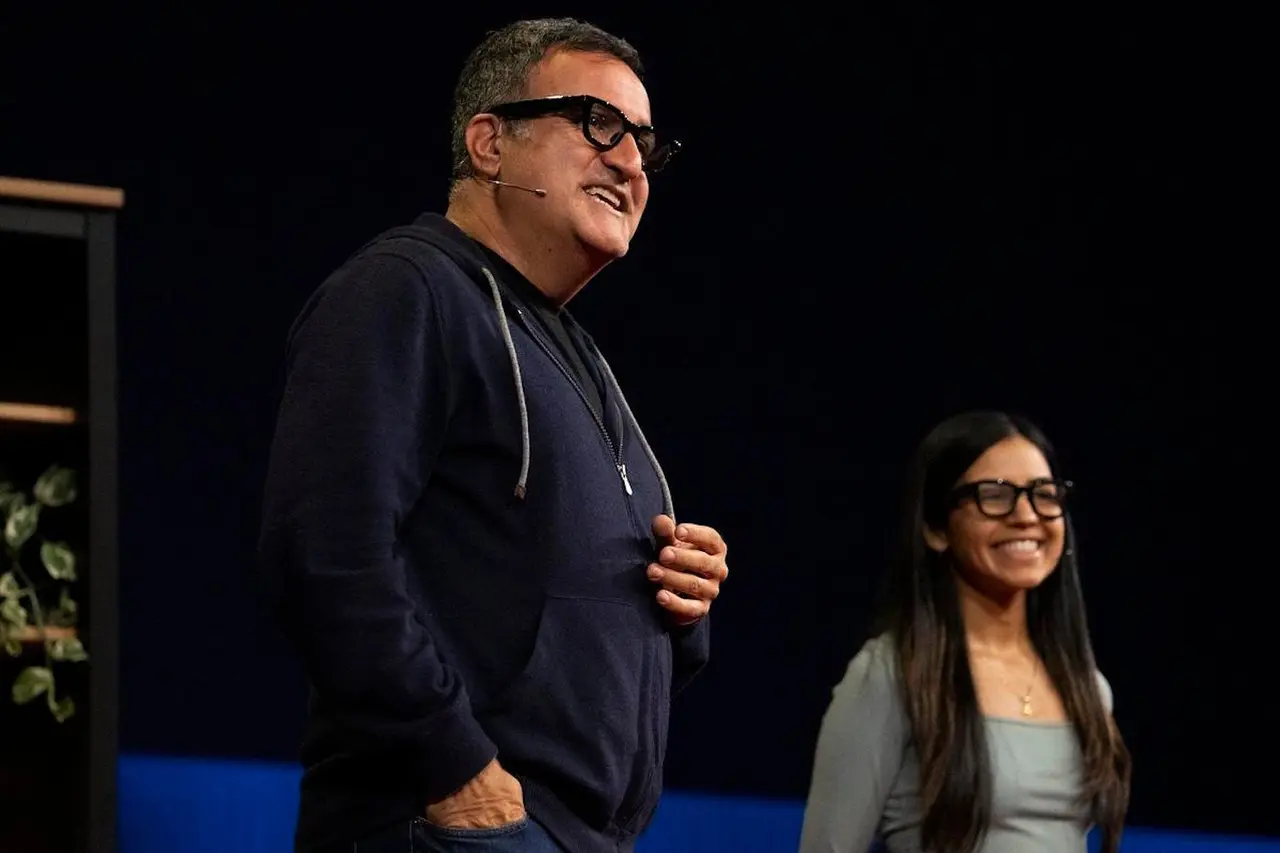


Gemini AI Integration Delivers Contextual Assistance
Gemini AI integration serves as the intelligence layer across all Google AI glasses variants. The assistant is always available with a button press and wake word, ready to perform tasks ranging from playing music to complex visual analysis
4
. During demonstrations, the Android XR experience began with Gemini providing environmental context automatically—summarizing location, weather, and nearby objects without requiring explicit questions3
. This proactive approach makes conversing with the assistant feel more natural than traditional voice-activated systems.Testers attempted to challenge Gemini by asking for unusual recipe combinations, such as fruit salad with pasta, only for the AI to recommend more appropriate tomato sauce dishes instead
3
. The multimodal hardware enables Gemini to analyze what users see through the glasses' cameras, providing contextual information about surroundings and objects. For Augmented Reality (AR) applications, users can request Uber rides and see navigation pathways to pickup spots, with driver information projected when nearby—functionality pulled directly from native Android apps3
.Market Competition Intensifies as Apple and Snap Enter Race
The AI wearables space has gained significant traction with Meta leading through its Ray-Ban Meta glasses, which were met with surprising success thanks to partnership with eyewear giant EssilorLuxottica
5
. Meta also released display glasses in September featuring a small built-in lens display for messages, photo previews, and live captions5
. Google now joins Apple and Snap among companies expected to challenge Meta with their own hardware next year1
.Google's key advantage lies in its well-established software ecosystem, with the abundance of existing third-party Android apps, homescreen widgets, and notification panel features theoretically transitioning fluidly into Android XR
3
. This ecosystem depth extends beyond Google's own services like Gmail, Meet, and YouTube to include countless developer-created applications. Samsung continues developing the Galaxy XR headset with new features including PC Connect for Windows integration and travel mode for use in planes and cars5
. As the small but competitive market grows, companies like Snap and Alibaba are also churning out AI glasses offerings, signaling that 2026 will be a pivotal year for consumer wearables adoption and the broader wearable experience.References
Summarized by

Navi
[3]
[4]
Related Stories
Recent Highlights
1
Apple Plans Major Siri AI Overhaul in iOS 27 With Third-Party Chatbot Integration
Technology

2
OpenAI shuts down Sora after six months, ending Disney's $1 billion licensing partnership
Technology

3
AI chatbots validate you too much, making you less kind to others, Stanford study reveals
Science and Research

Recent Highlights
Today's Top Stories








Your Daily Dose of Curated AI News
Don’t drown in AI news. We cut through the noise - filtering, ranking and summarizing the most important AI news, breakthroughs and research daily. Spend less time searching for the latest in AI and get straight to action.

