Nothing Phone (4a) Gets Nothing OS 4.1 Update With AI Eraser and Live Updates


2 Sources
2 Sources
[1]
Nothing Phone (4a) debuts these new features in Nothing OS 4.1
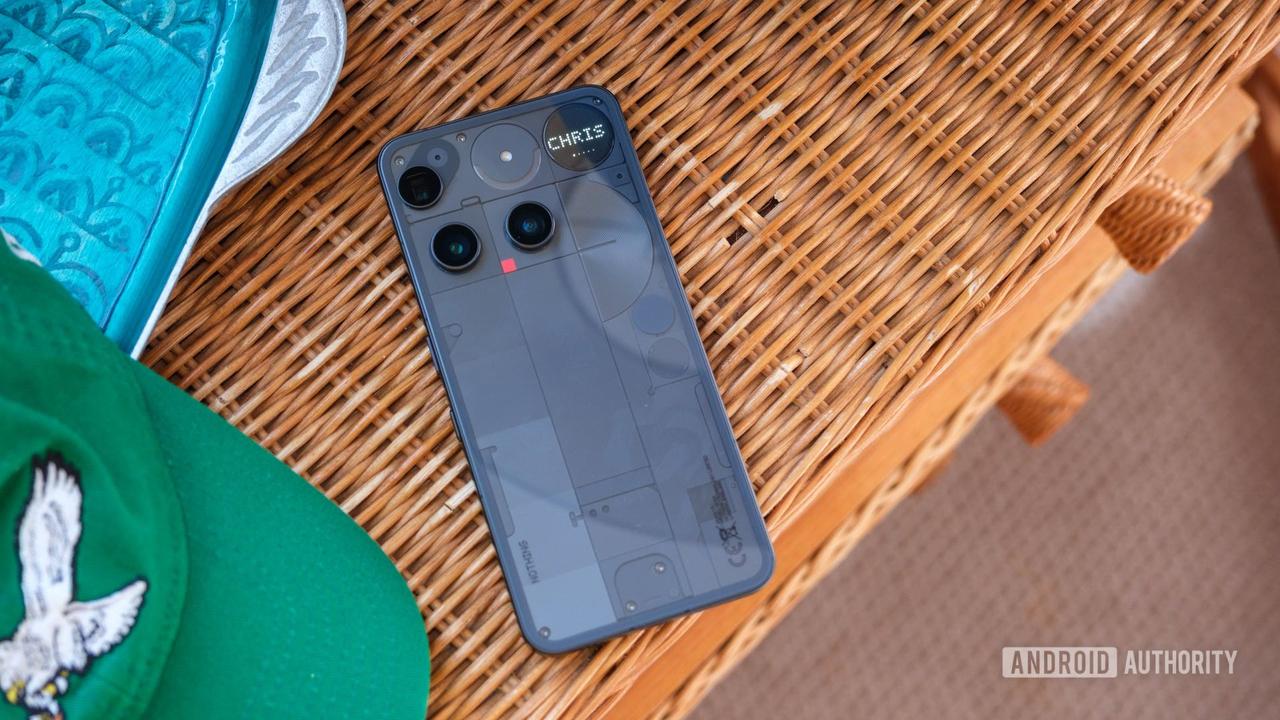
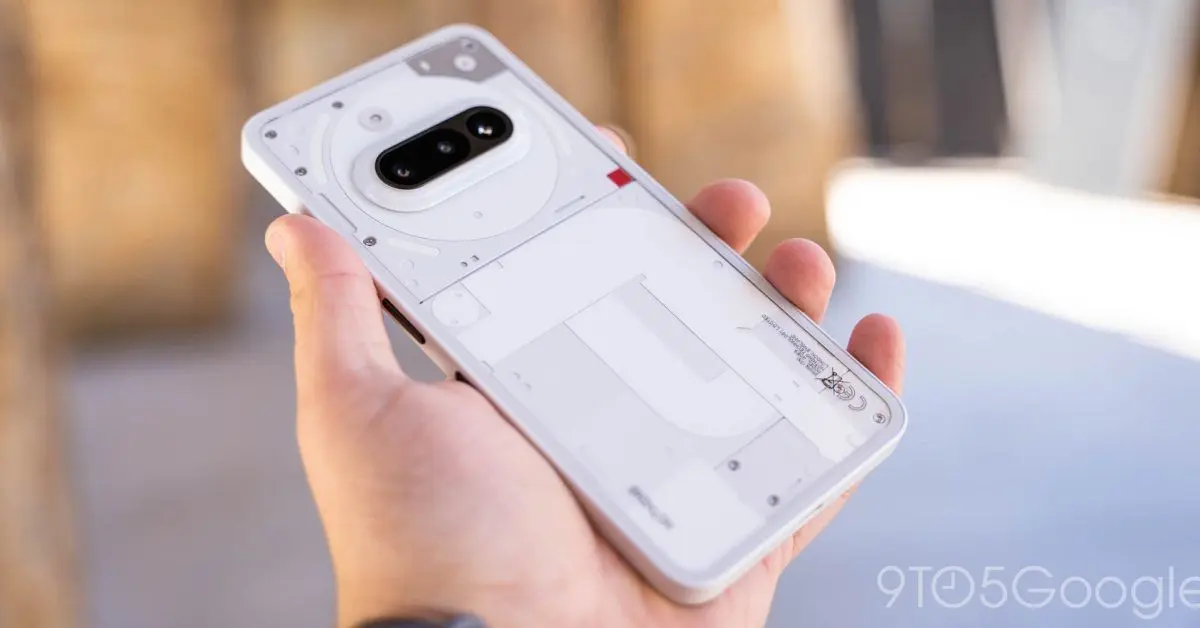
Nothing OS 4.1 on the Nothing Phone (4a) series is debuting a few key changes to the company's Android skin including better "Essential Apps" functionality, a new "Relaxation Hub," lock screen tweaks, and more. With Nothing Phone (4a) now on sale and the Pro available in a few days, Nothing is detailing some of the software upgrades available in the first update on these new devices. That starts with support for Android 16's Live Updates on the Phone (4a)'s Glyph Bar. Apps that use Live Updates will be able to show their progress on the Glyph Bar, so you can keep an eye on incoming rides, navigation, and more without seeing the actual screen. Beyond that, a new "Relaxation Hub" is also launching in Nothing OS 4.1. This new feature includes "Breathing Break" widgets with "Focus, Relax, and Calm" modes. They offer breathing exercises "designed to help you reset during the day." In other widget news, Nothing Phone (4a) is making it a bit easier to use and access Essential Apps - the widgets that you can vibe code. These will now get their own drawer which not only shows apps you've installed or are using, but also recommend ones in the Nothing Playground without you actually leaving the homescreen. The lock screen is also being updated with the clock face that first debuted on the Phone (3a) Community Edition, as well as a new "Depth Effect" beta that mimics how the clock can hide behind wallpaper elements on iOS. Finally, the Nothing Gallery app is adding its own built-in AI Eraser tool which works entirely on-device, no cloud processing or internet access needed. These updates will likely make their way to last-gen Nothing Phone releases over time, but Nothing OS 4.1 (based on Android 16) is launching first on Nothing Phone (4a) and Phone (4a) Pro.
[2]
Nothing OS Rolls Out Several Updates for the Phone (4a) Series - Phandroid
Nothing recently announced that it's rolling out a new software update for the Nothing Phone 4a series, which was launched just this month. Posting on its official social media pages, Nothing says that the update improves "everyday usability, focus, and customisation across the system." For one, the update comes with changes to the Phone 4a's "at-a-glance" feature, and focuses on the new Live Updates system. That said, this allosws users to track real-time progress for rides, deliveries, and timers across the Always-on Display, Status Bar, and Lock Screen. When the 4a is face-down, the signature Glyph Bar will mirror this through light patterns, keeping users informed. As for digital well-being, the update brings three distinct modes which include "Focus", "Relax", and "Calm". Nothing says that it's also integrated specially-tuned haptic patterns that help guide users with their breathing rhythm when they want to destress or refocus during a busy day. The Essential Apps Drawer has alo been redesigned to highlight recommended apps, allowing users to customize their home screens instantly without needing to enter the Playground. For the Lock Screen, Nothing has included the fan-favorite clock face from the Phone (3a) Community Edition which features an exclusive typeface and a custom waking animation. A new Depth Effect has also been added to lock screen customization, alongside flexible options for clock sizing and alignment. For Photography, the update includes the new AI Eraser which now allows users to remove objects from their photos with a single tap or manual selection, and Nothing says that all AI processing happens locally on the device rather than in the cloud. The update will also arrive for older devices in the coming weeks.
Share
Share
Copy Link
Nothing has rolled out Nothing OS 4.1 for the Phone (4a) series, introducing on-device AI Eraser capabilities, Android 16's Live Updates on the Glyph Bar, a new Relaxation Hub with digital well-being modes, and enhanced lock screen customization. The software update aims to improve everyday usability and focus across the system.
Nothing OS 4.1 Brings Android 16 Integration to Phone (4a) Series
Nothing has launched a comprehensive software update for the Nothing Phone (4a) series, introducing Nothing OS 4.1 with several new features in Nothing OS 4.1 that enhance the user experience. The update, which arrives just as the Nothing Phone (4a) goes on sale and ahead of the Pro model's release, focuses on improving everyday usability, focus, and customization across the system
1
2
.The most significant addition is Android 16 integration, which enables Live Updates functionality on the device's signature Glyph Bar. This Live Updates integration allows users to track real-time progress for rides, deliveries, navigation, and timers across the Always-on Display, Status Bar, and Lock Screen
2
. When the Phone (4a) is placed face-down, the Glyph Bar mirrors this information through light patterns, keeping users informed without requiring them to check the actual screen1
.
Source: Phandroid
On-Device AI Eraser Tool Arrives in Nothing Gallery
The software update for the Nothing Phone 4a series introduces a built-in on-device AI Eraser tool within the Nothing Gallery app. This feature allows users to remove unwanted objects from photos with a single tap or through manual selection, with all AI processing happening locally on the device rather than requiring cloud processing or internet access
1
2
. This on-device AI processing approach addresses privacy concerns while delivering practical photo editing capabilities directly within the native gallery application.Relaxation Hub Introduces Digital Well-Being Modes
Nothing OS 4.1 debuts a new Relaxation Hub feature designed to support digital well-being. The hub includes "Breathing Break" widgets with three distinct digital well-being modes: Focus, Relax, and Calm
1
2
. These focus modes offer breathing exercises designed to help users reset during the day, with specially-tuned haptic feedback patterns that guide users with their breathing rhythm when they need to destress or refocus during busy periods [2](https://phandroid.com/2026/03/18/nothing-os-rolls-out-several-updates-for the-phone-4a-series/).Related Stories


Redesigned Essential Apps Drawer Streamlines Customization
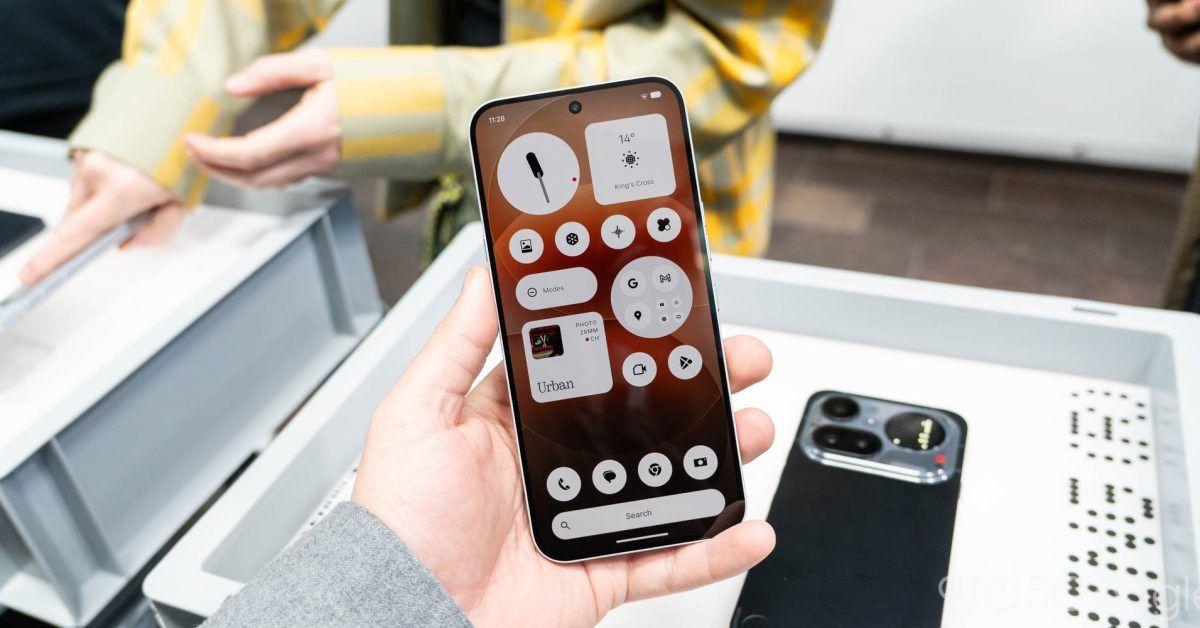
The Essential Apps Drawer has received a significant redesign in this update. The new drawer not only displays apps users have installed or are currently using, but also recommends apps from the Nothing Playground without requiring users to leave the homescreen
1
. This redesigned Essential Apps Drawer makes it easier to access and use Essential Apps—the widgets that can be customized with vibe codes—allowing users to customize their home screens instantly2
.
Source: 9to5Google
Enhanced Lock Screen Customization Options
Lock screen customization receives notable attention in Nothing OS 4.1. The update includes the fan-favorite clock face from the Phone (3a) Community Edition, which features an exclusive typeface and custom waking animation
1
2
. A new Depth Effect beta has also been added, mimicking how the clock can hide behind wallpaper elements similar to iOS functionality1
. Users now have flexible options for clock sizing and alignment as part of the expanded lock screen customization suite2
.While Nothing OS 4.1 based on Android 16 is launching first on the Nothing Phone (4a) and Phone (4a) Pro, these updates will likely arrive for older devices in the coming weeks
1
2
.References
Summarized by

Navi
Related Stories
Recent Highlights
1
Tennessee Teens Sue Elon Musk's xAI Over Grok AI-Generated Child Abuse Images
Policy and Regulation

2
Supermicro Co-Founder Indicted in $2.5 Billion Nvidia AI Chip Smuggling Scheme to China
Policy and Regulation
3
Val Kilmer to appear posthumously in As Deep as the Grave through AI-generated performance
Entertainment and Society

Recent Highlights
Today's Top Stories









Your Daily Dose of Curated AI News
Don’t drown in AI news. We cut through the noise - filtering, ranking and summarizing the most important AI news, breakthroughs and research daily. Spend less time searching for the latest in AI and get straight to action.

