ExpressVPN becomes industry first to let AI agents control VPN connections through MCP server


2 Sources
2 Sources
[1]
ExpressVPN launches its MCP server that lets AI tools control VPN connections - and it's an industry first
New beta feature brings VPN controls into AI development workflows. ExpressVPN, one of the best VPNs, has launched a beta version of its new Model Context Protocol (MCP) server designed to let AI tools interact directly with VPN software. Announced on March 5, 2026, the release makes ExpressVPN the first VPN to adopt MCP, an open standard introduced by Anthropic in 2024. By connecting with external tools and data sources, AI coding assistants can check whether a VPN connection is active, switch server locations, and troubleshoot network issues without developers needing to manually adjust settings. The MCP server works with ExpressVPN's desktop apps on macOS, Windows, and Linux, and supports AI development tools including Claude Code and OpenAI's Codex. The feature is launching in beta and is currently available for individual users as well as ExpressVPN for Teams customers. What is ExpressVPN's MCP server and how does it work? Model Context Protocol, or MCP, is an open-source standard that allows AI tools to interact with external software through structured commands. ExpressVPN's MCP server acts as a local bridge between AI development tools and the VPN's desktop apps. Once enabled, compatible AI assistants can check VPN status, switch server locations, change protocols, and run diagnostics without leaving the development environment. According to ExpressVPN, the server is "private and secure by design," and "operates under ExpressVPN's no-logs policy." The VPN said "activity logs, connection logs, and destination data are not collected or stored." The server runs locally on the user's device rather than through a remote service. Access is also limited to a fixed set of approved commands, meaning AI tools can only perform specific actions such as reading VPN status or adjusting connection settings. This allows developers working with AI coding assistants to automate parts of their network setup directly within their workflow. Why developers might want AI to control their VPN As AI coding assistants become more common in development environments, many routine tasks are moving into automated workflows. Network configuration, however, has often remained a manual step. Developers frequently need to confirm a VPN connection before running scripts, switch regions to test geo-specific features, or troubleshoot connectivity issues during development. ExpressVPN says its MCP server is designed to remove that friction by allowing AI assistants to handle those actions directly. "Developers are increasingly relying on AI agents to automate complex tasks, yet their network environment has remained manual," said Shay Peretz, COO of ExpressVPN. "Our MCP server brings VPN control into those workflows, enabling secure testing, troubleshooting, and region switching without interrupting their workflow." How to try ExpressVPN's MCP server ExpressVPN's MCP server is available in beta starting March 5, 2026, and works with its Linux, Mac, and Windows VPN apps. To try it, developers need to install the latest ExpressVPN desktop app, enable the MCP server from the app's settings, and connect it to a compatible AI tool such as Claude Code or Codex. The feature allows these tools to read VPN status, change server locations, adjust protocols, and run diagnostics. For security reasons, the MCP server is disabled by default and must be enabled manually in the ExpressVPN desktop app. The integration runs locally on the user's device and does not expose account credentials or session data. ExpressVPN says the beta release is intended to help developers experiment with AI-assisted workflows involving network configuration. Technical documentation covering the server has been puiblished by ExpressVPN on its website.
[2]
ExpressVPN just gave AI agents the power to control your connection
ExpressVPN's 'industry's first' MCP server seeks to bridge the gap between AI and network security * ExpressVPN launches industry's first Model Context Protocol (MCP) server * The beta allows AI agents to interact directly with its VPN desktop apps * The feature is opt-in, runs locally, and operates under a strict no-log policy ExpressVPN has announced the beta launch of its Model Context Protocol (MCP) server, becoming the first major provider to allow AI tools to interact directly with its desktop applications. Announced today (March 5), this addition bridges the gap between the best VPN services and the booming world of AI agents. By adopting the open standard introduced by Anthropic in late 2024, ExpressVPN is effectively giving developers the ability to control their network security using natural language or automated scripts within their coding environments. Previously, if a developer using an AI assistant needed to test a geo-specific API or verify a secure connection, they had to leave their workflow to manually toggle settings in the VPN app. Now, compatible AI tools like Anthropic's Claude Code and OpenAI's Codex can read the VPN's status, switch regions, and troubleshoot connectivity issues on behalf of the user. Bringing AI to network security The Model Context Protocol (MCP) is an open standard designed to connect AI systems with external data and tools. While many developer platforms have adopted it since its introduction, network infrastructure has largely remained a manual affair -- until now. ExpressVPN's implementation creates a "strictly local bridge" between the AI tool and the ExpressVPN desktop app on macOS, Windows, or Linux. This means developers can issue commands in plain English, such as "switch to a US server" or "check if my connection is secure", and the AI agent executes them via the MCP server. Shay Peretz, COO of ExpressVPN, says the move is about removing friction for technical users who live in their terminals. "Developers are increasingly relying on AI agents to automate complex tasks, yet their network environment has remained manual," Peretz said. "Our MCP server brings VPN control into those workflows, enabling secure testing, troubleshooting, and region switching without interrupting their workflow." Peretz added that the company sees MCP becoming a "foundational standard for how AI systems interact with external tools." Private by design Allowing an AI to control network settings might raise eyebrows regarding security, but ExpressVPN emphasizes that the feature is "private and secure by design." Crucially, the integration is disabled by default; users must actively opt in via the desktop app settings. Furthermore, the MCP server operates on a fixed command allowlist. It cannot access account credentials or session information, ensuring that the AI agent doesn't get free rein over sensitive user data. The company also confirmed that the new feature operates under its strict no-logs policy. "Activity logs, connection logs, and destination data are not collected or stored," said ExpressVPN. Who is this for? While the average user might not need their AI chatbot to swap VPN servers just yet, this is a significant quality-of-life upgrade for software engineers and QA testers. The beta version enables developers to automate tasks such as verifying secure connections before running scripts, testing geo-sensitive APIs across multiple regions, and diagnosing network issues through AI-assisted workflows. It essentially removes the need to context-switch between a code editor and the VPN client. The MCP server beta is available starting today, March 5, 2026, for individual users and ExpressVPN for Teams customers on all major desktop platforms. You can find more details on the ExpressVPN features page or their support guide. Follow TechRadar on Google News and add us as a preferred source to get our expert news, reviews, and opinion in your feeds. Make sure to click the Follow button!
Share
Share
Copy Link
ExpressVPN has launched a beta version of its Model Context Protocol server, becoming the first major VPN provider to allow AI tools to interact directly with VPN software. Announced on March 5, 2026, the feature enables AI coding assistants like Claude Code and OpenAI's Codex to check connection status, switch server locations, and troubleshoot network issues automatically, eliminating manual configuration for developers.
ExpressVPN Introduces MCP Server for AI-Driven VPN Control
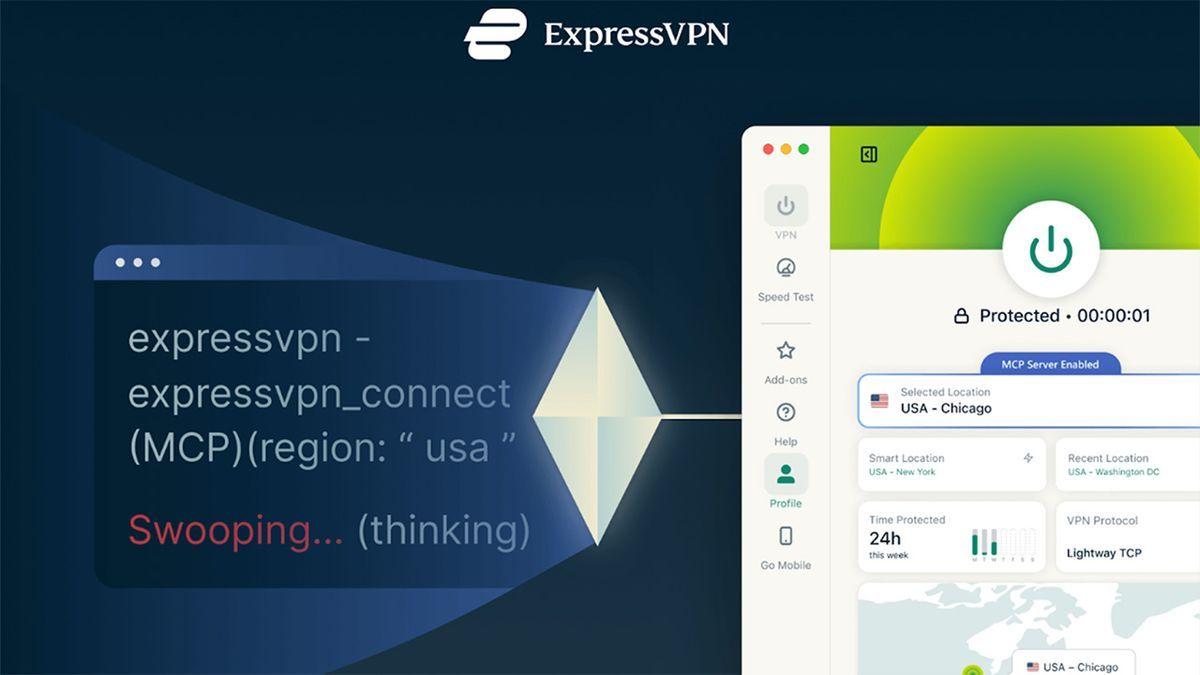
ExpressVPN has become the industry first major VPN provider to launch a Model Context Protocol server, marking a significant shift in how AI agents interact with network security tools. Announced on March 5, 2026, this beta feature allows AI tools control VPN connections directly through structured commands, removing the need for developers to manually adjust settings during their workflow
1
2
.
Source: Tom's Guide
The MCP server acts as a local bridge between AI coding assistants and ExpressVPN's desktop apps on macOS, Windows, and Linux. Compatible AI development tools including Claude Code and OpenAI's Codex can now check whether a VPN connection is active, switch server locations, change protocols, and run diagnostics without interrupting development workflows
1
. This integration is available for both individual users and ExpressVPN for Teams customers.How Model Context Protocol Bridges AI and Network Security
Model Context Protocol is an open-source standard introduced by Anthropic in late 2024 that enables AI tools to interact with external software through structured commands. ExpressVPN's implementation creates a strictly local bridge that allows developers to issue commands in natural language, such as "switch to a US server" or "check if my connection is secure," which AI agents then execute automatically
2
.Shay Peretz, COO of ExpressVPN, explained the rationale behind this move: "Developers are increasingly relying on AI agents to automate complex tasks, yet their network environment has remained manual. Our MCP server brings VPN control into those workflows, enabling secure testing, troubleshooting, and region switching without interrupting their workflow"
1
2
. Peretz added that the company sees MCP becoming a foundational standard for how AI systems interact with external tools.Security Safeguards and Privacy Protections
The MCP server operates under ExpressVPN's strict no-logs policy, with the company confirming that "activity logs, connection logs, and destination data are not collected or stored"
1
2
. The server runs locally on the user's device rather than through a remote service, ensuring that sensitive data remains on-premises.Access is limited to a fixed command allowlist, meaning AI agents can only perform specific approved actions such as reading VPN status or adjusting connection settings. The integration cannot access account credentials or session information, preventing AI tools from gaining unrestricted access to sensitive user data
2
. For security reasons, the MCP server is disabled by default and must be manually enabled in the ExpressVPN desktop app settings1
.Related Stories

Practical Applications for Developers and QA Testers
This beta feature addresses a common pain point for developers and QA testers who frequently need to confirm VPN connections before running scripts, switch regions to test geo-sensitive APIs, or troubleshoot connectivity issues during development
1
. Previously, these tasks required developers to leave their coding environment and manually toggle settings in the VPN app, creating friction in their workflow.The ability to automate network configuration through AI agents removes the need to context-switch between a code editor and the VPN client
2
. Developers can now verify secure connections, test features across multiple regions, and diagnose network issues through AI-assisted workflows, all without leaving their development environment.To try the beta, developers need to install the latest ExpressVPN desktop app, enable the MCP server from settings, and connect it to a compatible AI tool. ExpressVPN has published technical documentation on its website to help developers experiment with AI-assisted workflows involving network configuration
1
. As AI continues to reshape development workflows, this integration signals a broader trend toward automating network security tasks that have traditionally required manual intervention.References
Summarized by

Navi
[1]
Related Stories
ExpressVPN launches privacy suite with ExpressAI and email protection to rival Proton
05 Feb 2026•Technology

MCP: The New "USB-C for AI" Unifying Rivals and Revolutionizing AI Tool Integration
28 Mar 2025•Technology

Google launches managed MCP servers that let AI agents plug into BigQuery, Maps, and Cloud tools
11 Dec 2025•Technology

Recent Highlights
1
OpenAI shuts down Sora video app after six months, ending Disney's $1 billion investment deal
Technology

2
AI-Generated Val Kilmer to Posthumously Appear in As Deep as the Grave After His Death
Entertainment and Society

3
Supermicro Co-Founder Indicted in $2.5 Billion Nvidia AI Chip Smuggling Scheme to China
Policy and Regulation

Recent Highlights
Today's Top Stories




Your Daily Dose of Curated AI News
Don’t drown in AI news. We cut through the noise - filtering, ranking and summarizing the most important AI news, breakthroughs and research daily. Spend less time searching for the latest in AI and get straight to action.

