Google Launches Nano Banana Pro: Professional-Grade AI Image Generator with 4K Resolution and Enhanced Text Rendering


42 Sources
42 Sources
[1]
Google launches Nano Banana Pro image model, adds AI image detection in Gemini app
Google's meme-friendly Nano Banana image-generation model is getting an upgrade. The new Nano Banana Pro is rolling out with improved reasoning and instruction following, giving users the ability to create more accurate images with legible text and make precise edits to existing images. It's available to everyone in the Gemini app, but free users will find themselves up against the usage limits pretty quickly. Nano Banana Pro is part of the newly launched Gemini 3 Pro -- it's actually called Gemini 3 Pro Image in the same way the original is Gemini 2.5 Flash Image, but Google is sticking with the meme-y name. You can access it by selecting Gemini 3 Pro and then turning on the "Create images" option. Google says the new model can follow complex prompts to create more accurate images. The model is apparently so capable it can generate an entire usable infographic in a single shot with no weird AI squiggles in place of words. Nano Banana Pro is also better at maintaining consistency in images. You can blend up to 14 images with this tool, and it can maintain the appearance of up to five people in outputs. Google also promises better editing. You can refine your AI images or provide Nano Banana Pro with a photo and make localized edits without as many AI glitches. It can even change core elements of the image like camera angles, color grading, and lighting without altering other elements. Google is pushing the professional use angle with its new model, which has much improved resolution options. Your creations in Nano Banana Pro can be rendered at up to 4K. Detecting less sloppy slop Google is not just blowing smoke -- the new image generator is much better. Its grasp of the world and the nuance of language is apparent, producing much more realistic results. Even before this, AI images were getting so good that it could be hard to spot them at a glance. Gone are the days when you could just count fingers to identify AI. Google is making an effort to help identify AI content, though. Images generated with Nano Banana Pro continue to have embedded SynthID watermarks that Google's tools can detect. The company is also adding more C2PA metadata to further label AI images. The Gemini app is part of this effort, too. Starting now, you can upload an image and ask something like "Is this AI?" The app won't detect just any old AI image, but it will tell you if it's a product of Google AI by checking for SynthID. At the same time, Google is making it slightly harder for flesh and blood humans to know an image was generated with AI. Operating with the knowledge that professionals may want to generate images with Nano Banana Pro, Google has removed the visible watermark from images for AI Ultra subscribers. These images still have SynthID, but only the lower tiers have the Gemini twinkle in the corner. While everyone can access the new Nano Banana Pro today, AI Ultra subscribers will enjoy the highest usage limits. Gemini Pro users will get a bit less access, and free users will get the lowest limits before being booted down to the non-pro version.
[2]
Google releases Nano Banana Pro, its latest image generation model | TechCrunch
Google is upgrading its image generation model with new editing chops, higher resolutions, more accurate text rendering, and the ability to search the web. Dubbed Nano Banana Pro, the new model is built on Google's latest large language model, Gemini 3, released earlier this week. The company claims Nano Banana Pro improves on its predecessor, Nano Banana, with the ability to create more detailed images and accurate text, and generate text in different styles, fonts and languages. The model also has web searching capabilities, so you can do things like ask it to look up a recipe and generate flash cards. Google says Nano Banana Pro is geared towards giving professionals more control over images, and lets users control aspects like camera angles, scene lighting, depth of field, focus, and color grading. And compared to Nano Banana's resolution cap of 1024 x 1024px, users can generate 2K or 4K images with Nano Banana Pro. The company noted that while Nano Banana Pro can generate images at a higher quality, it is slower and costlier than the original model, which cost $0.039 per 1024px image. Comparatively, the new model costs $0.139 for each 1080p or 2K image, and $0.24 for every 4K image. The new model can use six high-fidelity shots or blend up to 14 objects within an image. It can also maintain consistency and resemblance of up to five people. The company has released a demo app where you can try some of these capabilities. Nano Banana Pro is being rolled out across many of Google's existing AI tools. The Gemini app will now use the new model to generate images by default, though users on the free subscription tier will be able to use the model to generate a limited number of images, after which they will be defaulted to the original Nano Banana model. Google AI Plus, Pro, and Ultra subscribers will get higher generation thresholds, though the company did not disclose the exact limits. These subscribers will also get access to the model within Notebook LM. Google is also making the model available in search through AI mode for AI Pro and Ultra subscribers in the U.S. Ultra subscribers can access the model in the company's video tool, Flow, and it is available to Workspace customers in Google Slides and Vids, too. Developers can tap Nano Banana Pro through the Gemini API, Google AI Studio and the company's new IDE, Antigravity. The company is also baking in SynthID, its tech to watermark and detect AI-generated images, into the Gemini app. Users can upload an image, and the chatbot will tell them if the image has been created or modified by the company's image models. Google didn't mention if it also plans to support other AI-watermarking standards such as C2PA.
[3]
Hands On With Google's Nano Banana Pro Image Generator
Nano Banana Pro generated this image, assembling a crowd of standalone characters into one scene.Courtesy of Google Corporate AI slop feels inescapable in 2025. From website banner ads to outdoor billboards, images generated by businesses using AI tools surround me. Hell, even the bar down the street posts happy hour flyers with that distinctly hazy, amber glow of some AI graphics. On Thursday, Google launched Nano Banana Pro, the company's latest image generating model. Many of the updates in this release are targeted at corporate adoption, from putting Nano Banana Pro in Google Slides for business presentations to integrating the new model with Google Ads for advertisers globally. This "Pro" release is an iteration on its Nano Banana model that dropped earlier this year. Nano Banana became a viral sensation after users started posting personalized action figures and other meme-able creations on social media. Nano Banana Pro builds out the AI tool with a bevy of new abilities, like generating images in 4K resolution. It's free to try out inside Google's Gemini app, with paid Google One subscribers getting access to additional generations. One specific improvement is going to be catnip for corporations in this release: text rendering. From my initial tests generating outputs with text, Nano Banana Pro improves on the wonky lettering and strange misspellings common in many image models, including Google's past releases. Google wants the images generated by this new model -- text and all -- to be more polished and production-ready for business use cases. "Even if you have one letter off it's very obvious," says Nicole Brichtova, a product lead for image and video at Google DeepMind. "It's kind of like having hands with six fingers; it's the first thing you see." She says part of the reason Nano Banana Pro is able to generate text more cleanly is the switch to a more powerful underlying model, Gemini 3 Pro.
[4]
Google's Nano Banana Pro Makes Ultrarealistic AI Images. It Scares the Hell Out of Me
One of the most essential things I do when testing new AI image and video generators is to try to find out whether the claims a company makes are true or marketing fluff. Google promised that nano banana pro would bring Gemini 3's world understanding and the informational power of Google Search to your AI images. I jumped into the new model as soon as it was released, and frankly, I think Google undersold its capabilities. The original nano banana model was extremely popular, though like any AI service, there were glaring areas for improvement. There's one area where I'm already super impressed with the new pro version: It really can handle complex text rendering in images. Nano banana pro can make complex infographics and add captions to images without as many of the usual hallucinations. That's a game changer, but maybe not in the way we would hope. Throughout my initial testing with pro, that was a constant feeling. The pro model is excellent, if in an extremely unnerving way. Here's what my initial testing showed, complete with many nano banana pro images. If you want to try it out for yourself, here's the cheapest way to access it, along with Google's new AI image detector. The TV show Riverdale gave us no shortage of ridiculous, meme-able dialogue, but nothing is funnier to me than Archie's line about the "epic highs and lows of high school football." As someone whose high school football team was three-time state champs, I could see where Archie was coming from. Nano banana pro was able to recreate the moment. Gemini initially denied my request when I used the names "KJ Apa" and "Riverdale" in my prompt (as it absolutely should), but it spit out this too-accurate-looking image after I simply deleted the names. This method didn't always work -- Gemini didn't flag my request for a scene similar to Legally Blonde, but it didn't capture Reese Witherspoon's recognizable likeness, either. But I got two accurate depictions of Dr. Seuss's The Grinch: the Jim Carrey version and the cartoon one voiced by Benedict Cumberbatch. While these results are impressive, it's not a good thing that Gemini is able to create them. Celebrities, public figures and other recognizable folks have voiced concerns about how AI tools make it easier for anyone to create realistic-looking AI versions of them. AI companies have said there are technical barriers and policies in place to prevent abuse, but we've already seen how these systems can fail. As new models like nano banana pro become more capable of creating these images and videos, it makes it even harder to tell when something is real or AI. Store signs, T-shirt logos and basically any object that requires legible text have long plagued AI image generators. Those errors have been good for us when we look for signs of whether something was created with AI because the text would always be bungled. But nano banana pro almost entirely solves this problem, for better or worse. AI companies have long aimed to create readable text in their generative media. OpenAI's first image model -- which you might remember spurred a trend of people making Studio Ghibli versions of themselves -- was supposed to excel at text generation in images. But my testing showed there were still big problems with it. Nano banana pro has almost no visible errors in its infographics. Moreover, its designs are clean, well organized and effective. Check out some of the ones I generated. Nano banana pro was built with Gemini 3 and relies on Google Search's massive database of online content to create these infographics. But if you don't want to let Google pick the source, you can include sources you want it to pull from in your prompt. I gave Gemini the link to my in-depth reporting on Hollywood's AI power struggle to test this, and I have to admit, it's a really good visual representation of the story. There have been many watershed moments in the evolution of generative AI. We've seen several in just the past six months, with Veo 3 introducing sound in AI videos and Sora making it easier than ever to make deepfakes. The original nano banana model was another, but clearly, the pro model eclipses anything we've seen in AI image tech this year or any year before. These nano banana pro AI images are the closest I've ever seen to human-created designs and photography. While I am quite impressed with the technical prowess Google is showcasing, it only deepens my concerns about AI tech like this being misused. I tried to get Gemini to make infographics about dubious pseudoscience theories. It shut down any requests it (correctly) flagged as health misinformation, though it did let one image slip through -- showing that the guardrails in place are still imperfect. We've already seen how these tools can be used to create racist, abusive and illegal content, despite AI companies' efforts. Nano banana pro can load bad actors' arsenals with all the firepower they need. I'm sadly confident it will only be a matter of time before we see nano-banana-created AI imagery attached to viral social media posts or campaigns, with no way for us to determine with our naked eyes whether it's real or AI. At the same time, because nano banana pro is the most capable AI image model available, it will be extremely useful. People who want a quick image, help with editing existing images or have an infographic to include in their work will be able to create high-quality results. This is the double-edged sword that is inherent with innovation of generative media, and nano banana pro is the sharpest tool -- or weapon -- yet.
[5]

Google's new AI image creator took my shirt off
I gave Google's new Nano Banana Pro a try, and it immediately took my clothes off. I didn't ask it to, but the AI model evidently decided my greetings card would look better with more skin. Nano Banana Pro is, as the name suggests, aimed at professionals. Powered by Gemini 3, it's effectively an upgrade of the company's popular image generation and editing tool that went viral in a social media trend that turned selfies into hyperrealistic 3D figurines. Google says it lets you create higher quality images that you can print, render legible text onto pictures, and blend multiple images together into a single composition. It's also meant for "people who want to feel like professionals," Naina Raisinghani, a product manager at Google DeepMind, told The Verge. That sounds good, because I am by no means a professional. For me, the results were glossy, but goofy. It looked good, but felt amateurish. Using Nano Banana Pro is pretty simple: you go into the Gemini app, select "create images," and toggle on the 'thinking' mode. Just plug in your prompt (and image, if you're using one) and go. It's also free, though there are limits, with quotas expanding for Google AI Plus, Pro, and Ultra subscribers. Google makes some bold claims, promising "studio-quality designs," "flawless text rendering," and a host of nifty and creative edits. To test these, I uploaded a simple photo of myself near The Verge's office in New York with the Brooklyn Bridge in the background. I asked Gemini to change the lighting from day to night and it did a pretty good job. The result looks believable. It even handled details that often trip up image generators, like having cars go in the right direction. Adjusting the camera angle was equally easy. I asked Gemini to recreate the shot as if it were taken from a higher angle on the right and it did. Google also says Nano Banana Pro can create infographics and diagrams to help visualize real-time information like weather or sports. Being British, I asked about the weather for the next four days in Washington, DC, and New York City, where I currently am. Visually, the infographic would've been at home on a basic forecast site. The text and numbers appeared normal -- a far cry from the garbled nonsense you often see in AI-generated images -- and Gemini gave me a list of citations at the end that helped me confirm it was accurate. The model stumbled a little on more complex tasks. I asked it to summarize a recent Verge story about how Europe is scaling back its AI and privacy laws in a comic book-style format. The images and text were indeed rendered flawlessly in a cartoonish font, but the comic didn't summarize the story at all, giving a vague overview of the bloc's AI Act instead. The issue may have been because I gave Gemini a link to the story, rather than pasting the text in. It gave me a passable comic-style summary when I did. It communicated the gist of the actual story, though I don't think I'd have been able to understand easily had I not written the source material. It also made up phrases that didn't appear anywhere in my article. To really feel like a pro designer, I tried my hand at making greetings cards. Christmas is coming up, after all. Considering I only uploaded three selfies, Gemini did a frankly amazing job creating three full-body versions of myself, each in different outfits and sporting a different facial expression. It also created a realistic, snowy setting with Christmas trees, like I'd asked it to, and plastered "Merry Christmas!" on the top like I'd asked it to. Gemini took liberties when I asked it to change the card's snowy backdrop to a summery beach for an Australian-style holiday. Those liberties were my deepfaked clothes: two of my clones were topless. It was weird. There were also some prominent AI-generated feet and a smiley sandman to replace the snowman from the wintery scene (being built by my topless lookalike). There were issues, though -- the sandman was missing a shadow, unlike other rendered objects in the picture, and the Christmas lights in the palm trees were magically glowing in the bright sun. I tested its precision editing skills by asking it to add some muscle to only one clone, which it did in seconds (if only it were that easy in the real world). Overall, the quality was superb, and the image would've been somewhat believable (abs aside) if you didn't know there was a large tattoo missing on my chest. It wasn't all great, though. The model failed to preserve the exact text on my card that I'd asked it to. Instead of "Merry Christmas!" it opted for "Aussie Summer Christmas!" It also seems to struggle with animals: my sister's cat is sitting in exactly the same stilted pose as the reference image I'd provided in every version of the card (he was given a whimsical Santa hat, though). All in all, I was impressed. Nano Banana Pro is a clear upgrade on the basic model. I was able to ask for more precise edits and it actually produces intelligible text, removing a massive roadblock stopping generative AI tools like this being usable in the real world. But, alas, these features were not enough to make me a good designer.
[6]

Google's Nano Banana image generator goes Pro - how it beats the original
Google released Nano Banana Pro. The image generator and editor use Gemini 3 Pro. It is rolling out in the Gemini app to everyone. Every now and then, a new model mysteriously appears in the LMArena and creates a stir due to its impressive capabilities -- usually a sign that it's actually worth the hype. Back in August, Google's Nano Banana image generator made such an appearance, producing hyperrealistic images that left users impressed. Now it's even more realistic. Also: The best AI image generators are getting scary good at things they used to be terrible at On Thursday, Google launched Nano Banana Pro, built on Gemini 3 Pro, to create visual images that are more accurate representations of your input, utilizing the model's advanced reasoning and real-time world knowledge. As seen below, it can render more complex infographics with accurate text and information, two tasks that are typically challenging for image generators. You can start testing it out today, even if you are not a subscriber. To learn how and why you should, read on. As the name implies, this model builds upon the model's previous image-generating capabilities, creating hyper-realistic images that also incorporate real-time information, allowing you to create infographics, diagrams, educational explainers, and more. The information is sourced from Google Search, allowing you to access a wide range of topics related to your images. Also: This new most popular AI image and video generator has enterprise users flocking to it In addition to gathering the information, the model was designed to incorporate the most accurate and legible text, regardless of length, including long paragraphs. This is a significant advance; less than a year ago, it was difficult to get an image generator to accurately output a single word. I decided to put it to the test by entering the prompt: Can you create an image of a Yorkie that accurately labels each body part in a way that is both accurate and informative, but catered to first graders? Include brief descriptions of what each part is. Also: Perplexity's Comet lands on Android - can it crush Chrome? How to try it The results were impressive: Not only was the content accurate, but it was also spelled correctly, easy to read, and visually appealing. I'll let you be the judge... As seen in the image above, the text can also be generated using a variety of textures, fonts, and calligraphy, according to Google. This isn't limited to English, as the text can either generate content in multiple languages or translate your content into other languages. Sometimes you want to render a new image from existing inputs. Now, you can include up to 12 images with the consistency and resemblance of up to five people. For example, in the image below, the user uploaded 14 different characters, which were then used to create a new image that comprised all of them. Google has also added more controls that users can access to further personalize an image, including the ability to refine and transform specific parts of the image. For example, Google explains, users can now adjust camera angles, change the focus, apply color grading, and more. The original Nano Banana is still the best option for fast and fun editing, while Nano Banana Pro is ideal for complex compositions, according to Google. To try it yourself, use the Gemini app by clicking on "Create Images" with the "Thinking model." While everyone can access Nano Banana Pro, free-tier users receive limited free quotes, and -- upon expiration -- will be sent back to the original model. Paid subscribers, including Google AI Plus, Pro, and Ultra users, get higher limits. Google AI Pro and Ultra subscribers will also be able to use it in AI Mode in the US. Also: Perplexity's AI shopping tool is now free for all, just in time for Black Friday - how to try it While all generations created by Google's tools bear the SynthID digital watermark, which is invisible to the naked eye, images generated by free and Google AI Pro tier users will continue to include a visible watermark, the Gemini sparkle. A notable update, however, is that now users can upload images into Gemini and ask if it was generated by Google AI. Nano Banana Pro is also available to NotebookLM subscribers. Google AI Ultra subscribers will be able to access it in Flow, the company's AI filmmaking tool. It is also available in the Gemini API, Google AI Studio, Vertex AI, and Google Antigravity to meet the needs of both developers and enterprise users. It will arrive soon at Gemini Enterprise.
[7]

Google Unleashes Gemini 3 on New Nano Banana Pro AI Image Generator
Google's next-gen Nano Banana image-generation tool is here, days after the launch of its Gemini 3 model. Nano Banana Pro, also known as Gemini 3 Pro Image, promises more factually accurate creations. Google says it's "more helpful" than the previous version, and suggests using it to build explainers, infographics, diagrams, and blueprints. An example shows the AI making a step-by-step recipe for a cardamom tea -- researching the process, designing an image with text instructions, and organizing it into a flow chart structure. AI tools have struggled with generating text in images, but Google thinks it has cracked the case with Nano Banana Pro, touting its ability to do everything from short taglines to long paragraphs. An example shows how text can be used in an AI-generated storyboard, putting multiple instances of small directions next to sketches. In a separate tips and tricks post, Google says the tool can be limited when trying to render small text, and it warns that spelling can be inaccurate. You may need to tweak images with follow-up prompts to get accurate results. Nano Banana Pro can also generate text in multiple languages, allowing you to make multiple versions of your image for different markets. Google recommends checking the results as it can "make grammar mistakes of miss specific cultural nuances." All images can now be generated at either 2K or 4K resolution. You can select and refine any part of an image, such as changing a camera angle, color grading, effects, lighting, focus, and more. Google's guidance suggests being as detailed as possible in your first prompt. It even recommends sharing specifics such as the aspect ratio to use, depth of field, and how you want lighting to appear. Google has also expanded the tool to allow for 14 different images to be input at once, allowing you to bring more creations together in one complete AI-generated image. It says it can also maintain the resemblance of up to five subjects throughout the creation process. It means you can ask the tool to keep the people consistent even as you change other aspects, such as their poses. Nano Banana Pro is now available, with a usage limitation for non-subscribers. If you're on the free tier, you'll be dropped down to Gemini Flash 2.5 when you run out of credits. Those on a Google AI Plus, Pro, or Ultra subscription have higher quotas. The tool is also available within Google Search's AI Mode in the US if you subscribe to either AI Pro or Ultra. On the paid version of Google's NotebookLM, you'll also get access to the AI-generation feature if you live in the US. Google will also bring these tools to its AI-filmmaking tool Flow, but an exact release date was not announced.
[8]

Gemini rolls out AI image detection, new Nano Banana
Featuring an image of a man creating an image of a man creating an image... hands on Google Gemini users can now use the AI's app and website to figure out whether an image is AI-generated, though with some considerable limitations. Google today announced the general release of SynthID Detector in the Gemini app and Gemini on the web, allowing users to upload any image and ask the bot whether the picture was created or modified using AI. Because the new feature is using SynthID, however, it's incredibly limited - it can only recognize images created by Gemini and tagged with Google-made SynthID watermarks. Developed in 2023, SynthID has been part of Google's various image-generating AI models for a couple of years now. The watermarking system is designed to be imperceptible to humans and still detectable when images are cropped or modified, according to Google. SynthID is open source, and Google has scored a few high-profile partners in Hugging Face and Nvidia, but aside from those examples, Gemini's SynthID Detector won't be able to actually determine whether an image is AI-created with any sort of certainty. In our testing of AI images generated via ChatGPT, Gemini wasn't reliably able to tell if the picture was AI-generated or not, but it did reason correctly a few times based on small details that give AI-generated content away. Images created using Gemini, on the other hand were all flagged as containing SynthID watermarks. Instead of relying on watermarking like Google, ChatGPT relies on a metadata system developed by the Coalition for Content Provenance and Authenticity (C2PA) to mark its content as AI-generated. Along with OpenAI, C2PA is used by companies including Microsoft, Adobe, Meta, and others. A Google spokesperson told The Register that it plans to add support for C2PA to Gemini in the future "so you'll be able to check the original source of content created by models and products that exist outside of Google's ecosystem." Even with C2PA support, experts have warned that detecting AI images based on watermarks and metadata isn't the most reliable way to ensure provenance. As we reported in June, computer scientists at Canada's University of Waterloo developed a method dubbed "UnMarker" they said can remove AI image watermarks - including SynthID - in just a few minutes using a 40 GB Nvidia A100 GPU, no internet connection required. Google Deepmind researchers previously concluded much the same, and that paper even called C2PA metadata into question, remarking that it was even less robust than watermarking. In other words, as with any modern AI product, don't trust SynthID Detector to reliably tell fact from fiction - it can be tricked by bad input data just as well as your average LLM. Oh, there's a Nano Banana Pro now, too Along with the public release of AI detection in Gemini, Google also today released Nano Banana Pro, an upgraded version of its Nano Banana image generation engine built using the recently-released Gemini 3 Pro model mere months after releasing the initial version, which we were quite impressed with. The latest model, according to The Chocolate Factory, is specifically designed with clearer text in mind, and can also be used to generate infographics with actual readable content instead of the language-adjacent gibberish that has been typical of previous generations of AI image generation tools. We used Nano Banana Pro to create the recursively-themed image above, as well as the refreshing-looking bottle of Reg-branded soda included below. Compared to ChatGPT, Nano Banana Pro created the image incredibly quickly, and with no need to be re-prompted for text corrections. Like all of Google's AI-generated images, those created in Nano Banana Pro include a visible Gemini sparkle watermark as well as SynthID content. For those curious, we ran the Nano Banana Pro-created image of The Register soda through a tool designed to strip out SynthID watermarking, but Gemini still detected the presence of SynthID in the image. Even then, Gemini told us, it probably would have picked up that it wasn't real based on our reputation. "[The Register] frequently uses humorous or custom-made graphics for their article headers," Gemini explained. "This image was likely generated to serve as a stock photo or illustration for one of their stories."
[9]
This Is the Cheapest Way to Create Unlimited AI Images With Google's New Nano Banana Pro
It has been a bananas week for Google AI news. At the beginning of the week, Google dropped Gemini 3, a major overhaul to its chatbot and all its integrations. Now, its viral AI image editor and generator is getting the Gemini 3 treatment. A brand new version of its popular nano banana model, called nano banana pro, is out now Google's original nano banana model was released earlier this summer. Since then, people have generated over 5 billion images with Gemini, bringing in over 10 million new Gemini users who signed up during the first few weeks of its availability. Now, the pro model aims to be even better, with the ability to generate readable text, upscale images up to 4K and handle multiple reference images in a single prompt. You can also ask Gemini to detect AI-generated images, a necessary tool as the latest AI models (like nano banana) have made it extremely difficult to discern real content from AI. We won't know how the model lives up to those promises until we get our hands on it. Here's how to access nano banana pro. For more, check out Google's new AI image detector and the best AI image generators. Don't miss any of our unbiased tech content and lab-based reviews. Add CNET as a preferred Google source. There are a couple of ways to access nano banana pro through Google. Here are all the different methods. Nano banana pro is also available through Google's developer tools, including the Gemini API, Vertex AI and the recently announced Google Antigravity platform. Google enterprise users don't have access yet but should soon. Select "Create images" and "Thinking" model to access the newest version of the model. You can use nano banana pro for free through Gemini, but you'll be bumped back to the original model once you've run through your quota of pro images. If that happens and you still want to generate with the more powerful model, you might want to consider a paid subscription. Since its annual creative conference, Adobe has been offering its users unlimited generations through Dec. 1. And since Adobe added nano banana pro to Adobe Firefly and Photoshop (for generative fill only), it's actually going to be much cheaper and easier to use nano banana pro through Adobe -- like hundreds of dollars cheaper. If you're already paying for some form of Adobe's Creative Cloud or Firefly, you can select nano banana pro from the list of outside, third-party models and start generating. You will need to pay for some form of Adobe before you can create an unlimited number of nano banana pro images. But it's cheaper to sign up for the lowest Firefly plan ($10 per month) than it is to become a Google One subscriber (beginning at $20 per month). Your free Firefly generations will run out in two weeks, but that's enough time for you to determine whether the model is something you'll want access to regularly. It's certainly better to pay Adobe $10 for two weeks for unlimited nano banana pro access than pay $250 for Google's version of an unlimited plan (that's technically capped at 25,000 generation credits). After Dec. 1, Firefly's standard plan gives you 2,000 generation credits per month and access to its many AI models. Google's AI Pro plan only gives you 1,000 credits per month, but you also get access to its other paywall-restricted platforms like Flow and other perks like 2TB of Google storage. It's all about where you like to create and whether that $10 subscription difference matters a lot to you.
[10]
Google's Nano Banana AI image model goes Pro and is free to try
Google just took the wraps off Nano Banana Pro (Gemini 3 Pro Image), its improved image generation and editing model built on Gemini 3 Pro that promises to "turn your visions into studio-quality designs with unprecedented control, flawless text rendering, and enhanced world knowledge." That's a step up from those hyperrealistic 3D figurines that caused the original image model to go viral in September, shortly after its launch. Best of all, it's free to try globally starting today inside the Gemini app by selecting "Create image" with the "Thinking" model. Google says that Nano Banana Pro can help create context-rich infographics and diagrams that can help visualize real-time information like weather or sports. And its ability to render legible text directly on the image -- as a short tagline or long paragraph -- makes it suitable for generating posters or invitations in a variety of language translations. It also supports blending multiple elements into a single composition, using up to 14 images and up to five people. And because the model excels at editing, Nano Banana Pro also promises new advanced creative controls. As such, you can select and locally edit any part of an image, adjust camera angles, add bokeh, change focus, color grade, or change lighting from day to night. Resolutions up to 4K are supported across a variety of aspect ratios. Notably, images created or edited with the Nano Banana Pro model will have C2PA metadata embedded. That should -- eventually -- make it easier to spot generative AI or deepfakes in search results and social media feeds, once the industry gets its act together. TikTok said this week that it would also use C2PA metadata to invisibly watermark AI-generated content. Users of the free Nano Banana Pro tier will be limited to a quota, that expands for Google AI Plus, Pro, and Ultra subscribers. It's also available for AI Mode in Search in the US if you subscribe to Google AI Pro or Ultra, or globally to users of the NotebookLM research assistant.
[11]
Nano Banana Pro: Here's What Google's New AI Image Generator Can Do
Google's next-gen Nano Banana image-generation tool is here, mere days after the launch of its new Gemini 3 model. Nano Banana Pro, also known as Gemini 3 Pro Image, promises more factually accurate creations. Google says Banana Pro is "more helpful" than the previous version, and suggests using it to build explainers, infographics, diagrams, and blueprints. An example shows the AI making a step-by-step recipe for a cardamom tea -- researching the process, designing an image with text instructions, and organizing it into a flow chart structure. AI tools have struggled with generating text in images, but Google thinks it has cracked the case with Nano Banana Pro, touting its ability to do everything from short taglines to long paragraphs. An example shows how text can be used in an AI-generated storyboard, putting multiple instances of small directions next to sketches. In a separate tips and tricks post, Google says the tool can be limited when trying to render small text, and it warns that spelling can be inaccurate. You may need to tweak images with follow-up prompts to get accurate results. Nano Banana Pro can also generate text in multiple languages, allowing you to make multiple versions of your image for different markets. Google recommends checking the results as it can "make grammar mistakes of miss specific cultural nuances." All images can now be generated at either 2K or 4K resolution. You can select and refine any part of an image, such as changing a camera angle, color grading, effects, lighting, focus, and more. Google's guidance suggests being as detailed as possible in your first prompt. It even recommends sharing specifics such as the aspect ratio to use, depth of field, and how you want lighting to appear. Google has also expanded the tool to allow for 14 different images to be input at once, allowing you to bring more creations together in one complete AI-generated image. It says it can also maintain the resemblance of up to five subjects throughout the creation process. It means you can ask the tool to keep the people consistent even as you change other aspects, such as their poses. Nano Banana Pro is now available, with a usage limitation for non-subscribers. If you're on the free tier, you'll be dropped down to Gemini Flash 2.5 when you run out of credits. Those on a Google AI Plus, Pro, or Ultra subscription have higher quotas. The tool is also available within Google Search's AI Mode in the US if you subscribe to either AI Pro or Ultra. On the paid version of Google's NotebookLM, you'll also get access to the AI-generation feature if you live in the US. Google will also bring these tools to its AI-filmmaking tool Flow, but an exact release date was not announced.
[12]

Google launches Nano Banana Pro, an updated AI image generator powered by Gemini 3
Google on Thursday rolled out Nano Banana Pro, its latest image editing and generation tool, continuing the company's momentum after launching its new Gemini artificial intelligence model earlier this week. The product is built on Gemini 3 Pro, which was announced on Tuesday and contributed to record-breaking stock highs. Josh Woodward, vice president of Google Labs and Gemini, told CNCB's Deirdre Bosa that the Nano Banana Pro's capabilities expand beyond its original iteration, which launched in late August. "It's incredible at infographics. It can make slide decks. It can take up to 14 different images, or five different characters, and sort of keep that character consistency," he said. He added that internal users have experimented with the feature by inputting code snippets and even LinkedIn resumes to create infographics. "I think this ability to visualize things that were previously maybe not something you would think of as a visual medium that tends to be one of the magic things people are finding with it," Woodward said. The original Nano Banana went viral on social media as users turned photos of themselves or their pets into hyperrealistic 3D figurines. Woodward wrote in an X post in September that the product helped add 13 million new users to the Gemini app in the span of four days. Nano Banana Pro is currently available in the Gemini app, with limited free quotas, Google's writing assistant, NotebookLM, as well as the company's developer, enterprise and advertising products. Google AI Pro and Ultra subscribers will have access to the product in Google's search features AI Mode.
[13]

Google's Nano Banana Pro model makes AI images sharper, cleaner, and far more real
Serving tech enthusiasts for over 25 years. TechSpot means tech analysis and advice you can trust. Bottom line: Google's Nano Banana Pro is designed for professionals and advanced users who require precise control over AI-generated images. As synthetic visuals become increasingly realistic and difficult to distinguish from traditional media, features such as embedded watermarks are essential for helping audiences verify the origin and authenticity of digital content. Google is ramping up its generative AI capabilities with the release of its latest image-generation model, Nano Banana Pro. Building on the meme-fueled notoriety of the original Nano Banana, this updated model is now accessible through the Gemini mobile app and is powered by the newly launched Gemini 3 Pro architecture - a platform designed to handle more complex and nuanced image generation and editing than its predecessors. Nano Banana Pro is engineered to deliver what earlier AI image generators often struggled with: consistent accuracy in both image creation and editing, even with complex prompts. Whereas first-generation models like Gemini 2.5 Flash Image sometimes stumbled on nuanced instructions, the new model translates detailed text inputs into visuals with coherent design elements and legible, natural-looking text - eliminating common artifacts such as "AI squiggles" that previously replaced real writing. Unlike previous consumer-oriented models, which often generated images that faltered under professional scrutiny, Nano Banana Pro offers enhanced reasoning and contextual understanding. Users can blend up to 14 reference images, with the model accurately retaining distinguishing features of up to five individuals to produce more reliable group composites. Consistency has also been improved: core attributes such as facial structure, color palettes, and clothing remain stable across multiple images generated in a single session. Another notable feature lets users upload a photo or an existing AI-generated image for refinement. They can adjust specific components such as camera angle, lighting, or color grading while leaving other elements untouched. This targeted control reduces the risk of introducing unwanted visual glitches, a frequent issue with less advanced models. The model now supports image rendering up to 4K resolution, a boost tailored for commercial applications such as marketing materials, data visualization, and full-fledged infographics - all achievable in a single pass. All images generated with Nano Banana Pro include embedded SynthID watermarks, detectable via Google's dedicated tools. This invisible signature, combined with expanded C2PA metadata, is a key element of transparency initiatives, helping verify content as AI-generated even as realism increases and manual inspection becomes inadequate. The Gemini app has been upgraded accordingly, enabling users to query uploaded images for AI provenance and confirm whether content originates from Google's ecosystem by scanning for SynthID. Subscribers on the AI Ultra tier can generate images without a visible watermark overlay, though the invisible SynthID remains for traceability. Users on lower tiers or using the free service will still see the Gemini twinkle watermark in the corner of generated images. Nano Banana Pro is available through the Gemini app, with usage limits varying by subscription tier. Free users can explore the new features but will encounter output caps, after which access reverts to the basic, non-pro version. AI Ultra subscribers receive the highest throughput along with advanced watermarking options, while standard Gemini Pro users are allocated moderate usage allowances.
[14]

Nano Banana Pro is here: How to ditch Google's old AI image generator for the new one
On the web, you need to do the same thing. Choose 🍌 Create Image and then click the model selector in the bottom right of the text entry box and choose Thinking with 3 Pro. This ensures Nano Banana Pro is activated and you can start asking Gemini to generate or edit the most complex images. I'm still trying to wrap my head around how much more powerful Nano Banana Pro is. My colleague Mishaal has called it the AI Photoshop of his dreams in his hands-on, and I think even that is a bit of an understatement. I'm amazed to see it can understand slightly vague queries like what I gave it below, which generated the meme above, and can reason around complex text and generate compelling and accurate infographics like the Gemini availability table at the top of the post. And each time I asked it to make a minor edit, it fully understood what I meant and fixed that without messing with the rest.
[15]
Nano Banana Pro Is Here: All the Changes in Google's Popular AI Image Tool
The newest version of Google's AI image model is here, thanks to Gemini 3. Whether you choose to call it by its official name (Gemini 3 Pro Image) or its better-known nickname (nano banana pro), this model uses Gemini's "deep thinking" feature to create better content. Nano banana pro promises to be more capable, specifically with generating legible text, using up to 14 reference images and creating images in resolutions up to 4K. Nano banana pro is available now, rolling out globally in the Gemini app. In Gemini, select "Create images" (with a 🍌 emoji) and switch your model to the Thinking model (located on the right side of the prompt window). You can use nano banana pro for free, but you will hit a generation limit faster than paying Google AI subscribers. Those plans start at $20 per month. You'll be automatically switched back to the original model once you've used up your credits. The model is also available in the Gemini API, Google AI Studio and Flow. AI image generators have notoriously struggled to create clear text; mangled words have been clear signs that an image was created with AI. OpenAI's GPT-Image-1 was one of the first models to make significant progress in fixing this, but CNET's testing showed it wasn't able to reliably create readable text. Google says nano banana pro is supposed to be better at this -- so good that you can use the new model to create infographics, relying on Gemini's integration with Google Search (and Search's AI Mode for paying Pro users) to aid the process. You might've noticed that none of the images made with nano banana pro have Google's diamond-shaped watermark, which usually denotes that it was made with AI. That's because Google is introducing a new way for its highest-paying subscribers (those paying $250 per month for the Ultra plan) to remove those watermarks. Even though it's restricted to that top-tier plan, it's already extremely difficult to tell if something was created with AI. Fewer watermarks won't help. Google says Gemini will be able to identify any images made with its AI because of its SynthID, an invisible watermark attached to its AI-generated content. So in theory, you can upload an image to Gemini and ask whether it's real or made with Google's AI. We'll have to wait and see how well it actually works. Don't miss any of our unbiased tech content and lab-based reviews. Add CNET as a preferred Google source. The original nano banana model, Gemini 2.5 Flash Image, was released this summer. Early testers thought the capabilities were, well, bananas. Throw in a series of fruit-themed teasers from Google executives, and the model quickly became best known by its nickname, nano banana. Its popularity soared in the following days. One of the things fans liked about the original nano banana was how well it maintained character consistency. Meaning nano banana was able to edit your existing photos without distorting the characters or people in them. CNET's hands-on testing found this was true, but there were still obvious AI slip-ups. The new model might eliminate some of those errors. It's been a big week for Google as it dropped a major update to its AI system, Gemini 3. The new models are rolling out now, aiming to give Gemini users a smarter, less sycophantic experience.
[16]

Google's Nano Banana Pro lands in the Gemini app for all
We haven't even had enough time to play around with Google's latest image-generation model, and the tech giant is already rolling out a 'Pro' successor that promises several upgrades. The model I'm talking about is Nano Banana, which is now being succeeded by the Gemini 3 Pro-powered Nano Banana Pro. Gemini 3, for reference, was unveiled just two days ago! Related Google's latest AI model invades Search on day one Gemini 3 is here Posts By Karandeep Singh Oberoi 2 days ago Announced by the tech giant in a new blog post earlier today, the new image generator reportedly uses Gemini's reasoning capabilities and real-world knowledge to be able to visualize information better than its predecessor. That's precisely why Nano Banana Pro has a much wider design scope. "From prototypes, to representing data as infographics, to turning handwritten notes into diagrams," the new model seems to be able to do it all. Apart from generating visual content that's only good to look at, the new model can focus on making said content helpful. Think context-rich infographics and diagrams with information that can directly be sourced from Google Search. The model can "connect to Google Search's vast knowledge base to help you create a quick snapshot for a recipe or visualize real-time information like weather or sports." For example, with Nano Banana Pro 2, you can use prompts like "Create an infographic about X plan focusing on interesting information," or "Create an infographic that shows how to make elaichi chai," and get results like the images below. Close You would have noticed that the examples shared above have correctly rendered and legible text directly in the image. That, too, is a specialty of Nano Banana Pro, alongside the ability to define textures, fonts and calligraphy. "With Gemini's enhanced multilingual reasoning, you can generate text in multiple languages, or localize and translate your content so you can scale internationally and/or share content more easily with friends and family," suggests the tech giant. Try Nano Banana Pro today! Elsewhere, Nano Banana Pro can blend elements from up to 14 different images and maintain the consistency and resemblance of up to 5 people across photos, regardless of the output image's desired complexity. What this essentially means is that you'll be able to give the AI tool up to 14 different images, and it can generate results with all of those elements in one shot without losing their original resemblance. Lastly, the upgraded model brings new creative controls directly into the users' hands. For example, users now have the option to refine and transform parts of an image with localized editing, paired with the option to adjust camera angles, change the focus, apply color grading, transform scene lighting, and more. Nano Banana Pro is available to try out now in the Gemini app globally. Switch over to the 'Thinking' model first, which should move you over to Gemini 3 Pro, and then select 'Create images.' Free users will receive limited daily quotas (Google didn't quantify). Google AI Plus, Pro, and Ultra users get higher quotas. Similarly, Nano Banana Pro is also accessible via AI Mode in the US for AI Pro and Ultra subscribers.
[17]

Google rolling out Gemini 3-powered 'Nano Banana Pro' image gen, editing
Google is following Tuesday's launch of Gemini 3 Pro with Nano Banana Pro. The image generation and editing model is officially Gemini 3 Pro Image, but the viral moniker is sticking around. The original model (Gemini 2.5 Flash Image) was announced at the end of August. Nano Banana Pro is based on Gemini 3 Pro. It uses the base model's "state-of-the-art reasoning and real-world knowledge to visualize information better than ever before." Nano Banana Pro can create more accurate and legible text in images across multiple languages, with the latter made possible by Gemini 3 Pro's enhanced multilingual reasoning. Stylistically, you can leverage a "wider variety of textures, fonts, and calligraphy." Prompt: Translate all the English text on the three yellow and blue cans into Korean, while keeping everything else the same Make 8 minimalistic logos, each is an expressive word, and make letters convey a message or sound visually to express the meaning of this word in a dramatic way. composition: flat vector rendering of all logos in black on a single white background Similarly, this model lets you adjust camera angles, change the focus, apply sophisticated color grading, and transform scene lighting, like changing from day to night or creating a bokeh effect. It also offers improved localized editing to "select, refine, and transform any part of an image." Various aspect ratios are available along with 2K and 4K resolutions. Nano Banana Pro lets you blend up to 14 images while "maintaining the consistency and resemblance of up to 5 people." One place where the model's reasoning, world knowledge, and real-time information comes together is when generating infographics and diagrams. Create an infographic that shows how to make elaichi chai Nano Banana Pro is rolling out globally to the Gemini app today. Once you're using the Thinking (Gemini 3 Pro) model, select "Create images." Free users have a limited quota before returning to the original Nano Banana. Google AI Plus, Pro, and Ultra subscribers get higher usage limits. Meanwhile, Google is dropping the watermark for AI Ultra subscribers who are often using it for professional work. It remains in place for everyone else, while Google now has a @SynthID extension in the Gemini app. This lets you upload images to check if it's generated, with video and audio support coming soon.
[18]

I tried 7 Nano Banana Pro trends -- and Gemini 3's upgrades are mind-blowing
Google just rolled out Nano Banana Pro, and after several tests, I can already see how much the upgrades have improved the AI image generator. I've tried so many Nano Banana trends that I just had to see what the jump in quality, detail and control could bring. I ran seven of my favorite image prompts to see how well Nano Banana Pro could handle whatever I threw at it. To my surprise, it delivered a strikingly realistic image each time. Whether I was swapping out the weather or aging myself, Nano Banana Pro tackled every prompt with ease. Here's a look at how Nano Banana Pro performed with a list of prompts you can try yourself. Prompt: "Create a detailed 3D render of a Funko Pop-style chibi figure based on the uploaded reference photo. Match the person's hairstyle, clothing, and unique style accurately." Perhaps the most fun of the prompts, I started out by turning my daugher who loves to perform into a collectible-style Funko Pop Character. I was impressed by the way Nano Banana Pro captured her look -- hairstyle, outfit and overall vibe -- but transformed her into a stylized chibi figurine with oversized features and cute proportions. The result looks like a professional 3D render straight from a toy catalog. Prompt: "Create a vibrant rhythm-dance game screenshot featuring a 3D animated character based on the uploaded photo. Keep their signature outfit, accessories and overall style, and pose them mid-dance with strong energy." I wasn't sure what to expect here, but I figured I'd prompt Nano Banana to place me into a neon-lit, high-energy rhythm dance game. (Think Dance Dance Revolution or Just Dance.) And without hesitation, it created a 3D animated character of me complete with outfit and accessories. This prompt highlights the AI's ability to create dynamic, arcade-style action shots with bright lights, motion and game HUD elements. If you're a gamer, you've got to give this one a try. Prompt: "Recreate the image from four different camera angles. Keep identity, proportions, clothing, and background consistent with the original photo. Use photorealistic lighting, natural shadows, and high-detail rendering. Output four side-by-side variations." If you've ever wished you'd taken a selfie at a different angle or just want more options for the same picture, give this prompt a try. My cats don't get along that often, so I had to milk this one image for all I could. This prompt recreated the original image four different ways -- each from a new camera perspective. If you're a creator who needs multiple view options, alternate poses or different framing without reshooting, I can't suggest this one enough. It's a game-changer for storytelling. Prompt: "Replace [target element] in [Image1] with [new element / reference] (such as another object, person, or scene). Keep all other parts of the image unchanged. Match lighting, perspective, and style for seamless, photorealistic integration." Swap out one product for another, or, in my case, change your kids' bikes into ponies! This powerful prompt switches up a specific element in the image -- an object, person or background -- while leaving everything else completely untouched. While ponies are fun, this is a great prompt for fixing photos, customizing scenes, updating backgrounds or replacing items with something more relevant or stylish. The seamless blending makes the final image look natural and untouched. Prompt: "Take the quilt from the uploaded image and place it neatly on a bed in a photorealistic bedroom scene. Keep the quilt's colors, patterns, and textures accurate. Drape it naturally across the mattress with realistic folds, shadows, and fabric depth. The bed should have neutral, soft lighting, a simple modern or cozy bedroom setting, and a clean background that doesn't distract from the quilt." This prompt took a quilt my mom made and placed it realistically on a bed. It preserved fabric texture, pattern, colors, and folds to make it look truly integrated into the scene. This is a good one for crafters or hobbyists on a budget. It gives you the chance to have realistic product photography for your Etsy shop or website. Using this prompt, you'll get a clean, high-quality lifestyle shot without needing a full photo shoot. Prompt: "Using the person from the uploaded image, recreate the scene with a completely new weather setting and outfit. Keep the person's identity, facial features, and proportions consistent." Using this prompt, I took an image of me freezing in Colorado and turned it into a sunny, warm one on the beach. It screams "Wish you were here!" without actually being there. Essentially, the prompt rebuilds the entire scene with new weather conditions -- rain, snow, sunshine, fog -- including updates to the outfit to match. It's another good one for creators who want quick seasonal transformations, travel-style edits or mood changes without actually traveling or waiting for the weather to change. Prompt: "Using the person from the uploaded image, create a photorealistic aged version of them. Keep their identity, facial structure, hairstyle shape, and defining features consistent while naturally increasing their age 20 years older." If you've ever wondered what you might look like when you're older but don't want to download one of those sketchy apps advertised on social media, give this prompt a try instead. It realistically ages the person in the photo (I requested 20 years older) while keeping their identity completely recognizable. This is a fun one to do on your kids if you're curious what they'll look as an adult. I also uploaded an image from my ChatGPT image library into Nano Banana Pro to see if it could determine if it was AI generated. To my surprise, it could not tell. I tried a few other images, and the results were roughly the same or I got an error message. It appears that at this time, AI detection is still rolling out. I will have to test this new feature in a week or so when the Nano Banana Pro rollout is complete. After running all seven prompts, it's clear that Nano Banana Pro has made big upgrades. This major leap forward is powered by Gemini 3, and it's clear the model handles creative transformations, edits and scene changes with far more realism, consistency and control than before. However, the new ability to upload any photo and ask whether it was AI-generated still appears to be rolling out. Once this is fully enabled, Google's image tools will be even more useful, more transparent and more fun to experiment with. Give Nano Banana Pro a try for yourself and let me know what you think in the comments.
[19]

Google Launches Nano Banana Pro AI Image Generator With Improved Text Capabilities
Google today announced the launch of Nano Banana Pro, an image generation model that is a followup to the Nano Banana model that came out earlier this year. Nano Banana Pro is built on Gemini 3 Pro, Google's latest and most advanced AI model. Content is more helpful than before, with Nano Banana Pro able to create text-heavy infographics and diagrams for learning purposes. It can connect to Google Search to gather information for a graphic, and blend more elements than before. It supports uploading up to 14 images and can maintain the consistency and resemblance of up to five people. There are image editing tools in Nano Banana Pro that can be used to select, refine, and transform parts of images with localized editing. Camera angles, focus, color, and lighting can be adjusted, and there are 2K and 4K resolution output options. With the launch of Nano Banana Pro, Google is giving Gemini the ability to tell if an image was generated with Google AI. AI-created images feature SynthIDs and a visible watermark on images generated by free and AI Pro tier users. Nano Banana Pro is available in the Gemini app when using the Create images feature with the Thinking model. Free users will receive limited quotas, and then will revert to the original Nano Banana model. Google AI Plus, Pro, and Ultra subscribers can generate more images before hitting the limit. Nano Banana Pro is also available for Google AI Pro and Ultra subscribers in AI mode in Search. Google is making Nano Banana Pro available for companies that use Google Ads, and developers can use it through the Gemini API and Google AI Studio.
[20]
I tried Google's new Nano Banana Pro, and it's the AI Photoshop of my dreams
Google's AI image generation and editing model just got way better, and I was able to take it for a spin. In its never-ending quest to defeat OpenAI, Google is trying all sorts of tactics to get people to switch from ChatGPT to Gemini. One of its best weapons in this fight is Nano Banana, Google's AI image generation and editing model. It went insanely viral after launch, so Google has leaned hard on it, promoting it on as many platforms as possible. To maintain this momentum, Google has launched Nano Banana Pro, a significantly improved version of its AI image model. I had the opportunity to test this new model prior to launch, and I think it's going to become a Photoshop replacement for image editing beginners like myself.
[21]

Gemini 3's Nano Banana Pro photo editing is amazing - here are 3 ways to make the most of it
Google's enhanced AI image maker Nano Banana Pro has some impressive abilities thanks to Gemini 3 powering it. Gemini 3 gives it an almost architectural sense of how light, space, texture, and subject identity work together inside a photograph. Instead of manipulating pixels in a literal way, Nano Banana Pro interprets an image the way a designer or art director might. You describe an edit the way you might describe a dish to a waiter, and it returns something that feels like a chef actually understood you. That makes it easy to experiment, but it also means you can get better results when you know how to steer the system. Here are some of the best ways to make photo edits with Nano Banana Pro. Most editors let you brighten, darken, or tweak the temperature. Nano Banana Pro lets you tell the model to pretend the lighting setup was entirely different from the start. Because it rebuilds the scene's illumination rather than simply nudging pixels around, you can turn a flat snapshot into a shot that looks intentionally staged. Nano Banana Pro recalculates the position, intensity, and texture of light as if a different environmental condition existed during the capture. This produces transformations that feel plausible and fully integrated rather than filtered or tinted. I started with the photo below to showcase some of what it can do. I then asked Nano Banana Pro to make the lighting a late-afternoon golden hour with warm directional sunlight from the right, but keep facial features unchanged." The AI reworked where the sun sits in the sky. It introduced side lighting along the shoulders and lapels, warms the color palette to amber-gold, and develops longer shadows across the gravel and foliage. The water in the background shifts to reflect that warmth. The sky takes on a low-sun hue, and the subject gains a more dimensional silhouette because the model calculates new highlight maps. You can see the result below. This kind of lighting adjustment can be pushed in other directions as well. You could instruct the model to generate a soft, diffused, overcast mid-morning look or to push it toward a moody, cinematic twilight with deeper blues and more contrast around the face. Because Nano Banana Pro maps the photo's surfaces three-dimensionally, it can alter reflections, gradients, and transitions across clothing and skin. Background replacement is one of the most common requests in photo editing, but it often fails because the subject looks discarded onto a new scene like a sticker. Edges become too sharp, lighting doesn't match, and shadows disappear or contradict the environment. Nano Banana Pro avoids these issues by understanding the spatial logic of the image. For this photo, the model studies the subject's shape, stance, shadows, reflective surfaces, and color temperature. It ensures the new background interacts correctly with all of these elements when asked to "Replace waterfront with an elevated city terrace at dusk, match shadows and suit reflections to the cooler urban lighting." This instruction doesn't ask the AI to simply paste in new scenery. Instead, it instructs the model to rethink where the ambient light is coming from, how bright it should be, how that should affect the suit fabric, and how shadows should fall. Nano Banana Pro then reconstructs the new environment in perspective, positions the skyline behind the subject, and adjusts lighting accordingly. The trick is to treat backgrounds as contextual storytelling tools. If the subject looks like it's floating, you can correct with a follow-up instruction: "adjust shadow to match light angle in new environment" or "blend foot placement into ground texture naturally." Nano Banana Pro isn't limited to adjusting mood or swapping environments; it can also reorganize the existing contents of a photo with surprising precision. For instance, asking the AI to "Remove the plants and move the boats to the other side of the figure," gives you the image above. This kind of structural editing relies on the model's understanding of depth, scale, and spatial continuity. When you tell it to remove something organic, like the plants in the foreground, it evaluates texture, light direction, and the shoreline beneath. Instead of leaving behind smudged patches or obvious fills, the system reconstructs the gravel and stone barrier with convincing continuity. Nano Banana Pro works well as a replacement for dozens of tools scattered across layers, sliders, masks, and adjustment panels. The advantage isn't just speed, but being able to convey intent and letting the AI handle the mechanical steps that traditionally required far more technical experience and significant time to do. And even a simple sentence can transform an ordinary image into something that feels pretty real, even if it involves a Kaiju attack.
[22]

These 6 Nano Banana Pro prompts are wild with the Gemini 3 upgrade
Google's Nano Banana has been a hit with AI image generation fans since its release in early August. Even the free version comes with tons of ways to create images, and it's also pretty easy to use. Google is keeping the hype train rolling with its release of Nano Banana Pro, which is built on Gemini 3. The purpose of Nano Banana Pro is the Pro part. Google says that Gemini 3 and Nano Banana Pro are capable of making or editing images with "studio-quality levels of precision and control." In layman's terms, it's basically going to do what Nano Banana already does, but better since it's powered by Gemini 3 instead of Google's Gemini 2.5 Flash Image model like the regular Nano Banana. In theory, that should result in more realistic images with better, more accurate reasoning. Google has also wasted no time getting Nano Banana Pro integrated into other services, like Adobe's Firefly, which gives users more avenues to try out the latest update. If you're curious what it is capable of, here are some fun prompts you can try that will make full use of Nano Banana Pro. Both Google and Adobe's blog posts for Nano Banana Pro leaned heavily on the fact that the new AI can make infographics with cleaner text. It's also one of the easiest ones to make. You pop an image into Nano Banana Pro and ask it to make one for you. In the example above, the input image was a basic photo of the String of Turtles houseplant. For the prompt, Google says it used "create an infographic about this plant focusing on interesting information." Nano Banana Pro then correctly identifies the plant as a String of Turtles house plant, and creates an infographic about its growth habits, care, origin, and leaf pattern. This is actually really cool because if Nano Banana Pro can identify the image on its own, you don't need to give it complicated instructions. It'll go out and find the thing and make an infographic for it. This is useful for a variety of purposes, but the one that most quickly came to mind was for a school project. Students using it for this purpose should double check to make sure the information is accurate, of course, but the image Nano Banana Pro spit out is better than anything I could've drawn in middle school. To be honest, I would have never thought of storyboards on my own, but it's a really neat concept. Like the infographics, you feed Nano Banana Pro an image and ask it to create a storyboard. Per Google, the prompt for the above image was "create a storyboard for this scene." The AI's image included an establishing shot, a medium shot, a close-up, and a POV shot. Storyboarding is a job, and some people spend their whole careers doing it. The thing is, for a very small film crew, a beginner, or, again, a college student, hiring a storyboarder may not be in the cards, and doing it manually is kind of a pain. So, for low-end professional use cases, having AI help you with a storyboard isn't a bad idea. You can also change up the prompt to have it make storyboards with different shots or ideas. A fun thing you can already do with image generators is combine multiple objects into a single image. I've done it, and it's pretty easy to do, but there are some limitations. I once inserted myself into a picture with my dog and had to try a few times to get things right. One of the things Google says that Nano Banana Pro does well is adding a bunch of elements into a single image while maintaining consistency. In the above example, Google fed Nano Banana Pro 14 unique fluffy characters and asked Nano Banana to sit them all on a couch, facing a TV. Nano Banana Pro not only did that, but made the fuzzy characters consistent as it stuffed them all into the same scene. The prompt for this is kind of ridiculous, so we'll post it in its entirety below before moving on. "A medium shot of the 14 fluffy characters sitting squeezed together side-by-side on a worn beige fabric sofa and on the floor. They are all facing forwards, watching a vintage, wooden-boxed television set placed on a low wooden table in front of the sofa. The room is dimly lit, with warm light from a window on the left and a glow from the TV illuminating the creatures' faces and fluffy textures. The background is a cozy, slightly cluttered living room with a braided rug, a bookshelf with old books, and rustic kitchen elements in the background. The overall atmosphere is warm, cozy, and amused." I've always admired AI's ability to make realistic stuff, some of which is so good that it's nearly indistinguishable from real life. It turns out that Nano Banana Pro is one of the best AI image generators for this. Google has a guide for making realistic images with some prompt ideas that you can try. They can get around medium length, so it's a good intermediate prompt to try yourself. Per Google, the key here is detail. When generating a prompt, you want to mention everything you can, like lighting, camera angle, and even camera lens type if you're knowledgeable about that kind of thing. Describing the subject as best as you can also increase the odds of getting something that you want. Don't forget the background as well. As you can see with the example above, the background really helps bring the whole thing together. Considering that half the words I've ever tried to have AI include in an image have been total gibberish, the idea that Nano Banana Pro can take words off of an input image, translate them, and put them back to be rather impressive. This can be useful for a variety of things, but I imagine businesses would get the best use by having their products translated into another language for a social media post aimed at a different region. The prompt for this one is pretty simple too. Per Google, the above image was put in and for the prompt, it's simple, "translate all the English text on the three yellow and blue cans into Korean, while keeping everything else the same." You can swap out that noun for basically any other noun and it looks like it'll work the same way. Very cool. Many of us have been in a position where we draw or create something cool and then wondered what it'd be like if it were on a t-shirt or a coffee mug. Nano Banana Pro lets you do this pretty easily. The input image is your cool little design. You can get by just having Nano Banana Pro slap it onto a t-shirt, and call it a day. However, you can also add in tons of details to get a very specific product. In the above example, Google's prompt (which is very long) includes telling the AI to use 1960s and 1970s aesthetics with a color palette that "reinforces the vintage feel" and has an effect of "whimsical nostalgia and clever graphic design." Like many of the others, the images will get better the more detail you add, so the world is your oyster if you want to see your design on a piece of clothing. On top of the above prompts, all of the usual Nano Banana stuff works. Viral prompts like turning yourself into a claymation character a la Robot Chicken or combining two elements in two photographs together still work as intended. Really, what you're getting with Nano Banana Pro is refinement, with more power and overhead to fix many common problems (like words) that users may have struggled with while using regular Nano Banana. In short, it's not a new product, just a better product.
[23]

Google's upgraded Nano Banana Pro AI Image model hailed as 'absolutely bonkers' for enterprises and users
Infographics rendered without a single spelling error. Complex diagrams one-shotted from paragraph prompts. Logos restored from fragments. And visual outputs so sharp with so much text density and accuracy, one developer simply called it "absolutely bonkers." Google DeepMind's newly released Nano Banana Pro -- officially Gemini 3 Pro Image -- has drawn astonishment from both the developer community and enterprise AI engineers. But behind the viral praise lies something more transformative: a model built not just to impress, but to integrate deeply across Google's AI stack -- from Gemini API and Vertex AI to Workspace apps, Ads, and Google AI Studio. Unlike earlier image models, which targeted casual users or artistic use cases, Gemini 3 Pro Image introduces studio-quality, multimodal image generation for structured workflows -- with high resolution, multilingual accuracy, layout consistency, and real-time knowledge grounding. It's engineered for technical buyers, orchestration teams, and enterprise-scale automation, not just creative exploration. Benchmarks already show the model outperforming peers in overall visual quality, infographic generation, and text rendering accuracy. And as real-world users push it to its limits -- from medical illustrations to AI memes -- the model is revealing itself as both a new creative tool and a visual reasoning system for the enterprise stack. Built for Structured Multimodal Reasoning Gemini 3 Pro Image isn't just drawing pretty pictures -- it's leveraging the reasoning layer of Gemini 3 Pro to generate visuals that communicate structure, intent, and factual grounding. The model is capable of generating UX flows, educational diagrams, storyboards, and mockups from language prompts, and can incorporate up to 14 source images with consistent identity and layout fidelity across subjects. Google describes the model as "a higher-fidelity model built on Gemini 3 Pro for developers to access studio-quality image generation," and confirms it is now available via Gemini API, Google AI Studio, and Vertex AI for enterprise access. In Antigravity, Google's new AI vibe coding platform built by the former Windsurf co-founders it hired earlier this year, Gemini 3 Pro Image is already being used to create dynamic UI prototypes with image assets rendered before code is written. The same capabilities are rolling out to Google's enterprise-facing products like Workspace Vids, Slides, and Google Ads, giving teams precise control over asset layout, lighting, typography, and image composition. High-Resolution Output, Localization, and Real-Time Grounding The model supports output resolutions of up to 2K and 4K, and includes studio-level controls over camera angle, color grading, focus, and lighting. It handles multilingual prompts, semantic localization, and in-image text translation, enabling workflows like: * Translating packaging or signage while preserving layout * Updating UX mockups for regional markets * Generating consistent ad variants with product names and pricing changed by locale One of the clearest use cases is infographics -- both technical and commercial. Dr. Derya Unutmaz, an immunologist, generated a full medical illustration describing the stages of CAR-T cell therapy from lab to patient, praising the result as "perfect." AI educator Dan Mac created a visual guide explaining transformer models "for a non-technical person" and called the result "unbelievable." Even complex structured visuals like full restaurant menus, chalkboard lecture visuals, or multi-character comic strips have been shared online -- generated in a single prompt, with coherent typography, layout, and subject continuity. Benchmarks Signal a Lead in Compositional Image Generation Independent GenAI-Bench results show Gemini 3 Pro Image as a state-of-the-art performer across key categories: * It ranks highest in overall user preference, suggesting strong visual coherence and prompt alignment. * It leads in visual quality, ahead of competitors like GPT-Image 1 and Seedream v4. * Most notably, it dominates in infographic generation, outscoring even Google's own previous model, Gemini 2.5 Flash. Additional benchmarks released by Google show Gemini 3 Pro Image with lower text error rates across multiple languages, as well as stronger performance in image editing fidelity. The difference becomes especially apparent in structured reasoning tasks. Where previous models might approximate style or fill in layout gaps, Gemini 3 Pro Image demonstrates consistency across panels, accurate spatial relationships, and context-aware detail preservation -- crucial for systems generating diagrams, documentation, or training visuals at scale. Pricing Is Competitive for the Quality For developers and enterprise teams accessing Gemini 3 Pro Image via the Gemini API or Google AI Studio, pricing is tiered by resolution and usage. Input tokens for images are priced at $0.0011 per image (equivalent to 560 tokens or $0.067 per image), while output pricing depends on resolution: standard 1K and 2K images cost approximately $0.134 each (1,120 tokens), and high-resolution 4K images cost $0.24 (2,000 tokens). Text input and output are priced in line with Gemini 3 Pro: $2.00 per million input tokens and $12.00 per million output tokens when using the model's reasoning capabilities. The free tier currently does not include access to Nano Banana Pro, and unlike free-tier models, the paid-tier generations are not used to train Google's systems. Here's a comparison table of major image-generation APIs for developers/enterprises, followed by a discussion of how they stack up (including the tiered pricing for Gemini 3 Pro Image / "Nano Banana Pro"). The Google Gemini 3 Pro Image / Nano Banana Pro pricing sits at the upper end: ~$0.134 for 1K/2K, ~$0.24 for 4K, significantly higher than the ~$0.04 per image baseline for many OpenAI/DALL-E 3 standard images. But the higher cost might be justifiable if: you require 4K resolution; you need enterprise-grade governance (e.g., Google emphasizes that paid-tier images are not used to train their systems); you need a token-based pricing system aligned with other LLM usage; and you already operate within Google's cloud/AI stack (e.g., using Vertex AI). On the other hand, if you're generating large volumes of images (thousands to tens of thousands) and can accept lower resolution (1K/2K) or slightly less premium quality, the lower-cost alternatives (OpenAI, smaller models) offer meaningful savings -- for instance, generating 10,000 images at ~$0.04 each costs ~$400, whereas at ~$0.134 each it's ~$1,340. Over time, that delta adds up. SynthID and the Growing Need for Enterprise Provenance Every image generated by Gemini 3 Pro Image includes SynthID, Google's imperceptible digital watermarking system. While many platforms are just beginning to explore AI provenance, Google is positioning SynthID as a core part of its enterprise compliance stack. In the updated Gemini app, users can now upload an image and ask whether it was AI-generated by Google -- a feature designed to support growing regulatory and internal governance demands. A Google blog post emphasizes that provenance is no longer a "feature" but an operational requirement, particularly in high-stakes domains like healthcare, education, and media. SynthID also allows teams building on Google Cloud to differentiate between AI-generated content and third-party media across assets, use logs, and audit trails. Early Developer Reactions Range from Awe to Edge-Case Testing Despite the enterprise framing, early developer reactions have turned social media into a real-time proving ground. Designer Travis Davids called out a one-shot restaurant menu with flawless layout and typography: "Long generated text is officially solved." Immunologist Dr. Derya Unutmaz posted his CAR-T diagram with the caption: "What have you done, Google?!" while Nikunj Kothari converted a full essay into a stylized blackboard lecture in one shot, calling the results "simply speechless." Engineer Deedy Das praised its performance across editing and brand restoration tasks: "Photoshop-like editing... It nails everything...By far the best image model I've ever seen." Developer Parker Ortolani summarized it more simply: "Nano Banana remains absolutely bonkers." Even meme creators got involved. @cto_junior generated a fully styled "LLM discourse desk" meme -- with logos, charts, monitors, and all -- in one prompt, dubbing Gemini 3 Pro Image "your new meme engine." But scrutiny followed, too. AI researcher Lisan al Gaib tested the model on a logic-heavy Sudoku problem, showing it hallucinated both an invalid puzzle and a nonsensical solution, noting that the model "is sadly not AGI." The post served as a reminder that visual reasoning has limits, particularly in rule-constrained systems where hallucinated logic remains a persistent failure mode. A New Platform Primitive, Not Just a Model Gemini 3 Pro Image now lives across Google's entire enterprise and developer stack: Google Ads, Workspace (Slides, Vids), Vertex AI, Gemini API, and Google AI Studio. It's also deployed in internal tools like Antigravity, where design agents render layout drafts before interface elements are coded. This makes it a first-class multimodal primitive inside Google's AI ecosystem, much like text completion or speech recognition. In enterprise applications, visuals are not decorations -- they're data, documentation, design, and communication. Whether generating onboarding explainers, prototype visuals, or localized collateral, models like Gemini 3 Pro Image allow systems to create assets programmatically, with control, scale, and consistency. At a time when the race between OpenAI, Google, and xAI is moving beyond benchmarks and into platforms, Nano Banana Pro is Google's quiet declaration: the future of generative AI won't just be spoken or written -- it will be seen.
[24]

Build with Nano Banana Pro, our Gemini 3 Pro Image model
Today, we're releasing Nano Banana Pro (Gemini 3 Pro Image), a higher-fidelity model built on Gemini 3 Pro for developers to access studio-quality image generation. This follows our release of Nano Banana (Gemini 2.5 Flash Image) just a few months ago. Since then, we've loved seeing the community put its key features to work -- from character consistency to photo restoration, and even using its capabilities to make local edits in an infinite canvas. This state-of-the-art image generation and editing model is starting to roll out in paid preview to build a new wave of intelligent, multimodal applications with the Gemini API in Google AI Studio and Vertex AI for enterprises. This model unlocks high-fidelity images with higher accuracy in text rendering and robust world knowledge, supercharged by the model's ability to use grounding with Google Search to retrieve data based on the user's prompt.
[25]
Nano Banana Pro is here -- these are all of the new features in Google's latest AI image generator
Just a few months ago, Google released Nano Banana -- an AI image generator that went viral on the internet for its incredible realism. Now, Google is already onto the next step, announcing the launch of Nano Banana Pro. As part of the rollout of Gemini 3, this new version of Nano Banana is powered by state-of-the-art reasoning abilities, paired with real-world knowledge that lets it better visualize information. This means major improvements to both the AI tool's ability to edit and generate images, especially understanding contextual awareness in images and better replication of prompts. Across Google's services that utilize this technology, you can either use the original Nano Banana (which is faster) or the newer Pro version, ready to take on more complicated tasks. The most obvious place to use the new Pro version is within the Gemini app. This will be made available globally. To use it, choose the thinking model while selecting 'create images'. Free users will receive a limited number of uses, after which they will be put back onto the original version. Those on any of the paid versions will get a higher quota. You can also use Nano Banana Pro through the new AI mode upgrade in Google, but only in the US for paid users. Nano Banana Pro will also roll out to NotebookLM globally, as long as you are subscribed to one of Google's AI plans. With Nano Banana, you can use it like any other image generator before. However, Google has emphasised some of the major improvements that are part of this update. As part of the advancements in reasoning, Nano Banana Pro is able to provide context-rich images, such as infographics that include diagrams and lots of text. These can be based on context that you provide or a search of the internet and real world facts. Nano Banana can be connected to Google Search, allowing you to snap a recipe, live weather report or sports score and use these to inform an image. AI image generators used to really struggle with replicating text in images. Whether this was in an infographic or a poster in the background of an AI-generated movie poster, it would often appear as a mess of inaccurate text. That, however, has changed since then, and Nano Banana goes a step further. Google claims that Gemini 3 is great at understanding depth and nuance, which opens new avenues for text in images. This can include detailed text in document mockups, or posters that feature different fonts and text sizes, or even replicating calligraphy. Thanks to this greater intelligence, Gemini can also generate text in multiple languages or translate existing text in images. One of the big promises of Nano Banana is its ability to process multiple images for representation. To be exact, Google claims that you can use up to 14 images and maintain the consistency and resemblance of up to 5 people. This opens up the ability to turn sketches into products or images into photorealistic 3D structures using a host of angles and examples. In the past, this could confuse an AI model, giving it too many competing narratives to try and source from. If this is successfully implemented, it could be a huge jump in Nano Banana's ability. Google is also allowing for more control over adjustments, including the ability to transform any section of the image, adjust camera angles, change the focus, or even apply color grading. Currently, Google has been utilizing a technique called SynthID to put digital watermarks on any content made by a Google tool. SynthIDs can be detected by Google systems. As part of this new update, Google has made the process easier, allowing users to upload an image to the Gemini app and ask if it was generated by Google AI. This will also be available for videos and audio in the future. Along with this, there will also be a visible watermark on images generated by Google. This appears as a small sparkle (the Gemini logo).
[26]
Google launches Nano Banana Pro, a massive leap in AI image editing powered by Gemini 3 Pro
Just a few short months after Google added the incredibly popular Nano Banana image generator to Gemini Flash 2.5, it has now launched Nano Banana Pro for users of Gemini 3 Pro. Nano Banana Pro is available now in the Gemini app when you select Create images under the Thinking mode. Free-tier users get limited free quotas, after which they will revert to the original Nano Banana model. AI Pro and Ultra subscribers receive higher quotas. Nano Banana Pro is also available in Search's AI Mode for Google AI Pro and Ultra subscribers in the U.S., and in NotebookLM for global subscribers. Nano Banana Pro has several key improvements over the original Nano Banana. First, it can generate more accurate, context-rich visuals based on world knowledge and real-time information. This is particularly useful if you are producing infographics and diagrams based on real-world facts, like the one shown above. Nano Banana Pro also connects to Google Search's vast knowledge base, which is again useful for real-time information like weather or sports. Second, Nano Banana Pro can generate images with more accurate and legible text, in multiple languages. Text generation in AI images has come a long way this year, but it's still not perfect, so it will be interesting to see how legible text in Nano Banana Pro is compared to ChatGPT. Google says that with Nano Banana Pro, "you can create more detailed text in mockups or posters with a wider variety of textures, fonts, and calligraphy. With Gemini's enhanced multilingual reasoning, you can generate text in multiple languages, or localize and translate your content so you can scale internationally and/or share content more easily with friends and family." You can blend more elements than ever before in Nano Banana Pro, using up to 14 images and maintaining consistency and resemblance of up to five people. The applications of this are mainly for business users, where people might want to turn initial sketches for a short video into blueprints, or create an image that combines a lot of different products. With Nano Banana Pro, you get new capabilities. You can select, refine, and transform any part of an image with better local editing. Google says you will be able to "adjust camera angles, change the focus and apply sophisticated color grading, or even transform scene lighting (e.g. changing day to night or creating a bokeh effect). Your creations are ready for any platform, from social media to print, thanks to a range of available aspect ratios and available 2K and 4K resolution." In addition to accessing Nano Banana Pro in the Gemini app, as described earlier, there are other ways to access it. Developers and enterprise users will have access via the Gemini API, Google AI Studio, and Google Antigravity. Google AI Ultra subscribers will also have access to it in Flow, Google's AI filmmaking tool for creatives, filmmakers, and marketers. In addition, Nano Banana 3 is now accessible in Adobe Firefly and Photoshop. Adobe says it is offering unlimited image generations using Firefly and partner models - including Nano Banana Pro - in the Firefly app through December 1 (available to Creative Cloud Pro and Firefly plan subscribers).
[27]

Google Unveils Nano Banana Pro as Its Next Major Image Generation Model | AIM
Users can produce infographics, diagrams with the new Google Nano Banana Pro model. Google has introduced Nano Banana Pro, a new image generation and editing model built on Gemini 3 Pro. The company said the model brings reasoning, real-world knowledge and more accurate visual output, expanding on the earlier Nano Banana model released a few months ago. According to Google, Nano Banana Pro can help users generate visuals from ideas, prototypes, notes and real-time information. The model can also access Google Search's knowledge base. "Nano Banana Pro doesn't just create images. It helps you create helpful content," the company said, adding that users can produce infographics, diagrams, recipes or snapshots using grounded information. The company claims the model can render text inside images with greater accuracy and legibility across multiple languages. This includes longer text, stylised fonts, mockups and localised content. The company also emphasised improved consistency when blending multiple elements. Google says the model can combine up to 14 images and maintain the likeness of up to five people. The upgraded system introduces new controls for creators, including localised editing, camera angle adjustments, lighting changes and depth-of-field modification. Users can also export creations in multiple aspect ratios and resolutions, including 2K and 4K. Google is rolling out Nano Banana Pro across its consumer and professional products. In the Gemini app, the model appears under the 'Thinking' option within image creation. Free-tier users will get limited access before reverting to the original Nano Banana. AI Plus, Pro and Ultra subscribers will receive higher quotas. In Search's AI Mode, the model is available in the US for Google AI Pro and Ultra users. For professionals, the model will be integrated into Google Ads, Workspace tools such as Slides and Vids, and Flow for filmmaking. Developers can access it through the Gemini API, Google AI Studio, Antigravity and Vertex AI. Google also announced new ways to verify AI-generated content. All images produced by Google tools will continue to include SynthID watermarking. Users can now upload an image in the Gemini app and "ask if it was generated by Google AI," based on SynthID signals. Free and Pro-tier images will also include a visible Gemini watermark, which will be removed for Ultra subscribers and Google AI Studio developers. The company said the goal is to support transparency. "We believe it's critical to know when an image is AI-generated," Google said.
[28]

Google launches Nano Banana Pro image generation model with reasoning features - SiliconANGLE
Google launches Nano Banana Pro image generation model with reasoning features Three months after releasing its Nano Banana image generator, Google LLC today introduced an improved version that is better at generating complex content such as infographics. The new model is called Nano Banana Pro. It will be available for free in Google's Gemini artificial intelligence app. Enterprises and consumers with paid Google accounts will receive higher rate limits, as well as the ability to remove the Gemini watermark from images. One of the original Nano Banana model's flagship selling points is a feature dubbed multi-turn editing. Users can ask the algorithm to generate a visual asset, then iteratively refine it with a series of follow-up prompts. Nano Banana can add new elements to an image, remove existing objects and carry over styles found in other images. Nano Banana Pro adds reasoning features that allow it to find information using Google Search. According to the company, that capability makes it easier to generate educational content. If a user asks Nano Banana Pro to create an infographic that explains large language models, the algorithm could fetch an explanation from the web. Compared with the original Nano Banana, the text Nano Banana Pro generated is not only more informative but also easier to read. Furthermore, the model can translate that text to other languages. A brand launching an international marketing campaign, for example, could use the feature to automatically localize its ads. "Nano Banana Pro is the best model for creating images with correctly rendered and legible text directly in the image, whether you're looking for a short tagline, or a long paragraph," Google DeepMind product manager Naina Raisinghani wrote in a blog post today. Rounding out the list of enhancements in Nano Banana Pro is a set of new design controls. Users can now customize details such as the camera angle the AI simulates when it generates an image, lighting conditions and color grading. Furthermore, Nano Banana Pro can be instructed to output files with a specific aspect ratio. Visuals generated by the model contain an invisible watermark that indicates they were created with AI. According to Google, a new feature in the Gemini app enables users to scan images for that watermark. The company plans to upgrade the feature with support for audio and video files "soon". Nano Banana Pro also embeds a visible watermark into images generated by Google users with free accounts and Google AI Pro subscriptions. According to the company, there's no watermark in the pricier Google AI Ultra plan and Google AI Studio. The latter service enables developers to embed Nano Banana Pro into their applications. The model is also available in several other Google products. One of them is Antigravity, the AI-powered code editor the search giant debuted earlier this week. Google envisions developers using Nano Banana Pro for tasks such as generating application interface designs. Additionally, the model is available in Google Ads' built-in graphics generator and the Flow AI filmmaking tool.
[29]

Google Releases Nano Banana Pro With "Studio-Quality" Controls
We may earn a commission when you click links to retailers and purchase goods. More info. Google released its Nano Banana Pro image generation and editing model today. That image above was created with it. This is news because Nano Banana Pro is powered by the new Gemini 3 and can help you "Generate more accurate, context-rich visuals based on enhanced reasoning, world knowledge and real-time information." Google wants you to use Nano Banana Pro for all sorts of ideas, like making storyboards with "correctly rendered and legible text." They also think you can edit images better, use up to 14 image inputs to create more complex compositions, and then really dial in your vision by changing focus or angles or time of day. The video below shows some interesting ideas at least, so if you want to try this stuff, it's available to most at the moment. Consumers, students, professionals, developers, and creatives can all use this today in the Gemini app or Google AI Studio.
[30]

Google's Nano Banana Pro Just Made Creating Professional Images Stupidly Easy - Phandroid
Need professional visuals but lack design skills? Google just launched Nano Banana Pro, an advanced AI image generation tool that creates studio-quality images from simple text prompts. Powered by Gemini 3 from DeepMind, it handles everything from photorealistic scenes to complex infographics without requiring any technical expertise. Nano Banana Pro builds on the original Nano Banana model that went viral earlier this year. The Pro version adds 4K resolution outputs, advanced editing controls, superior text rendering, and the ability to blend up to 14 images into one creation. It also connects to Google Search in real time to generate accurate, context-rich visuals. The tool uses Google's Gemini AI models to maintain consistency across multiple images and produce realistic results. Unlike typical AI image generators that struggle with text, Nano Banana Pro handles text-heavy content like posters, diagrams, and infographics with multilingual support. Advanced editing tools let you select and refine specific parts of images. You can adjust camera angles, lighting, focus, color grading, and apply transformations like day-to-night changes or bokeh effects. The Gemini image generation capabilities that started appearing in Google Docs now extend to full professional editing. Here's how to get started: Marketers can create campaign visuals without hiring designers. Teachers can generate educational diagrams and infographics for lessons. Social media managers can produce content that matches brand guidelines by blending reference images. Researchers can visualize complex data with accurate, fact-checked graphics pulled from Google Search. The tool fills the gap between basic AI generators and expensive design software. You get professional results without learning Photoshop or paying for stock images. If you already use Google's ecosystem, Nano Banana Pro integrates seamlessly with your workflow.
[31]

How to Use Gemini 3 Pro-powered Nano Banana Pro and What It Can Do
Turning on the Thinking model is important to use Nano Banana Pro Google released Nano Banana Pro on Thursday. Also known as Gemini 3 Pro Image, it is an artificial intelligence (AI) tool that excels in prompt-based image generation and editing. It comes with several improvements, such as better text rendering, higher output quality, improved contextual reasoning, increased image input capacity, and more. The Mountain View-based tech giant has rolled the tool globally to all users; however, it can be tricky to find where it is and how to use it, or even what to do with it. Here we have shared the details. How to Use Nano Banana Pro Nano Banana Pro is available inside the Gemini app and in Google's developer tools. To use it in the app, open "Create images" and choose "Thinking" from the model menu, which switches you from the standard Nano Banana to the Pro model. From there, you can either type a text prompt or upload one or more reference images to edit or composite. The same Pro model is exposed to developers through the Gemini API/Vertex AI and via Google AI Studio for experimentation and integration. For the ease of readers, here is a step-by-step guide: What Is Nano Banana Pro? Nano Banana Pro is the second generation of Google's new image generation and editing tool that is capable of making granular changes to an image without impacting the rest of the elements. The first version was powered by the Gemini 2.5 Pro model, while this version benefits from the capabilities of the more advanced Gemini 3 Pro. What's New With Nano Banana Pro? Nano Banana Pro brings a set of straightforward upgrades to Google's image-generation lineup. The model now lets users combine up to 14 images in a single prompt and keep the appearance of up to five people consistent across outputs. Editing is more flexible too, and you can target specific areas of an image, shift the camera angle, change focus, or adjust lighting, including flipping a scene from day to night. The system also supports higher-resolution results, up to 2K and 4K. Text rendering gets an update as well. The model is now able to handle longer passages and a wider range of fonts and languages, which broadens its use for posters, diagrams and other text-heavy visuals. Additionally, every image carries an invisible SynthID marker, and most users will also see a visible watermark unless they're on the Ultra tier or an enterprise client.
[32]

How Google's Nano Banana Pro is rewriting the rules of AI image creation
Google DeepMind's latest model, Nano Banana Pro, unlocks studio-quality visuals, ultra-legible multilingual text and real-world knowledge in image generation. Why this next-gen AI image tool is set to revolutionise creatives, advertisers and enterprises alike, and how you can get access today. Google has just raised the bar for generative image models with the launch of Nano Banana Pro, the feature-rich image generation and editing system built on the foundation of the Gemini 3 Pro model from Google DeepMind. What makes this model compelling is not simply that you can generate slick visuals; it is that you now have unprecedented control over the creative output, combined with high-fidelity text rendering, multilingual support and grounding in real-world data. In the world of content production and design, this marks a step-change, positioning Google as a leader in translating visual ideas into polished deliverables. During its development, the model builds on the groundwork laid by the original Nano Banana release just a few months prior, but introduces higher-order reasoning, world-knowledge capabilities and refined compositional controls. Google claims that with Nano Banana Pro you can move beyond rudimentary visuals and into the realm of studio-quality output: consistent brand styling across mock-ups, high-resolution 2K and 4K output, and fine-grained editing functions such as changing camera angles, lighting, depth of field and aspect ratios. This means that whether you are assembling a high-fashion editorial scene, combining multiple characters into a cinematic narrative or localising a design for a multilingual audience, the tool gives you the muscle to deliver professional-grade assets. One of the standout features is the model's ability to render text within images accurately, legibly and in multiple languages. Many AI image models struggle to render text cleanly, let alone localise it. Nano Banana Pro solves this by leveraging the advanced reasoning of the Gemini 3 Pro backbone, enabling the model to not only generate visuals that look great but also embed meaningful text elements, taglines, paragraphs or translations directly within the frame. For global brands, multilingual content creators and marketers this capability is a significant differentiator. Further reinforcing its value proposition, the model supports complex compositions: you can supply up to 14 input images, maintain consistency for up to five distinct characters, and craft visually coherent scenes across a variety of settings. For example, the tool can transform input sketches into photorealistic 3D structures, generating lifestyle or editorial shots with cinematic lighting, and adapting visual output to different platforms via variable aspect ratios. This is no longer just about "good enough" visuals it is about giving creators the image-generation equivalent of a full studio production pipeline. From a deployment perspective, Google is making Nano Banana Pro available across a broad spectrum of users. For consumers and students, it's accessible via the Gemini app under the 'Create images' mode (free-tier users receive limited quotas, while Pro/Ultra subscribers get higher access). For professionals, the model is being integrated into Google Ads and Google Workspace (Slides, Vids). For developers and enterprises, the rollout includes the Gemini API, Google AI Studio and cloud enterprise tools for scaled creation. This strategic layering means organisations large and small can adopt the tool according to their needs and it puts visual-asset creation firmly into the hands of non-design specialists. On the transparency front, Google emphasises ethical usage and provenance of AI-generated imagery. All outputs generated by the model will include visible or imperceptible watermarks via the SynthID system, and users can verify if an image was generated by Google's AI through the Gemini app. This mechanism underscores Google's commitment to trust, transparency and avoiding misuse of synthetic content. In sum, Nano Banana Pro positions itself as a major leap forward for image generation. For content writers, designers and marketing teams, this means faster, higher-quality asset creation with less reliance on external agencies or manual processes. The tooling arrives at a time when visual content demand is exploding, and the ability to generate polished, platform-ready visuals may well become a competitive differentiator. If you are working in content creation or brand communication, now is the moment to evaluate how Nano Banana Pro could streamline your workflow and elevate your visual output.
[33]

Nano Banana Pro : Nails Consistent Characters From Prompt to 2K Perfection
What if the future of visual storytelling wasn't just about creativity but about precision, adaptability, and seamless execution? Enter the Nano Banana Pro, a new AI tool that's redefining how we craft cinematic narratives and high-impact visuals. Imagine being able to generate stunning, high-resolution scenes with dynamic camera angles and lifelike environments, all with just a few prompts. It's not just a tool; it's a revolution for filmmakers, designers, and content creators who demand both artistry and efficiency. Bold claim? Perhaps. But when Google steps into the arena with innovation like this, it's hard not to pay attention. Below Cyber Jungle demonstrates how Nano Banana Pro is pushing the boundaries of AI-driven visual storytelling, offering features that feel almost too good to be true. From its ability to craft cohesive cinematic sequences to its mastery of photorealistic and stylized visuals, this platform is poised to become an indispensable asset for creative professionals. But it's not just about the tech, it's about how this tool can transform the way you bring your ideas to life. Whether you're a filmmaker looking to storyboard with precision or a designer seeking versatility across platforms, Nano Banana Pro promises to deliver. So, is this the next big leap in creative technology? Let's unpack its potential and see if it lives up to the hype. Nano Banana Pro excels in creating cohesive and dynamic cinematic sequences, setting it apart as a powerful tool for visual storytelling. By using advanced AI algorithms, it enables you to generate scenes with smooth transitions, dynamic camera angles, and realistic environmental adjustments. These features ensure a natural narrative flow, enhancing the viewer's experience. You can also control time progression within your sequences, allowing for seamless storytelling that reflects changes in lighting, character development, and environmental conditions. This functionality is particularly beneficial for storyboarding, as it allows you to visualize each frame with precision and consistency. Whether you're crafting a short film or a complex narrative, Nano Banana Pro ensures your vision is brought to life with unparalleled detail. Nano Banana Pro delivers native 2K resolution, making sure that every visual output is sharp, detailed, and ready for professional use. This high-resolution capability eliminates the need for post-production upscaling, preserving intricate details in designs such as schematics, infographics, or character renderings. The model also offers precise aspect ratio control, allowing you to tailor your visuals for a variety of platforms and formats. Whether you're creating cinematic widescreen content, social media posts, or specialized visual outputs, Nano Banana Pro ensures your content is optimized for its intended purpose. This flexibility enhances the visual impact of your work, making it suitable for diverse applications. Take a look at other insightful guides from our broad collection that might capture your interest in Nano Banana Pro. With its advanced editing capabilities, Nano Banana Pro allows you to fine-tune every aspect of your visuals. From character appearances to environmental details, the model adapts to your specific needs. Whether you require black-and-white sketches for early-stage storyboarding or fully colorized scenes for final presentations, Nano Banana Pro delivers results that align with your creative vision. The model's exceptional contextual intelligence further enhances its utility. It can interpret complex prompts involving intricate visual compositions, historical details, or time progression, making it a versatile tool for both creative and technical applications. For instance, you can use it to generate detailed infographics, historical reenactments, or schematics with ease. This adaptability ensures that Nano Banana Pro meets the demands of a wide range of projects. Nano Banana Pro offers unmatched flexibility in visual styles, catering to both photorealistic and stylized aesthetics. Whether your project requires lifelike textures and lighting for a realistic feel or artistic renderings for a more creative approach, the model delivers high-quality results. This adaptability allows you to explore diverse visual directions, from historical recreations to imaginative character interactions. Regardless of the style you choose, Nano Banana Pro maintains a high level of detail and accuracy, making sure that your visuals are both captivating and professional. Nano Banana Pro integrates effortlessly with platforms such as Flow and VO3.1, enhancing its utility for video production and storytelling. This seamless integration streamlines workflows, allowing you to focus on creativity rather than technical challenges. The model also supports multi-character consistency, making sure that characters retain their unique features and attributes across multiple scenes. Additionally, its ingredient-based video generation simplifies the process of creating complex visual narratives with multiple elements. These features save time and effort while maintaining the quality and coherence of your projects. Nano Banana Pro opens up a world of creative possibilities, allowing you to explore a wide range of applications. From generating humorous infographics to crafting historical reenactments or imaginative character interactions, the model adapts to your creative needs. While the current version has certain limitations, such as the inability to generate multiple frames in a single prompt, future updates are expected to introduce batch image generation and enhanced customization options. These advancements will further expand the model's capabilities, making it an even more powerful tool for visual storytelling. Nano Banana Pro sets a new standard for AI-driven visual content creation. Its advanced features, ranging from cinematic sequence generation to high-resolution outputs and contextual intelligence, make it an indispensable tool for professionals in filmmaking, design, and content creation. By combining precision, versatility, and ease of use, Nano Banana Pro enables you to bring your creative visions to life with exceptional efficiency and quality.
[34]
Google Is Bringing Nano Banana Pro With These New Features
Gemini 3 in Nano Banana Pro triggers when users select Thinking mode Google released Nano Banana Pro, an improved version of the artificial intelligence (AI) editing model powered by Gemini 3 Pro, on Thursday. Calling it its state-of-the-art (SOTA) image generation and editing model, the Mountain View-based tech giant said Nano Banana Pro is capable of reasoning and accessing real-world knowledge to generate requested images. The company has also improved the quality of the output images, and it is now possible to download 2K and 4K images generated using the Gemini platform. Google's Nano Banana Pro Is Here In a blog post, the tech giant announced and detailed the new version of the image editing model. The main change is that the tool is now powered by Gemini 3 Pro, rather than Gemini 2.5 Pro, bringing all the reasoning and contextual intelligence of Google's frontier large language model (LLM). Coming to availability, Google said that Nano Banana Pro will be available to all users with varying rate limits. Free users will get the lowest rate limits, and once exhausted, they will revert to the Gemini 2.5 Pro-powered version of the model. Google AI Plus, Pro and Ultra subscribers receive higher quotas. The model will also be available in AI Mode, but only to users in the US for paid subscribers. It will also be available within NotebookLM for the paid users across the globe. The company says the tool is designed to turn ideas into studio-quality visuals with improved control and accurate multilingual text rendering. It supports creatives, professionals and enterprises through integrations in the Gemini app, Google Ads, Google Workspace and the Gemini application programming interface (API). It can now generate infographics and diagrams (or any other context-based visuals) as well as branded mock-ups by accessing live information such as weather and sports. The model supports text rendering directly in images, even in multiple languages, and applies consistent visual styling across up to 14 input images or representations of up to five people. Users can prompt it to generate a storyboard, convert handwritten notes into diagrams, or design high-fidelity visuals with studio-level controls. In terms of granular creative control, Nano Banana Pro offers localised transformations, camera-angle changes, aspect-ratio shifts, lighting and focus adjustments. The model supports a wide range of outputs with up to 2K and 4K generations. Google says users can instruct the tool to generate social media or print-ready outputs. Google embeds its digital watermark technology, SynthID, in all images generated by its tools, and provides a verification feature in the Gemini app to check whether an image was generated by Google AI. Visible watermarks are used for free and Pro users, while Ultra subscribers and enterprise tools will remove visible marks for professional work.
[35]
Google launches Nano Banana Pro, its most advanced AI image generation model yet
Synopsis - Google's Nano Banana Pro is a new advanced image tool that helps people create clearer, smarter and more detailed visuals. It can make designs, text images, diagrams and creative edits using better reasoning and real-world knowledge. The model works across many Google apps and gives users more control, better quality and easier image creation. Google said it launched Nano Banana Pro, also called Gemini 3 Pro Image, which is its new advanced image generation and editing model. Google said it released the first Nano Banana model just a few months ago, and it helped people restore old photos and make creative images. Google said Nano Banana Pro is built on Gemini 3 Pro and uses better reasoning and real-world knowledge to make smarter, clearer images. Google said the new model helps you visualize any idea -- like prototypes, infographics, or turning handwritten notes into diagrams. Google said Nano Banana Pro creates visuals that are more accurate and have deeper context because of Gemini 3's advanced reasoning. The company said it can make educational explainers, infographics, and diagrams using the information you provide or real-world facts. Google said Nano Banana Pro can also connect to Google Search so you can create quick recipe snapshots or see real-time info like weather or sports. Google said the model is very good at generating clear, correct text inside images, even long paragraphs or multiple languages. Google said Gemini 3's multilingual skills help you create text in different languages or translate and localize content for international sharing. Google said the model can blend up to 14 images and keep the look of up to 5 people consistent in one creation. Google said you can turn sketches into products or blueprints into realistic 3D designs using the new model. Google said Nano Banana Pro helps keep branding consistent across mockups, designs and all creative materials. Google said users get studio-quality controls, like selective editing, adjusting camera angles, changing focus and applying color grading. The company said you can also change lighting -- for example, turning day into night or adding a bokeh effect. Google said the model supports many aspect ratios and also 2K and 4K resolution so creations can be used on any platform. Google said consumers and students will get Nano Banana Pro in the Gemini app under 'Create images' with the 'Thinking' model. Google said free users will get limited free uses and then switch back to the original Nano Banana. Google said AI Plus, Pro and Ultra subscribers get bigger usage limits of Nano Banana Pro. Google said in the U.S., AI Mode in Search will have Nano Banana Pro for Google AI Pro and Ultra subscribers. Google said NotebookLM will also support Nano Banana Pro globally for subscribers. Google said advertisers will get upgraded image generation in Google Ads using Nano Banana Pro. Google said Workspace users in Google Slides and Vids will also start getting Nano Banana Pro from today. Google said developers will get Nano Banana Pro in the Gemini API, Google AI Studio, and Google Antigravity for UX and mockups. Google said enterprises can use it now in Vertex AI for large-scale creation, and it is coming soon to Gemini Enterprise. Google said creatives and filmmakers will get Nano Banana Pro in Flow, its AI filmmaking tool, through Google AI Ultra subscriptions. Google said all media made with its tools include SynthID, an invisible digital watermark for safety. Google said users can upload an image in the Gemini app and ask if Google AI made it, using SynthID technology. Google said it will add SynthID support for audio and video in the future. Google said free and Pro users will see a visible "Gemini sparkle" watermark on AI-generated images. Google said it will remove the visible watermark for Google AI Ultra subscribers and for developers in Google AI Studio. Google said users can learn more about SynthID and its transparency efforts in its blog post. Q1. What is Google's Nano Banana Pro? Nano Banana Pro is Google's new advanced image model that creates smarter, more accurate visuals using Gemini 3 Pro. Q2. Where can I use Nano Banana Pro? You can use Nano Banana Pro in the Gemini app, Google Ads, Workspace tools, NotebookLM, Flow, and through the Gemini API for developers.
[36]
Gemini 3 Pro's Image Ace : Nano Banana Pro Nails Posters, UIs, Infographics & More
What if the future of image creation wasn't just about generating pictures but crafting visuals that feel alive with meaning, precision, and purpose? Enter the Google Nano Banana Pro, a new model that's rewriting the rules of AI-driven creativity. Built on the formidable Gemini 3 Pro platform, this tool doesn't just generate images, it redefines how we think about visual content. Imagine producing infographics with razor-sharp text, posters that speak to global audiences in multiple languages, or educational visuals enriched with real-world knowledge. Bold claim? Maybe. But with its studio-quality tools and unmatched versatility, the Nano Banana Pro is poised to become the gold standard for professionals, educators, and creatives alike. In this coverage, Universe of AI explore what makes the Nano Banana Pro more than just another image generation tool. From its ability to seamlessly integrate contextual accuracy into visuals to its exceptional benchmark performance, this model offers features that solve real-world challenges while unlocking creative potential. Whether you're designing marketing materials, crafting artistic projects, or creating multilingual content, the Nano Banana Pro promises to elevate your work to new heights. But does it truly live up to the hype? Let's unpack its capabilities and see how it's reshaping the landscape of visual content creation. Google Nano Banana Pro Overview Key Features That Set the Nano Banana Pro Apart The Nano Banana Pro is more than just another image generation tool. It combines state-of-the-art technology with practical features to address common challenges in visual content creation. Its standout capabilities include: * Seamless integration with the Gemini 3 Pro platform for optimized performance. * Enhanced text clarity and consistency within images. * Studio-quality tools for precise image customization. * Real-world knowledge integration for contextually accurate visuals. * Support for multilingual text generation to cater to global audiences. * Exceptional benchmark performance in image editing and text-to-image tasks. These features make the Nano Banana Pro a versatile and reliable tool for a wide range of applications. Gemini 3 Pro: The Engine Behind the Nano Banana Pro At the heart of the Nano Banana Pro lies the Gemini 3 Pro platform, a robust foundation that powers its seamless performance. This platform uses advanced algorithms and computational efficiency to handle complex tasks effortlessly. Whether you're working on intricate designs or quick edits, the Nano Banana Pro ensures consistent, high-quality results. Its streamlined workflow saves time and enhances productivity, making it an indispensable tool for professionals and creatives alike. Google Nano Banana Pro : The Best Image Model? Here are additional guides from our expansive article library that you may find useful on Google Nano Banana. Sharper Text for Professional Visuals One of the most significant challenges in image generation has been achieving clear and accurate text within visuals. The Nano Banana Pro addresses this issue with precision, generating sharp, legible text that improves the quality of your content. This capability is particularly valuable for creating infographics, posters, and user interface designs. By eliminating issues like distorted or unreadable text, the Nano Banana Pro ensures your visuals are both professional and impactful. Advanced Tools for Image Customization The Nano Banana Pro offers a suite of studio-quality tools that allow for precise image customization. Users can adjust lighting, enhance resolution, and control focus to achieve their desired aesthetic. These features are ideal for creating polished visuals, such as marketing materials, high-resolution presentations, or artistic projects. With its advanced customization options, the Nano Banana Pro enables users to produce images that stand out in any context. Real-World Knowledge Integration for Contextual Accuracy A standout feature of the Nano Banana Pro is its ability to incorporate real-world knowledge into its outputs. This functionality enables the generation of annotated images, detailed infographics, and illustrative examples tailored to specific contexts. Whether you're explaining a complex concept, presenting data, or crafting educational materials, the Nano Banana Pro ensures your visuals are both accurate and informative, enhancing their overall effectiveness. Creative Tools to Unlock Your Potential For those seeking to explore their creative potential, the Nano Banana Pro provides a range of tools designed to support artistic endeavors. From storyboard creation to word art and image combination, this model allows users to bring their ideas to life. Whether you're designing a graphic novel, crafting a presentation, or experimenting with new artistic concepts, the Nano Banana Pro offers the resources needed to unleash your creativity. Multilingual Text Generation for Global Reach In today's interconnected world, the ability to generate text in multiple languages is essential. The Nano Banana Pro excels in this area, offering precise multilingual support that makes it an excellent choice for creating international marketing materials, multilingual posters, or user interface mock-ups. This feature ensures your content is accessible and professional, regardless of the language, making it a valuable tool for global communication. Exceptional Benchmark Performance The Nano Banana Pro sets a new standard for performance in the field of image generation. It consistently outperforms competitors in tasks such as image editing, text-to-image generation, and infographic creation. With lower error rates and higher visual quality, this model is a reliable choice for professionals and creatives who demand top-tier results. Its ability to handle complex tasks with ease ensures that users can achieve their goals efficiently and effectively. Applications Across Diverse Fields The versatility of the Nano Banana Pro makes it suitable for a wide range of applications. It can be used to create: * Marketing materials and promotional posters. * Detailed diagrams and infographics. * Slide graphics for professional presentations. * Annotated images for educational purposes. Its intuitive interface and advanced features ensure that users of all skill levels can achieve professional-quality results. Whether you're a seasoned designer or a beginner, the Nano Banana Pro adapts to your needs, making it a valuable asset for any project. Transforming Image Generation The Google Nano Banana Pro represents a significant advancement in AI-driven image generation. By addressing critical challenges such as text clarity, real-world knowledge integration, and multilingual support, it establishes itself as a leader in the field. Whether you're an educator, a professional, or a creative enthusiast, the Nano Banana Pro equips you with the tools and capabilities to excel in your projects. Its combination of innovative technology and practical features ensures that it meets the demands of modern users, making it a fantastic tool for visual content creation. Media Credit: Universe of AI
[37]
Google Nano Banana Pro image generator launched officially with Gemini 3 upgrade: What's new, where to find and how to use?
Google has launched Nano Banana Pro, a significantly upgraded version of its viral image generator, now built on the new Gemini 3 model. The tool offers higher-resolution outputs, improved text rendering, multilingual support, advanced editing controls and the ability to blend multiple images while keeping character consistency. It can also pull real-time information through Google Search to create context-rich visuals. Google has officially rolled out Nano Banana Pro, a major upgrade to its viral AI image generator, now powered by the company's newly launched Gemini 3 model. The update follows a week of rapid momentum for Google's AI ecosystem and comes after the company reported strong user growth across Gemini-powered products. According to Google, Nano Banana Pro is developed on the Gemini 3 Pro foundation, bringing stronger reasoning abilities, improved world knowledge and more accurate text rendering. Alphabet's stock saw a rise after the Gemini 3 announcement earlier this week, reflecting the broader interest in Google's expanding AI lineup. Josh Woodward, vice president at Google Labs and Gemini, told CNBC that the new version goes far beyond its earlier release from August. He noted that internal testers have been using the tool for tasks such as turning code snippets and even resumes into clean infographics. Woodward added that users are discovering new ways to visualise information that previously did not lend itself naturally to visuals (CNBC). Google's earlier Nano Banana tool, built on Gemini 2.5 Flash, became a social media trend as users created hyperrealistic mini figurines. The company said the first version brought millions of new sign-ups to the Gemini app in just days. The Pro variant introduces several professional-grade upgrades, as highlighted across the company's blog posts and announcements. 1. Better text handling and multilingual support Google said Nano Banana Pro is its most accurate model for generating legible text directly inside images. It can retain original text while editing, create new text in various styles and even translate content across languages. This feature is aimed at designers who work with posters, mockups and marketing visuals (Google blog). 2. Higher-quality images and enhanced controls Users can now generate 2K and 4K images, a major jump from the original model's 1024×1024 resolution. The new version also allows fine-tuning elements such as camera angle, lighting, depth of field, focus and colour grading. This level of creative control is meant to appeal to professionals who currently rely on platforms like MidJourney. 3. Web search integration The model can connect with Google Search to generate images based on real-time information. Google said users can, for example, search for a recipe, create flashcards or generate visuals using real-world data. 4. Multi-image blending and character consistency The tool can blend up to fourteen objects or use six high-fidelity photos to produce a single composition. It also maintains resemblance for up to five people, allowing creators to make storyboards, slides or character sequences with consistent outputs. Google is rolling out Nano Banana Pro globally through: The company said that while Nano Banana Pro offers higher-quality images, it is costlier and slower compared to the previous version. Google is expanding SynthID, its AI watermarking system, across the new tool. All images created or edited by Nano Banana Pro include invisible identifiers. Users can upload an image into the Gemini app to check whether it was produced by Google AI. Free and Pro-tier users will see a visible "sparkle" watermark on generated images. Google said only Ultra subscribers will be able to remove visible watermarks, acknowledging the need for a clean canvas for professional work. To access the tool: Free users will have limited generations before the app switches them back to the original Nano Banana model.
[38]
Gemini 3 Pro Inside Nano Banana Pro Makes Text in Images Easy
What if the future of creativity wasn't just about human imagination but a seamless partnership between human vision and AI precision? Enter the Nano Banana Pro, a new innovation powered by the Gemini 3 Pro model, that's turning the world of image generation and editing on its head. Imagine crafting visuals so precise they reflect not just your ideas but the nuances of real-world context, whether it's historical art styles, geographic details, or even today's weather. Bold claim? Perhaps. But with its ability to combine advanced reasoning and contextual awareness, the Nano Banana Pro is setting a new standard for what AI-driven tools can achieve. In this overview, Sam Witteveen explore how the Nano Banana Pro is reshaping industries, from creative design to technical visualization. You'll discover its dual capabilities in generating entirely new images or refining existing ones, as well as its unmatched customization features that allow for tailored, high-quality results. Whether you're an architect visualizing blueprints, a marketer crafting culturally localized campaigns, or a media professional composing storyboards, the Nano Banana Pro promises to deliver precision and adaptability like never before. So, what makes this tool more than just another AI gimmick? Let's unpack the details and see why it's being hailed as a fantastic option. The Nano Banana Pro stands out due to its seamless integration of advanced reasoning and contextual data, allowing it to produce outputs that are both visually stunning and contextually accurate. Here are the core features that set it apart: These features collectively enable the Nano Banana Pro to deliver results that go beyond mere aesthetics, offering outputs that are deeply informed and highly relevant. The Nano Banana Pro excels in both generating new images and editing existing ones, offering unmatched flexibility for a variety of applications. Its dual functionality includes: This dual capability makes the Nano Banana Pro an indispensable tool for professionals in creative industries, technical fields, and beyond. Its ability to adapt to diverse requirements ensures that it remains relevant across multiple use cases. Enhance your knowledge on Nano Banana by exploring a selection of articles and guides on the subject. One of the Nano Banana Pro's standout features is its extensive customization options, which allow users to fine-tune outputs to match their vision. Key customization capabilities include: This level of customization ensures that the Nano Banana Pro can handle projects of varying complexity, delivering results that align perfectly with user expectations. The Nano Banana Pro is designed to cater to the needs of professionals in diverse fields, making it a versatile tool for tasks that require both creativity and technical precision. Its applications include: These use cases highlight the tool's ability to bridge the gap between artistic expression and technical accuracy, making it an invaluable resource for professionals across a wide range of disciplines. The Nano Banana Pro excels in text rendering within images, making it an ideal choice for projects targeting global audiences. Its multilingual capabilities allow users to generate visuals with text in various languages, while its cultural localization features ensure that outputs resonate with specific regions. For example, the tool can adapt to regional calendars, incorporate culturally relevant symbols, or reflect language-specific nuances. These features make it particularly useful for international marketing campaigns, educational materials, and cross-cultural projects. The Nano Banana Pro's ability to combine multiple images into cohesive compositions unlocks new possibilities for visual storytelling. Whether you are creating imaginative scenes or realistic depictions, the tool handles complex prompts with ease. By integrating real-world knowledge, it ensures that even abstract concepts are grounded in reality, adding depth and authenticity to your creations. This capability is particularly valuable for professionals in fields such as advertising, media production, and conceptual design. The Nano Banana Pro operates on a paid-access model, requiring users to purchase a key to unlock its full functionality. This approach ensures that the tool remains accessible to professionals while supporting ongoing development and feature enhancements. As the technology continues to evolve, users can look forward to regular updates that expand its capabilities and refine its performance. This commitment to continuous improvement ensures that the Nano Banana Pro remains at the forefront of AI-driven image generation and editing. The Nano Banana Pro, powered by the Gemini 3 Pro model, is redefining what is possible in AI-driven image generation and editing. Its combination of advanced reasoning, contextual grounding, and extensive customization options makes it a powerful tool for professionals across industries. Whether you are crafting artistic compositions, developing technical visualizations, or creating culturally localized content, the Nano Banana Pro enables you to bring your ideas to life with precision, creativity, and authenticity.
[39]

Nano Banana Pro: How Gemini 3.0 Pro Is Redefining the Next Generation of AI Image Editing
The Nano Banana Pro, which was released on November 20, 2025, signified a significant turning point in the development of visual creation based on AI. The demand for higher resolution images, brand-tied photos, and widely manageable models has been increasing. Creators and companies have started going beyond the restrictions of AI image editors that belonged to the first generation. The Genie 3.0 Pro technology of Google is the one behind Nano Banana Pro, which has positioned itself as a platform for the next step that caters directly to these requirements by providing 4K image creation, accurate text rendering, multi-reference consistency, and real-time data integration. The Pro version, powered by Nano Banana AI, was not just an upgrade but a transition towards more professional-grade and production-ready image generation. The adoption of such a powerful tool as Nano Banana Pro, which is capable of generating consistent brand visuals for marketing teams and providing designers with fine-grained control over the lighting and composition, is indicative of a larger trend within the industry. This trend is the AI tools becoming the core of modern creative workflows instead of being optional extras.
[40]

Google unveils Nano Banana Pro for advanced image generation By Investing.com
Investing.com -- Google has launched Nano Banana Pro, a new state-of-the-art image generation and editing model built on its Gemini 3 Pro technology. The new model, announced Thursday, offers enhanced capabilities over the original Nano Banana released earlier this year, including improved text rendering and expanded creative controls. Nano Banana Pro leverages Gemini's reasoning abilities and real-world knowledge to create more accurate, context-rich visuals. The model can generate educational explainers, infographics, and diagrams based on provided content or real-world facts. It can also connect to Google Search to visualize real-time information like weather or sports data. A key improvement is the model's ability to render legible text directly in images, supporting multiple languages and a variety of textures, fonts, and calligraphy styles. This feature enables users to create detailed text in mockups or posters and translate content across languages. The new model also offers enhanced creative capabilities, maintaining consistency across up to 14 input images and preserving the resemblance of up to five people in a single composition. Users can blend multiple elements, transform sketches into products, or convert blueprints into photorealistic 3D structures. Studio-quality controls allow for localized editing, adjustment of camera angles, sophisticated color grading, and scene lighting transformations. The model supports various aspect ratios and offers 2K and 4K resolution options. Google is rolling out Nano Banana Pro globally in the Gemini app when users select "Create images" with the "Thinking" model. Free-tier users will receive limited quotas before reverting to the original Nano Banana model, while Google AI Plus, Pro, and Ultra subscribers get higher quotas. The company is also upgrading image generation in Google Ads to Nano Banana Pro and rolling it out to Workspace customers in Google Slides and Vids. Developers can access the technology through the Gemini API, Google AI Studio, and Vertex AI. To address concerns about AI-generated content, all media created with Google's tools include the company's SynthID digital watermark. Users can now upload images to the Gemini app to verify if they were generated by Google AI. While free and Google AI Pro tier users will see a visible watermark (the Gemini sparkle) on generated images, this visible marker will be removed for Google AI Ultra subscribers and users of the Google AI Studio developer tool. This article was generated with the support of AI and reviewed by an editor. For more information see our T&C.
[41]

Google accelerates in visual AI with the launch of Nano Banana Pro
On Thursday Google unveiled Nano Banana Pro, a new version of its AI image-generation tool, built on its latest Gemini 3 Pro model. Integrated into the Gemini app and other services like NotebookLM or Google AI Pro offerings, the tool aims to broaden the uses of generative AI beyond text, focusing on advanced visual creation. The announcement comes on the heels of the Gemini 3 presentation, which pushed Alphabet's stock up by 4% this week. The successor to an initial version launched in August and popularized by 3D avatars on social networks, Nano Banana Pro now enables the production of complex infographics, visual coherence of characters, and the integration of technical elements such as code or CVs. Available in freemium mode, the tool will soon be extended to Flow, Google's AI-powered film-creation platform. A feature to track generated images is also introduced, with watermarks for free accounts and removal for Ultra subscribers. Thanks to this launch, Google strengthens its position in the AI race against OpenAI, whose latest GPT-5 updates have reinforced its dominance in everyday uses. Gemini now has 650 million monthly active users, versus 800 million weekly for ChatGPT. As demand soars, Google aims to prove that generative AI can address both developers and visual content creators, in an increasingly central multimodal logic for the sector.
[42]

Google releases Nano Banana Pro AI model: Features, how to use and other details
Nano Banana Pro is rolling out across several Google products and services. Google has launched Nano Banana Pro, also known as Gemini 3 Pro Image. According to the tech giant, Nano Banana Pro is its "most advanced" image generation and editing AI model. It is the upgraded version of the earlier Nano Banana model and is built on Gemini 3 Pro. Nano Banana Pro is designed to help people turn ideas into visuals more easily. It can create images from simple descriptions, turn handwritten notes into diagrams and represent data as clear infographics. By using Gemini's advanced reasoning and connecting to Google Search, it can also show real-time information like weather, sports updates or recipe overviews directly inside the images. A major improvement in Nano Banana Pro is how it handles text inside images. It can generate accurate, readable text in many languages, from short taglines to longer paragraphs. It also supports different fonts, styles and calligraphy, which is helpful for posters, mockups and social media content. Also read: Google's Quick Share now works with Apple's AirDrop, but there's a catch According to Google, the model can create high-quality and consistent visuals. It can also blend up to 14 images in a single composition while keeping the appearance of up to five people consistent. Nano Banana Pro also offers detailed creative controls. Users can select and edit specific parts of an image, adjust camera angles and focus, change lighting such as turning day scenes into night or adding a bokeh effect, and export images in different aspect ratios and in 2K or 4K resolution. Also read: How to AirDrop files from iPhone to Android Nano Banana Pro is rolling out across several Google products and services. In the Gemini app, it appears when choosing 'Create images' with the 'Thinking' model. Free users get limited access, while Google AI Plus, Pro and Ultra subscribers receive higher quotas. It is also available in AI Mode in Search in the US for Google AI Pro and Ultra subscribers. It is also rolling out globally in NotebookLM, Google Ads, Google Slides, Vids, Gemini API, Google AI Studio, Google Antigravity, Vertex AI and Flow.
Share
Share
Copy Link
Google releases Nano Banana Pro, an upgraded AI image generation model built on Gemini 3 Pro that offers 4K resolution, improved text rendering, and professional editing capabilities, while raising concerns about increasingly realistic AI-generated content.
Google Unveils Nano Banana Pro with Professional-Grade Capabilities
Google has launched Nano Banana Pro, a significant upgrade to its popular AI image generation model that promises to deliver professional-quality results with enhanced capabilities. Built on the company's latest Gemini 3 Pro language model, the new tool represents a major leap forward in AI-generated imagery, offering features specifically designed for business and professional use cases .
Source: Geeky Gadgets
The upgraded model introduces several key improvements over its predecessor, including the ability to generate images at resolutions up to 4K, compared to the original Nano Banana's 1024x1024 pixel limitation. Users can now create 2K or 4K images, though this enhanced quality comes at a higher cost - $0.139 for 1080p or 2K images and $0.24 for 4K images, compared to $0.039 for the original model's output
2
.Enhanced Text Rendering and Professional Features
One of the most significant improvements in Nano Banana Pro is its ability to render legible text accurately, addressing a long-standing weakness in AI image generation. The model can now create complete infographics with proper text rendering, eliminating the garbled letters and strange misspellings that have historically plagued AI-generated images
3
.
Source: ET
Nicole Brichtova, a product lead for image and video at Google DeepMind, emphasized the importance of this advancement: "Even if you have one letter off it's very obvious. It's kind of like having hands with six fingers; it's the first thing you see"
3
. The improved text capabilities are powered by the switch to the more powerful Gemini 3 Pro underlying model.The model also offers enhanced editing capabilities, allowing users to make precise adjustments to camera angles, lighting, depth of field, focus, and color grading without affecting other elements of the image. Users can blend up to 14 images and maintain consistency across up to five people in their outputs
2
.Availability and Integration Across Google Services
Nano Banana Pro is being rolled out across Google's ecosystem of AI tools. The Gemini app now uses the new model for image generation by default, though usage limits vary by subscription tier. Free users receive limited access before being redirected to the original Nano Banana model, while Google AI Plus, Pro, and Ultra subscribers enjoy higher generation thresholds
2
.
Source: Tom's Guide
The model is also integrated into Google Workspace applications including Google Slides and Vids, making it accessible for business presentations and corporate content creation. Additionally, developers can access Nano Banana Pro through the Gemini API, Google AI Studio, and the company's new IDE, Antigravity
2
.Related Stories

AI Detection and Watermarking Measures
Recognizing the potential for misuse of increasingly realistic AI-generated content, Google has implemented several detection and identification measures. Images created with Nano Banana Pro continue to include embedded SynthID watermarks that Google's tools can detect, along with additional C2PA metadata for labeling AI images .
The Gemini app now features an AI detection capability, allowing users to upload images and ask whether they were generated by AI. While the system specifically detects Google AI-generated content through SynthID, this represents a step toward helping users identify artificial imagery .
Concerns About Realistic AI Content
Despite the technical achievements, the enhanced capabilities of Nano Banana Pro have raised significant concerns about the potential for misuse. Testing by various publications revealed the model's ability to create highly realistic images that could be mistaken for authentic photographs or professional designs
4
.Particularly concerning is the model's ability to generate realistic-looking depictions of recognizable figures and create convincing infographics that could spread misinformation. While Google has implemented safeguards to prevent the creation of images featuring named celebrities or public figures, testers found ways to circumvent these restrictions by removing specific names from prompts
4
.The model's enhanced text rendering capabilities, while beneficial for legitimate use cases, also eliminate one of the traditional methods for identifying AI-generated content. As one reviewer noted, "Those errors have been good for us when we look for signs of whether something was created with AI because the text would always be bungled. But nano banana pro almost entirely solves this problem, for better or worse"
4
.References
Summarized by

Navi
[5]
Related Stories
Google releases Nano Banana 2 AI image model with Pro quality at Flash speed
26 Feb 2026•Technology
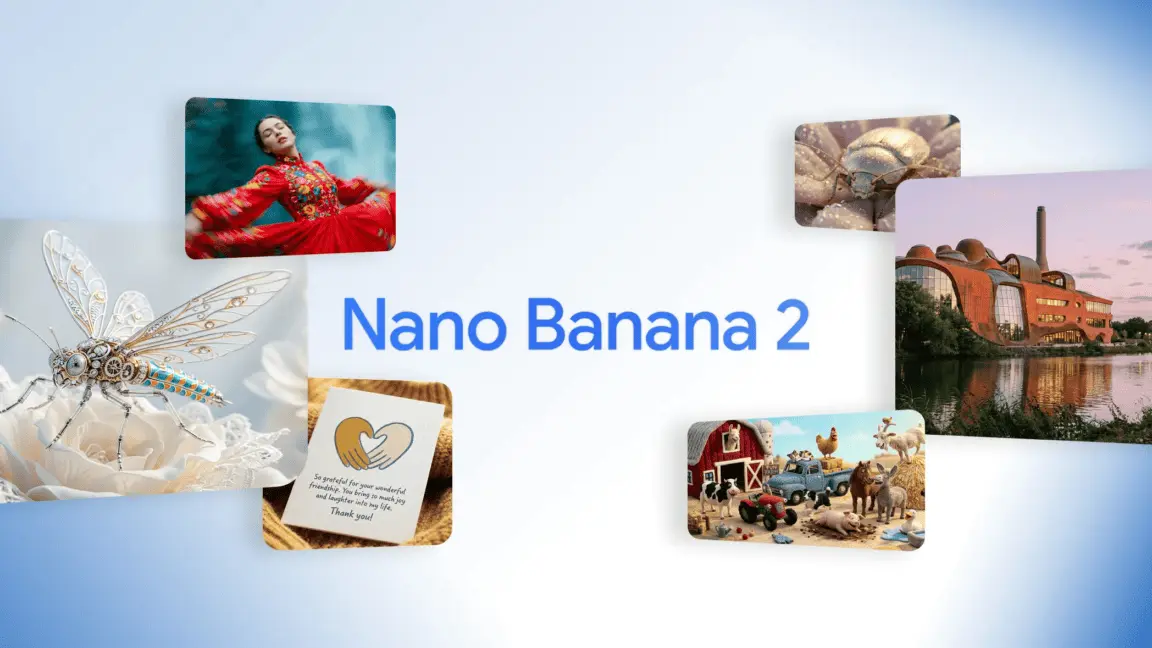
Google's Nano Banana Pro sets new AI image generation benchmark but raises troubling questions
02 Dec 2025•Technology
Google's Nano Banana 2 and Gemini 3 Pro Set to Revolutionize AI Image Generation and Coding
07 Nov 2025•Technology

Recent Highlights
1
Google releases Gemma 4 with Apache 2.0 license, enabling unrestricted local AI on devices
Technology

2
AI Models Lie and Deceive to Protect Other AI Models From Deletion, Study Reveals
Science and Research

3
Anthropic discovers functional emotions in Claude that actively shape AI behavior and decisions
Science and Research

Recent Highlights
Today's Top Stories



Your Daily Dose of Curated AI News
Don’t drown in AI news. We cut through the noise - filtering, ranking and summarizing the most important AI news, breakthroughs and research daily. Spend less time searching for the latest in AI and get straight to action.

