Google Workspace CLI makes it easier for OpenClaw and AI agents to control your Google apps


9 Sources
9 Sources
[1]
Google's new command line tool can plug OpenClaw into your Workspace data
The command line is hot again. For some people, command lines were never not hot, of course, but it's becoming more common now in the age of AI. Google launched a Gemini command line tool last year, and now it has a new AI-centric command line option for cloud products. The new Google Workspace CLI bundles the company's existing cloud APIs into a package that makes it easy to integrate with a variety of AI tools, including OpenClaw. How do you know this setup won't blow up and delete all your data? That's the fun part -- you don't. There are some important caveats with the Workspace tool. While this new GitHub project is from Google, it's "not an officially supported Google product." So you're on your own if you choose to use it. The company notes that functionality may change dramatically as Google Workspace CLI continues to evolve, and that could break workflows you've created in the meantime. For people who are interested in tinkering with AI automations and don't mind the inherent risks, Google Workspace CLI has a lot to offer even at this early stage. It includes the APIs for every Workspace product, including Gmail, Drive, and Calendar. It's designed for use by humans and AI agents, but like everything else Google does now, there's a clear emphasis on AI. The tool supports structured JSON outputs, and there are more than 40 agent skills included, says Google Cloud director Addy Osmani. The focus of Workspace CLI seems to be on agentic systems that can create command line inputs and directly parse JSON outputs. The integrated tools can load and create Drive files, send emails, create and edit Calendar appointments, send chat messages, and much more.
[2]
Granting OpenClaw access to your Google apps just got a lot easier
* Google released gws, a CLI to let OpenClaw control Gmail, Docs, Drive, Calendar, and Sheets. * It ships 100+ Agent Skills and 50 curated recipes for common workflows across Workspace APIs. * It's hosted on Google's Workspace GitHub but is not officially supported; be sure to use it cautiously. It's hard to talk about AI assistants these days without bringing up OpenClaw. It's an agentic system which allows people to let an AI take control over their daily tasks, and is usually either welcomed in to great effect or treated like a problem waiting to happen. If you're in the former camp, you've likely tried to grant OpenClaw access to your Google apps and found it a little more annoying than you expected. Well, there's good news for people who want to use OpenClaw to get stuff done in Gmail and Google Docs. Google itself has released a CLI you can use to better connect to its services, albeit you shouldn't treat it as an official app right off the bat. Perplexity's cloud-based OpenClaw alternative is the most impressive AI feature I didn't expect to love Perplexity just won me back. Posts 2 By Mahnoor Faisal Google Workspace CLI is here to improve OpenClaw integration with your apps It's made by Google, but it's not an official app As spotted by TechRadar, the search giant has released the Google Workspace CLI. This uses the nickname 'gws,' and you can invoke it in a terminal to perform a huge array of different tasks: The repo ships 100+ Agent Skills (SKILL.md files) -- one for every supported API, plus higher-level helpers for common workflows and 50 curated recipes for Gmail, Drive, Docs, Calendar, and Sheets. See the full Skills Index for the complete list. Sure enough, you can click the link to the Skills Index to see everything the CLI lets OpenClaw do. You've got your standard commands (like 'gws-gmail') for managing each service, and each command has a subcommand (like 'gws gmail +send --to --subject --body ') for performing actions with that service. It seems everything is handled by passing the right command with the proper arguments to the CLI, which then does all the heavy lifting for you. Subscribe to the newsletter for practical AI tools coverage Interested in agentic assistants and integration tools? Subscribe to the newsletter for curated coverage, clear breakdowns of Skills and CLI recipes, and practical guides that make these technologies easier to understand and use. Get Updates By subscribing, you agree to receive newsletter and marketing emails, and accept our Terms of Use and Privacy Policy. You can unsubscribe anytime. However, things get a little strange when you read deeper into Google Workspace CLI. While the GitHub page for this app does live on the official Google Workspace page, Google takes great care to tell everyone that it's not an officially supported Google product. So, while using Google Workspace CLI means you can use a Google-curated app to perform agentic actions, it likely means you won't be able to get support or hold the company liable if something bad happens, so keep that in mind before you feed your OpenClaw model this CLI.
[3]
Google made Gmail and Drive easier for AI agents to use
A new command-line tool published to GitHub consolidates Workspace's sprawling APIs into a single interface. It also signals how seriously the company is taking the agentic AI moment. The tool, whose documentation describes it as "one CLI for all of Google Workspace, built for humans and AI agents," is called gws. It provides unified command-line access to Gmail, Google Drive, Calendar, Docs, Sheets, Slides, Chat, and most other Workspace services. But the more revealing detail is buried in the instructions: the documentation includes a dedicated integration guide for OpenClaw, the open-source AI agent that went viral in late January and has since become something of a Rorschach test for where agentic AI is headed. Google's decision to name-check OpenClaw in official documentation, even unofficial official documentation, is not something companies do by accident. Before GWS, an AI agent that wanted to search a Gmail inbox, pull a file from Drive, and update a Calendar event had to navigate three separate APIs, each with its own authentication flows, rate limits, and response formats. The process worked, but as PCWorld described it, it was "a royal pain." The new tool collapses that into a single interface. Every operation produces structured JSON output the format AI agents can parse reliably without the ambiguity that can derail graphical interfaces. Authentication is handled once via OAuth, then inherited by any agent that calls the tool. The architecture has one particularly elegant feature: gws does not ship a static list of commands. Instead, it reads Google's own Discovery Service at runtime and builds its entire command surface dynamically. When Google adds a new API endpoint, the tool picks it up automatically. There is no version to update, no stale documentation to wrestle with. For agents designed to work across long time horizons, that self-updating quality is not a minor convenience; it is a meaningful reliability guarantee. The repository also includes more than 100 pre-built "agent skills" covering common Workspace workflows: uploading files to Drive with automatic metadata, appending data to Sheets, scheduling Calendar events, forwarding Gmail attachments, and dozens of similar operations. These are the discrete, composable building blocks that agent frameworks like OpenClaw are designed to chain together. OpenClaw's story has moved fast. The project was published in November 2025 by Peter Steinberger, an Austrian software developer, under the name Clawdbot, a name that drew a trademark complaint from Anthropic. After a brief stint as Moltbot, it settled on OpenClaw in late January 2026. Within weeks, users had created 1.5 million agents using the platform; the GitHub repository accumulated nearly 200,000 stars. OpenClaw's premise is simple enough to fit on a business card: AI that actually does things. On 14 February, Sam Altman announced that Steinberger was joining OpenAI to lead the next generation of personal agents. OpenClaw would move into an independent open-source foundation that OpenAI would support. "The lobster is taking over the world," Steinberger wrote in his farewell post. "My next mission is to build an agent that even my mum can use." Google's Workspace CLI landing in the middle of that story, with OpenClaw integration instructions in the documentation, three weeks after Steinberger joined OpenAI, is the kind of timing that does not look accidental. Whether it reflects a deliberate competitive response, a coincidental release, or simply developers at Google shipping something that was already in progress is not confirmed. What is clear is that a major platform company has now built infrastructure specifically to make its apps more useful for the open-source agent ecosystem that OpenAI just acquired the architect of. Beyond OpenClaw, gws also functions as a Model Context Protocol server. MCP is the open standard for how AI agents communicate with external tools, originally developed by Anthropic and now adopted across the industry. Running gws mcp exposes Workspace APIs as structured tools that any MCP-compatible client, Claude Desktop, VS Code with AI extensions, or Google's own Gemini CLI, can natively call. That MCP support is significant because it means the tool is not merely an OpenClaw utility. It is infrastructure for the entire class of AI agents that is converging on MCP as a standard. Google is, in effect, making Workspace a first-class citizen in the emerging agent ecosystem, regardless of which model or framework is doing the work. One important caveat: Google's documentation explicitly notes that gws is "not an officially supported Google product." It is published as a developer sample, meaning there are no guarantees of stability, security, or ongoing maintenance at the level of a production service. For individual developers and experimenters, that is a manageable risk. For enterprises considering deploying AI agents against live Workspace data, it is a meaningful limitation, particularly given the ongoing concerns about OpenClaw's security model, which a Cisco research team found vulnerable to data exfiltration and prompt injection via malicious third-party skills. Addy Osmani, Director of Google Cloud AI, has framed his team's focus as building infrastructure for agentic systems, those capable of generating command-line inputs and managing structured outputs across complex workflows. The Workspace CLI fits that vision directly. The broader pattern is legible. Microsoft has Copilot Tasks. OpenAI now has the architect of OpenClaw. Google has its own Gemini agent stack, and now a CLI that makes its most widely-used productivity suite readable by any agent that speaks JSON and MCP. The competition for where enterprise AI agents live and what data they can reach is accelerating, and the battleground increasingly looks like the infrastructure beneath the applications, not the applications themselves.
[4]
Google makes Gmail, Drive, and Docs 'agent-ready' for OpenClaw
Google appears to be positioning its Workspace ecosystem for an agent-ready future where AI tools manage daily productivity tasks. Google has quietly released a command-line interface for Workplace that paves the way for agentic AI tools like OpenClaw to tap into your core Google apps and data. Published on GitHub just a few days ago, the Google Workspace CLI makes it much easier for AI agents to connect to Gmail, Google Drive, Google Docs, and other key Google Workspace services. The Google Workspace CLI documentation includes specific instructions for OpenClaw integration, meaning Google is looking to grease the wheels for OpenClaw users who want to give their AI agents full access to their Workspace documents. Aside from OpenClaw, the Google Workspace CLI includes provisions for MCP (Model Context Protocol) integrations, making it easier for MCP-compatible apps (like the Claude Desktop app, VS Code, and the Gemini CLI) to connect to Google Workspace. OpenClaw and other agentic AI tools have already been able to integrate with Google Workplace apps, but they've had to jump through several hoops to do so, including juggling multiple APIs for Gmail, Google Drive, and other Google services. It's doable, but it's also a royal pain. The Google Workspace CLI makes integrations for OpenClaw and other agentic AI tools more streamlined, while also demonstrating how Google is prepping its core services for the post-OpenClaw era. It's worth noting that the Google Workspace CLI comes from Google's collection of "developer samples" for Google Workspace APIs, meaning its intended primarily for developers rather than everyday consumers. And while the CLI does appear to come from Google itself and not a third party, it's "not an officially supported Google product," the repo documentation warns. In other words, those looking to incorporate the Google Workspace CLI into their own products must do so at their own risk, at least for now. Still, the arrival of the Google Workspace CLI shows how Google is getting its core services "agent-ready" in the wake of OpenClaw's smashing success. OpenClaw is, of course, the personal AI assistant that went viral in late January. (Honestly, saying that OpenClaw "went viral" is hugely underselling its success, given that it changed the AI agent game practically overnight.) AI agents existed well before OpenClaw, but the tool -- an open-source side project from an Australian developer who was recently scooped up by OpenAI -- was the first of its kind to truly break into the mainstream. Among OpenClaw's key features is that its users can chat with it via common social messaging apps like WhatsApp, Telegram, and Discord. While OpenClaw still isn't quite ready for general use (as some of its users have learned the hard way), it points the way to an agentic AI future where everyday users are deploying teams of AI agents to manage their email, organize their documents, take notes in meetings, and even build new tools and functionality all on their own. Clearly, Google has seen the future as well, and the Google Workspace CLI is one of the ways in which it's getting itself ready.
[5]

Google opens the door to AI claws in new Workspace release
OpenClaw and other AI agents now have an official means to integrate with Google Workspace. Credit: Thomas Fuller/SOPA Images/LightRocket via Getty Images OpenClaw has taken the AI industry by storm over the past few months, inspiring a new AI term for personal AI agents -- claws. It's now so popular that even Google can't ignore it. If you're a Google Workspace user, Google has now released a command-line interface (CLI) that officially gives developers a way to integrate third-party AI agents like OpenClaw into the Workspace platform. This means that OpenClaw and other AI assistants can connect to a user's Google Workspace services such as Gmail and Google Drive. Google published the Google Workspace CLI on Github just days ago alongside specific documentation on how to integrate OpenClaw. The documentation also includes guidance on how to connect MCP (Model Context Protocol) compatible apps such as the Claude Desktop app and the Gemini CLI. As PCWorld noted, OpenClaw and similar claws could already connect to Google Workspace. However, this involved workarounds and the use of multiple APIs to integrate AI assistants into Google's services and platforms. While the Google CLI is an official Google release, the company shared that it's "not an officially supported Google product" and is more for developer use than the average Google user. Still, this is a notable move from Google. It's a first step in Google basically embracing claws and giving developers a legitimate way to integrate them into their Google Workspace account. OpenClaw went viral earlier this year and basically became the standard-bearer for agentic AI tools. Last month, OpenAI hired OpenClaw's founder Peter Steinberger, who joined the company with a goal "to build an agent that even my mum can use."
[6]

Google has quietly made Gmail, Docs, and other Workspace apps work better with OpenClaw
* Google has published "one CLI for all of Google Workspace" * There's even a set of instructions specifically for OpenClaw * It's "not an officially supported Google product..." for now Google has published a command-line interface (CLI) to GitHub which effectively allows AI agents to connect more easily with Google Workspace apps like Gmail, Google Drive and Docs/Sheets/Slides. The change clearly acknowledges the rise in personal AI assistants, like OpenClaw, which are able to take action autonomously on the user's behalf. Google even included a specific set of instructions for integrating with OpenClaw, which has gained traction on social media in recent weeks. Google opens Workspace up to OpenClaw and other AI agents The company describes the launch as "one CLI for all of Google Workspace - built for humans and AI agents." "Drive, Gmail, Calendar, and every Workspace API," Google added, promising "40+ agent skills included." Because the tool also supports MCP integrations (an open standard established by Claude-maker Anthropic), it means that other apps like Claude Desktop can also access Workspace's data and information. Although AI integrations were previously available via multiple APIs, the CLI definitely streamlines the process as we start to see a shift in how humans and AI agents interact with apps and data. There's one big catch, though. Google says this is "not an officially supported Google product," so it should be used at the risk of the individual who chooses to do so. Still, willingness to open up agentic AI access to its own apps is a big move for Google, indicative of a willingness to cooperate with third-party systems rather than keeping users locked closely into its own ecosystem. As for OpenClaw, it "will live in a foundation as an open source project" and will also get OpenAI support following OpenAI's acquisition of OpenClaw founder Peter Steinberger. Follow TechRadar on Google News and add us as a preferred source to get our expert news, reviews, and opinion in your feeds. Make sure to click the Follow button! And of course you can also follow TechRadar on TikTok for news, reviews, unboxings in video form, and get regular updates from us on WhatsApp too.
[7]

Google Workspace CLI brings Gmail, Docs, Sheets and more into a common interface for AI agents
What's old is new: the command line -- the original, clunky non-graphical interface for interacting with and controlling PCs, where the user just typed in raw commands in code -- has become one of the most important interfaces in agentic AI. That shift has been driven in part by the rise of coding-native tools such as Claude Code and Kilo CLI, which have helped establish a model where AI agents do not just answer questions in chat windows but execute real tasks through a shared, scriptable interface already familiar to developers -- and which can still be found on virtually all PCs. For developers, the appeal is practical: the CLI is inspectable, composable and easier to control than a patchwork of custom app integrations. Now, Google Workspace -- the umbrella term for Google's suite of enterprise cloud apps including Drive, Gmail, Calendar, Sheets, Docs, Chat, Admin -- is moving into that pattern with a new CLI that lets them access these applications and the data within them directly, without relying on third-party connectors. The project, , describes itself as "one CLI for all of Google Workspace -- built for humans and AI agents," with structured JSON output and agent-oriented workflows included. In an X post yesterday, Google Cloud director Addy Osmani introduced the Google Workspace CLI as "built for humans and agents," adding that it covers "Google Drive, Gmail, Calendar, and every Workspace API." While not officially supported by Google, other posts cast the release as a broader turning point for automation and agent access to enterprise productivity software. Now, instead of having to set up third-party connectors like Zapier to access data and use AI agents to automate work across the Google Workspace suite of apps, enterprise developers (or indie devs and users, for that matter) can easily install the open source (Apache 2.0) Google Workspace CLI from Github and begin setting up automated agentic workflows directly in terminal, asking their AI model to sort email, respond, edit docs and files, and more. Why the CLI model is gaining traction For enterprise developers, the importance of the release is not that Google suddenly made Workspace programmable. Workspace APIs have long been available. What changes here is the interface. Instead of forcing teams to build and maintain separate wrappers around individual APIs, the CLI offers a unified command surface with structured output. Installation is straightforward -- -- and the repo says the package includes prebuilt binaries, with releases also available through GitHub. The repo also says reads Google's Discovery Service at runtime and dynamically builds its command surface, allowing new Workspace API methods to appear without waiting for a manually maintained static tool definition to catch up. For teams building agents or internal automation, that is a meaningful operational advantage. It reduces glue code, lowers maintenance overhead and makes Workspace easier to treat as a programmable runtime rather than a collection of separate SaaS applications. What developers and enterprises actually get The CLI is designed for both direct human use and agent-driven workflows. For developers working in the terminal, the README highlights features such as per-resource help, dry-run previews, schema inspection and auto-pagination. For agents, the value is clearer still: structured JSON output, reusable commands and built-in skills that let models interact with Workspace data and actions without a custom integration layer. That creates immediate utility for internal enterprise workflows. Teams can use the tool to list Drive files, create spreadsheets, inspect request and response schemas, send Chat messages and paginate through large result sets from the terminal. The README also says the repo ships more than 100 agent skills, including helpers and curated recipes for Gmail, Drive, Docs, Calendar and Sheets. That matters because Workspace remains one of the most common systems of record for day-to-day business work. Email, calendars, internal docs, spreadsheets and shared files are often where operational context lives. A CLI that exposes those surfaces through a common, agent-friendly interface makes it easier to build assistants that retrieve information, trigger actions and automate repetitive processes with less bespoke plumbing. The important caveat: visible, but not officially supported The social-media response has been enthusiastic, but enterprises should read the repo carefully before treating the project as a formal Google platform commitment. The README explicitly says: "This is not an officially supported Google product". It also says the project is under active development and warns users to expect breaking changes as it moves toward v1.0. That does not diminish the technical relevance of the release. It does, however, shape how enterprise teams should think about adoption. Today, this looks more like a promising developer tool with strong momentum than a production platform that large organizations should standardize on immediately. This is a cleaner interface, not a governance bypass The other key point is that the CLI does not bypass the underlying controls that govern Workspace access. The documentation says users still need a Google Cloud project for OAuth credentials and a Google account with Workspace access. It also outlines multiple authentication patterns for local development, CI and service accounts, along with instructions for enabling APIs and handling setup issues. For enterprises, that is the right way to interpret the tool. It is not magic access to Gmail, Docs or Sheets. It is a more usable abstraction over the same permissions, scopes and admin controls companies already manage. Not a rejection of MCP, but a broader agent interface strategy Some of the early commentary around the tool frames it as a cleaner alternative to Model Context Protocol (MCP)-heavy setups, arguing that CLI-driven execution can avoid wasting context window on large tool definitions. There is some logic to that argument, especially for agent systems that can call shell commands directly and parse JSON responses. But the repo itself presents a more nuanced picture. It includes a Gemini CLI extension that gives Gemini agents access to commands and Workspace agent skills after terminal authentication. It also includes an MCP server mode through , exposing Workspace APIs as structured tools for MCP-compatible clients including Claude Desktop, Gemini CLI and VS Code. The strategic takeaway is not that Google Workspace is choosing CLI instead of MCP. It is that the CLI is emerging as the base interface, with MCP available where it makes sense. What enterprises should do now The right near-term move for enterprises is not broad rollout. It is targeted evaluation. Developer productivity, platform engineering and IT automation teams should test the tool in a sandboxed Workspace environment and identify a narrow set of high-friction use cases where a CLI-first approach could reduce integration work. File discovery, spreadsheet updates, document generation, calendar operations and internal reporting are natural starting points. Security and identity teams should review authentication patterns early and determine how tightly permissions, scopes and service-account usage can be constrained and monitored. AI platform teams, meanwhile, should compare direct CLI execution against MCP-based approaches in real workflows, focusing on reliability, prompt overhead and operational simplicity. The broader trend is clear. As agentic software matures, the command line is becoming a common control plane for both developers and AI systems. Google Workspace's new CLI does not change enterprise automation overnight. But it does make one of the most widely used productivity stacks easier to access through the interface that agent builders increasingly prefer.
[8]

Google apps just got a lot easier to use with OpenClaw
When not writing, Dave enjoys spending time with his family, running, playing the guitar, camping, and serving in his community. His favorite place is the Blue Ridge Mountains, and one day he hopes to retire there (hopefully his fear of heights will have retired by then, too!). Summary Google released Workspace CLI on GitHub to give AI agents easier access to Docs, Drive, Gmail, and more. The tool offers 100+ Agent Skills to simplify agent actions across Workspace apps. Although the tool was published by Google, the company cautions it's not an officially supported product, so use it at your own risk. Google has published a new command-line interface for Google Workspace apps. Google Workspace CLI hit GitHub on March 2 and has already racked up nearly 14,000 stars. The tool is designed to make it easier for AI agents like OpenClaw to interface with Google apps like Docs, Drive, and Gmail. What you need to know about Google Workspace CLI AI integrations galore Google describes the release as "built for humans and AI agents," but while humans can use the tools, it's pretty clear the intended audience is AI. There are explicit instructions for integrating with OpenClaw, the viral and highly useful AI agent, but the tool also supports MCP (Model Context Protocol) integrations. MCP helps standardize how AI agents interact with apps, and means that the Google Workspace CLI supports other AI agents beyond OpenClaw, such as Claude Desktop. Now, yes, it's true that OpenClaw has already been able to interact with Google Workspace. However, up until now, this has been done through complicated API calls. This CLI interface will drastically simplify how OpenClaw and other agents interact with Google Workspace. The tool includes over 100 Agent Skills, along with curated recipes for Google apps like Gmail, Drive, and Docs. Although it was published by Google, the company does caution that the tool is "not an officially supported Google product." This basically means you use it at your own risk. While the risk is probably pretty small, definitely keep in mind that if something goes wrong, you're likely on your own. What can the Google Workspace CLI tool do? Simplified commands for a ton of tasks Google's CLI tool includes over 100 Agent Skills that let tools like OpenClaw easily tap into Google apps. Some highlights include: gws-drive-upload: Upload a file with automatic metadata to Google Drive. gws-gmail-send: Send an email in Gmail. gws-calendar-insert: Create a new calendar event. recipe-label-and-archive-emails: Apply Gmail labels to emails and then archive them. recipe-block-focus-time: Create recurring blocks for focused work on Google Calendar. As mentioned above, while you can use these commands directly to interact with your Google apps, they're really meant to make it easier for agents like OpenClaw. So you'd tell OpenClaw to perform a task, and it would use these commands in the background to get things done. Google says there are skills to cover every supported API. Supported apps include Google Drive, Sheets, Docs, Gmail, Calendar, Tasks, Classroom, Keep Notes, and Meet. A sign of the times This release is kind of a big deal -- it underscores how seriously companies are taking agentic AI. It's not a small thing for a major company like Google to build a tool specifically to make its apps easier to access with agents. Taken with other recent announcements, such as the launch of Microsoft's Copilot Tasks agent and OpenClaw's creator joining OpenAI, it's easy to see the coming shift towards more powerful (and useful) agentic AI.
[9]

Google Workspace CLI : Drive, Gmail & Slides Commands for AI Agents
Google's newly released Command Line Interface (CLI) for Google Workspace introduces a streamlined way to integrate AI-driven automation with Workspace APIs. Built with Rust, this CLI enables developers to handle tasks like drafting Gmail emails, automating Google Sheets and creating presentations in Google Slides with greater efficiency. A standout feature is its dynamic command updates, which allow commands to adapt automatically to API changes, reducing the need for manual adjustments. Better Stack explores how this lightweight CLI offers a practical alternative to more resource-intensive solutions like Managed Compute Platform servers, making it particularly appealing for developers focused on optimizing workflows. In this quick guide, you'll learn how to navigate the CLI's extensive library of over 100 downloadable skills and use nested JSON support to simplify complex operations. The guide also covers key setup steps, such as configuring OAuth credentials and troubleshooting common issues like token refresh failures. Whether you're looking to automate calendar scheduling or streamline data handling in Google Sheets, this breakdown provides actionable insights to help you get started with Google's latest productivity enhancement. Key Features of the Google Workspace CLI The Google Workspace CLI is specifically designed to enable seamless and efficient interaction between AI agents and Google Workspace APIs. It offers over 100 downloadable skills, providing a comprehensive suite of automation capabilities. Some of its standout features include: * Dynamic command updates: Commands automatically adapt to evolving API capabilities, making sure compatibility and efficiency in real-time. * Nested JSON support: Simplifies the creation and readability of structured data, making it easier to handle complex tasks. * Runtime-queryable documentation: Provides up-to-date guidance on command usage, improving accuracy and efficiency. Additionally, the CLI optimizes resource usage by minimizing token consumption, making it a cost-effective alternative to traditional Managed Compute Platform (MCP) servers. Developers can use the CLI to perform intricate operations, such as automating calendar scheduling or generating structured Google Sheets, with reduced computational overhead. Setting Up the Google Workspace CLI Configuring the Google Workspace CLI requires familiarity with Google Cloud Console and API configurations. The setup process involves several steps, which are outlined below: * Install the G-Cloud CLI and access the Google Cloud Console for initial setup. * Configure API credentials, including OAuth client IDs and redirect URIs, to enable secure authentication. * Test the integration to ensure proper connectivity with Workspace APIs. While the setup process is relatively straightforward for experienced users, certain challenges may arise, such as: * URL configuration errors: Typos in redirect URIs can lead to authentication failures, requiring careful attention during setup. * Token update issues: Tokens may occasionally fail to refresh automatically, necessitating manual intervention. * Complex shell commands: Constructing commands and managing nested JSON data can be time-intensive for advanced tasks. Despite these potential hurdles, the CLI's lightweight and portable design ensures it remains a valuable tool for developers and AI agents alike. Here is a selection of other guides from our extensive library of content you may find of interest on Google Workspace. Advantages of the Google Workspace CLI The Google Workspace CLI offers several notable benefits that distinguish it from traditional MCP servers. These advantages include: * Lightweight design: Reduces token usage and resource consumption, making it ideal for simpler use cases and efficient workflows. * Portability: Operates independently of agent harnesses, providing developers with greater flexibility. * Simplified debugging: Commands can be tested in isolation, streamlining the troubleshooting process and making sure reproducibility. These features make the CLI an attractive option for developers seeking to enhance their productivity while minimizing resource usage. Challenges and Limitations While the Google Workspace CLI offers numerous benefits, it is not without its challenges. Key limitations include: * Steep learning curve: The setup process can be complex for users unfamiliar with OAuth authentication and API configuration. * Manual command construction: Users must create shell commands and manage JSON data, which can be labor-intensive for intricate tasks. * Token reliability: Occasional token update failures may disrupt workflows, requiring additional troubleshooting efforts. These challenges may deter less experienced users but are manageable for those with technical expertise and familiarity with API integrations. Comparing the CLI to MCP Servers The Google Workspace CLI and MCP servers serve distinct purposes, each excelling in specific areas. Understanding their differences can help developers choose the right tool for their needs: * MCP servers: Best suited for complex task chaining and direct function calls, offering robust support for intricate workflows. * Google Workspace CLI: Lightweight and efficient, ideal for simpler use cases where portability and resource optimization are key priorities. By recognizing these distinctions, developers can make informed decisions about which tool to use for their specific requirements. Developer-Focused Design The Google Workspace CLI is designed with developers in mind, emphasizing efficiency and usability. Key design elements include: * Nested JSON structures: Enable AI agents to process and generate structured data effectively, simplifying complex tasks. * Queryable documentation: Ensures that commands remain up-to-date and easy to implement, reducing the learning curve for new users. * Extensive skill library: Offers guidance for executing advanced actions, such as automating email drafts or creating Google Sheets. These features make the CLI a developer-friendly tool for enhancing AI-driven automation and productivity. Applications and Use Cases The Google Workspace CLI unlocks a wide range of automation possibilities within the Workspace ecosystem. Some potential applications include: * Drafting and sending emails via the Gmail API, streamlining communication workflows. * Creating visually engaging presentations using the Google Slides API, saving time on manual design tasks. * Generating and managing spreadsheets with Google Sheets automation, improving data organization and analysis. * Scheduling meetings and managing calendars through AI-driven task automation, enhancing time management. These capabilities empower developers to build more efficient, intelligent workflows tailored to their specific needs. Future Prospects Since its release, the Google Workspace CLI has gained significant traction, earning widespread attention and adoption among developers. With over 10,000 stars on GitHub within its first week, the CLI has demonstrated its potential to become a staple tool for AI-driven automation. As Google continues to refine and expand its functionality, the CLI is likely to see broader adoption across industries, further solidifying its role in enhancing productivity and resource optimization. Media Credit: Better Stack Disclosure: Some of our articles include affiliate links. If you buy something through one of these links, Geeky Gadgets may earn an affiliate commission. Learn about our Disclosure Policy.
Share
Share
Copy Link
Google released a new command line interface called gws that streamlines how OpenClaw and other AI agents connect to Gmail, Drive, Docs, Calendar, and Sheets. The tool bundles Workspace APIs into a single interface with 100+ Agent Skills and 50 curated workflows, though it's not officially supported by Google.
Google Workspace CLI Bridges AI Agents and Productivity Apps
Google has released a command line interface that dramatically simplifies how OpenClaw and other AI agents access Google apps. The new Google Workspace CLI, nicknamed gws, consolidates the company's sprawling Workspace APIs into a single interface designed for both humans and AI agents
1
. Published on GitHub just days ago, the tool provides unified access to Gmail, Drive, and Docs, along with Calendar, Sheets, Slides, Chat, and most other Workspace services3
.
Source: Geeky Gadgets
Before this release, AI agents attempting to integrate AI tools with Google Workspace faced a fragmented landscape. An agent that wanted to search a Gmail inbox, pull a file from Drive, and update a Calendar event had to navigate three separate APIs, each with its own authentication flows, rate limits, and response formats
3
. As one report described it, the process was "a royal pain"4
. The Google Workspace CLI collapses this complexity into a single interface where authentication is handled once via OAuth and then inherited by any agent that calls the tool.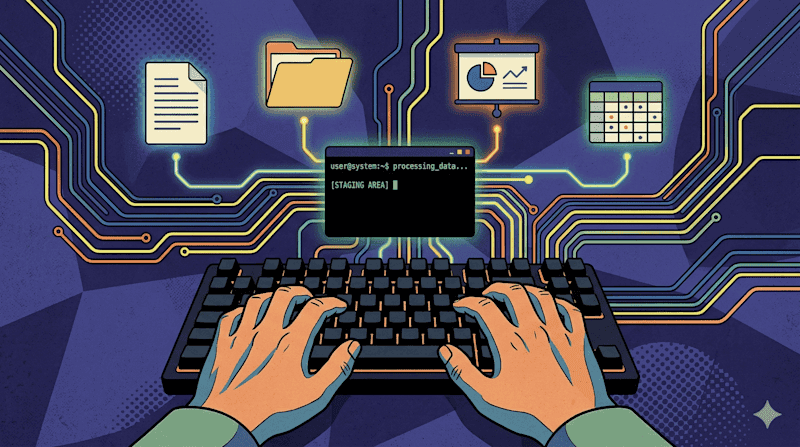
Source: VentureBeat
OpenClaw Integration and Model Context Protocol Support
The documentation includes specific integration instructions for OpenClaw, the open-source agentic AI tool that went viral in late January and has since created 1.5 million agents
3
. Google's decision to name-check OpenClaw in the documentation signals how seriously the company is taking the agentic AI moment3
. The timing is notable: the tool landed just three weeks after OpenClaw founder Peter Steinberger joined OpenAI to lead the next generation of personal agents3
.
Source: XDA-Developers
Beyond OpenClaw, the tool also functions as a Model Context Protocol server. MCP is the open standard for how AI agents communicate with external tools, originally developed by Anthropic and now adopted across the industry
3
. Running gws mcp exposes Workspace APIs as structured tools that any MCP-compatible client, including Claude Desktop, VS Code with AI extensions, or the Gemini CLI, can natively call3
. This means the tool isn't merely an OpenClaw utility but infrastructure for the entire class of AI agents converging on MCP as a standard.Agent Skills and Dynamic Architecture
The repository ships with more than 100 Agent Skills covering every supported API, plus higher-level helpers for common workflows across Workspace APIs
2
. According to Google Cloud director Addy Osmani, the tool includes over 40 agent skills and supports structured JSON outputs1
. Additionally, there are 50 curated recipes for common workflows in Gmail, Drive, Docs, Calendar, and Sheets2
.The architecture includes a particularly elegant feature: gws does not ship a static list of commands. Instead, it reads Google's own Discovery Service at runtime and builds its entire command surface dynamically
3
. When Google adds a new API endpoint, the tool picks it up automatically. For agents designed to work across long time horizons, this self-updating quality provides a meaningful reliability guarantee. The integrated tools can load and create Drive files, send emails, create and edit Calendar appointments, send chat messages, and much more1
.Related Stories

Important Caveats for Developers and Users
While the Google Workspace CLI lives on the official Google Workspace GitHub page, Google explicitly states it's "not an officially supported Google product"
1
. The tool is published as a developer sample, meaning there are no guarantees of stability, security, or ongoing maintenance at the level of a production service3
. The company notes that functionality may change dramatically as the tool continues to evolve, potentially breaking workflows users have created in the meantime1
.This means users won't be able to get support or hold the company liable if something goes wrong
2
. For individual developers and experimenters interested in tinkering with AI automations who don't mind the inherent risks, the tool offers significant capabilities even at this early stage1
. However, for enterprises considering deploying AI agents against live Workspace data, the unofficial status represents a more significant concern3
.Positioning for an Agent-Ready Future
Google appears to be positioning its Workspace ecosystem for an agent-ready future where agentic AI tools manage daily productivity tasks
4
. The release demonstrates how Google is prepping its core services for the post-OpenClaw era and getting itself ready for a future where everyday users deploy teams of AI agents to manage email, organize documents, take notes in meetings, and build new functionality autonomously4
. OpenClaw has become something of a standard-bearer for agentic AI tools, inspiring a new AI term for personal AI agents called "claws"5
. The tool's founder, Peter Steinberger, stated his mission at OpenAI is "to build an agent that even my mum can use"3
. Google's move to provide legitimate access to Google apps through this command line interface represents a first step in embracing this shift, even if the current implementation remains targeted primarily at developers rather than everyday consumers5
.References
Summarized by

Navi
[2]
[3]
Related Stories
Google Workspace Studio launches to help businesses create AI agents without coding experience
03 Dec 2025•Technology

Google Launches Gemini CLI: Bringing AI-Powered Coding to the Terminal
25 Jun 2025•Technology
Gemini burrows deeper into Google Workspace with AI-powered document creation and editing
10 Mar 2026•Technology
Recent Highlights
1
OpenAI shuts down Sora video app after six months, ending Disney's $1 billion investment deal
Technology

2
Apple plans major Siri AI overhaul in iOS 27 with standalone app and third-party chatbot support
Technology

3
Claude AI can now control your computer to complete tasks, but security risks remain
Technology
Recent Highlights
Today's Top Stories








Your Daily Dose of Curated AI News
Don’t drown in AI news. We cut through the noise - filtering, ranking and summarizing the most important AI news, breakthroughs and research daily. Spend less time searching for the latest in AI and get straight to action.

