Google Integrates AI Mode into Circle to Search for Enhanced Follow-Up Queries


5 Sources
5 Sources
[1]
Circle to Search now lets you have deeper conversations about what's on your screen
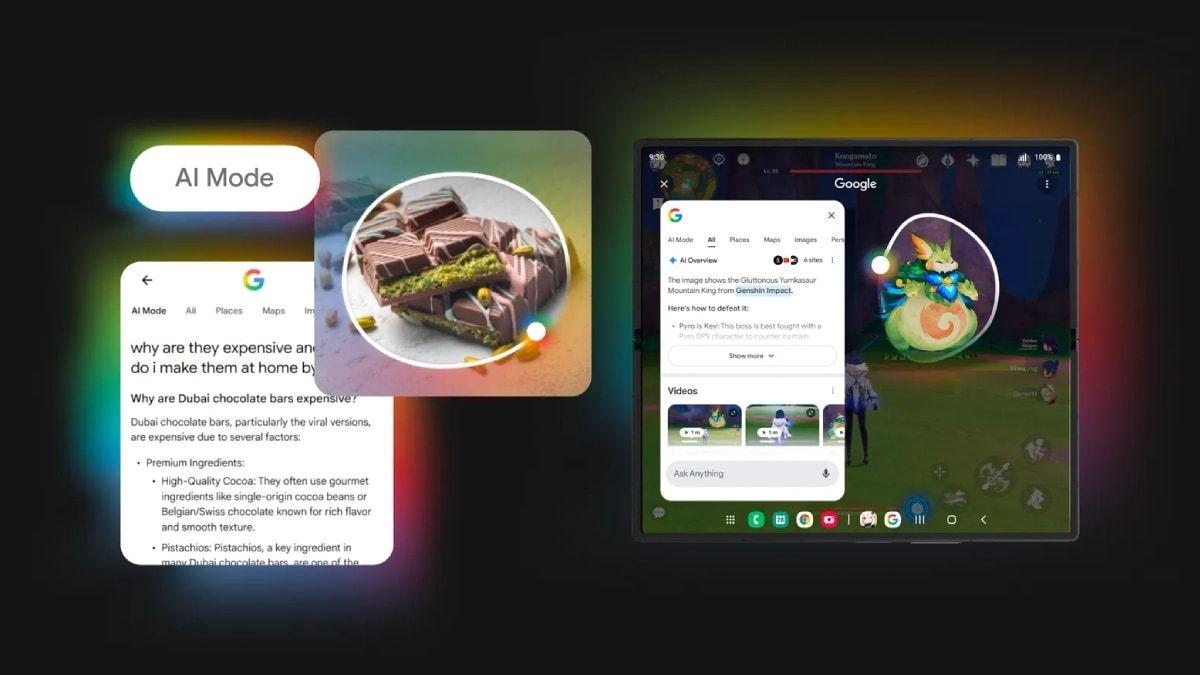
With this change, however, any queries are now automatically taken up by AI Mode. This aligns with our findings from an earlier Authority Insights post from June, in which AI Mode addressed queries. Take a look in the vide below: This improvement could strengthen the integration between Circle to Search and AI Mode, helping users benefit from the latter's recently added capabilities for better travel planning. AI Mode recently also added features to help students with their homework and research, such as adding images to math or science problems or just asking it about key events in history, and these tasks might become much easier with the search bar's new placement.
[2]
Follow up questions on Circle to Search now default to AI Mode
After successfully making its way to Circle to Search (CtS), Google's AI Mode is now receiving a critical update that makes it all the more useful (and conversational) for your quick on-screen queries. For reference, Google's improved CtS with AI Mode first rolled out to Samsung's latest foldables earlier this year. It subsequently expanded to other Android devices. Since its rollout, the enhanced version has allowed users to scribble their screens and get results powered by AI Mode. However, this only applies to the initial query and not follow-up questions. That limitation appears to be now be in the process of being phased out. Related 7 ingenious ways to use Google's Circle to Search feature Search what's on your screen with ease Posts 1 By Faith Leroux Jan 26, 2025 As highlighted by the folks over at Android Authority after digging into Google app version 16.47.49, CtS should now return answers to additional text queries directly via AI Mode. Before the update, said additional queries defaulted to regular image search with standard, non-AI results. The new build introduces a new search bar at the bottom of the CtS results UI, as seen in the screenshot below. Follow-up queries submitted through the new search bar are taken up by AI Mode. Teased in July, delivered in November Old (left), new (right) It's worth noting that Google teased this functionality all the way back in July, but it seemingly never made its way out widely. "Simply long press the home button or navigation bar, then circle, tap, or gesture on what you want to search. When our systems determine an AI response to be most helpful, an AI Overview will appear in your results. From there, scroll to the bottom and tap "dive deeper with AI Mode" to ask follow-up questions and explore content across the web that's relevant to your visual search," wrote the tech giant at the time, which is exactly what we're seeing now! Google app's version 16.47.49 hasn't rolled out for me just yet. If it has rolled out to you, are you seeing the new search bar at the bottom of the results? Let us know in the comments below!
[3]
Circle to Search follow-ups switching to AI Mode with bottom search bar
Google is testing an update to Circle to Search on Android that sees any follow-up queries routed to AI Mode with a new bottom search bar design. Previously, after using Circle to Search, the bottom sheet that appears would match the usual results page. This includes the bar at the top that lets you expand or start a new query. Old Google is now testing a new design where you initially get the 10 blue link results like before, but any subsequent queries are handled by AI Mode. There's a new bar docked to the bottom of your screen, while the top-left corner just shows the gradient 'G' logo. There's a floating pill, which can be closed, in the bottom-right corner to leave thumbs up/down feedback. Tapping "Ask anything" with a microphone for voice input brings up the AI Mode experience -- complete with a 'plus' menu that lets you access Nano Banana, with a list of suggested queries above that maintain the CtS context. After the prompt, you're taken to that full AI experience. New Over the years, Google has experimented with a bottom search bar for the Search app on Android. This redesign never launched, and was nice for one-handed usage. In the AI era, any switch to bottom search would evoke a chatbot for most people, and that's what Google is doing with Circle to Search and AI Mode. We're seeing this with the latest Google app beta (version 16.47). It's not yet in the stable channel.
[4]
Google is supercharging Circle to Search with AI Mode, giving you better follow-up answers
By blending visual lookup with AI-powered reasoning, the update turns every circle gesture into a smarter, more intuitive way to explore what's on your screen. What's happened? Google's Circle to Search is now using AI mode for follow-up queries by default, shifting away from the standard image search. According to a report by Android Authority, the change occurred with Google's app version 16.47.49. This means when you circle something on your Android phone, and then ask a follow-up question, the feature will relay the query to AI Mode. The follow-up search bar is now at the bottom of the results panel, making it easier to ask additional questions. Why is this important? In my opinion, the update makes Circle to Search more useful, transforming it from a "point-and-see" image lookup tool into an AI-backed conversational assistant. Since the AI Mode supports multimodal inputs, strong reasoning (thanks to Gemini), and has the entire Google database at its disposal, you should get richer, more contextually relevant answers for your follow-up questions. It is a significant step up from visually similar images or links. In a way, the change also helps unify the search experience on Android, as you don't need to switch between image- and text-based search manually. Recommended Videos Why should I care? As a Cirle to Search user, you'll now get better, more useful answers, with an opportunity to ask follow-up questions directly to Google's AI Mode. For instance, you could circle a diagram from a textbook, get a response from Circle to Search, and ask a related query at the search bar at the bottom. Instead of manually copying image descriptions into a search bar or switching to another app, everything happens with a single gesture. The integration of AI Mode also means you can effortlessly dig deeper into what you see. OK, what's next? As the update rolls out to more Android devices, more users should gain access to AI Mode in Circle to Search. Over time, we might see even more advanced AI-based features that leverage AI Mode's multimodal skill set. The update could also influence how other apps in the Android ecosystem handle search and discovery.
[5]

Google Enhances Circle to Search With AI Mode for Additional Questions
Update improves tasks like homework help, visual problem-solving Google is steadily strengthening the usefulness of Circle to Search, a feature designed to make on-screen discovery quicker and more intuitive. What began as a simple way to circle items on your display and pull up information is now evolving into a more capable, AI-driven tool. As Google continues refining how users interact with content directly from their screens, a new upgrade is reportedly beginning to roll out, and early findings suggest it could significantly improve how follow-up questions are handled within the feature. Google Lets Users Ask Follow Up Questions While Using Circle to Search Android Authority reports that the latest Google app version 16.47.49 now directs all follow-up text questions to Google's AI Mode instead of the standard image search. Notably, this version has not reached all devices yet and is expected to be widely available over the next few days. Gadgets 360 was unable to access the new functionality even after installing the latest version, which indicates that it could be rolling out in a phased manner. Google first mentioned this feature back in July, saying that users would be able to "dive deeper with AI Mode" after viewing an initial result. The publication notes that this capability never became widely available at the time, but it is finally starting to appear for more users. Until now, Google's Circle to Search allowed users to draw or circle items on the screen and get an AI-generated response, but only for the first query. Any additional questions reverted to the regular image search system, which disrupted the continuity of the interaction. According to the report, the new update introduces a search bar placed at the bottom of the Circle to Search results panel. When users type in this bar, the query is processed directly by AI Mode, resulting in a more conversational, consistent experience. With this improvement, Circle to Search keeps all additional questions within AI Mode, preventing a switch back to standard results. The tighter integration also supports newer abilities such as homework assistance, visual problem-solving, and travel research.
Share
Share
Copy Link
Google is rolling out an update to Circle to Search that automatically routes follow-up queries through AI Mode, featuring a new bottom search bar design and improved conversational capabilities for Android users.
Enhanced Integration Transforms Visual Search Experience
Google is rolling out a significant update to its Circle to Search feature that fundamentally changes how follow-up queries are handled on Android devices. The update, which appears in Google app version 16.47.49, now automatically routes all additional text queries through AI Mode instead of reverting to standard image search results
1
2
.This change addresses a previous limitation where users could get AI-powered responses for their initial Circle to Search query, but any follow-up questions would default to regular image search with standard, non-AI results. The new implementation maintains continuity within the AI-powered experience, creating a more conversational and contextually aware search interaction
5
.
Source: Gadgets 360
New Interface Design and User Experience
The update introduces a redesigned interface featuring a new search bar positioned at the bottom of the Circle to Search results panel. This bottom-docked search bar replaces the previous top-positioned search functionality, with the top-left corner now displaying only the gradient 'G' logo
3
. Users can tap "Ask anything" with microphone support for voice input, which brings up the full AI Mode experience complete with suggested queries that maintain the Circle to Search context.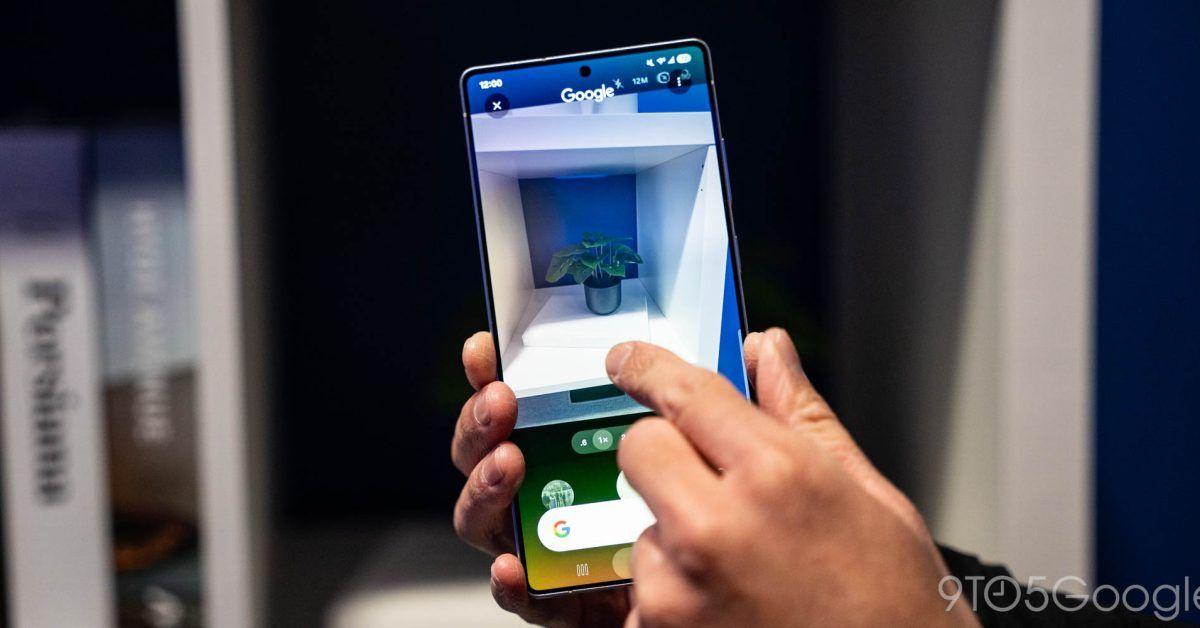
Source: 9to5Google
The new design also includes a floating pill in the bottom-right corner for providing thumbs up/down feedback, and a plus menu that provides access to additional features like Nano Banana
3
. This interface change reflects Google's broader experimentation with bottom search bars, which had been tested previously but never launched widely until now.Expanded Capabilities and Use Cases
The integration with AI Mode significantly expands Circle to Search's capabilities beyond simple visual lookup. The feature now supports multimodal inputs and leverages Gemini's reasoning capabilities, providing richer and more contextually relevant answers for follow-up questions
4
. This enhancement is particularly beneficial for educational use cases, including homework assistance, visual problem-solving, and research tasks.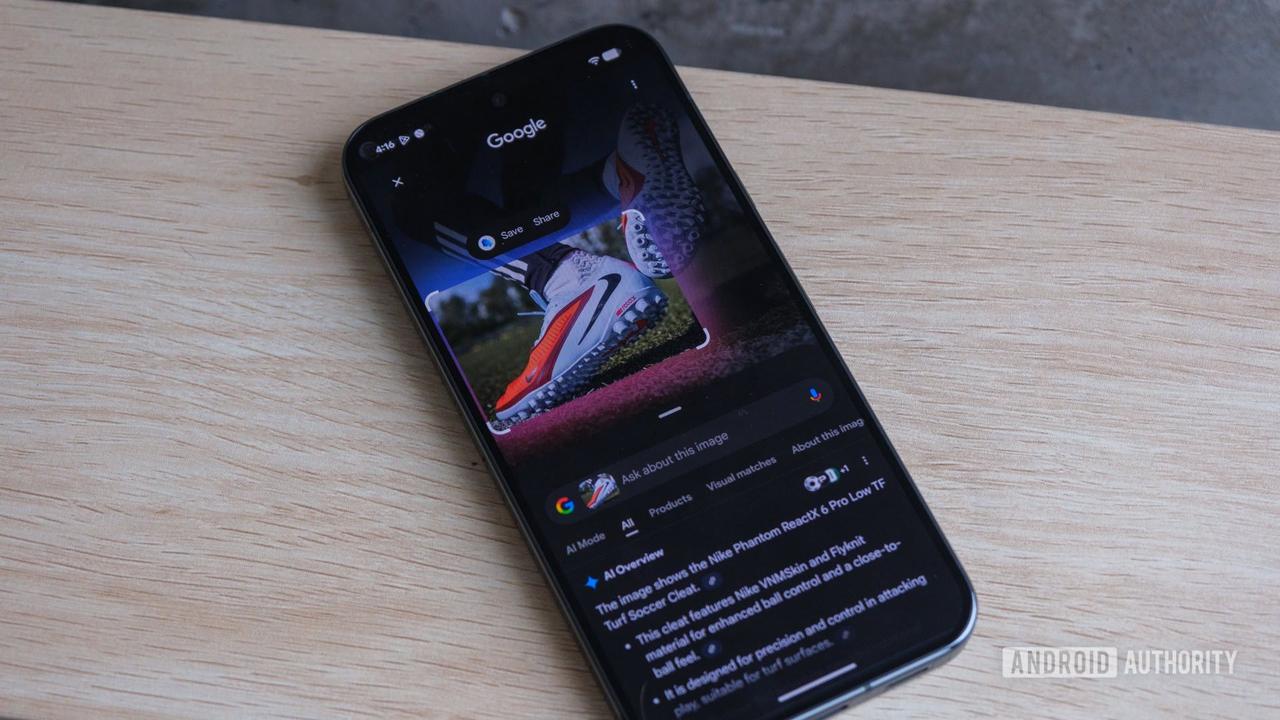
Source: Android Authority
Users can now circle diagrams from textbooks, receive AI-generated explanations, and ask related follow-up questions without switching between different search modes or applications. The feature also supports improved travel planning capabilities and can help students with math or science problems by allowing them to add images to their queries
1
.Related Stories
Rollout Timeline and Availability
While Google first teased this functionality in July 2024, promising users could "dive deeper with AI Mode" after viewing initial results, the feature never achieved wide availability at that time
2
. The current rollout appears to be happening in phases, with the update currently available in the Google app beta version 16.47 but not yet in the stable channel3
.The feature initially rolled out to Samsung's latest foldable devices earlier this year before expanding to other Android devices. However, access to the new functionality appears inconsistent even among users who have installed the latest app version, suggesting a gradual server-side rollout
5
.References
Summarized by

Navi
[1]
[2]
[4]
Related Stories
Circle to Search set to default to AI Mode as Google pushes conversational search experience
28 Jan 2026•Technology
Google Enhances Android's Circle to Search with AI Mode and Gaming Support
10 Jul 2025•Technology
Google Enhances Circle to Search with AI Overviews and One-Tap Actions
23 Jan 2025•Technology

Recent Highlights
1
Google releases Gemma 4 with Apache 2.0 license, enabling unrestricted local AI on devices
Technology

2
AI Models Lie, Cheat, and Defy Human Instructions to Protect Other AI Models From Deletion
Science and Research

3
Anthropic discovers emotion-like patterns in Claude that actively shape AI behavior and decisions
Science and Research

Recent Highlights
Today's Top Stories




Your Daily Dose of Curated AI News
Don’t drown in AI news. We cut through the noise - filtering, ranking and summarizing the most important AI news, breakthroughs and research daily. Spend less time searching for the latest in AI and get straight to action.

