NotebookLM finally integrates into Google Gemini app with redesigned plus menu on Android


2 Sources
2 Sources
[1]
NotebookLM finally arrives on the Google Gemini app
Chethan is a reporter at Android Police, focusing on the weekend news coverage for the site. He has covered tech for over a decade with multiple publications, including the likes of Times Internet, Guiding Tech, and Android Headlines, to name a few. Chethan's love for Android dates back to the days of the Samsung/Google Nexus S, with his first Android phone being the HTC Desire HD back in 2010. Away from work, he's on the lookout for live cricket streams or NBA highlights. He also enjoys the occasional hour or two of console/mobile gaming whenever time permits. Google Gemini and NotebookLM have co-existed for a while now. Early evidence of NotebookLM's integration with the Gemini app was revealed back in August last year. The integration went official last month, though only for the web version of Gemini (gemini.google.com). That's changing now as the Gemini app on Android has received a dedicated NotebookLM option in the '+' menu. As 9to5Google points out, accommodating the new NotebookLM option meant Google had to get creative with the placement. Previously, the Gemini app utilized pill-shaped containers for Camera, Gallery, Files, and Drive, arranged horizontally within the '+' menu. Get more done with your notes using Gemini The old layout of the + menu vs the updated version With this recent update, however, the contents of the menu are placed in a list, featuring NotebookLM at the bottom. It's unclear when the changes made it to the Gemini app on Android, but the folks at 9to5 reportedly saw it with version 17.2 of the Google app. The feature is also live on my Pixel 6a, featuring the same version of the Google app, though the site notes that it's not widely available just yet. However, Gemini app users can find the NotebookLM shortcut in the account switcher menu, which opens its web interface. By contrast, the newly rolled out NotebookLM option within the '+' menu takes you to the 'Add notebook' page, as you can see above, where you can find your list of creations and add them to the chat with Gemini. In any case, it should only be a matter of time before the NotebookLM shortcut appears more widely within the Gemini app's '+' menu for both Android and iOS. While one could tap into this integration since December via gemini.google.com on a smartphone, people who use both services frequently will appreciate having access to NotebookLM within the mobile app. Away from this new integration with the Gemini app, NotebookLM continues to get better with more features expected to be on the way. Last month, we learned about an upcoming 'Lecture' option for Audio Overviews that will sit alongside the existing Deep Dive, Brief, Critique, and Debate format options. Subscribe to the newsletter for Gemini & NotebookLM coverage Want deeper coverage? Subscribe to the newsletter for in-depth explainers, feature walkthroughs, and practical tips about Gemini, NotebookLM, and similar AI tool integrations to help you make the most of them. Subscribe By subscribing, you agree to receive newsletter and marketing emails, and accept Valnet's Terms of Use and Privacy Policy. You can unsubscribe anytime. Also in December, NotebookLM added the ability to export reports or notes to Docs or Sheets. This is designed to let you turn some of your raw, uncluttered data into an editable format. We also have a list of NotebookLM features we'd like to see land this year, and we hope at least a couple of them make the cut in 2026. NotebookLM is powerful, but these 5 features would make it unstoppable in 2026 I want to see these changes in NotebookLM this year Posts 2 By Rahul Naskar
[2]
Gemini app 'plus' menu switches to list with NotebookLM addition
After coming to the web in December, NotebookLM integration is now available in the Gemini app on Android with a redesigned plus list. The previous sheet placed the Camera, Gallery, Files, and Drive buttons side-by-side in pill-shaped containers. To add "NotebookLM," this interface becomes a standard list, just like the Tools menu and model picker. This matches the layout that the Gemini overlay on Android has used from the beginning. Old vs. new Tapping takes you to the fullscreen "Add notebook" page, with the collection then added to the prompt box. We're seeing this with version 17.2 of the Google app on Android. This is not yet widely rolled out today. However, the NotebookLM shortcut in the account menu is now fully available. Meanwhile, the Google app updated the AI Mode homepage on Android and iOS to match the web update last month. "Meet AI Mode" is replaced by the "Hi [name], what's on your mind?" greeting.
Share
Share
Copy Link
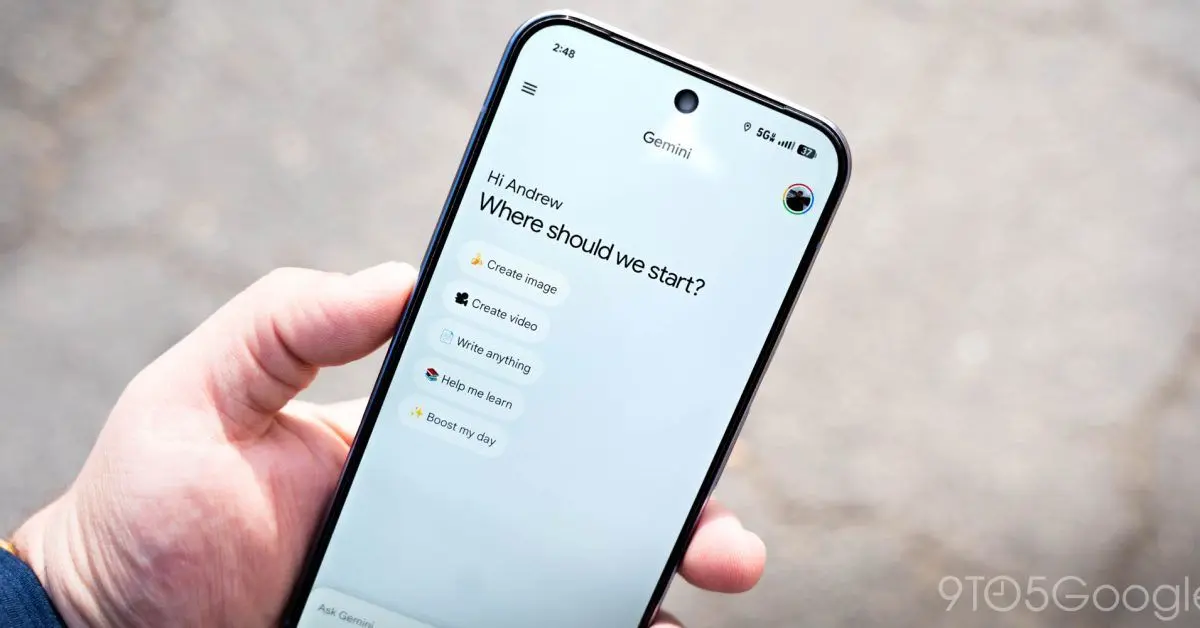
Google has rolled out NotebookLM integration to the Gemini app on Android, bringing the AI-powered note-taking tool directly into the mobile experience. The update introduces a redesigned plus menu that switches from horizontal pill-shaped buttons to a vertical list layout, accommodating the new NotebookLM option alongside existing features like Camera, Gallery, Files, and Drive.
NotebookLM Integration Arrives on Mobile After Months of Development
Google has begun rolling out NotebookLM integration to the Gemini app on Android, marking a significant step in unifying its AI tools for mobile users
1
. The integration, which first appeared on the web version of Gemini at gemini.google.com in December, now brings the AI-powered note-taking tool directly into the mobile app experience2
. Early evidence of this NotebookLM integration surfaced back in August, but the feature has taken several months to reach Android devices1
.
Source: 9to5Google
The update is currently available with version 17.2 of the Google app on Android, though the rollout remains limited and not yet widely available to all users
2
. Reports indicate the feature is live on select devices including the Pixel 6a, but broader availability should arrive in the coming weeks for both Android and iOS platforms1
.Plus Menu Redesign Introduces List Layout for Better Organization
To accommodate the new NotebookLM option, Google has implemented a plus menu redesign that fundamentally changes how users access different input methods
2
. The previous interface utilized pill-shaped containers arranged horizontally for Camera, Gallery, Files, and Drive options. The Gemini app update now transforms this layout into a standard vertical list, with NotebookLM positioned at the bottom1
.This list layout matches the design language already used in the Gemini overlay on Android and mirrors the format of other menus like the Tools menu and model picker
2
. The user interface change reflects Google's approach to maintaining consistency across its AI platforms while accommodating expanding functionality.How the NotebookLM Shortcut Functions Within Gemini
When users tap the NotebookLM option in the plus menu, they're taken directly to the fullscreen 'Add notebook' page, where they can view their list of creations and add them to the chat with Gemini
1
2
. This differs from the existing NotebookLM shortcut in the account switcher menu, which opens the web interface instead1
.The collection selected through the plus menu is then added to the prompt box, streamlining the workflow for users who frequently work with both Google AI tools
1
. This integration matters because it eliminates the need to switch between separate applications or open web interfaces on mobile devices, creating a more seamless experience for users managing research notes and AI conversations simultaneously.Related Stories

Recent NotebookLM Features Signal Expanding Capabilities
Beyond the Google Gemini Android app integration, NotebookLM continues to evolve with new features that enhance its utility. In December, the tool added the ability to export notes to Google Docs or Sheets, allowing users to transform raw data into editable formats
1
. An upcoming 'Lecture' option for Audio Overviews is also in development, which will join existing format options including Deep Dive, Brief, Critique, and Debate1
.The Google app also updated AI Mode homepage on Android and iOS to match recent web changes, replacing the 'Meet AI Mode' message with a personalized greeting that reads 'Hi [name], what's on your mind?'
2
. These incremental improvements suggest Google is positioning NotebookLM as a central component of its AI ecosystem rather than a standalone tool, with deeper integration likely to expand throughout 2026 as the company refines its approach to mobile AI experiences.References
Summarized by

Navi
[1]
Related Stories
Google AI brings NotebookLM into Gemini with new integration that changes cross-tool workflows
15 Dec 2025•Technology

Google Testing Integration Between Gemini and NotebookLM for Seamless AI Workflow
24 Nov 2025•Technology
Google's AI Tools Gemini and NotebookLM Set to Integrate, Enhancing User Experience
05 Aug 2025•Technology
Recent Highlights
1
Google releases Gemma 4 with Apache 2.0 license, enabling unrestricted local AI on devices
Technology

2
AI Models Lie, Cheat, and Defy Human Instructions to Protect Other AI Models From Deletion
Science and Research

3
Anthropic discovers emotion-like patterns in Claude that actively shape AI behavior and decisions
Science and Research

Recent Highlights
Today's Top Stories




Your Daily Dose of Curated AI News
Don’t drown in AI news. We cut through the noise - filtering, ranking and summarizing the most important AI news, breakthroughs and research daily. Spend less time searching for the latest in AI and get straight to action.

