Google's NotebookLM Cinematic Video Overviews turn research notes into animated explainers


15 Sources
15 Sources
[1]
NotebookLM's Video Overviews Just Got Better Thanks to a Trifecta of Google's AI Models
Blake has over a decade of experience writing for the web, with a focus on mobile phones, where he covered the smartphone boom of the 2010s and the broader tech scene. When he's not in front of a keyboard, you'll most likely find him playing video games, watching horror flicks, or hunting down a good churro. We're big fans of NotebookLM, and one of its best features is Video Overviews, which will create an AI-generated video based on the sources you've uploaded. Google continues to add and improve NotebookLM's features, and Video Overviews has just been supercharged. The new Cinematic Video Overviews, introduced Wednesday, will create even better videos without any extra effort on the user's part. The first iteration of Video Overviews was released in July 2025, and Google has slowly improved it over time. When it first debuted, the only format was in a storyboard style, but more formats arrived. Then came the integration with Nano Banana for more visual flair. And if the seven included styles weren't enough, Google later introduced a "custom" option, so you can add your own visual styling to your Video Overview. Cinematic Video Overviews is a combination of some of Google's best AI tools working together to bring vivid and rich animations to your videos. The days of simple, narrated video slides are gone. It does this by combining Gemini 3, Nano Banana Pro, and Veo 3. Google says that Gemini 3 acts as the video's creative director by making several styling, narrative and structural decisions. Cinematic Video Overviews won't be available for everyone, though. In fact, the feature will be available in English for AI Ultra subscribers -- Google's highest AI subscription tier, at least at first.
[2]
NotebookLM can now summarize research in 'cinematic' video overviews
Google's NotebookLM can now turn users' research and notes into fully animated "cinematic" videos, going a step further than the original video overview feature Google introduced last year. Previously, video overviews could only generate narrated slideshows, but the upgraded video overview feature uses a combination of Google's AI models, "including Gemini 3, Nano Banana Pro and Veo 3," to generate animated visuals based on the content of users' notes. Google says Gemini "determines the best narrative, visual style and format, and even refines its own work to ensure consistency" when generating the videos. This is the latest in a string of recent AI video updates from Google. Last month, Google upgraded its Veo AI video model and expanded access to Flow, its AI video generating tool. Google also recently demoed a new "Project Genie" AI video generator that Verge reporter Jay Peters was able to use to make short knockoff slices of Nintendo games. Cinematic video overviews are available in NotebookLM starting today, but are currently only available in English for users over 18 with a Google AI Ultra subscription. Users can also only generate a max of 20 cinematic video overviews per day.
[3]
NotebookLM's latest feature is a visual learner's dream come true
* NotebookLM's new Cinematic Video Overviews transforms your uploaded research and notes into fully animated, documentary-style explainer videos. * The feature is powered by Gemini 3, Nano Banana Pro, and Veo 3. * Cinematic Video Overviews is currently available in English only, exclusively for Google AI Ultra subscribers aged 18 and over. NotebookLM completely shook the industry when it introduced Audio Overviews, letting you turn the sources in your notebook into full-fledged podcasts. If you've used NotebookLM before, chances are you've spent a lot of time with the feature. For many people, it was the moment the tool finally clicked. But once a feature proves that popular, the next question becomes obvious: where do you go from there? Most companies would simply double down on the same idea with incremental improvements. Instead, NotebookLM pushed the concept in a completely new direction with Video Overviews, and is now taking it even further with Cinematic Video Overviews. Cinematic Video Overviews is now rolling out to Google AI Ultra subscribers The next step beyond slides and audio If you read the introduction and are thinking, "wait, couldn't you already convert your sources to videos," you're not wrong. NotebookLM already introduced Video Overviews at I/O 2025, which could turn your notebook sources into narrated explainer videos. However, the videos generated worked more like structured slideshows. Think the NotebookLM Slide Decks feature paired with a narrator walking you through each section. If the sources within your notebook included visuals, NotebookLM would pull them into the Video Overview alongside text snippets and explanations to build the video. Cinematic Video Overviews is the next step. Instead of relying on slide-style presentations, the feature generates more dynamic visuals and animations designed to tell the story of your sources in a more engaging way. Google announced this feature via a post on its The Keyword blog and explained that it's designed to create "unique, immersive videos tailored to you." The feature is powered by quite the stack: Gemini 3, Nano Banana Pro, and Veo 3. Collectively, they generate "fluid animations and rich, detailed visuals to help you learn and engage with the topics you care about." Google describes Gemini 3 as acting like a creative director, making hundreds of decisions about narrative structure, visual style, and pacing to ensure the final video flows naturally and stays consistent. While I don't have access to the feature just yet, the Cinematic Video Overviews people are sharing on X and other social media are genuinely impressive. The results look far closer to short documentary-style explainers than anything the original Video Overviews could produce. This feature rolled out on Wednesday to users above the age of 18 subscribed to Google's $250 AI Ultra Plan on both the NotebookLM website and mobile app. Based on past tradition, it'll roll out to Pro users next and then eventually to free-tier users, though Google hasn't confirmed a timeline for either. Subscribe to the newsletter for AI feature deep dives Discover why subscribing to the newsletter is worth it: expert coverage of AI features like Cinematic Video Overviews that explains how they function, what tech drives them, and what they mean for creators and learners. Get Updates By subscribing, you agree to receive newsletter and marketing emails, and accept our Terms of Use and Privacy Policy. You can unsubscribe anytime. Currently, Cinematic Video Overviews can only be generated in English, but it's likely only a matter of time until additional languages are supported.
[4]
NotebookLM is taking a more cinematic approach to Video Overviews
The new feature is available starting today for Google AI Ultra subscribers who are 18 and over. NotebookLM, Google's research-oriented AI tool, first introduced a video version of its Audio Overview feature back in July 2025. Since then, the feature has expanded to the Android and iOS apps. Now the tech giant is taking Video Overview to the next level with a new update. In a blog post, Google announced that it is rolling out a major update to NotebookLM's video-generating powers. The update combines three of Google's AI models -- Gemini 3, Nano Banana Pro, and Veo 3 -- to create Cinematic Video Overviews. As the company explains, Cinematic Video Overviews move beyond simply narrating slides. It generates tailored videos, using Gemini to make "hundreds of structural and stylistic decisions" for narrative, visual style, and format based on your sources. These videos aim to get you engaged in a subject and help you learn. Cinematic Video Overviews will be available on the web for Google AI Ultra subscribers in English starting today. It will also be available on the mobile apps. However, you'll need to be 18 or older to access it.
[5]

Google NotebookLM can now turn your notes into AI videos -- visual learners will love this
Google's AI research assistant NotebookLM, known for turning uploaded documents into podcasts, flashcards and quizzes, is getting another major upgrade -- and this time it's all about turning your research into something far more visual. Starting today, Google is introducing Cinematic Video Overviews, a new feature that transforms uploaded documents and research into fully animated video explainers. Instead of simple narrated slides, NotebookLM can now generate animated scenes and dynamic visuals for story-driven video summaries designed to help users better understand the topics they're researching. The feature will roll out in English for Google AI Ultra subscribers on the web and mobile. What Cinematic Video Overviews actually do NotebookLM already lets users upload documents, research papers and notes to generate summaries or ask questions about their sources. The new Cinematic Video Overviews feature pushes that idea further by turning the information into a visual narrative. According to Google, the system can analyze uploaded sources, build a structured explanation around the material, and generate animations to illustrate key ideas. For example, a set of research notes or lecture materials could be transformed into a visual overview designed to make the topic easier to follow and understand. In practice, the result is something closer to a short explainer video than a traditional text summary. How the AI builds the video The feature relies on a combination of Google AI models working together behind the scenes. Cinematic Video Overviews use: * Gemini 3 to understand the source material and structure the narrative * Nano Banana Pro to generate images and visual elements * Veo 3 to create the final animated video output AI tools have spent the last two years getting dramatically better at summarizing text and answering questions about documents. But the next phase of the technology is increasingly focused on multimodal output -- meaning AI that can turn information into images, presentations and now video. Essentially, Gemini takes everything you give it (messy notes, research documents, etc.) and effectively acts as a creative director for the process, making hundreds of structural and stylistic decisions about how the video should unfold. The model determines the narrative flow, selects visual styles and formats and even refines the output to keep scenes consistent throughout the video. Now, instead of simply summarizing documents, the AI is actively designing how the story should be told visually. Bottom line NotebookLM started as an AI tool that could summarize documents and answer questions about your research. With Cinematic Video Overviews, Google is pushing it a step further -- turning it into a tool that can transform notes and source material into visual explanations. For students, researchers and professionals, that could mean turning dense documents into short videos that are easier to understand and share. The feature launches today in English for Google AI Ultra subscribers aged 18 and older on both web and mobile. Follow Tom's Guide on Google News and add us as a preferred source to get our up-to-date news, analysis, and reviews in your feeds.
[6]

NotebookLM now lets you turn your work and ideas into cinematic videos
Google's AI-powered research assistant can now transform your notes and documents into immersive videos with slick animations. If you've ever wished to turn your research notes into something more visually appealing than slides, Google's NotebookLM just made that a reality. The latest update for the research assistant upgrades its Video Overviews feature, allowing it to create "cinematic" videos based on your notes. When Google first debuted Video Overviews last year, the feature could only create basic narrated slideshows from your notes. With the new "Cinematic Video Overviews," NotebookLM can now "create unique, immersive videos tailored to you." Google says that this new functionality relies on a trio of advanced AI models, including Gemini 3, Nano Banana Pro, and Video 3, to generate "fluid animations and rich, detailed visuals." The company adds that Gemini acts like a creative director, deciding on the narrative flow, visuals, and format to best highlight what's in your notes. This means that the feature isn't just summarizing your research, it's turning it into a story with proper pacing, visual cues, and style choices designed to make your material more engaging and easier to understand. Recommended Videos Unlike other AI-powered video creation tools, NotebookLM's Cinematic Video Overviews are based entirely on your uploaded notes and documents, so everything included is relevant and true to your research. As such, these videos can help students, researchers, and professionals quickly grasp complex material or prepare presentations without manually crafting visuals. The Cinematic Video Overviews feature is rolling out in English for users aged 18 and older with a Google AI Ultra subscription. It's available in NotebookLM on both web and mobile.
[7]

Generate your own Cinematic Video Overviews in NotebookLM.
NotebookLM is introducing Cinematic Video Overviews, a major update to its AI-powered video creation capabilities. This new feature moves beyond narrated slides in Video Overviews to create unique, immersive videos tailored to you. Using a combination of our advanced AI models, including Gemini 3, Nano Banana Pro and Veo 3, Cinematic Video Overviews generate fluid animations and rich, detailed visuals to help you learn and engage with the topics you care about. Gemini now acts as a creative director, making hundreds of structural and stylistic decisions to best tell the story with your sources. It determines the best narrative, visual style and format, and even refines its own work to ensure consistency. Cinematic Video Overviews are available in English starting today for Google AI Ultra subscribers (18+) on web and mobile.
[8]

How NotebookLM's New 'Cinematic Video' Tool Works
NotebookLM is Google's more sophisticated, research-focused AI tool, built on the same underlying models as Gemini but with an interface that's less chatty and friendly. Like Gemini, it regularly gets upgrades and new features, and the latest update adds "cinematic" video summaries. One of the tasks NotebookLM is perfect for is collecting a bunch of information together in a notebook -- PDFs, web links, YouTube videos -- and then having it explained and summarized (it's a great study tool in that respect). You may remember that a couple of years ago it added the ability to generate realistic-sounding podcasts called Audio Overviews from your notebooks. Last year we got Video Overviews, but these were more like slideshows than mini movies -- they basically put the contents of a notebook into something that might have been made in PowerPoint. With this new cinematic upgrade, however, you'll get video summaries that are much more animated and three-dimensional. There are some rather hefty caveats: You need to be on the top-tier, $250-per-month Google AI Ultra plan to access this new Video Overviews category; additionally, they're only available to users aged 18 and above, and only in English. The feature may trickle down to everyone eventually, but for now you need to be a relatively well-off AI enthusiast to be able to access this. It's a lot of money to spend on AI each month, but there's plenty more to Google AI Ultra, including a subscription to YouTube Premium and 30TB of Google Drive space to store all those AI-generated images and videos you'll be making. In Gemini and NotebookLM, you get higher usage rates on just about everything. To put the new cinematic overviews to the test, I created a new notebook in NotebookLM based on a single source: A paper published by Apple researchers on the "illusion of thinking" exhibited by Large Reasoning Models (LRMs), such as those that NotebookLM taps into. It's a dense, 39-page study, exactly the sort of lengthy document you might need summarizing by AI. While there are mobile apps available for NotebookLM, the interface is easier to manage on the web. If you're new to the tool, you can click Create new notebook to get started, then point NotebookLM towards your sources -- whether it's plain text you want to paste in, or an Apple AI study you want to upload. The app can even search the web for other relevant sources. Once you've actually got some information together, the Video Overview option is in the Studio panel on the right. You can pick between a Brief overview or a more detailed Explainer style, and choose a template for your overview too. There's also space to give some pointers as to how the video should be structured. If you're a paid-up Google AI Ultra member, you also get a Cinematic option. First I requested an Explainer-style Video Overview for the Apple AI paper. It took around 15 minutes to generate, and came in at a little over six minutes long. As you can see above, it does a decent job of explaining the contents of the paper, and giving some of the reasons why LRMs get stuck on complex tasks. It's a very static slideshow, but it's well laid out, and the illustrations generally make sense, with one or two aberrations: That first Claude Sonnet graph has two extra lines that shouldn't be there. It gives you a decent understanding of the paper, but I wouldn't want to 100 percent rely on it (AI "can be inaccurate" is the disclaimer that Google puts all across Gemini and NotebookLM). The Cinematic-style Video Overview took more than 50 minutes to generate and is more than seven minutes long, and you can see it below. On the plus side, it goes into more detail, and I felt I knew more about the topic after watching it. All the charts were copied over from the paper correctly, and some of the animations were genuinely useful. However, NotebookLM clearly struggled with certain animations: When it was trying to show someone drawing on a page for example, or placing blocks on top of one another in a Tower of Hanoi puzzle. These are notable problems evident in other AI-generated videos, because these models don't really understand the real world or physics -- the vast amounts of video footage they've been trained on give them a good idea about where to place pixels, but not really how objects should interact with each other. I did prefer the Cinematic Video Overview overall, though clearly the results are going to vary depending on the sources that you feed NotebookLM -- outside of research papers it might get a bit more creative and interesting. The visual errors are kind of distracting, though, and ultimately the standard Video Overviews that everyone has access to work well enough without any enhancements.
[9]

Google's Cinematic Video Overviews are now Available for NotebookLM Users - Phandroid
Google recently announced that it's bringing over Cinematic Video Overviews to NotebookLM, giving users a big AI-powered boost for their content creation projects. The new feature essentially serves as a follow-up to narrated slide in Video Overviews, and combines capabilities found in Gemini 3, Nano Banana Pro and Veo 3. Google says that Cinematic Video Overviews will be able to generate animations with highly-detailed visuals. As with most other AI-based content creation platforms, users need to merely provide prompts and sources, while the rest of the output is handled by the software. Part of Google's announcement reads: Gemini now acts as a creative director, making hundreds of structural and stylistic decisions to best tell the story with your sources. It determines the best narrative, visual style and format, and even refines its own work to ensure consistency. As for availability, Cinematic Video Overviews have started rolling out for Google AI Ultra subscribers via web and mobile devices, although it's only available in English at the moment. Additionally, users will need to be 18 years or older to use the feature.
[10]

NotebookLM Will Let Some Users Generate Cinematic Video Overviews
NotebookLM is one of Google's most frequently updated artificial intelligence (AI) products. In the last few months, the AI-powered learning platform has received a large number of new features across the website and mobile apps. But on Wednesday, the Mountain View-based tech giant released one of the biggest upgrades to NotebookLM with the Cinematic Video Overviews feature. The new mode finally enables the generation of fully immersive, animated videos. Notably, earlier Video Overviews could only generate multiple static slides for users. NotebookLM Gets Cinematic Video Overviews In a blog post, Pete Aykroyd, a Software Engineer in Google's NotebookLM team, announced the new feature. Among the highly requested features from users, Cinematic Video Overviews lets select users generate fully animated videos from their sources. This is a major shift from the existing narrated slides in Video Overviews, and makes watching the AI-generated videos an immersive experience. Under the hood, the feature is powered by a combination of Gemini 3, Nano Banana Pro, and Veo 3 AI models. The tech giant highlighted that Gemini works as a creative director and creates the video script and prompt, adding structural and stylistic details that best suit the video. "It determines the best narrative, visual style and format, and even refines its own work to ensure consistency," the post added. Currently, the feature is only available to the Google AI Ultra subscribers in the English language, meaning it won't work for sources that are in another language. Cinematic Video Overviews is available to users above the age of 18 across the website and the mobile apps. In a post on X (formerly known as Twitter), the official handle of NotebookLM said, "To our faithful Pro users -- don't worry, we haven't forgotten about you. You've always been part of our roadmap. No promises on timing yet, but watch this space!" Earlier this month, the AI-powered learning platform released custom styles for Infographics. The new feature added 10 preset options and the ability to create custom styles. The feature is aimed at letting users create easy-to-read visuals with a single click. Further, the company has also rolled out Slide Revisions to the mobile app.
[11]
Google turned NotebookLM into a video studio with Cinematic Video Overviews - Phandroid
You've probably seen NotebookLM turn a stack of PDFs into a podcast-style audio summary. That was already pretty useful. Google just went a lot further. NotebookLM Cinematic Video Overviews is a new feature that ditches the narrated slides format and generates fully animated video explainers straight from your uploaded documents. According to Google, three AI models work together to make it happen. Gemini 3 acts as the creative director, deciding the narrative structure, visual style, and format. Nano Banana Pro handles image generation. Veo 3 produces the actual video. Gemini also checks its own work to keep things visually consistent throughout. The end result looks a lot more like a short documentary about your notes than a slideshow with a voiceover. NotebookLM Cinematic Video Overviews are live now in English for Google AI Ultra subscribers aged 18 and up, on web and mobile. NotebookLM already had Video Overviews, which arrived back in July 2025. That version pulled images, quotes, and diagrams from your sources and built narrated slides around them. Cinematic Video Overviews swap out those static slides for fluid animations and dynamic visuals that are generated specifically for your content. The clearest use case is for students and researchers who need to absorb or present dense material. Upload lecture notes, a research paper, or a set of Google Docs, and you get back a video that walks through it visually. It's also a solid option for anyone building a presentation who'd rather hand the visual work off to AI. Right now it's behind the Ultra paywall, so it won't be accessible to everyone. If you're curious how we got here, our coverage of the earlier NotebookLM Video Overviews update and the Gemini 3 upgrade that powers this feature fills in the backstory.
[12]

NotebookLM Adds Cinematic Video Overviews for AI Ultra
NotebookLM's cinematic video overviews offer a new way to convert text-based content into visually rich summaries. By integrating motion graphics, animations and text overlays, these videos aim to simplify complex topics for personal and educational use. Paul Lipsky highlights creative applications, such as adapting content into styles like Japanese manga or children's television. However, early feedback has pointed out occasional mismatches in visual elements, reflecting some current limitations of the feature. Learn how to customize these video overviews using tailored prompts and stylistic options to suit different needs. You'll also explore their strengths in storytelling and audience engagement, along with examples of scenarios where they are most effective. This guide provides practical insights for students, educators and anyone looking to enhance their content with visual summaries. Cinematic video overviews are a innovative feature designed to convert text-based content into animated, visually rich summaries. This functionality is seamlessly integrated into the NotebookLM interface, accessible via the top-right menu. By using AI, the tool creates immersive video summaries that simplify complex topics, making them more approachable and engaging for a wide range of users. The feature combines motion graphics, animations and dynamic text overlays to present information in a visually compelling format. This approach not only enhances understanding but also introduces a creative and enjoyable way to interact with content. Whether you're reviewing study materials, summarizing a project, or exploring a new topic, cinematic video overviews provide a unique and engaging experience. One of the most appealing aspects of cinematic video overviews is their extensive customization options, allowing users to tailor videos to their specific needs and preferences. The feature supports a variety of creative styles, including: In addition to these stylistic choices, users can define prompts to guide the visual and thematic direction of their videos. Whether you prefer a minimalist design or a vibrant, cartoon-like presentation, the system adapts to your preferences, making sure a personalized and engaging experience. This flexibility makes the feature particularly appealing for creative projects, educational content and personal learning. Advance your skills in NotebookLM by reading more of our detailed content. Cinematic video overviews offer several advantages over traditional content presentation methods, such as slideshows or static visuals. Key strengths include: For example, teachers can use this feature to create captivating lesson summaries, while students can generate visually appealing study aids. These strengths highlight the potential of AI to redefine how information is presented and consumed, offering a more interactive and enjoyable learning experience. Despite its impressive capabilities, the feature has some notable limitations that restrict its broader application. One of the primary issues is visual inaccuracies, where the AI occasionally generates elements that are disconnected or misplaced. For instance, a user might create a video intending to depict a cookie, only to find it mistakenly rendered with cheese, a humorous but problematic error. These inconsistencies, while not uncommon in emerging AI technologies, underscore the need for further refinement. As a result, the feature is not yet suitable for professional or high-stakes applications, where precision and reliability are critical. Developers are actively working to address these issues, but for now, users should approach the tool with an understanding of its current limitations. At present, cinematic video overviews are available exclusively to Google AI Ultra account holders, providing early access to this innovative feature. The developers have announced plans to expand availability to pro users in the near future. This phased rollout strategy allows the team to gather valuable user feedback and implement improvements before making the feature widely accessible. By limiting initial access, the developers aim to ensure a smoother user experience and address any technical challenges that arise during the early stages of deployment. This approach reflects a commitment to delivering a polished and reliable tool for all users. Cinematic video overviews are particularly well-suited for specific scenarios where their strengths can be fully used. These include: However, due to its current technical limitations, the feature is not yet recommended for professional settings where accuracy and consistency are paramount. As the tool evolves and becomes more reliable, its potential applications are expected to expand significantly. NotebookLM's cinematic video overviews represent a significant step forward in AI-powered content visualization. With features like stunning animations, diverse styling options and user-defined prompts, the tool offers a glimpse into the future of interactive and engaging content creation. While its current limitations restrict its use to personal and educational contexts, ongoing refinements and expanded access could make it an indispensable resource for a broader audience. As the technology matures, cinematic video overviews have the potential to transform how information is consumed and shared, offering a more dynamic and immersive way to engage with content. For now, it remains a promising tool with exciting possibilities on the horizon. Disclosure: Some of our articles include affiliate links. If you buy something through one of these links, Geeky Gadgets may earn an affiliate commission. Learn about our Disclosure Policy.
[13]
New NotebookLM Feature : Cinematic Video Overviews
Google's NotebookLM now includes cinematic video overviews, offering a way to convert detailed content into structured visual summaries. Available for Ultra subscribers, this feature uses AI to align the tone and complexity of the video with the source material, such as academic papers or business strategies. According to Universe of AI, the process integrates narration with visuals to support diverse learning styles and improve understanding of intricate topics. You'll learn how to use cinematic video overviews to simplify dense documents into accessible formats. Explore how the Gemini AI models enhance video quality through self-correction and adaptive generation. Additionally, see how this feature supports professionals like educators and consultants by streamlining workflows and improving communication. Cinematic video overviews represent a significant leap forward in content presentation. This feature allows you to convert intricate and detailed documents into visually compelling videos that are tailored to the specific material provided. Unlike traditional systems that rely on pre-designed templates, this tool uses advanced AI to generate unique visuals and narration. Each video is crafted to reflect the tone, purpose and complexity of the original content. Whether you are working with academic research, instructional materials, or business strategies, this feature ensures that your content becomes more engaging and accessible to a wider audience. The tool is particularly effective for breaking down dense information into digestible formats, making it easier for viewers to grasp key points. By combining visuals and narration, it caters to diverse learning preferences, offering an alternative to traditional text-based communication. The cinematic video overviews feature is powered by Google's Gemini AI models, which are renowned for their ability to process and interpret natural language with exceptional accuracy. These models analyze the content you provide to determine the most appropriate video format, whether it be a tutorial, documentary, or explainer. The system then generates a video that aligns with the tone and purpose of the original material. A key aspect of this technology is its self-correction loop. During the video generation process, the AI continuously refines the quality and consistency of the output. This ensures that the final product is polished and professional, even without the need for human intervention. By automating these steps, the tool streamlines the video creation process, saving time and effort while maintaining high standards of quality. Gain further expertise in NotebookLM by checking out these recommendations. The cinematic video overviews feature has broad applications across various fields, making it a versatile tool for professionals, educators and content creators. Here are some of the key groups that can benefit: By providing widespread access to access to professional-grade video production, this feature enables users to focus on the content itself rather than the technical challenges of video creation. It bridges the gap between complex information and diverse audiences, making knowledge more accessible and impactful. The introduction of cinematic video overviews underscores the growing influence of AI in content creation. By automating the video production process, this feature reduces the need for professional videographers for basic projects, making high-quality video creation more accessible to individuals and smaller organizations. It also highlights the potential of AI to transform knowledge translation, allowing you to present information in formats that cater to different learning styles and preferences. However, this advancement may also disrupt traditional roles in the content creation industry. As AI tools like this become more sophisticated, they could reduce the demand for human involvement in routine video production tasks. While this shift offers significant benefits in terms of efficiency and cost-effectiveness, it also raises questions about the future of creative professions and the balance between human and machine contributions. NotebookLM's cinematic video overviews position the platform as a leader in the evolving landscape of knowledge translation. By offering tools that cater to varied learning styles, whether through audio, visual, or text-based formats, this feature demonstrates the potential of AI to reshape how information is consumed and shared across industries. From education and research to journalism and consulting, the applications are extensive and fantastic. As AI technology continues to advance, tools like cinematic video overviews are likely to play an increasingly central role in content creation. They offer faster, more cost-effective alternatives to traditional methods, enhancing both accessibility and engagement. By allowing users to present complex information in diverse, user-friendly formats, this feature sets the stage for a future where AI-driven tools redefine how knowledge is communicated and understood. Disclosure: Some of our articles include affiliate links. If you buy something through one of these links, Geeky Gadgets may earn an affiliate commission. Learn about our Disclosure Policy.
[14]

NotebookLM gets Cinematic Video Overviews powered by Gemini 3 and Veo 3
Google has announced Cinematic Video Overviews for NotebookLM, expanding its AI-based video creation tools. The feature moves beyond narrated slide-style Video Overviews and generates animated, visually detailed videos based on user sources. The update enables NotebookLM to create immersive videos using a combination of AI models, including: These models generate structured narratives, fluid animations, and detailed visuals tailored to the uploaded material. Gemini 3 functions as a coordinating model during video creation. It: The system determines how the content is organized and presented without requiring manual scene-by-scene input. Cinematic Video Overviews are available in English starting today for Google AI Ultra subscribers aged 18 and above. The feature can be accessed on both web and mobile platforms.
[15]

NotebookLM can now turn your notes into animated cinematic AI videos, here's how
NotebookLM, Google's AI-powered research and note-taking tool, has taken a significant step forward. The platform can now generate what it calls Cinematic Video Overviews - fully animated, AI-produced videos based on whatever sources you have uploaded. That means a research paper, a PDF, a collection of notes, or a web article can become a watchable video in minutes. Also read: I used the GoBoult Mustang Stallion smartwatch for a week and here's my experience NotebookLM already had a Video Overviews feature, but it was relatively basic, almost similar to narrated slides. The new Cinematic Video Overviews are a different beast. Instead of static visuals with a voiceover, the feature generates fluid animations and detailed, dynamic imagery that responds to your source material's content and themes. Also read: Morgan Stanley cuts over 2,500 jobs worldwide, but says AI is not behind the move The process starts with your sources. Upload documents, paste in links, or add notes to a NotebookLM notebook as you normally would. From there, you can request a Cinematic Video Overview and the AI takes over. Google is using a combination of its most advanced models so Gemini 3 handles the creative direction, deciding on narrative structure, visual style, and overall format, while Veo 3 handles the actual video production. Gemini acts as a creative director, making what Google describes as hundreds of structural and stylistic decisions, then reviewing its own output to ensure the final video is coherent and consistent. For now, Cinematic Video Overviews are available in English to Google AI Ultra subscribers aged 18 and over, on both web and mobile. Google AI Ultra is the company's premium subscription tier, bundling access to its most capable AI features across products. Whether the feature eventually reaches free or lower-tier users remains to be seen. NotebookLM started as a tool for researchers and students to organise and query their documents. With this update, it's edging into territory previously occupied by video production tools and content creation platforms. The ability to turn dense source material into something visual and digestible has clear implications for education and business communications. If the quality holds up, it could change how people think about summarising and sharing information entirely.
Share
Share
Copy Link
Google launched Cinematic Video Overviews for NotebookLM, transforming the AI research assistant's video capabilities. The feature uses Gemini 3, Nano Banana Pro, and Veo 3 to turn your notes into AI videos with dynamic animations instead of simple slideshows. Available exclusively for Google AI Ultra subscribers aged 18 and over, the update represents a significant leap in how AI can summarize research in video format.
Google Upgrades NotebookLM with Cinematic Video Overviews
Google introduced Cinematic Video Overviews for NotebookLM on Wednesday, marking a substantial evolution in how its AI research assistant handles video content. The enhanced Video Overview feature moves beyond the narrated slideshows that debuted in July 2025, now generating fully animated video explainers from user-uploaded sources
1
2
. The update leverages three of Google's AI models working in concert: Gemini 3, Nano Banana Pro, and Veo 3, creating documentary-style explainer videos that help visual learners engage with complex topics more effectively[3](https://www.xda-developers.com/notebooklm-l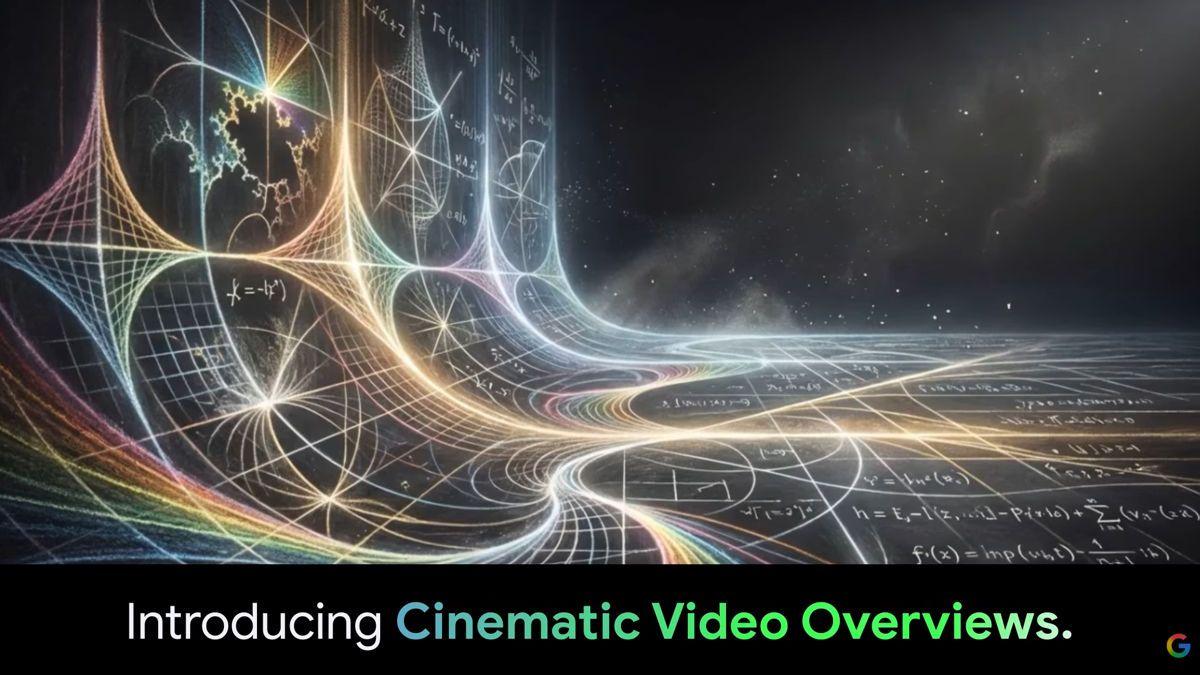
Source: Phandroid
How Google's AI Models Power Video Generation
The technology behind Cinematic Video Overviews represents a sophisticated collaboration between multiple AI systems. Gemini 3 functions as a creative director, making hundreds of structural and stylistic decisions about narrative and visual style, pacing, and format to ensure the final video flows naturally and maintains consistency throughout
4
5
. Nano Banana Pro generates the images and visual elements, while Veo 3 creates the final animated video output. This AI video technology stack analyzes research notes and documents to build structured explanations, then generates animations to illustrate key ideas rather than relying on static text snippets.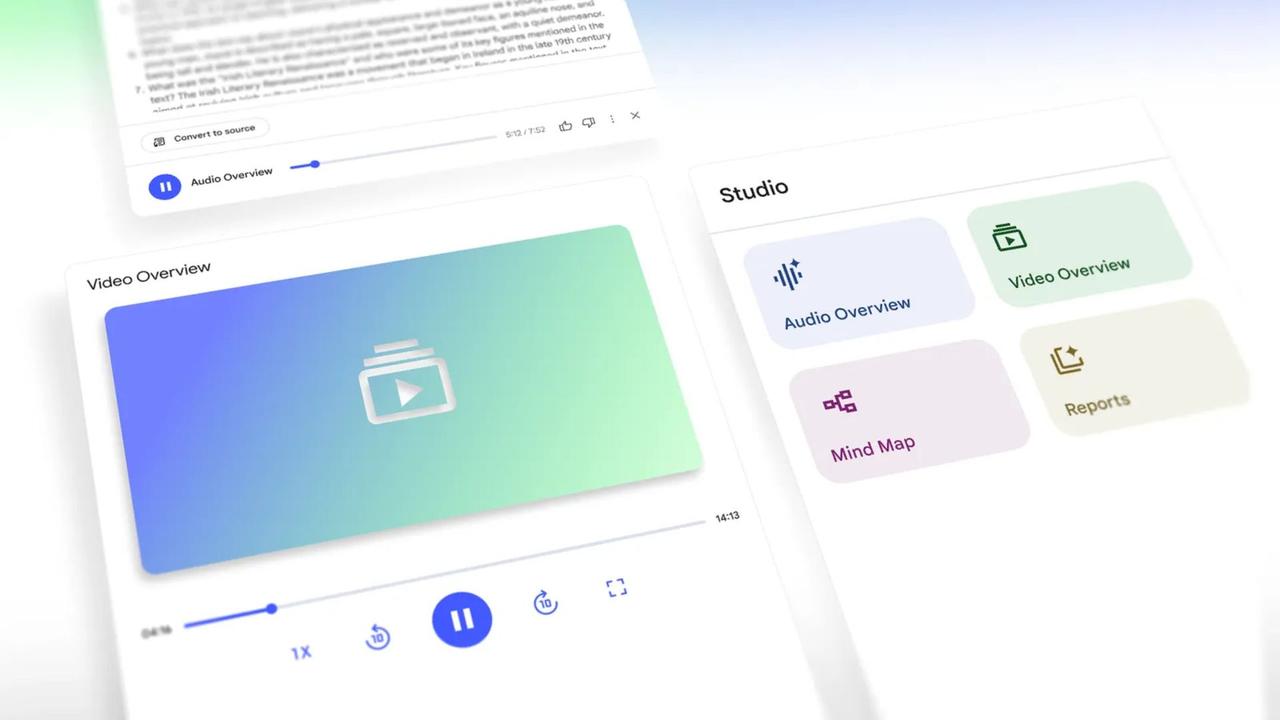
Source: Android Authority
From Slideshows to Animated Narratives
The original Video Overviews feature introduced at I/O 2025 worked more like structured presentations, pulling visuals from sources alongside text explanations. Users could choose from seven included styles or add custom visual styling, and Google later integrated Nano Banana for additional visual flair
1
. Cinematic Video Overviews takes a fundamentally different approach, creating immersive videos with fluid animations and rich, detailed visuals designed to tell the story of your sources in a more engaging way. Early examples shared on social media show results that look far closer to short documentary-style content than anything the original feature could produce.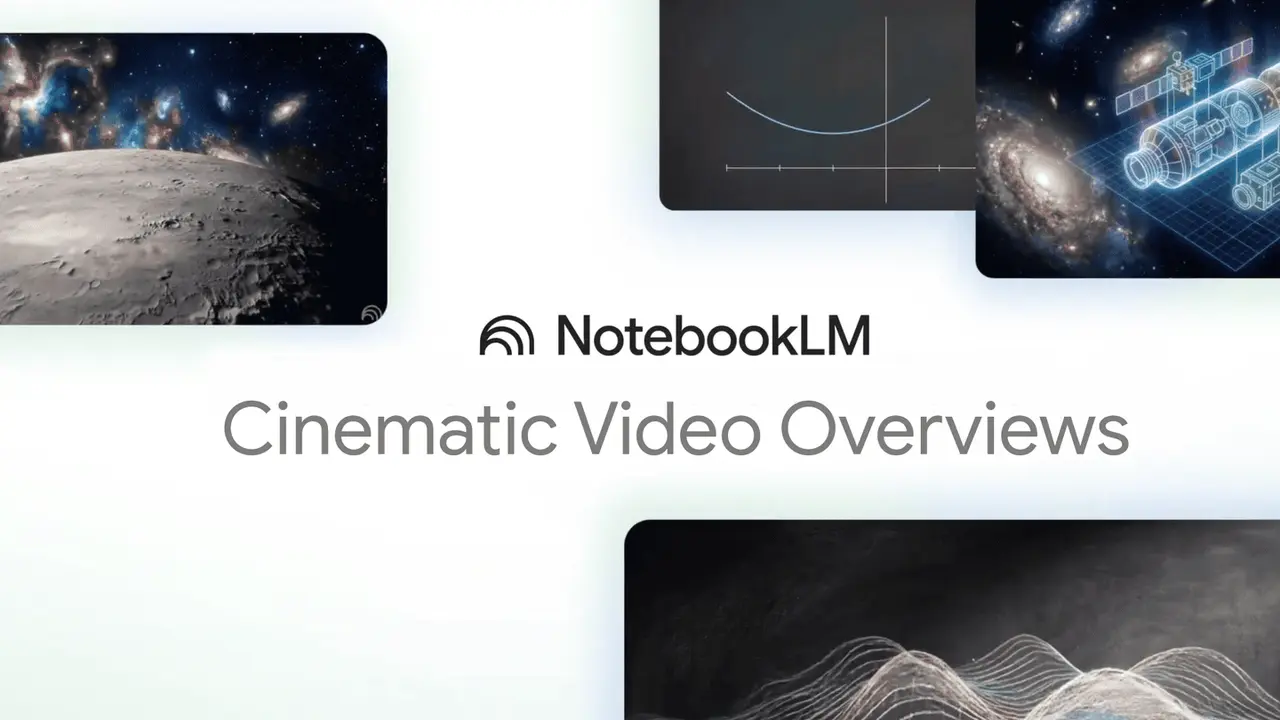
Source: Google
Related Stories

Availability Limited to AI Ultra Subscription Tier
Cinematic Video Overviews is available starting today in English only for Google AI Ultra subscribers aged 18 and over, accessible on both the NotebookLM website and mobile apps
2
4
. Google AI Ultra represents the company's highest AI subscription tier, and users can generate a maximum of 20 cinematic video overviews per day. Based on NotebookLM's previous rollout patterns, the feature will likely expand to Pro users next before eventually reaching free-tier users, though Google hasn't confirmed a timeline for broader access.What This Means for Students and Researchers
The ability to turn your notes into AI videos addresses a growing need among students, researchers, and professionals who process information differently. For visual learners, dense research papers and lecture materials can now transform into video summaries that make complex topics easier to follow and understand
5
. This shift represents the next phase of AI technology moving toward multimodal output, where systems don't just summarize research in video format but actively design how information should be presented visually. The feature arrives as part of a broader push from Google in AI video generation, following last month's upgrade to its Veo AI video model, expanded access to Flow, and the demonstration of Project Genie, an AI video generator for creating short game-style content2
.References
Summarized by

Navi
[3]
[4]
Related Stories
Google's NotebookLM Revolutionizes Learning with AI-Powered Video Overviews
13 Oct 2025•Technology
Google's NotebookLM Introduces AI-Powered Video Overviews and Studio Panel Upgrades
30 Jul 2025•Technology
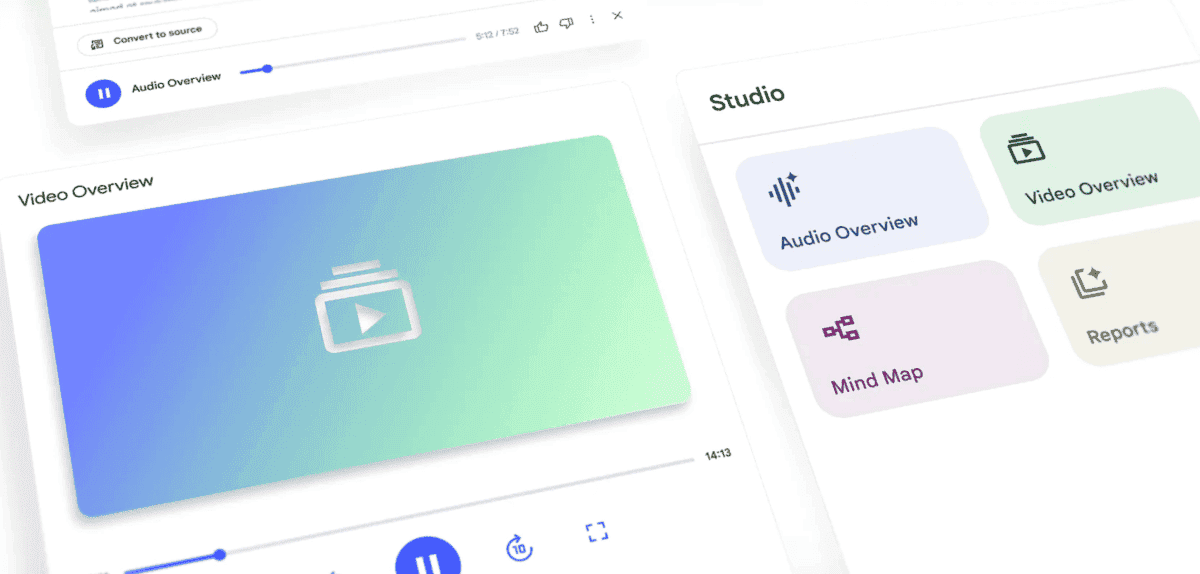
Google's NotebookLM Set to Introduce AI-Generated Video Overviews, Enhancing Note-Taking Experience
10 May 2025•Technology
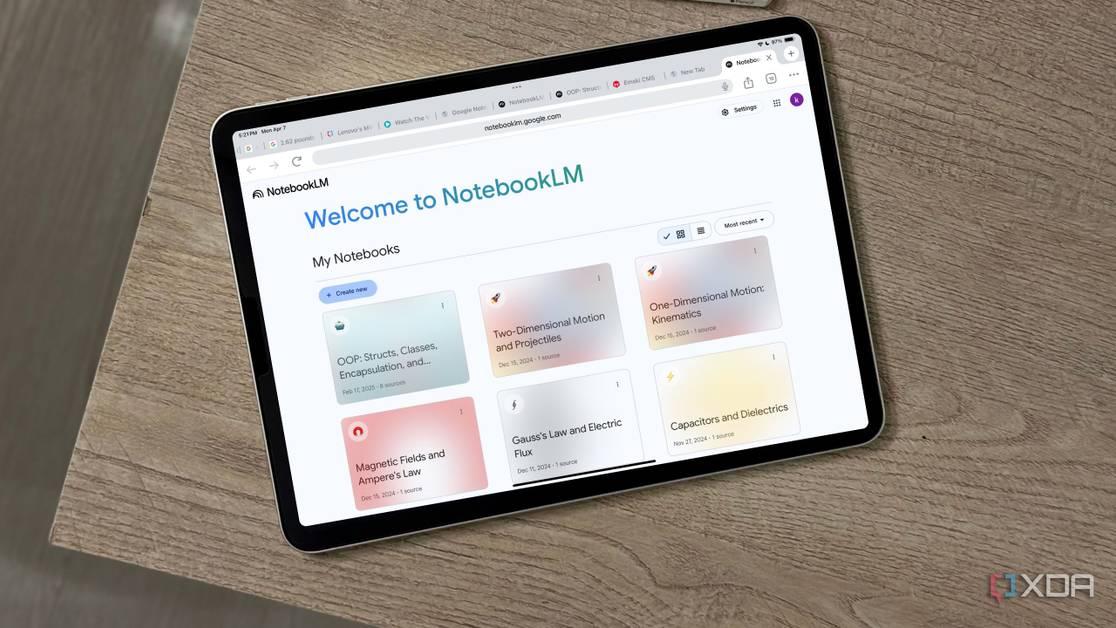
Recent Highlights
1
OpenAI shuts down Sora video app after six months, ending Disney's $1 billion investment deal
Technology

2
AI-Generated Val Kilmer to Posthumously Appear in As Deep as the Grave After His Death
Entertainment and Society

3
Supermicro Co-Founder Indicted in $2.5 Billion Nvidia AI Chip Smuggling Scheme to China
Policy and Regulation
Recent Highlights
Today's Top Stories




Your Daily Dose of Curated AI News
Don’t drown in AI news. We cut through the noise - filtering, ranking and summarizing the most important AI news, breakthroughs and research daily. Spend less time searching for the latest in AI and get straight to action.

