Samsung launches One UI 8.5 beta for Galaxy S25 with expanded AI features and connectivity


7 Sources
7 Sources
[1]
Samsung's entire One UI 8.5 feature list leaks ahead of beta
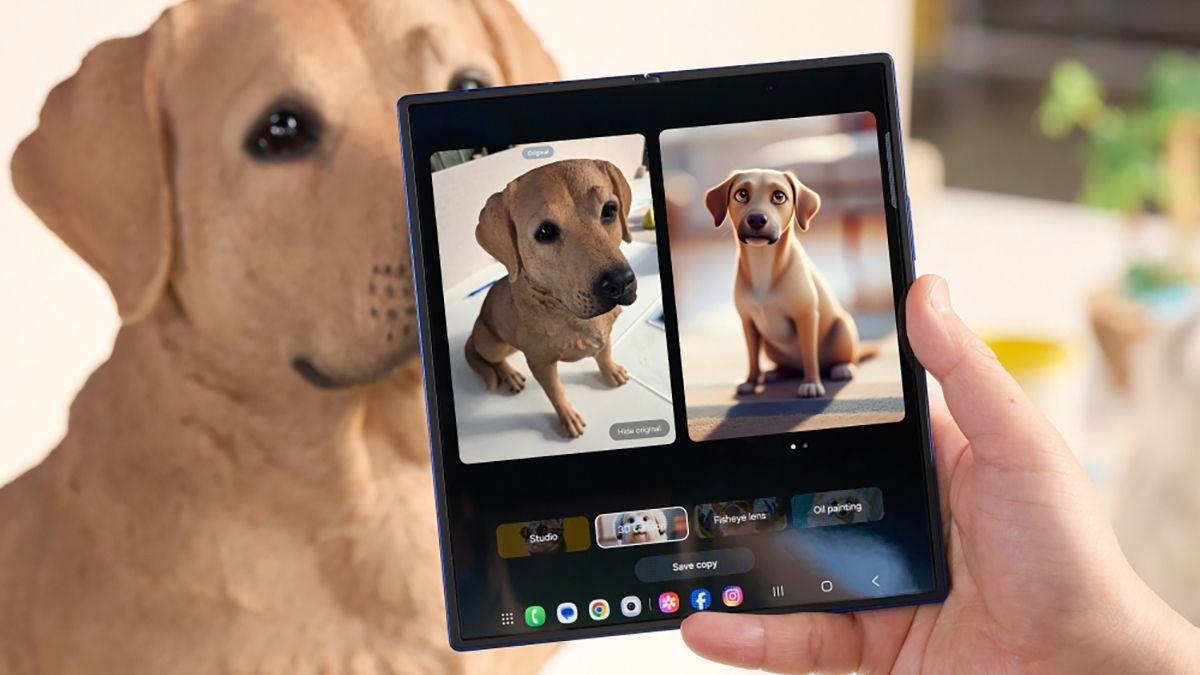
Leaks point to Samsung starting the One UI 8.5 beta program for the Galaxy S25 family later this month. Adding weight to that rumor, a new leak has surfaced detailing the full changelog of Samsung's upcoming Android skin. Thanks to leaker @taruvats33, we now know all the features Samsung will introduce with One UI 8.5. Besides UI tweaks, including a more customizable Quick Panel and partial screen recording support, the update will also expand Galaxy AI capabilities. Photo Assist is set to improve with the ability to generate AI images, and you won't need to save every single iteration. Once you're done, you can browse through the generated versions and pick the one you like best. Other improvements mentioned in the release notes include photo sharing suggestions in Quick Share with your frequently contacted people, automatic lock screen layout when using wallpapers with people or pets, an enhanced weather widget, and a revamped battery info page. Samsung also seems set to debut a smarter Bixby, which will be better at understanding and processing natural language. One UI 8.5 beta might go live on December 8 The One UI 8.5 beta program could go live as soon as next week. In the first phase, the beta could be limited to Galaxy S25 owners in the US, UK, Korea, and Germany. It should expand to more countries, including India and Poland, with the second beta later this month. You can find the exhaustive One UI 8.5 beta release notes below: Galaxy AI Continuous image generation Keep creating without stopping. Photo Assist now lets you generate AI images using different Photo assist features without saving each iteration. When you're done, you can review all your creations in your history and pick your favorites. Bixby Smarter device control Talk to Bixby in your own words. Bixby is now better at finding the setting or feature you need, even if you don't use exact commands or feature names. Just say what you need and let Bixby do the rest. Ask anything, anytime Whether you need a quick answer or detailed information, just ask Bixby for an instant response. There's no need to spend time on multiple searches or switching between apps. Conversation history Looking back at past conversations with Bixby is easier than ever. You can now access your conversation history from the side panel in the Bixby app. Connectivity Storage share Access your files anywhere. Files from your other Samsung phones, tablets, and PCs are available in the My Files app on your phone. You can also access your phone's files on other Samsung devices, even your TV. Quickly connect to Smart View devices Connect to your favorite display faster. You can now add a shortcut on your Home screen to instantly mirror your phone's screen to a TV or other display device. Enhanced Auracast features It's easier than ever to listen to and broadcast sound with Auracast. Options for both broadcasting and listening are now located in the Audio broadcast menu in Settings. Voice broadcasts Broadcast your voice to people around you with Auracast. In addition to media sound, you can now broadcast your voice using your phone's built-in microphone. Battery and power Revamped battery info See your battery use more clearly. The redesigned Battery settings screen makes it easier to check remaining time, charging status, and daily usage over the past week. Improved Power saving Use Power saving to make your battery last longer without charging. Choose Standard for moderate savings and customizable limits, or choose Maximum to turn off all non-essential features and make your battery last as long as possible. Accessibility Easily control Bluetooth hearing aids Access settings for your Bluetooth hearing aids directly from the Accessibility shortcut. A pop-up will appear that lets you change your hearing program, turn Ambient sound on or off, and more. Control magnification with mouse or keyboard Keep what you need magnified in view with these new options. You can make the magnified area follow the cursor as you type or move when you change focus using the keyboard. When using a mouse, you can make the magnified area shift as you move the pointer to the edge of the screen. Dwell action and Corner actions The Auto action after pointer stops feature has been divided into 2 features. Dwell action lets you set custom actions when your mouse stops moving for a certain amount of time. Corner actions let you set a different action for each corner of the screen. Even more improvements More customizable quick panel Arrange your quick settings just the way you like them. You can now add, remove, reorder, and reorganize controls in the quick panel. Early alerts for reminders Get alerts before reminders are due to make sure you don't forget important tasks. You can choose how far in advance to get an alert for each reminder. Partial screen recording Include only what you need in your screen recordings. You can now select only the part of the screen that you want to record. Calculator nudges Save time on calculations. Numbers and formulas copied to your clipboard will be suggested when you open Calculator so you can enter them with a quick tap. Keep window sizes in DeX DeX now remembers your app window sizes and positions. When you open an app again, it appears just as you left it. Clock Weather alarm backgrounds Wake up to an alarm that gets you ready for the day's weather. Your alarm screen can now show the current weather conditions as a background when it rings. Time zone converter Compare time zones at a glance. The new slider in the Clock app makes it easy to check the time difference between places around the world. Samsung Health Enhanced weekly reports See a fuller picture of your health each week. Weekly reports now include data from your medication tracker and mindfulness sessions. Upgraded Sharing Experience Share your workouts your way. Mix and match your exercise stats with photos from your workout to create the perfect social media post. Start meditations from your watch Find calm right from your wrist. You can now start favorite or recommended meditations directly on your Galaxy Watch without picking up your phone. Antioxidant measurements from your watch Check your antioxidant levels anytime. Measure directly from your Galaxy Watch, even if it's not connected to your phone. Works with Galaxy Watch8 and Galaxy Watch Ultra. Security and privacy Theft protection Keep your phone and data safe in case it is lost or stolen. Turn on Failed authentication lock to automatically lock the screen in case there are too many failed attempts to verify your identity using your fingerprints, PIN, pattern, or password. Identity check also protects even more settings than before. Turn off Auto blocker temporarily If you need to temporarily disable Auto blocker's security protection, a new option lets you turn it on automatically 30 minutes later so you don't forget. Quick Share Avoid unwanted sharing requests You can now set Quick Share to only receive files from other devices signed in to your Samsung account or Google account. Photo sharing suggestions Share photos with the right people faster. When you share pictures that include friends or family, Quick Share can recognize who's in them and suggest sharing directly with those people. Home and Lock screens Automatic Lock screen layout Wallpapers with pictures of people or pets now fit perfectly every time. When you choose a photo for your Lock screen, the layout adjusts automatically so the clock and widgets don't cover important parts of the picture. More customizable clock fonts Personalize your Lock screen clock. You can now adjust the thickness of more font styles to match your preferred look. Weather Enhanced weather widget Quickly check upcoming precipitation in the Weather widget on your Home screen. The widget now shows a graph if precipitation is expected in the next few hours. Pollen index Check how much pollen is in the air to help manage your allergies. You can check pollen levels for trees, grass, and ragweed.
[2]
Samsung's One UI 8.5 update arrives in beta with these new features
Samsung has just launched its One UI 8.5 update in beta after what feels like months of the next big Galaxy update leaking. The beta is available starting on the Galaxy S25 series, and Samsung's announcement reveals a few features the leaks didn't spoil. One UI 8.5 is Samsung's next major update for Galaxy devices, though it's still based on Android 16 under the hood. While the ".5" naming scheme suggests this isn't a big update, there's actually quite a lot to unpack, even beyond Samsung's own breakdown. In a post on the Samsung Newsroom today, the company details three pillars of One UI 8.5, starting with "content creation" features. The first is a new upgrade to "Photo Assist," which now allows users to edit photos with AI tools - such as eraser, "move," or styles - continuously instead of saving a copy of the image after each AI edit. Further, Quick Share can now recognize people in a photo and "proactively suggest sending them directly to those contacts" via the Google-Samsung Quick Share tool. Next up is "device connectivity," where Samsung has made two more main updates. "Audio Broadcast," Samsung's UI for Auracast, now allows a Galaxy device to be used as a microphone and transmit that audio to nearby Bluetooth LE devices such as earbuds. Samsung suggests using this in "group situations like tours or events." "Storage share," meanwhile, expands access to your phone's files on other Samsung devices such as Galaxy tablets or a TV. Finally, Samsung is also upgrading theft protection features. "Failed Authentication Lock" now automatically locks the screen if there are too many failed attempts to verify identity through the use of a PIN or fingerprint. The use case here seems to be if someone stole an unlocked phone out of your hands, but failed to get into secure apps such as your banking app. After they've failed to access that app, the phone automatically locks the screen to prevent any further access. Other notable changes in One UI 8.5 not detailed in Samsung's announcement include a plethora of first-party app updates and new design tweaks that were clearly inspired by Apple's Liquid Glass. Samsung is launching One UI 8.5 first on the Galaxy S25, S25+, and S25 Ultra in beta. Users in Germany, India, Korea, Poland, the UK, and the US can sign up for access today through the Samsung Members app. The full rollout is expected to land sometime next year after the launch of the Galaxy S26 series.
[3]
Samsung launches One UI 8.5 public beta. How to download it.
Products available for purchase through affiliate links. If you buy something through links on our site, Mashable may earn an affiliate commission. Those additions include a visual refresh, expanded customization options, new AI-powered tools, and deeper cross-device connectivity. As reported, the public beta is currently available only to Galaxy S25 series users in South Korea, the U.S., the UK, Germany, India, and Poland. This Tweet is currently unavailable. It might be loading or has been removed. So what's actually new in the public beta? Expect updated Galaxy AI features -- including enhanced image-generation tools -- along with improved cross-device integration, such as storage sharing between Samsung devices and faster Smart View access. Auracast also receives a boost, with easier listening and broadcasting controls available through a new Audio Broadcast menu in Settings. Battery and performance also see meaningful improvements, thanks to redesigned power management tools. For personalization lovers, One UI 8.5 introduces more freedom across the Quick panel, lock screen, widgets, and icons. Privacy and security are also enhanced with new anti-theft protections. Getting in on the action is straightforward: simply enroll in the beta program through the Samsung Members app. Make sure the app is installed, log in, and look for the "One UI Beta Program" banner or card on the homepage. Tap to enroll, and you're in. After that, head to Settings > Software update > Download and install to pull the beta build and start exploring One UI 8.5 for yourself.
[4]
Huge One UI 8.5 update leak reveals the new features coming to your Samsung phone
It appears details of Samsung's upcoming One UI 8.5 update have been leaked, revealing the wave of new features the software installment will likely bring to your current Galaxy handset - and potentially what the Galaxy S26 series will launch with. The information was posted on X by leaker Tarun Vats (via Android Police), who claims to have exclusively got hold of the One UI 8.5 changelog detailing what appears to be pretty much every change. Recommended Videos While we can't be sure this leak is accurate, take what it reveals with a pinch of salt, it does appear to fall in line with rumors and reports to date. What's new? Perhaps unsurprisingly, the leak claims the One UI 8.5 update will expand AI capabilities within the software, including "Continuous image generation" which the notes say "lets you generate AI images using different Photo assist features without saving each iteration. When you're done, you can review all your creations in your history and pick your favorites." Samsung's own AI assistant, Bixby, could also become more useful, with the ability to understand natural language requests - meaning you shouldn't need to be quite so prescriptive when you're asking it to do something, plus it might be able to deliver quick answers faster. Samsung Health also appears to be in line for some updates, with enhanced weekly reports, upgraded sharing, and improved watch controls. And for those of you who like to keep an eye on the forecast, the weather widget is set to be enhanced with precipitations graphs, while pollen index information is also tipped to be added. According to the leak, there will also be enhancements when it comes to connectivity, accessibility, battery, security and privacy. What this leak doesn't mention though, are any model-specific updates which might arrive with One UI 8.5. Sometimes we see certain devices get focused updates around their cameras, battery or other key features. So there could be more to come if you own the Galaxy Z Fold 7, Z Flip 7, or one of the Galaxy S25 handsets, for example. When One UI 8.5 does become available, don't expect it to hit all Galaxy phones and tablets at the same time. Samsung could well follow the staggered rollout it did for One UI 8, with the S25 series first in line, with the update arriving on older devices over the following weeks and months. In terms of when you can expect One UI 8.5 to hit your phone, its release is still unconfirmed. There are reports saying Samsung could open its beta program for the update as soon as December 8 for users in the United States, the United Kingdom, Korea, and Germany, but the firm hasn't said anything officially yet.
[5]

Samsung's One UI 8.5 Beta Is Now Officially Available
The beta is currently limited to Galaxy S25 devices, though Samsung could expand that down the line. If you're getting bored with your Galaxy phone, there are changes on the horizon. Samsung announced One UI 8.5 on Monday, Dec. 8, the latest update for Galaxy devices. At present, this new update is only out in beta, but select Galaxy users can try it out right now. Here's what's new, according to Samsung. With One UI 8.5, Quick Share can automatically identify people in photos. While that sounds a bit creepy, the idea is to proactively offer sharing recommendations to the people who are featured in any given photo. Say you hit Quick Share on a family photo you took over the weekend. Rather than manually enter all of the contacts you'd like to share that image with, the feature can identify each, and automatically suggest sending the image to those contacts. It should speed up sharing pictures with groups of people after you take them, but, again, a little unsettling. The Gallery app's Photo Assist feature is getting some upgrades in One UI 8.5. As of this version, Photo Assist now supports "uninterrupted editing." That means you can make your AI-generated edits without needing to save in between each change. Previously, each edit would produce an entirely new image, so this makes the feature a bit more like a traditional photo editor. In addition, you'll be able to view all of the AI images you made in your edit history, and choose the one you like the most. Side note: Samsung says Photo Assist's Generate Edit feature requires an internet connection as well as a Samsung Account login. The feature also places a watermark on the image, so other people will know it was manipulated or generated with AI. One UI 8.5 now supports sharing audio to other devices via Auracast, following Google's wider support for the standard back in September. If you have any LE Audio-supported devices, like headphones or speakers, you can use Audio Broadcast to share media from your Galaxy. This isn't limited to music, podcasts, or audio from videos, either, as Samsung says you can also broadcast your Galaxy's microphone to LE Audio devices, too. This feature is limited to Galaxy S25 devices, even after One UI 8.5 rolls out to other Galaxy phones. If you have a number of Samsung Galaxy devices, you might find Storage Share useful. This One UI 8.5 feature lets you manage your files across other devices, including tablets, PCs and even TVs, in the My Files app on your smartphone. Samsung is also expanding One UI's security features with this latest beta. The company is rolling out updates to Theft Protection with One UI 8.5, an existing feature that can lock your device if it's lost or stolen. That way, whoever picks it up won't have access to your data, or won't be able to erase the device and set it up as their own. In that same vein, Samsung is also launching Failed Authentication Lock, which locks the display after too many failed verification attempts. If a thief tries too many PIN combinations, or the fingerprint scanner fails too many times, your screen will lock them out. While you can apply for the beta program today, first, consider the risks. Like all beta software, this version of One UI is currently in testing, which means there may be bugs and glitches that could interrupt your experience using your smartphone. If you understand these risks (and back up all important information ahead of time), here's what you need to know. First, this beta is only open for Galaxy S25 users in the U.S., Germany, India, Korea, Poland, and the UK. If you have an S24 or older, you'll need to wait for Samsung to roll out the One UI 8.5 beta more widely, or for the full release down the line. Next, you'll need to apply to join the beta from the Samsung Members app. If you don't have the app yet, download it from the Play Store, then follow the instructions to enroll in the beta.
[6]

Samsung Bringing Heat With One UI 8.5 Changelog
We may earn a commission when you click links to retailers and purchase goods. More info. Samsung's upcoming One UI build, labeled as One UI 8.5, should be entering beta quite soon. For supported devices, it should be a relatively solid update, as evidenced by a leaked One UI 8.5 beta changelog. Inside, there are lots of changes for customization and system interfaces, as well as upgrades for Bixby and Galaxy AI. We know there has been a lot of clamoring for Bixby to get love, so it's great to see Samsung has been listening to the masses. Ok, fine, that was sarcastic, but it's still cool. A few of the big changes we're seeing include continuous image generation with Photo Assist, "smarter" device control with Bixby and the ability to ask Bixby "anything, anytime," automatic lock screen layouts with more customizable clock fonts, and a more customizable quick panel. It's actually quite a solid changelog, so we'll be sure to boot this up onto one of our Galaxy devices as soon as it's available. Once Samsung makes the beta official, as well as which devices are supported, we will let you know. Spot anything you're extra excited about in the changelog?
[7]

Samsung's One UI 8.5 has new tricks for Galaxy S25 owners - try it today
Samsung's One UI 8.5 update is a small but significant change coming first to Galaxy S25 owners. It's available in beta from today. Samsung has announced the One UI 8.5 beta for Galaxy smartphones is now open and has given everyone a preview of the new features coming soon. The beta, which will first be available to Galaxy S25 owners in the US and the UK (among other markets), can be downloaded via the Samsung Members app. It arrives promising "next level ease of use" that are mainly focused around content creation. First of all, the company has revealed an updated AI Photo Assist feature that'll enable users to continually use Gen AI tools rather than having to save after each edit. The company is also boosting Quick Share to proactively recognise people in a photo that you might like to share it with. Furthermore, Samsung is improving cross-device connectivity through it's Audio Broadcast feature. In a blog post Samsung "enables effortless communication with LE Audio-supported devices nearby using Auracast. In addition to audio from media sources, users can now broadcast their voice using their Galaxy phone's built-in microphone -- ideal for group situations like tours or events." Moving forward, Samsung is improving its Storage Share feature, by showing the files users have stored on Galaxy devices in the My Files app for easy access over Wi-Fi and Bluetooth. It also counts for any files stored on a television. Moving on, Samsung is also boosting its Theft Protection feature, which works to keep hardware and software secure in the event the handset is pinched. Samsung adds: "Failed Authentication Lock automatically locks the screen if there are too many failed attempts to verify identity by fingerprint, PIN or password. Identity check also safeguards more settings than before, adding an extra layer of protection." There'll be a few weeks in beta before the software becomes available to Galaxy S25 devices and those farther down the trough.
Share
Share
Copy Link
Samsung has officially launched the One UI 8.5 beta program for Galaxy S25 devices across six countries. The update brings improved Galaxy AI capabilities, including continuous image generation in Photo Assist, a smarter Bixby assistant, and cross-device file sharing through Storage Share. Enhanced security features like Failed Authentication Lock and expanded Auracast support round out the update.
Samsung Opens One UI 8.5 Beta Program for Galaxy S25 Users
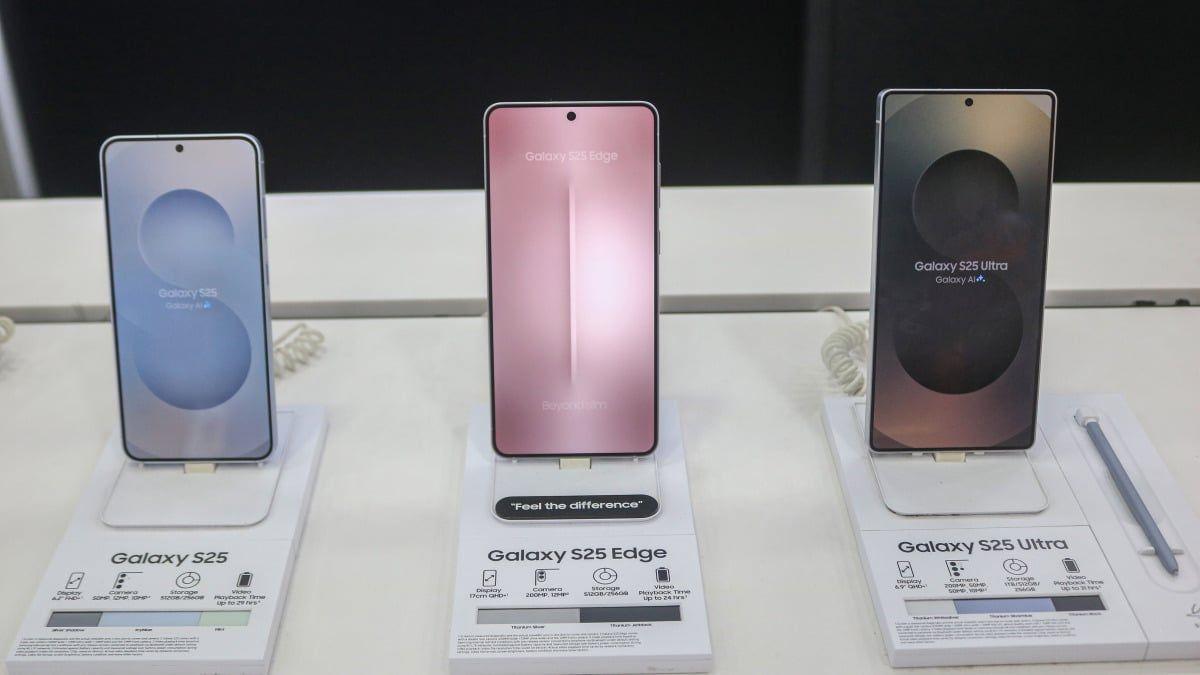
Samsung has officially launched its One UI 8.5 beta program on December 8, making the update available exclusively to Galaxy S25 series owners in the United States, United Kingdom, Germany, Korea, India, and Poland
2
. The public beta launch follows weeks of leaks that revealed the comprehensive leaked feature list, with Samsung now confirming most of the anticipated changes through its official announcement1
. Users can enroll through the Samsung Members app by looking for the "One UI Beta Program" banner and following the enrollment process3
.
Source: Mashable
Improved Galaxy AI Capabilities Drive Content Creation
The One UI 8.5 update significantly expands new AI-powered tools across Samsung's ecosystem. Enhanced Photo Assist now supports continuous image generation, allowing users to apply multiple AI edits—such as eraser, move, or styles—without saving each iteration
2
. When editing is complete, users can review all generated versions in their history and select their preferred result1
. Samsung notes that the Generate Edit feature requires an internet connection and Samsung Account login, and places a watermark on AI-manipulated images5
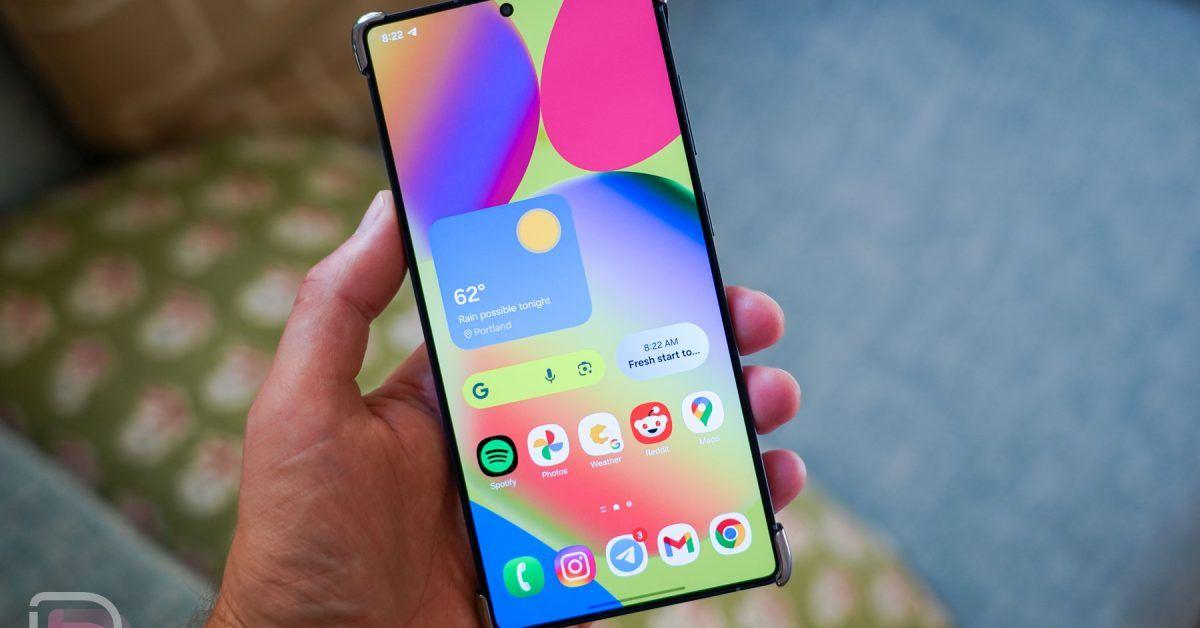
.Bixby receives substantial upgrades in natural language processing, enabling the assistant to understand requests without requiring exact commands or feature names
1
. The updated Bixby can now deliver instant responses without requiring multiple searches or app switching, and includes conversation history accessible through a side panel4
.
Source: Droid Life
Cross-Device Connectivity Expands Through Storage Share
One UI 8.5 introduces Storage Share, a feature that provides seamless cross-device integration across Samsung's hardware lineup
2
. Files from other Samsung phones, tablets, and PCs become accessible through the My Files app on your smartphone, with support extending even to Samsung TVs1
. This cross-device connectivity addresses the growing need for unified file management across multiple devices.Auracast functionality receives notable enhancements through the new Audio Broadcast menu in Settings
3
. Galaxy S25 devices can now broadcast voice through the built-in microphone to nearby Bluetooth LE devices, useful for group situations like tours or events2
. Users can also add Home screen shortcuts for instant Smart View connections to displays1
.Quick Share Gets Proactive Contact Suggestions
Quick Share now automatically identifies people in photos and proactively suggests sending images directly to those contacts
5
. While this speeds up sharing pictures with groups after capturing them, the feature relies on facial recognition technology to match individuals with your contact list2
. This represents Samsung's effort to streamline photo sharing workflows for frequently contacted people.Privacy and Security Features Strengthen Theft Protection
Samsung has expanded Theft Protection capabilities with Failed Authentication Lock, which automatically locks the screen after too many failed verification attempts through PIN or fingerprint
5
. The feature targets scenarios where someone steals an unlocked phone but fails to access secure apps like banking applications2
. After failed authentication attempts, the phone locks completely to prevent further access, adding another layer to Samsung's privacy and security framework.Related Stories
Customization Options and User Interface Refinements
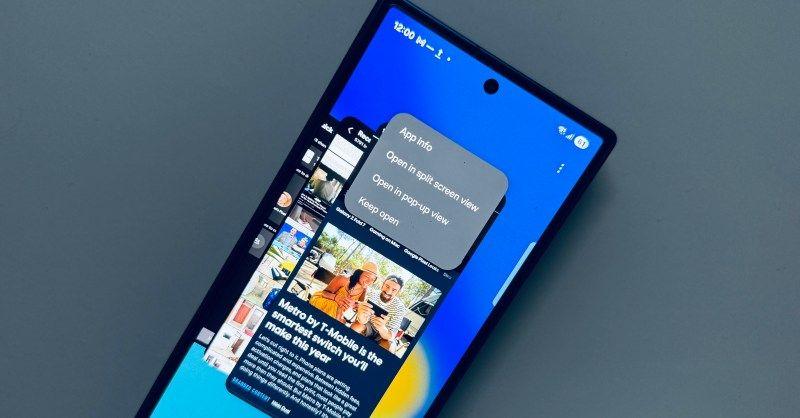
The One UI 8.5 update delivers extensive customization options across the user interface. The Quick Panel now allows users to add, remove, reorder, and reorganize controls according to their preferences
1
. Partial screen recording enables users to select specific portions of the screen for recordings, while automatic lock screen layout adjusts when using wallpapers featuring people or pets4
.
Source: Android Police
Battery performance monitoring receives a redesigned interface that makes it easier to check remaining time, charging status, and daily usage over the past week
1
. Improved Power saving mode offers two options: Standard for moderate savings with customizable limits, or Maximum to disable all non-essential features for extended battery life3
.Beta Risks and Rollout Timeline
As with all beta software, One UI 8.5 may contain bugs and glitches that could interrupt smartphone usage
5
. Samsung recommends backing up important information before enrolling in the beta program. While the current beta is limited to Galaxy S25 series devices, Samsung is expected to expand availability to older Galaxy phones and tablets following a staggered rollout approach4
. The full public release is anticipated sometime next year, potentially coinciding with or following the Galaxy S26 series launch2
.References
Summarized by

Navi
[1]
[5]
Related Stories
Samsung rolls out One UI 8.5 beta 5 for Galaxy S25 ahead of official Galaxy S26 launch
19 Feb 2026•Technology
Samsung Launches One UI 8 Beta for Galaxy S25 Series: AI Enhancements and Android 16 Features
28 May 2025•Technology

Samsung Expands One UI 8 Beta Program and Confirms September Release for Galaxy S25
06 Aug 2025•Technology
Recent Highlights
1
Apple Plans Major Siri AI Overhaul in iOS 27 With Third-Party Chatbot Integration
Technology

2
OpenAI shuts down Sora after six months, ending Disney's $1 billion licensing partnership
Technology

3
AI chatbots validate you too much, making you less kind to others, Stanford study reveals
Science and Research

Recent Highlights
Today's Top Stories



Your Daily Dose of Curated AI News
Don’t drown in AI news. We cut through the noise - filtering, ranking and summarizing the most important AI news, breakthroughs and research daily. Spend less time searching for the latest in AI and get straight to action.

