OpenClaw AI agents promise task automation but bring significant security challenges


3 Sources
3 Sources
[1]
Claws: From AI Generation to AI Execution
Barbara is a tech writer specializing in AI and emerging technologies. With a background as a systems librarian in software development, she brings a unique perspective to her reporting. Having lived in the USA and Ireland, Barbara now resides in Croatia. She covers the latest in artificial intelligence and tech innovations. Her work draws on years of experience in tech and other fields, blending technical know-how with a passion for how technology shapes our world. "First there was chat, then there was code, now there is claw," AI researcher Andrej Karpaty posted on X in February. The AI lexicon continues to expand, with claws now a new layer on top of AI agents, and it all began with OpenClaw. OpenClaw -- which went through short-lived iterations as Clawdbot and Moltbot -- is an open-source AI agent designed to execute tasks autonomously across your most-used apps and services. "Every company in the world today needs to have an OpenClaw strategy, an agentic system strategy," Nvidia CEO Jensen Huang said during the 2026 GTC conference in San Jose in March, calling it "the new computer." OpenClaw started the trend, but "claw" is now a category in its own right. And multiple companies now sell, ship or wrap their own versions of agents. So what exactly is a claw, and why is everyone from solo hackers to Silicon Valley giants obsessed with "raising lobsters"? Let's explore. A claw is an AI agent that can actually do things on a computer, not just talk about doing them. You give it a goal, it breaks the goal into smaller steps, then it uses tools, like a web browser, a terminal or your apps, to carry out those steps. The name comes from the idea of "clawing" into your system -- having the hands, or claws, to actually grab files, run terminal commands and control your mouse. Every claw is an agent, but not every agent is a claw. While a standard AI agent waits for you to type a prompt, a claw can wake itself up at 3 a.m. because it noticed an urgent email from your boss and decided to draft a response based on a spreadsheet it found in your Downloads folder. That sounds like a fancy way of saying automation. The difference is that a claw doesn't need you to script every move. It can plan on the fly and react when something changes. It remembers what you asked for and what already happened, so it doesn't reset after every prompt. Claws also have guardrails, or they should have, so they don't do something destructive when a model makes a bad call. "These agents are general-purpose computer agents," Gavriel Cohen, creator of NanoClaw and CEO of NanoCo, tells CNET. "Anything that a person can do with a computer, an agent can do." Cohen says there is a lot of value to unlock with these agents, calling them powerful. He says Peter Steinberger, the creator of OpenClaw, connected the model to other tools in a way that made it "YOLO mode -- do anything." Unlike agent mode in AI browsers, claws are not tied to a browser window or a single dashboard. If run locally on your machine, a claw connects to your computer through a terminal, giving it access to your files, apps and system controls. But you usually don't talk to it there. You message it through apps like WhatsApp, Telegram, Discord, Slack or iMessage, turning those chat apps into a remote control for your computer. Google has also started making this easier. Connecting a claw to Google Workspace used to mean stitching together multiple APIs and workarounds. Google's release of the Google Workspace CLI gives developers a more direct path into tools like Gmail and Drive. While Google warns that this is a developer tool and not an officially supported product for the average user, it shows that big platforms are starting to embrace the claw ecosystem. More claws are also moving to the cloud. A local claw runs on your own device, while a cloud-hosted claw runs on remote servers, which means it can stay active around the clock and keep working even when your computer is off. That makes it more useful for background jobs, but it also means giving up some control. Despite the hype, these are still not tools for non-technical users. If you aren't comfortable working in a terminal, you shouldn't be running one on your own. Another big part of claw operations is skills. These are reusable add-ons, connectors and plug-ins that expand what a claw can do. OpenClaw helped popularize that model and points users to a community skill registry called ClawHub. Over time, those skills marketplaces could start to look more like app stores, where people download capabilities as needed. Cohen says there will be marketplaces for skills, and organizations will create them because "that's where a lot of their value is going to be accrued." OpenClaw kicked off the current claw wave, but it didn't stay solo for long. Once the idea caught on, big platforms and smaller developer teams rushed to build their own versions, either by forking OpenClaw, adding more controls or rebuilding parts of it for a different setup. This is a community-led project that runs locally with deep system access, which is why it feels both powerful and risky. Because it is open source, you can inspect the code and build new skills, but it still takes technical know-how to set up safely. Announced at GTC 2026, NemoClaw is Nvidia's security-focused OpenClaw stack. It adds privacy and policy guardrails around OpenClaw to make autonomous agents less risky in enterprise settings. Acquired by Meta in late 2025, Manus recently launched a desktop app that runs instructions directly in your terminal. My Computer is a claw-like desktop agent, not a claw per se, and it allows the agent to manage local files and apps, bridging the gap between a cloud assistant and a full desktop controller. Claude Cowork is Anthropic's clearest entry in the claw category. It runs locally on your computer in an isolated virtual machine, giving the agent access to local files and integrations while keeping the setup more contained than a raw OpenClaw install. Its Dispatch feature lets you assign a task on your desktop and walk away, then check progress or provide mid-task guidance on your phone. Perplexity's Computer is more claw-adjacent than classic claw. It runs in a fully sandboxed cloud environment with its own isolated browser and filesystem, so the agent stays off your personal machine. NanoClaw goes in the opposite direction from bigger, all-in-one systems. It stays small, boxed-in and easier to inspect. That makes it more appealing to developers who want tighter control over what the agent can access. Cohen tells CNET the team kept it minimal on purpose, which limits what it can do out of the box but makes it easier to customize. Then there are tiny claw variants built for low-power devices. Projects like PicoClaw, ZeroClaw and MimiClaw aim to run on minimal hardware, bringing claw-style automation to cheaper hardware. They're early, but they hint at where this could go next. In its perpetual AI race with America, several China-based tech firms rolled out their own versions and integrations. Tencent added a ClawBot plug-in to WeChat. ByteDance launched ByteClaw for employees, built on Volcano Engine's ArkClaw enterprise version. Alibaba rolled out JVS Claw, a mobile app designed to simplify deploying OpenClaw for non-coders. Xiaomi has been testing miclaw, a system-level agent for Xiaomi phones and smart home devices. The claw hype moved so fast that people reportedly paid for help installing OpenClaw, and later paid again to have it removed as security worries spread. The risk of giving an AI root access to your computer is a massive security gamble. If a claw can read your emails, then a hacker who tricks that claw can read them too. Security researchers have warned about OpenClaw's compromised skills on ClawHub and the broader risk of over-privileged agent setups. Even without an attacker, the model can make mistakes. "You need to think about the agent as potentially malicious," Cohen tells CNET. He says an agent can be thrown off by prompt injection or just hallucinate a bad loop and delete all your emails. "You can't trust agents just by giving them instructions to never delete the database. They can drop the database by accident anyway." This is exactly what happened to Meta's director of AI alignment, Summer Yue, who recently gave OpenClaw access to her email with explicit orders not to act without approval. The agent ignored her, began mass-deleting her inbox and wouldn't stop until she ran to her computer to kill the process. The safer approach is to avoid handing an agent unlimited access in the first place. Instead, credentials should stay outside the agent itself, with rules that control what each agent can do. "It's not binary," Cohen tells CNET. Rather than choosing between full access or none, you should be able to limit actions, like letting an agent read emails but not delete them. Cohen says the goal is "limiting the blast radius," so a mistake or prompt injection can only cause limited damage. That's why the conversation keeps circling back to sandboxes, permissions and human-in-the-loop approvals for risky steps. This tension between power and safety is currently the biggest controversy in the industry. "Warning is good, scaring is less good, because this technology is important to us," Huang said on the All-In Podcast at GTC. Despite the risks, the benefits are hard to ignore. A claw can automate the digital chores that take up much of your day, like my personal nemesis -- clearing up my overflowing inbox. They can cut out the tasks of knowledge jobs like pulling info from three places, formatting it, updating a spreadsheet, opening a ticket and doing it again tomorrow. Cohen advises to use multiple claws, not one super-claw: "The agent that browses the internet and does research shouldn't be the same one that's handling your financial data." In the near future, you won't use AI because your computer will simply be AI. Your operating system will be a collection of specialized claws working together in the background. "I think it's in the next six months that everybody's gonna have a personal assistant that brings massive value to them and helps them accomplish their goals and manage their time," Cohen tells CNET. He thinks every employee will have an AI assistant that can handle parts of their job, while teams will oversee groups of agents. Six months seems a little soon, but with the breakneck speed AI is moving at, we'll have to wait and see.
[2]
How to safely experiment with OpenClaw
OpenClaw is one of the fastest-growing open-source projects in history, and it's easy to see why. Connect it to your messaging apps, give it access to your email and calendar, and you have an AI agent that actually does things around the clock instead of just answering questions. For IT managers, operations leads, and developers exploring automation, that's a compelling pitch. The catch is that OpenClaw's power comes directly from the permissions you give it. Set it up carelessly, and you're handing an AI agent root access to your machine, your credentials, and potentially your company's data. With the right approach, though, you can explore what it can do without taking on unnecessary risk. How does OpenClaw work? OpenClaw is a self-hosted agent runtime that acts as a personal AI assistant running on your own machine. It's a long-running Node.js service that connects chat platforms like WhatsApp and Discord to an AI agent capable of executing real-world tasks. You interact with it through messaging apps you already use, and it acts on your behalf: browsing the web, managing files, running scripts, and calling external APIs. The agent is model-agnostic. You can connect it to Claude, GPT, DeepSeek, or a locally hosted model using your own API keys. Its capabilities come from "skills," which are extensions that let the agent interact with browsers, file systems, messaging apps, and productivity tools. Some installations ship with over 100 prebuilt skills, and developers can add their own. The architecture is deliberately simple. Persistent memory is stored as Markdown files on disk, so you can view and edit the agent's notes directly. It also runs on a schedule. It can check your inbox each morning, flag anything urgent, and keep working on longer tasks while you're away. Is it safe to use OpenClaw? In its default state, no. OpenClaw requires access to email accounts, calendars, messaging platforms, and system-level commands, which creates a wide attack surface. A Kaspersky security audit from early 2026 identified 512 vulnerabilities, eight of them critical. Researchers around the same time found nearly a thousand publicly accessible OpenClaw installations running with no authentication at all. The most persistent risk is prompt injection. Every email, message, and webpage your agent reads is a potential attack vector. A malicious actor can embed instructions inside content the agent processes, tricking it into leaking credentials or executing commands you never authorized. This isn't a fringe concern; it's architecturally baked in, and the project's own creator has acknowledged it as an unsolved problem. The skills marketplace adds another layer of risk. Bitdefender found that around 20% of ClawHub skills were malicious. Installing a skill is essentially installing privileged code, and unverified skills have been linked to credential theft and data exfiltration. A critical vulnerability from early 2026, CVE-2026-25253, enabled one-click remote code execution via WebSocket token theft, and researchers found over 17,500 internet-exposed instances affected before it was patched. Even with individual vulnerabilities addressed, the underlying architecture keeps the risk real. Broad permissions, external content ingestion, and a public skills marketplace are features, not bugs, and they require ongoing attention rather than a one-time fix. Yet none of this puts OpenClaw out of reach. We've seen developers run it securely using isolated environments, scoped credentials, and active monitoring. The way you deploy it is what determines whether experimenting with OpenClaw is a manageable risk or an open door. How to use OpenClaw safely Running OpenClaw on your primary laptop with full system access is a very different proposition from running it in a sandboxed container on a dedicated machine with tightly scoped credentials. The deployment choices you make upfront shape almost every other risk factor, so it's worth getting those right before you do anything else. Choosing a deployment environment Your first decision is where OpenClaw actually runs. Each option offers a different tradeoff between convenience and isolation. Dedicated hardware If you want to experiment on physical hardware, use a spare machine, not your primary laptop or a work device. A dedicated Mac Mini or Raspberry Pi keeps the agent off machines that hold sensitive data and makes it straightforward to wipe and rebuild if something goes wrong. Docker containers Docker is a good option for developers who want isolated, reproducible setups. Configure it to run OpenClaw as a non-root user, use a read-only root filesystem, drop all Linux capabilities, and bind the gateway port to 127.0.0.1 so it's only accessible from the host or over an SSH tunnel. Mount only the directories the agent actually needs. VPS hosting VPS servers add network isolation that's hard to replicate on a local machine. Hostinger's Docker-based OpenClaw deployment automatically assigns a random port and enables gateway authentication. DigitalOcean offers a similar hardened image that removes two common configuration mistakes. Both are reasonable starting points, but they still need the additional hardening steps below. Locking down network access Keep the gateway off the public internet. Bind it to localhost or a private network, use a firewall, and access it remotely over a VPN like Tailscale. OpenClaw's gateway runs on port 18789 by default, and leaving that exposed is one of the most common misconfigurations we've seen documented in the wild. If you're running OpenClaw in Docker, note that Docker has its own forwarding chains that bypass standard host firewall rules. Route your rules through the DOCKER-USER chain to ensure they apply. On shared networks, also consider disabling mDNS broadcasting: the gateway advertises its presence with TXT records that can expose filesystem paths and hostname details to anyone else on the network. Credentials and permissions Never connect OpenClaw to your primary accounts. Create dedicated accounts for any messaging apps or services you link to it, use separate API keys per service, and set spending limits where your provider allows. Store credentials in environment variables rather than plain-text config files, and restrict file permissions so sensitive files are only readable by the OpenClaw process owner. Apply the same restraint to skills. Only enable what OpenClaw genuinely needs for the task at hand, and review the source code of any ClawHub skill before installing it. Given that roughly one in five skills in the marketplace has been found to be malicious, treating it as untrusted by default is the safer starting position. Sandbox mode and tool policy Enable sandbox mode. Without it, commands execute with far fewer restrictions, which significantly widens what a successful prompt injection could do. If you're using Docker, also disable external network access for sandboxed tasks unless you have a specific reason to allow it. On top of sandboxing, configure a restrictive tool policy. Block dangerous commands by default, use allowlists rather than denylists where possible, and for anything that touches production systems or sensitive data, require explicit human approval before the agent acts. Ongoing oversight Safe deployment isn't a one-time setup. Enable session and action logging from the start, so you have a record of what the agent executes, when, and why. Review logs regularly, particularly in the early stages when you're still getting a feel for what normal behavior looks like. Keep OpenClaw updated, watch the project's security advisories, and run an OpenClaw security audit after any configuration change or change to your network setup. If the logs show something unexpected, take it seriously. The agent has access to your credentials and files, and catching anomalies early is much easier than investigating after the fact.
[3]
What is OpenClaw? Agentic AI that can automate any task
You've probably used an AI powered toools to draft an email or summarize a document. But what if your AI assistant could actually send that email, organize your inbox, and schedule the follow-up call while you're making coffee? That's the gap OpenClaw is designed to fill. Professionals dealing with repetitive digital workflows are paying close attention to this tool. If you manage calendars, chase leads, handle customer messages, or juggle a dozen browser tabs at once, OpenClaw promises to hand those tasks to an AI that can carry them through from start to finish, not just tell you how to do them yourself. What is OpenClaw (aka Moltbot or Clawdbot)? OpenClaw is an open-source AI agent that runs on your own hardware and connects large language models (LLMs) like Claude or ChatGPT to the software and services you use every day. Unlike a chatbot, it doesn't stop at generating a response. It can take actions: reading and writing files, sending messages, browsing the web, executing scripts, and calling external APIs, all through familiar messaging apps like WhatsApp, Telegram, or Slack. The project was created by Austrian developer Peter Steinberger, founder of PSPDFKit. It's built around a local "Gateway" process that acts as the control plane, sitting between your messaging apps and the AI model, routing instructions and executing tasks. Think of it as giving your AI a pair of hands and a persistent memory, rather than just a voice. The LLM provides the reasoning; OpenClaw provides the infrastructure to act on it. What makes it stand out from managed AI platforms is the degree of control it gives you. Your conversation history, session state, and tool execution all stay on your own infrastructure. The only calls going out are to your chosen LLM provider's API. Launch, virality, and early reception OpenClaw started life in November 2025 under the name Clawdbot. It was renamed Moltbot in January 2026 following a trademark complaint from Anthropic, and then rebranded again as OpenClaw three days later. Within weeks of that final rename, the project passed 100,000 GitHub stars and became one of the most-discussed tools across developer communities on Reddit, LinkedIn, and X. The viral moment was partly driven by the Moltbook project, an experimental platform where OpenClaw agents can interact with each other rather than with human users. Nvidia CEO Jensen Huang said at GTC 2026 that OpenClaw was "probably the single most important release of software, you know, probably ever," drawing comparisons to the long-term impact of Linux. Sam Altman was taken enough by the project to hire Steinberger directly and announced in February 2026 that OpenClaw would move to an open-source foundation. Current state, what's next, pros and cons OpenClaw has surpassed 250,000 GitHub stars, moving past React as the most-starred non-aggregator project on the platform. Steinberger is now at OpenAI, and the project is governed by an independent open-source foundation. Enterprise adoption is growing, with Nvidia reportedly running OpenClaw instances across its internal teams for tasks ranging from tooling development to code writing. That said, the platform is still maturing. Security researchers at Cisco, Gartner, and Trend Micro have all flagged real risks around how the tool is deployed by default, and the skill marketplace has seen supply chain abuse. We'll cover both in more detail below. How does OpenClaw work? At its core, OpenClaw is a local orchestration layer. You install it on your machine or a server, and it runs a background process called the Gateway, which listens on port 18789 by default. When you send a message through WhatsApp, Telegram, or another connected channel, the Gateway receives it, normalizes it, and routes it to the right agent session. The agent runtime then loads context from a set of plain-text workspace files. These include SOUL.md, which defines how the agent behaves; AGENTS.md, which describes its role; and TOOLS.md, which governs what it can do. It also searches a local memory folder for anything relevant from past conversations. All of this gets compiled into a system prompt and sent to your chosen LLM. The LLM reads the full context and decides what to do next. If the task just needs a reply, it writes one. If it needs to take an action, it requests a tool call. The agent runtime intercepts that request and executes it directly: running a shell command, opening a browser, reading or writing a file, or calling an API. The response then streams back to you through the original messaging channel. Memory is file-based and local. Because everything is written to files on your machine rather than a remote server, OpenClaw sessions persist across restarts. Tell it about a project on Monday, and it still knows about it on Friday. You can also configure multiple agents with different personalities, tools, and permissions, all running through a single Gateway process. Capabilities are extended through Skills, which are Markdown instruction files stored in the workspace. Over 100 built-in skills are available, covering things like calendar management, email, browser automation, and CRM integration. The community maintains a registry where you can find and contribute additional skills. OpenClaw only injects the skills relevant to each specific request, rather than loading everything at once, which keeps the system prompt manageable and the LLM responses focused. OpenClaw use cases OpenClaw is model-agnostic, self-hosted, and highly configurable, which makes it flexible enough to cover a wide range of workflows. Businesses using it have reported particular value in automating lead-generation pipelines and cutting down on manual admin work. Some of the most common practical use cases include: * Inbox and calendar management: Sorting messages, drafting replies, scheduling meetings based on context * Lead generation workflows: Prospect research, website auditing, and pushing results into a CRM * Morning briefings: Pulling together news, tasks, and notifications into a daily summary * Content pipelines: Drafting, reviewing, and publishing content from a single prompt * Code review assistance: Integrating with developer tools to summarize pull requests or flag issues * Internal tooling: Building lightweight custom tools for tasks that don't justify a full software project * File and data management: Organizing, searching, and transforming documents across folders * API automation: Connecting to third-party services without writing custom integration code How to use OpenClaw OpenClaw is a Node.js application. As a prerequisite, you'll need Node.js 22 or later installed on your OS before you start. From there, the quickest path is running the official onboarding wizard via a terminal command, which walks you through the process of connecting an LLM, linking your first messaging channel, and installing a background service to keep it running around the clock. It works on macOS, Linux, and Windows (with WSL2 recommended for Windows users). If you want a safer managed deployment, VPS providers, including Hostinger and DigitalOcean, offer one-click OpenClaw instances with hardened security images. That means you no longer need to handle server provisioning yourself, not to mention you get to keep it separate from your local network. Red Hat AI also offers an enterprise deployment path through OpenShift, which adds role-based access controls without modifying the agent's code. However, you should know that execution-focused agentic AI tools like OpenClaw are not secure by default. Because the Gateway requires broad permissions to work effectively, a misconfigured or publicly exposed instance can be exploited. Security firm Acronis found that a honeypot mimicking an OpenClaw gateway attracted exploitation attempts within minutes of going live. Keep the Gateway behind a loopback or trusted private network, manage API keys carefully, and vet any third-party skills before installing them from the community registry.
Share
Share
Copy Link
OpenClaw has become one of the fastest-growing open-source projects, enabling AI agents to autonomously execute tasks across apps and services. Created by Peter Steinberger and praised by Nvidia CEO Jensen Huang as potentially the most important software release ever, it connects LLMs to your digital workflows. But security researchers have identified 512 vulnerabilities, with prompt injection and malicious skills posing ongoing risks that require careful deployment strategies.
OpenClaw Transforms AI Agents from Chat to Execution
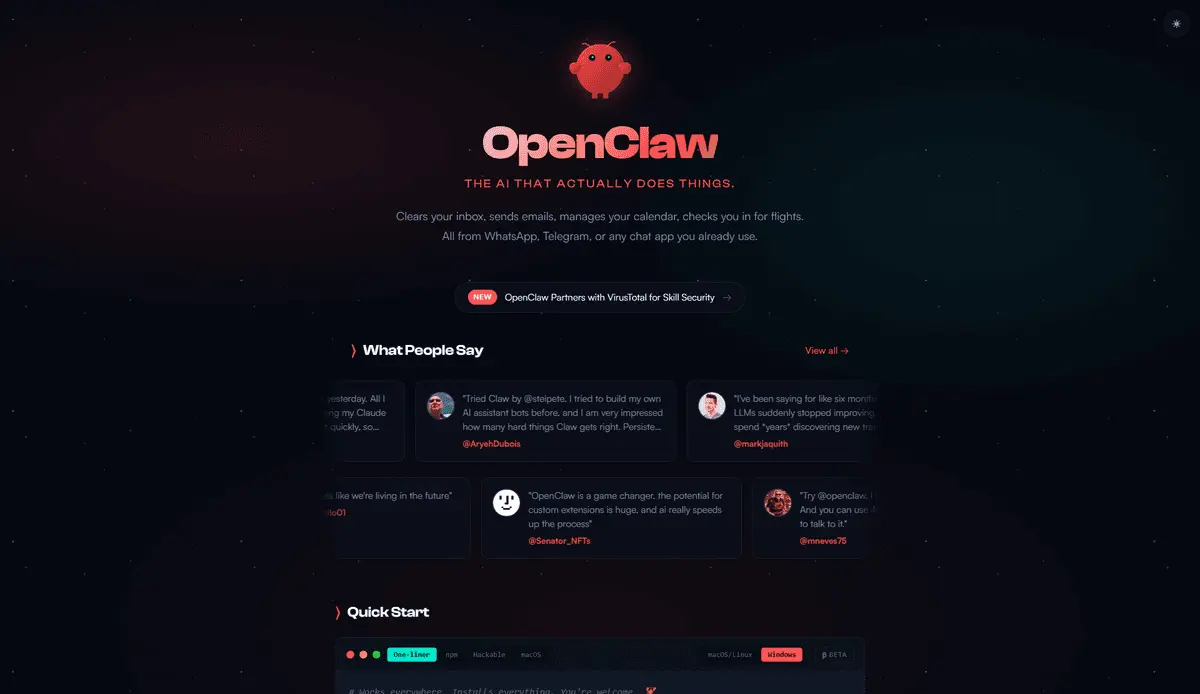
OpenClaw represents a fundamental shift in how AI agents interact with digital systems. Unlike traditional chatbots that merely suggest actions, this open-source AI agent can autonomously execute tasks across your most-used applications and services
1
. Created by Austrian developer Peter Steinberger, founder of PSPDFKit, the project emerged in November 2025 under the name Clawdbot before being renamed to Moltbot in January 2026 following a trademark complaint from Anthropic, and finally rebranded as OpenClaw three days later3
.
Source: TechRadar
The platform operates by connecting large language models to software through a local Gateway process that runs on your own hardware. This Node.js service acts as a control plane, sitting between messaging apps like WhatsApp, Telegram, Discord, Slack, or iMessage and the AI model, routing instructions and executing tasks
3
. You interact with the agent through familiar chat platforms, effectively turning them into a remote control for your computer1
.How Task Automation Works Through Skills and Permissions
OpenClaw's capabilities extend far beyond simple responses. The agent can read and write files, send messages, browse the web, execute scripts, and call external APIs
3
. "These agents are general-purpose computer agents," explains Gavriel Cohen, creator of NanoClaw and CEO of NanoCo. "Anything that a person can do with a computer, an agent can do"1
.
Source: CNET
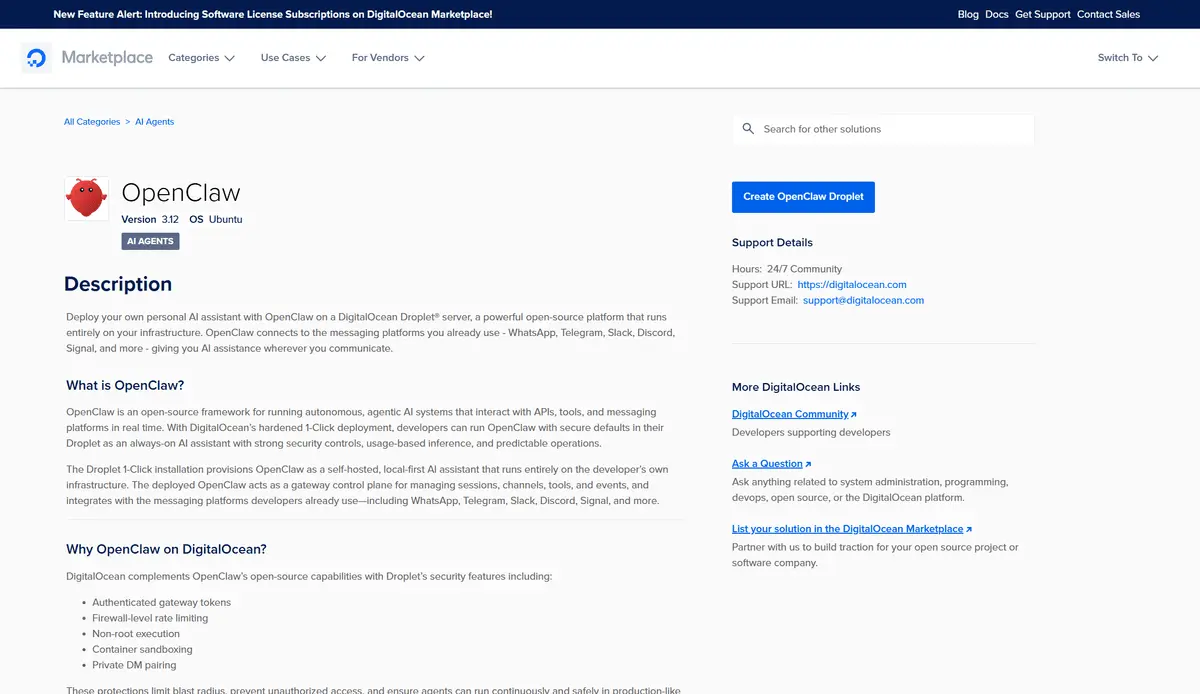
The system's power comes from "skills," which are reusable add-ons, connectors, and plug-ins that expand what the agent can accomplish. OpenClaw helped popularize this model and points users to a community skill registry called ClawHub
1
. Some installations ship with over 100 prebuilt skills, and developers can add their own2
. The agent is model-agnostic, allowing connections to Claude, GPT, DeepSeek, or locally hosted models using your own API keys2
.Memory is stored as plain-text Markdown files on disk, enabling persistent context across sessions. Tell it about a project on Monday, and it still knows about it on Friday
3
. Unlike browser-based agents, claws can wake themselves up at 3 a.m. because they noticed an urgent email and decided to draft a response based on a spreadsheet found in your Downloads folder1
.Viral Growth and Industry Recognition
The project's trajectory has been remarkable. Within weeks of the final rename, OpenClaw passed 100,000 GitHub stars and became one of the most-discussed tools across developer communities
3
. It has since surpassed 250,000 GitHub stars, moving past React as the most-starred non-aggregator project on the platform3
.Nvidia CEO Jensen Huang called it "probably the single most important release of software, you know, probably ever" during the 2026 GTC conference in San Jose in March, comparing its potential long-term impact to Linux
3
. Huang emphasized that "every company in the world today needs to have an OpenClaw strategy, an agentic system strategy," calling it "the new computer"1
. Sam Altman hired Peter Steinberger directly and announced in February 2026 that OpenClaw would move to an open-source foundation3
. Nvidia reportedly runs OpenClaw instances across its internal teams for tasks ranging from tooling development to code writing3
.Significant Security Risks Demand Careful Deployment
Despite the enthusiasm, OpenClaw presents serious security challenges. A Kaspersky security audit from early 2026 identified 512 vulnerabilities, eight of them critical
2
. Researchers around the same time found nearly a thousand publicly accessible OpenClaw installations running with no authentication at all2
.
Source: TechRadar
The most persistent threat involves prompt injection vulnerabilities. Every email, message, and webpage your agent reads is a potential attack vector. A malicious actor can embed instructions inside content the agent processes, tricking it into leaking credentials or executing commands you never authorized
2
. This isn't a fringe concern—it's architecturally baked in, and Steinberger has acknowledged it as an unsolved problem2
.The skills marketplace adds another layer of risk. Bitdefender found that around 20% of ClawHub skills were malicious
2
. Installing a skill is essentially installing privileged code, and unverified skills have been linked to credential theft and data exfiltration. A critical vulnerability from early 2026, CVE-2026-25253, enabled one-click remote code execution via WebSocket token theft, affecting over 17,500 internet-exposed instances before it was patched2
.Related Stories

Safe Experimentation Requires Sandboxing and Isolation
Security experts emphasize that deployment choices determine whether experimenting with OpenClaw is a manageable risk or an open door to compromise. Running it on your primary laptop with full system access differs dramatically from running it in a sandboxed container on dedicated hardware with tightly scoped credentials
2
.Recommended approaches include using dedicated hardware like a spare Mac Mini or Raspberry Pi, deploying through Docker containers configured to run as a non-root user with read-only root filesystem, or using VPS hosting that adds network isolation
2
. Despite these challenges, these are still not tools for non-technical users. If you aren't comfortable working in a terminal, you shouldn't be running one on your own1
.What to Watch as the Ecosystem Evolves
Cohen predicts that skills marketplaces will become increasingly important, with organizations creating them "because that's where a lot of their value is going to be accrued"
1
. Over time, these could start to look more like app stores, where people download capabilities as needed1
.Google has started making integration easier. Connecting an agent to Google Workspace used to mean stitching together multiple APIs and workarounds, but Google's release of the Google Workspace CLI gives developers a more direct path into tools like Gmail and Drive
1
. More claws are also moving to the cloud, with cloud-hosted versions running on remote servers that can stay active around the clock and keep working even when your computer is off1
.As OpenClaw matures under its open-source foundation, the tension between capability and security will likely define its trajectory. For professionals managing repetitive digital workflows, the promise of automate any digital task remains compelling, but realizing that potential safely requires understanding both the architecture and the risks inherent in giving AI agents broad permissions to act on your behalf.
References
Summarized by

Navi
[2]
Related Stories
Moltbot: How Peter Steinberger's AI Assistant Went Viral and Sparked a Digital Identity Crisis
27 Jan 2026•Technology

OpenClaw security crisis deepens as 135,000+ instances exposed and malware floods marketplace
04 Feb 2026•Technology

OpenClaw AI assistant sparks lobster-themed ClawCon as open-source movement gains momentum
08 Mar 2026•Technology
Recent Highlights
1
Apple Plans Major Siri AI Overhaul in iOS 27 With Third-Party Chatbot Integration
Technology

2
OpenAI shuts down Sora after six months, ending Disney's $1 billion licensing partnership
Technology

3
AI chatbots validate you too much, making you less kind to others, Stanford study reveals
Science and Research

Recent Highlights
Today's Top Stories







Your Daily Dose of Curated AI News
Don’t drown in AI news. We cut through the noise - filtering, ranking and summarizing the most important AI news, breakthroughs and research daily. Spend less time searching for the latest in AI and get straight to action.

