YouTube TV app gets Ask button AI feature after mobile success


2 Sources
2 Sources
[1]
YouTube's TV app gains a feature from its mobile version
Karandeep Singh Oberoi is a Durham College Journalism and Mass Media graduate who joined the Android Police team in April 2024, after serving as a full-time News Writer at Canadian publication MobileSyrup. Prior to joining Android Police, Oberoi worked on feature stories, reviews, evergreen articles, and focused on 'how-to' resources. Additionally, he informed readers about the latest deals and discounts with quick hit pieces and buyer's guides for all occasions. Oberoi lives in Toronto, Canada. When not working on a new story, he likes to hit the gym, play soccer (although he keeps calling it football for some reason🤔) and try out new restaurants in the Greater Toronto Area. For roughly a year and a half now, YouTube users have had access to a cool AI feature that lets them Ask Gemini about the videos they're watching, essentially turning a passive viewing experience into a conversational one. The conversational Ask feature has proven useful on mobile and the web, and Google is now ready to port the feature to the biggest screen in your house. Related I stopped watching YouTube the old way after trying this Gemini feature It completely changed how I watch YouTube Posts 18 By Anu Joy For those unaware, YouTube's Ask feature can summarize what the video you're on is about, explain it in detail, and even extract key takeaways without needing to jump between apps. Additionally, the tool can also recommend similar content, suggest relevant question prompts, share pros and cons when you're watching videos about a device, and more. Starting today, the conversational AI tool is making its way to the biggest screen in your house. The streaming giant announced the development in a new blog post, indicating that the feature aims to make "the living room experience more interactive than ever." Unlike the tool's positioning on the web, 'Ask,' on YouTube for TVs, will live right within the progress bar's tools. Pressing the up arrow key on your remote should bring up the bar, allowing you to navigate to the Ask tool denoted by a sparkle (Gemini) icon. Once triggered, you'll be shown a new chat-like UI with pre-populated relevant prompts. You can use one of the prompts or press the mic button on your remote to use your voice. Subscribe for in-depth coverage of YouTube's Ask on TV Join our newsletter and get clear breakdowns and practical tips on YouTube's Gemini Ask for TVs and other AI video features. Subscribe for focused coverage that explains how these in-video tools work, what they surface, and how to use them effectively. Get Updates By subscribing, you agree to receive newsletter and marketing emails, and accept our Terms of Use and Privacy Policy. You can unsubscribe anytime. The tool uses Gemini under the hood, though don't expect it to give you general information. It is tuned to highlight information about videos only. The Ask button hasn't shown up on my Google TV's YouTube app yet. Is the tool available to you? Let us know in the comments below!
[2]
YouTube's conversational 'Ask' button is rolling out to TV apps
YouTube is ending testing for its conversational "Ask" AI feature on TVs and rolling it out to all users soon. The "Ask" button has been a part of YouTube's mobile app since 2023, but it was only ever in testing until an official release last year. Once Google's conversational AI was in a good place, the tool found a home on the mobile app while leaving the TV version out of the loop. That's changed as YouTube announced the TV app is getting access to the conversational "Ask" AI button. It will work in much the same way as the Android and iOS YouTube apps and on the web. Once you hit the "Ask" chip in the video's control HUD, a menu shade will appear from the right. Voice input will be detected through the remote's built-in mic, and from there, you can ask anything about the video. Google explains: Try using your TV remote's microphone to ask questions about the video you're watching, or select the sparkle icon to get started Watching your favorite artist's latest music video? Ask questions while you watch to learn the meaning behind the lyrics Tuning into a podcast and missed something they said? Ask for a breakdown to help decode the episode Planning an upcoming trip to Japan? Ask something like "How to navigate Tokyo's public transport easily?" Or, you can choose from suggested prompts such as "recommend related content" If your TV remote does not have a microphone, recommended entries wil be listed in the AI menu. That might include generic questions, but most TVs with access to the YouTube app will have a microphone built into the remote. The post leaves out additional details regarding an update timeline, and Google simply says the tool is "coming." We imagine this is sooner rather than later, since the AI feature has been in testing on TV apps since late February 2026.
Share
Share
Copy Link
YouTube is bringing its conversational Ask button to TV apps, allowing users to interact with videos using Gemini-powered AI. The feature, available on mobile since 2023, lets viewers ask questions about videos, get summaries, and receive content recommendations using voice input through their TV remote.
YouTube Brings Conversational AI Feature to TV Apps
For roughly a year and a half, YouTube users on mobile and web have enjoyed the Ask Gemini AI feature that transforms passive watching into an interactive viewing experience
1
. Now, the streaming giant is expanding this conversational AI feature to the YouTube TV app, making it available on the biggest screen in most homes2
.
Source: Android Police
The Ask button has been part of YouTube's mobile version since 2023, initially in testing before its official release last year
2
. Google announced the rollout in a blog post, stating the feature aims to make "the living room experience more interactive than ever"1
.How to Access and Use the Ask Button on TV
Unlike its positioning on the web version, the Ask button on YouTube for TVs lives directly within the progress bar's tools
1
. Users can press the up arrow key on their TV remote to bring up the bar, then navigate to the Ask tool marked by a sparkle Gemini icon. Once triggered, a chat-like user interface appears with suggested prompts already populated1
.Voice input is detected through the remote's built-in microphone, allowing viewers to ask questions about the video naturally
2
. For remotes without a microphone, recommended entries will be listed in the AI menu instead2
.What the AI Feature Can Do
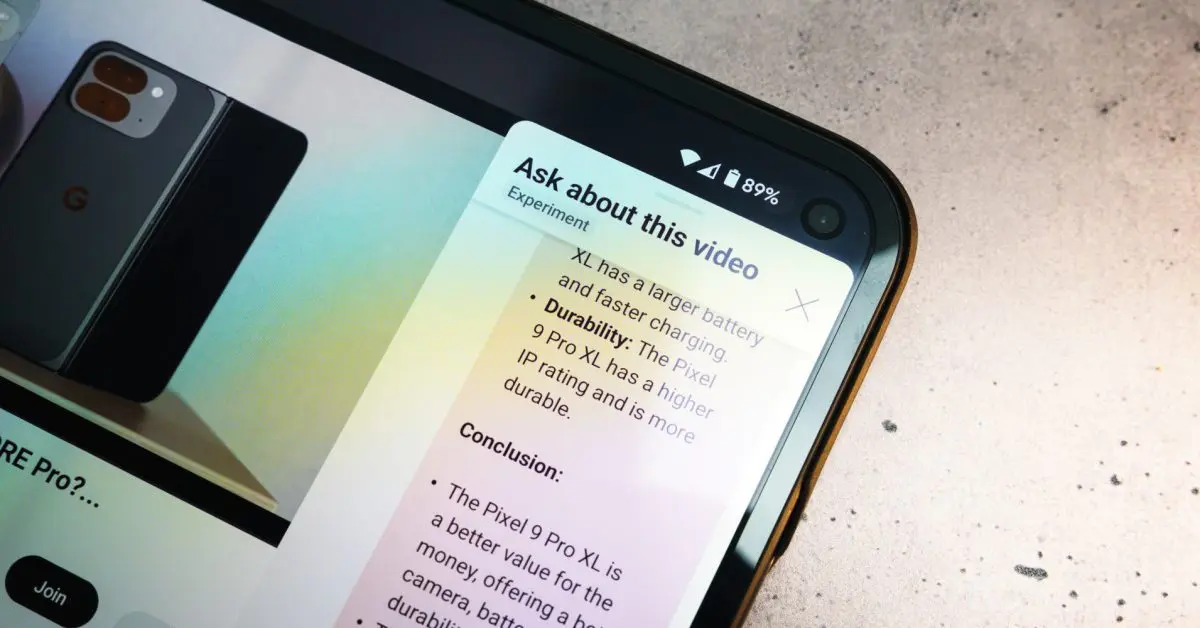
The Ask feature can summarize video content, explain topics in detail, and extract key takeaways without requiring users to jump between apps
1
. It can also recommend related content, suggest relevant question prompts, and share pros and cons when watching product review videos1
.
Source: 9to5Google
Google provides several use cases: asking about the meaning behind lyrics in music videos, requesting breakdowns of podcast episodes, or inquiring "How to navigate Tokyo's public transport easily?" while watching travel content
2
. The tool uses Gemini under the hood but is specifically tuned to highlight information about videos only, not general queries1
.Related Stories



Rollout Timeline and Availability
The feature has been in testing on TV apps since late February 2026 and is now rolling out to all users
2
. While Google simply states the tool is "coming" without providing specific dates, the expectation is sooner rather than later given the completed testing phase2
. This expansion represents YouTube's continued effort to integrate AI capabilities across all platforms, ensuring feature parity between mobile, web, and television interfaces while adapting the user interface to each screen size and input method.References
Summarized by

Navi
[1]
Related Stories
Recent Highlights


Recent Highlights
Today's Top Stories




Your Daily Dose of Curated AI News
Don’t drown in AI news. We cut through the noise - filtering, ranking and summarizing the most important AI news, breakthroughs and research daily. Spend less time searching for the latest in AI and get straight to action.

