Circle to Search set to default to AI Mode as Google pushes conversational search experience


2 Sources
2 Sources
[1]
Circle to Search may be about to change how you experience its output
A new Circle to Search workflow could instead pull up AI Mode results first. If you're not using Circle to Search on a regular basis, chances are you're not getting the most out of your phone. Google's screen-searching tool has emerged as one of Android's most useful features, letting us effortlessly pull text out of images, track down where pictures where taken, and so much more. Today we're taking a look at what could be coming up next for Circle to Search, with Google tweaking how it delivers its analysis. So far, you get started with Circle to Search with a long press on the home button or nav handle, then highlight the section of the screen you're interested (and spoiler: You don't actually need to draw a circle). Then you see a card slide up from the bottom of the screen with your results: Right now, these are normal Google Search results -- we usually see an AI Overview up top, then visual matches, and websites below. And if you want to focus on another kind of results, or jump over to AI Mode, you can get there with a tap. Looking through the changes present in version 17.3.59.sa.arm64 beta of the Google app for Android, we've been able to activate a slightly different workflow for Circle to Search. None of this is yet user-facing, even with this latest update, but Google has implemented the groundwork for having Circle to Search present its results with more of an AI focus. With this new workflow enabled, you still initiate a Circle to Search session the very same way as before, but now, Google defaults to AI Mode for its output: Critically, you're not forced to stick with AI Mode, and just like now, you can switch between all your options for results by just tapping on the bar. Considering Google's increasing emphasis on all things AI, this kind of prioritization makes a lot of sense. Like we said, it's not live just yet, but we would not be surprised at all to see Google flip the switch on this -- even if that just means some A/B testing -- in the near future.
[2]
Circle to Search might soon prioritize conversational answers over links
Karandeep Singh Oberoi is a Durham College Journalism and Mass Media graduate who joined the Android Police team in April 2024, after serving as a full-time News Writer at Canadian publication MobileSyrup. Prior to joining Android Police, Oberoi worked on feature stories, reviews, evergreen articles, and focused on 'how-to' resources. Additionally, he informed readers about the latest deals and discounts with quick hit pieces and buyer's guides for all occasions. Oberoi lives in Toronto, Canada. When not working on a new story, he likes to hit the gym, play soccer (although he keeps calling it football for some reason🤔) and try out new restaurants in the Greater Toronto Area. If you've been using Circle to Search (CtS) on a daily basis, Google's (potential) upcoming update for the feature might just be a game changer for you. CtS is amazing for on-the-go queries, where you quickly want to find out more about something you see on your screen. Currently, CtS does so by running a Google Search for circled elements. This view, more often than not, highlights an AI Overview at the very top, followed by 'Visual matches,' and relevant web results. This standard layout, however, might soon change. 7 ingenious ways to use Google's Circle to Search feature Search what's on your screen with ease Posts 1 By Faith Leroux Google's been pushing Search's AI Mode to the front since its release last year, with the conversational Search tool recently gaining Personal Intelligence as well. Google wants to ensure that all the AI Mode upgrades actually help supercharge the search experience, and that's likely why it is now leveraging CtS. Adopting a new standard, CtS has been found to use AI Mode to surface answers, instead of AI Overviews. Standard results are still there The development was highlighted by the folks over at Android Authority after digging through beta version 17.3.59.sa.arm64 of the Google app for Android. This isn't live for users yet, though if and when it does go live, it will make AI Mode the default search result provider for CtS queries. Powered by Gemini 3, AI Mode should be able to offer more detailed answers, complete with the option for users to quickly hop into a back-and-forth conversation with the AI tool. Subscribe to the newsletter for Search AI insights Want expert context on Search AI developments? Subscribe to the newsletter for clear, jargon-free breakdowns of search and AI product changes, practical implications for users, and thoughtful analysis across related features. Subscribe By subscribing, you agree to receive newsletter and marketing emails, and accept Valnet's Terms of Use and Privacy Policy. You can unsubscribe anytime. Additionally, you're not necessarily limited to AI Mode results. Users can easily tap 'All' in the top bar to see regular search results. This comes soon after Google made it so that all follow-up CtS queries defaulted to AI Mode. That was likely just a test for what Google seems to be experimenting with the new beta now. Follow up questions on Circle to Search now default to AI Mode CtS is getting smarter Posts By Karandeep Singh Oberoi
Share
Share
Copy Link
Google is preparing to shift Circle to Search toward AI Mode as its default output, replacing traditional search results with conversational AI answers. The change was discovered in beta version of the Google app and reflects the company's broader strategy of integrating AI into search tools, though users can still switch back to standard web results.
Google Shifts Circle to Search Toward AI-First Results
Google is testing a significant workflow change for Circle to Search that would make AI Mode the default output instead of traditional Google Search results
1
. The adjustment was discovered in beta version 17.3.59.sa.arm64 of the Google app for Android, where developers found code implementing the groundwork for an AI-focused search experience2
. Currently, Circle to Search displays standard Google Search results first, typically featuring AI Overviews at the top, followed by visual matches and web results below1
.
Source: Android Police
How the New Workflow Changes User Experience
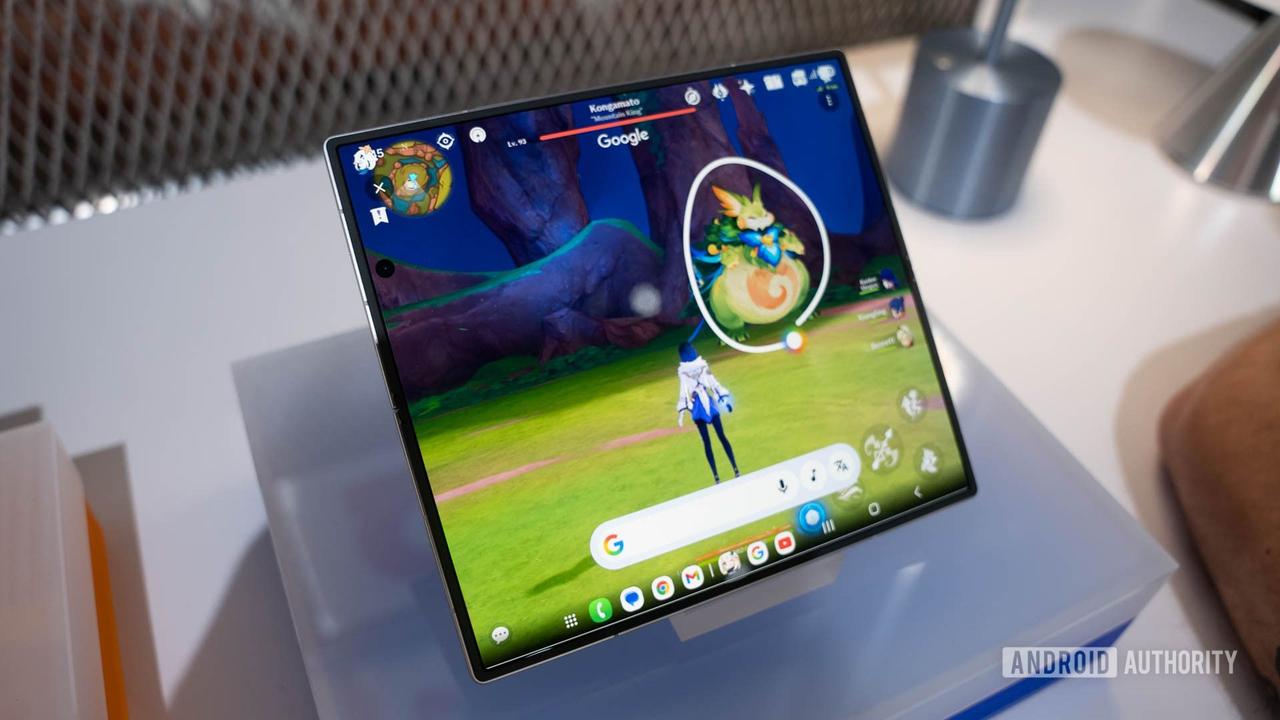
The updated approach maintains the same initiation method—users still long-press the home button or navigation handle and highlight screen content—but the results presentation shifts dramatically
1
. Instead of seeing traditional search listings, users will encounter conversational AI answers powered by Gemini 3, designed to prioritize conversational answers over links2
. This change aims to deliver more detailed responses with the option for back-and-forth conversation with the AI tool. Users aren't locked into this format, however. The interface allows easy switching between AI Mode and standard results by tapping the bar at the top, ensuring access to conventional web results remains just one tap away1
2
.
Source: Android Authority
Strategic Push for AI Integration Across Search Tools
This development aligns with Google's broader strategy of integrating AI into search tools throughout its ecosystem. The company has been actively pushing AI Mode since its release last year, recently adding Personal Intelligence capabilities to enhance the conversational search experience
2
. The shift follows an earlier test where all follow-up Circle to Search queries defaulted to AI Mode, suggesting Google has been gradually testing user acceptance of AI-first results2
. While the feature isn't yet user-facing, analysts expect Google could activate it soon, potentially through A/B testing to gauge user response before a full rollout1
.Related Stories


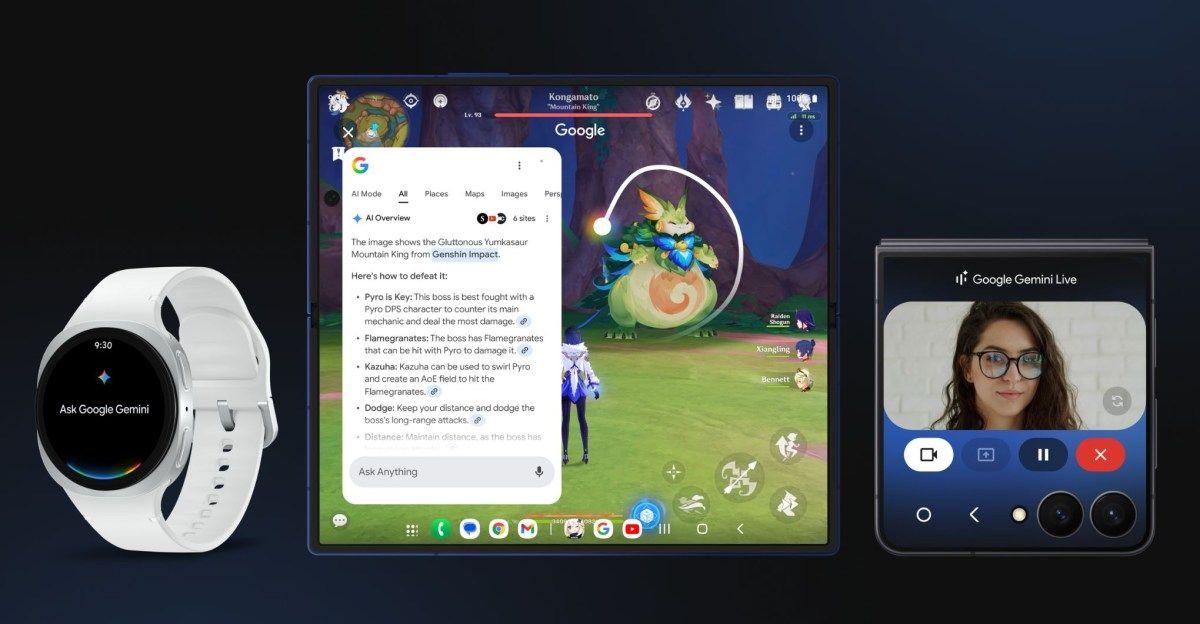

What This Means for Android Users
For Android users who rely on Circle to Search for quick on-screen queries, this change could fundamentally alter how they interact with information. The emphasis on conversational AI responses suggests Google believes users prefer immediate, synthesized answers over traditional link-based results. This approach may prove particularly valuable for complex queries where context and follow-up questions matter more than simple fact-finding. However, the success of this workflow will depend on whether AI Mode can consistently deliver accurate, helpful responses that match or exceed the utility of traditional search results. As Google continues refining its AI capabilities, watching how users adapt to this shift will signal whether conversational search truly represents the future of mobile information discovery.
References
Summarized by

Navi
[1]
[2]
Related Stories
Recent Highlights
1
Google releases Gemma 4 with Apache 2.0 license, enabling unrestricted local AI on devices
Technology

2
AI Models Lie and Deceive to Protect Other AI Models From Deletion, Study Reveals
Science and Research

3
Anthropic discovers functional emotions in Claude that actively shape AI behavior and decisions
Science and Research

Recent Highlights
Today's Top Stories




Your Daily Dose of Curated AI News
Don’t drown in AI news. We cut through the noise - filtering, ranking and summarizing the most important AI news, breakthroughs and research daily. Spend less time searching for the latest in AI and get straight to action.

