Google Integrates AI Mode into Circle to Search for Enhanced Follow-Up Queries


5 Sources
[1]
Circle to Search now lets you have deeper conversations about what's on your screen
With this change, however, any queries are now automatically taken up by AI Mode. This aligns with our findings from an earlier Authority Insights post from June, in which AI Mode addressed queries. Take a look in the vide below: This improvement could strengthen the integration between Circle to
[2]
Follow up questions on Circle to Search now default to AI Mode
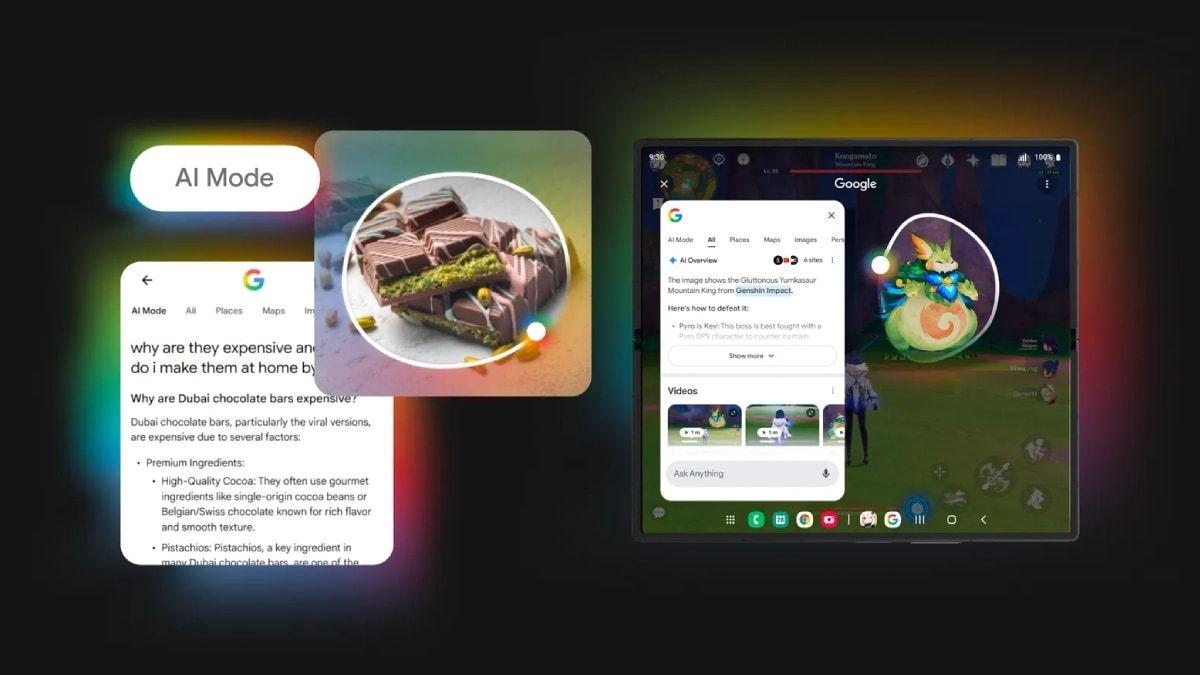
After successfully making its way to Circle to Search (CtS), Google's AI Mode is now receiving a critical update that makes it all the more useful (and conversational) for your quick on-screen queries. For reference, Google's improved CtS with AI Mode first rolled out to Samsung's latest foldables
[3]
Circle to Search follow-ups switching to AI Mode with bottom search bar
Google is testing an update to Circle to Search on Android that sees any follow-up queries routed to AI Mode with a new bottom search bar design. Previously, after using Circle to Search, the bottom sheet that appears would match the usual results page. This includes the bar at the top that lets
[4]
Google is supercharging Circle to Search with AI Mode, giving you better follow-up answers
By blending visual lookup with AI-powered reasoning, the update turns every circle gesture into a smarter, more intuitive way to explore what's on your screen. What's happened? Google's Circle to Search is now using AI mode for follow-up queries by default, shifting away from the standard image
[5]

Google Enhances Circle to Search With AI Mode for Additional Questions
Update improves tasks like homework help, visual problem-solving Google is steadily strengthening the usefulness of Circle to Search, a feature designed to make on-screen discovery quicker and more intuitive. What began as a simple way to circle items on your display and pull up information is now
Share
Copy Link
Google is rolling out an update to Circle to Search that automatically routes follow-up queries through AI Mode, featuring a new bottom search bar design and improved conversational capabilities for Android users.
Enhanced Integration Transforms Visual Search Experience
Google is rolling out a significant update to its Circle to Search feature that fundamentally changes how follow-up queries are handled on Android devices. The update, which appears in Google app version 16.47.49, now automatically routes all additional text queries through AI Mode instead of reverting to standard image search results
1
2
.This change addresses a previous limitation where users could get AI-powered responses for their initial Circle to Search query, but any follow-up questions would default to regular image search with standard, non-AI results. The new implementation maintains continuity within the AI-powered experience, creating a more conversational and contextually aware search interaction
5
.
Source: Gadgets 360
New Interface Design and User Experience
The update introduces a redesigned interface featuring a new search bar positioned at the bottom of the Circle to Search results panel. This bottom-docked search bar replaces the previous top-positioned search functionality, with the top-left corner now displaying only the gradient 'G' logo
3
. Users can tap "Ask anything" with microphone support for voice input, which brings up the full AI Mode experience complete with suggested queries that maintain the Circle to Search context.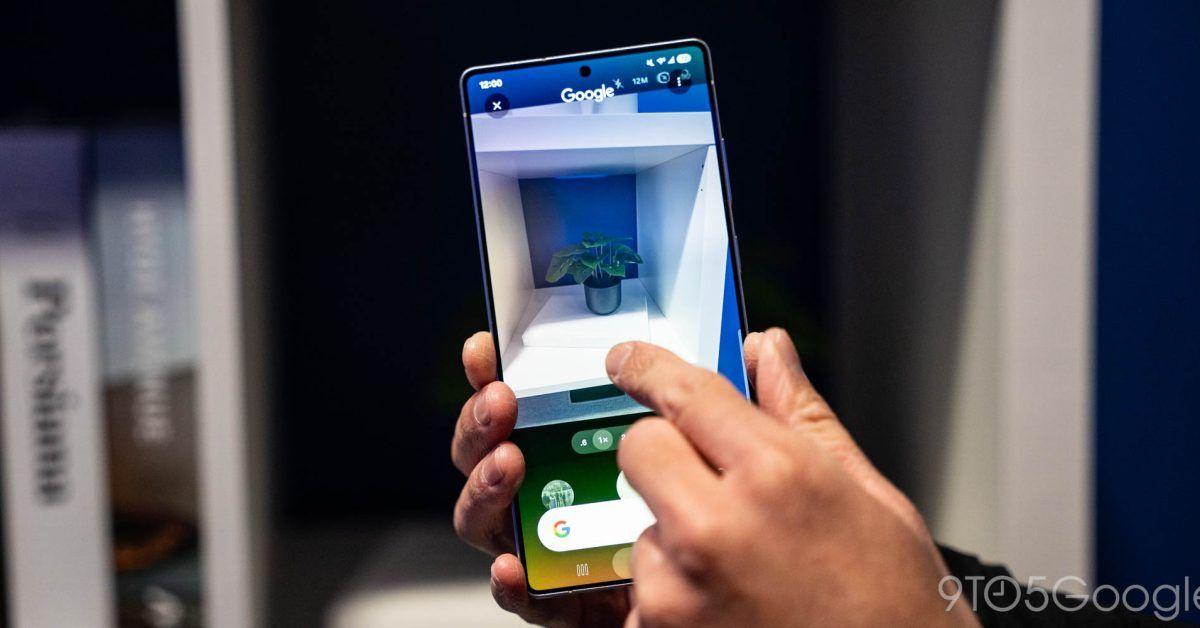
Source: 9to5Google
The new design also includes a floating pill in the bottom-right corner for providing thumbs up/down feedback, and a plus menu that provides access to additional features like Nano Banana
3
. This interface change reflects Google's broader experimentation with bottom search bars, which had been tested previously but never launched widely until now.Expanded Capabilities and Use Cases
The integration with AI Mode significantly expands Circle to Search's capabilities beyond simple visual lookup. The feature now supports multimodal inputs and leverages Gemini's reasoning capabilities, providing richer and more contextually relevant answers for follow-up questions
4
. This enhancement is particularly beneficial for educational use cases, including homework assistance, visual problem-solving, and research tasks.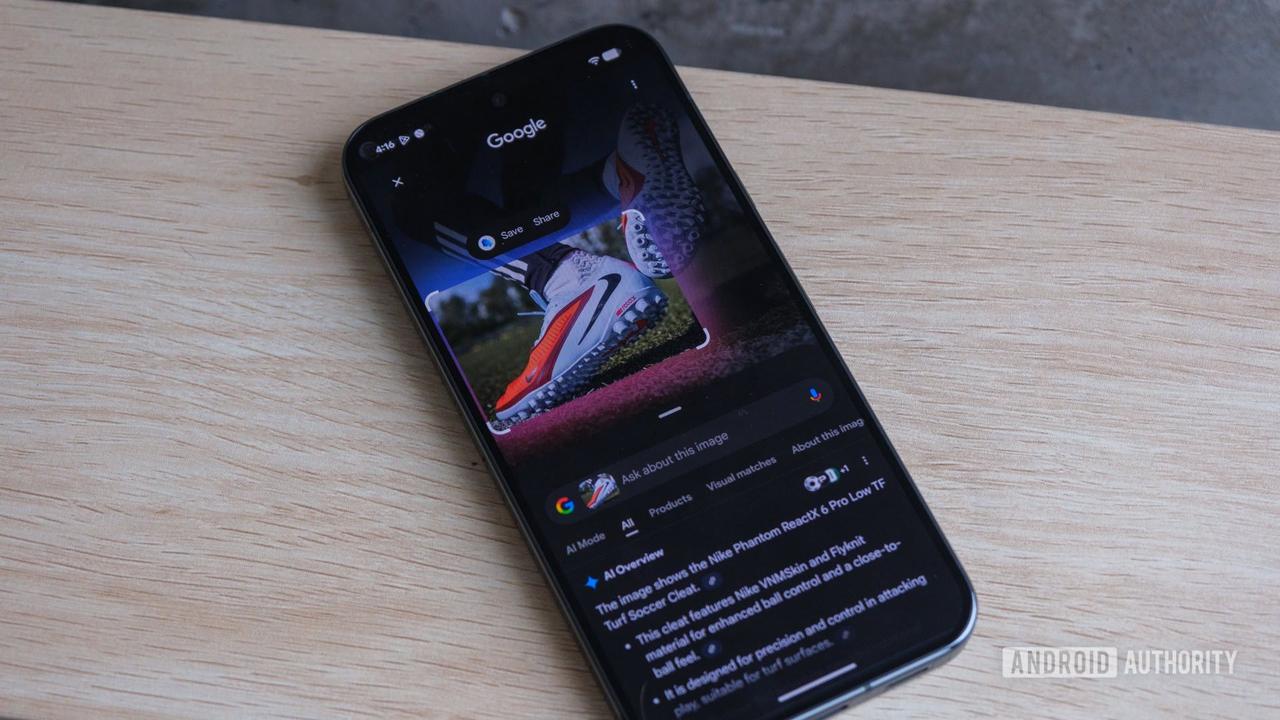
Source: Android Authority
Users can now circle diagrams from textbooks, receive AI-generated explanations, and ask related follow-up questions without switching between different search modes or applications. The feature also supports improved travel planning capabilities and can help students with math or science problems by allowing them to add images to their queries
1
.Related Stories
Rollout Timeline and Availability
While Google first teased this functionality in July 2024, promising users could "dive deeper with AI Mode" after viewing initial results, the feature never achieved wide availability at that time
2
. The current rollout appears to be happening in phases, with the update currently available in the Google app beta version 16.47 but not yet in the stable channel3
.The feature initially rolled out to Samsung's latest foldable devices earlier this year before expanding to other Android devices. However, access to the new functionality appears inconsistent even among users who have installed the latest app version, suggesting a gradual server-side rollout
5
.References
Summarized by

Navi
[1]
[2]
[4]
Related Stories
Circle to Search set to default to AI Mode as Google pushes conversational search experience
28 Jan 2026•Technology
Google Enhances Android's Circle to Search with AI Mode and Gaming Support
10 Jul 2025•Technology
Google Enhances Circle to Search with AI Overviews and One-Tap Actions
23 Jan 2025•Technology

Recent Highlights



Recent Highlights
Today's Top Stories






Don’t drown in AI news. We cut through the noise - filtering, ranking and summarizing the most important AI news, breakthroughs and research daily. Follow topics that matter to you and stay ahead.


