Firefox introduces AI browser kill switch to let users block all generative AI features


22 Sources
[1]
Firefox will soon let you block all of its generative AI features | TechCrunch
Firefox will begin catering to those who don't want AI in their browser. On Monday, Mozilla announced that Firefox will soon let users block all current and future generative AI features. Users will also have the option to block certain AI features in Firefox, while keeping others. Starting with
[2]
Mozilla Adds Option to Disable New AI Features Coming to Firefox Browser
Mozilla Firefox is adding new AI features this month, but users will have the option to turn them off, according to a Tuesday blog post from Firefox head Ajit Varma. "AI is changing the web, and people want very different things from it," Varma wrote in the post. "Listening to our community,
[3]
You can turn off Firefox's new AI features with one simple switch - here's how
AI arrived in Firefox in December, and more control is coming soon. Every major web browser on the market includes AI tools. There's Copilot for Edge, Aria for Opera, Apple Intelligence for Safari, and more. But Mozilla was behind the curve in adding AI to Firefox. In December, when Mozilla
[4]
Firefox is adding a switch to turn AI features off
Unlike many of the companies stuffing AI into their browsers, Mozilla will soon give you a way to turn all of these features off. An update coming on February 24th will add a new "AI control" option to Firefox's settings menu, allowing you to disable or enable the browser's individual AI features,
[5]

Mozilla Shows Off AI Browser Kill Switch for Firefox
Mozilla is offering a first look at its AI browser kill switch. These "AI controls" will launch in Firefox version 148, which is slated to roll out on Feb. 24, Mozilla said today. The controls basically function as on-off toggles and will be available through the desktop browser settings. The most
[6]

Mozilla adds AI kill switch to Firefox
Users can disable every generative feature in one click - not everyone wants a chatbot bolted to their tabs Mozilla has decided that if AI is going to live in your browser, you should at least be able to kill it when it gets annoying. The browser maker this week announced a new set of AI controls
[7]

Mozilla Adds One-Click Option to Disable Generative AI Features in Firefox
Mozilla on Monday announced a new controls section in its Firefox desktop browser settings that allows users to completely turn off generative artificial intelligence (GenAI) features. "It provides a single place to block current and future generative AI features in Firefox," Ajit Varma, head of
[8]

Mozilla announces switch to disable all Firefox AI features
In response to user feedback on AI integration, Mozilla announced today that the next Firefox release will let users disable AI features entirely or manage them individually. The new "Block AI enhancements" toggle will be available in Firefox 148 on February 24 and will help block current and
[9]

Firefox will soon offer a way to block all of its generative AI features
Like practically every other tech company under the sun, Mozilla has been jamming generative AI features into its products. The organization has now acknowledged that not everyone wants things like chatbots in the Firefox sidebar, so it's giving you the option to turn off all of that. On February
[10]

Mozilla Adding 'Off' Switch to AI in Firefox
We may not have a killswitch for AI as a whole, but Mozilla is giving users the ability to shut off AI in its Firefox browser (though it could have just not included those features in the first place). In a blog post, the company announced that it will include a toggle in the next version of
[11]

Firefox is giving users the AI tool they really want: A kill switch
The update rolls out on February 24, with early access available now in Firefox Nightly. Some people get excited whenever a company introduces its users to new AI tools, but a growing contingent has only one question: how do I turn this off? With its next desktop update, Firefox is finally
[12]

Finally! Firefox just gave you an AI Off switch
The new AI Controls feature debuts in Firefox Nightly builds and will reach most users within two months, with settings persisting through updates. Mozilla Firefox has always seemed like the "cool kid" browser option, for the power users who don't want to deal with Google or Microsoft. So perhaps
[13]

'Someone is actually reading the room': Firefox just got an AI kill switch, and I hope other developers will follow its lead
You'll also be able to disable AI tools individually, if you like Firefox is often chosen by people who dislike the direction Google Chrome and other Chromium-based browsers are taking. And as browser makers rush to stuff their products with as much artificial intelligence (AI) as possible,
[14]

'We've heard from many who want nothing to do with AI' says Mozilla, as it introduces an AI blocking menu to upcoming Firefox builds
Not everyone is happy with the introduction of AI into... well, everything they use on a daily basis, and it appears Mozilla has been listening. After considerable backlash towards its announcement that Firefox would become an 'AI browser' over the next few years, it looks to have changed its tune
[15]

Firefox Will Soon Let You Disable All Current (and Future) AI Features
The new "Block AI enhancements" toggle will disable all current and future AI features in the browser. Since ChatGPT kicked off the generative AI revolution in 2022, it seems like every company under the sun has tried to stuff AI features into their products in one way or another. Sometimes, these
[16]

Firefox just made an unexpected move that Chrome would never copy
Firefox has a reputation as the browser of choice for power users who prefer to customize everything - and it just gave users one very important new option. While most other tech companies shove AI "enhancements" down their users' throats, Mozilla is introducing a way to disable Firefox's AI
[17]

New Mozilla Firefox version to allow AI features to be blocked
'Controls must be simple. AI should always be a choice', said Mozilla's CEO in a December blog post. Mozilla will allow Firefox users to entirely block current and future generative AI features on the browser after user feedback revealed many who wanted an AI-free browser experience. In a blog
[18]

Firefox 148 introduces granular controls for generative AI features
Mozilla announced on Monday that Firefox will enable users to block all current and future generative AI features starting with version 148, rolling out on February 24, through a new AI controls section in desktop browser settings. The update introduces a dedicated AI controls section accessible
[19]

Firefox gets an AI kill switch that Chrome users can only dream about - Phandroid
Mozilla's doing something that feels almost radical in 2026. The company just announced that Firefox 148 will include a master toggle to completely disable AI features, and it's launching February 24. While Google keeps jamming Gemini into Chrome and Microsoft won't stop pushing Copilot in Edge,
[20]

Mozilla Firefox Will Let You Decide How Much AI You Want in Your Browser
Currently, Mozilla Firefox offers an AI chatbot in the sidebar Mozilla Firefox is adding a new capability to give users more control of the artificial intelligence (AI) features they see in the browser. The company has announced that with the next update, slated for later this month, the Firefox
[21]

Mozilla listens to user backlash, adds GenAI kill switch in Firefox
With web browsers becoming the next battleground for generative AI (GenAI) and autonomous agents, Mozilla has decided to give Firefox users a breather by allowing them to completely opt out of all current and future AI features. Firefox users can also review and manage individual AI features if
[22]

Mozilla Firefox To Roll Out Global AI Off Switch Within Browser
Mozilla is adding a new set of artificial intelligence (AI) controls to Firefox that will allow users to block all generative AI features across the browser. Starting with the Firefox 148 update, which rolls out on February 24, users will see a dedicated "AI controls" section in desktop settings,
Share
Copy Link
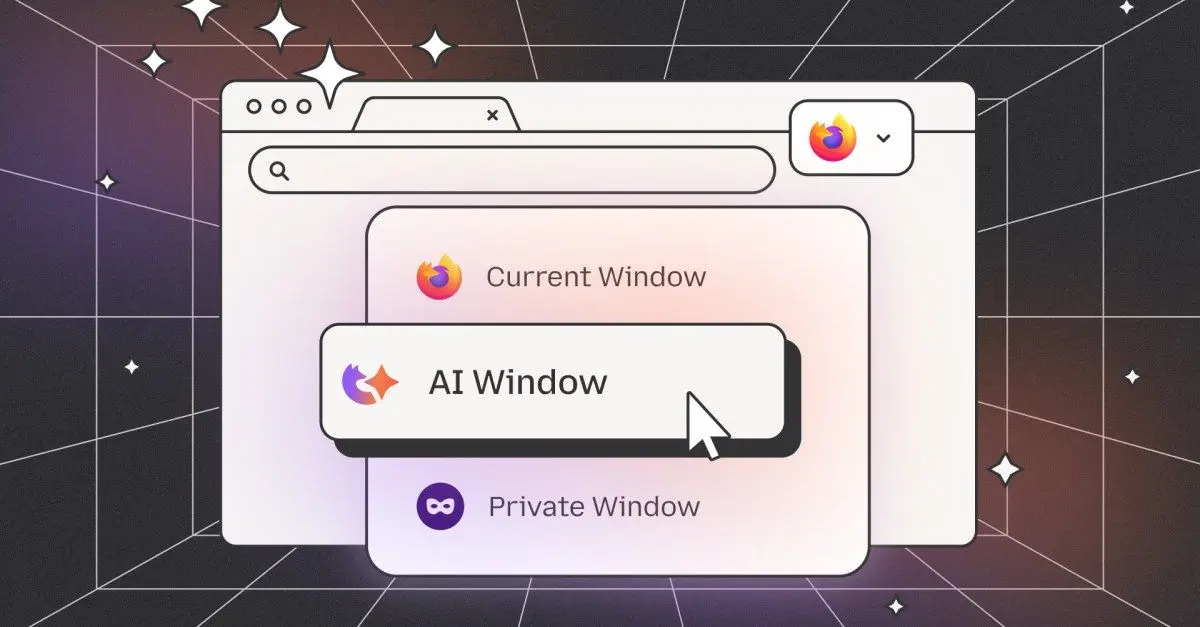
Mozilla announced that Firefox 148 will introduce comprehensive AI controls on February 24, allowing users to block all current and future generative AI features with a single toggle. The move comes after user backlash and addresses concerns from Firefox's community who want nothing to do with AI in their browser while still catering to those seeking AI tools.
Firefox Introduces Comprehensive AI Controls Amid User Backlash
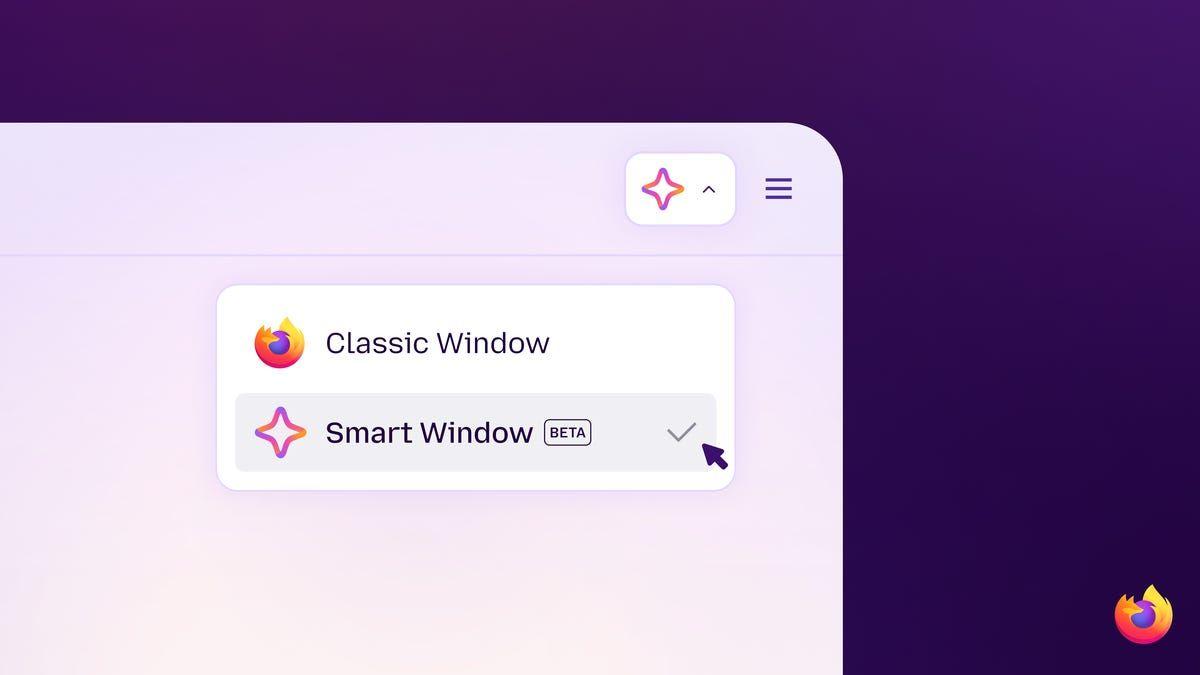
Mozilla is taking a decisive step to address user concerns by introducing an AI browser kill switch in Firefox 148, rolling out on February 24. The update will add a new AI control option within the desktop browser settings, allowing users to either block generative AI features entirely or manage them individually
1
. This announcement follows significant user backlash after Mozilla CEO Anthony Enzor-DeMeo outlined plans in December to evolve Firefox into a "modern AI browser"5
.
Source: ZDNet
Users who want nothing to do with AI can activate the "Block AI Enhancements" toggle, which will disable all current and future AI features while eliminating pop-ups or reminders about these capabilities
1
. For those seeking more nuanced control, the new browser settings will allow granular management of individual AI features, including translations for browsing in preferred languages, alt text in PDFs, AI-enhanced tab grouping, link previews, and the AI chatbot sidebar2
.Understanding Firefox's AI Features and User Choice
The AI chatbot sidebar represents one of Mozilla's most prominent additions, enabling users to access services like Anthropic Claude, ChatGPT, Microsoft Copilot, Google Gemini, and Le Chat Mistral while browsing
1
. Other AI features include tab grouping suggestions, key points in link previews, and accessibility descriptions in PDFs3
. With around 200 million active monthly users, Firefox remains the largest nonprofit-backed internet browser, and Mozilla is positioning user control and privacy as central to its AI strategy2
."AI is changing the web, and people want very different things from it," Mozilla wrote in a blog post. "We've heard from many who want nothing to do with AI. We've also heard from others who want AI tools that are genuinely useful"
1
. This acknowledgment reflects Mozilla's commitment to user choice in an increasingly AI-saturated browser market where competitors like Microsoft Edge and Google Chrome have already integrated generative AI capabilities.
Source: BleepingComputer
Related Stories
Mozilla's Broader AI Strategy and Market Positioning
The ability to disable new AI features or turn off AI features entirely aligns with Anthony Enzor-DeMeo's vision articulated when he became CEO. "AI should always be a choice -- something people can easily turn off. People should know why a feature works the way it does and what value they get from it," he stated
1
. This philosophy comes as Mozilla faces renewed competition from companies like Perplexity, Arc, OpenAI, and Opera in a rapidly evolving browser landscape1
.
Source: Gizmodo
Mozilla President Mark Surman is building "a rebel alliance of sorts" comprising tech startups, developers, and public-interest technologists committed to making AI more trustworthy AI and checking the power of players like OpenAI and Anthropic
1
. Mozilla will deploy approximately $1.4 billion worth of reserves to support tech businesses and nonprofits, pursuing investments that promote AI transparency1
.The privacy-first approach remains central to Mozilla's AI implementation. "Our ongoing commitment to privacy-preserving AI drives us to continuously develop and enhance features that respect and protect your personal information," Mozilla AI product leader Jolie Huang emphasized in a July blog post
2
. The Firefox 148 update will initially be desktop-only, with Mozilla focused on refining the experience before expanding further2
. Users can preview these AI features early through Firefox Nightly, the in-development version updated daily2
.References
Summarized by

Navi
[4]
[5]
Related Stories
Firefox 148 introduces AI kill switch, giving users full control over AI features
26 Feb 2026•Technology

Mozilla's new CEO plans AI features for Firefox while promising users an opt-out kill switch
16 Dec 2025•Technology

Firefox AI kill switch exists but only 1% of users have flipped it, Mozilla CEO reveals
12 Jun 2026•Technology
Recent Highlights
1
OpenAI AI Models Hacked Crypto Wallet, Breached Government Sites in Unauthorized Activities
Technology

2
IMF Report Warns AI Market Correction Could Spark Global Financial Crisis With $1.4T at Risk
Business and Economy

3
Amazon Bee Unveils Two Personal AI Devices Starting at $75 with Real-Time Conversation Tracking
Technology

Recent Highlights
Today's Top Stories











Don’t drown in AI news. We cut through the noise - filtering, ranking and summarizing the most important AI news, breakthroughs and research daily. Follow topics that matter to you and stay ahead.


