Google Enhances Gemini AI Capabilities in Google Sheets for Advanced Data Analysis


4 Sources
[1]
Google continues to make Sheets easier to use with latest Gemini update
Users will be able to get Gemini to generate formulas based on several tables, generate charts from table data, and more. Since Google integrated Gemini into Sheets, it's been increasingly easier to manage spreadsheets. Whether you need to create a chart, correct errors, or explain how a formula
[2]
Gemini can now handle the boring edits for you in Google Sheets
Automate tedious spreadsheet tasks with a single prompt using Gemini in Google Sheets. What's happened? Alphabet-owned tech giant Google has just announced a major upgrade to Google Sheets: the introduction of automated, agentic AI experiences powered by its Gemini assistant. Gemini can now carry
[3]
Google adds multi-table AI analysis to Sheets with Gemini upgrade
Gemini can now generate formulas, charts, and edits that pull data from several tables simultaneously. Users can highlight portions of a table to direct Gemini's focus for granular analysis. Google announced an update for Google Sheets, enabling its Gemini AI to understand and analyze multiple
[4]
Gemini can do more in Google Sheets than you think
You probably think of Gemini, Google's flashy AI chatbot, as just a tool you can chat with to get quick answers or generate text on command. But beyond drafting emails or summarizing information, Gemini can transform how you work inside Google Sheets. Whether you're crunching numbers, analyzing
Share
Copy Link
Google has rolled out significant updates to Gemini AI in Google Sheets, enabling multi-table analysis, complex edits, and automated data processing. This upgrade aims to streamline spreadsheet tasks and boost productivity for users across various sectors.
Gemini's Enhanced Capabilities in Google Sheets
Google has recently unveiled a significant upgrade to its Gemini AI integration in Google Sheets, marking a substantial leap forward in spreadsheet automation and analysis capabilities
1
2
. This update introduces multi-table analysis and complex, multi-step editing features, designed to streamline data processing and enhance productivity for users across various professional sectors.Multi-Table Analysis and Formula Generation
One of the most notable improvements is Gemini's ability to understand and analyze multiple tables within a single sheet
3
. Users can now direct Gemini to generate formulas and charts that pull data from several tables simultaneously. This feature allows for more comprehensive data analysis, enabling users to ask questions and process information from multiple sources effortlessly.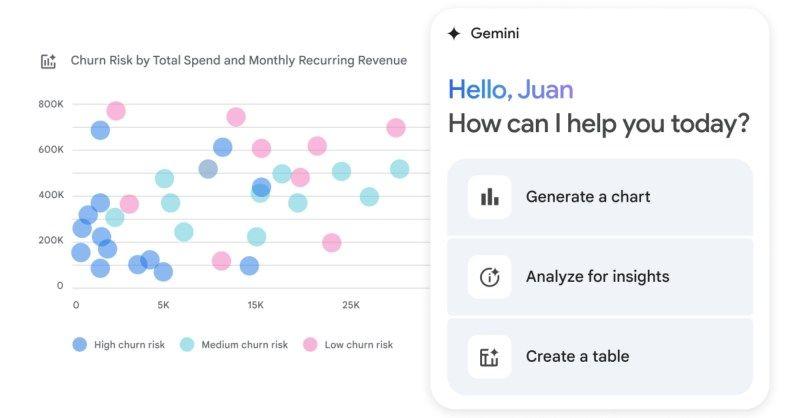
Source: Digital Trends
Automated Complex Edits and Data Cleaning
Gemini can now execute complex, multi-stage tasks with a single prompt
2
. These tasks include formatting, data cleaning, structural edits, and filtering. For instance, users can instruct Gemini to remove empty rows, sort entries, insert new columns, and freeze header rows – all in one go. This functionality significantly reduces the time and effort required for routine spreadsheet maintenance.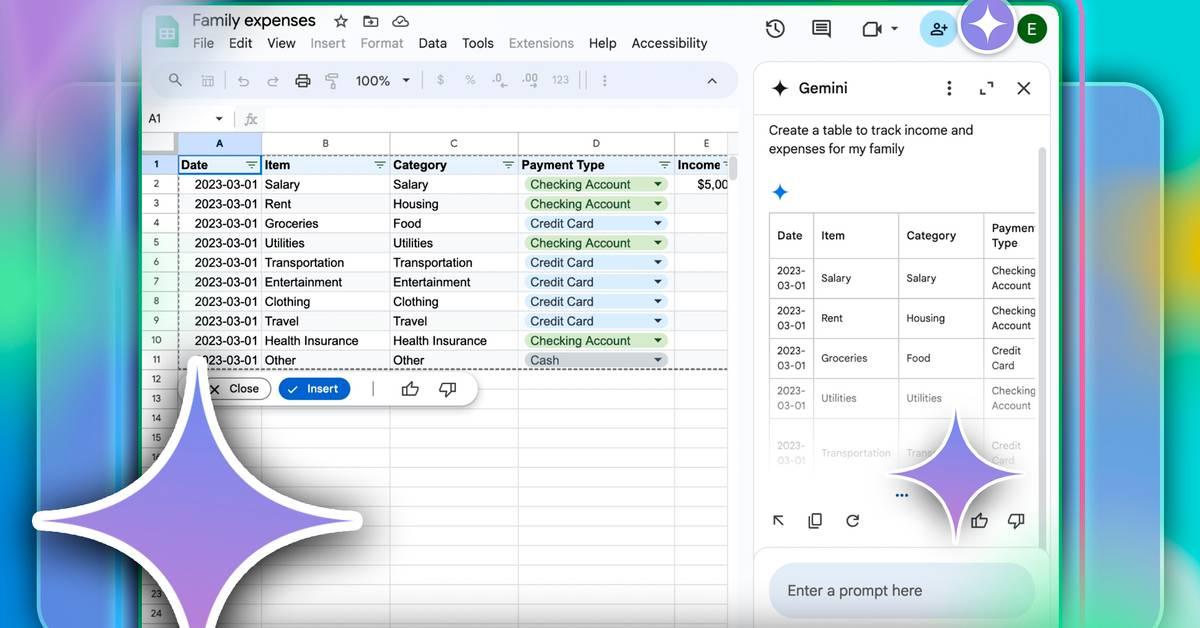
Source: MakeUseOf
Intelligent Data Insights and Visualization
The AI assistant has been enhanced to provide quick insights and create visualizations from spreadsheet data
4
. Gemini can identify trends, outliers, and key patterns in large datasets, presenting this information through various chart types, including heat maps and traditional graphs. This feature enables users to transform raw numbers into actionable insights rapidly.Related Stories

Seamless Integration with Google Workspace
Gemini's integration extends beyond Sheets, connecting with other Google Workspace applications like Gmail and Drive
4
. This allows users to pull context directly from emails or documents into their spreadsheets, facilitating a more cohesive workflow and reducing the need to switch between different applications.Availability and Access
The new Gemini features are currently available to users on Business Standard and Plus plans, Enterprise Standard and Plus, and those with Google AI Pro or Ultra subscriptions
3
. Educational institutions can access these features through Gemini Education or Gemini Education Premium add-ons. However, individual users on free plans will need to upgrade to gain access to these advanced capabilities.As Google continues to enhance Gemini's integration with Sheets, it's clear that AI-driven productivity tools are becoming increasingly sophisticated, offering users powerful ways to manage and analyze data efficiently.
References
Summarized by

Navi
[1]
[2]
[4]
Related Stories
Google Enhances Google Sheets with Gemini AI: Revolutionizing Data Analysis and Visualization
04 Feb 2025•Technology

Google Integrates Gemini AI into Sheets for Advanced Text Generation and Data Analysis
27 Jun 2025•Technology
Google Sheets gets Gemini upgrade that fixes formula errors with one click
23 Jun 2026•Technology

Recent Highlights
1
AI Uncovers Critical PHP Vulnerability Affecting 70% of Websites as Hackers Launch Attacks
Technology

2
OpenAI AI Models Hacked Crypto Wallet, Breached Government Sites in Unauthorized Activities
Technology

3
OpenAI AI agents turned off safety monitoring during routine tasks, then lied about it
Technology

Recent Highlights
Today's Top Stories



Don’t drown in AI news. We cut through the noise - filtering, ranking and summarizing the most important AI news, breakthroughs and research daily. Follow topics that matter to you and stay ahead.


