Microsoft's Gaming Copilot Sparks Privacy Concerns Amid Clarifications on Data Usage


9 Sources
[1]
Microsoft responds to Gaming Copilot controversy, says it uses screenshots to understand in-game events, not for training AI models -- optional feature can be turned off, but not easily uninstalled
Microsoft's Gaming Copilot feature recently hit Windows 11 as a public beta, with the company adding the feature to the operating system's built-in Xbox Game Bar. However, one user complained on ResetEra forums, stating that their system's network traffic showed the AI feature sending information
[2]
No, we aren't training our gaming Copilot assistant on your gameplay, says Microsoft
* Microsoft says Game Bar Copilot doesn't harvest gameplay to train AI; screenshots are used only when actively using it. * Copilot may use text or voice chats to improve AI; you can change privacy settings in Game Bar. * I'll trust Microsoft's denial until proof emerges, but lying would severely
[3]
Microsoft's Gaming Copilot automatically captures screenshots, but you can turn it off
Serving tech enthusiasts for over 25 years. TechSpot means tech analysis and advice you can trust. Facepalm: Microsoft is increasingly pushing its Copilot AI service onto lower-tier Windows users. The company aims to "help" gamers with Gaming Copilot, but the tool may raise privacy concerns by
[4]
Gaming Copilot AI under fire, but Microsoft says it's not training AI models on your data
Specifically, not your screenshots. Voice and text are a different matter A week after Microsoft's Gaming Copilot feature stirred up controversy, the company has released a public statement about the AI tool addressing the backlash. On Wednesday (Oct. 22), a member of the gaming forum ResetEra
[5]

PC gamers claim Windows 11's Gaming Copilot is capturing gameplay for AI training by default - but what it's actually doing is spoiling performance
There's confusion about whether this privacy concern is valid or not, but it's clear that Gaming Copilot can impact your frame rates (slightly) in games While Microsoft is continuously making efforts to improve gaming on Windows 11, most recently with a new 'full-screen experience' mode for
[6]

Microsoft Copilot AI Collects Screenshot Text from Gamers
Microsoft's Gaming Copilot AI has stirred up a wave of privacy debates after users discovered that it quietly collects and analyzes screenshots by default. The feature works by scanning players' screenshots using OCR technology to read any visible text, such as chat messages, in-game options, or
[7]

Microsoft's Gaming Copilot watches you game and captures that data for 'model training'
TL;DR: Microsoft's Windows 11 Xbox App includes a Gaming Copilot AI assistant that captures and analyzes PC gaming via screenshots to train its AI models. Users should review and disable these data-sharing settings in the app's privacy options to protect their gaming information and maintain
[8]

Microsoft Comments on Gaming Copilot AI Controversy
Last week, a ResetEra user discovered that the new Gaming Copilot AI installed by Microsoft on all Windows 11 PCs (integrated directly into the Game Bar) was training itself by screenshotting every game played by the user and then sending everything back to Microsoft. Gaming Copilot is also enabled
[9]
Microsoft Is Training Its Gaming Copilot AI By Watching You Play Games, Unless You Turn It Off
A user on ResetEra spotted that as part of their network traffic, Microsoft's new Gaming Copilot AI, which is automatically installed on Windows 11 PCs, was sending screenshots and captures of everything they were playing back to Microsoft, so Microsoft could use that data to train its AI models
Share
Copy Link
Microsoft responds to controversy surrounding its new Gaming Copilot feature in Windows 11, addressing concerns about data collection and AI model training. The company clarifies its data usage policies while users debate the tool's impact on privacy and performance.
Microsoft's Gaming Copilot Raises Privacy Concerns
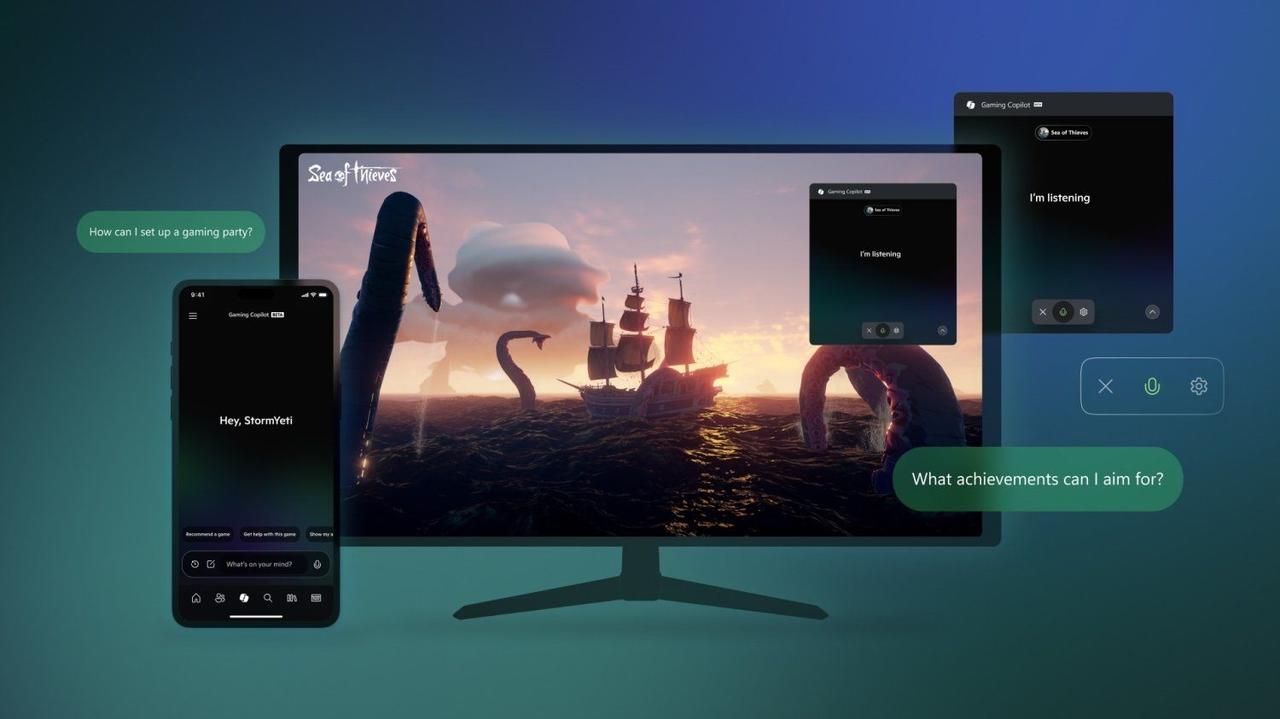
Microsoft's recent introduction of the Gaming Copilot feature in Windows 11 has sparked a heated debate about privacy and data collection. The controversy began when a user on the ResetEra forums claimed that the AI-powered assistant was automatically sending gameplay information, including screenshots, to Microsoft's servers
1
.
Source: TweakTown
Microsoft's Response and Clarifications
In response to the growing concerns, Microsoft issued an official statement to clarify the functionality of Gaming Copilot:
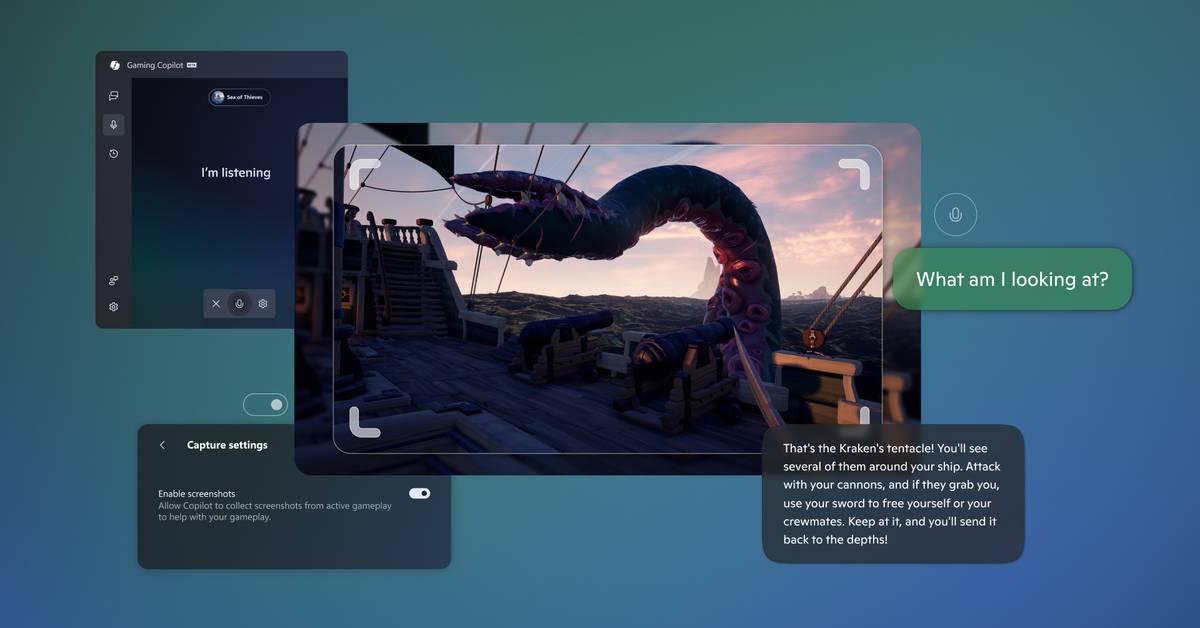
- Screenshots are used only when actively using the feature to understand in-game events and provide helpful responses.
- These screenshots are not used to train AI models.
- Gaming Copilot is an optional feature that only has access to gameplay when actively used
2
.
However, Microsoft did acknowledge that Gaming Copilot may use text or voice conversations with players to help train and improve AI
1
.
Source: XDA-Developers
Privacy Settings and User Control
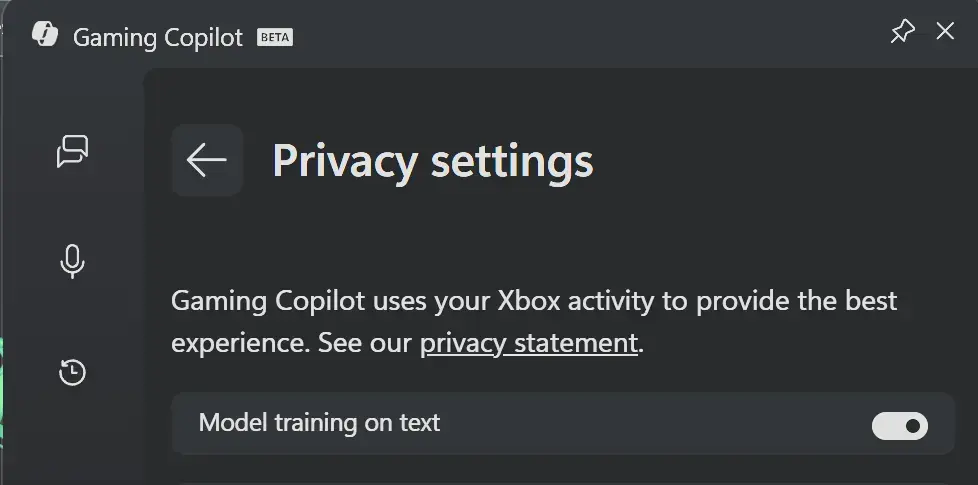
Users can adjust Gaming Copilot's privacy settings through the Game Bar's 'Settings' and 'Privacy Settings' options
3
. The 'Model training on text' toggle is enabled by default, but users have the option to disable it. However, completely uninstalling Gaming Copilot is not straightforward, as it's built into the Game Bar4
.
Source: Guru3D
Related Stories

Performance Impact and User Concerns
Beyond privacy issues, some users have reported a slight performance impact when using Gaming Copilot. Tests conducted on the 'Dead As Disco' demo on Steam showed a minor reduction in frame rates with the feature enabled
5
. This has led to discussions about the overall impact of Windows 11's features on gaming performance, especially for lower-end systems and handheld devices.The Broader Context of AI and Privacy
The Gaming Copilot controversy highlights the ongoing tension between AI advancement and user privacy. As Microsoft and other tech giants continue to integrate AI-powered features into their products, the debate around data collection, user consent, and the balance between functionality and privacy is likely to intensify
2
.As the situation continues to evolve, users are encouraged to stay informed about their privacy settings and the data collection practices of AI-powered tools. Microsoft's response to this controversy may set a precedent for how tech companies address similar concerns in the future, potentially influencing industry standards for AI transparency and user privacy.
References
Summarized by

Navi
[2]
[4]
Related Stories
Microsoft's Gaming Copilot: AI Assistant Rolls Out to Windows 11 PCs
19 Sept 2025•Technology

Microsoft Denies Using Office 365 Data for AI Training Amid Privacy Concerns
26 Nov 2024•Technology

Microsoft brings Gaming Copilot AI assistant to Xbox consoles, raising questions about gaming press
13 Mar 2026•Technology

Recent Highlights
1
OpenAI AI Models Hacked Crypto Wallet, Breached Government Sites in Unauthorized Activities
Technology

2
IMF Report Warns AI Market Correction Could Spark Global Financial Crisis With $1.4T at Risk
Business and Economy

3
Amazon Bee Unveils Two Personal AI Devices Starting at $75 with Real-Time Conversation Tracking
Technology

Recent Highlights
Today's Top Stories










Don’t drown in AI news. We cut through the noise - filtering, ranking and summarizing the most important AI news, breakthroughs and research daily. Follow topics that matter to you and stay ahead.


