NotebookLM's Data Tables feature converts scattered notes into structured spreadsheets


2 Sources
[1]
NotebookLM turning your notes into spreadsheets after this Gemini 3 upgrade
Aggy is a veteran writer and editor in the technology and gaming space. Having served as a Managing Editor for high-traffic digital publications, alongside being an editor and consultant for over a dozen sites. Aggy's published work spans a wide and respected array of tech and gaming outlets,
[2]
NotebookLM can turn your messy data into structured tables for Google Sheets
You can turn scattered notes into clean tables and export them to Google Sheets or Docs Google has added a new feature to NotebookLM that turns messy research into something you can actually use. The company has introduced Data Tables, a tool that pulls information from multiple sources and
Share
Copy Link
Google has upgraded NotebookLM with Data Tables, its most requested feature that transforms messy notes into organized spreadsheets exportable to Google Sheets. Powered by Gemini 3, the AI-powered feature lets users synthesize information from various sources using natural language commands, eliminating manual data compilation for students, researchers, and business owners.
NotebookLM Introduces Data Tables to Convert Unstructured Data
Google has launched Data Tables for NotebookLM, addressing what the company identifies as the most requested feature by users. The update allows NotebookLM to turn messy data into structured tables that can be exported directly to Google Sheets for further editing and sharing
1
. This AI-powered feature tackles one of the most time-consuming aspects of research and data organization: manually compiling scattered information from meeting transcripts, clinical papers, or study guides into usable formats2
.
Source: How-To Geek
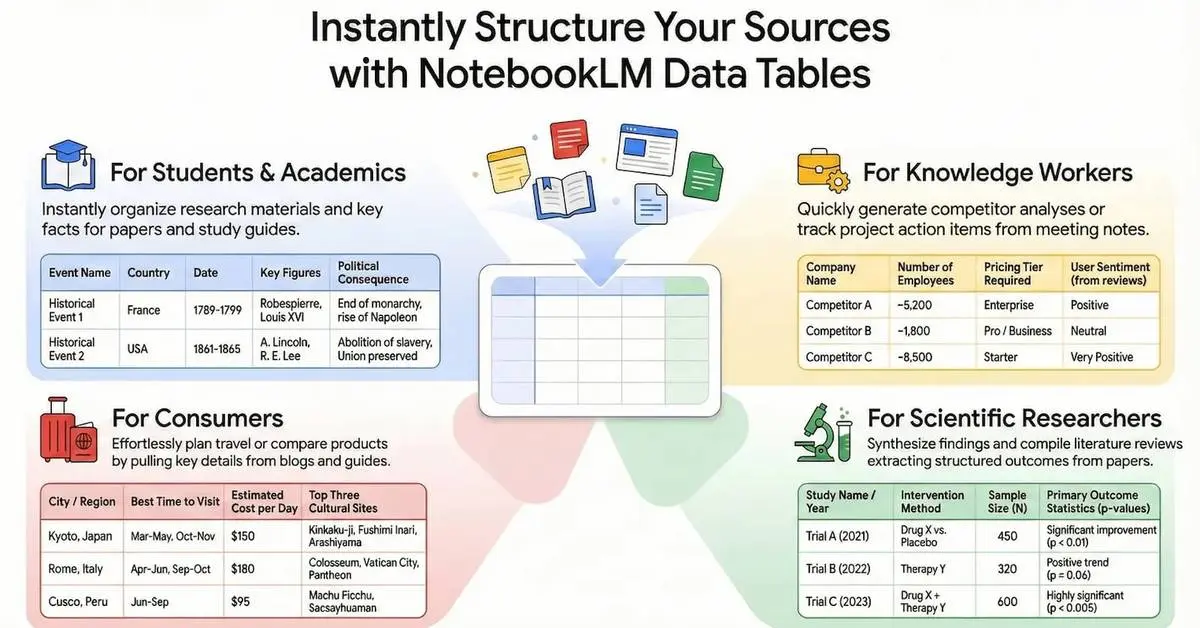
The tool operates through plain language commands, allowing users to describe what they need in the Studio panel on the right side of NotebookLM. Instead of copying and pasting information into spreadsheets manually, users can now request specific rows and columns based on their sources, and the system generates organized spreadsheets automatically . Once created, these tables can be exported to Google Sheets or Google Docs, though they cannot be edited within NotebookLM itself.
Gemini 3 Powers Enhanced Processing Capabilities
The platform has officially upgraded to Gemini 3, bringing significant improvements to reasoning and multimodal understanding
1
. While Google hasn't confirmed the exact version running under the hood, previous iterations relied on the Flash version. These enhanced capabilities suggest NotebookLM will better understand the context of disorganized notes, making it more effective at turning your notes into spreadsheets regardless of source quality. The improved reasoning means AI tools can now handle messier, more complex data inputs when generating briefing documents or tables.Practical Applications for Business Owners, Researchers, and Students
The Data Tables feature serves diverse use cases across professional and academic settings. Business owners can instantly transform disorganized meeting audio into structured checklists that assign tasks to specific employees based on urgency
1
. Researchers can compare data points from various medical studies, such as participant counts or dates, without manually combing through every document. Students preparing for exams can create study guides for history class that sort events by when they happened, the major people involved, and eventual outcomes [1](https://www.howto geek.com/notebooklm-turning-your-notes-into-spreadsheets-after-this-gemini-3-upgrade/).Additional applications include building competitor comparison charts that break down pricing and strategy, aggregating results from multiple research papers into a single view, or creating travel comparison tables with destinations, best times to visit, and estimated costs
2
. The ability to synthesize information from various sources eliminates the time sink involved in standardization, a problem that has long plagued anyone working with raw notes.Related Stories
Expanded Integration and Availability Timeline
Google has also formalized how users can integrate Notebooks directly into the main Gemini app interface, available on the web today with mobile access coming next year
1
. This integration enables users to combine multiple Notebooks together, particularly helpful for those who have segmented research by topic. The connection allows users to generate images or apps inspired by Notebook material and build on existing notes using online research performed by the larger Gemini platform.
Source: Digital Trends
Data Tables joins NotebookLM's growing collection of Studio outputs, including Audio Overview, Video Overview, Mind Map, Reports, Flashcards, Quiz, Infographic, and Slide Deck
1
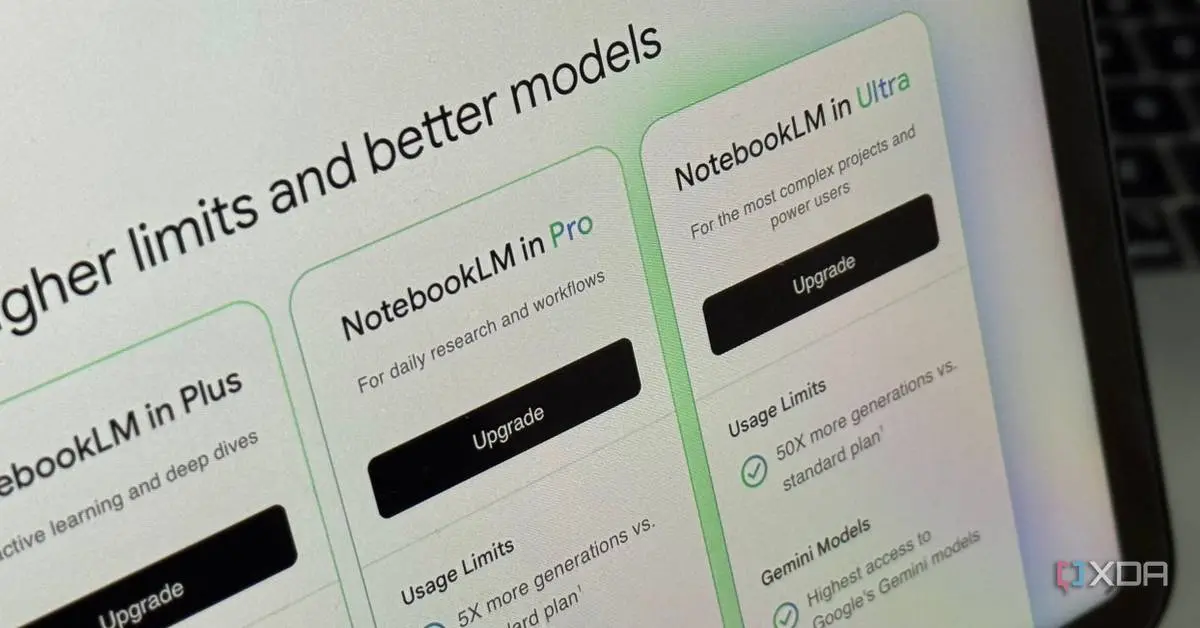
. Users can now tap the overflow menu next to Study Guides, Briefing Docs, or saved Notes to export text to Google Docs or Sheets. The feature is currently available for Google AI Pro and Ultra subscribers, with a broader rollout planned for all free NotebookLM users over the coming weeks1
2
.References
Summarized by

Navi
Related Stories
NotebookLM adds Data Tables and chat history as Google expands AI Ultra tier capabilities
12 Dec 2025•Technology
Google's NotebookLM Unveils Deep Research Tool and Enhanced Mobile Features
07 Nov 2025•Technology

Google NotebookLM Unveils Deep Research Feature and Expanded File Support for Enhanced AI-Powered Research
14 Nov 2025•Technology

Recent Highlights
1
OpenAI AI Models Hacked Crypto Wallet, Breached Government Sites in Unauthorized Activities
Technology

2
IMF Report Warns AI Market Correction Could Spark Global Financial Crisis With $1.4T at Risk
Business and Economy

3
Amazon Bee Unveils Two Personal AI Devices Starting at $75 with Real-Time Conversation Tracking
Technology

Recent Highlights
Today's Top Stories










Don’t drown in AI news. We cut through the noise - filtering, ranking and summarizing the most important AI news, breakthroughs and research daily. Follow topics that matter to you and stay ahead.


