Adobe Unveils AI-Powered Features in Lightroom, Revolutionizing Photo Editing


5 Sources
[1]
Adobe Unveils AI-Powered Features in Lightroom to Revolutionize Photo Editing
Adaptive Profiles, which help you quickly create great-looking HDR images, are now generally available in both color and black & white across the entire Lightroom ecosystem. First introduced in Camera Raw last fall, Adaptive Profiles dynamically adjust the tones and colors of your photos, creating
[2]
Adobe Lightroom and Camera Raw are getting two new AI editing features
Adobe announced at its Max Japan 2025 design conference a pair of new AI editing tools for its Lightroom and Camera Raw applications designed to reduce the tedious repetition of many common tasks. First off, Adaptive Profiles, which technically debuted last fall, is now generally available in both
[3]
Adobe Unveils AI-Powered Innovations in Lightroom to Empower Creativity
At MAX Japan 2025, Adobe announced the arrival of two new AI-powered editing features in Lightroom and Adobe Camera Raw: Adaptive Profiles and Distraction Removal. These tools unlock new ways for you to edit your photos and reduce the tedious repetition required for common tasks. Realistically
[4]
Adobe Lightroom Updates Promise Better HDR Images and More Speed
Today at Adobe MAX Japan, the software giant announced updates to Adobe Lightroom and Adobe Camera Raw, bringing new features and improvements across the entire Lightroom ecosystem, from desktop to mobile. The most widespread improvement is the general availability of Adaptive Profiles in
[5]

Adobe Lightroom receives a wave of amazing features to make image editing a lot easier
Summary Adobe Lightroom introduces powerful AI editing tools like Distraction Removal and Clean Up. The desktop version of Lightroom now supports dual monitors for improved workflow. Mobile editing on Adobe Lightroom is made easier with tools like Select Background and enhanced sharing
Share
Copy Link
Adobe introduces new AI-driven tools in Lightroom and Camera Raw, including Adaptive Profiles and Distraction Removal, aimed at enhancing photo editing efficiency and quality across desktop and mobile platforms.

Adobe Introduces AI-Powered Features to Revolutionize Photo Editing
Adobe has unveiled a suite of AI-powered features for Lightroom and Camera Raw, aiming to transform the photo editing landscape. Announced at Adobe MAX Japan 2025, these innovations promise to enhance efficiency and quality in image processing across desktop and mobile platforms
1
2
3
.Adaptive Profiles: Intelligent HDR Enhancement
One of the key features introduced is Adaptive Profiles, now generally available across the entire Lightroom ecosystem. This AI-driven tool dynamically adjusts tones and colors in photos, creating an enhanced yet realistic starting point for further editing
1
3
.Unlike traditional presets, Adaptive Profiles use AI to analyze each image individually, optimizing adjustments for exposure, shadows, highlights, color mixer, and curves. This technology is particularly effective for HDR (High Dynamic Range) images, offering photographers a sophisticated way to improve their photos without manual tweaking of multiple settings
2
4
.Distraction Removal: AI-Powered Clean-Up
Another groundbreaking feature is Distraction Removal, currently available in Early Access for Camera Raw users and soon to be released for Lightroom. This tool uses AI to detect and remove common distractions in photos, such as unwanted people, photobombers, or crowds
2
3
.The feature extends to removing reflections in windows, addressing a common challenge in photography. By automating this process, Adobe aims to save photographers significant time and effort in post-processing
2
4
.Enhanced Library Management and Sharing
Adobe is also introducing improvements to streamline photo library management. The new Find Duplicates feature, part of the Clean Up tool in Lightroom on the web, helps users identify and remove duplicate images, blurry photos, and screenshots
2
3
.For mobile users, Adobe has enhanced sharing capabilities in Lightroom for iOS. These updates include faster share link generation, easier link copying and sharing options, and real-time customization previews. These improvements aim to make sharing photos more intuitive and efficient
3
5
.Related Stories

Performance Improvements and Additional Features
Lightroom Classic users will benefit from a new Focus Point Selection tool for tethered shooting, allowing easier focus adjustments during live photo sessions. This feature supports Canon, Nikon, and Sony cameras
3
4
.Adobe has also made performance enhancements to Lightroom Classic, improving responsiveness for various editing tasks, especially when working with images containing multiple masks
4
.In a move to enhance workflow efficiency, the desktop version of Lightroom now supports dual monitors, a feature long available in Lightroom Classic
5
.Mobile Editing Advancements
For mobile users, Adobe has introduced a 'Select Background' tool in Lightroom for both iOS and Android. This feature allows users to quickly swap backgrounds behind subjects, bringing powerful editing capabilities to mobile devices
5
.As Adobe continues to integrate AI into its photo editing suite, these new features represent a significant step forward in making professional-grade editing more accessible and efficient for photographers of all levels.
References
Summarized by

Navi
[2]
Related Stories
Adobe Unveils AI-Powered Features Across Creative Cloud Suite at Adobe MAX 2024
14 Oct 2024•Technology

Adobe Unveils Powerful AI-Driven Features in Photoshop, Revolutionizing Image Editing
29 Jul 2025•Technology

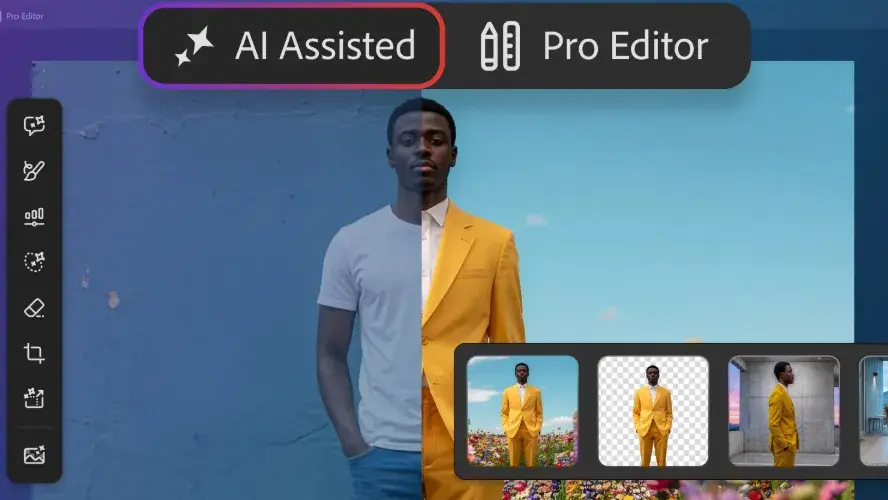
Adobe Photoshop Introduces AI Assisted Editor with Markup Tool and Natural Language Prompts
27 Aug 2026•Technology
Recent Highlights
1
OpenAI AI Models Hacked Crypto Wallet, Breached Government Sites in Unauthorized Activities
Technology

2
IMF Report Warns AI Market Correction Could Spark Global Financial Crisis With $1.4T at Risk
Business and Economy

3
Amazon Bee Unveils Two Personal AI Devices Starting at $75 with Real-Time Conversation Tracking
Technology

Recent Highlights
Today's Top Stories









Don’t drown in AI news. We cut through the noise - filtering, ranking and summarizing the most important AI news, breakthroughs and research daily. Follow topics that matter to you and stay ahead.


