Android 16 to Introduce Feature for Disabling AI Writing Tools in Specific Apps


3 Sources
[1]
Android 16 could fix one of the most annoying things about AI tools
Don't like AI interfering with your writing? Android 16 could help out If you dislike writing, or find that you're generally not very good at it, then you';re probably quite happy about the recent wave of AI writing tools. But for all those times when you want to be able to write authentically,
[2]
Android 16 could let apps turn off AI writing help
Android 16 makes the Pixel 9's ultrasonic fingerprint sensor even easier to use Summary Android 16 might let you turn off AI help for more control over your writing. New EditorInfo features in Android 16 are said to allow apps and keyboards to share info about text fields, like what you're typing,
[3]
Android 16 will let apps block AI writing tools
Apps might want to disable AI writing tools when the user is inputting text in certain text fields like for emails. Google rolled out the second developer preview of Android 16 the other day, bringing the platform a whole host of new developer features like better app control over haptics, search
Share
Copy Link
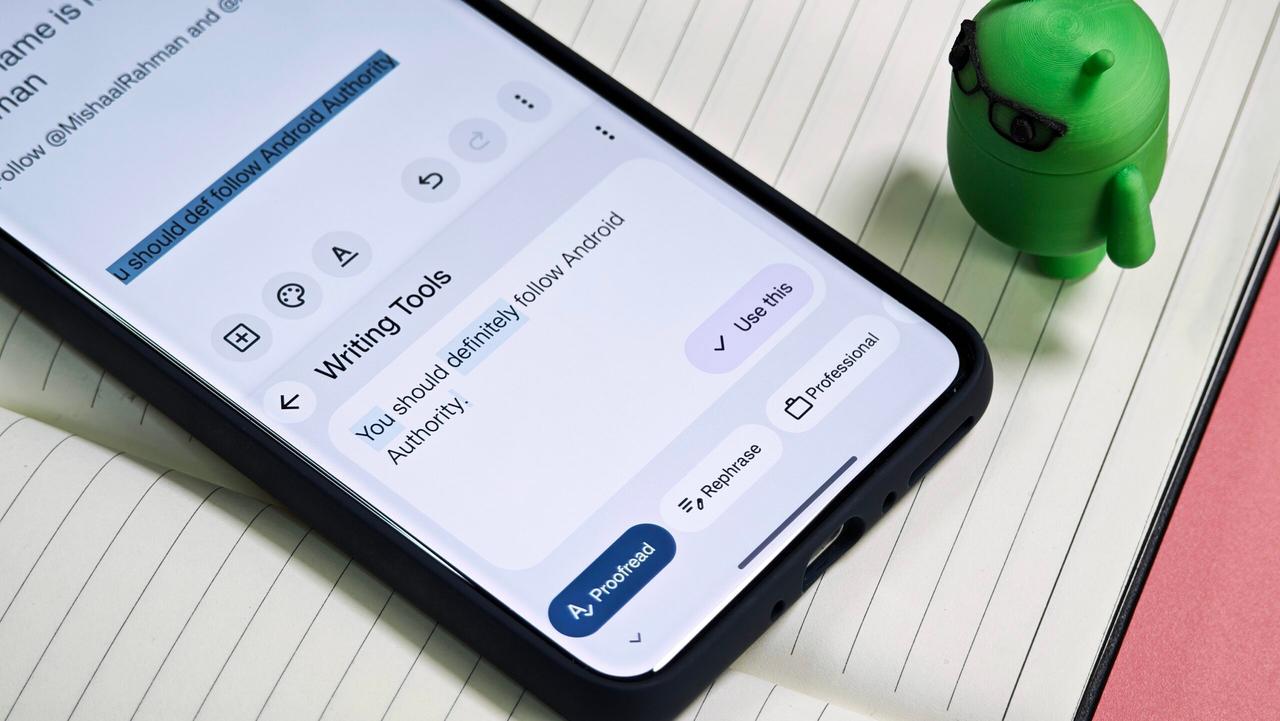
Android 16's upcoming release may include a new feature allowing apps to disable AI writing assistance in certain text fields, giving users and developers more control over text input.

Android 16 to Introduce New Writing Tools API
Google's upcoming Android 16 release is set to introduce a new feature that could significantly change how AI writing tools function within apps. The second developer preview of Android 16 has revealed a new Writing Tools API that will allow apps to disable AI-powered text rewriting in specific scenarios
1
.The New EditorInfo Class Features
Mishaal Rahman, a tech expert who has been analyzing the Android 16 developer preview 2, discovered two new features in the EditorInfo class: isWritingToolsEnabled() and setWritingToolsEnabled()
2
. These features are designed to give apps more control over when and where AI writing assistance is applied.How the New API Works
The isWritingToolsEnabled() method checks if AI-powered writing tools are enabled for a specific text editor. By default, these tools are enabled for all text fields. The setWritingToolsEnabled() method allows apps to opt out of AI text rewriting, giving developers the ability to disable this feature when it's not needed or desired
3
.Potential Applications
While most apps may not need to turn off AI writing tools for regular text fields, there are scenarios where this feature could be beneficial:
-
Security: Fields for email addresses, passwords, and phone numbers could benefit from disabling AI assistance to prevent unintended alterations
2
. -
Specialized Apps: Word-processing or note-taking apps that market themselves as AI-free could utilize this feature to maintain their unique selling point
3
. -
User Preference: Apps could offer a setting to accommodate users who prefer to write without AI assistance
3
.
Related Stories

Implications for Third-Party Keyboards
Google's introduction of this API could be an attempt to better enforce consistent behavior across third-party keyboards. While Gboard already implements similar functionality, this new feature could ensure that all keyboard apps adhere to the same standards when it comes to AI writing assistance
3
.The Balance Between AI Assistance and User Control
The introduction of this feature highlights the ongoing debate about the role of AI in writing and communication. While AI-powered tools like those in Gboard have made typing easier and more efficient, there's a growing recognition that users should have the option to write without machine assistance when desired
1
.As Android 16 is still in its developer preview stage, it remains to be seen how app developers will implement this new feature and how it will impact the user experience when the operating system launches next year
3
. This development represents another step in the evolving relationship between AI technology and user autonomy in mobile operating systems.References
Summarized by

Navi
[2]
[3]
Related Stories
Google's Gboard Writing Tools Expands to Pixel 8 Pro, Signaling Broader AI Feature Rollout
17 Sept 2025•Technology
Google Pixel 10's Gboard Introduces AI-Powered Writing Tools and Voice Commands
21 Aug 2025•Technology

Google Unveils Android 16: A New Era of Design, AI Integration, and Enhanced Security
14 May 2025•Technology

Recent Highlights



Recent Highlights
Today's Top Stories




Don’t drown in AI news. We cut through the noise - filtering, ranking and summarizing the most important AI news, breakthroughs and research daily. Follow topics that matter to you and stay ahead.


