Apple Intelligence Automatically Re-Enabled in iOS 18.3.2 Update, Frustrating Users


5 Sources
[1]
Did Apple Intelligence Turn On Again After the Last iOS 18 Update? How to Turn It Off
If you tried to break up with Apple Intelligence, it's not getting the message. Apple's latest iOS 18.3.2 update patches a security issue -- that's good -- but in the process enables Apple Intelligence automatically, even if you'd previously turned it off. The same applies to iPad OS 18.3.2 and
[2]
How to Turn Off the Worst Apple Intelligence Features (and Keep the Best)
I've contributed to PCMag since 2019, covering all kinds of consumer electronics. As a self-identifying early adopter of technology, I've stumbled through the changing devices over the years and usually end up writing about how they work, why they're great, or how they could be better. Apple
[3]
Apple Intelligence Keeps Turning on After iPhone Updates
New iPhones updates are automatically enabling AI-powered Apple Intelligence functionality, even for people who already switched it off. It's not clear if this is a bug or intended behavior, but either way, it's getting to be annoying. Apple just released the iOS 18.3.2 update for iPhones, which
[4]
PSA: iOS 18.3.2 Re-Enables Apple Intelligence If You Turned It Off
With new iOS software updates, Apple has been automatically turning Apple Intelligence on again even for users who have disabled it, a decision that has become increasingly frustrating for those that don't want to use Apple Intelligence. After installing iOS 18.3.2, iPhone users have noticed that
[5]

Apple Intelligence won't stay off: iOS 18.3.2 turns it back on
Apple has released iOS 18.3.2 and iPadOS 18.3.2, which unexpectedly re-enables the Apple Intelligence feature for users who had previously disabled it. After installing the new update, iPhone users observed that Apple Intelligence was automatically turned on, irrespective of their prior settings.
Share
Copy Link
Apple's latest iOS update unexpectedly turns on AI features, even for users who previously disabled them, raising concerns about user choice and device control.

Apple Intelligence Automatically Reactivated in Latest iOS Update
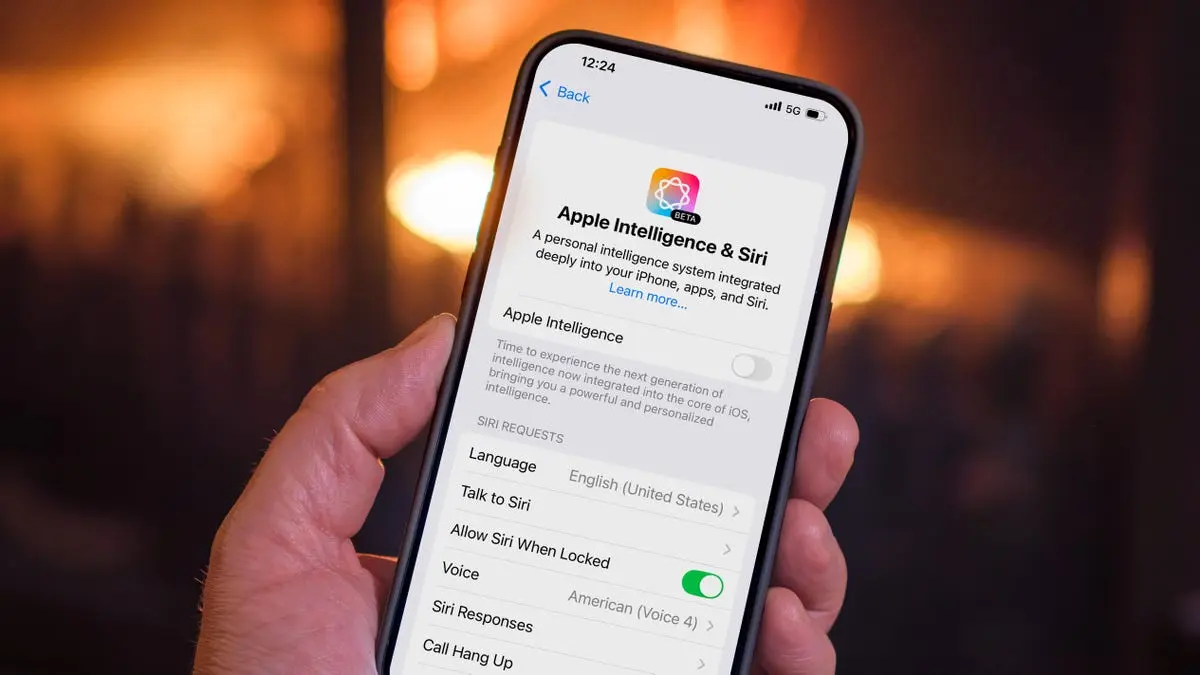
Apple's recent iOS 18.3.2 update has sparked controversy by automatically re-enabling the Apple Intelligence feature, even for users who had previously turned it off. This unexpected behavior has left many iPhone, iPad, and Mac users frustrated and concerned about their control over AI features on their devices
1
2
3
.The Persistent Re-Activation Issue
The problem first surfaced with the iOS 18.3.1 update and has persisted into the latest 18.3.2 version. Users report that after installing the update, they are presented with an Apple Intelligence splash screen that only offers a "Continue" option, effectively forcing the feature's activation
4
. This issue affects not only iOS but also iPadOS and macOS devices5
.Impact on User Experience and Device Storage
Apple Intelligence, when enabled, can consume up to 7GB of storage space for local AI models. This significant storage requirement has become a point of contention for users with limited device capacity
4
. Additionally, some users have expressed dissatisfaction with the feature's performance, citing issues such as inaccurate message summaries and unpredictable generated images1
.How to Disable Apple Intelligence
For those wishing to turn off Apple Intelligence after the update, the process remains straightforward:
- Go to Settings
- Tap on Apple Intelligence
- Toggle the feature off
4
Users can also selectively disable specific AI features within individual app settings, such as turning off text summaries in Messages
1
.User Sentiment and Industry Trends
Recent surveys indicate a lukewarm reception to AI features among Apple users. According to SellCell, 73% of Apple users believe AI adds little to no value to their experience. A separate CNET survey found that 25% of smartphone owners are not interested in AI features at all
1
.Related Stories

Privacy and Security Considerations
While the focus has been on the unexpected re-activation of Apple Intelligence, it's worth noting that the iOS 18.3.2 update also addresses a critical security vulnerability related to web content exploitation. This security patch is particularly important as it targets a sophisticated attack that could potentially affect specific individuals
5
.Broader Implications for User Control
This situation draws parallels to practices seen in other tech companies, such as Microsoft's handling of Windows updates, where users are often prompted to "finish setting up" their computers post-update, potentially changing default settings. Such practices have faced legal challenges in regions like the European Union under the Digital Markets Act
3
.As AI features become more prevalent in consumer devices, the incident raises important questions about user autonomy, privacy, and the balance between automatic updates and user preferences. It remains to be seen how Apple will address these concerns in future updates and whether this will impact user trust in the company's AI initiatives.
References
Summarized by

Navi
[3]
Related Stories
Apple Intelligence: User Adoption, Privacy Concerns, and How to Manage AI Features on iPhones
07 Sept 2025•Technology
Apple's Latest Update Inadvertently Re-enables AI Features, Raising Privacy and User Choice Concerns
12 Feb 2025•Technology

Apple Intelligence Now Enabled by Default: How to Opt Out of iOS 18.3's AI Features
22 Jan 2025•Technology

Recent Highlights



Recent Highlights
Today's Top Stories






Don’t drown in AI news. We cut through the noise - filtering, ranking and summarizing the most important AI news, breakthroughs and research daily. Follow topics that matter to you and stay ahead.


