ChatGPT Memory Feature Suffers Widespread Data Loss, Affecting User Personalization


3 Sources
[1]
ChatGPT memories are disappearing for some users - here's how to protect yours
Secure and restore your ChatGPT memories if they become unavailable Some ChatGPT users have been experiencing unexpected memory losses, with their AI assistant suddenly forgetting important personal information that had been previously stored. According to OpenAI's status page, there has been a
[2]
Users Report Disappearing ChatGPT Memories - Here's How to Keep Yours Safe
Protect ChatGPT Memories from Disappearing: What Every User Should Know According to recent user reports, ChatGPT's function titled 'Saved Memories' has been unexpectedly cleared or shown blank for some accounts. OpenAI provided an update clarifying that in this particular case, the issue happened
[3]
ChatGPT memories disappearing for some users: How you can protect yours
Users advised to back up manually by copying details from "Manage Memories" to prevent data loss. Reddit has recently been flooded with complaints from ChatGPT users reporting that their saved ChatGPT memories have disappeared without warning. "Everything is just gone," one user wrote, echoing the
Share
Copy Link
ChatGPT users experienced unexpected memory losses between November 6-7, 2024, with the AI assistant forgetting stored personal information and preferences. While OpenAI has partially restored affected memories, some users continue to face data gaps.
Widespread Memory Loss Affects ChatGPT Users
ChatGPT users worldwide have reported a significant technical issue that resulted in the unexpected disappearance of their stored memories, causing the AI assistant to forget important personal information and preferences that had been accumulated over time. The incident, which occurred between November 6-7, 2024, has sparked concerns about data reliability and digital trust in AI systems
1
2
.
Source: Tom's Guide
Reddit forums have been flooded with complaints from frustrated users, with one user writing "Everything is just gone," echoing the sentiment of many others who discovered their ChatGPT memories had vanished without warning
3
. The memory feature, which is designed to make interactions more personal by remembering user preferences and past conversations, temporarily failed for a subset of users.OpenAI's Response and Partial Recovery
OpenAI has acknowledged the issue through its official status page, confirming that a technical glitch was responsible for the memory losses. The company stated that there has been a partial recovery of ChatGPT Memories for some of the impacted users, though the restoration process remains incomplete
1
2
.While OpenAI maintains that the memory issue has been resolved, several users continue to report missing or incomplete data, suggesting that the problem may not be entirely fixed. Some users are still experiencing gaps in their stored information, which has raised questions about the stability and reliability of the memory feature
3
.Understanding ChatGPT's Memory Feature
ChatGPT's memory functionality is designed to enhance user experience by storing contextual information that makes conversations more personalized and consistent. The feature remembers various details including user names, writing style preferences, tone preferences, and work-related projects. For instance, it can recall whether a user is a student preparing for competitive exams, a software developer building a startup, or a content creator planning video scripts .

Source: Analytics Insight
This stored information allows ChatGPT to respond in a manner that matches individual goals, cultural contexts, and communication habits. The AI securely saves small pieces of context to improve continuity between conversations, such as remembering preferences for short summaries or specific language mixing patterns when the memory feature is enabled .
Related Stories
Protective Measures for Users
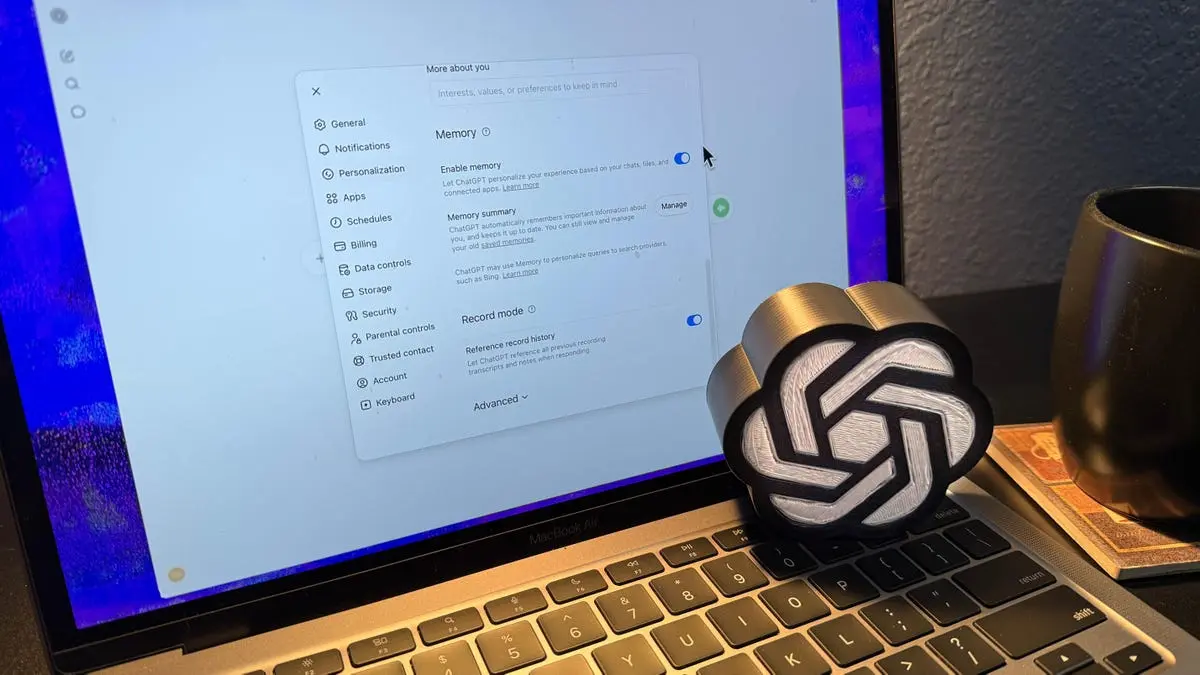
In response to the memory loss incident, experts recommend several protective measures that users can implement to safeguard their ChatGPT memories. The primary recommendation involves manually backing up stored information by accessing the "Manage Memories" section in ChatGPT settings and copying the details to an external document or note-taking application .
Users experiencing memory loss can attempt to restore their data by logging out and logging back into their ChatGPT accounts, as some users have reported success with this method. However, there is currently no direct way to import backups into ChatGPT's memory settings, meaning users must manually re-enter information by typing commands such as "Remember that [specific details]" to gradually rebuild their personalized experience .
References
Summarized by

Navi
[2]
Related Stories
ChatGPT's Memory Upgrade: Enhancing Personalization and Long-Term Interactions
11 Apr 2025•Technology

ChatGPT Extends Memory Feature to Free Users: Enhancing Personalization and Continuity
04 Jun 2025•Technology

ChatGPT's new memory builds a profile of you automatically—and OpenAI admits you can't see it all
18 Jun 2026•Technology
Recent Highlights



Recent Highlights
Today's Top Stories










Don’t drown in AI news. We cut through the noise - filtering, ranking and summarizing the most important AI news, breakthroughs and research daily. Follow topics that matter to you and stay ahead.


