ChatGPT Chrome Extension Now Controls Tabs, Fills Forms with Deeper Google Chrome Integration


6 Sources
[1]
ChatGPT Can Now Take Control of Your Chrome Tabs
The browser extension can now make direct changes to your tabs, for example, filling out a registration form. It's available for Google Chrome, Microsoft Edge, Brave, Opera and Vivaldi. OpenAI may have retired its standalone browser, ChatGPT Atlas, back in August, but ChatGPT has just gained much
[2]
ChatGPT's Chrome extension can now control tabs, download files, and fill out forms
Serving tech enthusiasts for over 25 years. TechSpot means tech analysis and advice you can trust. In a nutshell: OpenAI has released a major update to its ChatGPT browser extension, bringing deeper integration with Google Chrome. The extension can now access content from open webpages, analyze
[3]
ChatGPT can now do more in Google Chrome, including taking action inside open tabs
It can also fill out forms with information from your ChatGPT history and connected plugins. OpenAI keeps improving ChatGPT week after week. It's either releasing faster, more intelligent AI models or adding new features that make it more useful. Today, the company announced more of the latter,
[4]
ChatGPT gets deeper Google Chrome integration including control over tabs
OpenAI this week announced deeper integration between ChatGPT and Google Chrome, including the ability to hand control over your tabs to the AI assistant. In a thread on Twitter/X, OpenAI details improvements to the ChatGPT extension for Google Chrome. The browser add-on now features deeper
[5]

ChatGPT has a new Chrome integration -- I put it to the test to see if it really makes browsing better
OpenAI's new integration makes ChatGPT feel like part of the browser and gives Gemini some competition OpenAI has upgraded its Chrome extension to bring much of the familiar ChatGPT experience directly into Google's browser. The integration adds a sidebar that can work alongside whatever you're
[6]

ChatGPT can now access your Google Chrome tabs to gather information and complete tasks, here is how
For example, you can ask ChatGPT to compare products across multiple tabs. OpenAI has announced that ChatGPT can now use your open Google Chrome tabs to find information, compare details and help you complete tasks without switching between different windows. For example, you can ask ChatGPT to
Share
Copy Link
OpenAI upgraded its ChatGPT Chrome extension with deeper browser integration, allowing the AI assistant to control Chrome tabs, fill out forms, download files, and organize browsing sessions. Available free across Chromium-based browsers, the update positions ChatGPT as a direct competitor to Google Gemini inside Chrome itself.
ChatGPT Gains Active Control Over Chrome Tabs
OpenAI released a major update to its ChatGPT Chrome extension, transforming the AI assistant from a passive reader into an active controller of browser tabs
1
2
. The browser integration now enables ChatGPT to perform direct actions within Chrome, including filling out forms, downloading files, sending messages, and organizing open tabs by topic. This represents a significant evolution from the extension's previous capability, which only allowed ChatGPT to read tab content since July when OpenAI added the feature to its Side Chat panel1
.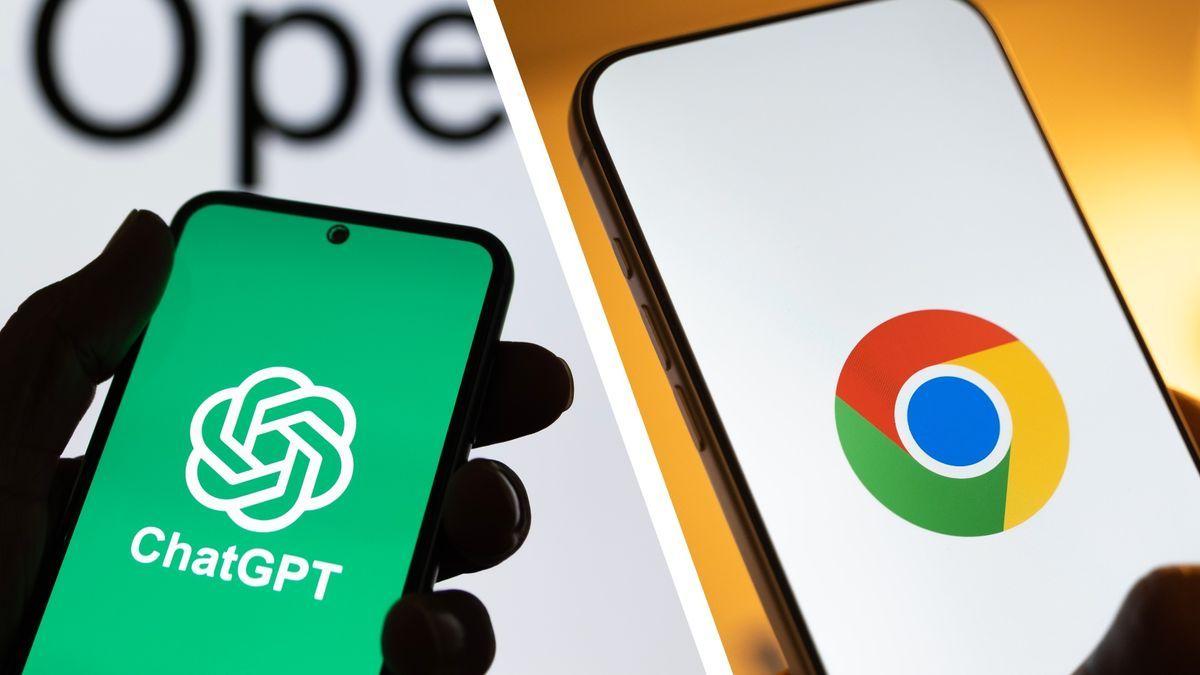
Source: TechRadar
The update introduces two distinct operating modes: Chat mode and Work mode
2
. In Chat mode, ChatGPT can analyze information across multiple tabs to answer questions, compare products, or summarize web content. Work mode takes this further by allowing the AI assistant to interact with websites directly, executing tasks like form-filling using information from documents stored on the device or extracted from the user's ChatGPT history and plugins3
. The extension stops before submitting forms, giving users a chance to review entries manually before final submission1
.Deeper Google Chrome Integration Challenges Gemini
The deeper browser integration positions ChatGPT as a direct competitor to Google Gemini inside Chrome itself
4
5
. OpenAI clearly wants Chrome users to continue relying on ChatGPT even while browsing inside Google's own ecosystem, rather than allowing Gemini a natural advantage as Chrome's built-in AI assistant5
. Users no longer need to open the extension's side panel to leverage tab context—they can now tag Chrome directly in ChatGPT's web or desktop app by adding @Chrome to prompts, or mention specific tabs to access only selected pages1
4
.The OpenAI ChatGPT browser extension brings familiar ChatGPT capabilities directly into the browsing experience without requiring users to switch between applications
5
. A dedicated ChatGPT tab in Chrome now contains user chat history, and when accessing this history or visiting new websites, ChatGPT requests permission with options including "allow once," "allow for this site," "allow for all sites," and "decline"2
. This permission system addresses privacy concerns while enabling AI-driven browser automation.Practical Applications and Cross-Browser Availability
The updated extension enables several practical use cases for managing tabs and automating web tasks. Users can ask ChatGPT to compare three couches across different tabs by dimensions, material, delivery time, and return policy, or have the AI assistant fill out registration forms ahead of dentist appointments using information on file
4
. The AI can also organize piles of open tabs by grouping them into categories, making tab management more efficient3
4
.For research workflows, ChatGPT can examine several articles about the same announcement simultaneously, compare coverage, identify discrepancies, or explain unclear concepts without requiring users to copy passages into separate conversations
5
. The sidebar interface allows users to summarize reports, draft emails, or translate text without switching tabs, while access to ChatGPT history and plugins enables powerful actions like pulling receipts from Gmail and submitting them on company reimbursement webpages3
.
Source: 9to5Google
The integration is available for free across all ChatGPT plans, including users without paid subscriptions
1
3
. Beyond Google Chrome, the extension supports multiple Chromium-based browsers including Microsoft Edge, Brave, Opera, and Vivaldi1
2
. However, it's not currently available for Firefox or Apple's Safari. Users can download the extension from the Chrome Web Store to begin using the new features immediately2
4
.
Source: PC Magazine
Related Stories

User Supervision Remains Critical for Web Automation
While the form-filling and web automation capabilities offer convenience, user supervision remains essential when granting an AI assistant the ability to interact with websites where users are already signed in
5
. Testing revealed that ChatGPT Work may pause to request clarification when encountering ambiguous form fields, such as industry category selections. Even minor errors in automated form entries can create more frustration than manual completion, making final review before submission critical5
.Reading multiple webpages doesn't guarantee ChatGPT will interpret every detail correctly, particularly when sites have unusual formatting or important information hidden behind interactive elements
5
. Users need to exercise judgment about which tabs contain sensitive information and which websites the AI assistant should be authorized to access. Despite permission controls, the convenience of confident AI summaries should never replace checking sources when accuracy matters.This development follows OpenAI's retirement of its standalone Atlas browser in August after it failed to capture substantial market share from established competitors
2
. Rather than competing directly with Chrome, OpenAI now focuses on making ChatGPT an indispensable companion within existing browsers. A January 2026 survey from Omnisend found just over 20% of US consumers were not comfortable "at all" about handing over transactions to AI tools, suggesting consumer adoption of AI-driven browser automation may require time to build trust1
. Watch how OpenAI balances automation capabilities with user control, and whether Google responds by expanding Gemini's browser integration features to maintain competitive positioning inside Chrome.References
Summarized by

Navi
[1]
[3]
Related Stories
OpenAI shuts down Atlas browser but doubles down on AI-powered browsing through ChatGPT app
10 Jul 2026•Technology

ChatGPT Search: A New Challenger to Google's Search Dominance
01 Nov 2024•Technology

OpenAI Enhances ChatGPT Search with Advanced Features, Challenging Google's Dominance
16 Jun 2025•Technology

Recent Highlights



Recent Highlights
Today's Top Stories









Don’t drown in AI news. We cut through the noise - filtering, ranking and summarizing the most important AI news, breakthroughs and research daily. Follow topics that matter to you and stay ahead.


