Copilot is coming to fix your PC, but Microsoft won't say when


3 Sources
[1]
Copilot is learning to troubleshoot Windows 11 problems for you
Although Microsoft successfully shoved Copilot into just about every corner of Windows 11, adding yet another button or home screen hasn't necessarily made the AI assistant more useful. It may actually make a difference in one area: troubleshooting. Windows users have long had to deal with a maze
[2]
Microsoft is making Copilot more useful by helping you manage files and PC problems
By igniting the Hybrid Intelligence initiative, Microsoft aims to combine on-device AI models with cloud processing While Copilot may not be everyone's first choice of AI platform, Microsoft is leaving no stones unturned to make it better. Announced at Microsoft Ignite 2026, their annual developer
[3]
Your Copilot+ PC will soon organise files and diagnose Windows issues locally
For most of us, using a PC still means doing a lot of small jobs ourselves. Finding a document buried in Downloads, moving files into the right folders or figuring out why Bluetooth has stopped working can eat into the day. Microsoft wants Copilot to take on some of that work. At Ignite 2026, the
Share
Copy Link
Microsoft announced at its Ignite 2026 conference that Copilot on Copilot+ PCs is getting three new local capabilities: the ability to diagnose computer problems, act on files, and read what's happening on the machine
1
3
2
. The move takes Copilot past answering questions and into doing things on the machine, which is the real shift here.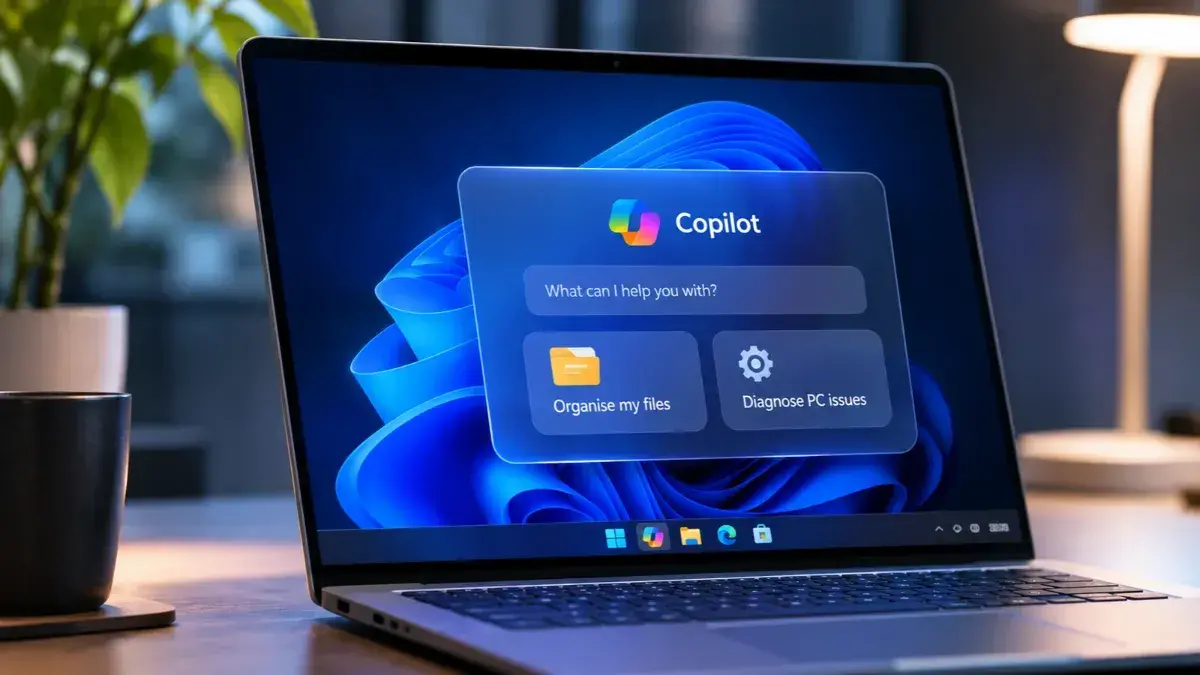
Source: Digit
Diagnosing the machine
The headline capability is troubleshooting. Copilot will run a read-only scan of the computer's system information, identify the likely cause of common hardware and connectivity problems, explain what's wrong and walk the user through the fix
1
3
2
. The point, per Microsoft, is to take over troubleshooting work people currently do by picking through settings or contacting support1
3
. Windows troubleshooting has long meant a maze of settings and unhelpful support pages, which is the problem this is aimed at1
.
Source: How-To Geek
In Microsoft's own demo at Ignite, Copilot diagnosed Bluetooth headphones paired to a computer but producing no sound. After asking to look at files and system data, it found Windows was sending the sound to a different output device, and explained how to correct it
1
.The other two capabilities are about Copilot knowing and doing more. Local actions let users ask, in plain language, for Copilot to locate, organise, move, copy or rename files
3
2
. Local context means Copilot can, with user permission, see which files are open, which apps are running and the current state of the machine, so nobody has to describe their situation from scratch1
3
. The other half is effort: Microsoft wants to spare users from explaining their situation and doing small file jobs themselves3
.The architecture behind it, and the pullback
All of it sits under a new Microsoft initiative called Hybrid Intelligence, which combines on-device AI processing with cloud-based models, with Windows deciding where a given task runs
1
3
2
. The company frames Hybrid Intelligence as using the device's own compute for suitable tasks and reaching for the cloud only when more power is needed, which it says could make features more responsive and cut what businesses spend on cloud AI services3
2
.
Source: Digital Trends
There is a notable counter-current. So the same company is pulling Copilot out of shallow perches while pushing it into deeper ones, which reads as a bet on fewer, more useful integrations rather than more of them.
Microsoft is also building guardrails for agents with system access
1
2
. Isolated execution containers limit which files and networks an agent can touch. Other tools distinguish agent activity from human activity and let admins govern what agents do.Related Stories




What is not confirmed
None of this is shipped. No release date and no full hardware requirements have been announced for the diagnostics capabilities
1
3
. Not every feature will work offline; local models handle the requests that suit them and the cloud stays available for the rest3
. How reliably Copilot handles complicated instructions, and how much control users keep, stays to be seen until rollout3
. Microsoft has not said when any of it ships. It has not confirmed automatic repair either; users may still be following the suggested steps themselves3
2
.References
Summarized by

Navi
[2]
Related Stories
Recent Highlights


Recent Highlights
Today's Top Stories








Don’t drown in AI news. We cut through the noise - filtering, ranking and summarizing the most important AI news, breakthroughs and research daily. Follow topics that matter to you and stay ahead.


