2 Sources
[1]
5 things I now do with Gemini in Google Maps that I couldn't do before
Jack has been a contributing author at MakeUseOf since June 2024, specializing in entertainment and its associated technology. He is passionate about creating engaging content that inspires and informs, having published articles and reviews in several reputable online resources since 2010, including SlashGear, BestReviews, and Ezvid Wiki. Jack's work has taken him far and wide, from South America to Europe, South Asia, and the Far East, and his experiences continue to influence his writing. As a graduate with a BA in music technology, he is particularly interested in new developments in this field, including music hardware, music creation software, and music streaming services. When he's not researching and trying out the latest software and devices, Jack enjoys riding his motorcycles to far-flung destinations, playing guitar, and creating music and vlogs using Logic Pro and Final Cut Pro on Mac. Google Maps is by far my favorite navigation app, with plenty of neat tricks up its sleeve, which I rely on not only to find my way around but also to reroute around heavy traffic, find interesting dining spots and attractions, coordinate with friends, and book accommodation on the fly. Despite all these benefits, it always felt more like a tool than a true travel companion, and that's where Google's Gemini AI assistant comes in. Gemini has become my smart travel companion in the most literal sense. Instead of applying filters and scrolling through endless reviews, I can now simply ask questions, describe what I want, and get thoughtful answers that are relevant to my needs. While the change was subtle at first, having used it for a while, it has changed how I explore places, plan outings, and make decisions. Related The 5 Best Google Gemini Features You Must Try Let Gemini wow you with these awesome functions. Posts By Pankil Shah Plan trips using natural language Let Gemini join the dots for a full plan or a decent starting point One of the greatest advantages of Gemini's Google Maps integration is the ability to plan outings conversationally. This is useful whether I'm in familiar surroundings or in the middle of a bustling Kathmandu market. I can now simply type something like, "Plan a lunch at a non-crowded, affordable local eatery, and a relaxing afternoon that includes coffee, a gift store, and dinner and drinks close to Thamel center." Gemini will almost immediately present a structured set of suggestions that make great sense together. This not only plans my day quickly and coherently but also removes the hassle of searching, saving places, and mentally mapping distances. Gemini understands proximity and the types of experiences I'm after, so even if I don't follow its advice word-for-word, I feel like I am at a distinct advantage. Get personalized recommendations Gemini's directions are tailored and allow for follow-up questions Recommendations in Google Maps were always generic, based on ratings or proximity, rather than my specific requirements. Now, with Gemini, they have become more personal and better-suited to my needs. I can ask for a not-too-busy bar or a café with decent Wi-Fi and a quiet atmosphere, and I get results that feel carefully curated rather than spat out by an algorithm. What really makes a difference is the ability to ask follow-up questions. For example, once I've found some quiet cafés, I can ask, "Which of these is less crowded after 4 pm?" or "Which is closest to the railway station?" This back-and-forth makes discovery more dynamic and feels more like asking a well-informed local, rather than a bot. Summarize reviews instantly Get curated answers from a variety of sources To be honest, I could never be bothered to read more than a few reviews, and I'm sure I've missed opportunities as a result. Gemini can turn hundreds of reviews into concise, useful summaries that cut through the noise. Rather than being swayed by one or two positive or negative opinions, I receive balanced reviews based on collective feedback. For example, I can ask, "What are the negatives about this restaurant?" and receive a concise breakdown, such as: "great food and ambiance, but slow service during peak hours." If I'm in a hurry, slow service would negatively impact my experience, so Gemini has given me a way to make confident choices, instead of relying on a couple of Joe Public's suggestions. Discover hidden or niche spots Gemini removes the need to play it safe and follow the crowd Before Gemini, I was always tempted to play it safe and stick to "Top Rated" or high-ranking destinations. While these can be useful, they often result in mass-appeal outcomes or the same suggestions surfacing time and time again. With Gemini, I can search for specifics like "intimate restaurants with a traditional interior" or "jazz clubs that are off the beaten track." Gemini will then interpret my request with places that match the vibe, making exploration not only easier but also less predictable. It's a great way to find niche places that would likely be overlooked. Instead of finding something suitable to my requirements, I can find something different. Build itineraries on the fly Gemini helps you plan smarter and save time in the process As someone who takes a lot of trips both abroad and at home, preparing itineraries is one of the most fun parts of the planning process. With Gemini, I can easily create multi-stop Google Maps itineraries, such as "create a motorcycle route that avoids tolls and motorways, leaving at 8 am, with a local eatery for lunch and attractions in the afternoon." The results aren't just a list of options; they are organized logically. This removes much of the hassle of itinerary planning and makes preparation quicker overall. Subscribe to the newsletter for smarter Google Maps+AI tips Get the newsletter to explore how AI like Gemini reshapes Google Maps, with curated explanations, sample prompts, concise summaries of reviews, and real-world itinerary examples -- plus broader tech and travel coverage that complements these insights. Get Updates By subscribing, you agree to receive newsletter and marketing emails, and accept our Terms of Use and Privacy Policy. You can unsubscribe anytime. Itinerary planning with Gemini is especially helpful for spontaneous plans. Unsure of what to do in the afternoon? Rather than spend 20 minutes figuring out my options, I can quickly generate a ready-made plan, tweak it as needed, and hit the road without overthinking. Gemini is the AI Google Maps assistant that I never knew I needed By integrating Gemini into Maps, Google has created a fully-fledged navigation system that doesn't dictate options so much as work with you to achieve better results. It hasn't changed what the app is, but it has fundamentally altered how it feels to use, for the better. No matter if you are asking directions, planning a day trip, or taking a scheduled vacation, the process is faster, more intuitive, and surprisingly enjoyable, and the results are far more detailed. It never occurred to me that Google Maps needed an AI assistant, but now I see it as an upgrade that I wouldn't want to be without. Google Gemini OS Android, iOS, macOS, Windows Developer Google Price model Free, Subscription Google Gemini is an AI assistant that can understand and generate text, images, code, and more. It's designed to help people find information, solve problems, and create things more easily. See at Google See at Google Play Store See at App Store Expand Collapse
[2]
I turned Google Maps into my ultimate AI travel companion with these 3 Gemini tricks
Gemini also summarises reviews quickly, helping users avoid bad places without reading everything. Google Maps has always been my favorite app when it comes to directions, traffic, or finding a nice cafe near me. However, after starting to use Google Gemini within Google Maps, I feel like Google Maps is now more like an intelligent travel companion than just a navigation app. In fact, while planning a trip to Rishikesh recently, I didn't need to spend hours browsing countless reviews or jumping from one application to another; instead, I just needed to ask Gemini in plain English what I wanted. The AI tool handled all the tasks surprisingly well as it planned my quick evening outings around local attractions and even provided me with some peaceful coffee spots near crowded markets. Here are three ways I use Google Gemini inside Google Maps to bring the most out of it. One of the best things about Gemini is how naturally it understands travel plans. Instead of searching for every stop manually, one can simply type something like, 'Plan a relaxed evening near Connaught Place with good chaat, coffee, and a quiet bookshop.' Once you do so, Gemini will quickly create a complete plan that would contain nearby places. Moreover, it also iterates where you can go first and the other places following that. Using Gemini in Google Maps not only saves time, but it also eliminates the headache of checking distances, traffic, and timings separately. Even though you don't want to follow the exact suggestions provided by the AI tool, it still gives you a solid starting point in seconds. Also read: Samsung Galaxy S26 price slashed by over Rs 14,100 just few months after launch Before I started using Gemini in Google Maps, it used to show me the places based on the ratings or popularity. However, since I integrated Gemini with Google Maps, it now shows very specific recommendations that actually match my mood as if it could read what I want. For example, I recently searched for 'a quiet cafe in Film City, Noida, with good Wi-Fi and fewer crowds after 5 pm'. 'The results felt far more useful than random top-rated suggestions. Not only that, but I can now also give follow-up questions and ask which cafe is budget-friendly, closer to a metro station, or better for working quietly. The result surprisingly feels less robotic and more like getting advice from a local friend. Also read: Inverter AC vs split AC: Which is one is cheaper, is more efficient and easy to maintain Reading hundreds of reviews is tiring, especially when travelling. But you no longer have to deal with that, as Gemini now provides you with short summaries that highlight what truly matters. For example, you can now directly ask, ' What are the common complaints about this restaurant?' Once you ask, Gemini will quickly point out the issues like slow service, long waiting times, or noisy seating. Doing so helps me avoid bad experiences and that too, eliminating the need to go through the hectic and frustrating process where I need to read reviews.
Share
Copy Link
Google's Gemini AI integration is reshaping how users interact with Google Maps, turning the navigation app into a smart travel companion. Instead of manually filtering through reviews and locations, users can now ask questions in plain English and receive personalized recommendations, conversational trip planning, and instant review summaries that match their specific needs.
Google Maps has evolved beyond a simple navigation tool into an AI travel companion with the integration of Google's Gemini AI. Users no longer need to spend hours browsing through endless reviews or applying multiple filters to find what they're looking for. Instead, they can simply describe what they want in natural language queries and receive thoughtful, context-aware responses
2
. This shift represents a fundamental change in how people explore places, plan outings, and make travel decisions on the fly.
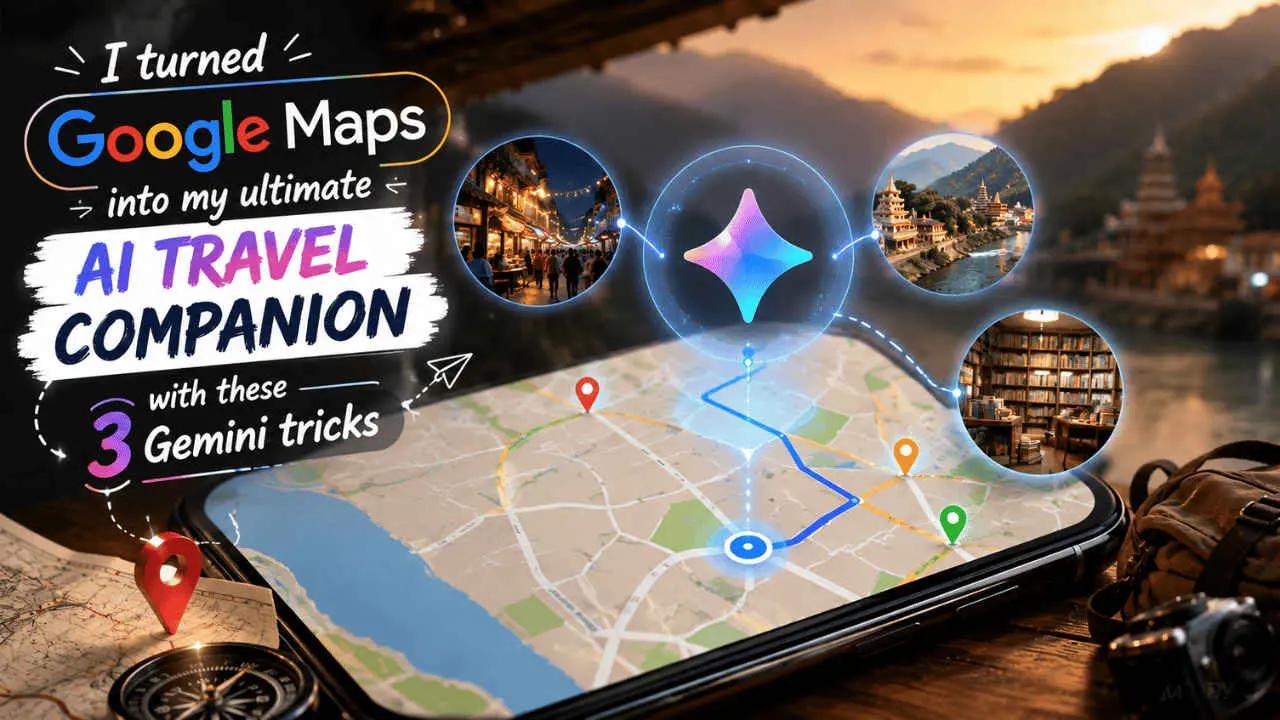
Source: Digit
One of the most significant advantages of Gemini in Google Maps is the ability to handle conversational trip planning through simple requests. Users can type something like "Plan a relaxed evening near Connaught Place with good chaat, coffee, and a quiet bookshop" or "Plan a lunch at a non-crowded, affordable local eatery, and a relaxing afternoon that includes coffee, a gift store, and dinner and drinks close to Thamel center"
2
. Gemini almost immediately presents a structured set of suggestions that make sense together, understanding both proximity and the types of experiences users are after. This approach removes the hassle of searching, saving places, and mentally mapping distances, making planning personalized itineraries faster and more coherent.Before Gemini's integration, Google Maps recommendations were largely generic, based on ratings or proximity rather than specific user preferences. Now, the smart travel companion delivers results that feel carefully curated rather than algorithmically generated. Users can request "a quiet cafe in Film City, Noida, with good Wi-Fi and fewer crowds after 5 pm" and receive recommendations that actually match their mood and requirements
2
. What truly distinguishes this feature is the ability to ask follow-up questions, creating a dynamic back-and-forth that feels like asking a local friend rather than interacting with a bot. Users can inquire "Which of these is less crowded after 4 pm?" or "Which is closest to the railway station?" to refine their choices based on user intent .Reading hundreds of reviews has always been a tedious aspect of travel and navigation planning. Gemini addresses this by turning vast amounts of feedback into concise, useful summaries that highlight what truly matters. Users can ask "What are the negatives about this restaurant?" or "What are the common complaints about this restaurant?" and receive balanced breakdowns such as "great food and ambiance, but slow service during peak hours"
2
. This capability helps users make confident choices based on collective feedback rather than being swayed by one or two extreme opinions, ultimately helping them avoid bad experiences without the frustrating process of reading through every review.Related Stories
Gemini enables users to discover hidden spots and niche spots that might otherwise remain buried beneath top-rated, mass-appeal destinations. Instead of playing it safe with the same high-ranking suggestions that surface repeatedly, users can search for specifics like "intimate restaurants with a traditional interior" or "jazz clubs that are off the beaten track" . Gemini interprets these requests and matches them with places that fit the desired vibe, making exploration less predictable and more aligned with individual tastes. This capability is particularly valuable for travelers seeking authentic experiences beyond tourist hotspots.
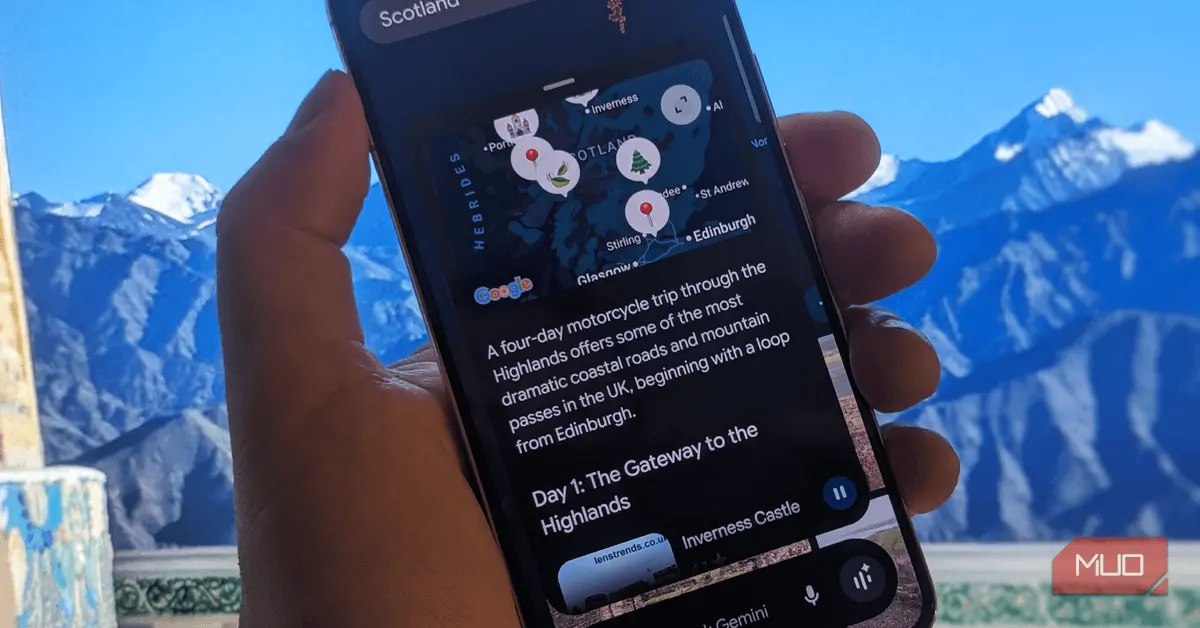
Source: MakeUseOf
The integration signals a broader shift in how AI assistants understand and respond to complex, multi-layered requests in real-world scenarios. As users become more comfortable with natural language interactions, the expectation for personalized, context-aware assistance will likely extend to other navigation and travel platforms. The technology's ability to process follow-up questions and refine recommendations based on ongoing dialogue suggests that future iterations could become even more sophisticated, potentially incorporating real-time factors like current crowd levels, weather conditions, or personal travel history to deliver increasingly precise suggestions tailored to each user's unique needs.
Summarized by
Navi
16 Apr 2026•Technology

12 Dec 2025•Technology

06 Apr 2026•Technology

1
Technology

2
Technology

3
Technology