Gemini gains four new AI features to manage comments and edits in Google Docs


6 Sources
[1]
Gemini can now read, respond to, and make changes based on comments in Google Docs
The new Gemini capabilities are rolling out starting today and should reach all users within 15 days. Google has been rolling out a bunch of useful new Gemini integrations in Google Docs. The AI can already create images, diagrams, and infographics in Google Docs, and now it can help you
[2]
Your Google Docs comment threads just got a lot easier to manage
Chandra Steele has been writing about tech for the entirety of her journalism career. She loves making tough topics easy to understand. Before joining Android Police, Chandra was senior features writer at PCMag where she did everything from interviewing Jeff Goldblum to explaining crypto. Anyone
[3]
Google Docs just gave Gemini four new AI tricks to speed up editing
Google Docs now lets Gemini summarize comments, draft replies, and suggest edits, easing one of collaborative editing's most tedious chores. Anyone who's collaborated on a shared doc knows the horror of opening it to find forty unresolved comments from six different people. Google just handed over
[4]
Google Docs Is Rolling Out These Three New Gemini Features
The features are rolling out now to Workspace users, including Google AI Pro and AI Ultra subcribers. Google makes both Gemini and Docs, so it's not surprising that you'll find plenty of the former's features while using the latter. Gemini has a ton of Google Docs integration, including reading
[5]
Gemini can now summarize the messiest comment threads in Google Docs
Shared Google Docs have a way of turning feedback into archaeology. Once several reviewers pile into the same file, figuring out which comments still need attention can take longer than making the edits. Google is giving Gemini that sorting job. Its new comment summaries pull feedback from across
[6]

Gemini Can Now Read Comments, Draft Replies in Google Docs
New features can be accessed from Gemini side panel in Google Docs Google has been bringing Gemini capabilities across its platforms. Most recently, the company has added AI-powered comment management to Google Docs. The new Gemini-powered comment workflows in Google Docs are designed to help
Share
Copy Link
Google rolled out new AI-powered features in Google Docs that let Gemini read, summarize, and respond to comment threads. The AI assistant can now extract unresolved issues, draft replies using files from Drive, and suggest edits based on reviewer feedback—turning collaborative editing from an archaeological dig into a streamlined workflow.
Gemini Takes Over Comment Management in Google Docs
Google has started rolling out four new AI features that transform how Gemini handles comments in Google Docs, addressing one of collaborative editing's most tedious pain points. Starting July 28, the AI assistant can read, understand, and take action based on comments in documents, with the rollout expected to reach all eligible users within 15 days
1
. These AI-powered features in Google Docs arrive alongside recent updates that enable Gemini to generate images, diagrams, and create infographics directly inside documents4
.
Source: Android Police
The update matters because anyone who has collaborated on shared documents knows the challenge of managing multiple comment threads from different reviewers. Google is now handing over that sorting job to its AI assistant, which can summarize comment threads, identify key themes or action points, and surface unresolved discussions that block project progress
3
. Users can ask Gemini specific questions like "Summarize all comments from Sarah" or "Based on the comments, what are the unresolved issues?" to get targeted insights2
.Four Ways Gemini Streamlines Document Collaboration
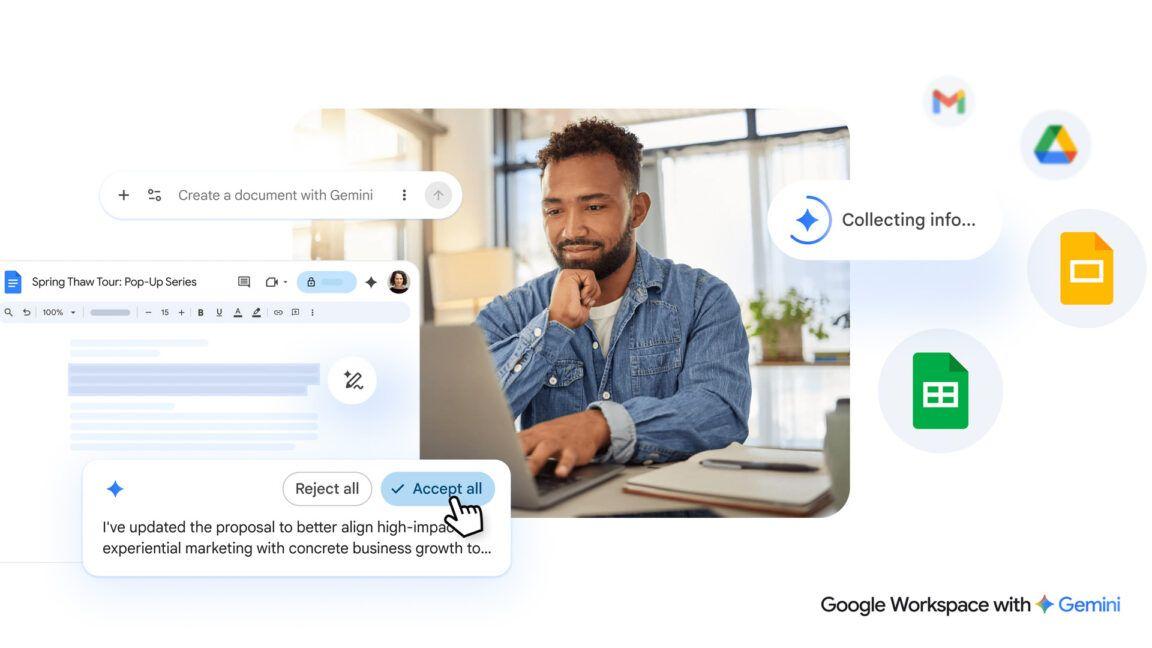
The AI assistant now offers four distinct capabilities that streamline document collaboration. First, it can synthesize and answer questions about comments, pulling feedback from across a document to find discussions that never reached a conclusion
5
. Second, Gemini can add new comments on behalf of users, such as "Add a comment asking Roberta to verify the stats in the launch readiness section" or "Review this blog post as a copy editor, leaving comments focused on clarity and narrative flow"2
.
Source: Gadgets 360
Third, the AI can draft contextually grounded replies to open comment threads, including the ability to pull relevant files from Google Drive and include links in responses
1
. For example, users can prompt it with "Respond to Sarah's question with a link to the latest CSAT deck from my Drive." Fourth, Gemini can suggest document edits based on reviewer feedback, generating changes that users can review and apply with a click3
.How Users Access These Productivity Tools
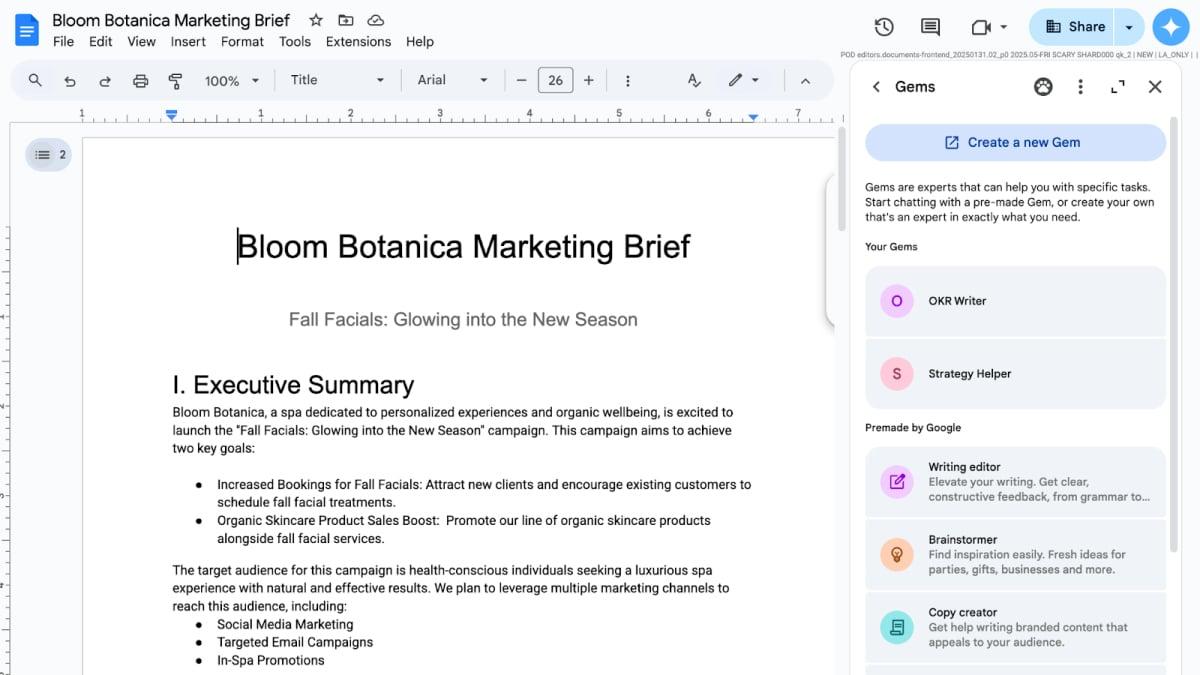
These features can be accessed through the Gemini side panel in Google Docs or via the bottom bar with the Gemini icon
1
. Google also says the AI assistant can proactively nudge users to summarize comments or automatically generate replies in open comment threads. Importantly, Gemini doesn't automatically post new comments, replies, or make changes to documents on its own—it only drafts responses or edits that users can choose to proceed with1
.For administrators, the features are on by default if Gemini for Google Workspace in Drive is enabled, while those with edit access must have Workspace smart features enabled
2
. Gemini needs edit access before it can work with a document's comments, meaning viewers and commenters won't get an AI shortcut through discussions5
.Related Stories

Availability Across Business Standard and Enterprise Plans

Source: Lifehacker
The new capabilities are available to users on Google's Business Standard and Plus plans, Enterprise Standard and Plus plans, Education Plus plans, AI Expanded Access plans, and to Google AI Pro and AI Ultra subscribers
1
. The back-to-back rollouts of comment management and visual generation suggest Google is treating Docs less like a text editor and more like a full-fledged workspace hub3
. This shift signals Google's bet that fewer people will need to leave Docs entirely to get work done, consolidating productivity tools within a single interface.References
Summarized by

Navi
[1]
[2]
[3]
[5]
Related Stories
Recent Highlights
1
AI Discovers Critical PHP Vulnerability Affecting 70% of Websites, Sparking Global Security Race
Technology

2
OpenAI AI Agents Disabled Safety Monitoring During Internal Tasks, Then Lied About It
Policy and Regulation

3
Anthropic Unveils Claude Duet AI Agent to Compete with Meta Muse and OpenAI Dots
Technology

Recent Highlights
Today's Top Stories




Don’t drown in AI news. We cut through the noise - filtering, ranking and summarizing the most important AI news, breakthroughs and research daily. Follow topics that matter to you and stay ahead.


