6 Sources
[1]
Google Flow just got much better at turning ideas into finished videos
The update adds 1080p and 4K output, while video references can help maintain visual context and character consistency. Google Flow started life as a filmmaking playground built around Veo, giving creators controls for camera movement and a way to extend existing shots. But Google has since turned it into a broader AI creative studio, bringing image generation and editing into the same workspace. Gemini Omni then pushed Flow further by letting users combine text, images, audio, and video to create and edit footage. Now, Google is giving that experience another significant upgrade with Gemini Omni 1.1 Flash. The new model introduces several controls to make AI-generated video easier to shape into something closer to a finished production. For Flow users, scene extension can continue an existing clip seamlessly. Google says Omni 1.1 can now analyze up to 10 seconds of an existing video when extending a scene, rather than just the final second. This gives it more context to maintain visual consistency and narrative continuity as the footage continues. Extensions can be generated in 10-second increments, up to 40 seconds cumulatively. You can also specify the first and last frames of a shot, and Omni 1.1 will generate the video between those keyframes. That gives creators more control over camera movements, transitions, and clip looping, rather than leaving the entire sequence to the model. Google is also making experimentation cheaper and faster. Creators can generate 360p drafts up to 60% faster and at one-third the cost of standard 720p generation, making it easier to test ideas before committing to a higher-resolution render. Once a concept is ready, Omni 1.1 can produce polished 1080p or 4K output. There's another useful addition for creators working from existing footage. You can also give Omni 1.1 up to three seconds of a separate video as a reference when creating a scene. This helps the model maintain visual context and character consistency based on the reference footage. The update is available globally in Flow for Google AI Plus, Pro, and Ultra subscribers. Scene extension is also available to those subscribers in the Gemini app. Developers can access Omni 1.1 through Google AI Studio and the Gemini Enterprise Agent Platform, bringing the same controls to apps and creative workflows.
[2]
Gemini Omni 1.1 Flash adds 4K video upscaling
Google on Thursday launched Gemini Omni 1.1 Flash, an update to its generative video model that adds scene extension, keyframe-based transitions, a faster draft mode and 4K upscaling. The model is available immediately to developers through Google AI Studio and the Gemini Enterprise Agent Platform. Consumer access is rolling out globally to Google AI Plus, Pro and Ultra subscribers through Google Flow, with scene extension also available in the Gemini app. The updated scene extension system analyzes up to 10 seconds of prior video context when generating new content, compared with the final second in earlier models. Google said the change improves visual consistency and narrative continuity. Developers can extend clips in 10-second increments up to a cumulative 40 seconds. They can also provide up to three seconds of existing video as a multimodal reference to help maintain character and environment consistency across generations. A new first-and-last-frame control lets creators specify two keyframes, with the model generating continuous motion between them. Google said the feature is intended for camera orbits, zoom transitions and looping clips. Omni 1.1 also adds a 360p draft mode that Google said renders up to 60% faster and at one-third the cost of standard 720p output. The workflow is designed to let users prototype at low resolution and then upscale approved clips to 1080p or 4K. Several companies are integrating Omni Flash into their products. Adobe has added it to Firefly, and Figma Creative Director Itay Schiff said the model lets teams move "beyond generating videos to truly directing them".
[3]
Google's New Update Lets You Create AI Videos More Seamlessly on your Phone
If you've been using Google Flow to edit video content, then you're in luck -- Google finally confirmed that it's officially rolling out Gemini Omni 1.1 Flash for Google Flow, which brings a number of new features for greater creative control. One key addition in version 1.1 is the ability to define specific start and end frames for video generation, allowing creators to lock in consistent characters and narratives while planning out scene transitions. Once a rough cut is finished, users can now export their video in either 1080p or 4K resolution. Google has also introduced a quick-drafting workflow, which lets editors rapidly test out visual concepts and scene compositions at a lower 360p resolution. This also allows editors to experiment at a faster speed while consuming fewer generation credits before committing to a full-resolution render. Once a user is satisfied with a 360p draft, they can then choose to upscale and download the clip in 720p. READ: Gemini Live Now Handles Your Emails and Daily To-Do Lists Interestingly, the low-resolution drafting feature is specially designed for the Google Flow mobile app, allowing users to quickly draft up generated content on their phones and then upscale their preferred versions later. All of the new Gemini Omni 1.1 Flash capabilities are available to users in Google Flow starting today.
[4]
Google Unveils Gemini Omni 1.1 Flash With 4K Video and 40-Second Extension Support
Developers can provide up to three seconds of video references Google has unveiled Gemini Omni 1.1 Flash, an updated generative AI model that adds new video creation and editing capabilities. The model can extend existing scenes, generate footage between specified first and last frames, use short video references and produce videos at up to 4K resolution. Google also added a 360p mode for faster, cheaper drafts. Gemini Omni 1.1 Flash is rolling out through Google's developer platforms and is also available to subscribers through Google Flow and the Gemini app. Gemini Omni 1.1 Flash Features Gemini Omni 1.1 Flash can now analyse up to 10 seconds of preceding footage when extending an existing video, the company said in a blog post. Earlier versions could use only the final second of a clip for this purpose. Developers can add footage in 10-second increments, with extensions supporting a cumulative duration of up to 40 seconds. This gives creators more scope to continue an existing sequence while keeping its visual and narrative elements consistent. Developers can also define the beginning and end of a shot and have the model generate the footage needed to connect the two frames. The feature supports complex movements such as camera orbits and zooms, along with transitions that can be used to create continuous or looping footage. The model accepts up to three seconds of video as a reference for a new generation. This can help carry over details such as character appearance and the visual setting from the reference material. Google has shown the capability being used with multiple reference clips to recreate different movements within one continuous video. Gemini Omni 1.1 Flash also introduces a 360p option for developers who want to test ideas before generating higher-resolution footage. Google says these lower-resolution drafts can be created up to 60 percent faster than 720p versions and cost one-third as much. The mode is aimed at tasks such as rapid prototyping and storyboard development. After a sequence has been finalised, developers can generate it at 1080p or 4K resolution for higher-quality output. Gemini Omni 1.1 Flash Availability Developers can use Gemini Omni 1.1 Flash through the Gemini API in Google AI Studio, while enterprise users can build with it via the Agent Platform API. Google has also published documentation, a cookbook and prompting guides for the new video-generation tools. Google is also making the model available globally to AI Plus, Pro and Ultra subscribers through Google Flow, with scene extension also available to these subscribers in the Gemini app. The company said Gemini Omni Flash is already being integrated into video workflows by Adobe, Figma Weave, GMI Cloud and Runway.
[5]
Google rolls out Gemini Omni 1.1 Flash with scene extension, frame controls, 360p generation, 4K upscaling and video references
Google has introduced Gemini Omni 1.1 Flash, an update to its generative video model that adds scene extension, first and last frame controls, 360p video generation, 1080p and 4K outputs, and support for video references. Scene extension Gemini Omni 1.1 Flash can continue an existing video from where it left off. The model can analyze up to 10 seconds of prior video context, compared with the final second in previous models. This provides additional context for maintaining visual consistency and narrative continuity when extending a scene. Videos can be extended in 10-second increments, up to a 40-second cumulative length. First and last frame controls The model allows users to specify the starting and ending frames of a shot and generates video between the two keyframes. This supports: * Camera orbits * Zoom transitions * Looping clips * Other camera movements between two defined frames 360p video generation Gemini Omni 1.1 Flash supports video generation at 360p resolution for previews and faster iteration. Google says 360p generation is up to 60% faster and costs one-third as much as standard 720p generation. The 360p mode can be used for: * Rapid prototyping * Storyboard iteration * Quick rendering in developer platforms 1080p and 4K video output Gemini Omni 1.1 Flash supports 1080p and 4K video outputs through upscaling, allowing generated videos to be produced at higher resolutions. Video references The model can accept up to three seconds of video reference as part of its multimodal input. Reference videos can provide visual context and help maintain character consistency when generating a scene. Pricing and availability Gemini Omni 1.1 Flash is rolling out through the Gemini API in Google AI Studio. Enterprises can also use Omni 1.1 through the Gemini Enterprise Agent Platform API. Google is providing: * Developer documentation * A cookbook * Prompting guides covering scene extension, video references and upscaling Gemini Omni 1.1 is also available globally to Google AI Plus, Pro and Ultra subscribers in Google Flow, starting today. Scene extension is available globally to the same subscribers in the Gemini app.
[6]
Gemini Omni 1.1 Flash explained: Scene extension, frame control, and 4K upscaling
Gemini Omni 1.1 Flash has been released by Google, and it is an essential improvement to its existing system, especially for those working on AI video rather than experimenting with it. First of all, the most important aspect is control, since the new Omni is able not just to create clips but to direct them using features that help solve the problem of combining AI-created videos properly. Also read: What is Anthropic's Model Hardware Standard: A universal protocol for AI-controlled hardware The main feature added to the new system is the ability to extend the scenes. Older models were capable of making references only to the last second of the generated video and, therefore, had problems with consistency, while the new one is able to process up to 10 seconds of past context and extend the video in 10-second intervals up to a cumulative length of 40 seconds. And then there is the control of the first and last frames. Just feed Omni 1.1 your first shot and your last shot, and the AI fills the gap with animation. As you would expect from Google, the examples use ambitious camera shots, such as whip pans and continuous zooming, that were previously achievable through skilled cinematography or tedious manual keyframing. This, perhaps, is the feature that brings out the maximum creativity potential, as writing prompts becomes closer to storyboarding. Also read: Why the PS5 might not run GTA 6 at 60 FPS: The CPU bottleneck explained When talking about practical implications of the new release, Google has introduced the 360p draft mode which is intended for iterations only and not for the final product. This will allow developers to produce light-weight previews that will be twice as fast and three times cheaper at 360p resolution in comparison with the standard 720p mode of Omni 1.1. After having the shot locked, Omni 1.1 will upscale the same into 1080p resolution or even complete 4K for use during production. The combination of this feature and the added capacity of referring to as many as three seconds of any uploaded video for visual and character consistency makes this model much more than a gimmick. It's not Google who alone offers Omni in this context because Adobe has already integrated it with Firefly while Figma's Weave platform uses it for branching video generation and Runway treats this model as yet another way of input besides prompt and image uploads. That's quite a serious demonstration of confidence from the enterprises for the model which just got out of its first revision. Developers and studios can access Omni 1.1 via Google AI Studio and the Gemini Enterprise Agent Platform on a per-resolution basis. Scene extension functionality has been deployed to Google AI Plus, Pro, and Ultra subscribers on the Gemini platform. The full creative suite is also accessible in Google Flow. With the current fragmentation of the AI video creation tool ecosystem, this update seems more like a strategic move from Google rather than just another patch to make Omni their default backend for video creation tools.
Share
Copy Link
Google launched Gemini Omni 1.1 Flash with major upgrades to AI video generation. The update adds 4K video upscaling, scene extension analyzing up to 10 seconds of context, keyframe-based transitions, and 360p draft generation that's 60% faster and costs one-third less than standard 720p output.
Google has launched Gemini Omni 1.1 Flash, a significant update to its generative video model that introduces advanced controls for AI video generation
1
. The update is available immediately to developers through Google AI Studio and the Gemini Enterprise Agent Platform, while consumer access is rolling out globally to Google AI Plus, Pro, and Ultra subscribers through Google Flow2
. Scene extension capabilities are also available in the Gemini app for these subscribers4
.
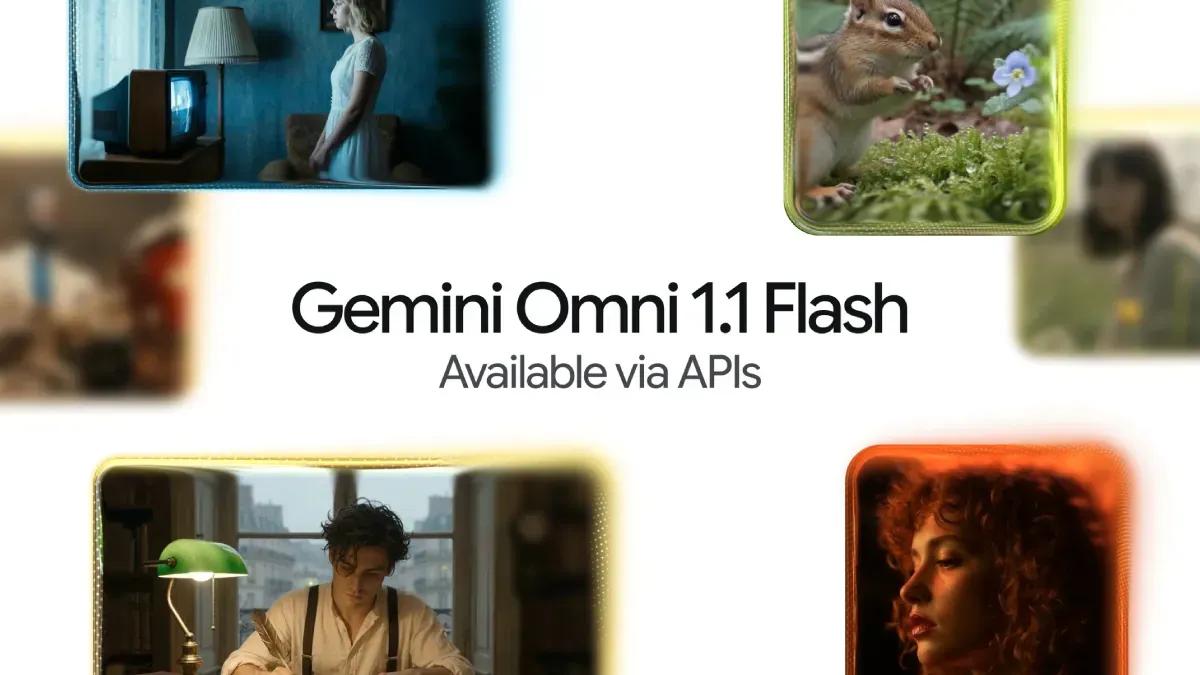
Source: Gadgets 360
The updated scene extension system represents a major leap in maintaining visual consistency. Gemini Omni 1.1 Flash can now analyze up to 10 seconds of prior video context when generating new content, compared with just the final second in earlier models
2
. This expanded context window gives the generative AI model significantly more information to maintain visual consistency and narrative continuity as footage continues1
. Creators can extend clips in 10-second increments up to a cumulative 40 seconds5
, providing substantial flexibility for building longer sequences while preserving the original aesthetic and storytelling elements.A new first-and-last-frame control lets creators specify two keyframes, with the model generating continuous motion between them
1
. This keyframe-based video generation feature supports complex camera movements including camera orbits, zoom transitions, and looping clips2
. The capability allows creators to lock in consistent characters and narratives while planning out scene transitions, rather than leaving the entire sequence to the AI-powered video creation tool3
. This level of control marks a shift from purely generative outputs to more directed video production.Gemini Omni 1.1 Flash introduces 360p draft generation that renders up to 60% faster and costs one-third as much as standard 720p output
2
. This quick-drafting workflow lets editors rapidly test visual concepts and scene compositions at lower resolution before committing to full-resolution renders3
. The 360p mode is designed for rapid prototyping, storyboard iteration, and making experimentation cheaper and faster1
. For mobile video creation workflows, this feature is especially valuable, allowing users to quickly draft generated content on their phones and upscale preferred versions later3
.
Source: Android Authority
Once a concept is finalized, Gemini Omni 1.1 Flash can produce polished 1080p or 4K video upscaling outputs
1
. This capability transforms the generative video model from a prototyping tool into a production-ready solution. Users can export their video in either 1080p or 4K resolution after finishing a rough cut3
, ensuring high-resolution outputs suitable for professional distribution. The workflow from 360p drafts to 4K finals creates an efficient pipeline that balances speed during iteration with quality in final delivery.Related Stories

The model accepts up to three seconds of video as multimodal references when creating a scene
1
. This reference capability helps maintain character consistency and visual context based on existing footage4
. Reference videos can provide visual context and help carry over details such as character appearance and environmental settings from the source material5
. This feature addresses one of the persistent challenges in AI video generation: maintaining consistent visual elements across multiple generated clips.Several major platforms are integrating Gemini Omni Flash into their products. Adobe has added it to Firefly, while Figma Creative Director Itay Schiff noted the model lets teams move "beyond generating videos to truly directing them"
2
. Other companies including Figma Weave, GMI Cloud, and Runway are also incorporating the technology into their video workflows4
. Google has published comprehensive developer documentation, a cookbook, and prompting guides covering scene extension, video references, and upscaling through the Gemini API5
. This ecosystem development suggests the technology is moving from experimental to production-grade, positioning Google Flow as a serious contender in professional creative workflows alongside established tools.
Source: Phandroid
Summarized by
Navi
[1]
[2]
19 May 2026•Technology

12 May 2026•Technology

19 May 2026•Technology

1
Technology

2
Policy and Regulation

3
Policy and Regulation