11 Sources
[1]
Google revamps image search for its 25th anniversary with more images and more AI
Believe it or not, there was a time when searching the web for images was not possible. Twenty-five years ago, Google launched image search, and it's celebrating by looking back at its biggest visual milestones and refreshing the experience for today's searchers. The celebration also includes expanded AI because that's just how Google rolls in 2026. Google claims the impetus for image search a quarter century ago was the green Versace dress Jennifer Lopez wore to the 2000 Grammy Awards. If you were alive at the time, you probably remember the one. Google engineers understood that people searching for the dress didn't want to read about it -- they just wanted to see it. The company got to work building image search, launching the first version in July 2001. 25 years later, it's easy to take for granted that you can search for Lopez's green dress or whatever else strikes your fancy. Currently, going to the Google image search site shows a plain search bar for finding images. It's a refreshingly minimalist interface for the modern web. Even Google's search homepage has a smattering of AI buttons and drop-down menus. That will change when the new Google Images rolls out. Soon, Google Image search will feature a gallery of images from across the web before you've even searched for anything. Google says this gallery will be updated continuously based on your interests. Your "interests" in this context means your web and search history on Google. So the things you look up and interact with online will inform what content Google suggests in this new interface. Google is also using this update as an opportunity to resurface Collections, a feature of image search you probably don't use. As you browse Google's suggested images and search for more, you can add items to your Collections. These will appear in a menu at the top of the main gallery for easy access. The last change is not so much image search -- it's kind of the opposite. If the sheer volume of existing images on the Internet isn't doing it for you, Google is making it easier to generate new images with AI. Google's impressive Nano Banana image model has long been available in Gemini, and it expanded to AI Mode a few months back. Now, it's coming to AI Overviews. If you want more AI images in your search results, just ask for one in your query. Google's AI will generate and place it in the AI Overview that occupies an increasingly expansive portion of the results page. The image will naturally push the organic search results even farther down the page. Both the refreshed Google Images page and image generation in AI Overviews will roll out over the coming weeks. They will both be limited to accounts set to English at first.
[2]
Google Images gets a Pinterest-like redesign focused on discovery
Google Images, the tech giant's image search engine, is taking on Pinterest with its latest redesign that turns the site into a browsable, dynamic gallery of images from across the web. Google is also adding a way for users to create AI images right in Search, as it celebrates 25 years since the debut of Google Images. Pinterest has long been known for allowing people to browse and save visual inspiration for everything from fashion to home decor. With this redesign, Google is essentially copying that playbook by turning Google Images into a place for discovery and inspiration, and not just search, which could increase users' time spent on Google platforms, helping boost its ad revenue. In addition, Google is likely hoping that when users can't find the image they're looking for on Google Images or when they want to visualize something, they'll stay within its ecosystem to create it rather than turn to third-party services like ChatGPT. After navigating to the redesigned Google Images, users will see a "For You" gallery of images tailored to their interests and browsing history. Like Pinterest, the gallery is designed for continuous browsing, with Google saying it updates in real time with new images. As users browse, they can save ideas to their "collections," which will appear as tabs above the main gallery of photos. For example, users can create collections for things like vacation outfit ideas, travel inspiration, and ways to design a reading nook, which they can come back to later. The redesign is rolling out over the coming weeks on desktop in the U.S. in English. Users need to be signed into a Google Account to try it out, the tech giant says. As for generating images directly in Search, Google says the feature is meant for moments when you have a highly specific idea for an image that doesn't already exist online. Google is bringing image generation directly into AI Overviews on Search and will use its latest Nano Banana model to transform a text prompt into a custom visual. The feature can also help users reimagine spaces and visualize ideas, such as seeing what a room might look like painted red or what a dorm room with a coastal theme could look like. Image generation in AI Overviews will start to roll out over the coming weeks in English for all regions that currently support image creation in AI Mode, Google says.
[3]
Google Launches Two New Features to Celebrate 25 Years of Google Images
Macy has been working for CNET for coming on 2 years. Prior to CNET, Macy received a North Carolina College Media Association award in sports writing. Google Images may not be making headlines on the regular, but the tool has a storied history that's spanned decades. To mark its 25-year anniversary, I met with Google Lens co-founder Lou Wang to discuss the evolution of visual search at Google and two new features rolling out now. In July 2001, Google launched its images search tool after Jennifer Lopez broke the internet for the first time with her iconic green Versace dress at the 2000 Grammy Awards. Over the next decade, it evolved from text queries for images to reverse-image searches using uploaded images or URLs. In 2017, Google took the next jump in visual search with the launch of Google Lens. Lens was initially integrated with Google Photos and Google Assistant, then moved to the main search box. With the introduction of Multisearch -- combining text and image inputs -- and Circle to Search -- enabling context-aware search of an image without switching apps -- Google gave people a new way to search: with their camera rather than with text alone. During the AI boom over the last two years, AI Mode integrations, Search Live capabilities, visual reasoning powered by Gemini models, "Find the Look" fashion outfit matching and multi-image search inputs have made searching with imagery more natural and intuitive than ever. Read also: The 6 Google AI and Lens Tricks I Rely on for Smooth, Hassle-Free Travel New ways to explore and create images in Google In addition to the visual search timeline, Wang said that Google is introducing two new features in Google Images and Search. A browsable home for Google Images Wang said Google is rolling out a browsable homepage for Google Images, featuring a dynamic, real-time image gallery tailored to user interests with tabbed collections to keep track of saved ideas. Similar to creating a board on Pinterest or creating a collection on TikTok, you can save thematically similar visuals to one location for easy access. Say you're researching for a trip to Malaysia, for instance. You can create a collection titled "Malaysia" that will show up as a tab above the main gallery, where you can save all of your ideas or trip inspiration in one place. This feature will be available over the coming weeks on desktop in the US in English. Generate images in AI Overviews Google is also bringing direct image generation into AI Overviews in Search, according to Wang. Using text prompts powered by the latest Nano Banana model, you'll be able to generate high-quality, custom visuals to bring your idea to life. Suppose you want to paint a room in your home, for instance, but can't decide if a lighter or darker color would look better. You could use this tool in AI Overviews and type something along the lines of, "create a visual that compares a master bedroom with yellow-gold walls versus sage green walls." The AI overview will then generate a custom image to help with your decision-making. This new feature will arrive over the coming weeks in regions that currently support image creation in AI Mode. It'll be available in English. Wang said customer demand continuously pushes technology past its initial limits, pushing Google to focus on creating natural, intuitive ways to answer complex questions through any combination of voice, text and visuals. "Especially with these AI models, we have an ability to do way more to get towards more of this natural and intuitive expression of a question," he said. "I think that's where we're more and more anchored: How do you let people express these questions really intuitively and then obviously answer them to the best that we can?"
[4]
The Google Images homepage will recommend photos even before you search
Google is announcing a big change to the Google Images homepage in honor of the platform's 25th anniversary this week. Instead of a mostly blank page with a search bar, the homepage will soon show you a bunch of images that it thinks you might like before you even start searching. The company says the new "browseable" homepage features a "dynamic, immersive gallery of images from across the web -- updated in real time and intelligently tailored to your unique interests." Based on images Google has shared, the layout reminds me of platforms like Pinterest and Imgur that stuff a lot of images in one place for you to scroll through. You'll also be able to save images in collections that you can reference later, and those collections will show up as tabs above the feed. The new Google Images homepage will be rolling out over the "coming weeks" for signed-in desktop users in the US in English, according to Google. In another image-related update, Google Search will soon be able to generate images in AI Overviews using its Nano Banana 2 Lite AI model. Examples from Google show how the feature could be used for comparing or visualizing home decor ideas. In demo prompts, Google uses phrasing like "help me visualize" or "create a visual" to kick off the process of generating an image. But we've asked Google for details about what types of prompts trigger image generation and how the company prevents AI Overviews from generating AI images when it probably shouldn't, like for current events.
[5]
Google Search will let you instantly generate AI images for free - here's how
Follow ZDNET: Add us as a preferred source on Google. ZDNET's key takeaways * Google Images is getting two new features over the coming weeks. * You'll be able to create your own images if you can't find the right one. * The site will update images in real time and help you view your saved images. Google Images is a handy visual search engine that helps you track down photos and other images across the web. Now celebrating its 25th birthday, the site can come in handy if you need an image for a presentation, report, newsletter, business card, web page, or other content. But sometimes you may not be able to find the right image. In that case, Google will let you create your own. Also: Tired of AI Overviews? I found 9 Google Search alternatives that showed me links again AI image generation is soon expanding to Google Images. When a search for an image doesn't deliver the results you desire, your search term can transform into a text prompt. From there, Google will use its latest Nano Banana model to conjure up the kind of image you want. The image creation occurs directly inside the AI Overviews window, so you don't even need to leave your existing search. "Sometimes, the perfect image is out there on the web, waiting to be found," Google said in a Tuesday blog post. "But other times, you might have a highly specific vision where an image doesn't yet exist. To help bring those unique ideas to life, we're bringing image generation directly into AI Overviews in Search." Google Images gets a makeover, too The new image generation in AI Overviews will roll out in English over the coming weeks, promises Google. Any region that currently supports image creation in AI mode will be able to do likewise in AI Overviews. And there's more. Google Images itself is getting a makeover. The page's gallery of images will be more dynamic, meaning the images displayed will be updated in real time and tailored to your specific interests. Also: 13 Google Photos settings I always change on every new device - and why As you browse the resulting images, you'll be able to save the ones you like to a collection as always. But now your collections will appear as tabs above the main gallery. You'll then be able to jump back and forth more easily between your saved images and your ongoing search. This makeover will roll out over the coming weeks to Google Images on the desktop in the US in English. At that point, you'll just need to sign in with your Google account to try it.
[6]
Google Images Marks Its 25 Birthday by Adding AI Image Generation
Google also adds a personalized gallery of images from around the web, with the option of saving them in Pinterest-like collections. Google Images just hit the quarter-century mark, and Google is observing the birthday of its picture-finding tool by adding an AI feature to generate the image you have in mind if it can't locate one on the web. "Sometimes, the perfect image is out there on the web, waiting to be found," Google says. "But other times you might have a highly specific vision where an image doesn't yet exist." This feature lets you start with a plain-English prompt and runs on Google's Nano Banana image-generation model. It should be available soon enough, wherever you can already use Google's AI Mode to create an image. In addition to elevating AI image generation, Google Images is rolling out a new homepage design featuring what its post calls "a dynamic, immersive gallery of images from across the web -- updated in real time and intelligently tailored to your unique interests." That description evokes the personalized gallery of images Instagram shows when you tap its search button but haven't typed anything; if the new Google Images shows me a gallery that's at least 75% airplanes, I'll know its algorithm is operating in ways similar to Meta's. You'll also be able to save images presented in this gallery to collections you can come back to later on, which reads more than a bit like Pinterest. Google says these gallery features will start showing up in desktop browsers in the US set to English "over the coming weeks." The company's post lauding its image-search tool's silver anniversary also throws in a brief recap of its history. That began in July 2001, when Google added an image-search feature (in beta, of course) after seeing so many searches for a certain green Versace dress that Jennifer Lopez wore to the 2000 Grammy Awards. Since then, Google Images has added such features as the ability to conduct a reverse image search to discern the origin of a picture you've found, work through your phone's camera via Google Lens, search for part of a web page or image with Circle to Search, and apply any of an increasing variety of AI search tools to pin down the picture you want. Google's recap of its image search tool's history does not, however, reveal an exact birthday. But Googling for "Google 'Image Search' beta" and limiting results to those published before July 31, 2001, located a July 12, 2001, New York Times report about the new feature. "The service is still in beta while Google hones the technology, but Image Search does an impressive job with some requests," the NYT's Andrew Zipern wrote at the time, adding a parenthetical reference to a once-promising search competitor: "Altavista offers a similar service."
[7]
Google Images is getting a makeover for its 25th anniversary - Engadget
Google has given Images a makeover 25 years after it launched... and 26 years after Jennifer Lopez's Versace dress inspired its creation. The Images interface doesn't look much different from its current design, but the company says the results you'll see in the new version are "updated in real time" and are "intelligently tailored to your unique interests." You can still save images to your collections, like you've been able to for quite some time, by clicking on a particular photo and then the kebab menu icon above it before clicking save. After you add the images, they'll appear as tabs above the main gallery, so you can easily jump back in and continue looking for more similar results. The top of the Saved page interface now shows one tab for your collections and another for all image results, as well, so you can quickly switch between both views. The more "intelligent" Image results page will roll out on desktop in the US in English in the coming weeks. Take note that you will have to log into your Google account to be able to save images to your collections. In the coming weeks, Google is also rolling out the capability to create images with a text prompt in search. It's adding the company's Nano Banana AI image generator to AI Overviews, so you can generate images without having to leave the search page. The feature will be available in all regions that currently support image creation in AI Mode. But if that's a not a good thing for you, and you'd rather not see AI Overviews in Search altogether, you can follow our instructions on how to switch it off here. In its announcement, Google is also taking us a trip down memory lane. It discusses how JLo's iconic green Versace dress became a hot topic when she wore it at the 42nd Grammy Awards in early 2020, and how that made the company realize that a standard search page with link results wasn't enough. "People didn't just want to read about the dress -- they wanted to see it," Google said. And that was the reason why it designed the Images interface and launched it in July 2001.
[8]
Google gets its biggest visual search update in years -- here's what's changed
AI image generation is coming to AI Overviews, letting you create original images from text prompts using Google's Nano Banana model. Google is marking the 25th anniversary of Google Images, but it's not just a celebration. The company is rolling out a major refresh of its visual search experience and bringing AI-powered image generation into Search, making it easier to discover and create images without leaving the results page. Google Images launched in 2001, helping to change Search from a text-first experience to one where people can explore the web visually. Google says it's now taking another step, with a redesigned homepage that feels more like an endless feed of inspiration than a traditional image search. The new Google Images homepage has a browseable gallery that updates in real-time and is personalized to your interests. As you add images to Collections, they'll automatically show up as tabs above the gallery, so you can easily jump back into topics you've been exploring. Over the next few weeks, this new experience will begin rolling out to US desktop users in English and will require you to be signed in to a Google account to use. Google is extending its AI ambitions too, bringing image generation directly into AI Overviews. Rather than trying to find an image that may or may not exist, you'll be able to type in a prompt, and Google's new Nano Banana model will generate an all-new image from scratch. This feature is designed for situations where you have a specific idea, but existing web images do not meet your needs. Over the coming weeks, AI Overviews will gradually roll out image generation in English in those regions where AI Mode already supports it.
[9]
Google Images gets a Pinterest-style redesign for its 25th birthday
Chandra Steele has been writing about tech for the entirety of her journalism career. She loves making tough topics easy to understand. Before joining Android Police, Chandra was senior features writer at PCMag where she did everything from interviewing Jeff Goldblum to explaining crypto. It's been 25 years since Jennifer Lopez invented Google Images. Well, more accurately, since she inspired its creation. When Lopez walked the red carpet at the 2000 Grammys in a filmy green Versace dress, she caused a stir and a flurry of searches on Google. "At the time, it was the most popular search query we had ever seen," former Google CEO and Chairman Eric Schmidt wrote on Project Syndicate in 2015. "But we had no surefire way of getting users exactly what they wanted: JÂLo wearing that dress. Google Image Search was born." A new look for a new era Close To celebrate the anniversary, Google Images has undergone a makeover, which it describes as a "brand new browseable home." It's populated by "a dynamic, immersive gallery of images from across the web -- updated in real time and intelligently tailored to your unique interests." Images can be saved in Google's collections feature which will live in tabs above the main gallery. The overall effect is very much like Pinterest or Instagram's Explore page. The new look is rolling out over the next few weeks on Google Images on desktop in the US and will require signing in to Google to use. Create your own images Google had another image-related announcement today: the addition of image-generation to its AI Overviews in Search. Powered by the latest Nano Banana model, Nano Banana 2 Lite, it turns text prompts into visuals. Google's example shows the tool being used to select a bathroom wall color. The feature is rolling out in the next few weeks in English to regions that support AI mode image creation. A walk down memory lane Google took the opportunity to highlight some of the features introduced to Google Images over the years, from a way to find similar images starting in 2009 to this year's Circle to Search multi-object recognition and the ability to ask detailed questions about images right in search.
[10]
Google Images marks 25 years with personalized homepage redesign
Google Images is celebrating its 25th birthday this week, and marking the occasion with a new homepage experience. Google Images launched in July 2001 to let you "search and instantly explore visual content from across the web." Google is now introducing a "brand new browsable home for Google Images" at images.google.com (as seen above). When signed in on desktop web, you'll get a "dynamic, immersive gallery" of pictures that are "tailored to your unique interests." A key part of this redesign is the ability to save images into Google's existing collections feature. Above the gallery, Google Images will show tabs that let you "jump back in and continue exploring based on what inspires you." The Google Images redesign is rolling out over the coming weeks on desktop in US English. Meanwhile, Google is adding image generation to AI Overviews. Powered by Nano Banana 2 Lite, this is rolling out over the coming weeks in English for all countries that support AI Mode image creation. Sometimes, the perfect image is out there on the web, waiting to be found. But other times you might have a highly specific vision where an image doesn't yet exist. To help bring those unique ideas to life, we're bringing image generation directly into AI Overviews in Search. With today's announcement, Google also highlighted other visual search milestones over the years:
[11]
Google Search Gets AI Image Creation
Google Images somehow celebrates its 25th anniversary this week. Has it really been that long? To celebrate, Google announced two new offerings, one of which brings AI image creation directly to AI Overviews inside of Google Search. Rolling out in the coming weeks on desktop in the US, Google has created a browsable home for Google Images. It will feature a "dynamic, immersive" gallery of images from across the web that will be updated in real time and "intelligently tailored" to your own specific interests. Once available, you'll be able to find it at images.google.com. Google also announced that it's bringing the latest Nano Banana image creation model to AI Overviews in Search. "Using our latest Nano Banana model, this update transforms a simple text prompt into a high-quality, custom visual made completely from scratch, seamlessly bridging the gap between imagination and reality," the company wrote in its blog post. Image generation in AI Overviews will start rolling out over the coming weeks.
Share
Copy Link
Google is transforming its image search platform with a dynamic, personalized gallery and direct AI image creation capabilities. The update introduces a browsable homepage that displays curated images based on user interests before any search begins, alongside the ability to generate custom visuals using the Nano Banana model directly within AI Overviews.
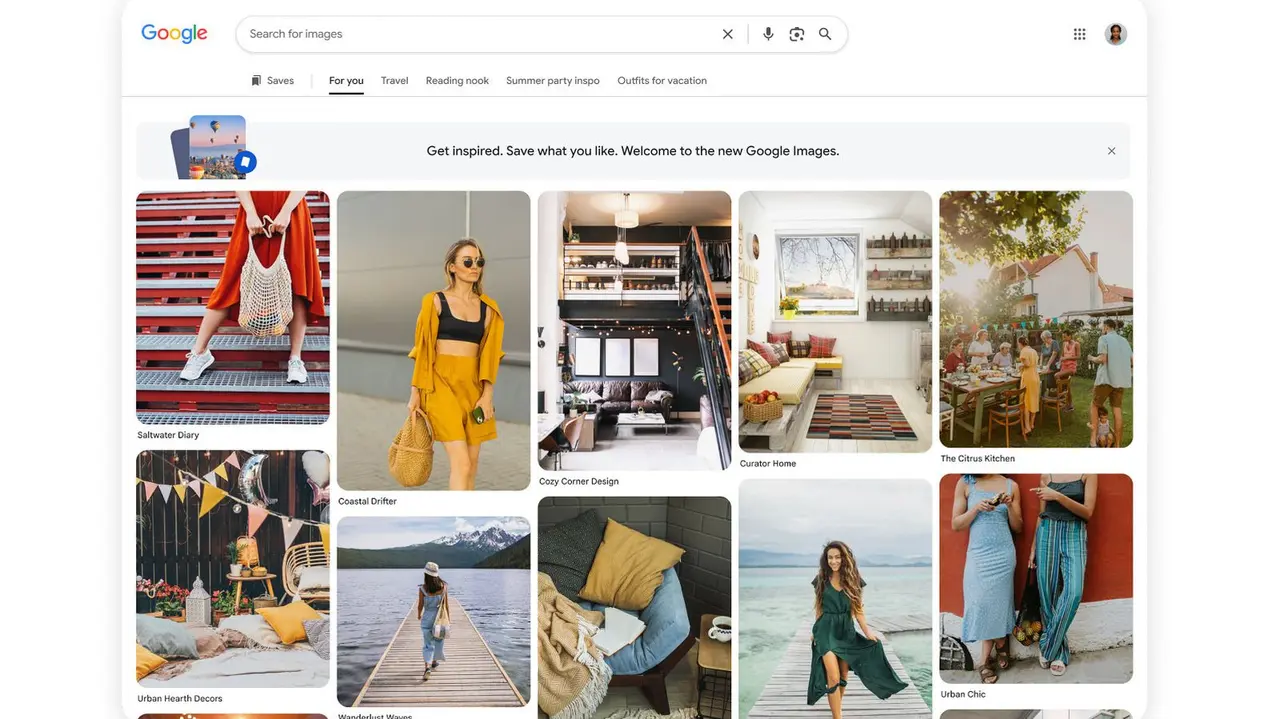
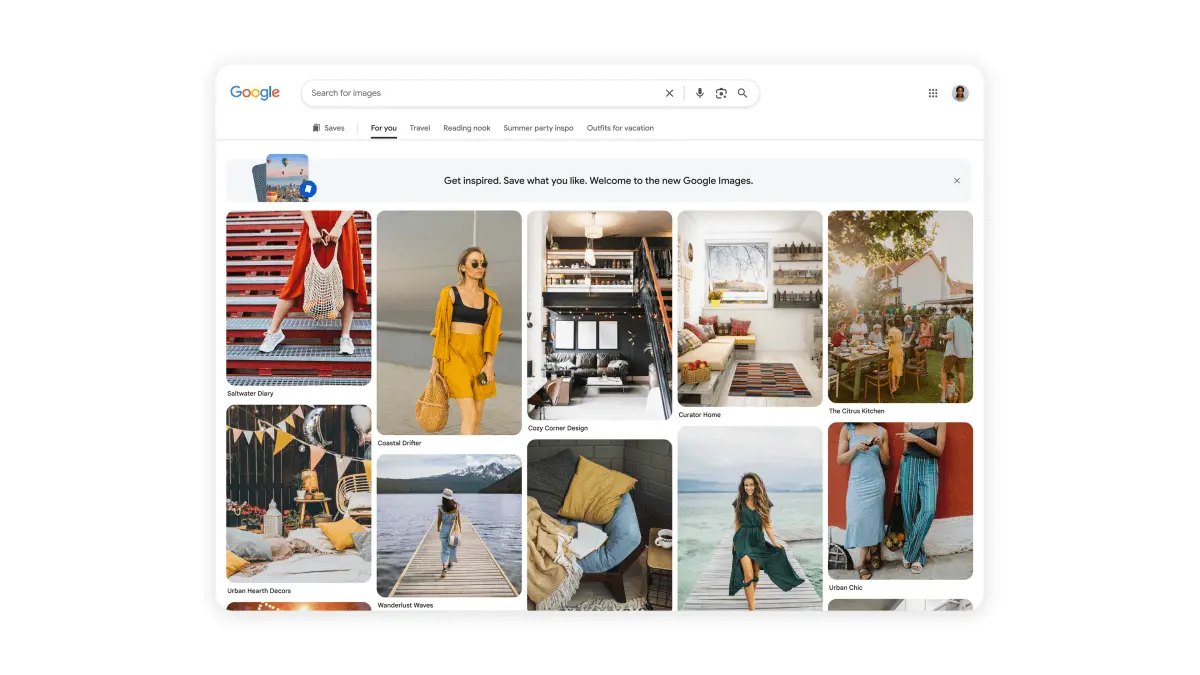
Google is marking the 25th anniversary of Google Images with its most significant update yet, introducing a Pinterest-like redesign that fundamentally changes how users interact with the platform. Instead of the minimalist search bar that has defined the service for years, the new Google Images homepage will feature a dynamic gallery of images from across the web, updated in real time and tailored to user interests based on browsing and search history
1
2
. This shift transforms Google Images from a pure search tool into a discovery platform, positioning it as a direct competitor to Pinterest's visual inspiration model.
Source: Engadget
The browsable gallery represents a strategic move to increase user engagement and time spent on Google platforms, which could boost ad revenue while keeping users within Google's ecosystem
2
. Google Images co-founder Lou Wang emphasized that customer demand continuously pushes technology past its initial limits, driving the company to create more natural and intuitive ways to answer complex questions through any combination of voice, text, and visuals3
.Alongside the visual overhaul, Google is resurfacing and enhancing its Collections feature, which allows users to save and organize images thematically. These user collections for saving images will now appear as tabs above the main gallery, making it easier to navigate between saved content and ongoing searches
4
. Similar to creating boards on Pinterest or collections on TikTok, users can organize visual inspiration for projects ranging from vacation outfit ideas to home decor concepts, with all saved items accessible in one centralized location3
.The Google Images redesign will roll out over the coming weeks on desktop in the US in English, requiring users to sign into their Google Account to access the personalized features
2
5
.
Source: TechCrunch
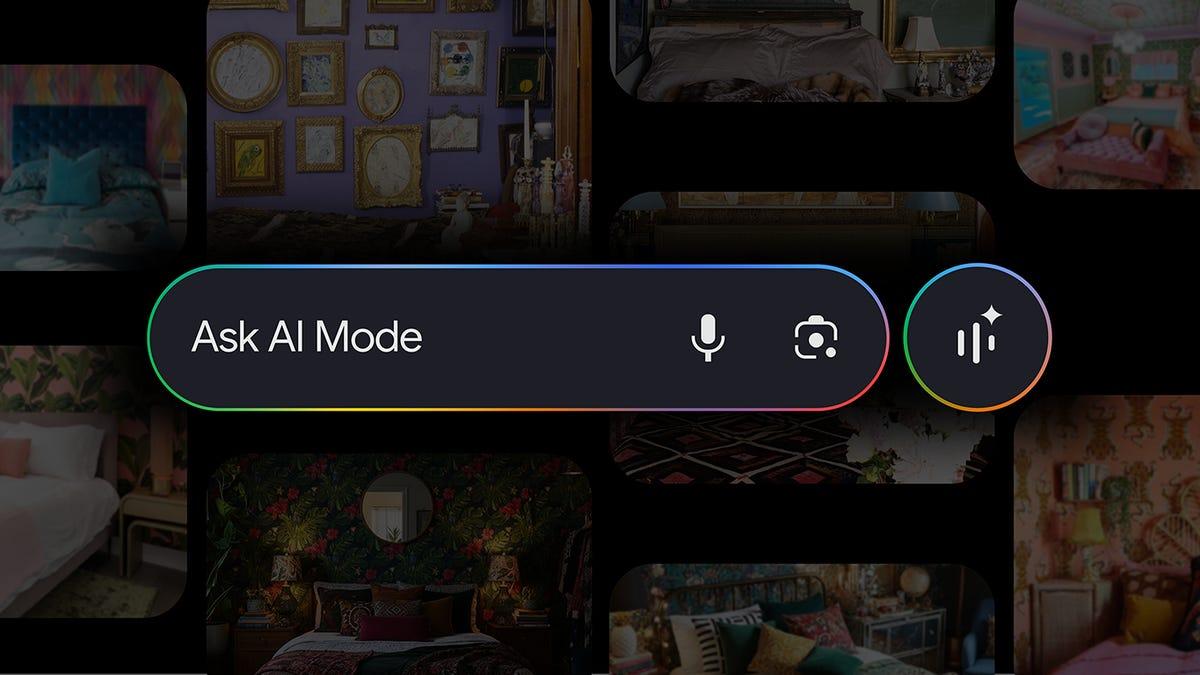
The second major update brings AI image generation directly into AI Overviews, allowing users to create custom visuals when existing images don't meet their specific needs. Using the latest Nano Banana model—referred to in some sources as Nano Banana 2 Lite—Google will transform text prompts into high-quality images without requiring users to leave their search results
3
4
.Users can generate AI images by including phrases like "help me visualize" or "create a visual" in their search queries. The feature is designed for highly specific scenarios where no suitable image exists online, such as comparing how a master bedroom would look with yellow-gold walls versus sage green walls, or visualizing a dorm room with a coastal theme
3
5
. This image creation capability occurs directly inside the AI Overviews window, though it will naturally push organic results farther down the page1
.
Source: PC Magazine
Related Stories
While these AI-powered features expand Google's visual search capabilities, they also raise questions about the balance between innovation and user experience. The Verge has asked Google for details about what types of text prompts trigger image generation and how the company prevents AI Overviews from generating AI images inappropriately, such as for current events
4
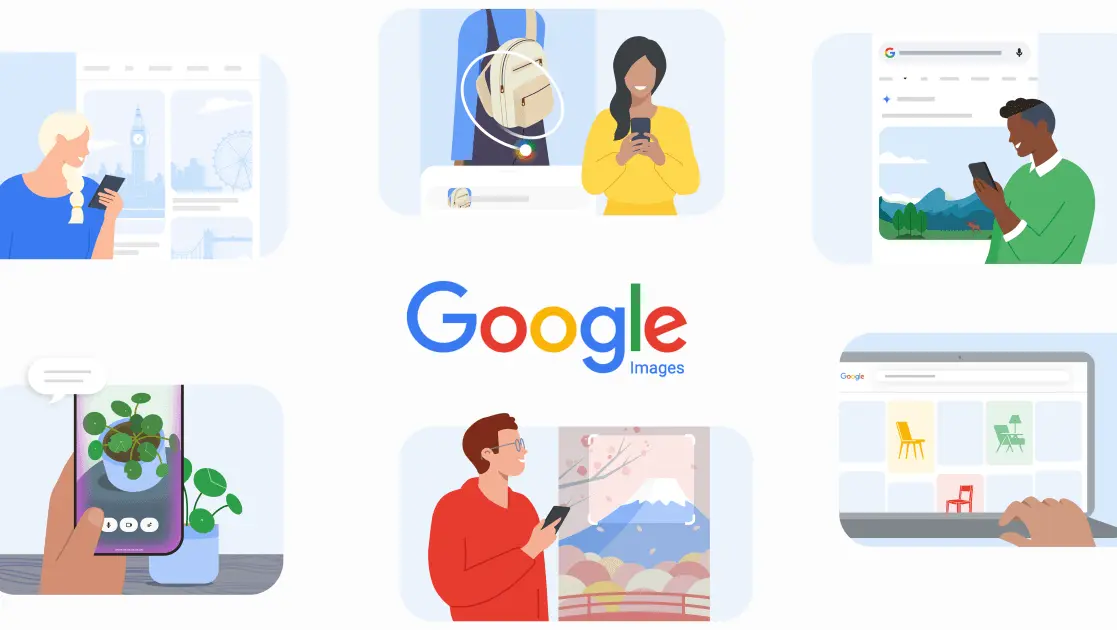
.The updates arrive as Google continues integrating AI across its search ecosystem, building on earlier innovations like Google Lens, Multisearch, and Circle to Search that have made visual search more natural and intuitive over the past several years
3
. Desktop users in regions that currently support image creation in AI Mode will be able to access the new generation capabilities in English over the coming weeks2
5
.For publishers and content creators, these changes signal a continued shift in how users discover and interact with visual content online, with implications for organic traffic as AI-generated content occupies more prominent positions in search results. The transformation of Google Images from a simple search utility to a personalized discovery platform reflects broader trends in how major tech platforms are leveraging AI to keep users engaged within their ecosystems while competing for attention in an increasingly visual web.
Summarized by
Navi
30 Sept 2025•Technology

04 Oct 2024•Technology

22 May 2026•Technology

1
Technology

2
Policy and Regulation

3
Business and Economy