Microsoft Copilot integrates full Office experience, reversing AI productivity strategy


3 Sources
[1]
The new Microsoft Copilot app is getting the full Office experience -- here's what you can look forward to from Word, Excel and more
* Microsoft Word, Excel and PowerPoint documents can now be opened, edited and shared inside the Copilot app * Could this be the company "figuring out what Copilot, and the future of work, should look like"? * Microsoft describes Copilot as the "new way to work" Microsoft is making some hefty
[2]
Microsoft wants Copilot Notebooks to handle the work that comes after an AI answer
Built-in Office editing gives users somewhere to revise what Copilot produces Microsoft is bringing Office editing into Copilot Notebooks through its Frontier preview. Users can work on Word, Excel and PowerPoint files alongside their project references, making changes themselves or asking Copilot
[3]
Microsoft brings Office editing and collaboration into Copilot
Microsoft is upgrading its Copilot app to let users create, edit and collaborate on Word, Excel and PowerPoint documents directly within the AI interface. The unified experience is currently available only to Frontier customers in Copilot Chat and Copilot Cowork. The upgrade brings Office
Share
Copy Link
Microsoft is embedding Word, Excel and PowerPoint directly into its Copilot app, allowing users to create, edit and collaborate on documents within the AI interface. This strategic reversal puts Office apps inside Copilot rather than adding AI features to individual Office apps, signaling a major shift in how Microsoft envisions the future of work.
Microsoft Copilot reverses strategy with full Office integration
Microsoft is fundamentally reshaping its AI productivity approach by embedding Word, Excel and PowerPoint editing capabilities directly into the Microsoft Copilot app
1
3
. This marks a strategic reversal from the company's previous approach of adding Copilot functionality into individual Office apps. Instead, Microsoft is now positioning Copilot as the central workspace where Office integration happens within the AI hub itself1
.
Source: Digital Trends
How Office editing and collaboration into Copilot transforms workflows
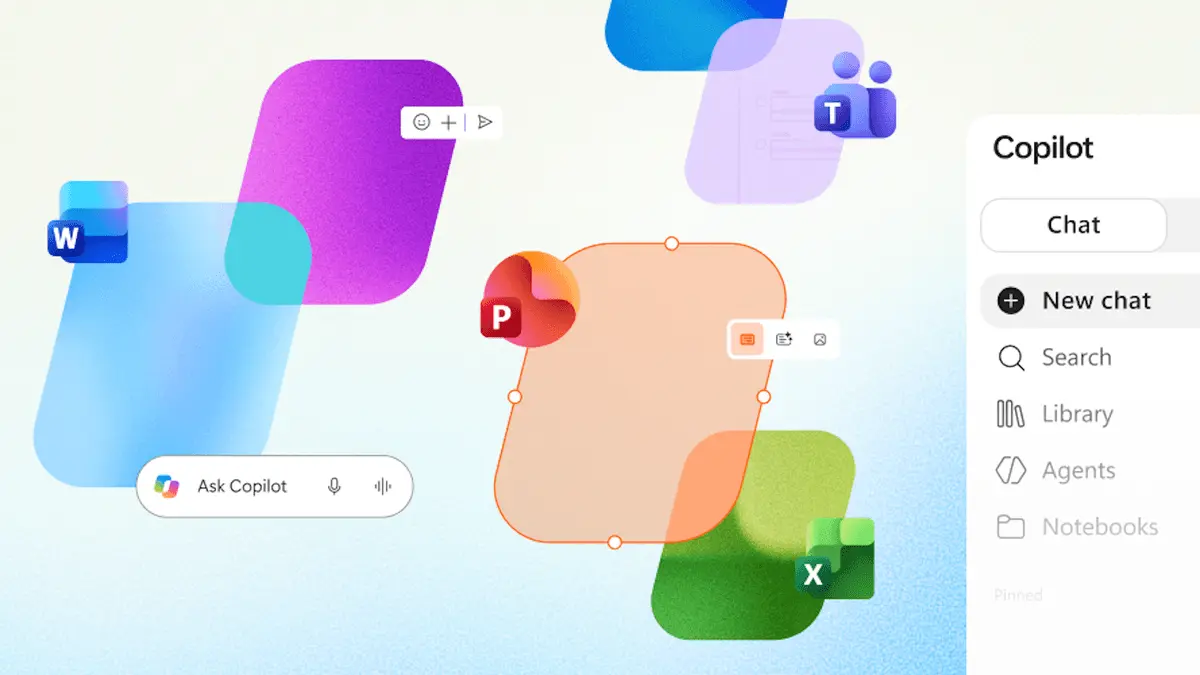
The Copilot app Office experience introduces a new Library feature that keeps all created documents accessible within a single interface, eliminating the need to switch between applications
1
. Users can now edit Word Excel PowerPoint in Copilot through Copilot Notebooks, where Office files open directly on the canvas for immediate editing2
. This unified productivity experience addresses the post-AI-generation workflow challenge—what happens after Copilot generates a document. Rather than forcing users to export files and open them in separate Office apps, the AI-driven productivity ecosystem now handles document creation, revision and collaboration capabilities in one place2
.
Source: TechRadar
Real-time co-editing and AI-assisted edits reshape team collaboration
Collaboration capabilities remain central to the upgrade. Teams can work on the same file simultaneously within Copilot Notebooks, with real-time co-editing allowing colleagues to make revisions while keeping project references together
2
. Users can share, comment and review documents entirely within Copilot1
3
. For AI-assisted edits, users can request changes like adding introductions or adjusting slide layouts through natural language prompts, though smaller corrections can be made directly without turning every fix into a prompt2
. Copilot can also find and add recent project material on request, giving drafts updated context as projects evolve2
.Related Stories


Leadership changes signal broader vision for future of work
Office Product Group executive Sumit Chauhan, who now reports to Copilot, Agents and Platform EVP Charles Lamanna, described the shift as bringing "familiar Office creation and collaboration experiences directly into that environment"
1
3
. Chauhan acknowledged that "Microsoft Office has defined productivity for the PC era" while positioning Copilot as "a new way to work"1
. This organizational restructuring follows the departure of M365's previous EVP Ryan Roslansky, signaling Microsoft's commitment to "figuring out what Copilot, and the future of work, should look like as one ecosystem"1
3
.Limited availability hints at phased rollout strategy
Currently, the unified experience is available only to Frontier customers in Copilot Chat and Copilot Cowork
1
3
. Features like interactive reports and PDF creation are also restricted to Frontier preview users2
. Scheduled automations, including recurring status presentations, are expected in the weeks following Microsoft's October 9 announcement2
. Industry observers anticipate broader availability within months as Microsoft refines this AI productivity vision1
. Watch for how enterprises adapt to this centralized workflow model and whether competitors respond with similar unified approaches to AI-assisted productivity.References
Summarized by

Navi
[2]
Related Stories
Recent Highlights



Recent Highlights
Today's Top Stories









Don’t drown in AI news. We cut through the noise - filtering, ranking and summarizing the most important AI news, breakthroughs and research daily. Follow topics that matter to you and stay ahead.


