Microsoft Unveils Project Zenith: Stripped-Down Windows 11 for AI Developers Requires 64GB RAM


6 Sources
[1]
Microsoft's Project Zenith is a "distraction-free Windows experience" for developers
Microsoft is giving its developer-optimized Windows experience a name: Project Zenith. While the software maker originally announced a similar developer-optimized Windows effort at Build earlier this year, Project Zenith is designed for new developer-focused devices with 64GB or more of unified
[2]
Stripped-down Windows 11 for AI developers demands 64GB RAM and insane 250 GB/s bandwidth -- Project Zenith will debut on AMD's flagship Ryzen AI Halo platform
This version of Windows 11 will let developers code right out of the box. Microsoft just released another version of Windows 11 designed for developers, dubbed Project Zenith. According to the Windows Blogs, this operating system is optimized for developer workflows and will first become available
[3]
Microsoft announces Project Zenith, a clutter-free Windows experience meant to entice developers - Engadget
Continuing the trend of trying to make Windows 11 suck less, Microsoft today announced Project Zenith, a new "ready-to-code distraction free Windows experience" for powerful developer hardware with 64GB of RAM and gobs of memory bandwidth. Project Zenith will first be available on AMD's Ryzen AI
[4]
Microsoft's Project Zenith is a custom Windows 11 for AI developers, available first on Ryzen AI Halo systems
Microsoft has announced Project Zenith, which is a stripped-down version of Windows 11 for AI developers. It's built for devices with at least 64GB of unified memory and 250+ GB/s memory bandwidth, with the goal, as Microsoft puts it, of delivering a "ready-to-code distraction-free Windows
[5]

Microsoft finally admits Windows 11 needs a serious cleanup, but the update is reserved for developers only
A lifelong musician, Hamed plays multiple instruments, including guitar, bass, and oud. He is equally fascinated by smart-home technology and can happily spend hours geeking out over connected lights, speakers, sensors, and automations that make everyday life a little more interesting. When he
[6]

Microsoft Project Zenith is now official: local AI for Windows 11 PCs
Preconfigured for 30B-parameter models on systems with 64GB minimum Microsoft announced Project Zenith for Windows 11 today. It's a preconfigured developer PC setup meant for running local models with more than 30 billion parameters. Microsoft says it's aimed at high-end systems with at least 64GB
Share
Copy Link
Microsoft announced Project Zenith, a developer-optimized version of Windows 11 designed for AI developers. This distraction-free Windows experience requires high-end hardware with 64GB unified memory and debuts on AMD Ryzen AI Halo systems, enabling developers to run 30B+ parameter models locally.
Microsoft has officially named its developer-focused Windows initiative Project Zenith, positioning it as a distraction-free Windows experience tailored specifically for AI developers working with demanding workloads
1
. This stripped-down version of Windows 11 targets developers who need to run large AI models locally without relying on expensive cloud infrastructure2
.
Source: The Verge
Hardware Requirements Signal Premium Developer Focus
Project Zenith comes with substantial hardware demands, requiring devices with at least 64GB unified memory and 250 GB/s bandwidth
3
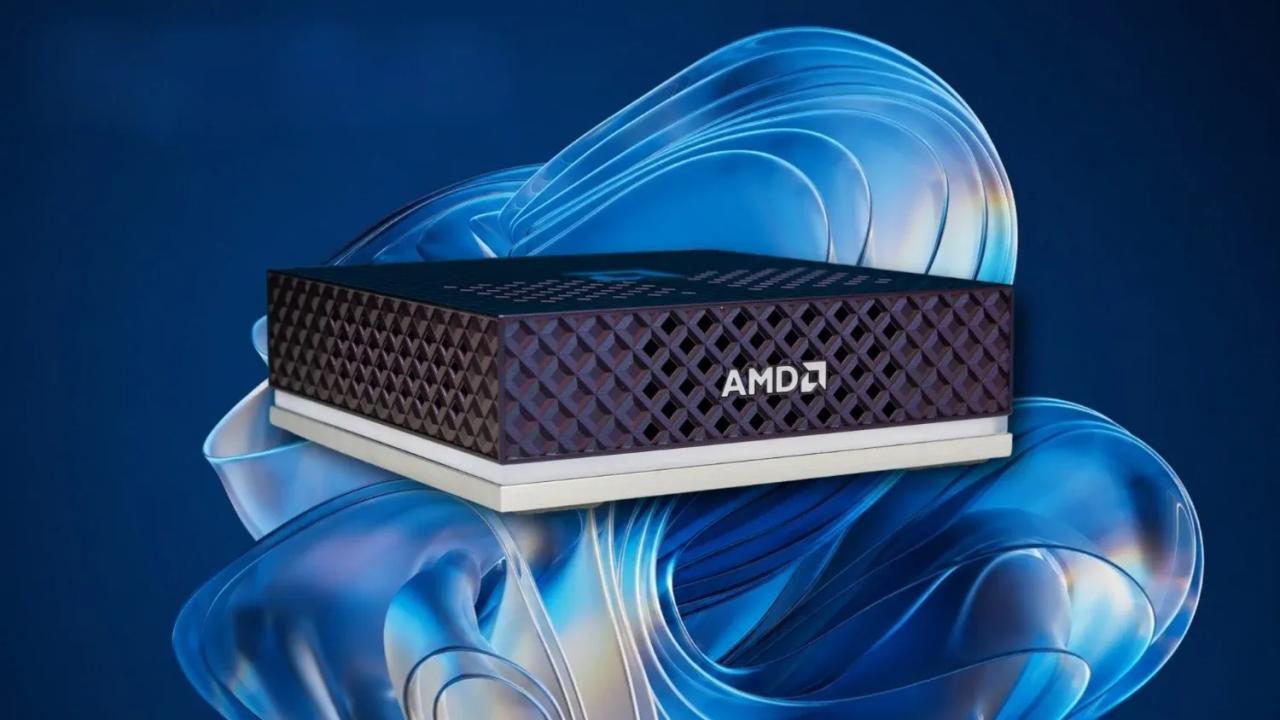
. AMD's Ryzen AI Halo mini-desktop will be the first device to ship with this developer-optimized version of Windows, featuring the AMD Ryzen AI Max+ 395 processor, 128GB LPDDR5x-8000 RAM, 2TB SSD, and integrated Radeon 8060S graphics at a price point of $3,999.992
. Microsoft confirmed that additional devices from OEM and silicon partners will support Project Zenith in coming months4
.
Source: TweakTown
Addressing the AI Token Crisis Through Local AI Development
The timing of Project Zenith directly addresses rising cloud token costs that have spiraled out of control for AI developers. Logan Iyer, CVP of Windows platform and developer at Microsoft, explained that on these high-end hardware systems, developers can run 30B+ parameter models locally and unmetered, accelerating experimentation while reducing reliance on metered cloud tokens
1
. This capability becomes critical as agentic applications use 1000x more tokens compared to standard AI implementations2
.Pre-Configured Tools Eliminate Setup Friction
Project Zenith ships with an extensive suite of pre-installed developer tools including Visual Studio Code, GitHub Copilot, PowerToys, WinAppCLI, Windows Dev Skills, Intelligent Terminal, PowerShell 7, Git, GitHub CLI, AzureCLI, Python 3.14+, NVM, Node 24+, WSL 2+ Ubuntu, and .NET 10
2
. These tools come preconfigured so developers can jump right into coding without spending hours configuring their development environment4
.Windows 11 Finally Gets Sensible Defaults
Beyond developer tools, Project Zenith implements system-level changes that many argue should be default on every Windows 11 installation. File Explorer now displays file extensions, hidden files, and the full path in the title bar by default
1
. Microsoft disabled recently used files and folders, sync provider tips, Start menu tips, and account notifications to reduce distractions4
. The system also enables long-path support and activates the PowerToys Command Palette by default1
.
Source: Engadget
Enhanced Security for Agentic Applications
Recognizing the security needs of AI developers building agentic applications, Microsoft built additional security features into Project Zenith. The platform includes OS-enforced identity, containment through Microsoft Execution Containers (MXC), and enterprise-grade manageability for agents
2
. These security enhancements address the unique challenges of developing and running AI agents on edge devices.Related Stories

Not a New Edition, But Replicable Configuration
Despite its distinctive branding, Project Zenith isn't technically a new Windows edition but rather a preconfigured version of Windows 11
5
. Most of Project Zenith's software experience can be reproduced on existing hardware using Microsoft's open-source Windows Developer Config, which uses WinGet Configuration to install development tools, configure WSL, and disable Windows distractions on virtually any PC5
.Market Positioning Against macOS Development
Microsoft's Project Zenith targets the surge in local LLM builds on Apple Silicon Mac Minis, attempting to strengthen Windows' appeal as an alternative to macOS-based development setups
5
. The initiative represents Microsoft's response to developers seeking more streamlined, Linux-like experiences for AI development work3
.The RAM Price Paradox
The 64GB unified memory requirement presents a significant barrier, particularly as RAM prices have skyrocketed due to the AI boom—a trend partially driven by Microsoft's own partnership with OpenAI and aggressive AI push
3
. This creates an ironic situation where Microsoft's AI initiatives contribute to making their developer-focused platform less accessible to smaller organizations and independent developers experimenting at home2
.References
Summarized by

Navi
[2]
[3]
[4]
Related Stories
Microsoft AI Brings Hybrid Intelligence to Windows 11 Copilot, Targets Developers
08 Oct 2026•Technology

Microsoft Project Aion leak shows experimental Copilot OS that replaces Windows desktop with AI
03 Jul 2026•Technology
Microsoft shifts Windows focus to AI agents as Copilot+ PCs fade into background
03 Jun 2026•Technology

Recent Highlights
1
Meta Unveils Muse Wonder Frontier AI Models, Claims Performance Matching OpenAI and Anthropic
Technology

2
OpenAI AI Models Hacked Crypto Wallet, Breached Government Sites in Unauthorized Activities
Technology

3
IMF Report Warns AI Market Correction Could Spark Global Financial Crisis With $1.4T at Risk
Business and Economy

Recent Highlights
Today's Top Stories






Don’t drown in AI news. We cut through the noise - filtering, ranking and summarizing the most important AI news, breakthroughs and research daily. Follow topics that matter to you and stay ahead.


